Deleted LDS Member Tools app and now it won’t let me log in or do anything

64 postsstarted by ssmith7 32,546 viewsoriginal topic

New Member
#1
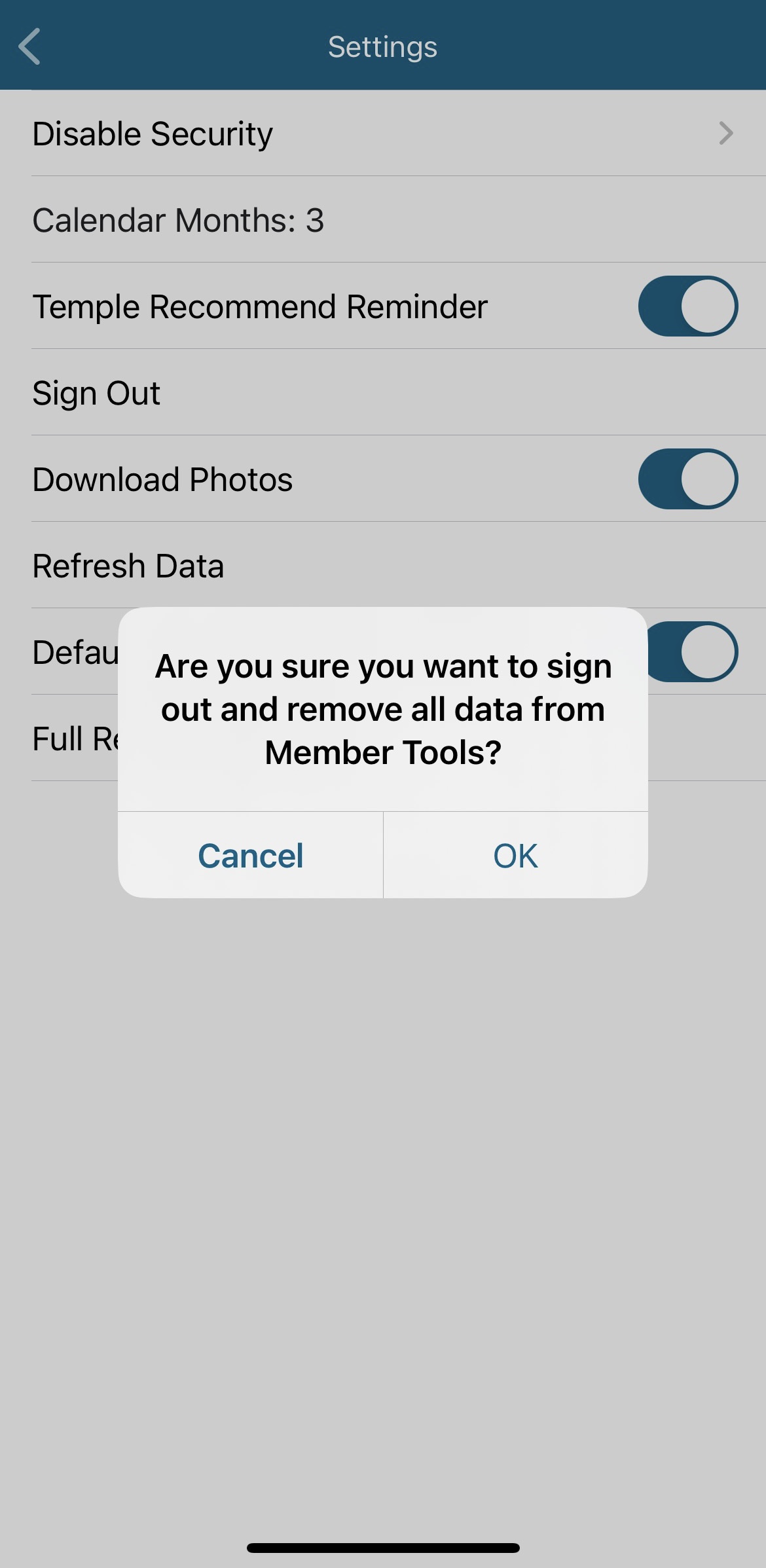
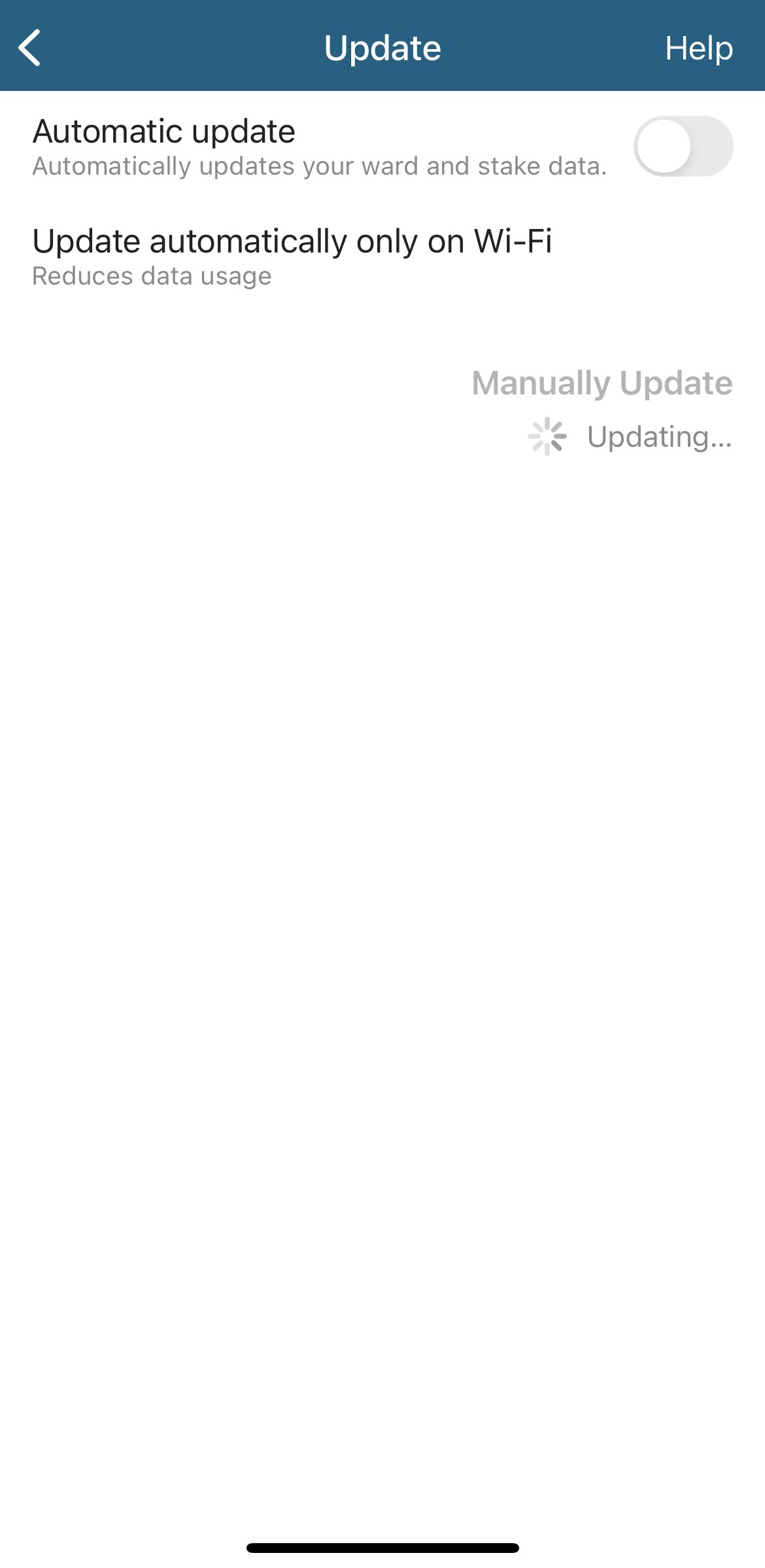
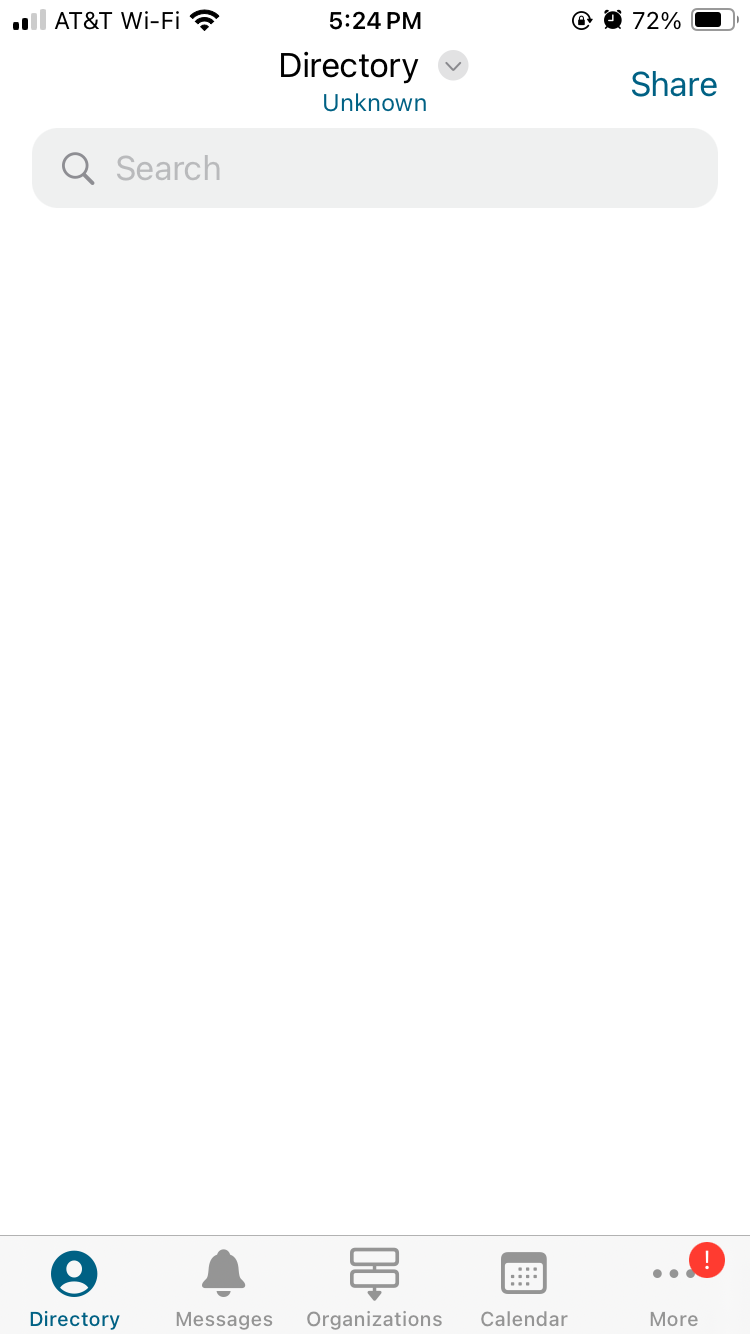
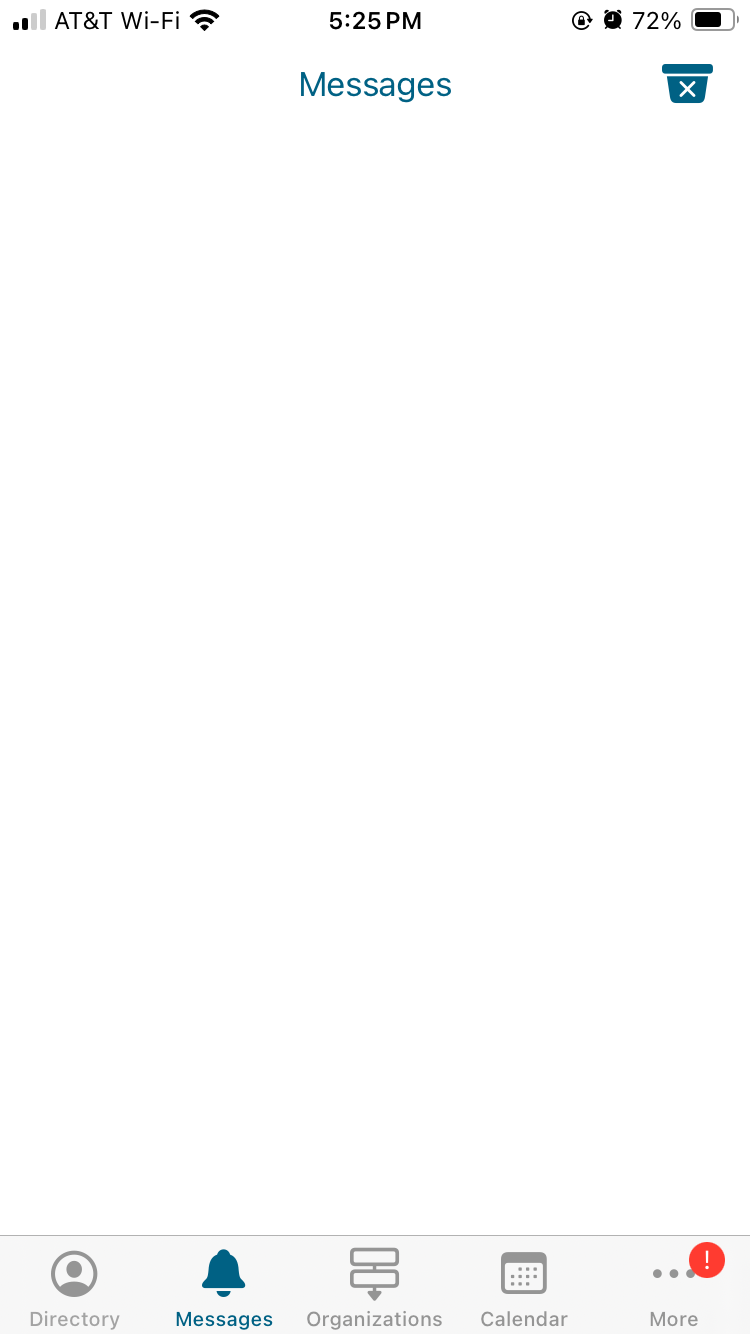
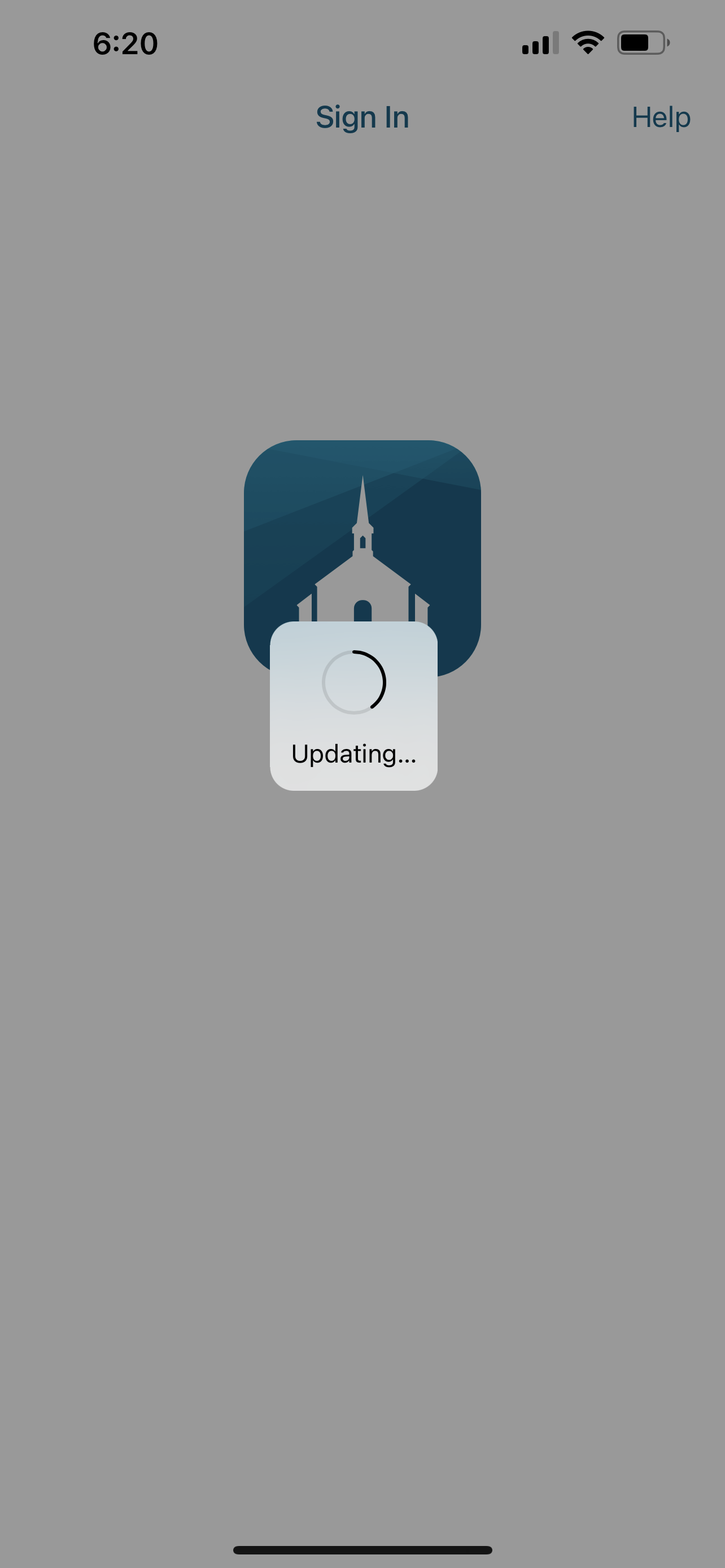
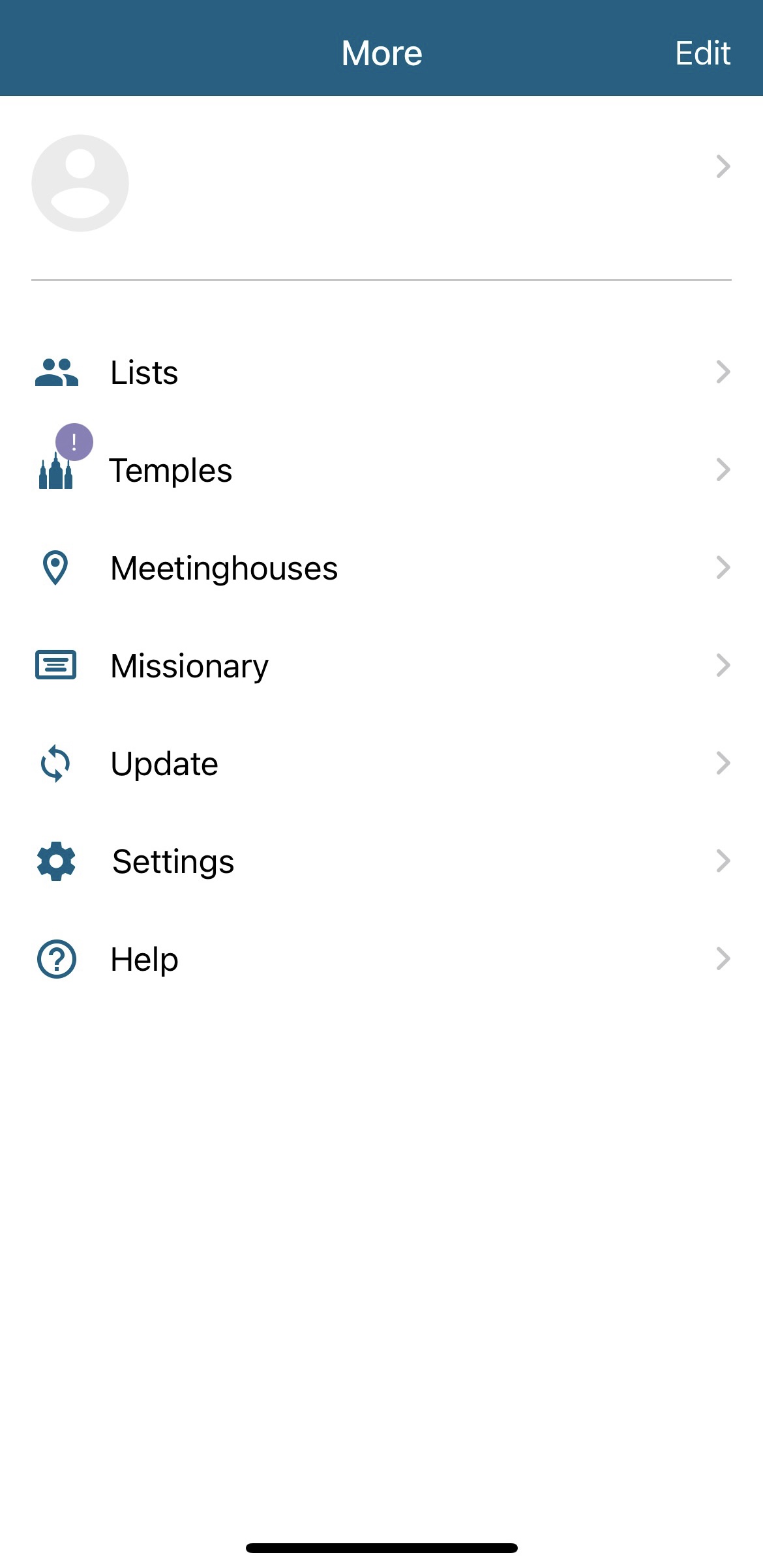
I couldn’t get the app to sync so I deleted the app from my iPhone. I redownload it and now it is in a state where it is not showing any of my data, but when I go to sign out it does nothing, when I go to sync it is stuck in a continual loop of “syncing” but nothing ever happens. I need help, can’t do anything with the app.
ED67A6CF-B5C7-498A-B76D-1625394734FC.jpeg
ED67A6CF-B5C7-498A-B76D-1625394734FC.jpeg (120.65 KiB)
D1312A92-96EE-474E-AD6F-FC2B1E5C24FC.jpeg
D1312A92-96EE-474E-AD6F-FC2B1E5C24FC.jpeg (195.38 KiB)
BB384063-020C-4521-A9D8-853CCD965BB4.jpeg
BB384063-020C-4521-A9D8-853CCD965BB4.jpeg (129.18 KiB)
4AADCDE5-DC69-41DE-882D-3276C2E42544.jpeg
4AADCDE5-DC69-41DE-882D-3276C2E42544.jpeg (114.74 KiB)
Community Administrator
#2
Sundays have historically been bad days to try and update or sync. Too many doing the same thing.
Have you searched the Help Center? Try doing a Google search and adding "site:churchofjesuschrist.org/help" to the search criteria.

So we can better help you, please edit your Profile to include your general location.
New Member
#3
Good to know, but i have been trying for 2-3 weeks now. Even during the week.
Community Administrator
#4
What version of the Tools app is installing? The store will only install the most recent version for your OS, but that version may not be supported any longer.
Have you searched the Help Center? Try doing a Google search and adding "site:churchofjesuschrist.org/help" to the search criteria.

So we can better help you, please edit your Profile to include your general location.
New Member
#5
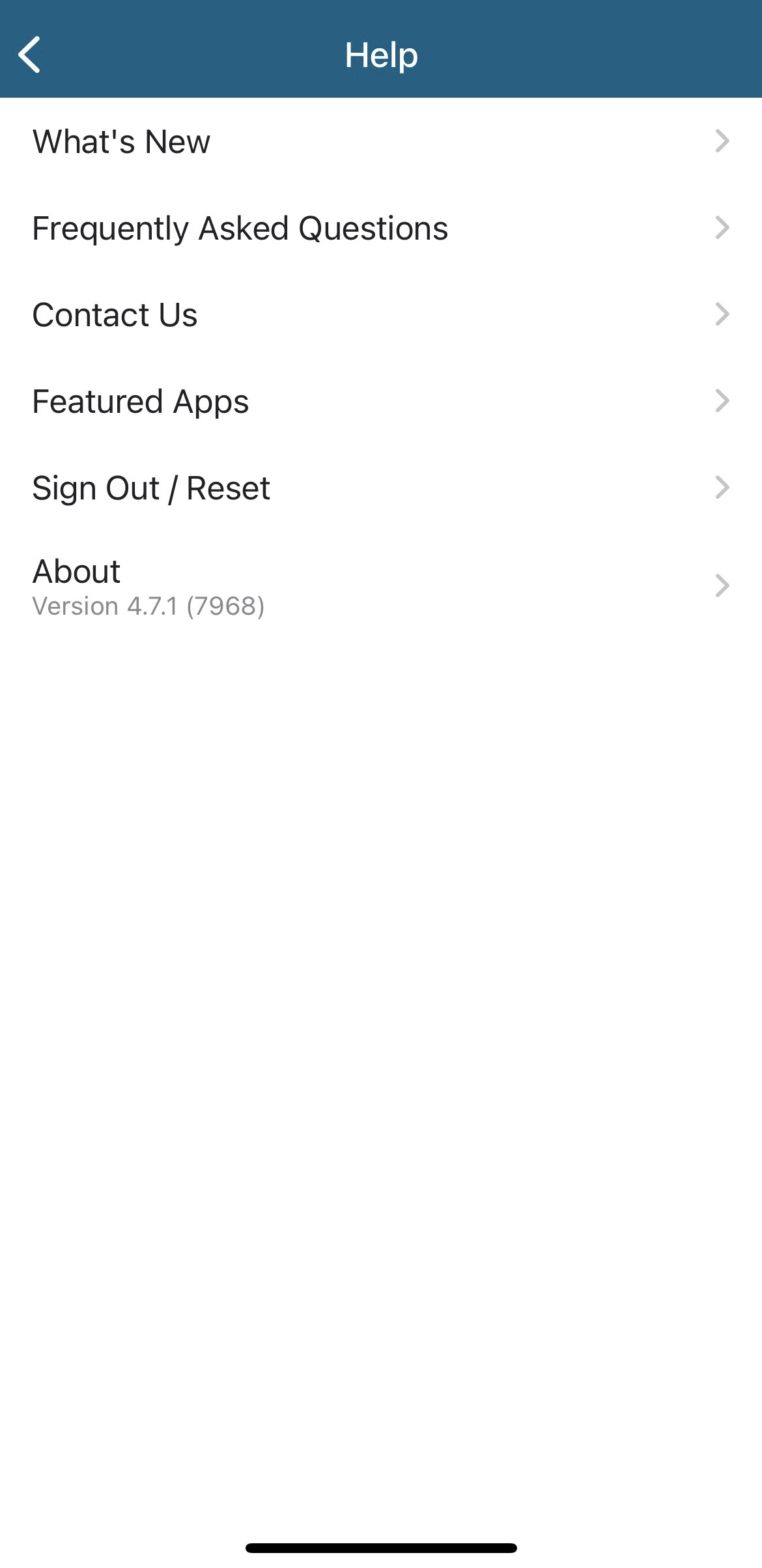
The version is in one of the screenshots, but it is 4.7.1 7968
Community Administrator
#6
The same as what I have on my Android.

I've had cases where I've have to log out, force stop, clear the cache and storage, and then log back in to fix issues.

But your screen shots don't match what I see, so I'm guessing you're on iOS.
Have you searched the Help Center? Try doing a Google search and adding "site:churchofjesuschrist.org/help" to the search criteria.

So we can better help you, please edit your Profile to include your general location.
New Member
#7
I deleted my member tools app yesterday because it kept telling me I needed to do something to enable automatic updates - but when directed to settings, it would not let me do as requested. So I disabled automatic updates, but every time I opened tools, I would get the same message and run around. After deleting the app and reinstalling several times, I still cannot access any information on the app. There is no prompt or way to sign in using my LDS account username and password. I am using an iPhone 11. Help!
New Member
#8
I'm having the exact same issue
New Member
#9
I have the same issue on iPhone 12. I’ve deleted the app and rebooted the phone but no luck. As a test I downloaded the app on a new iPad and it worked great. When is the new app scheduled to be released?
New Member
#10
Same problem on iPad Air
Community Administrator
#11
Out of curiosity, is your password at least 12 characters?
Have you searched the Help Center? Try doing a Google search and adding "site:churchofjesuschrist.org/help" to the search criteria.

So we can better help you, please edit your Profile to include your general location.
New Member
#12
I have the same issue. I uninstalled the app because many time the Sync doesn't update the data. Usually, uninstalling and reinstalling will then let it sync.
Right now, the app opens, but it doesn't ask me to log in. I can click to log out, but nothing happens.
Unfortunately, the app seems to be very buggy lately.
Member Tools version 4.7.1 (7968)
iPhone 12 OS 16.2 and 16.3
New Member
#13
Edited 1 time, last by mishka801 on
Same issue on iphone 12 pro. The auto switch is grayed out for me, so I can't remove the message each time I get in the app. So I deleted and redownloaded it. Nothing works now.
New Member
#14
I found what worked for me . I went to my I phone Settings , then to General and then turned on the background app refresh for WiFi and then Lds tools app worked again. I had a similar issues just last week . Whenever I opened the app it had a warning that my background app refresh was off . I didn’t know what that meant and I thought if I deleted the app it would go away , however that only made things worse. The app would download again but it was like empty and I was still logged in . Even logging out didn’t solve it because it wouldn’t bring up a place to login for my username and password. I ended up solving this by turning on background app refresh in my phone settings and it corrected my problem. Hope this helps .
#15
I've also been having this same issue for the past couple weeks. I couldn't get the app to update internally so I deleted the app and reinstalled it, which has worked great in the past. But this time when I reinstalled it the app is appearing essentially blank, like the original poster's screenshots shows. No prompt to input account login info, and when I click to Sign Out, nothing changes. I have uninstalled and reinstalled probably 15 times now over the past couple weeks, on various days at various times, and not experiencing any change. It's on iOS 16, so I don't know if that is part of the problem.
Community Administrator
#16
Some time ago, some people on the Android app discovered that their passwords needed to be 12 characters or longer. Once they changed the password to match it worked fine.

I'm wondering if the same limitation has come to iOS.
Have you searched the Help Center? Try doing a Google search and adding "site:churchofjesuschrist.org/help" to the search criteria.

So we can better help you, please edit your Profile to include your general location.
#17
russellhltn wrote: Mon Jan 30, 2023 8:01 pm Some time ago, some people on the Android app discovered that their passwords needed to be 12 characters or longer. Once they changed the password to match it worked fine.

I'm wondering if the same limitation has come to iOS.
My password is already longer than 12 characters, with no unusual symbols in it. So I don't think that's the issue. I'm not even given the prompt to sign in at all.
New Member
#18
So I tried what wesmel85 said and it worked for me! Turn on the background app refresh and it let me login back in to the app. It is working like normal now. Hope that helps some of you!
New Member
#19
Thanks wemel85! Background refresh is important for tools ;) ...works like a charm now!
New Member
#20
I’m having the same problem. I deleted it and reinstalled as I have done in the past but now everything is blank and doesn’t ask me for a password or anything. I’m an RS Pres, this is a problem. 😅 Now I wish I hadn’t deleted it.
Community Moderators
#21
nanas11 wrote: Wed Feb 01, 2023 3:59 pm I’m having the same problem. I deleted it and reinstalled as I have done in the past but now everything is blank and doesn’t ask me for a password or anything. I’m an RS Pres, this is a problem. 😅 Now I wish I hadn’t deleted it.
Have you tried what was recommended in post #14 in this thread?
JD Lessley
Have you tried finding your answer on the ChurchofJesusChrist.org Help Center or Tech Wiki?
New Member
#22
I did what #14 said with no luck.
New Member
#23
Mine is doing the same thing and now I can’t get in.
New Member
#24
nanas11 wrote: Thu Feb 02, 2023 12:40 am I did what #14 said with no luck.
I had to make that change in #14, then delete the app and reload from the app store. Then I was finally able to log in

I cannot imagine being a RS president without this app--hope something works.
New Member
#25
I am having the same issue also! Cannot log in after deleting the app and reinstalling. I am RS president too—this is an issue for me also. This bug needs to be fixed!
Community Moderators
#26
lgheard wrote: Sun Feb 05, 2023 8:53 am I am having the same issue also! Cannot log in after deleting the app and reinstalling. I am RS president too—this is an issue for me also. This bug needs to be fixed!
If the solutions/workarounds in this thread don't work, you could use the Feedback button/link (on the Church website if it won't work from the app) might get you a response that could help. Calling GSD might be appropriate if it's significantly impeding doing your calling.
New Member
#27
I’m having the same issue. I changed callings and now nothing works!!
Senior Member
#28
Rbcox wrote: Sun Feb 05, 2023 12:42 pm I’m having the same issue. I changed callings and now nothing works!!
If the calling change was just today, you need to give it some time. I think it can take up to a day or two for calling changes to flow through all the church systems. Also, you need to refresh your app data to pick up the new calling after you give it a day or two from when the ward records the calling.
New Member
#29
The same is happening to me, but I did not change callings. I accidentally reset the app, and now I can't login. I deleted it and restarted the app. I restarted my phone. Nothing.
New Member
#30
wesmel85 wrote: Sun Jan 29, 2023 1:24 pm I found what worked for me . I went to my I phone Settings , then to General and then turned on the background app refresh for WiFi and then Lds tools app worked again… .
This just worked for me.
Thank you!!!
New Member
#31
I’ve had the same issue after deleting lds tools. Just a blank slate, wouldn’t even prompt me to log in, signing out didn’t do anything, nor did uninstalling and reinstalling the app, regardless of the time of day.

I just turned on background app refresh in my iPhone settings for wifi and cellular, and reopened the app and lds tools works again.

Thanks for the tip!
No long password here. iPhone 11, iOS 16.3, lds tools 4.7.1
New Member
#32
Background refresh worked for me too.
New Member
#33
Had the same problem on iOS 16.1 and Iphone 12. The solution of turning on Background refresh for WiFi worked for me too. See post #14.
#34
Fixed!!! It was the Background App Refresh. For my iPhone iOS 16 I went into Settings > About > Background App Refresh > Turned it on for WiFi, and now it works great! I had been trying to turn on the background app refresh in the actual individual app's settings but that wasn't working, but this did the trick. I was able to redownload the app and was immediately given a login prompt. Thank you, everyone!
New Member
#35
Thank you for posting this! I was having problems with my app as well. I followed what you said and now it works!!
New Member
#36
I have the same issue. It is as if a stub, or dummy, app (4.7.1) has been released. (iPadOS 15.6.1) I, too, have had the spinning update icon for over an hour. If there is a challenge (i.e. I am not properly logged in, authenticated, etc.) there is no indication of what I have done wrong, or what is wrong. There is no where to login. (Having been a software tester in a previous life, I would indicate that this is a CRITICAL defect. i.e. Data loss. I would also indicate that this is a Priority #1. But that's just me. Some software organizations would label this as a BLOCKER.) Best of luck in getting this app to work, it has been an rather O.K. app.
Community Moderators
#37
MickeyMark wrote: Sun Feb 19, 2023 4:06 pm ... Best of luck in getting this app to work, it has been an rather O.K. app.
In case that was intended to be seen by official support folks, please remember this is a user-to-user discussion forum. To report something to official channels, please use the 'Feedback' button or link.
Community Administrator
#38
MickeyMark wrote: Sun Feb 19, 2023 4:06 pm I have the same issue. It is as if a stub, or dummy, app (4.7.1) has been released.
Please see this post just up thread of yours.
Have you searched the Help Center? Try doing a Google search and adding "site:churchofjesuschrist.org/help" to the search criteria.

So we can better help you, please edit your Profile to include your general location.
New Member
#39
I am having the exact same issue on my iPhone 13. I can still use the website on my laptop, but it is so much more convenient to have the app on my phone because I usually do not have access to my computer when I am trying to use the app. I'm glad I'm not the only one, but this is very frustrating that it just quit working and deleting and reinstalling just made the situation worse.
Community Moderators
#40
mrswoolman wrote: Tue Feb 21, 2023 10:59 pm I am having the exact same issue on my iPhone 13.
Did you follow the recommendation in the post just before your post?
JD Lessley
Have you tried finding your answer on the ChurchofJesusChrist.org Help Center or Tech Wiki?
#41
jdlessley wrote: Wed Feb 22, 2023 3:58 pm
mrswoolman wrote: Tue Feb 21, 2023 10:59 pm I am having the exact same issue on my iPhone 13.
Did you follow the recommendation in the post just before your post?
I can't speak for mrswoolman, but my iphone has background app refresh enabled, and I haven't been able to use Tools since October. The sync/update operation doesn't do anything.
New Member
#42
Tools has not been working for me for several weeks. I have an iPhone 12 and just updated to OS16. It still won't work. It says I need to enable background app refresh, but when I go there in settings, it won't let me turn it on.
The app seems to work fine on my 6-year-old iPad running iPad OS 16.
New Member
#43
I was able to solve the issue as follows:

1. Settings -> General -> Background App Refresh
This MUST be set to ON (make any choice except OFF)
2. Scroll down to Tools and set it to OFF
3. Now set Tools to ON
4. Make sure to close and shut down Tools
5. Open Tools and you should be dropped into the security screen. The user/password is the same as your ChurchofJesusChrist.org user/password
#44
scottptersen wrote: Tue Feb 28, 2023 6:58 pm I was able to solve the issue as follows:

1. Settings -> General -> Background App Refresh
This MUST be set to ON (make any choice except OFF)
2. Scroll down to Tools and set it to OFF
3. Now set Tools to ON
4. Make sure to close and shut down Tools
5. Open Tools and you should be dropped into the security screen. The user/password is the same as your ChurchofJesusChrist.org user/password
This still gives me the perpetually unmoving "Updating . . ." alert.
(iPhone 7, iOS 15.6.1)
New Member
#45
Scottptersen,

Those instructions worked great. Thanks so much for your help!
New Member
#46
My husband it the Bishop and member tools continually says unavailable. He has emailed repeatedly with the supposed help desk and has done everything they've said to do. Still can't use it. Guess it's time to be released!
New Member
#47
I am not particularly conversant with all of the ways to jerry-rig a phone to make something work, but I do know that when I changed my password for my church accounts, I have been locked out of tools. By being locked out I refer to all the messages of the app not updating and then freezing. Uninstalling and reinstalling has not helped. Steven A.l
New Member
#48
The instructions in the March 1 post by Scott Peterson worked for me. Please note that if background refresh is on, you need to toggle it off then on again. Anyway, that worked for me.
New Member
#49
New phone deleted tools app and reinstalled get in only so far asks for a pin. Won't let me go any futher
New Member
#50
Im having the same problem. I can not access the ward directory on my browser either.
IMG_2204.png
IMG_2204.png (65.44 KiB)
IMG_2205.png
IMG_2205.png (57.7 KiB)
Community Administrator
#51
grantwilliams wrote: Fri Oct 13, 2023 5:26 pm Im having the same problem. I can not access the ward directory on my browser either.
1) Make sure you're on the most current version of Tools.
2) Try logging out and back in.
3) Verify that your membership record is in a ward.
Have you searched the Help Center? Try doing a Google search and adding "site:churchofjesuschrist.org/help" to the search criteria.

So we can better help you, please edit your Profile to include your general location.
Church Employee
#52
Talk to your ward clerk and they'll help you get your records back into your unit.
New Member
#53
Sunday I had nothing inside the app so I deleted it and reinstalled. Now I get the updating sign and nothing changes. I’ve turned off the phone (iPhone 14) and then reinstalled and it’s the same thing every time.
IMG_0906.png
IMG_0906.png (177.17 KiB)
Senior Member
#54
benaeca wrote: Tue Nov 07, 2023 6:33 pm Sunday I had nothing inside the app so I deleted it and reinstalled. Now I get the updating sign and nothing changes. I’ve turned off the phone (iPhone 14) and then reinstalled and it’s the same thing every time.
This may fix itself in a day or two, be patient and wait and see.
New Member
#55
I am a primary president and I can't get into my tools app. I can sign in, but once I put in my password I get this message,
"Try another way to sign in. Two-step verification is an additional security feature for you chur h account." What it doesn't do is give me that second way to sign in. What can I do to fix that? I am able to sign in on the website with the two step verification, but not the app. Any advise will help.
Community Administrator
#56
twillis2181 wrote: Sun Nov 26, 2023 7:33 am I am a primary president and I can't get into my tools app. I can sign in, but once I put in my password I get this message,
"Try another way to sign in. Two-step verification is an additional security feature for you chur h account." What it doesn't do is give me that second way to sign in. What can I do to fix that? I am able to sign in on the website with the two step verification, but not the app. Any advise will help.
Please see this post by sbradshaw
It looks like all of the Church mobile apps only support text message, Okta Verify, and Google Authenticator two-step verification methods currently.
My guess is that you are using a 2FA that's not supported by the mobile apps. Note that was from a year ago. I don't know if it's changed.
Have you searched the Help Center? Try doing a Google search and adding "site:churchofjesuschrist.org/help" to the search criteria.

So we can better help you, please edit your Profile to include your general location.
New Member
#57
I updated my iOS and I can’t seem to get into tools also. It keeps saying cannot update. Then I tried on my laptop and it says site is not working.
New Member
#58
It stopped working on my new iPhone 15, so I uninstalled and reinstalled. It didn't work until the third re-install when I decided to answer "yes" to the question about whether I would allow Member Tools to send me notifications. With notifications turned on, it now works.
New Member
#59
Adding my issue to the growing list. My iPhone 12 Pro kept prompting me to update the app so I did but it kept failing so I decided to delete the app and redownload it and now after logging in it never completes updating and I'm unable to access anything. It's happening on my iPhone, iPad, and the Mac app (which I only just learned was a thing). The Church's software has been very buggy over the last 5 years or so which is disappointing. It used to be rock solid...
New Member
#60
I had an issue with lds tools not up dating. Uninstalled and reinstalled and still nothing. Eventually went to update and did a manual update. Seems to fine now.
New Member
#61
The apps will not log me in not matter what I do. (Deleting, reinstalling, password without special characters, and with at least 12 characters) I have tried all the suggestions (background refresh toggling, etc.). I can log in seamlessly on my browser on phone, iPad, and computer, but the iOS app refuses to recognize my password as correct. I have run out of new things to try. I haven't had much progress getting ahold of anyone or hearing a response from "feedback". Is there a way to chat for help? Or any other suggestions out there?
#62
If your phone has Android OS, clearing Tools app cache and user data may help. iPhones probably have a method for deleting similarly protected data, I'm just not familiar with it. For Android the path could be Settings, Apps..., Member Tools, Storage & Cache, Clear Cache and Clear Storage.
New Member
#63
My background app refresh was already on for both data and wifi. Now that I have redownloaded the Tools app, it will allow me to sign in but I can't move past the "Welcome to Member Tools" page.
Community Administrator
#64
walrhon wrote: Sun Sep 13, 2026 4:16 pm My background app refresh was already on for both data and wifi. Now that I have redownloaded the Tools app, it will allow me to sign in but I can't move past the "Welcome to Member Tools" page.
Are your records in a ward? If your records have been moved out and are not in a ward, Member Tools isn't going to work.

You might want to try the ward directory web page to see if you have access.
Have you searched the Help Center? Try doing a Google search and adding "site:churchofjesuschrist.org/help" to the search criteria.

So we can better help you, please edit your Profile to include your general location.