2-step verification

14 postsstarted by farmerjd28 10,446 viewsoriginal topic

New Member
#1
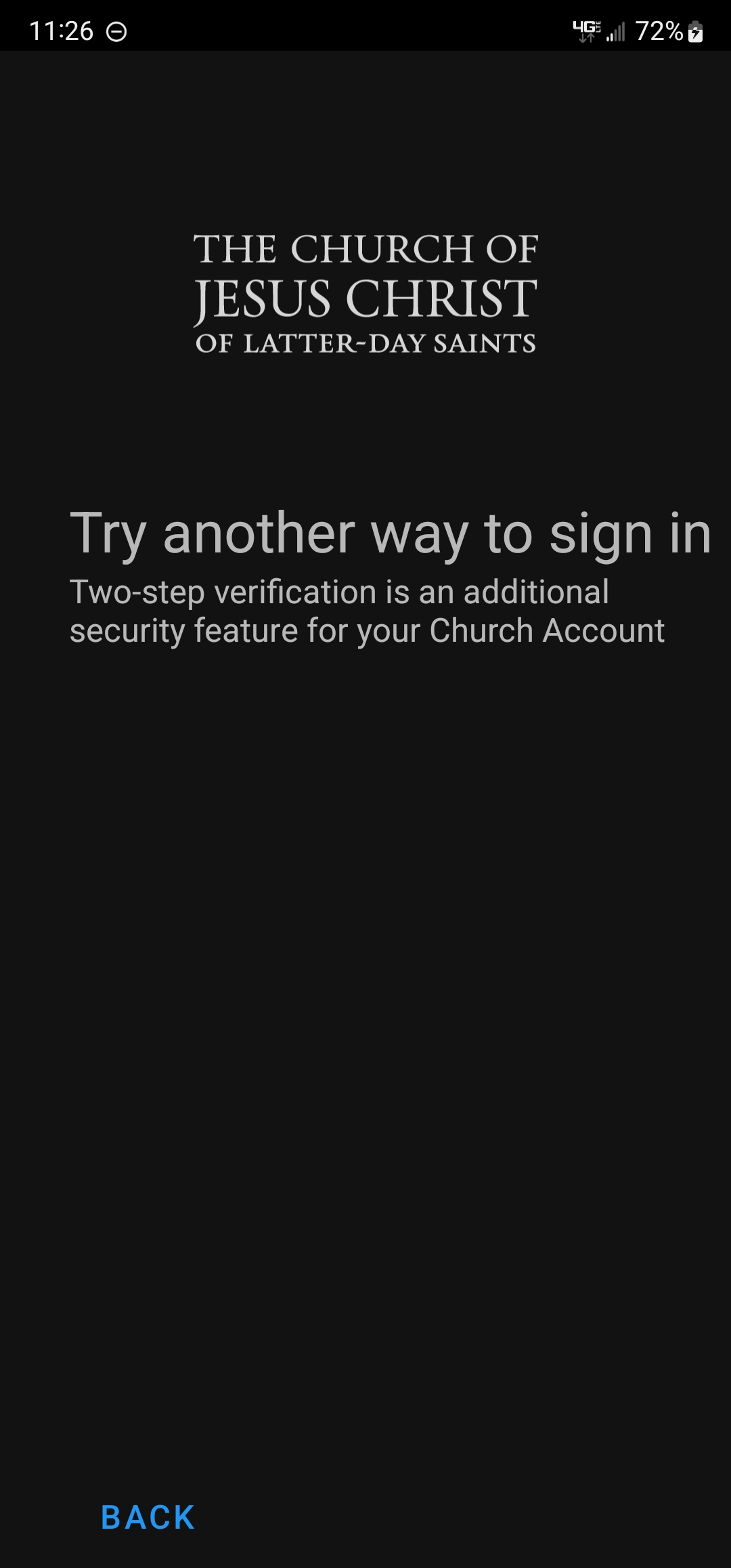
Being a Church Service Missionary I have been required to set up 2-step verification on my login. I have no problems using that to get into my church account but when I try to log in to my gospel library app I get the attached screen telling me that I need to use 2-step verification but it doesn't provide me with a way to do it.
When I go to the gospel library via my church account it opens the app with the same problem.
It has been a month with many unanswered requests to the gospel library request for help.

I appreciate any suggestions.
Thank you,
John Farmer
Screenshot_20220822-232603_Gospel Library.jpg
Screenshot_20220822-232603_Gospel Library.jpg (151.72 KiB)
Community Moderators
#2
Which authentication option(s) do you have enabled under Account.ChurchofJesusChrist.org > Two-Step Verification?
Samuel Bradshaw • If you desire to serve God, you are called to the work.
New Member
#3
Biometric or pin on my phone. On my computer I get a QR code that I scan with my phone and then use biometric.
Community Moderators
#4
When I go to Account.ChurchofJesusChrist.org I only see four options: Text Message, Okta Verify App, Google Authenticator, and Security Key. I don't see a biometric option…
Samuel Bradshaw • If you desire to serve God, you are called to the work.
New Member
#5
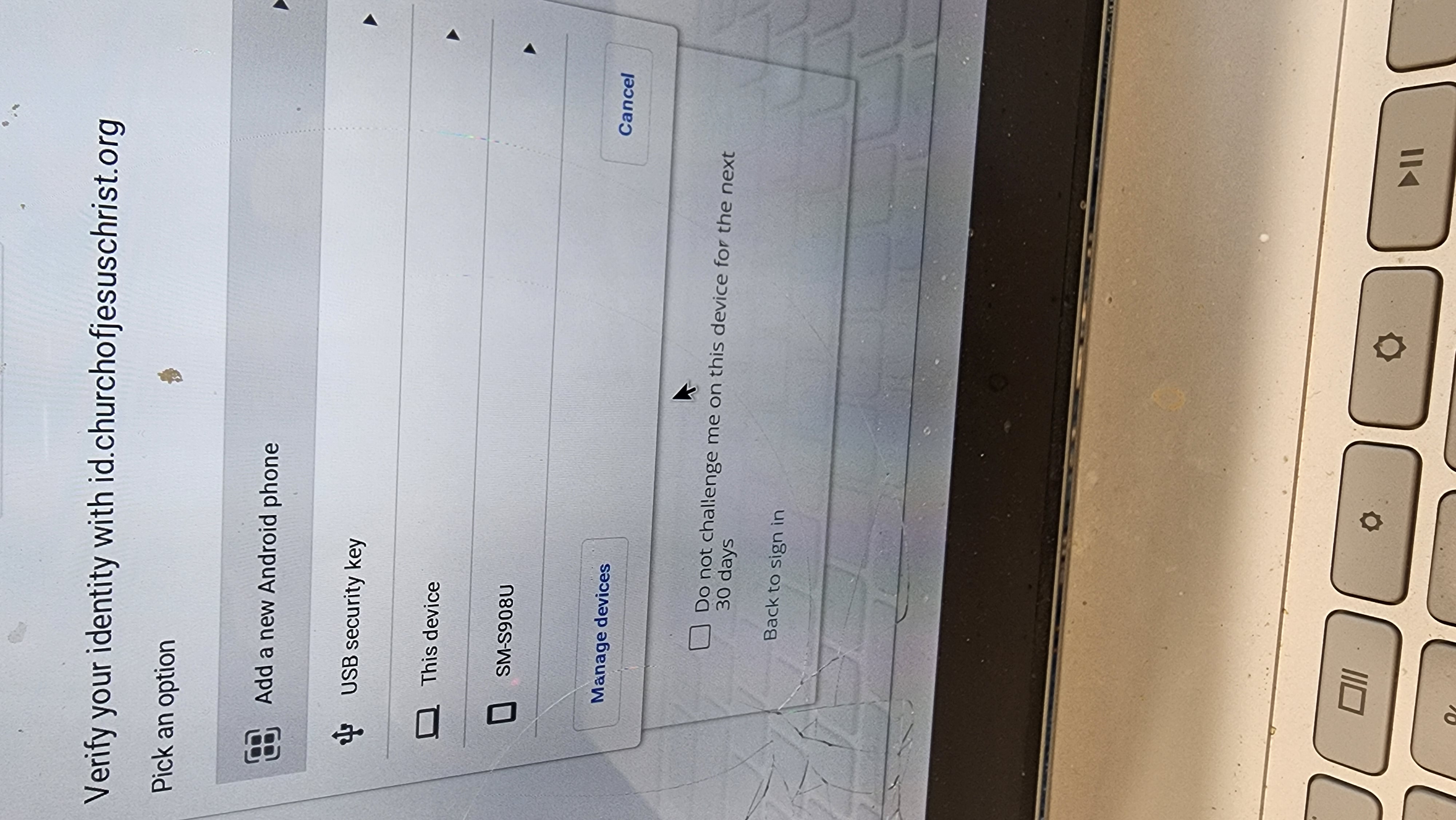
I get the attached screen shot. If I pick new android phone I get a QR code to scan with my phone. If I pick the exiting phone I get a biometric prompt on my phone.
Works great for everything except gospel library and no one at the help desk will help me
20220908_122029.jpg
New Member
#6
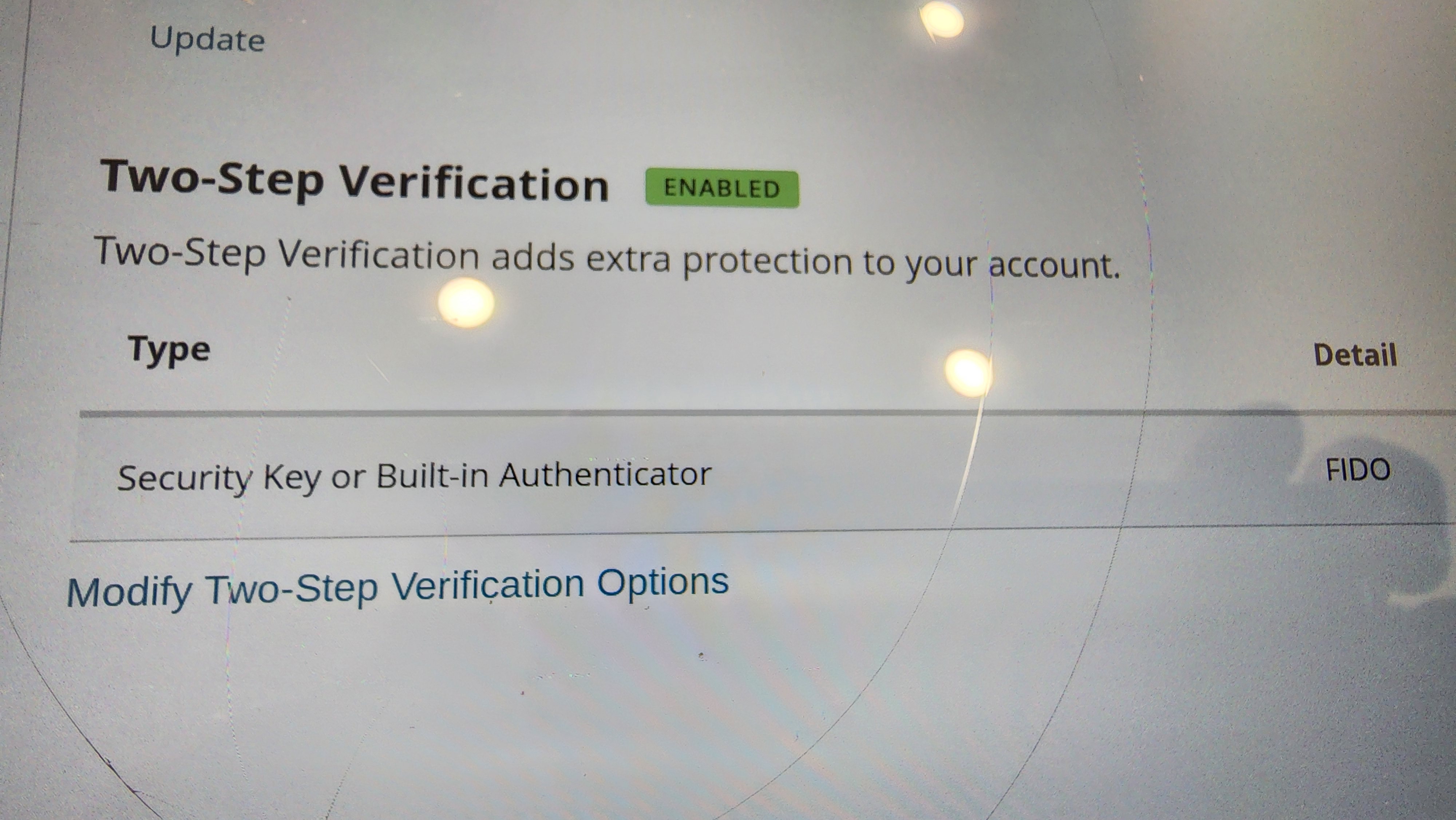
This is what my account checkup says is my 2 step.
Built in authenticator, FIDO
16626618242506992273888124156077.jpg
16626618242506992273888124156077.jpg (1.47 MiB)
Community Moderators
#7
Thanks! That's helpful. I just talked to the Android Gospel Library developer. It looks like all of the Church mobile apps only support text message, Okta Verify, and Google Authenticator two-step verification methods currently. I'll pass along a suggestion that if we're not able to support the "Security Key or Built-in Authenticator" option, we should show a better error message instead of letting users get stuck on the sign-in screen without more information.

As a workaround, in the meantime, it should be possible to set up more than one verification option, for example, if you wanted to set up both FIDO and text message, so you can continue to use FIDO for the Church website, but have the other option available for the mobile apps.
Samuel Bradshaw • If you desire to serve God, you are called to the work.
New Member
#8
Thanks so much! I will try that.
Maybe the gospel library app could just not require 2 step. Seems overly burdensome for something that just contains my scripture notes.
Community Administrator
#9
farmerjd28 wrote: Thu Sep 08, 2022 3:10 pm Maybe the gospel library app could just not require 2 step. Seems overly burdensome for something that just contains my scripture notes.
I agree it seems like overkill for GL, but it depends on how the back end is structured to know if it could be done without creating a vulnerability to bypass 2FA for other apps.
sbradshaw indicated that this affects Member Tools as well. That's very important to a lot of people and there would be no 2FA exemption for that.

It seems what's really needed is to add the missing choices to the mobile apps.
Have you searched the Help Center? Try doing a Google search and adding "site:churchofjesuschrist.org/help" to the search criteria.

So we can better help you, please edit your Profile to include your general location.
New Member
#10
Hello everyone,

Just this week I formatted my phone, and so I need to re-install Okta Verification again on my phone. The problem is, I can't set it up or I can't get within the setup. Any advice? Another problem is, ,once the 30 days is over, I think I can no longer log in to my lds account.

Thank you!
Community Moderators
#11
randyceniza wrote: Wed Dec 28, 2022 11:40 am Hello everyone,

Just this week I formatted my phone, and so I need to re-install Okta Verification again on my phone. The problem is, I can't set it up or I can't get within the setup. Any advice? Another problem is, ,once the 30 days is over, I think I can no longer log in to my lds account.

Thank you!
Your ward clerk can provide the phone number for the Global Services Department, who can help reset the authentication on your account.
Samuel Bradshaw • If you desire to serve God, you are called to the work.
New Member
#12
I have a similar problem. I just upgraded my iPhone and need to set up the church account on it but to get to the new QR code I need a code from the Okta app. This is the only option for 2-factor authentication. They should require 2 forms to be setup before enabling on any account.
New Member
#13
I am a Ward Clerk in Australia. I am trying to help several Ward members who are having similar problems.

One has had their email provider close down and has had to change their email address. They are also having problems with phone verification/authentication and verification emails/SMS codes do not seem to arrive even though their new address is in their record. I pointed them to the Global Service Centre and they appeared to solve the problem for a while but it has come back again.

Another is unable to pay donations either by phone or desktop. They have two-step verification enabled and are not receiving the code even though their phone number is correct in their record.

And another (me) cannot verify their phone number as the SMS never arrives. I have tried my number with and without the leading '0'.

Is there ANYTHING else I can suggest? Or do I simply refer everyone who has a problem to the GSC?
Member
#14
If they are having ongoing issues with SMS based authentication, and need/want to use 2FA, you get them set up with the app based authentication (for example google authenticator) as an alternative.