StickyCalendar 4.0 released

168 postsstarted by russellhltn 96,810 viewsoriginal topic

Community Administrator
#1
The calendar was released yesterday, and a emergency bug fix was pushed out just now. So everyone should be able to get in. (I can get in where I couldn't before.)

At this point, the calendar is quite limited. Apparently there were security issues with the old calendar that required switching to this one before it was fully ready.

Noticeable absent: adding/modifying restrictions, creating/modifying calendars (including rights), iCal sync files. Features will be coming, but no timeline as of yet.

If you need to make changes that can't be done (modify a restriction, change a user, etc.) , use the floating feedback button on the right of the calendar. This is a new feedback system.

As far as the DST bug, events made with the old calendar may work differently then ones made in 4.0.
Have you searched the Help Center? Try doing a Google search and adding "site:churchofjesuschrist.org/help" to the search criteria.

So we can better help you, please edit your Profile to include your general location.
Member
#2
Also note:
All day events look the same as timed events (i.e. no multi-day bars anymore)
russellhltn wrote: Thu Nov 17, 2022 4:02 pm As far as the DST bug, events made with the old calendar may work differently then ones made in 4.0.
Yes, I'm going through and re-doing all the all-day events.
#3
I was finally able to get in! Yay!

I needed to update an entry. It let me make the appropriate changes. Once it did it's work to save it, and the calendar was visible again, it was showing the original info. I clicked on it to see the event info and it was showing the original info there too. So, I refreshed the page and then the info on the calendar was the updated information.
Member
#4
russellhltn wrote: Thu Nov 17, 2022 4:02 pm The calendar was released yesterday, and a emergency bug fix was pushed out just now. So everyone should be able to get in. (I can get in where I couldn't before.)
Noticeable absent: adding/modifying restrictions, creating/modifying calendars (including rights), iCal sync files. Features will be coming, but no timeline as of yet.
So happy to just be in! Also missing gear to access options: 1. Sync 2. Date Options 3. Administrators 4. Locations and Rooms and 5. Manage Calendars Certainly hope those can be found somewhere.

Now to just familiarize myself with it for all the questions that will be coming my way :-) Appreciate so much all that was done to
facilitate this upgrade of the calendar.
Community Administrator
#5
casper684 wrote: Thu Nov 17, 2022 6:29 pm 2. Date Options
You mean format (mm/dd/yyyy or dd/mm/yyyy) or something else?
Have you searched the Help Center? Try doing a Google search and adding "site:churchofjesuschrist.org/help" to the search criteria.

So we can better help you, please edit your Profile to include your general location.
Member
#6
russellhltn wrote: Thu Nov 17, 2022 6:34 pm
casper684 wrote: Thu Nov 17, 2022 6:29 pm 2. Date Options
You mean format (mm/dd/yyyy or dd/mm/yyyy) or something else?
The items that were in the drop down menu when selecting the gear. I don't recall using the "date options"
myself. Was just mentioning what used to be available. Also see NO email listed for building schedulers
just phone numbers AND the order of schedulers changed. The last one called (just very recently) is now
the top one on the list and not fully trained. I used to be able to select the "primary scheduler".
Member
#7
From the source code, the 2nd release will include menu items for:
  • Sync Settings
  • Calendar Options
  • Administrators
  • Locations and Rooms
  • Print
That seems to cover everything we used to have.
#8
What about the ability to see other units that use the same building? That would be most helpful to see their events so you could readily know if the building was available or not. Right now, all we can see are Stake events and our own Ward events.
Community Administrator
#9
margiestroble wrote: Thu Nov 17, 2022 8:14 pm What about the ability to see other units that use the same building? That would be most helpful to see their events so you could readily know if the building was available or not. Right now, all we can see are Stake events and our own Ward events.
That should be visible on the Location calendar. Keep in mind that not every activity is going to take place in the ward's building. As such, you're not interested in another ward's events as much as what is taking place in the building. I'm able to see another ward's events when I turn on the location calendar.

Also keep in mind that it's not necessary to see if some else is using the building to schedule your event. If there's a conflict, the new event will be blocked. But at the same time, I understand you don't want to play Battleship just to schedule your event.
Have you searched the Help Center? Try doing a Google search and adding "site:churchofjesuschrist.org/help" to the search criteria.

So we can better help you, please edit your Profile to include your general location.
Member
#10
margiestroble wrote: Thu Nov 17, 2022 8:14 pm What about the ability to see other units that use the same building? That would be most helpful to see their events so you could readily know if the building was available or not. Right now, all we can see are Stake events and our own Ward events.
I'm wondering if the visibility thing is a calling related permissions issue that has crept in.
It still throws up an error if you try to book a room at a time when it is not available. So as a fall back way of checking, you could try and schedule a month-long all-day event for all rooms in the building and it should give you a list of clashes.
#11
russellhltn wrote: Thu Nov 17, 2022 8:27 pm
That should be visible on the Location calendar. Keep in mind that not every activity is going to take place in the ward's building. As such, you're not interested in another ward's events as much as what is taking place in the building. I'm able to see another ward's events when I turn on the location calendar.

Also keep in mind that it's not necessary to see if some else is using the building to schedule your event. If there's a conflict, the new event will be blocked. But at the same time, I understand you don't want to play Battleship just to schedule your event.
That's what I meant, that it would be nice to see events that are being held at the Stake Center so you'd know at first glance if it's available or not. I do have the Stake Center location turned on. We have 3 Wards, 1 Branch, the Stake, the Mission, the Family History Center, plus we are in the process of getting the Mission Office moved into our building too. It's a busy place and lots of things going on. It would take a lot more time to click and try each day and time to schedule something. Just for instance, consider all 3 Wards and the Branch looking at the calendar and making a note of open dates, then in their leadership meetings, discussing that particular date/time and then trying to schedule and it's already been taken, so they would be back to the drawing board! Not very user friendly. I don't know why I can't see the other units in my building since I have it turned on. Maybe mine will become available soon, I sure hope so!
#12
caillines wrote: Thu Nov 17, 2022 8:32 pm
I'm wondering if the visibility thing is a calling related permissions issue that has crept in.
It still throws up an error if you try to book a room at a time when it is not available. So as a fall back way of checking, you could try and schedule a month-long all-day event for all rooms in the building and it should give you a list of clashes.
Yes, I tried scheduling something on a date and time that I knew another ward had something scheduled and it did pop up saying there was a conflict, so at least the software doesn't double schedule.

Oh, that's a good trick to schedule a month long, all day event to see what pops up as a conflict! That is a lot of extra work though, but would be better than doing one day at a time. Hopefully this will be corrected soon for everyone.
New Member
#13
Going through the calendar tonight to determine what I need to fix, I have found everything after daylight savings has shifted by 1 hour. Anyone have any suggestions on whether it is best to shift everything back an hour or just leave it this way until March?
#14
I manually changed the times on the events that was messed up by the Daylight Saving Time issue when I scheduled them earlier, so now I went back and fixed them all again manually. I'd rather have extra work for me to do and have the calendar be correct for those who are making note of events that they are involved in or interested in so that they have the correct time.
Community Administrator
#15
margiestroble wrote: Thu Nov 17, 2022 8:39 pm That's what I meant, that it would be nice to see events that are being held at the Stake Center so you'd know at first glance if it's available or not.
You should see that if you turn on that location. It seems to be working fine for me. If I disable the stake center location, my calendar gets real empty.
Have you searched the Help Center? Try doing a Google search and adding "site:churchofjesuschrist.org/help" to the search criteria.

So we can better help you, please edit your Profile to include your general location.
Member
#16
clark.danielw wrote: Thu Nov 17, 2022 8:53 pm Going through the calendar tonight to determine what I need to fix, I have found everything after daylight savings has shifted by 1 hour. Anyone have any suggestions on whether it is best to shift everything back an hour or just leave it this way until March?
I went through and manually fixed all the hour-shifted and 2-day-gained events. I sent a message to Bishoprics letting them know that they should go through and the check events that they have made. Thought it was easier to get it sorted now.
#17
russellhltn wrote: Thu Nov 17, 2022 9:03 pm
You should see that if you turn on that location. It seems to be working fine for me. If I disable the stake center location, my calendar gets real empty.
My Ward meets at the Stake Center, as well as 2 other Wards and 1 Branch. I do have it turned on because that's where my Ward meets and that's where I need to do scheduling. I turned it off and I still see all of the Stake and our Ward entries. I turned it back on and it's the same. I guess because my Ward uses the Stake Center, it shows me the same thing by default. I can't see the other Wards and the Branch's events at all and they meet in the same building, which is our Stake Center.
#18
Interesting!

Last night, my husband was looking at the calendar, using his account on his computer, and he turned off the Stake Center location and all of the Stake Activities that were actually scheduled at the Stake Center disappeared. The all day entries, such as Fast Sunday or Thanksgiving, or anything that is on any of the Stake Calendars, but isn't an actual activity where it has been scheduled at the building were still there. He still can't see the other Wards and the Branch that uses the Stake Center, just our Ward and the Stake activities.

That still does not work that way for me, but, I guess I need to be a little more patient!
Community Administrator
#19
margiestroble wrote: Fri Nov 18, 2022 10:08 am Last night, my husband was looking at the calendar, using his account on his computer, and he turned off the Stake Center location and all of the Stake Activities that were actually scheduled at the Stake Center disappeared. The all day entries, such as Fast Sunday or Thanksgiving, or anything that is on any of the Stake Calendars, but isn't an actual activity where it has been scheduled at the building were still there. He still can't see the other Wards and the Branch that uses the Stake Center, just our Ward and the Stake activities.
I'm unclear as to what is going wrong. Are events remaining that shouldn't (because he doesn't have that calendar selected), or are events disappearing that should remain because he does have the calendar selected?

I'm not spotting anything abnormal.
Have you searched the Help Center? Try doing a Google search and adding "site:churchofjesuschrist.org/help" to the search criteria.

So we can better help you, please edit your Profile to include your general location.
#20
russellhltn wrote: Fri Nov 18, 2022 10:53 am
I'm unclear as to what is going wrong. Are events remaining that shouldn't (because he doesn't have that calendar selected), or are events disappearing that should remain because he does have the calendar selected?

I'm not spotting anything abnormal.
He has all of our Ward and Stake Calendars selected. Every Stake event that is actually scheduled at the building disappears when he unselects the Stake Center location. The entries that are not an actual activity and is not scheduled to be at the building, but is just on the stake calendar, such as Fast Sunday or Thanksgiving, those entries remain. Which, that makes sense as they are not an actual activity and shouldn't be linked to any building. The Ward events remained visible when the Stake Center location was turned off. We meet in the Stake Center, but I am assuming that by default, no matter what locations are turned on or off, we probably would see our Ward calendar.

Now this morning he tried it and nothing disappears when he turns the Stake Center location off.

The software has a mind of it's own it seems. Hopefully it will become happy soon and everyone will be able to do their scheduling and planning.
Member
#21
Really confusing for what building event is held at. It appears that new entries do not indicate location UNLESS you have
location selected. Sure miss building location color coding. Especially on stake level with 5 location calendars to view.
Don't see a way to change colors of buildings or calendars either?

Any suggestions or am I missing something. When I click on the event details it gives no location on some just what rooms
were selected.
Community Administrator
#22
casper684 wrote: Fri Nov 18, 2022 2:31 pm Really confusing for what building event is held at. It appears that new entries do not indicate location UNLESS you have
location selected. Sure miss building location color coding. Especially on stake level with 5 location calendars to view.
Don't see a way to change colors of buildings or calendars either?
No, I don't see a way of changing the color. When I click on the event, it see both the location (with address) as well as the rooms involved.

All items on my calendar have a colored dot that shows what calendar it came from. If you turn off all event calendars and only have locations turned on, I think you'll see locations as color coded. As far as I can remember, the old calendar worked the same way. Was there something else that showed location?
Have you searched the Help Center? Try doing a Google search and adding "site:churchofjesuschrist.org/help" to the search criteria.

So we can better help you, please edit your Profile to include your general location.
Community Moderators
#23
Only one item per day shown for me on the larger font calendar. At least the + 6 More link brings up a large, readable popup. That is an improvement.

There used to be a highlight on the current calendar day. I guess I am on my own now to know what day it is.

I have several events where detail shows that the entire building is scheduled. I am not quite sure yet how to figure out which entire building it is, though.

And the display is so v e r y s l o w, b . u . t . . a . t . . l . e . a . s . t . . i . t . . . . s . . h . . o . . w . . s . . . . f . . o . . r . . . . m . . e . . . . n . . . o . . . w .
Member
#24
I get 2 items per day and then the + whatever and I have my font on pretty large on my computer. I miss that when we used to click on the +6 only got a listing of the times and event and not all the details for the event like it is now. We could then select on any entry we wanted more details about.

Also miss the highlight on the current calendar day AND also the tab that would take you right back to "TODAY".
#25
casper684 wrote: Fri Nov 18, 2022 3:45 pm I get 2 items per day and then the + whatever and I have my font on pretty large on my computer. I miss that when we used to click on the +6 only got a listing of the times and event and not all the details for the event like it is now. We could then select on any entry we wanted more details about.

Also miss the highlight on the current calendar day AND also the tab that would take you right back to "TODAY".
I see the same as what you are seeing, except I don't have my computer set for large fonts, but the text on the new calendar is larger than the other one was and there are lots of empty areas that could be showing text instead of blank. The rows of text are spread apart too, lots of extra room. I agree with your other comments!
#26
russellhltn wrote: Fri Nov 18, 2022 2:44 pm
casper684 wrote: Fri Nov 18, 2022 2:31 pm Really confusing for what building event is held at. It appears that new entries do not indicate location UNLESS you have
location selected. Sure miss building location color coding. Especially on stake level with 5 location calendars to view.
Don't see a way to change colors of buildings or calendars either?
No, I don't see a way of changing the color. When I click on the event, it see both the location (with address) as well as the rooms involved.

All items on my calendar have a colored dot that shows what calendar it came from. If you turn off all event calendars and only have locations turned on, I think you'll see locations as color coded. As far as I can remember, the old calendar worked the same way. Was there something else that showed location?
So, on the left side where the calendars and locations are listed, click on the color dot by whichever one you want to change and different color options will pop up and you can choose a different color. Or at any rate, I can see that tonight. Hopefully those who wish to change colors can see it too!
Community Administrator
#27
casper684 wrote: Fri Nov 18, 2022 2:31 pm Sure miss building location color coding.
I remember what you're talking about now. Events at a location used to have a little house that looked like the ones from Monopoly. The color of the house was the location.
Have you searched the Help Center? Try doing a Google search and adding "site:churchofjesuschrist.org/help" to the search criteria.

So we can better help you, please edit your Profile to include your general location.
#28
casper684 wrote: Fri Nov 18, 2022 2:31 pm Sure miss building location color coding. Especially on stake level with 5 location calendars to view.
Don't see a way to change colors of buildings or calendars either?
Over on the left side, the colored dots before the calendars and locations, click on the colored dot you want to change, and some other color options will pop up and you can choose another color.
New Member
#29
Thanks for posting what you are experiencing. Any word on timeline for your comments
"Noticeable absent: adding/modifying restrictions, creating/modifying calendars (including rights), iCal sync files. Features will be coming, but no timeline as of yet."

I have lost my ability to see the Stake Calendar (not location) which is how I post all the Temple Patron events as. Also I'm in one of the Wards in the building so I can see that calendar but no longer have rights to see the other home Ward's calendar so can't see their items. The Stake "Location" icon doesn't let me see it either.

Really difficult to add anything for anyone and will start to pose problems if I can't see what is what. I can add an event then it tells me there is a conflict... to something I saw as myself having added already. Upgrades are good, but this puts us all in a bind with people who are less understanding getting upset with me! Sandy
New Member
#30
caillines wrote: Thu Nov 17, 2022 8:08 pm From the source code, the 2nd release will include menu items for:
  • Sync Settings
  • Calendar Options
  • Administrators
  • Locations and Rooms
  • Print
That seems to cover everything we used to have.
Any idea when this 2nd release is coming? I can't schedule for anything outside my Ward and Stake. Scheduling for temple patrons use of the building which I used the Stake Building location code as the calendar, which I can't see. Also can't see any of the other home Ward's events either since I'm not in their Ward and they can't add me because no one can see the icon to do that. Really going to be an issue as we get into the holidays and scheduling for 2023! Hope it's soon!
Member
#31
sandycherry wrote: Sat Nov 19, 2022 12:10 pm Any idea when this 2nd release is coming?
No idea. From Russell's original post it looks like they rushed out the release, so your guess is as good as any of ours.
sandycherry wrote: Sat Nov 19, 2022 12:10 pm Scheduling for temple patrons use of the building which I used the Stake Building location code as the calendar, which I can't see.
If there are/were temple calling related hooks into the system I'm not sure how they worked since our stake doesn't have a temple in its boundaries.
Community Administrator
#32
sandycherry wrote: Sat Nov 19, 2022 11:55 am I have lost my ability to see the Stake Calendar (not location) which is how I post all the Temple Patron events as. Also I'm in one of the Wards in the building so I can see that calendar but no longer have rights to see the other home Ward's calendar so can't see their items. The Stake "Location" icon doesn't let me see it either.
Is it not showing in the left-hand column? Are you in an unusual situation such as being a out-of-unit member, or the location has a different stake as agent?
Have you searched the Help Center? Try doing a Google search and adding "site:churchofjesuschrist.org/help" to the search criteria.

So we can better help you, please edit your Profile to include your general location.
New Member
#33
I have one building scheduler reporting that multiple events are now missing from a building calendar.
In one case she has a screen shot of the event that was scheduled on 11 Sept 2022 for a Ward Christmas party on 10 Dec 2022.
That event is now missing from the calendar as well as several other events.

It appears this event was scheduled directly on the building calendar (not on a ward calendar).

Is there someone I can work with to identify the problem? Or is this a situation where the building scheduler will need to go through and re-create events?

Is Calendar 4.0 designed to allow direct scheduling on a building calendar? Or should these events go onto a stake/ward calendar with the building selected as a resource?
#34
skiddlyarcus wrote: Sun Nov 20, 2022 11:42 am I have one building scheduler reporting that multiple events are now missing from a building calendar.
In one case she has a screen shot of the event that was scheduled on 11 Sept 2022 for a Ward Christmas party on 10 Dec 2022.
That event is now missing from the calendar as well as several other events.

It appears this event was scheduled directly on the building calendar (not on a ward calendar).

Is there someone I can work with to identify the problem? Or is this a situation where the building scheduler will need to go through and re-create events?

Is Calendar 4.0 designed to allow direct scheduling on a building calendar? Or should these events go onto a stake/ward calendar with the building selected as a resource?
Most everyone is having this same issue. Apparently not all of us are able to see every event that has been scheduled for all of the units that meet within the same building. Most everyone is reporting that they can see events that are scheduled on a Stake Calendar, or on their own Ward Calendar, but they can't see any other Ward's Events that use the same building that they do. A few have said they can see everything. Hopefully it will clear up and we all can see every event that is scheduled for the whole building! I've already been having people contact me wanting to know what is going on and why they can't see events for other wards and are trying to schedule because all they see is a blank date so they assume it's available, so they try to schedule and a conflict pops up. Very frustrating to say the least.
New Member
#35

Alternatives to Calendar 4.0

Our stake is struggling with Calendar 4.0 We have 8 units in 3 buildings, one with an outbuilding and two extra stakes that all need to schedule events and resources. Now no one has full visibility, the building an event is held at only shows up on the mobile app and page load times are too long to effectively do the building centralized scheduling job in a reasonable manner. What other stakes in Utah have run into these issues and are you considering or have you moved to a different calendaring system? I'm a big fan of the building resource management of the Church Calendar, however, Calendar 4.0 is unusable to us and we are not only falling behind on scheduling and changes, but 2023 is a mess and I have people adding events that don't show up on my calendar so I have to contact them personally to have them delete an event before I can list it with the right permissions so other people can see it.

I'm thinking of paying for Google Workspace as a donation and setting it all up myself. I imagined I'd link every calendar day to the Stake Google calendar, but Calendar 4.0 also does not support links. What are the rest of you doing that is effective?
New Member
#36
russellhltn wrote: Thu Nov 17, 2022 4:02 pm The calendar was released yesterday, and a emergency bug fix was pushed out just now. So everyone should be able to get in. (I can get in where I couldn't before.)

At this point, the calendar is quite limited. Apparently there were security issues with the old calendar that required switching to this one before it was fully ready.

Noticeable absent: adding/modifying restrictions, creating/modifying calendars (including rights), iCal sync files. Features will be coming, but no timeline as of yet.

If you need to make changes that can't be done (modify a restriction, change a user, etc.) , use the floating feedback button on the right of the calendar. This is a new feedback system.

As far as the DST bug, events made with the old calendar may work differently then ones made in 4.0.
So, what "floating feedack button on the right of the calendar" are you seeing; I see nothing like that. The only thing I see on right of the calendar is the question mark in a circle (?). Longing for the gear wheel or some other "control" to manage the calendars from the Stake level.
#37
Mikeeme wrote: Sun Nov 20, 2022 4:17 pm
So, what "floating feedack button on the right of the calendar" are you seeing; I see nothing like that. The only thing I see on right of the calendar is the question mark in a circle (?). Longing for the gear wheel or some other "control" to manage the calendars from the Stake level.
I only see the ? in a circle as well. If you click on the ?, and then go to the very bottom of that page, there are options to click on and there is a Feedback option. I clicked on Feedback and it did pop up with a place to submit your complaint. Maybe we should all do this!

But, I totally agree with everyone, this new calendar is not very useable for what most of us need it to be! We need something that works, we need something that shows us ALL of the events on the Stake Calendar of what units in what buildings that we are supposed to do scheduling for.
Community Administrator
#38
Mikeeme wrote: Sun Nov 20, 2022 4:17 pm So, what "floating feedack button on the right of the calendar" are you seeing; I see nothing like that.


I'm not sure what to say other than it shows up for me.

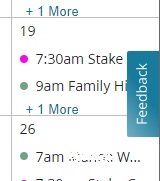
Feedback.jpg
Feedback.jpg (11.02 KiB) Viewed 2366 times
Have you tried incognito mode just to be sure it's not a cookie issue?

What is your role in the calendar system? (Just in case it's role dependent). I'm a default stake admin and a Building Scheduler for the stake center.
Have you searched the Help Center? Try doing a Google search and adding "site:churchofjesuschrist.org/help" to the search criteria.

So we can better help you, please edit your Profile to include your general location.
#39
russellhltn wrote: Sun Nov 20, 2022 6:50 pm I'm not sure what to say other than it shows up for me.

Feedback.jpg

Have you tried incognito mode just to be sure it's not a cookie issue?

What is your role in the calendar system? (Just in case it's role dependent). I'm a default stake admin and a Building Scheduler for the stake center.
Oh, I see it now. Thanks for sharing the image of it. I am also a Stake Building Scheduler and our Ward Building Scheduler. I used to be the Stake and our Ward Website Administrator, but those callings were reclassified and renamed and all I can do with either of those callings is to send out emails. So if you are added as a "Default Stake Admin", does that allow you to see the other unit's scheduled events? I know you said you could see them, but the rest of us don't see them.
Community Administrator
#40
margiestroble wrote: Sun Nov 20, 2022 6:57 pm So if you are added as a "Default Stake Admin", does that allow you to see the other unit's scheduled events? I know you said you could see them, but the rest of us don't see them.
I can see other ward's calendars to select them for viewing, but I am seeing other ward in the location calendar.

The way things used to work, everyone could see all events in the location calendar, but if they didn't have rights to the event, they'd only see minimal information. 4.0 may be blocking it from view instead.
Have you searched the Help Center? Try doing a Google search and adding "site:churchofjesuschrist.org/help" to the search criteria.

So we can better help you, please edit your Profile to include your general location.
#41
russellhltn wrote: Sun Nov 20, 2022 8:12 pm
The way things used to work, everyone could see all events in the location calendar, but if they didn't have rights to the event, they'd only see minimal information. 4.0 may be blocking it from view instead.
That sounds about right, the scheduled events are being blocked and we can't see them. Most of us can only see the Stake Scheduled Events and our Ward Scheduled Events. We can't see other Unit's Scheduled Events, so therefore, it makes it extremely difficult to schedule anything unless we play the Battleship Game as you mentioned the other day.

I clicked on the Blue Floating Feedback Button and filled the form out with what we've been discussing about not being able to see other Unit's Scheduled Events for scheduling purposes. Hopefully they will get it fixed soon.
Member
#42
Feedback. Having a location issue and went to feedback and there is now this message at the top. I hadn't noticed before:
"A new version of the calendar application was released on Tuesday, November 15th. Some users were initially unable to access the calendar. We believe those issues have now been resolved. If not, please let us know.

Some features are still limited. If you need to update building locations or administrator permissions, please use this feedback form to submit your request and we will make the changes for you while we finish building these features."
#43
Yay! The calendar is now showing all of the other unit's events on the calendar! Thank you so much to whoever fixed it! I look forward to some of the other things to be fixed or updated and get it back to what we are used to seeing and being able to work efficiently with doing our building scheduling.
#44
casper684 wrote: Tue Nov 22, 2022 12:25 pm Feedback. Having a location issue and went to feedback and there is now this message at the top. I hadn't noticed before:
"A new version of the calendar application was released on Tuesday, November 15th. Some users were initially unable to access the calendar. We believe those issues have now been resolved. If not, please let us know.

Some features are still limited. If you need to update building locations or administrator permissions, please use this feedback form to submit your request and we will make the changes for you while we finish building these features."
I noticed that a few days ago when I submitted Feedback via the Blue Floating Feedback Button. I submitted feedback about not being able to see other unit's events on the calendar and just being able to see the Stake events and our Ward events. Tonight, it's fixed and I can see all of the unit's events again! Yay!

So, tonight, I submitted more Feedback (I did them separately)
1) About what others have mentioned about not having the little icon to take us back to that day's date if we are ahead in the calendar, which is a nice feature.
2) About the current day's date on the calendar not being highlighted and that we'd like to have that back.
3) About not being able to click on a date box on the calendar to be able to schedule an event and that we now have to click on the "+ Add Event" button. I just said it would be nice to be able to just click on the date box again like we used to.

Hopefully these will get fixed too.

If there is anything else anyone is noticing that we don't have with the new calendar that we did with the old one, please click on the Blue Floating Feedback Button, which was on the right hand side and now it's at the bottom of the page, and fill out the form and tell them what you would like to see! Maybe do them separately so it doesn't get mixed up or forgotten about.

I also submitted another Feedback and thanked them for fixing the calendar so we could see all of the unit's events that were scheduled!
Member
#45
Wondering if feedback submissions are distributed for resolution based on the area selected on the calendar?
I did a feedback that the gear was missing and I had a location issue. I then did another one selecting the location I needed deleted. Hated to do 2 feedbacks on same issue but rather urgent one.
#46
casper684 wrote: Tue Nov 22, 2022 8:42 pm Wondering if feedback submissions are distributed for resolution based on the area selected on the calendar?
I did a feedback that the gear was missing and I had a location issue. I then did another one selecting the location I needed deleted. Hated to do 2 feedbacks on same issue but rather urgent one.
I was wondering that as well because they were asking to click on that part of the calendar you were submitting feedback for, so it probably does.

I hope they will get them fixed soon! Thanks for submitting the feedback.
Community Administrator
#47
margiestroble wrote: Tue Nov 22, 2022 7:59 pm
casper684 wrote: Tue Nov 22, 2022 12:25 pm 3) About not being able to click on a date box on the calendar to be able to schedule an event and that we now have to click on the "+ Add Event" button. I just said it would be nice to be able to just click on the date box again like we used to.
There's a lot of things I'd prioritize ahead of that.

Frankly, it can also be an annoying feature. I frequently have multiple windows open and I sometimes click on something just to shift focus to that window. I don't want to be triggering something.
Have you searched the Help Center? Try doing a Google search and adding "site:churchofjesuschrist.org/help" to the search criteria.

So we can better help you, please edit your Profile to include your general location.
New Member
#48
The calendar was released yesterday, and a emergency bug fix was pushed out just now. So everyone should be able to get in. (I can get in where I couldn't before.)

At this point, the calendar is quite limited. Apparently there were security issues with the old calendar that required switching to this one before it was fully ready.

Noticeable absent: adding/modifying restrictions, creating/modifying calendars (including rights), iCal sync files. Features will be coming, but no timeline as of yet.
Russell, thanks for the note. Is it possible to forward this feedback? I am curious if I am the only one that feels this way?

---
Dear development department, I work so hard for people to rely on church features. I imagine I am not the only one. This type of move undoes a lot of our work for a long time. This release has bad timing (most stakes are finalizing 2023 calendaring), almost no communication, not enough testing, and a big-bang approach. Release 4.0 is obviously not ready, so please consider rolling back to previous version, mitigate security issue with stop-gap measures, and communicate the path forward. I would love to help -- I run a software development company and offer my (and my team's) free help.
New Member
#49
"I imagine I am not the only one. This type of move undoes a lot of our work for a long time. This release has bad timing (most stakes are finalizing 2023 calendaring), almost no communication, not enough testing, and a big-bang approach. Release 4.0 is obviously not ready, so please consider rolling back to previous version, mitigate security issue with stop-gap measures, and communicate the path forward."

I totally agree with this post by marcogaertner! I have been a stake clerk for over 14 years and have been using the church's online calendaring system since it first began (like over 10 years ago) and this recent update to 4.0 release is the worst version of the calendar that I believe I have seen. It basically makes the calendar system unusable! It is missing so many features (as mentioned by many on this thread). At least allow us to see more than 2 events on a day!

I have spent many many hours working on the 2023 calendar and spending many extra hours working around the previous versions big bug involving the Daylight Savings time (requiring us to schedule before Daylight Savings, then during Daylight Savings, and then after Daylight Savings). And now this new version just undid much of what was done during Daylight Savings time, thus requiring me to fix everything during that time! Just adding many more hours working on something that I thought was done!
Member
#50
Any building schedulers having issue of not being able to edit an entry that is made on a building you oversee? As building scheduler do not have access to ward calendars (nor want) but have always been able to edit an entry. Now when I try to edit and entry I get stuck on the "select calendar". It refuses to let me continue. I did send feedback but no response.
New Member
#51
I need the functionality I had with the previous version. At this point I don't see a gear to make admin adjustments to my calendars. When will this be fixed? Please advise.
Community Administrator
#52
karlitomagoo wrote: Thu Dec 01, 2022 10:37 pm I need the functionality I had with the previous version. At this point I don't see a gear to make admin adjustments to my calendars. When will this be fixed? Please advise.
They haven't gotten there yet. Until they add it back, you can use the floating feedback tab on the calendar to ask for them to do it manually to the back end.
Have you searched the Help Center? Try doing a Google search and adding "site:churchofjesuschrist.org/help" to the search criteria.

So we can better help you, please edit your Profile to include your general location.
Member
#53
Looks like there's been a minor update. You can now click in a date box to create an event.
#54
caillines wrote: Sat Dec 03, 2022 3:41 pm Looks like there's been a minor update. You can now click in a date box to create an event.
That is nice. I am happy they are fixing things that we are submitting via the Feedback button!!!!!
Hopefully the other things will get fixed soon too.
Member
#55
Can a bishopric member grant the ability to schedule events on the calendar to other ward leaders? I'm pretty sure they can't, but one of our stake leaders thinks they can so I just wanted to check. None of our RS presidency members can schedule events, but I believe that's due to issues related to calendar 4.0.
Community Administrator
#56
Hilohi wrote: Sat Dec 03, 2022 4:45 pm Can a bishopric member grant the ability to schedule events on the calendar to other ward leaders? I'm pretty sure they can't, but one of our stake leaders thinks they can so I just wanted to check. None of our RS presidency members can schedule events, but I believe that's due to issues related to calendar 4.0.
In the old calendar they could. In 4.0, the ability to manage calendars hasn't been coded yet.
Have you searched the Help Center? Try doing a Google search and adding "site:churchofjesuschrist.org/help" to the search criteria.

So we can better help you, please edit your Profile to include your general location.
Member
#57
russellhltn wrote: Sat Dec 03, 2022 5:57 pm In the old calendar they could. In 4.0, the ability to manage calendars hasn't been coded yet.
Need a facepalm emoji for this one... seems like there's a lot of things in 4.0 that haven't been coded in yet, as I'm getting lots of reports from stake members on problems with the calendar, load times, custom calendars no longer accessible (my Stake President and his Secretary can no longer access his interview calendar), admin stuff is still missing. I mean I've been guilty of asking the church technical team to add more Google-type features, but move fast and break stuff wouldn't have been top on my list. :D
Community Administrator
#58
There was a security issue with the old calendar. That's why they moved to the new one before everything was ready.

You can use the floating feedback tab on the calendar to ask for them to make changes to the calendar rights.
Have you searched the Help Center? Try doing a Google search and adding "site:churchofjesuschrist.org/help" to the search criteria.

So we can better help you, please edit your Profile to include your general location.
New Member
#59
It would have been better to remove the capability totally rather then put out something that does not work and only causes frustration. Once people see that something does not work they will not come back once it is fixed. They are forcing people to find other solution for their calendaring needs This is an epic fail :-(
New Member
#60
Once people see that something does not work they will not come back once it is fixed
This is 100% true, and is my biggest concern. People are dependent on the calendar, and people will move to a solution that will "always work" and will not come back without being dragged.

There are a million ways to mitigate a security risk, and I am sorry to say that the current path is not a good one. I get that it's hard involving outside help, but in this instance, I believe you need our help.
Senior Member
#61
I'll just add that many of the Church developers and IT managers also have the same church callings we do, and experience the same frustrations we do when functionality is broken. This doesn't change the facts about how it impacts each of us, but I think it is important to maintain that perspective. From personal end-user experience, they live the same (most, if not all) issues we're suffering from, since in their home wards/branches/stakes they likewise cannot do the things they used to be able to do with the calendar (or send-a-message, etc).
in this instance, I believe you need our help
A reminder that this is primarily a User-to-User Forum, and thus anyone you're referring to in the "you need" statement is likely not reading these Forum messages. The best way to try and communicate something like this to the dev team, would be to use the existing Feedback functionality.
Community Administrator
#62
marcogaertner wrote: Mon Dec 05, 2022 10:54 am I get that it's hard involving outside help, but in this instance, I believe you need our help.
The work in setting up a sandbox, including the fake data is considerable. I believe they've tried that in the past.
Have you searched the Help Center? Try doing a Google search and adding "site:churchofjesuschrist.org/help" to the search criteria.

So we can better help you, please edit your Profile to include your general location.
New Member
#63
I still can't get access to the calendar... just shows me a continual spinner. Does anybody else have that? Tried different browsers and incognito mode etc to no avail.
Community Administrator
#64
scl1982 wrote: Mon Dec 05, 2022 1:40 pm I still can't get access to the calendar... just shows me a continual spinner. Does anybody else have that? Tried different browsers and incognito mode etc to no avail.
It took about 30 seconds, but it did load.
Have you searched the Help Center? Try doing a Google search and adding "site:churchofjesuschrist.org/help" to the search criteria.

So we can better help you, please edit your Profile to include your general location.
New Member
#65
marcogaertner wrote: Mon Dec 05, 2022 10:54 am
Once people see that something does not work they will not come back once it is fixed
This is 100% true, and is my biggest concern. People are dependent on the calendar, and people will move to a solution that will "always work" and will not come back without being dragged.

There are a million ways to mitigate a security risk, and I am sorry to say that the current path is not a good one. I get that it's hard involving outside help, but in this instance, I believe you need our help.
While it's true that there are a million ways to mitigate a security risk, it's also often true that 999,999 of those ways won't fully mitigate the risk and about 999,995 of those ways would introduce additional security risk.
It's usually a very lonely decision to choose the 1 path that fully mitigates the risk especially if that means throwing out an entire code base and feature sets.

We are feeling the pain also, but I agree with the decision to do it the hard way, take the lumps, and re-build it securely (at least I hope that's what is being done).
New Member
#66
I hope this isn't duplicative, but I'm noticing that events, especially multi-day events, aren't showing the end time and date. The event appears as a single point in time on the calendar. For instance, Girls camp shows up as an 8am event on July 10, 2023 and only when I edit it does it show me the end date and time is on the 13th. Is this bug being addressed? Thanks!
Community Administrator
#67
amigodopovo wrote: Tue Dec 06, 2022 8:44 pm I'm noticing that events, especially multi-day events, aren't showing the end time and date.
Is this an event created or edited in 4.0, or is an event last changed in V3?
Have you searched the Help Center? Try doing a Google search and adding "site:churchofjesuschrist.org/help" to the search criteria.

So we can better help you, please edit your Profile to include your general location.
New Member
#68
The previous Calendar version allowed users to obtain a link for pulling their Church calendar into personal calendars in Google, Microsoft, and others. I have not seen that option in Calendar 4.0. Does anyone know if the links previously created are still being updated?

Thanks to all who are working on the calendar, with all of the security issues and other constraints.
Community Moderators
#69
holmsro wrote: Wed Dec 07, 2022 11:01 am The previous Calendar version allowed users to obtain a link for pulling their Church calendar into personal calendars
For a number of reasons, Calendar 4.0 was released without many of the features in previous versions of Calendar. Sync was one of the missing functions.

It is my understanding that sync will be added again, but I do not believe any of the previously created links are being updated at this time.
New Member
#70
People have been talking on this post about a 'floating feedback' option. I don't see this. I am using Google Chrome (the browser that has worked the best with the calendar for years). Is it a browser problem? Are they going to make this new 4.0 release work with different browsers? It would be good to know.
I do see a feedback option if I scroll all the way to the bottom of the calendar list on the left side of the screen.
Community Administrator
#71
cabrooksby wrote: Wed Dec 07, 2022 9:58 pm People have been talking on this post about a 'floating feedback' option. I don't see this.
See this post for what the floating feedback looks like. This is in Chrome.

You might try using incognito mode to see if that fixes it.
Have you searched the Help Center? Try doing a Google search and adding "site:churchofjesuschrist.org/help" to the search criteria.

So we can better help you, please edit your Profile to include your general location.
New Member
#72
Any timing on when the sync functionality will return? It sure would be nice to see church activities on my Google calendar again.
Community Administrator
#73
jabrownaz1 wrote: Thu Dec 08, 2022 8:13 am Any timing on when the sync functionality will return? It sure would be nice to see church activities on my Google calendar again.
There is no timeline when any of the features return. However, I suspect it was one of the least used and probably will return last after all the admin functions are done.
Have you searched the Help Center? Try doing a Google search and adding "site:churchofjesuschrist.org/help" to the search criteria.

So we can better help you, please edit your Profile to include your general location.
Community Moderators
#74
cabrooksby wrote: Wed Dec 07, 2022 9:58 pm People have been talking on this post about a 'floating feedback' option. I don't see this.
It comes and goes. Sometimes it is on the right side. Sometimes it is at the bottom center. Today it is on the bottom about two-thirds of the way toward the right and is much smaller than usual. Sometimes it does not appear at all.

When it does deign to present itself, it appears as shown in the post to which russellhltn linked immediately following your post.

My results come from Firefox. Variety is the spice of life.
#75
I have already reported this via the Feedback button, but thought I'd mention it here in case anyone else has the same issue. Maybe until they get this fixed, we shouldn't check the email reminder feature!

I have a Stake Youth Leadership Meeting scheduled for tomorrow night, Sunday December 11, 2022 at 7 pm. The feature to send an email reminder was checked, so the email reminder was sent out tonight. This is what was in the email reminder. Do you see what I see?


The following calendar event is scheduled:

Calendar name: Stake Youth Leadership Meetings or Calls
Event name: SYLC Mtg @ SC or via Zoom
Event description: SYLC (Stake Youth Leadership Committee) Meeting will be held from 7-8pm in person at the Stake Center or via Zoom

Event date: Dec 12, 2022
Event time: 1:00 AM

You received this email from your ward or stake calendar. To change your email, visit your Church Account contact Settings page. To manage your calendar reminders, visit your Choose Calendars page.


So the body of the email reminder doesn't show the date, but it shows "from 7-8pm"
Then below that, it shows
Event date: Dec 12, 2022
Event time: 1:00 AM

Which is the next day and at 1 AM. Apparently that is Greenwich Mean Time, and the software is taking the actual scheduled time and changing it to GMT for the email reminders?
Member
#76
margiestroble wrote: Sat Dec 10, 2022 7:23 pm Maybe until they get this fixed, we shouldn't check the email reminder feature!
I never tick the box anyway so not an issue for events I put in the calendar, but yes, definitely a bug that needs squashing.
Community Administrator
#77
margiestroble wrote: Sat Dec 10, 2022 7:23 pm Apparently that is Greenwich Mean Time, and the software is taking the actual scheduled time and changing it to GMT for the email reminders?
This bug was reported a few weeks ago. In order to handle wards using different time zone but meeting in the same building, all information is stored as GMT. The email reminder is failing to apply the proper adjustment.
Have you searched the Help Center? Try doing a Google search and adding "site:churchofjesuschrist.org/help" to the search criteria.

So we can better help you, please edit your Profile to include your general location.
New Member
#78
Annotation 2022-12-12 090001.png
New Member
#79
russellhltn wrote: Thu Dec 08, 2022 10:54 am
jabrownaz1 wrote: Thu Dec 08, 2022 8:13 am Any timing on when the sync functionality will return? It sure would be nice to see church activities on my Google calendar again.
There is no timeline when any of the features return. However, I suspect it was one of the least used and probably will return last after all the admin functions are done.
Please don't say that. I'm lost without it!
Paul (Stake Executive Secretary in England)
New Member
#80
The latest changes in the look and feel of the monthly view are a huge improvement. Being able to see all the events each day and being able to add an event by clicking on the day - massive improvements in usability.
Thank you all who are working on this. Hopefully the weekly view will have a similar revamp shortly.

My top 2 priorities now are:
Being able sync with my iPhone like before so the church calendar is integrated with my personal and work calendars.
Being able to start the week on Mondays. Having Sunday on the left is so confusing!

Paul
#81
peparsons wrote: Thu Dec 22, 2022 3:25 pm
My top 2 priorities now are:
Being able sync with my iPhone like before so the church calendar is integrated with my personal and work calendars.
Being able to start the week on Mondays. Having Sunday on the left is so confusing!

Paul
Oh, I HOPE they DON'T make Monday as being the first day of the week. Sunday is the beginning of the week and I feel it should be shown first. Just my thoughts!
Member
#82
peparsons wrote: Thu Dec 22, 2022 3:25 pm The latest changes in the look and feel of the monthly view are a huge improvement.
I definitely like the return of the "bar/block" formatting for all-day/multi-day events. Makes it much easier to tell the difference between those, and timed events.
New Member
#83
margiestroble wrote: Thu Dec 22, 2022 5:00 pm
peparsons wrote: Thu Dec 22, 2022 3:25 pm
My top 2 priorities now are:
Being able sync with my iPhone like before so the church calendar is integrated with my personal and work calendars.
Being able to start the week on Mondays. Having Sunday on the left is so confusing!

Paul
Oh, I HOPE they DON'T make Monday as being the first day of the week. Sunday is the beginning of the week and I feel it should be shown first. Just my thoughts!
I’m not proposing forcing everyone to have Monday first on the left. I think it was an option before and I look forward to viewing it that way again. I also use Outlook and Google calendar. I have them configured to have Saturday and Sunday together on the right. For me, it makes sense because there are often events which are on Saturday and Sunday, but I can see others might feel differently.
#84
peparsons wrote: Thu Dec 22, 2022 3:25 pm
I’m not proposing forcing everyone to have Monday first on the left. I think it was an option before and I look forward to viewing it that way again. I also use Outlook and Google calendar. I have them configured to have Saturday and Sunday together on the right. For me, it makes sense because there are often events which are on Saturday and Sunday, but I can see others might feel differently.
I didn't realize that it was an option to choose either Sunday or Monday to start the week with. If that is the case, then it should work well for everyone.
New Member
#85
Any news on when the missing options will be back? One of the needs we have is to print the calendar for the annual history report.
Senior Member
#86
alanmitchell wrote: Wed Dec 28, 2022 8:19 pm Any news on when the missing options will be back? One of the needs we have is to print the calendar for the annual history report.
The annual history can be submitted in its entirety electronically in our stake. You might check with your stake clerk or history specialist.
New Member
#87
garystroble wrote: Wed Dec 28, 2022 8:33 pm
alanmitchell wrote: Wed Dec 28, 2022 8:19 pm Any news on when the missing options will be back? One of the needs we have is to print the calendar for the annual history report.
The annual history can be submitted in its entirety electronically in our stake. You might check with your stake clerk or history specialist.
I'm the stake clerk. We submit the AHR electronically. One of the basic requirements is to include a copy of the stake calendar. We use the print function in the calendar for generating it.
Community Administrator
#88
alanmitchell wrote: Wed Dec 28, 2022 8:19 pm Any news on when the missing options will be back?
No news, which is pretty normal. However, I'd expect admin functions to return before print functions.

I'd plan on working with what you have rather than waiting for it to become available.
Have you searched the Help Center? Try doing a Google search and adding "site:churchofjesuschrist.org/help" to the search criteria.

So we can better help you, please edit your Profile to include your general location.
Member
#89
In the short term, I'd just go with screenshotting and pasting into word or something similar.
Community Administrator
#90
caillines wrote: Wed Dec 28, 2022 9:18 pm In the short term, I'd just go with screenshotting and pasting into word or something similar.
A high resolution screen and zooming out (ctrl minus) can lengthen the event listings to something more complete.

A screen shot does seem to be the best solution available at this time.
Have you searched the Help Center? Try doing a Google search and adding "site:churchofjesuschrist.org/help" to the search criteria.

So we can better help you, please edit your Profile to include your general location.
New Member
#91
Are you saying that at the moment there isn't a way to sync the church calendar with a google calendar?
Community Moderators
#92
lindasheppard1 wrote: Fri Dec 30, 2022 5:34 am Are you saying that at the moment there isn't a way to sync the church calendar with a google calendar?
Not until that feature is coded again and added back into version 4.
New Member
#93
Can we go back to the previous version of the calendar?
New Member
#94
Thank you for the suggestions. Is there somewhere that Calendar updates are posted (e.g. LCR has release notes), or are we to check for returned/new features ourselves?
Community Administrator
#95
johndriscoll wrote: Fri Dec 30, 2022 10:28 am Can we go back to the previous version of the calendar?
As explained above, Calendar 3 had security issues that forced the replacement before it was ready.
Have you searched the Help Center? Try doing a Google search and adding "site:churchofjesuschrist.org/help" to the search criteria.

So we can better help you, please edit your Profile to include your general location.
Member
#96
alanmitchell wrote: Fri Dec 30, 2022 12:12 pm Thank you for the suggestions. Is there somewhere that Calendar updates are posted (e.g. LCR has release notes), or are we to check for returned/new features ourselves?
Essentially it's just checking ourselves.
Chances are though someone here will notice a change fairly quickly and post in this thread.
New Member
#97
Thanks caillines, we had noticed the issue of not being able to see the other Ward's events as we could in the past. I am glad I saw this thread and I appreciate your proposed work around.
#98
tmortensenii wrote: Tue Jan 03, 2023 1:33 pm Thanks caillines, we had noticed the issue of not being able to see the other Ward's events as we could in the past. I am glad I saw this thread and I appreciate your proposed work around.
You should be able to see other unit's scheduled activities now. That was fixed a while back.
New Member
#99
lajackson wrote: Fri Dec 30, 2022 9:48 am
lindasheppard1 wrote: Fri Dec 30, 2022 5:34 am Are you saying that at the moment there isn't a way to sync the church calendar with a google calendar?
Not until that feature is coded again and added back into version 4.
can you tell us, how long we need to wait, for this feature?

weeks, months or years?

in our ward miss a lot of people this feature.

thanks for your work.
Community Administrator
#100
globi84 wrote: Sat Jan 07, 2023 8:08 am
lajackson wrote: Fri Dec 30, 2022 9:48 am
lindasheppard1 wrote: Fri Dec 30, 2022 5:34 am Are you saying that at the moment there isn't a way to sync the church calendar with a google calendar?
Not until that feature is coded again and added back into version 4.
can you tell us, how long we need to wait, for this feature?

weeks, months or years?
Months. We're already past "weeks". And I fully expect to see other features appear first, such as the settings to allow management of the calendars. But so far the changes seem to be bug fixes and not new features.
Have you searched the Help Center? Try doing a Google search and adding "site:churchofjesuschrist.org/help" to the search criteria.

So we can better help you, please edit your Profile to include your general location.
New Member
#101
It has been stated that 4.0 was released because of 'security reasons'. But I find it a little disturbing that I don't have to sign in to the Calendar to see it, or make changes! The Calendar also often still shows after I have logged out!

This seems to happen when I have already logged in previously that day. It seems that for 'security reasons' that we should have to login EVERY TIME we want to make changes. All the other applications on the Church's website require this!
New Member
#102
cabrooksby wrote: Sat Jan 07, 2023 2:27 pm It has been stated that 4.0 was released because of 'security reasons'. But I find it a little disturbing that I don't have to sign in to the Calendar to see it, or make changes! The Calendar also often still shows after I have logged out!

This seems to happen when I have already logged in previously that day. It seems that for 'security reasons' that we should have to login EVERY TIME we want to make changes. All the other applications on the Church's website require this!
Well spotted. And it's even possible to create new events or delete existing.
#103
marc.wettering wrote: Sat Jan 07, 2023 2:57 pm
cabrooksby wrote: Sat Jan 07, 2023 2:27 pm It has been stated that 4.0 was released because of 'security reasons'. But I find it a little disturbing that I don't have to sign in to the Calendar to see it, or make changes! The Calendar also often still shows after I have logged out!

This seems to happen when I have already logged in previously that day. It seems that for 'security reasons' that we should have to login EVERY TIME we want to make changes. All the other applications on the Church's website require this!
Well spotted. And it's even possible to create new events or delete existing.
I have noticed that when I log out, the calendar still shows, but I didn't try scheduling anything unless I logged back in. I tried it just now and yes, you are correct, once you log out, the calendar lets you do scheduling without logging back in. I clicked on the Feedback Button and reported it.
New Member
#104
margiestroble wrote: Tue Jan 03, 2023 1:49 pm
tmortensenii wrote: Tue Jan 03, 2023 1:33 pm Thanks caillines, we had noticed the issue of not being able to see the other Ward's events as we could in the past. I am glad I saw this thread and I appreciate your proposed work around.
You should be able to see other unit's scheduled activities now. That was fixed a while back.
Thanks for the heads up. I am taking a stab the church's Calendar security issue with the Calendar is the data breach they had and that resulted in the abrupt urgent release. But could we get a release notes page, as being able to tell when things are fixed and known issues would help those of us advocating for using the church's tools. In our area the calendar is slowly turning into a reservation system. And we are using other mechanisms for sharing events now.

I appreciate everything being done; software is hard. So good luck!
New Member
#105
I'm a Stake Executive Secretary and need to drastically alter our calendar from an administrative perspective as there has been direction given by our Stake Presidency. I do not have the administrative autonomy that was afforded to us by the old system. Who can I contact to make these changes immediately?

Appreciation, and thanks for any assistance!
Community Administrator
#106
spencer.michael wrote: Sun Jan 15, 2023 10:13 am I'm a Stake Executive Secretary and need to drastically alter our calendar from an administrative perspective as there has been direction given by our Stake Presidency. I do not have the administrative autonomy that was afforded to us by the old system. Who can I contact to make these changes immediately?
You can use the floating "Feedback" tab on the calendar to request the changes you need to make.
Have you searched the Help Center? Try doing a Google search and adding "site:churchofjesuschrist.org/help" to the search criteria.

So we can better help you, please edit your Profile to include your general location.
New Member
#107
Has anybody else had a problem with trying to open the calendar (on the website)?

This is what's happening:
1. Calendar
2. Long pause while it says "Give us a moment".
3. Current month, but no events.
4. Pause a few seconds.
5. Blank page - not even the empty current month.

BTW - I have a good internet connection and I'm stake executive secretary :)
New Member
#108
spencer.michael wrote: Sun Jan 15, 2023 10:13 am I'm a Stake Executive Secretary and need to drastically alter our calendar from an administrative perspective as there has been direction given by our Stake Presidency. I do not have the administrative autonomy that was afforded to us by the old system. Who can I contact to make these changes immediately?

Appreciation, and thanks for any assistance!
Forewarning - It is not going to be quick. I would just warn your stake president about that. Unless someone here has an experience, they can share where it was quick. That hasn't been my experience so far. Not a critique of the team doing the work, this is just the reality with software development.
Member
#109
peparsons wrote: Sun Jan 15, 2023 11:10 am Has anybody else had a problem with trying to open the calendar (on the website)?

This is what's happening:
1. Calendar
2. Long pause while it says "Give us a moment".
3. Current month, but no events.
4. Pause a few seconds.
5. Blank page - not even the empty current month.

BTW - I have a good internet connection and I'm stake executive secretary :)
Mine started playing up again a few days ago after working previously.

Clear all your church related browser cache items** and try again. Worked for me with chrome

In Chrome it's Settings->Privacy and security->See all site data and permissions and then delete items from churchofjesuschrist.org.
New Member
#110
caillines wrote: Sun Jan 15, 2023 3:45 pm
peparsons wrote: Sun Jan 15, 2023 11:10 am Has anybody else had a problem with trying to open the calendar (on the website)?

This is what's happening:
1. Calendar
2. Long pause while it says "Give us a moment".
3. Current month, but no events.
4. Pause a few seconds.
5. Blank page - not even the empty current month.

BTW - I have a good internet connection and I'm stake executive secretary :)
Mine started playing up again a few days ago after working previously.

Clear all your church related browser cache items** and try again. Worked for me with chrome

In Chrome it's Settings->Privacy and security->See all site data and permissions and then delete items from churchofjesuschrist.org.
Thanks for replying. I shutdown my laptop, went away for about 4 hours, came back, restarted and it worked.
"Error correction by retry" - always worth trying :D
Next time it happens, I'll try clearing the cache as you suggested.
Member
#111
This forum is "A user-to-user help forum and not the official method for interacting with any kind of Church support." Using "feedback" to submit an issue via the calendar helps management to prioritize issues. I have found "feedback" to be very helpful. Many questions can be answered here but after searching here, please submit to feedback if you don't solve your issue. But bear in mind that issues are being prioritized.

I notice that the "step by step" Calendar in the Help Center has been updated 1-10-23. However, the same paragraph has simply been added to each category within "Calendar". Certainly would rather have programmers working on issues than rewriting the Calendar section in the Help Center.

Many prayers and thanks for all the hard work the "feedback" department and programmers are doing.
New Member
#112
Do we know when the iCal sync files or URL will be available so we can see the new calendar on our iPhones or iPads?
Senior Member
#113
Do we know when the iCal sync files or URL will be available so we can see the new calendar on our iPhones or iPads?
This thread has a lot of posts, so I'm not surprised you may not have seen that this same type of question has been asked multiple times, always with the same response. The Church does not provide us any timeline on resolving issues like this, nor do they provide priority for which items might be resolved first. And usually when something is fixed/updated the only way to know about it is to notice the change when using the functionality (or to see somebody else post about it on the Forum). My perception is that resolving the multitudinous calendar issues is a priority for the Church, so we're all in the same boat waiting/hoping for the changes to be released!
New Member
#114
I still can't sync with the calendar on my iPhone. I had to un-sync but now I can't re-sync. I do not see a gear icon to do this. Will this be fixed soon? I have a stake calling and it is so much easier to sync the calendar than sign in every time I want to see it.
Community Moderators
#115
mahara wrote: Sun Jan 22, 2023 6:47 am I still can't sync with the calendar on my iPhone. I had to un-sync but now I can't re-sync. I do not see a gear icon to do this. Will this be fixed soon? I have a stake calling and it is so much easier to sync the calendar than sign in every time I want to see it.
Please see the post just before your post for information on this.
JD Lessley
Have you tried finding your answer on the ChurchofJesusChrist.org Help Center or Tech Wiki?
Member
#116
We finally got a "calendar updated" message on the calendar homepage today.
Links to the following page https://www.churchofjesuschrist.org/too ... e?lang=eng
A new version of Calendar was released on November 15, 2022. The previous version of Calendar was using outdated technology and needed to be replaced as soon as possible. For security reasons, we had to migrate to the new version of Calendar before all the features were ready.

Some features such as the agenda view and those that were in the gear icon (printing PDFs, syncing calendars, updating settings, managing administrators, managing locations, and managing calendars) are still being worked on. We expect the items above to be restored in early 2023. We are working as quickly as possible to upgrade Calendar based on your feedback.

If you need to update building locations or administrator permissions, please use the green feedback button on Calendar to submit your request and we will make the changes for you while we finish building these features.

We are making frequent minor releases to Calendar to resolve issues as they are identified.

Last Updated On 11 Jan 2023
#117
I got an email today from Jake, after posting feedback.

"The programmers are working on syncing right now. We hope to have this capability restored in the next couple weeks."

So I'll be checking back in late Feb. limping along without calendar Sync until then. Hope springs eternal!
Member
#118
One thing I've noticed in the past few days. Clicking "next month" jumps straight to March (from January).
I'm wondering if this is some kind of last week of the month glitch.
Community Moderators
#119
caillines wrote: Mon Jan 30, 2023 6:36 pm One thing I've noticed in the past few days. Clicking "next month" jumps straight to March (from January).
I'm wondering if this is some kind of last week of the month glitch.
I could imagine there being code that says "add 30 days to today's date" to trigger the calendar to load the next month. That wouldn't work at the end of January when February only has 28 days! :)
Samuel Bradshaw • If you desire to serve God, you are called to the work.
Member
#120
sbradshaw wrote: Thu Feb 02, 2023 12:48 pm I could imagine there being code that says "add 30 days to today's date" to trigger the calendar to load the next month. That wouldn't work at the end of January when February only has 28 days! :)
I had a look at a few skips using the millisecond based unix timestamps in the URL. It looks like they add the number of days in the current month.
ie. jan -> feb adds 31, feb -> mar adds 28, mar->apr adds 31 , apr->may adds 30, may->jun adds 31 etc

So yes, it appears to be a February is short issue, but not quite in the way you described.
New Member
#121
How do I sync the church calendar with my google calendar?
Community Administrator
#122
EmilyEllingson wrote: Tue Feb 07, 2023 8:05 am How do I sync the church calendar with my google calendar?
Currently, you can't. There's no timeline for when it will be returning.
Have you searched the Help Center? Try doing a Google search and adding "site:churchofjesuschrist.org/help" to the search criteria.

So we can better help you, please edit your Profile to include your general location.
Senior Member
#123
So this is a big enough deal that we really should get some kind of update from the church. Don't talk to me about this being a user to user forum, church dev come on this forum from time to time and moderators talk to them - Can we get an update from someone, somewhere, somehow. does anyone know what department owns 'calendar' and when it will be there turn in the rotation to have something developed?
“A long habit of not thinking a thing wrong, gives it a superficial appearance of being right, and raises at first a formidable outcry in defense of custom.”
― Thomas Paine, Common Sense
New Member
#124
johnshaw wrote: Tue Feb 07, 2023 11:18 am So this is a big enough deal that we really should get some kind of update from the church. Don't talk to me about this being a user to user forum, church dev come on this forum from time to time and moderators talk to them - Can we get an update from someone, somewhere, somehow. does anyone know what department owns 'calendar' and when it will be there turn in the rotation to have something developed?
As stake exec sec, I'm regularly being asked why the calendar is so empty. After a discussion, we agree it's because I had added some dates for 2023 when sync'ing was working, but now it isn't nothing is being added to them. It's a facility which a lot of people relied on. So I agree that some sort of update would be really useful. The Member Tools app is OK, but it only sees 2 months into the future. To get a proper view of the calendar without using a "proper computer" we need sync'ing to work.
Senior Member
#125
I'm at least six-degrees-removed from any personal awareness about anything the Church does. While sometimes "shaking the tree" on the Forum appears to produce results, from what I've seen over the years it's not generally effective. My experience is that when issues like this occur (there have been others before and will assuredly be others to come), it's advisable to "hope for the best, and plan for the worst". In this case, considering the calendar to be unlikely to change for the foreseeable future, and implementing workarounds that are appropriate for our local units. Yes, that's a ton of extra effort for us; yes, there should be better communication; yes, there will be impacts we don't want; and yes, it shouldn't be required of local members and leaders. And there's a possibility that we get 80% of the way into implementing a workaround, and the calendar fixes magically appear and make all that effort unnecessary.

I'm not suggesting that pushing for this via the Forum shouldn't happen, but hopefully you're not pinning all your hopes on this type of feedback generating the response you are looking for. Perhaps from an Area perspective, if enough Stake Presidents hear about the degree of impact this is having on their Bishops and Stake Clerks, and they in turn are vocal about this to their Area Presidencies, that will generate a response that may not be possible via Forum interactions.
Senior Member
#126
Wards and Stakes just plain don't have the time or ability to recreate an enterprise calendaring solution, that is as top notch as this one is. Of any of the developed solutions the church implemented this one was always the most impressive and it's a shame that years of great work are going to be destroyed by having it in this state, particularly as the new year changed up tons of planning and scheduling as wards moved nights for mutual activities, etc... I don't think it'll recover at this point, which is unfortunate.
“A long habit of not thinking a thing wrong, gives it a superficial appearance of being right, and raises at first a formidable outcry in defense of custom.”
― Thomas Paine, Common Sense
Community Moderators
#127
peparsons wrote: Wed Feb 08, 2023 8:24 am The Member Tools app is OK, but it only sees 2 months into the future.
That is the default setting. In Member Tools, go to Settings. Under Calendar there is an option called Months to Show. Set it for 12 months and you will see almost the whole year ahead. You can choose 6 months if you do not want the whole year. The default is 3 months, which shows the past month and two months ahead.

The calendar months to show setting usually sticks with an update, but occasionally it reverts to the shorter time and you would then have to reset it.
Senior Member
#128
"If you want to gather honey, don't kick over the beehive." - Dale Carnegie
Senior Member
#129
Edited 2 times, last by johnshaw on
garystroble wrote: Wed Feb 08, 2023 12:10 pm "If you want to gather honey, don't kick over the beehive." - Dale Carnegie
“A long habit of not thinking a thing wrong, gives it a superficial appearance of being right, and raises at first a formidable outcry in defense of custom.”
― Thomas Paine, Common Sense

Sometimes we need Entrepreneurs
Sometimes we need to 'Keep the Lights On'
Sometimes we need Revolutionaries
“A long habit of not thinking a thing wrong, gives it a superficial appearance of being right, and raises at first a formidable outcry in defense of custom.”
― Thomas Paine, Common Sense
Senior Member
#130
johnshaw wrote: Wed Feb 08, 2023 2:00 pm
garystroble wrote: Wed Feb 08, 2023 12:10 pm "If you want to gather honey, don't kick over the beehive." - Dale Carnegie
“A long habit of not thinking a thing wrong, gives it a superficial appearance of being right, and raises at first a formidable outcry in defense of custom.”
― Thomas Paine, Common Sense
But you repeat yourself. It's in your tag line.

The quote continues, "But the tumult soon subsides. Time makes more converts than reason.”
Community Moderators
#131
garystroble wrote: Wed Feb 08, 2023 2:01 pm But you repeat yourself. It's in your tag line.

The quote continues, "But the tumult soon subsides. Time makes more converts than reason.”
And if you read even wider around the quote, it takes on a different meaning than the way it is being used here. But I will admit to tailoring quotes to get the meaning I desire, especially when I cannot find one that says what I would like it to say.
Senior Member
#132
I'm not quite so certain what bug caused two different people on this board to respond so interestingly to a quote that personifies their responses, but the irony is likely lost.
“A long habit of not thinking a thing wrong, gives it a superficial appearance of being right, and raises at first a formidable outcry in defense of custom.”
― Thomas Paine, Common Sense
Senior Member
#133
Looking at your cartoon character. Do you do a lot of hiking there? Are you able to hike in the winter?
Community Administrator
#134
The gear icon has appeared. You can now manage the Building Scheduler and it appears Sync is now available.
Have you searched the Help Center? Try doing a Google search and adding "site:churchofjesuschrist.org/help" to the search criteria.

So we can better help you, please edit your Profile to include your general location.
Member
#135
Yipee. Wonder what next release will be targeting? I am sure lots of people will be happy with sync. Personally don't use it but it appears that many do. I am awaiting being able to edit
entries. I see details and have the "edit" button but can not edit as I am unable to select "calendar". Don't need calendar as wasn't necessary before. As a building scheduler used to be able to just edit an entry regardless of what calendar it was on as long as my assigned building.

Instructions clearly state (on old calendar system) Per Step by Step Building Schedulers Rolls and Responsibilities https://www.churchofjesuschrist.org/too ... s?lang=eng
"They have the ability to make appropriate changes to events associated with the building, even events on stake and ward calendars, assisting the editors of the various calendars."
Senior Member
#136
casper684 wrote: Thu Feb 09, 2023 2:07 pm Yipee. Wonder what next release will be targeting? I am sure lots of people will be happy with sync. Personally don't use it but it appears that many do. I am awaiting being able to edit
entries. I see details and have the "edit" button but can not edit as I am unable to select "calendar". Don't need calendar as wasn't necessary before. As a building scheduler used to be able to just edit an entry regardless of what calendar it was on as long as my assigned building.

Instructions clearly state (on old calendar system) Per Step by Step Building Schedulers Rolls and Responsibilities https://www.churchofjesuschrist.org/too ... s?lang=eng
"They have the ability to make appropriate changes to events associated with the building, even events on stake and ward calendars, assisting the editors of the various calendars."
You can edit the calendar by clicking on the date you wish to edit.
Community Moderators
#137
russellhltn wrote: Thu Feb 09, 2023 12:49 pm The gear icon has appeared. You can now manage the Building Scheduler and it appears Sync is now available.
For those of us who are unit admins the gear icon is only showing the 'sync' and 'help' options.
JD Lessley
Have you tried finding your answer on the ChurchofJesusChrist.org Help Center or Tech Wiki?
Community Administrator
#138
jdlessley wrote: Thu Feb 09, 2023 2:58 pm For those of us who are unit admins the gear icon is only showing the 'sync' and 'help' options.
Only stake admins can set building scheduler. I'm pretty sure it's always been that way.
Have you searched the Help Center? Try doing a Google search and adding "site:churchofjesuschrist.org/help" to the search criteria.

So we can better help you, please edit your Profile to include your general location.
Community Administrator
#139
casper684 wrote: Thu Feb 09, 2023 2:07 pm I am awaiting being able to edit entries. I see details and have the "edit" button but can not edit as I am unable to select "calendar". Don't need calendar as wasn't necessary before. As a building scheduler used to be able to just edit an entry regardless of what calendar it was on as long as my assigned building.
Yup. Looks like a bug.
Have you searched the Help Center? Try doing a Google search and adding "site:churchofjesuschrist.org/help" to the search criteria.

So we can better help you, please edit your Profile to include your general location.
Community Moderators
#140
russellhltn wrote: Thu Feb 09, 2023 3:36 pm
jdlessley wrote: Thu Feb 09, 2023 2:58 pm For those of us who are unit admins the gear icon is only showing the 'sync' and 'help' options.
Only stake admins can set building scheduler. I'm pretty sure it's always been that way.
That was not my purpose for posting. I was pointing out that there is nothing of use for unit admins. l am not a stake admin.
JD Lessley
Have you tried finding your answer on the ChurchofJesusChrist.org Help Center or Tech Wiki?
Community Administrator
#141
jdlessley wrote: Thu Feb 09, 2023 8:50 pm I was pointing out that there is nothing of use for unit admins. l am not a stake admin.
At a personal level, there's sync.

But for ward admins, you're right. There's no calendar management. (Yet)
Have you searched the Help Center? Try doing a Google search and adding "site:churchofjesuschrist.org/help" to the search criteria.

So we can better help you, please edit your Profile to include your general location.
New Member
#142
I have lost all the 'full day' events showing up in the calendar with a bar across the day on Sundays. Every other day seems to work just fine. One good example is I have Full Day marked for our Stake Conference on 6 and 7 May. Saturday shows up with the full day bar across the top. Sunday doesn't. Any ideas/suggestions?
Community Administrator
#143
snlutz wrote: Sun Feb 12, 2023 7:22 am I have lost all the 'full day' events showing up in the calendar with a bar across the day on Sundays. Every other day seems to work just fine. One good example is I have Full Day marked for our Stake Conference on 6 and 7 May. Saturday shows up with the full day bar across the top. Sunday doesn't. Any ideas/suggestions?
I'm not seeing an issue. You might want to try incognito mode to make sure it's not a strange cookie issue.

When were the events created? In the prior version of Calendar or the current one? Is the problem visible in both standard time and daylight savings?
Have you searched the Help Center? Try doing a Google search and adding "site:churchofjesuschrist.org/help" to the search criteria.

So we can better help you, please edit your Profile to include your general location.
Member
#144
One thing to be aware of with sync.
All day events in the "Churchwide Events" calendar are midnight-midnight Utah time, so will appear as such on your synched calendars. This issue does not appear to happen on the web version of the calendar, but does happen in the member-tools calendar.

To see if you're affected by this, have a look at how Easter Sunday appears in your various calendars.
New Member
#145
Very happy to see the sync option available again. However, it does not include location calendars. I can see all of the Stake and Ward activities, but would also like to see the location events for our building. Can location items be added to sync options?
#146
@phorton - This forum is not a place to make suggestions for improvements. That should happen with the feedback tool available online or from the App. That is the only conduit into the development team. This is a place where users can share what they have learned with others for our mutual benefit. I like your idea, but the developers do not frequent this forum. They do respond individually to feedback tickets.
Community Administrator
#147
phorton wrote: Tue Feb 14, 2023 12:48 pm Very happy to see the sync option available again. However, it does not include location calendars. I can see all of the Stake and Ward activities, but would also like to see the location events for our building. Can location items be added to sync options?
FYI, that would be a new feature. The old calendar didn't have that. The developers are still working to restore the old features.

I am curious about the "business case" for such a feature. The location calendar is useful when planning to submit an event. But no scheduling can be done via sync. The only way to add an event is on the webpage which does have the location calendar.

Unfortunately some have the idea "if nothing is scheduled then I can use the building". That frequently leads to problems and should be avoided. Allowing sync of the location calendar would encourage that.
Have you searched the Help Center? Try doing a Google search and adding "site:churchofjesuschrist.org/help" to the search criteria.

So we can better help you, please edit your Profile to include your general location.
New Member
#148
Thanks for the feedback. I have submitted the feedback via the feedback tool on the calendar site.

The business case for this visibility...as a Bishop, I often have people coming to me wanting to know if the building is available. It would be much easier to check my sync'd calendar than have to open the tool. I would still send them to the tool or to our building scheduler to actually schedule the event, but visbility into whether the building is scheduled by the other ward would be helpful.
Member
#149
It appears that the Calendar has received a new update which has restored the Sync function/menu

Thank you :D
New Member
#150
This is just wrong. Now they have added an additional burden to already busy members and leaders. I’m so frustrated with the calendar sync being disabled. Now we can only access the calendar via the church website, if you want month view, which is really day view since you have to click on every date that has more than one event scheduled. The church website is glitchy half the time and it’s so tedious to try and compare personal calendar with church calendar. This needs fixing ASAP.
#151
jdlessley wrote: Tue Feb 28, 2023 9:59 pm See the threads Calendar 4.0 released and how to sync ward calendar into google calendar for more up to date information. At post #136, on 9 Feb 2023, in the first thread and in post #40 of the second thread there was an announcement that the calendar sync had been restored. If you are trying to use old links, prior to Calendar 4.0, then the sync will not work. A new link will be required. Since there is continued work on Calendar 4.0 there may be temporary problems or outages. Sync links may need to be re-established.
I teach them correct principles and they govern themselves. - Joseph Smith
New Member
#152
lajackson wrote: Wed Feb 08, 2023 9:10 am
peparsons wrote: Wed Feb 08, 2023 8:24 am The Member Tools app is OK, but it only sees 2 months into the future.
That is the default setting. In Member Tools, go to Settings. Under Calendar there is an option called Months to Show. Set it for 12 months and you will see almost the whole year ahead. You can choose 6 months if you do not want the whole year. The default is 3 months, which shows the past month and two months ahead.

The calendar months to show setting usually sticks with an update, but occasionally it reverts to the shorter time and you would then have to reset it.
That's useful. Thanks for that explanation.
New Member
#153
caillines wrote: Mon Feb 13, 2023 10:23 pm One thing to be aware of with sync.
All day events in the "Churchwide Events" calendar are midnight-midnight Utah time, so will appear as such on your synched calendars. This issue does not appear to happen on the web version of the calendar, but does happen in the member-tools calendar.

To see if you're affected by this, have a look at how Easter Sunday appears in your various calendars.
I agree it syncs midnight to midnight, but it seems to be local time not Utah time. I'm in the UK and the times are fine.
However, I agree that all-day events should sync as all-day events rather than midnight to midnight events. For now, it's good enough for me.

Since I've been asking for this feature to be restored, I'd like to to say a big thank you to those involved in getting synching working again. It makes a big difference to me.
I particularly like the way I can create subsets of calendars with their own URL. That's an enhancement I didn't expect.

Paul
Member
#154
peparsons wrote: Fri Mar 10, 2023 3:49 am I agree it syncs midnight to midnight, but it seems to be local time not Utah time. I'm in the UK and the times are fine.
Interesting. I'm still having the church's "easter" event start at 4pm here (on my iPhone). I wonder if there is some combination of messy configurations along the way that are causing issues.
New Member
#155
It looks to me as though there's a bug with the syncing of multi-day events.
We use the private stake presidency calendar to record when we're away on holiday. We've done this by entering holidays as all-day events from the first day to the last day.
When it syncs (Google calendar and on iPhone), it only shows the first day of the holiday.
I've changed it to an all-day repeating event.
I don't know yet whether this works, as Google hasn't decided to sync yet. But I've hopeful this will be a workaround.

Paul
New Member
#156
peparsons wrote: Tue Mar 14, 2023 1:38 am It looks to me as though there's a bug with the syncing of multi-day events.
We use the private stake presidency calendar to record when we're away on holiday. We've done this by entering holidays as all-day events from the first day to the last day.
When it syncs (Google calendar and on iPhone), it only shows the first day of the holiday.
I've changed it to an all-day repeating event.
I don't know yet whether this works, as Google hasn't decided to sync yet. But I've hopeful this will be a workaround.

Paul
I can confirm that adding single day all-day events and making them repeat until a specified date does sync properly into Google calendar.
New Member
#157
Does anyone know how we can assist members who after this release are receiving notifications from a stake calendar to which they have not subscribed or no longer want notifications? It doesn't appear that there are settings anywhere for notifications and subscriptions to be changed any longer.
Community Administrator
#158
zachgibson wrote: Tue Mar 21, 2023 1:47 pm Does anyone know how we can assist members who after this release are receiving notifications from a stake calendar to which they have not subscribed or no longer want notifications? It doesn't appear that there are settings anywhere for notifications and subscriptions to be changed any longer.
They'll need to use the floating "Feedback" tab on the website.
Have you searched the Help Center? Try doing a Google search and adding "site:churchofjesuschrist.org/help" to the search criteria.

So we can better help you, please edit your Profile to include your general location.
New Member
#159
Any updates on when we can create/manage calendars with a restricted view again? New bishopric just put in and wanting to set up some custom calendars to manage interviews so they aren't visible to the ward at large - "Sister Smith - extend RS President calling" doesn't sit well on the everyone thread ;)
Community Administrator
#160
Dale.Rex wrote: Tue Mar 21, 2023 10:06 pm Any updates on when we can create/manage calendars with a restricted view again?
No time lines. This is pretty normal for church projects

For now, you can use the floating "feedback" tab on the website to submit needed changes.
Have you searched the Help Center? Try doing a Google search and adding "site:churchofjesuschrist.org/help" to the search criteria.

So we can better help you, please edit your Profile to include your general location.
New Member
#161
As a fairly new exec sec Bishop has asked me to make sure activities are posted but also wants to sync tools calendar to his google calendar. How do I help him do that?
Community Moderators
#162
pjbenton wrote: Sun Apr 23, 2023 3:19 pm Bishop has asked me to make sure activities are posted but also wants to sync tools calendar to his google calendar.
The Member Tools calendar gets its information from the web Calendar page. I do not know of a way to sync from Tools to another device.

[NOTE: This information in my original post has changed:
The sync from the web Calendar to other sources has not yet been coded in Calendar 4.0 so we are all waiting for that capability to become available once again. There is no time line on when that might happen.]

Once it does, that would be the best way to get web Calendar events into a Google calendar.

CORRECTION: The sync function was restored in February. Thanks to martyriker for the link to Calendar functionality updates and the other excellent information provided in the next post.
#163
pjbenton wrote: Sun Apr 23, 2023 3:19 pm As a fairly new exec sec Bishop has asked me to make sure activities are posted but also wants to sync tools calendar to his google calendar. How do I help him do that?
If you are trying to see the ward calendar on a Google calendar, that is possible. If you want to add items to your Google calendar and have that show on your Ward calendar, this is not.

Getting your Ward calendar on your Google calendar is pretty easy.
Start by clicking the Gear icon on the top right of the calendar. Choose sync.

Since each of the units in our stake has several calendars, and I don't want to see them all in my Google calendar, I created a custom calendar, and then a unique URL is created that I can then use to add the calendar to my Google devices.
My url starts like this: /churchofjesuschrist.org/church-calendar/services/ext/v3.0/export/ical/group/09e.....


Here are the church release updates:
https://www.churchofjesuschrist.org/too ... e?lang=eng
Community Administrator
#164
lajackson wrote: Sun Apr 23, 2023 7:02 pm The sync from the web Calendar to other sources has not yet been coded in Calendar 4.0 so we are all waiting for that capability to become available once again. There is no time line on when that might happen. Once it does, that would be the best way to get web Calendar events into a Google calendar.
That was true, but it's been fixed.
Have you searched the Help Center? Try doing a Google search and adding "site:churchofjesuschrist.org/help" to the search criteria.

So we can better help you, please edit your Profile to include your general location.
Community Moderators
#165
russellhltn wrote: Sun Apr 23, 2023 9:47 pm That was true, but it's been fixed.
I have edited my original post accordingly.
New Member
#166
This is a major hindrance for our stake building specialist. He is newly called and is listed on each building as the primary scheduler and an administrator but, while he can see the stake activities, he cannot see any of the ward calendars. This is a problem. I am confused why the stake building specialist would not have full access to the building calendar.
Community Administrator
#167
cyorgason wrote: Sun Nov 24, 2024 6:07 pm This is a major hindrance for our stake building specialist. He is newly called and is listed on each building as the primary scheduler and an administrator but, while he can see the stake activities, he cannot see any of the ward calendars. This is a problem. I am confused why the stake building specialist would not have full access to the building calendar.
Building and ward calendars are not the same thing. The building scheduler will need to be set up in the calendar by a stake admin. This is in addition to recording the calling in LCR.

Secondly, from the Calendar Help File
Building schedulers should be trained to understand that for stake and ward events, the stake or ward leaders should create their own events and schedule the building themselves. As they do, the events will then appear on both the stake and ward calendars and also on the building calendar. Building schedulers should be taught that they should not put stake or ward events directly on the building calendar. If they do, it will indeed reserve the building, but the events will not be seen on the stake or ward calendars, leaving the membership uninformed. Usually, building schedulers create only approved family events on the building calendar. They also periodically review the building calendar to make sure events are being appropriately created by the stake and wards according to the local building policy.
Have you searched the Help Center? Try doing a Google search and adding "site:churchofjesuschrist.org/help" to the search criteria.

So we can better help you, please edit your Profile to include your general location.
Member
#168
That's a simple fix. Just need to select the building locations on the left on the main calendar page. IF building location is selected ALL activities happening in that
particular building regardless of unit will be displayed UNLESS "other location" is selected (in which case ONLY the unit calendar it was scheduled on will see it). This is important for members to know as well and not really publicized. If a member wants to see ALL that is going on in their building they need to select the building location on the left. Otherwise all they will see will be calendars they have selected for their unit.

I was just released from stake bldg sch calling (after 15 years) and I too was listed as a building scheduler on every each building location so was able to edit entries to some extent (everything EXCEPT change the calendar selected). In our stake we have a building scheduler for each ward that oversees calendar entries for their unit and also has ability to edit any entry with in that location.

Good luck.