Sharing our experience with Virtual Sacrament Meeting Broadcasts

133 postsstarted by mrbitsch 41,448 viewsoriginal topic

Member
#1
I know we're nowhere close to the first stake to be doing these Virtual Sacrament meeting broadcasts with the ongoing COVID-19 restrictions, but most of the stakes I've seen doing this have been using Zoom, and a lot of the feedback I've heard from stake leaders and members has been, well frankly poor. I wanted to share what we've been doing for our broadcasts, and hopefully it will help others. I put together a quick demo so you can see what we're getting for sound and video quality you can watch here https://youtu.be/VDvnuEQKkRw and I've been putting together notes on how I put the entire setup together here https://github.com/TechnoSwiss/broadcast_pi

Some of what we've put together for this is stuff we've learned from stake conference broadcasts, while most of it is setup different that we normally do our stake conference broadcasts. One of those learning was that, while we'd love to use the church broadcast system, we find that a/v quality never seems to be able to achieve the 1080p advertised (the TeraDek does better, but has it's own issues with our setup). The other issues with the church broadcast system is the scheduling requirements, which isn't a big deal for stake conferences, but can turn into a lot of overhead when you're doing 9 wards trying to do broadcasts every other Sunday. Since a TeraDek is so expensive, and still requires a camera, the setup we decided to go with for the broadcast end was a RaspberryPi 4 with a USB web camera. I think the most important part of this setup though, that that could be applied to any system including using a cell phone with Zoom, is getting the chapel audio piped into the broadcast. We have a rather complicated system for this that we use in the stake center for stake conference, but for these sacrament meeting broadcasts we're going really simple and just using the "Record out" connection that I believe are present on most buildings in North America.

To reduce overhead and automate this as much as possible (the wards let us know when they are holding their meetings, we schedule those on the RaspberryPi, and everything is automated from broadcast start to cleaning up after), to allow that automation we're using YouTube for our broadcasts, using an Unlisted Live recording so only people with the link can access the video, and then the automated scripts are making sure the videos are deleted after the broadcast so no recordings are kept. Since it's an Unlisted recording and the link changes each broadcast, the scripts also update a static link that the wards can send out to ward members.

Once I've scrubbed all the account information out of the scripts I'll get them uploaded to GitHub if anybody is interested in them.
Community Administrator
#2
Just to be clear, this is webcasting a physical live meeting, as opposed to holding the meeting virtually (everyone including the speakers stay home) and webcasting that. Correct?

A couple of other options that have been explored is using Larix Broadcaster running on a cell phone, or a Mevo Start. The latter is a bit pricey, but seems to be a nice all-in one without a lot of technical expertise to make run.

Out of curiosity, have you explored using the raspberry pi camera? The new one allows for a number of different inexpensive lenses. Some which may allow the setup to be placed where it's less distracting. I love the idea, but it seems to force one to build a case to make it fuctional.
Have you searched the Help Center? Try doing a Google search and adding "site:churchofjesuschrist.org/help" to the search criteria.

So we can better help you, please edit your Profile to include your general location.
Member
#3
Correct, this is broadcasting a live physical meeting from the chapel (member of the bishopric who is presiding and conducting the meeting, 2 people for prayers, 2 talks, potentially an organist for pre/postlude for 5-6 people in the building broadcasting to their ward).

I haven't seen Larix Broadcaster before, but this solution costs just under $200 per building, and so comes in about the same as buying a cell hone for each building. Larix could provide a very comparable experience if it's using the chapel audio. One thing I do like about the solution we decided to go with is that it's hands off for the members of the ward in the building. They don't have to do anything other than turn on the chapel sound and do a quick sound check to verify the broadcast is working. We did look at a couple of solutions like the Mevo, but they all ran quite a bit higher cost, and again didn't provide for the automation.

I did look at the RaspberryPi camera, the standard camera doesn't quite manage a 1080p stream (at least I haven't been able to achieve that with the 2 I have at home monitoring 3D printers) and the new Pro camera is 2-3x the cost of the USB cam by the time you add a lens. Ideally I would have gone with a Logitech C920 USB cam as I think it provides a better picture because it has a better lens and sensor, but they're in pretty short supply, and the price is generally over $150 if you can find them (in contract to having picked one up for home last year for $40)
Community Administrator
#4
mrbitsch wrote:One thing I do like about the solution we decided to go with is that it's hands off for the members of the ward in the building. They don't have to do anything other than turn on the chapel sound and do a quick sound check to verify the broadcast is working.
How are you muting the audio during the sacrament? So far, when I've seen wards allowed to webcast, they were told to mute the sacrament prayer.
Have you searched the Help Center? Try doing a Google search and adding "site:churchofjesuschrist.org/help" to the search criteria.

So we can better help you, please edit your Profile to include your general location.
Member
#5
I haven't worked through muting for the sacrament yet, I'm working on setting up a web based control page for the member of the bishopric to use that can pause the audio/video. For the moment it's been a moot point since we haven't been authorized to have the sacrament in these meetings (even though our area presidency has said these are still sacrament meetings). So I still have some time to sort that one out. I'm guessing for our stake we won't be allowed to do the sacrament in the chapel for these meetings until our county goes to the next stage of reopening, which I figure is at least a month or more away. So for now, families just continue to do the sacrament in their homes, and this "virtual sacrament" meetings is just talks and prayers.
New Member
#6
mrbitsch, Great project, it checks all the boxes for our stake needs except the mute audio/video because we have been authorized to have sacrament in the meetings. I am in the process of putting together a test rig based on yours so I'll be watching the repository for updates. We have ethernet to the podium in each of our buildings and have traditionally turned off the wifi when doing a stake building to building broadcast to preserve bandwidth. If the building wifi were down and you were using the ethernet connection then that leaves the onboard wifi to be a hotspot for the bishop control. That also puts the controls behind another layer of security if only the bishoprics have credentials to the hotspot.

Keep up the good work, this is an exciting project.
New Member
#7
Are you using a different youtube channel for each building (each pi)?
New Member
#8
So with the new guidelines, I've been asked by our stake president to look into livestreaming our sacrament meetings, and I was curious, do you have a separate YouTube account for each ward, and do you have a way to mute the sacrament prayer? I'm considering just starting after the sacrament is passed, but I feel like that might detract from the feeling of being there that we're going for with these streams.
Community Moderators
#9
cbkummer wrote:So with the new guidelines, I've been asked by our stake president to look into livestreaming our sacrament meetings, ...
For what it might be worth, I'm pretty sure each ward in our stake has a separate Zoom account, and our STS sent out a document with screenshots of options to minimize risk of Zoom problems. My ward's bishop decided to do the sacrament ordinance at the end of the in-person meeting, and the Zoom meeting is ended immediately after the sacrament hymn. IMO, that arrangement has worked well. They use a small webcam that retails for $80-100 or so. I think they take audio from the 'Record Out' connector next to the pulpit in order to get clean audio from the pulpit mike.
Community Administrator
#10
We've just received authorization, so my first "real" run will be Sunday. Ask me Monday. ;) But I'll be testing this weekend, and probably building a cable for audio.

My plan is Larix Broadcaster and the Church Webcast system. I think if you use the church system, then it's harder for people to complain you're doing something wrong. :mrgreen:

Currently, my plan is to use the mute button in the app, but I did notice that the letter from the First Presidency encouraged either doing sacrament last, or starting the broadcast after the sacrament. But we'll see what Bishop does. He may surprise me.
Have you searched the Help Center? Try doing a Google search and adding "site:churchofjesuschrist.org/help" to the search criteria.

So we can better help you, please edit your Profile to include your general location.
Community Moderators
#11
russellhltn wrote:My plan is Larix Broadcaster and the Church Webcast system.
As a practical matter, and I have not experimented with this, am I able to set up 13 Church webcasts on the same day with five of them having overlapping times?
Community Moderators
#12
lajackson wrote:...am I able to set up 13 Church webcasts on the same day with five of them having overlapping times?
Yes. The church meetinghouse webcast system has no problem with scheduling multiple webcasts on the same day/same facility/same or overlapping times.
So we can better help you, please edit your Profile to include your general location.
Member
#13
michaelbuhrley wrote:Are you using a different youtube channel for each building (each pi)?
We actually have a youtube channel setup for each ward, it would certainly be possible to just do it for each building. That was probably the hardest part of this setup is getting 9 youtube channels setup, with live broadcasting. Youtube requires a non-Voip phone number for every 2 accounts, so I ended up having to borrow cell numbers from several members of the stake to get everything setup.
Member
#14
cbkummer wrote:So with the new guidelines, I've been asked by our stake president to look into livestreaming our sacrament meetings, and I was curious, do you have a separate YouTube account for each ward, and do you have a way to mute the sacrament prayer? I'm considering just starting after the sacrament is passed, but I feel like that might detract from the feeling of being there that we're going for with these streams.
I've been working on a system for pausing the broadcast during the sacrament, and had a system that I thought was going to work for that. However... the First Presidency just sent out a letter about sacrament meeting broadcasts, and in that letter they mentioned not wanting to interrupt the broadcast, so they're asking wards to either have the sacrament before the broadcast, or after it.
Member
#15
lajackson wrote:... am I able to set up 13 Church webcasts on the same day with five of them having overlapping times?
I've done this in testing (well 4 at a time) the issue I have with using the church system is that I have to go in and schedule every single broadcast that I want to run. The nice thing about using youtube is the system is always ready to accept the broadcast, I just have to start it.

Practically speaking we have 9 broadcasts happening each Sunday, and for 5 weeks now I've only had to manually start 5 of the broadcasts, the automated system works quite well and limits the amount of time I have to worry about getting the broadcasts running.
Senior Member
#16
Should we be using YouTube for Sacrament Meeting?
Depending on local conditions, and with the oversight of the bishop, weekly sacrament meetings can be held virtually, safely in person or by hybrid in-person and virtual broadcasts. Broadcasts should not be recorded.
Dana Repouille, Plattsmouth, Nebraska
New Member
#17
I like the position of your camera. What is the height of your tripod? How far away from the podium is it? Do you recommend a particular tripod?
Community Administrator
#18
mrbitsch wrote:the issue I have with using the church system is that I have to go in and schedule every single broadcast that I want to run.
Based on the pop-up message in the portal, it seems Assistant STS(s) can now do scheduling. So that task can be farmed out.

mrbitsch wrote:Practically speaking we have 9 broadcasts happening each Sunday, and for 5 weeks now I've only had to manually start 5 of the broadcasts, the automated system works quite well and limits the amount of time I have to worry about getting the broadcasts running.
Manually start? Assuming it's scheduled, I think you only have to start the stream. What am I missing? Are you using Teridecks for all the chapels?
Have you searched the Help Center? Try doing a Google search and adding "site:churchofjesuschrist.org/help" to the search criteria.

So we can better help you, please edit your Profile to include your general location.
Member
#19
drepouille wrote:Should we be using YouTube for Sacrament Meeting?
We're broadcasting using an unlisted video, so you have to have the link to the video to watch. The script I'm using automatically deletes the video from YouTube 10 min. after the broadcast is finished. (I have the delay so people who start late have a little time to finish watching) So I believe we're fulfilling the requirements from SLC regarding streaming services.
dbharding wrote:I like the position of your camera. What is the height of your tripod? How far away from the podium is it? Do you recommend a particular tripod?
The tripod (camera) is sitting at about 70", the tripod we're using is only 58" tall so I've got it sitting on top of a table from one of the classrooms. The camera is back from the pulpit about 3.5' I think. (I'll have to measure next time I'm in the building, but basically the table is up against the first pew and then the tripod is on the table, I didn't measure anything when I set it up). I would not recommend the tripod that we picked out, it's not bad, but it's not great either. What it WAS however was in-stock, which is why we got that one. My preference would have been the Amazon Basics Tripod, which is a pretty solid tripod for under $30, but it was back-ordered a couple of months. As we're starting to look toward having ward members present for the virtual meetings next month, I've started looking at changing the tripod for basically a selfie stick attached to the front of the podium, but I haven't found a setup for that yet.
russellhltn wrote:Based on the pop-up message in the portal, it seems Assistant STS(s) can now do scheduling. So that task can be farmed out.
True, it's still easier to not have the additional task of setting up each schedule. I realize that the system was created for Stake Conference so it's not a big deal, but it sure would be helpful if they could update the system and allow you to mark schedules are reoccurring as that would solve the issue altogether.
russellhltn wrote:Manually start? Assuming it's scheduled, I think you only have to start the stream. What am I missing? Are you using Teridecks for all the chapels?
I looked into using the Teridek, but the costs involved got pretty high when we started looking at 4 buildings (not to mention the Terideks were out of stock everywhere I looked) We're using USB web cameras and Raspberry Pi 4B's in all the buildings as our broadcast equipment. Total cost per building including the tripods, SD card, cables, etc. is just under $200 per building. Each Raspberry Pi has a systemd timer service setup to start the broadcast at the designated time for each ward, I've had a couple of instances where the timer didn't fire for some reason, so I had to logon to the unit and manually start the broadcast. At some point I'm hoping to get a web-page driven system setup on each Raspberry Pi that the member of the bishopric and login to and have some control over the system, but for the time being it's very hands off for the bishopric, other than turning the sound system in the chapel on.
New Member
#20
If I can throw my perspective and experience in. We've been webcasting Sacrament meetings since the start of Covid in late February / early March. Initially, it was just the stake center but now we are webcasting out of all three buildings and all ward sacrament meetings. With the request to NOT broadcast the sacrament ordnance we had to make a minor change to the set up but otherwise it's been very easy and seamless. BTW, if you have any questions, please contact me directly, I'd be glad to help you.

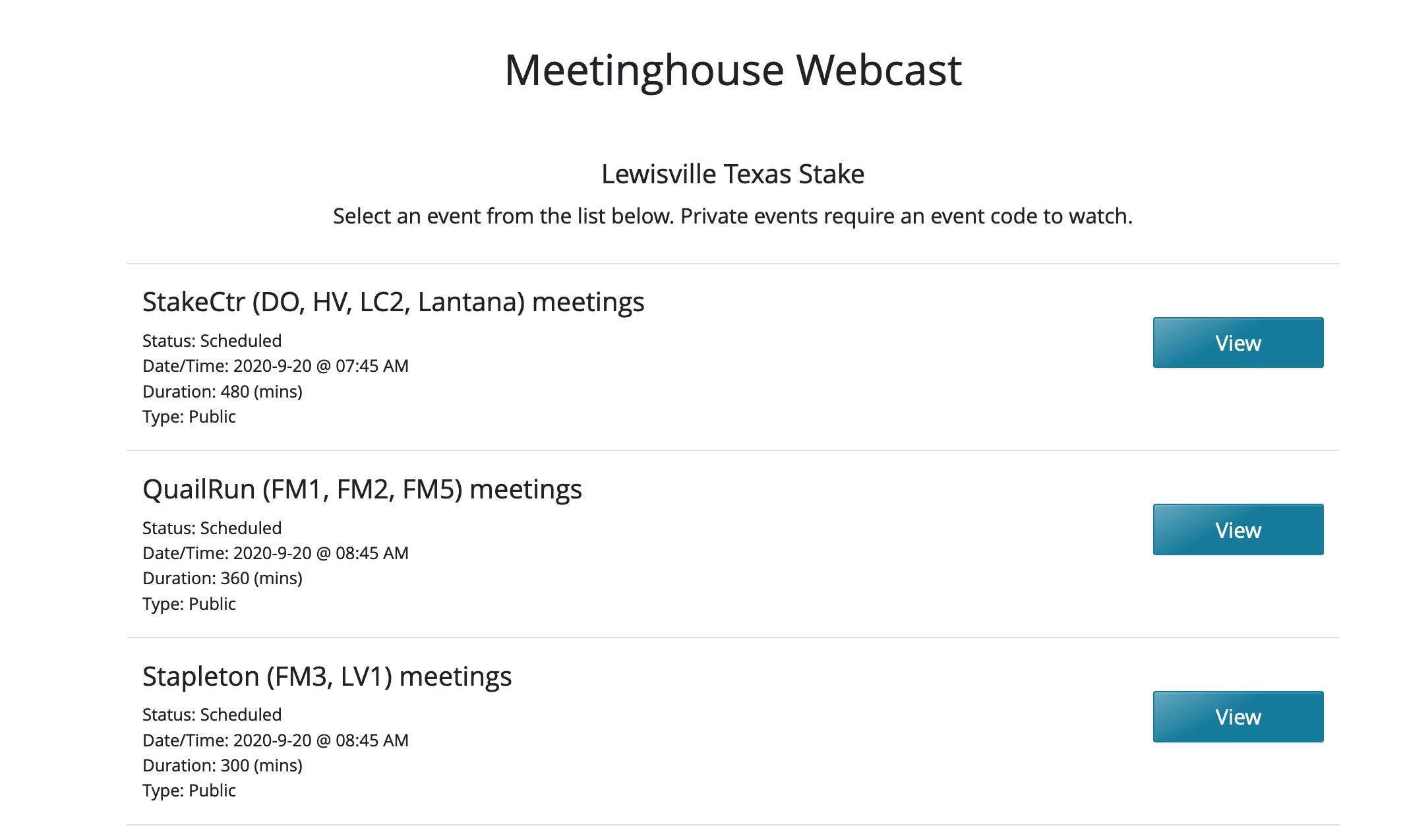
Each of our three buildings has a Church broadcast event that runs all day. All members know the general stake webcast URL and any member can join any building's webcast depending on their needs. In the morning before the first meeting, the STS for the building goes in and makes sure the equipment is set up and functioning. They turn on the webcast event for the day then turn it over to the wards.

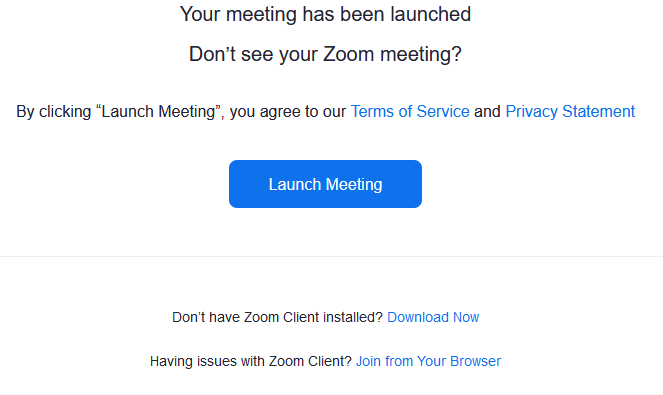
For two of the buildings, we use a Zoom meeting (one for each building) linked into the Church webcast system via the High Bandwidth Encode option. This way, there is only one input and we don't have to worry about others turning on their cameras, audio etc. If you are not familiar with the HBE option, let me know. We have a laptop in each building with a basic web cam attached to it. For one building we are using an external mic to get the audio. At the other building, we can get a feed directly out of the audio cabinet into the latop (via a USB sound card). Each ward has several people trained to "run" their ward's sacrament meeting. I created a graphic that says the sacrament ordnance is occurring and it is loaded on the laptop. At the end of the sacrament hymn, the person mutes the Zoom meeting audio and selects the "file share" option to broadcast the sacrament graphic rather than the camera. The ordnance is effectively muted. When the ordnance is over, the person unmutes the meeting audio and re-engages the web cam and members see the rest of the meeting. At the end of the day, the last ward is trained to put away all the equipment.

The Stake Center is a little more complicated in terms of set up but the general process is the same. With the Vidiu encoder, we can link the encoder directly into the webcast event. We have two cameras in the building so from our mixer board, we have the two cameras and a laptop with the sacrament graphic. There is a feed from the chapel audio into the mixer. During the sacrament, the person switches from the camera to the graphic and mutes the chapel audio input. When the ordnance is over, it's all turned back on. For a little while we had a secondary audio input which played MoTab hymns on a loop. Between meetings and during the sacrament, we unmuted that input so there wasn't just the graphic and dead air. We've stopped that in case a ward forgets to handle the audio properly. Again the last ward knows how to turn off all the equipment. Since it's in the library and no one is in the building, we leave it set up from week to week.

As I said, I'd be glad to help if you have any questions. I have this process fully documented with all sorts of screens shots if you want some "light" reading. Let me know if you want a copy. I'll send you the URL to the Box folder with all our documentation and training materials. Some of it is changing with the new switch roll out but it will give you an idea of how we're managing things.
New Member
#21
dbaresrc wrote:I have this process fully documented with all sorts of screens shots if you want some "light" reading. Let me know if you want a copy. I'll send you the URL to the Box folder with all our documentation and training materials. Some of it is changing with the new switch roll out but it will give you an idea of how we're managing things.
Please do share for all to read. Its much easier to take someone else's documentation and modify than build your own. :D
New Member
#22
dbaresrc wrote: For two of the buildings, we use a Zoom meeting (one for each building) linked into the Church webcast system via the High Bandwidth Encode option. This way, there is only one input and we don't have to worry about others turning on their cameras, audio etc. If you are not familiar with the HBE option, let me know. We have a laptop in each building with a basic web cam attached to it....

As I said, I'd be glad to help if you have any questions. I have this process fully documented with all sorts of screens shots if you want some "light" reading. Let me know if you want a copy. I'll send you the URL to the Box folder with all our documentation and training materials. Some of it is changing with the new switch roll out but it will give you an idea of how we're managing things.
I'd love to learn how you do this. Thanks!
New Member
#23
The documented list of required equipment for webcast transmission (https://www.churchofjesuschrist.org/hel ... s?lang=eng) only has the teradek vidiu device under Webcast Encoding Method section. However, the store.lds.org page for buying that device (https://store.churchofjesuschrist.org/u ... iu-encoder) says it is discontinued. So there appears to be a disconnect between documentation and reality. Is there a new recommendation for the device to use? Are we jumping the gun by trying to figure this out before CHQ sends us some directions for how to ensure each building can broadcast their meetings?
New Member
#24
New Member
#25
Thanks for writing. here is the URL for the Box folder: [redacted]
[Moderator note: Due to exposing RTMP credentials for upcoming webcasts, you'll need to send a Private Message to dbaresrc to receive the link.]

Here's what you'll see in there:

There are 3 .txt files with web conference linking codes, one for each of our buildings. The Zoom meetings for QR and Stapleton are scheduled through the year (love the "repeat this meeting" option) and integrate into the HBE functionality. The church events (HBE and Stk Ctr) are scheduled two months at a time. I've submitted an RFE (request for enhancement) to the webcast group to add a repeating option to the scheduling process.

I think the sacrament graphic is there too.

There are three files with “wiring” in the title. Each file explains the network and wiring for a building. All this changes starting this week because we're getting the new managed switches on Tuesday. There is a copy of the building's documentation in each building by the equipment and the equipment itself is labelled as well as some of the wiring depending on the building and configuration. You'll see what I mean when you look at the docs.

The BIG file is the Config_webcasts document. It covers everything! :D :D :D

If you have any questions, don’t hesitate to ask. Send me a message and I'll give you my personal email / phone number and we can work together on it. This stuff is really pretty easy to do once you take a second to look at it.

BTW, here's the list of equipment we purchased for the QR / Stapleton buildings where we're using Zoom meetings. As I mentioned, at one building we have a podium feed directly into the laptop via a USB sound card. The other building we are using the USB microphone.

Web camera
Tripod
Microphone You want to make sure you get a directional mic.
USB extension cable We use this to put the camera more or less front and center in the chapel to get the podium/speaker. We run the extension to the laptop sitting on a table at the aisle.
USB Sound card

Carlton
Senior Member
#26
I just went through the process to setup the Zoom to Church web streaming. I'm getting an alert on the webcast system saying the encoder needs to be tuned down. Can't see anything about it on the zoom support page, any thoughts? Did you run into this issue?
“A long habit of not thinking a thing wrong, gives it a superficial appearance of being right, and raises at first a formidable outcry in defense of custom.”
― Thomas Paine, Common Sense
Community Administrator
#27
johnshaw wrote:I just went through the process to setup the Zoom to Church web streaming. I'm getting an alert on the webcast system saying the encoder needs to be tuned down. Can't see anything about it on the zoom support page, any thoughts? Did you run into this issue?
Did you turn on "High Bandwidth Encode" when scheduling the event? That was added specifically for Zoom.
Have you searched the Help Center? Try doing a Google search and adding "site:churchofjesuschrist.org/help" to the search criteria.

So we can better help you, please edit your Profile to include your general location.
New Member
#28
@dbaresrc Thanks for sharing your documentation. question: is there a reason you guys are not using the new "Teradek Auto Configuration" and having it download the xml file directly from the webcast site? This seems like it would save a lot of effort in manually entering streaming codes.
just interested in your take on this.
Our plan is to rely on this scheduling and the info on the top of the webcast page to allows for "Assistant Technology Specialists" to schedule meetings.
New Member
#29
We initially tried the Teradek autoconfig but ended up having more problems then successes. So we have stayed with known, always good-to-go manual input.
New Member
#30
Is there agreement between us the users and church headquarters as to how best to support virtual sacrament meetings?

How about somebody in the "know" setting up a zoom meeting where we can hear some instruction and ask questions. Record it so it can be played by later.

Kenyon Hart
STS Tyhee, Idaho Stake
Member
#31
I haven't seen anything from church headquarters on an ideal situation for doing sacrament meeting broadcasts. The information we got from out area presidency had left it open for the individual stakes and wards to find a solution that worked for them. (likely do to the differing levels of technology know-how, and internet access in the buildings, we have stakes around us who have buildings that are still on dial-up....) There's a lot of really good information that dbaresrc posted if you're looking at the Zoom/Church broadcast system.

We had originally looked at using the Teridek since that's one the Church's recommended hardware list, but needing to pick up 3 more, when we found they were getting kind of hard to come by, and rather expensive, we decided to go with Raspberry Pi's. They're inexpensive, have enough horsepower, and work well when paired with a USB webcam and USB sound card. They will work with both the Church's system and YouTube, looking into using them with Zoom some more, and while Zoom has a Linux client, it's x86 only so won't run on the Pi because of it's ARM architecture. I posted about our setup on github https://github.com/TechnoSwiss/broadcast_pi if you're interested in looking that. The setup process is a bit more involved than what dbaresrc has posted, but it runs mostly hands off once it has been setup.
Senior Member
#32
mrbitsch wrote:I haven't seen anything from church headquarters on an ideal situation for doing sacrament meeting broadcasts. The information we got from out area presidency had left it open for the individual stakes and wards to find a solution that worked for them. (likely do to the differing levels of technology know-how, and internet access in the buildings, we have stakes around us who have buildings that are still on dial-up....)
There is much wisdom in using that approach, as each unit and meetinghouse has unique requirements and resources. (I am extremely grateful that our stake presidency allowed us to upgrade from DSL to cable modem service a year ago. It has been a blessing.)

On the other hand, we always fall into the trap of inventing solutions that rely upon the skills, experience, and good health of a very small group of experts. Single points of failure are never desirable. Perhaps the best solution is for the STS to be aware of the solutions in place for each unit in his stake, and to be available to support them when they stumble. When things fail, they do so at the worst times, and need to be corrected quickly. If a recurring broadcast wholly depends upon a single person, a single device, a single network connection, or a single subscription, the ability of the STS to step in and assist is severely hampered.

I know I have fallen into this trap in my own ward, but I am working with my STS to develop a more standard broadcasting solution that does not depend totally on me.
Dana Repouille, Plattsmouth, Nebraska
Member
#33
I appreciate you posting this. It gives me a working model to go from.
I am familiar with the Zoom streaming option as my team does this at work. It is a great option. We also use a tool called Yardstream for live streaming events.
Where do you place the webcam for your broadcasts and where is the person running the laptop sitting?

In addition to Zoom connected to streaming, one could try OBS on a laptop for steaming. I do not know if it will work with the churches streaming service. I also wonder about the infrastructure of the church to be able to handle the increased streaming sessions. Again I know very little about the back-end streaming service being used by the church.


Our meeting house is a large double chapel building supporting 8 wards in it, for a YSA stake. Thus we have never done any stake conference streaming nor do we have cameras or audio equipment to do such. The laptop and webcam option is probably our best choice for now.

Appreciate your post.

Kevin
Member
#34
I see pics of camera placement in the above post github. Thanks for sharing those.

Kevin
#35
We did our first virtual sacrament meeting yesterday. I used OBS on my laptop, a Logitech BC950 webcam and streamed it to YouTube. Other than people sounding muffled because of their masks, it worked great. It didn't really provide the members the opportunity to see each other, so next week I'm going to do a Zoom meeting that I will also stream to YouTube for the Zoom impaired. We'll start the Zoom meeting 30 minutes early and let the members chat until 10 minutes before the meeting starts, at which point, we'll mute everyone and play the organ music in the chapel. After the meeting, we'll unmute the members and they can chat again. We did the sacrament to the few people in the building after the broadcast ended and that worked well, although I was setup to mute the audio and put up a graphic if we had done it during the meeting and just interrupted the broadcast for it.
New Member
#36
Edited 1 time, last by studerje on
Attaching files that I recently sent to our stake presidency.
Assuming quality internet already exists in building with connection in chapel, and using standard technology, Cost per building would be ~$956.24 per building to use the church's webcast service.
I'm lucky that I only need to support 3 buildings and that we already have 2 Teradeks.

Basic Breakdown
$732.25 - 1x Teradek Streamer - https://store.churchofjesuschrist.org/u ... 85050952-1
$198.00 - 1x Sony HDRCX405 Meetinghouse Webcast Camera - https://www.amazon.com/Sony-HDRCX405-Re ... B00R5LH9HO
$25.99 - 1x AmazonBasics 60-Inch Lightweight Tripod with Bag - https://www.amazon.com/AmazonBasics-60- ... B005KP473Q

Possible additional needs depending on positioning of camera:
$17.81 - Gaffer Tape - https://www.amazon.com/Professional-Gaf ... 00GZE3UJ8/
$49.99 - 1x HDMI Extender kit - https://www.amazon.com/Expert-Connect-3 ... B07QRYP45Q
$44.99 - Shielded Ethernet Cable in Black 200 ft - https://www.amazon.com/Cable-Matters-Sn ... B00HEM6C7C
$8.89 - Micro HDMI to HDMI Adapter - https://www.amazon.com/GANA-Adapter-Fem ... 07K21HSQX/
$39.49 - 50 Feet HDMI Cable - https://www.amazon.com/AmazonBasics-Hig ... B01JH7156E

We happen to already have HDMI extenders, Shielded patch cables, and gaffer tape on-hand.
I prefer to use shielded Ethernet patch cables as they are a bit thicker and more resilient to being walked on if they need to be taped down somewhere.

Just some food for thought that might help others.
Community Administrator
#37
I was able to do a successful broadcast over the church webcast system using my old cell phone (Pixel 1) and the Larix Broadcaster app. That's right, just a cell phone on a tripod. It doesn't get much simpler then that. I parked the tripod a little off to the side in the second row. That put me close enough to get a head-and-shoulders close-up and the full stand at zoom out. It was also far enough away to avoid a too awkward up angle of the speaker. (We have a fairly high pulpit). You're mileage may vary as the amount of zoom depends on the phone.

I did find the audio using the built-in mic to be really bad - as in not even in the same room bad. (Again, your mileage may vary). So, I ended up making my own cable for excellent sound. (I suspect the app has a built-in compressor.)

The app does have the ability to mute just the audio or both audio and video right from the home screen.

So far, the ONLY complaint I've had is that the sacrament wasn't moved from it's normal place in the agenda, and viewers got confused when everything was blanked out for the 12 minutes it took to pass the sacrament, even though it was announced ahead of time. Next time, if we don't move it, I'll just put a small sign at the bottom of the stand where I can point the camera during that portion.
Have you searched the Help Center? Try doing a Google search and adding "site:churchofjesuschrist.org/help" to the search criteria.

So we can better help you, please edit your Profile to include your general location.
Senior Member
#38
When I mute the mic during the ordinance, I "present" a browser tab of the Sacrament hymn, so families at home can read or sing the words.
For example:
https://www.churchofjesuschrist.org/mus ... nal-father
Dana Repouille, Plattsmouth, Nebraska
Community Administrator
#39
drepouille wrote:When I mute the mic during the ordinance, I "present" a browser tab of the Sacrament hymn, so families at home can read or sing the words.
That depends on the capability of what you're using. I was using a cell phone app. I'd need to point it to something in the chapel.
Have you searched the Help Center? Try doing a Google search and adding "site:churchofjesuschrist.org/help" to the search criteria.

So we can better help you, please edit your Profile to include your general location.
Senior Member
#40
For a short time, I considered putting an old cell phone on the end of a goose-neck stand, and attaching the stand to the pulpit. However, I would have no control over the phone during the meeting, so I gave up that idea.
Dana Repouille, Plattsmouth, Nebraska
Community Administrator
#41
drepouille wrote:For a short time, I considered putting an old cell phone on the end of a goose-neck stand, and attaching the stand to the pulpit. However, I would have no control over the phone during the meeting, so I gave up that idea.
I had it on a tripod in the second row just off to the side. The amount of zoom probably depends on the phone's sensor, but I was able to go from the stand to a nice closeup of the speaker from where I was.

The hardiest part was the audio cable. The second hardiest was the phone holder with a tripod mount. I found the latter in my local Walmart in the photo section. It was bundled with a small pistol-grip/table top tripod. But at less than $8, it was worth it for the adapter.

The actual event was easy. Start the feed early, "Pinch zoom" for control, mute button right on the home screen. Long press on stop/start to "go to black". Because of the cheap tripod, I tried to minimize any repositioning.

You might be able to work around the audio cable with an external mic. The app does support Bluetooth mics.

Although, what you could do, is just mount the phone like you said, start the feed early. Leave it on a fixed zoom setting. and then turn off the broadcast at the appropriate time before the sacrament is passed. No control is really needed. That should solve the audio problem. Your mount could be nothing more than a selfie stick duct-taped to a microphone stand.
Have you searched the Help Center? Try doing a Google search and adding "site:churchofjesuschrist.org/help" to the search criteria.

So we can better help you, please edit your Profile to include your general location.
Member
#42
I would point out the one piece of direction that we have received from the First Presidency regarding the broadcasted meetings: https://newsroom.churchofjesuschrist.or ... 091020_CTA

"Since a sacrament broadcast does not include the administration of the sacrament, consider initiating the broadcast following the sacrament,or alternatively, holding the sacrament portion of the meeting last,so those viewing the sacrament meeting virtually see the program without interruption."

Not a requirement, but a suggestion, however that doesn't leave people at home wondering what's going on for 12 minutes. (although that time would provide them the opportunity to do the sacrament at home)
New Member
#43
As I mentioned earlier in this thread, we've been broadcasting sacrament meetings for quite a while and have a process in place for the ordnance. It involves a file share while the ordnance is occurring (which takes care of the video) and muting the audio. The file is attached. If you're interested in more information on how we're running meetings, just ask.
Community Moderators
#44
russellhltn wrote:I was able to do a successful broadcast over the church webcast system using my old cell phone (Pixel 1) and the Larix Broadcaster app. That's right, just a cell phone on a tripod. It doesn't get much simpler then that.
How did you connect the phone to the Internet? WiFi? Hot Spot? Regular data over cell tower?
Community Administrator
#45
lajackson wrote:How did you connect the phone to the Internet? WiFi? Hot Spot? Regular data over cell tower?
The Liahona WiFi, although the app can use most any method you have available. It was designed to use "WiFi, EDGE, 3G, LTE and 5G".

With the small turn out and 30-40 minute meeting, I don't think the members are putting much of a load on the WiFi. That may change as we start getting back to the old normal.

I hope to have a document posted tonight showing the setting I used.
Have you searched the Help Center? Try doing a Google search and adding "site:churchofjesuschrist.org/help" to the search criteria.

So we can better help you, please edit your Profile to include your general location.
Community Moderators
#46
russellhltn wrote:
lajackson wrote:How did you connect the phone to the Internet?
The Liahona WiFi, although the app can use most any method you have available. It was designed to use "WiFi, EDGE, 3G, LTE and 5G".
...
I hope to have a document showing the setting I used posted tonight.
Outstanding. I have my recommendation for tomorrow evening for the stake presidency.

I am considering using the regular stake webcast system at the stake center. I just need to figure out how best to avoid the sacrament ordinance.
Community Moderators
#47
russellhltn wrote:I hope to have a document posted tonight showing the setting I used.
That would be wonderful. Please include whether or not you needed to use the high bandwidth setting when the Webcast event was scheduled.
Community Administrator
#48
lajackson wrote:Please include whether or not you needed to use the high bandwidth setting when the Webcast event was scheduled.
No, I used the guide found in Webcast Network Health and Encoder Settings to choose a bitrate.
Have you searched the Help Center? Try doing a Google search and adding "site:churchofjesuschrist.org/help" to the search criteria.

So we can better help you, please edit your Profile to include your general location.
New Member
#49
dbaresrc wrote: For two of the buildings, we use a Zoom meeting (one for each building) linked into the Church webcast system via the High Bandwidth Encode option. This way, there is only one input and we don't have to worry about others turning on their cameras, audio etc. If you are not familiar with the HBE option, let me know. We have a laptop in each building with a basic web cam attached to it. For one building we are using an external mic to get the audio. At the other building, we can get a feed directly out of the audio cabinet into the latop (via a USB sound card). Each ward has several people trained to "run" their ward's sacrament meeting. I created a graphic that says the sacrament ordnance is occurring and it is loaded on the laptop. At the end of the sacrament hymn, the person mutes the Zoom meeting audio and selects the "file share" option to broadcast the sacrament graphic rather than the camera. The ordnance is effectively muted. When the ordnance is over, the person unmutes the meeting audio and re-engages the web cam and members see the rest of the meeting. At the end of the day, the last ward is trained to put away all the equipment.
@dbaresrc - can you send me the link on how to set this up? Apparently I don't participate in these forums enough to PM you. :(
New Member
#50
mrbitsch wrote: I've been putting together notes on how I put the entire setup together here https://github.com/TechnoSwiss/broadcast_pi
1) Is there some reason you decided to compile ffmpeg rather than point to a repository and download a precompiled binary?

2) I like your approach except for the Youtube part of it. I think I'd be more comfortable pointing an RTMP stream to the church's broadcast service. I'm assuming that the Raspberry Pi + ffmpeg solulution can be used to push an RTMP stream to a church-scheduled broadcast URL instead of flv stream to a YouTube URL, correct? Since the zillion ffmpeg command line options can be a bit intimidating, I'm wondering if you could break down what they all do and maybe include the option syntax for an RTMP stream URL?
mrbitsch wrote: ...is getting the chapel audio piped into the broadcast. We have a rather complicated system for this that we use in the stake center for stake conference, but for these sacrament meeting broadcasts we're going really simple and just using the "Record out" connection that I believe are present on most buildings in North America.
Have you found that the "Record Out" level is high enough? I've got a couple of buildings with older sound systems in them, and the "Record Out" levels aren't adjustable and possibly too low. I'd rather not have to add an amplifier into the audio path, so I'm wondering if there's any broadcast volume adjustability in your solution? I see an ffmpeg switch in your example that says, "volume=20dB", so it seems possible.
New Member
#51
bsillito wrote:
dbaresrc wrote: For two of the buildings, we use a Zoom meeting (one for each building) linked into the Church webcast system via the High Bandwidth Encode option.
@dbaresrc - can you send me the link on how to set this up? Apparently I don't participate in these forums enough to PM you. :(
@dbaresrc - Me too please! For some reason my PM to you just sits in the Outbox and won't send.

[Moderator note: A PM stays in the Outbox until the recipient opens it to read.]
New Member
#52
I got a notification of your email and responded. Let me know if you didn't get it.

Thanks Carlton
Community Moderators
#53
enelson5 wrote:...

Have you found that the "Record Out" level is high enough? I've got a couple of buildings with older sound systems in them, and the "Record Out" levels aren't adjustable and possibly too low. I'd rather not have to add an amplifier into the audio path, so I'm wondering if there's any broadcast volume adjustability in your solution? I see an ffmpeg switch in your example that says, "volume=20dB", so it seems possible.
If you have an audio mixer, you could use that to control and monitor the audio level from the 'Record Out' connector. Otherwise, an old home-stereo-type cassette deck can be used as a decent mixer. If you don't have one collecting dust, at least last time I was in a thrift store they could still be found there for less than a couple dozen dollars. Most of the decks I have seen give you the option of line-level and microphone input. Use the line output to feed the encoder. Many decks also have a headphone output. The VU meters will show you real-time levels, but depending on your setup, 0 VU on the decks meters may _not_ be the level you want.

Getting a deck into record mode can sometimes take a little creativity. There's a record-protect tab in the upper left-hand corner of a cassette, and most decks have a microswitch to detect the tab. With many decks, you can open the cassette door, use a finger to push on the microswitch, activate record mode, and if necessary activate the machine.
Senior Member
#54
So I could use the cassette recorder under the Sacrament table to attenuate the line level output of the Record Out jack to the microphone input of my laptop?
Dana Repouille, Plattsmouth, Nebraska
Community Administrator
#55
drepouille wrote:So I could use the cassette recorder under the Sacrament table to attenuate the line level output of the Record Out jack to the microphone input of my laptop?
You can try, but I'm not hopeful. I don't remember seeing any consumer electronics with "mic out" levels. Trying to tie the cassette deck "line out" to laptop's "mic in" is likely to result in a lot of noise even if the input levels are turned down. But if you use a "USB soundcard" with line in, then you're good. (But then, you can skip the cassette deck.)
Have you searched the Help Center? Try doing a Google search and adding "site:churchofjesuschrist.org/help" to the search criteria.

So we can better help you, please edit your Profile to include your general location.
Community Moderators
#56
drepouille wrote:So I could use the cassette recorder under the Sacrament table to attenuate the line level output of the Record Out jack to the microphone input of my laptop?
That's not what I suggested. I suggested a home-stereo-type _deck_ (usually with a big input level control and either VU meters or LED or fluorescent level display. That would give you a display of real-time signal levels and manual control of the gain.

If all you need is to reduce the level from line-level to mic-level, there are prebuilt attenuators available, or you could have someone solder together a couple of resistors to do that. With that, you may not need the mixer or cassette deck if you don't want it.
Member
#57
enelson5 wrote: 1) Is there some reason you decided to compile ffmpeg rather than point to a repository and download a precompiled binary?
When I started testing this the version of ffmpeg in the repo for Rasbian didn't include the x264 encoder that's required to send a stream to YouTube. I haven't checked to see if that's changed, but it's only been a couple of months.
enelson5 wrote: 2) I like your approach except for the Youtube part of it. I think I'd be more comfortable pointing an RTMP stream to the church's broadcast service. I'm assuming that the Raspberry Pi + ffmpeg solulution can be used to push an RTMP stream to a church-scheduled broadcast URL instead of flv stream to a YouTube URL, correct? Since the zillion ffmpeg command line options can be a bit intimidating, I'm wondering if you could break down what they all do and maybe include the option syntax for an RTMP stream URL?
One of the reasons I went with YouTube was because I had a hard time with the church's system always complaining about me not sending data fast enough (I was testing from home, on a quad-core i7 and a gig fiber internet connection...), however this was before they added the high bandwidth switch, so maybe that will make a difference. You should be able to take the same command just replace <server URL>/<Stream Key> with the string provided by the church broadcast system.

I can try and breakdown the command line options from my github post, but I'll post it over there.
enelson5 wrote: Have you found that the "Record Out" level is high enough? I've got a couple of buildings with older sound systems in them, and the "Record Out" levels aren't adjustable and possibly too low. I'd rather not have to add an amplifier into the audio path, so I'm wondering if there's any broadcast volume adjustability in your solution? I see an ffmpeg switch in your example that says, "volume=20dB", so it seems possible.
The "Record Out" is a live level output, it should be able to drive a line level input. Most of your broadcast software, or your OS should have the ability to gain the line level input if you need to "turn up" the volume on it a little bit. In the case of ffmpef yes "volume=20dB" accomplishes that.
New Member
#58
If I may, I strongly suggest using the Church webcast system for non-Vidiu environments. As soon as they released the HBE option, we starting broadcasting sacrament services from several of our buildings using basic Zoom personal accounts. This is in addition to our StkCtr broadcasts (Vidiu) which have been happening since March.

The Zoom / HBE combination works flawlessly even from a building with only 3 mbps upload speed. We have not had to disable Wifi either for throughput. As a side note - you MUST use a wired vs Wifi for a Zoom / HBE meeting. Wifi is too slow and glitchy. Continuing . . . . the other nice thing about using the Church system is there is a single place for our members to attend meetings, sacrament or any other kind. We've had funerals through it as well. They go to our stake webcast portal and all meetings are there. If they want to "attend" their sacrament meeting they connect to their building at the correct time. If they want to see their friend or a returned missionary in another ward, they connect to the correct building at the correct time. It's all in one place and can be managed through one interface.

As I describe in my documentation (ask if you want it), it's trivial to use Zoom and the Church system.
webcast_1.jpg
(205.63 KiB) Not downloaded yet
Thanks

Carlton
Community Moderators
#59
dbaresrc wrote:... we starting broadcasting sacrament services from several of our buildings using basic Zoom personal accounts.
These are paid accounts, though, correct? It is my understanding that the free Zoom accounts are not able to interface with the webcast system.
New Member
#60
As we progress into a new world of Sacrament meeting distribution I find our stake president and bishops are still confused on how exactly we are to get the meetings out to the homes. As I read down through our forums I discover a multitude of suggestions how best to accomplish these tasks. Unfortunately many turn out to be a kludge of equipment for each ward or building. I am hoping in the near future a more direct instruction from the church technical group on the recommended and tested procedures.

In the meantime I am most impressed with the use of the Raspberry Pi's option. I currently have a Pi-4 with 4GB and am attempting to duplicate the procedure already in place. Unfortunately I am not experienced enough in Linux to make this happen and find it difficult to find that experience in the stake. The operating system is now Pi OS and came down as debian buster module. I am finding it already contains modules like ffmpeg, git and the audio libraries. Trying to follow the written procedures is a daunting task at the moment as your written procedures don't apply or not work. Perhaps you have a revised written edition based on the new Pi OS system that I might try.
Senior Member
#61
As a ward clerk, I don't have the privileges necessary to use the Church webcast system. So I continue to use the free G Suite account provided by the church.
Dana Repouille, Plattsmouth, Nebraska
Community Administrator
#62
drepouille wrote:As a ward clerk, I don't have the privileges necessary to use the Church webcast system.
Talk to the stake about being made an Assistant STS.
Have you searched the Help Center? Try doing a Google search and adding "site:churchofjesuschrist.org/help" to the search criteria.

So we can better help you, please edit your Profile to include your general location.
New Member
#63
@dbaresrc,

I am also too new to the forum to pm you. Could you please send me the link? Thanks!

Mike
New Member
#64
I just tested zoom to the church broadcast system and it was fairly easy to setup. I used a $15/month account. Here are quick instructions:

Login to Zoom and enable Custom Live Streaming Service:
1) Sign in to the Zoom web portal.
2) Click Account Management > Account Settings.
3) Under "In Meeting (Advanced)", click the toggle next to "Allow live streaming the meetings". This option is a long way down the list.
4) Click the "Custom Live Streaming Service" checkbox to enable it.

Setup your meeting in the Church WebCast portal at https://webcast.churchofjesuschrist.org/#/eventManager

Under "Select your encoder" Choose "Other"
I also enabled "High Bandwidth Encode"

Once the event is created, you can obtain the RTMP URL and Stream Name:
1) On the meeting select "setup" next to the gear icon.
2) Go to the "Other Setup" tab.
3) Copy the RTMP URL
4) Copy the Stream Name

Now go back to Zoom and start your meeting and enable the stream.
1) Start Meeting
2) Click on "More" at the bottom of the zoom window
3) Click on "Live on Custom Live Streaming Service"
4) Your browser will open and you may need to login to Zoom.
5) Paste the "RTMP URL" into the "Streaming URL"
6) Paste the "Stream Name" into the "Streaming Key"
7) You can also past a link to the live webcast in "Live Streaming page URL"
8) Click "Go Live!"
Zoom does remember the previous Streaming URL and Streaming Key. If these changed it will timeout and then allow you to update them.

I hope this helps.

Mike
Community Moderators
#65
mashcraft wrote:Setup your meeting in the Church WebCast portal at https://webcast.churchofjesuschrist.org/#/eventManager

Under "Select your encoder" Choose "Other"
I also enabled "High Bandwidth Encode"
Enabling HBE is required for a successful webcast originated from Zoom.
mashcraft wrote:5) Paste the "RTMP URL" into the "Streaming URL"
6) Paste the "Stream Name" into the "Streaming Key"
Just as a by-the-way, if you happening to be using a different system to originate a webcast and it only gives you one field to enter everything, you will usually be able to enter the RTMP URL and the Streaming Key in that one field, separated by a slash. <RTMP URL>/<Streaming Key>
New Member
#66
lajackson wrote:
dbaresrc wrote:... we starting broadcasting sacrament services from several of our buildings using basic Zoom personal accounts.
These are paid accounts, though, correct? It is my understanding that the free Zoom accounts are not able to interface with the webcast system.
Correct, you must have a paid Zoom account. Our stake purchased about a dozen accounts. Some for the STS's to webcast meetings, some for Seminary teachers and some for the Stake presidency themselves.

I tweak the default profile for the STS accounts a little bit to secure it and can send you the screen shots of that if you want. From there you schedule a meeting for the building for the day and all wards in that building "share" that meeting. In my account I schedule one for one building that starts at X and ends at Y. Zoom has a repeat meeting option so with one click you can schedule the meeting for every Sunday from now until N. In the Church system, we set up an events for the building which lasts N hours for weeks in advance and get the codes as shown in our documentation. On Sunday morning, the STS for the building sets up the laptop, logs into the Zoom account and starts the meeting. As documented, the HBE codes for that week are entered into the Zoom meeting, it connects to the Church and off you go. The credentials for these meetings are never shared. Members connect to the Stake webcast portal and can join their, or any other sacrament service.
New Member
#67
retiredtech wrote:As we progress into a new world of Sacrament meeting distribution I find our stake president and bishops are still confused on how exactly we are to get the meetings out to the homes. As I read down through our forums I discover a multitude of suggestions how best to accomplish these tasks. Unfortunately many turn out to be a kludge of equipment for each ward or building. I am hoping in the near future a more direct instruction from the church technical group on the recommended and tested procedures.

In the meantime I am most impressed with the use of the Raspberry Pi's option. I currently have a Pi-4 with 4GB and am attempting to duplicate the procedure already in place. Unfortunately I am not experienced enough in Linux to make this happen and find it difficult to find that experience in the stake. The operating system is now Pi OS and came down as debian buster module. I am finding it already contains modules like ffmpeg, git and the audio libraries. Trying to follow the written procedures is a daunting task at the moment as your written procedures don't apply or not work. Perhaps you have a revised written edition based on the new Pi OS system that I might try.
I can appreciate this. That's why we selected to use the KISS approach and use basic, off-the-shelf components. We have a laptop (it happens to run Unbuntu but you can choose your O/S), $40 webcam, mic, and some ethernet cables and we're in business. You must have a paid Zoom account (personal is fine) then schedule The Zoom meetings and the Church events and link them together the day of.

If you want, I can share our documentation on how to put this together. Just send a PM. There is a section on how ward members access and participate in the meetings. It's really quite simple and easy.
New Member
#68
mashcraft wrote:@dbaresrc,

I am also too new to the forum to pm you. Could you please send me the link? Thanks!

Mike

Sent. I hope it helps.

Carlton
New Member
#69
dbaresrc wrote:
lajackson wrote:
dbaresrc wrote:... we starting broadcasting sacrament services from several of our buildings using basic Zoom personal accounts.
These are paid accounts, though, correct? It is my understanding that the free Zoom accounts are not able to interface with the webcast system.
Correct, you must have a paid Zoom account. Our stake purchased about a dozen accounts. Some for the STS's to webcast meetings, some for Seminary teachers and some for the Stake presidency themselves.

I tweak the default profile for the STS accounts a little bit to secure it and can send you the screen shots of that if you want. From there you schedule a meeting for the building for the day and all wards in that building "share" that meeting. In my account I schedule one for one building that starts at X and ends at Y. Zoom has a repeat meeting option so with one click you can schedule the meeting for every Sunday from now until N. In the Church system, we set up an events for the building which lasts N hours for weeks in advance and get the codes as shown in our documentation. On Sunday morning, the STS for the building sets up the laptop, logs into the Zoom account and starts the meeting. As documented, the HBE codes for that week are entered into the Zoom meeting, it connects to the Church and off you go. The credentials for these meetings are never shared. Members connect to the Stake webcast portal and can join their, or any other sacrament service.

New member here, could you send screenshots of profile used for STS accounts?
New Member
#70
snihipali99 wrote:
dbaresrc wrote:
lajackson wrote: These are paid accounts, though, correct? It is my understanding that the free Zoom accounts are not able to interface with the webcast system.
Correct, you must have a paid Zoom account. Our stake purchased about a dozen accounts. Some for the STS's to webcast meetings, some for Seminary teachers and some for the Stake presidency themselves.

I tweak the default profile for the STS accounts a little bit to secure it and can send you the screen shots of that if you want. From there you schedule a meeting for the building for the day and all wards in that building "share" that meeting. In my account I schedule one for one building that starts at X and ends at Y. Zoom has a repeat meeting option so with one click you can schedule the meeting for every Sunday from now until N. In the Church system, we set up an events for the building which lasts N hours for weeks in advance and get the codes as shown in our documentation. On Sunday morning, the STS for the building sets up the laptop, logs into the Zoom account and starts the meeting. As documented, the HBE codes for that week are entered into the Zoom meeting, it connects to the Church and off you go. The credentials for these meetings are never shared. Members connect to the Stake webcast portal and can join their, or any other sacrament service.

New member here, could you send screenshots of profile used for STS accounts?
I sent you a PM. Check your in-box.

Carlton
New Member
#71
Hi All,

I'm blending several ideas from this thread with an additional spice of my own that I think some might find useful. I just performed a successful stream test from home using Open Broadcaster Software (OBS) to push an RTMP stream to the Church's Azure media servers with an event set for high-bandwidth encode (HBE). OBS is free open-source software available from https://obsproject.com. It requires a Windows PC/laptop. Using this software removes the need for Zoom licenses to handle the RTMP coding, so you only have to schedule the Church webcast event and then enter the RTMP URL and Stream name into OBS.

The OBS software has some pretty cool features for a free tool, and the learning curve isn't too bad (maybe an hour or two). I went through some settings to configure the base canvas and output resolution, the video and audio bitrate, the stream service (chose "Custom" to enter the RTMP URL and Stream info). I added my webcam as a video capture device into a "Scene" I called "Camera View", and then resized it to fit the canvas. Each of the available audio sources can be muted or level adjusted in the audio mixer pane. I also created a "Sacrament In-Progress" scene that uses the "Image Slide Show" source to cycle through several appropriate sacrament-related photos while a text box at the bottom of the screen shows a "Text" source that says, "Administration of the Sacrament is in Progress. The broadcast will resume shortly...". The slide transition rate and fade times are adjustable. And lastly, I created a "End of Service" scene using a "Text" source that displays the meeting start times for each of the Wards.

I'm going to use @dbaresrc 's approach to scheduling a single public event for each building that runs throughout the Sunday (well at least until the last Ward concludes). If a meeting isn't in progress, the audio will be muted and the the "End of Service" scene will be selected showing the meeting times. The next Ward to arrive simply unmutes the audio source and switches to the "Camera View" scene.

My HD webcams and audio capture USB devices are due to arrive today, so I'll try the actual in-building testing next week. I've located each "Record Out" audio port in my buildings, and as you'd expect for buildings with the older sound systems, these ports are located about 30-40 feet away from the pulpit so I'm going to have to fashion appropriate cables.

I'm sorry I don't have a fancy guide written for how I've done this. Maybe I'll write something up after the scramble to get things going the next couple of weeks subsides a bit. I mainly wanted to get the OBS aspect out to for others to consider trying. I appreciate the ideas and suggestions shared here, and I hope my OBS "spice" will help build on the already great suggestions. It's been good to know that I'm in the same boat with a lot of talented people coming up with solutions!
Community Moderators
#72
enelson5 wrote:Hi All,

I'm blending several ideas from this thread with an additional spice of my own that I think some might find useful. I just performed a successful stream test from home using Open Broadcaster Software (OBS) to push an RTMP stream to the Church's Azure media servers with an event set for high-bandwidth encode (HBE). OBS is free open-source software available from https://obsproject.com. It requires a Windows PC/laptop. Using this software removes the need for Zoom licenses to handle the RTMP coding, so you only have to schedule the Church webcast event and then enter the RTMP URL and Stream name into OBS.

...
Open Broadcaster Software is not Windows-specific. I runs on Linux and macOS 10.13+ according to this page: https://obsproject.com/ There are even instructions at the bottom of this page https://obsproject.com/wiki/install-instructions#linux to install (or build) it for FreeBSD. I don't know whether there's a binary download for the Raspberry Pi or whether the Raspberry Pi has enough horsepower. Because OBS is open-source, it can be built from source for anyone so inclined.
New Member
#73
rmrichesjr wrote: Open Broadcaster Software is not Windows-specific. I runs on Linux and macOS 10.13+ according to this page: https://obsproject.com/ There are even instructions at the bottom of this page https://obsproject.com/wiki/install-instructions#linux to install (or build) it for FreeBSD. I don't know whether there's a binary download for the Raspberry Pi or whether the Raspberry Pi has enough horsepower. Because OBS is open-source, it can be built from source for anyone so inclined.
Thanks for clarifying that point! For those non-Windows users, be sure to click on the Apple logo on the Download page to get the appropriate installer, and for those brave enough to try to compile or cross-compile the source, click on the penguin logo to download the source code.
Community Moderators
#74
enelson5 wrote:Thanks for clarifying that point! For those non-Windows users, be sure to click on the Apple logo on the Download page to get the appropriate installer, and for those brave enough to try to compile or cross-compile the source, click on the penguin logo to download the source code.
There are binary OBS packages available for several Linux distributions. Installing software on Linux does not necessarily imply building it from source.
New Member
#75
enelson5 wrote:Hi All,

I'm blending several ideas from this thread with an additional spice of my own that I think some might find useful. I just performed a successful stream test from home using Open Broadcaster Software (OBS) to push an RTMP stream to the Church's Azure media servers with an event set for high-bandwidth encode (HBE). OBS is free open-source software available from https://obsproject.com. It requires a Windows PC/laptop. Using this software removes the need for Zoom licenses to handle the RTMP coding, so you only have to schedule the Church webcast event and then enter the RTMP URL and Stream name into OBS.

The OBS software has some pretty cool features for a free tool, and the learning curve isn't too bad (maybe an hour or two). I went through some settings to configure the base canvas and output resolution, the video and audio bitrate, the stream service (chose "Custom" to enter the RTMP URL and Stream info). I added my webcam as a video capture device into a "Scene" I called "Camera View", and then resized it to fit the canvas. Each of the available audio sources can be muted or level adjusted in the audio mixer pane. I also created a "Sacrament In-Progress" scene that uses the "Image Slide Show" source to cycle through several appropriate sacrament-related photos while a text box at the bottom of the screen shows a "Text" source that says, "Administration of the Sacrament is in Progress. The broadcast will resume shortly...". The slide transition rate and fade times are adjustable. And lastly, I created a "End of Service" scene using a "Text" source that displays the meeting start times for each of the Wards.

I'm going to use @dbaresrc 's approach to scheduling a single public event for each building that runs throughout the Sunday (well at least until the last Ward concludes). If a meeting isn't in progress, the audio will be muted and the the "End of Service" scene will be selected showing the meeting times. The next Ward to arrive simply unmutes the audio source and switches to the "Camera View" scene.

My HD webcams and audio capture USB devices are due to arrive today, so I'll try the actual in-building testing next week. I've located each "Record Out" audio port in my buildings, and as you'd expect for buildings with the older sound systems, these ports are located about 30-40 feet away from the pulpit so I'm going to have to fashion appropriate cables.

I'm sorry I don't have a fancy guide written for how I've done this. Maybe I'll write something up after the scramble to get things going the next couple of weeks subsides a bit. I mainly wanted to get the OBS aspect out to for others to consider trying. I appreciate the ideas and suggestions shared here, and I hope my OBS "spice" will help build on the already great suggestions. It's been good to know that I'm in the same boat with a lot of talented people coming up with solutions!
What type of cable are you using for connection to the record out jack? We used the assistive hearing devices to loop the chapel audio directly to our camera audio input with much success, but at the older building in our stake this didn’t work too well because the devices there are antiquated and has an annoying buzz. Since it is an older building it has a record out jack, but I’m weighing the cost of getting a 50-foot cable to connect to it, move the camera so it is closer to the jack (not ideal) or buy a new assistive hearing device from the church (about $70 last I checked). What are your thoughts?
Community Moderators
#76
cwcahoon wrote:What type of cable are you using for connection to the record out jack? We used the assistive hearing devices to loop the chapel audio directly to our camera audio input with much success, but at the older building in our stake this didn’t work too well because the devices there are antiquated and has an annoying buzz. Since it is an older building it has a record out jack, but I’m weighing the cost of getting a 50-foot cable to connect to it, move the camera so it is closer to the jack (not ideal) or buy a new assistive hearing device from the church (about $70 last I checked). What are your thoughts?
A new assistive hearing receiver might not solve the buzzing noise--depending on whether the noise is introduced in the receiver or the transmitter (or upstream from the transmitter). If you have a HAM radio operator in the area, he/she might be able to check the RF signal (~72MHz, IIRC) to determine whether the signal is clean or has the buzz.

Other than that, $70 can buy a lot of cable and even a couple of isolation transformers if 50-feet is too long for an unbalanced line-level audio signal in that building's environment.
Community Administrator
#77
I'd borrow a receiver from the newer building to test in the older one. Most buildings are on the same frequency and the different brands are interchangeable.
Have you searched the Help Center? Try doing a Google search and adding "site:churchofjesuschrist.org/help" to the search criteria.

So we can better help you, please edit your Profile to include your general location.
New Member
#78
cwcahoon wrote: What type of cable are you using for connection to the record out jack? We used the assistive hearing devices to loop the chapel audio directly to our camera audio input with much success, but at the older building in our stake this didn’t work too well because the devices there are antiquated and has an annoying buzz. Since it is an older building it has a record out jack, but I’m weighing the cost of getting a 50-foot cable to connect to it, move the camera so it is closer to the jack (not ideal) or buy a new assistive hearing device from the church (about $70 last I checked). What are your thoughts?
Check out the 50' RCA F-F cable at monoprice https://www.monoprice.com/product?p_id=2743. Probably overkill for theh unbalanced line level signal coming from the "Record Out" port, but it'll be pretty durable at a reasonable price.

I've got a couple of buildings with 1/8" mono female jacks for the line level record out, so I'm getting these 1/8" male to RCA female adapters. https://www.amazon.com/Ancable-4-Pack-A ... ef=sr_1_14
New Member
#79
dbaresrc wrote:We initially tried the Teradek autoconfig but ended up having more problems then successes. So we have stayed with known, always good-to-go manual input.
We picked up another Teradek from the church's online store for our third building. It's a slightly newer model than our other 2 Teradek's.
This newer model is labeled as "Teradek Pro". This new one seems to experience issues with the autoconfig scheduling.
The older two handle it like a champ.
New Member
#80
mrbitsch wrote: I've been putting together notes on how I put the entire setup together here https://github.com/TechnoSwiss/broadcast_pi
I've been following this to build an identical system and hopefully enhance it to address the need to pause the stream with a simple web interface.

I've run into a problem with the Amcrest camera you recommended. It doesn't show support for h264. Did I get the wrong one or is something else wrong?

Code:

$ v4l2-ctl --list-devices                                                                                                                        bcm2835-codec-decode (platform:bcm2835-codec):                                                                                                                           /dev/video10                                                                                                                                                     /dev/video11                                                                                                                                                     /dev/video12                                                                                                                                                                                                                                                                                                              bcm2835-isp (platform:bcm2835-isp):
        /dev/video13
        /dev/video14
        /dev/video15
        /dev/video16

HDA Webcam USB: HDA Webcam USB (usb-0000:01:00.0-1.2):
        /dev/video0
        /dev/video1

$ ffmpeg  -list_formats all -i /dev/video0
ffmpeg version git-2020-09-21-1aee02c Copyright (c) 2000-2020 the FFmpeg developers
  built with gcc 8 (Raspbian 8.3.0-6+rpi1)
  configuration: --extra-cflags=-I/usr/local/include --extra-ldflags=-L/usr/local/lib --extra-libs='-lpthread -lm -latomic' --arch=armel --enable-gmp --enable-gpl --enable-libaom --enable-libass --enable-libdav1d --enable-libdrm --enable-libfdk-aac --enable-libfreetype --enable-libkvazaar --enable-libmp3lame --enable-libopencore-amrnb --enable-libopencore-amrwb --enable-libopus --enable-librtmp --enable-libsnappy --enable-libsoxr --enable-libssh --enable-libvorbis --enable-libvpx --enable-libzimg --enable-libwebp --enable-libx264 --enable-libx265 --enable-libxml2 --enable-mmal --enable-nonfree --enable-omx --enable-omx-rpi --enable-version3 --target-os=linux --enable-pthreads --enable-openssl --enable-hardcoded-tables
  libavutil      56. 59.100 / 56. 59.100
  libavcodec     58.106.100 / 58.106.100
  libavformat    58. 58.100 / 58. 58.100
  libavdevice    58. 11.102 / 58. 11.102
  libavfilter     7. 87.100 /  7. 87.100
  libswscale      5.  8.100 /  5.  8.100
  libswresample   3.  8.100 /  3.  8.100
  libpostproc    55.  8.100 / 55.  8.100
[video4linux2,v4l2 @ 0x26010b0] Compressed:       mjpeg :          Motion-JPEG : 1920x1080 1280x720 640x480
[video4linux2,v4l2 @ 0x26010b0] Raw       :     yuyv422 :           YUYV 4:2:2 : 1920x1080 1280x720 640x480
/dev/video0: Immediate exit requested

Thanks,
Mike
Member
#81
mashcraft wrote:I've run into a problem with the Amcrest camera you recommended. It doesn't show support for h264. Did I get the wrong one or is something else wrong?
The Amcrest shows up as 2 different video devices, the h264 encoded stream shows up on the second interface for some reason, try ffmpeg -list_formats all -i /dev/video1
New Member
#82
Been testing this week using OBS with a webcam and connecting to the chapel audio via the record out 3.5mm outlet via the Church webcast system. Everything seems to ok, the only thing with the audio is that when no one is speaking there is a noticeable static noise. When someone speaks into the microphone the sound appears to be clear. Is there a way to reduce the static noise? Would going through a mixer help? Or turn down the db within OBS? Thanks for any suggestions
Member
#83
snihipali99 wrote:Been testing this week using OBS with a webcam and connecting to the chapel audio via the record out 3.5mm outlet via the Church webcast system. Everything seems to ok, the only thing with the audio is that when no one is speaking there is a noticeable static noise. When someone speaks into the microphone the sound appears to be clear. Is there a way to reduce the static noise? Would going through a mixer help? Or turn down the db within OBS? Thanks for any suggestions
I've noticed a very slight amount of static on our system, but I've had to really turn up the volume on the device receiving the broadcast to notice it. Since you're using OBS you might want to try this https://obsproject.com/forum/resources/ ... ilter.423/
New Member
#84
dbaresrc wrote:
mashcraft wrote:@dbaresrc,

I am also too new to the forum to pm you. Could you please send me the link? Thanks!

Mike

Sent. I hope it helps.

Carlton

Can you send me the documentation as well? I'd love to try it out in our stake and see if we can get it to work. Thanks!
New Member
#85
mrbitsch wrote: I've noticed a very slight amount of static on our system, but I've had to really turn up the volume on the device receiving the broadcast to notice it. Since you're using OBS you might want to try this https://obsproject.com/forum/resources/ ... ilter.423/
Thanks these filters do help and are come included in the latest version of OBS, just needed to add them. Do you or anyone know if I use OBS does the High Bandwidth Encode option need to be enabled? Or is that only needed for Zoom?
Community Administrator
#86
snihipali99 wrote:Do you or anyone know if I use OBS does the High Bandwidth Encode option need to be enabled? Or is that only needed for Zoom?
Just Zoom. You can't control the bandwidth and it's quite high.

OBS I believe is adjustable. High bandwidth doesn't necessarily translate to a better webcast as the downstream seems pretty heavily compressed. Watch the pre-roll with the Tabernacle Choir and you'll see what I mean.
Have you searched the Help Center? Try doing a Google search and adding "site:churchofjesuschrist.org/help" to the search criteria.

So we can better help you, please edit your Profile to include your general location.
New Member
#87
In our Branch, we don't have any church broadcast equipment. Would a FIR request be appropriate to getting a camera, computer, and audio out setup (any vurtual broadcasting solution)? Are wards taking web camera purchases out of their budgets? We have't had STS direction, just told to do it.
Community Moderators
#88
Maelikai wrote:In our Branch, we don't have any church broadcast equipment. Would a FIR request be appropriate to getting a camera, computer, and audio out setup (any vurtual broadcasting solution)? Are wards taking web camera purchases out of their budgets? We have't had STS direction, just told to do it.
Lots of inexpensive solutions. I would start with the information at the following topic and go from there:
viewtopic.php?f=27&t=37573
So we can better help you, please edit your Profile to include your general location.
Community Administrator
#89
Maelikai wrote:Would a FIR request be appropriate to getting a camera, computer, and audio out setup (any vurtual broadcasting solution)?
Adding an audio out would be a legitimate request. But FM isn't going to supply the equipment for webcasting.

You can get by with just a cell phone or a laptop with a webcam. I think a number of wards are just using member equipment for the time being.
Have you searched the Help Center? Try doing a Google search and adding "site:churchofjesuschrist.org/help" to the search criteria.

So we can better help you, please edit your Profile to include your general location.
Senior Member
#90
There's at least one unit using a simple "member equipment" approach! As I've stated elsewhere, while I appreciate techies (at least to me you guys are all techies) who understand the ins-and-outs of audio/visual stuff, we have a sufficient implementation which works for us: using Zoom on a cellphone which is placed in a small tripod on the podium. The virtual attendees say that the picture and sound comes through fine for them. We use Zoom settings to simulate a streaming (non-interactive) sacrament meeting broadcast. Our particular Stake hasn't been involved in implementing any solution for us, they've really farmed it out to each local unit to figure out. As our leaders and members are familiar now with Zoom, it's good enough for us.
Community Moderators
#91
BrianEdwards wrote:There's at least one unit using a simple "member equipment" approach! As I've stated elsewhere, while I appreciate techies (at least to me you guys are all techies) who understand the ins-and-outs of audio/visual stuff, we have a sufficient implementation which works for us: using Zoom on a cellphone which is placed in a small tripod on the podium. The virtual attendees say that the picture and sound comes through fine for them. We use Zoom settings to simulate a streaming (non-interactive) sacrament meeting broadcast. Our particular Stake hasn't been involved in implementing any solution for us, they've really farmed it out to each local unit to figure out. As our leaders and members are familiar now with Zoom, it's good enough for us.
Zoom does a good job at filtering out background noise, which probably compensates for not connecting directly to the sound system. Our ward also has a simple setup – a laptop computer between the first and second rows in the chapel, sitting on a music stand, with the screen tilted so the built-in camera points to the speaker. Feedback from members has been positive!
Samuel Bradshaw • If you desire to serve God, you are called to the work.
New Member
#92
A few notes from using the OBS software for a sacrament broadcast. Basic setup: 2 PTZ cameras from the stake, ATEM mini pro, laptop, small firewall to create a subnet inside the church network for better camera control. Cable service is 6mbps up. The highest resolution allowed is 1280x720 using the church webcast system.
OBS settings:
Output advance audio track 1, encoder Nvidia Nvenc (laptop specific - experiment here to reduce the CPU load), enforce streaming service encoder settings, rescale output 1280x720.
Rate control CBR, bitrate 2100kbps, keyframe interval 2, preset quality, profile high, max b frames 2.
Video output scale 1280x720 FPS 30
Audio 44.1kbps mono mic/aux audio microphone Blackmagic , aux audio 2 disabled, desktop audio 2 disabled, aux3, 4 disabled.
It is really important to disable everything except the audio from the church feed otherwise you may have a sound injection from the laptop downstream from the monitor. Doing a test OBS run to disk is well worth doing.
No sync offset but hey with everyone wearing masks who can tell?
The ATEM mini will do the job and it has a really good audio processing section to gate out the hiss etc.
Very pleased with the OBS package, and free as well. Not for the Zoom crowd.
New Member
#93
I put this system together, and it has been working great for weeks now in our meetings.
Thank you for putting up the post on how you did it.

I do have a question, if you have the time to respond.
Last week, towards the end of the meeting, the streaming started kinda freezing/stuttering.
It would kind of stall, then put out some more frames, then stall again. (This is watching the FFMPEG running on the PI over an ssh link on a laptop behind me in the chapel)

My question is...
Do I need to be doing some kind of file system maintenance with this?
Should I be running fstrim or some other utility on occasion?

I had the know-how to get it running, with the information you provided, but I am not a Linux expert by any stretch of the imagination.

Any advice would be much appreciated.
Thank you!
Community Moderators
#94
rich_jones_1999 wrote:I put this system together, and it has been working great for weeks now in our meetings.
...
Just in case I'm not the only one not entirely clear, are you referring to the system described at the very beginning of this topic/thread? Or, are you referring to one of the variations that might have been discussed between then and now?

Regarding the stuttering toward the end of the meeting, is it possible that the Pi's CPU or GPU might be overheating? If there is any question about that, opening any case the Pi might be in and blowing some cool air on it may help. I haven't monitored a Pi's temperatures myself, but I understand there are ways to do that. On other Linux systems, "lm-sensors" is the package for checking/monitoring temperatures. I'm not sure whether the Pi might have a variation on the theme.

There are lots of ways to check on what might be slowing down a Linux system. Here are a few of my favorites:
  • "top" to see what processes are using how much CPU time and a few other things
    "vmstat 3" to watch storage/disk traffic
    "free -h" to check on memory usage
If "top" shows some rogue process consuming a lot of CPU time, that might be the culprit. If "vmstat 3" or "free -h" show any swapping/paging traffic, you're out of memory.
Member
#95
rich_jones_1999 wrote: ...
My question is...
Do I need to be doing some kind of file system maintenance with this?
Should I be running fstrim or some other utility on occasion?
...
You're welcome, I've got another update I'm getting ready to push here to help deal with some of the YouTube API changes that recently went into effect that have taken out some of the automation I've been able to enjoy with it.

As far as the stuttering issue, and file system maintenance. If you're running Rasbian or another Pi oriented distro on it, I don't think file system maintenance should be needed. I've easily got a dozen Pi's running around the house and the office, and I've never encountered a need for that. (anecdotal information at best as that may be) The scripts as written shouldn't be writing many files to the filesystem.

Are you running this on a RPi4 or one of the older models? I'm not certain how well this would run on the older pis (it should be okay I'm streaming from my 3D printer on a Pi3 while also running Octoprint, but I haven't tested this specific setup on anything other than a RPi4). If you're monitoring the stream I'd take a look at htop and see what the CPU utilization is looking like, usually the stuttering means you're not able to transcode the stream fast enough which on the RPi I've so far only found 2 causes for, 1) you're not using the h264 stream from the camera (you would notice that from the get-go most likely though) or 2) you're maxing out all the cores and there's not enough processing power left. For number 2 I've only had that happen when the RPi starts throttling the CPU because it's overheating (which is likely something you'd see later in the broadcast)

If you want to check the temp on your RPi just issue the following command '/opt/vc/bin/vcgencmd measure_temp' and you'll get the CPU die's current temp out in C. The RPi is going to start soft throttling the CPU when that gets over 60C, and by the time you hit 80C isn't going to be throttling it pretty hard.

I did quite a bit of testing with the broadcasts and cases before I deployed these, hoping I could find a fanless case to use for this, but in my testing it wasn't possible to do an hour long broadcast without having a fan on the system, so if you're using a fanless case, that's probably where I would start.
New Member
#96
dbaresrc wrote:Thanks for writing. here is the URL for the Box folder: [redacted]
[Moderator note: Due to exposing RTMP credentials for upcoming webcasts, you'll need to send a Private Message to dbaresrc to receive the link.]

Carlton

Carlton, would you please share with me your documentation?

Thanks,
Michael.
New Member
#97
dbaresrc wrote:Thanks for writing. here is the URL for the Box folder: [redacted]
[Moderator note: Due to exposing RTMP credentials for upcoming webcasts, you'll need to send a Private Message to dbaresrc to receive the link.]

Here's what you'll see in there:

There are 3 .txt files with web conference linking codes, one for each of our buildings. The Zoom meetings for QR and Stapleton are scheduled through the year (love the "repeat this meeting" option) and integrate into the HBE functionality. The church events (HBE and Stk Ctr) are scheduled two months at a time. I've submitted an RFE (request for enhancement) to the webcast group to add a repeating option to the scheduling process.
Hi dbaresrc,

I'm replying to an old post, and as a new user can't send you a PM. Could you send the link to me?

TIA!
New Member
#98
lewish wrote:
dbaresrc wrote:Thanks for writing. here is the URL for the Box folder: [redacted]
[Moderator note: Due to exposing RTMP credentials for upcoming webcasts, you'll need to send a Private Message to dbaresrc to receive the link.]

Here's what you'll see in there:

There are 3 .txt files with web conference linking codes, one for each of our buildings. The Zoom meetings for QR and Stapleton are scheduled through the year (love the "repeat this meeting" option) and integrate into the HBE functionality. The church events (HBE and Stk Ctr) are scheduled two months at a time. I've submitted an RFE (request for enhancement) to the webcast group to add a repeating option to the scheduling process.
Hi dbaresrc,

I'm replying to an old post, and as a new user can't send you a PM. Could you send the link to me?

TIA!
Sent you a PM.
New Member
#99
hartkjfamily wrote:Is there agreement between us the users and church headquarters as to how best to support virtual sacrament meetings?

How about somebody in the "know" setting up a zoom meeting where we can hear some instruction and ask questions. Record it so it can be played by later.

Kenyon Hart
STS Tyhee, Idaho Stake

I fully support this idea! I would love the hear more options using current stake hardware for zoom to be used. Not only does it offer a higher bandwidth encoding but can also be pushed to youtube live where viewers can get a better picture and sound than what comes from the lower encoded church broadcast system. Please teach me more!

Bryan Wilson
STS Stevensville, Montana Stake
Member
#100
FWIW when we've done the Zoom -> YouTube Live for Stake Conference, the quality was awful and the audio sync was bad as well. The video quality on Zoom just by itself has always been worse for us than YouTube Live, and going from Zoom to YouTube seems to lose a bit as well. We've continued to use YouTube Live for all of our broadcasts, and Zoom for classes and other meetings like Presidency, Ward Council, Ward Youth Council, etc.

The wards in our stake are still using the setup I described at the beginning of this post, I've updated the scripts several times, and at this point everything runs pretty much hands off (at the risk of jinking it, I don't think I've had to touch anything in 4 months). With the updates to the church handbook section 27.9 we had asked the FM group if it was possible to install ethenet and audio connections at the back of the chapel so the camera wasn't right in front of the pulpit, and they said "no, we've been instructed this is only temporary and we should not install any new drops that aren't absolutely necessary", their claim was that 27.9 was only talking about stake conferences. Which is a very different read from what I got out of it, but hey, it's the FM group. They also forwarded this document that hopefully I'm attaching to this post, it's the first I'd ever seen of anything official from the church on how to setup for the broadcasts.

For our stake we're planning on keeping with the RaspberryPi/YouTube automated system for now, it works, it's hands free, and we've had several comments from surrounding stakes and visiting Seventies on the quality that I see no reason to mess with it. The Zoom webcast does seem to work well, but again we found the quality wasn't as good at the YouTube Live (also we've found it's a lot easier for people to be able to get a YouTube video up on their TV than Zoom) I'm not sure at this point if you can automate the Zoom webcasts like you can with the YouTube Live ones, but that's another factor for us.

One of the things that we like about he camera in front of the pulpit is that you get a nice closeup view of the speaker, but you still get a wide enough shot of the stand that you can see the organist/pianist. When you move the camera back to the back of the chapel you have to trade of either getting a wide enough shot to still see the organist/pianist but you've got a long shot on the speaker, or you zoom in on the speaker and can't see anything else on the stand. Not a problem if you have somebody running the camera, but I'm wondering if anybody has found a lens setup that allows for a closer shot on the speaker, while still getting most of the stand, with the camera at the back of the chapel. I'm guessing it's an optical impossibility, but then I've seen some cool tricks with tilt-shift lenses and other things that I would have thought were impossible.

Mike Bitsch STS Hillsboro, Oregon Stake
Community Administrator
#101
mrbitsch wrote:With the updates to the church handbook section 27.9 we had asked the FM group if it was possible to install ethenet and audio connections at the back of the chapel so the camera wasn't right in front of the pulpit, and they said "no, we've been instructed this is only temporary and we should not install any new drops that aren't absolutely necessary", their claim was that 27.9 was only talking about stake conferences.
Clearly, they haven't read it.

Yes, before the edit, the only cameras in the chapel was for stake conference. But 29.7 is clearly about all of the ward meeting, especially sacrament meeting.

But until CHQ sanctions a particular setup, FM may not be that cooperative.
Have you searched the Help Center? Try doing a Google search and adding "site:churchofjesuschrist.org/help" to the search criteria.

So we can better help you, please edit your Profile to include your general location.
Member
#102
russellhltn wrote:Clearly, they haven't read it.
Yes, before the edit, the only cameras in the chapel was for stake conference. But 29.7 is clearly about all of the ward meeting, especially sacrament meeting.
Yup, clearly, as anybody who has read it would have noticed the clearly defined sections specifically talking about ward meetings, and then stake conference as its own section.
russellhltn wrote:But until CHQ sanctions a particular setup, FM may not be that cooperative.
I'll just second that and leave it, because I could go on and on. :D

I am curious, and looking forward to further guidance from CHQ about what those broadcasts should/can actually look like post-covid. I know of a couple of members of our ward who have been home-bound for years because of medical issues, and these covid era broadcasts have been a real blessing in their lives. I hope that the update to the handbook means we'll be able to continue to allow these broadcasts for those ward members, and not have to at some point tell them "sorry, most everybody can make it to church in-person now, so we're going to take this away."
Community Administrator
#103
mrbitsch wrote:I know of a couple of members of our ward who have been home-bound for years because of medical issues, and these covid era broadcasts have been a real blessing in their lives. I hope that the update to the handbook means we'll be able to continue to allow these broadcasts for those ward members, and not have to at some point tell them "sorry, most everybody can make it to church in-person now, so we're going to take this away."
That's one of the reasons why I expected that some form of webcasting would become permanent. It would be too cruel to shut that door. Unless I'm missing something that seems to be exactly what section 29.7 addresses.

What's going to be fun is haring the stories about different bishops picking different dividing lines as to who qualifies for remote viewing.

There's also a possibility that the mission could be involved as well. It seems my local mission was trying to get investigators to visit some of these broadcasts. But 29.7 doesn't have anything about webcasting for investigators.
Have you searched the Help Center? Try doing a Google search and adding "site:churchofjesuschrist.org/help" to the search criteria.

So we can better help you, please edit your Profile to include your general location.
Community Moderators
#104
mrbitsch wrote:I am curious, and looking forward to further guidance from CHQ about what those broadcasts should/can actually look like post-covid. I know of a couple of members of our ward who have been home-bound for years because of medical issues, and these covid era broadcasts have been a real blessing in their lives. I hope that the update to the handbook means we'll be able to continue to allow these broadcasts for those ward members, and not have to at some point tell them "sorry, most everybody can make it to church in-person now, so we're going to take this away."
We are using YT Live almost exclusively, due to the far superior audio and video available. (Last Sunday I streamed in 1080p/60 at 8Mbps.) I asked my stake president if it was drawing near the time to make the YT links "Unlisted" and let the bishops give them only to those in need. He said it wasn't yet time, but at some point, he would like to proceed with that plan. This would encourage those who are able to attend to do so and receive the blessings of the sacrament.
So we can better help you, please edit your Profile to include your general location.
Member
#105
Mikerowaved wrote:We are using YT Live almost exclusively, due to the far superior audio and video available. (Last Sunday I streamed in 1080p/60 at 8Mbps.) I asked my stake president if it was drawing near the time to make the YT links "Unlisted" and let the bishops give them only to those in need. He said it wasn't yet time, but at some point, he would like to proceed with that plan. This would encourage those who are able to attend to do so and receive the blessings of the sacrament.
Our Stake Presidency is planning on us basically doing the same, based on the handbook updates, unless we receive direction to the contrary. We would like to move the camera setup to the back of the chapel, that would be a lot easier if we can get the FM group to support us in adding audio and ethernet connections back there. Which likely means we'll need to see an update on expectations from CHQ to the FM group.

We're actually already using unlisted links, the scripts I have running update a static link on our stake webpage each week. Likely the change over will be that the link will either be emailed out to the bishops each week to give to those who need to watch from home, or we'll create updated static links for the bishops to distribute.
Community Administrator
#106
mrbitsch wrote:We're actually already using unlisted links, the scripts I have running update a static link on our stake webpage each week. Likely the change over will be that the link will either be emailed out to the bishops each week to give to those who need to watch from home, or we'll create updated static links for the bishops to distribute.
I'm thinking you may want links that change periodically, perhaps every few months. Otherwise, it gets hard to cut someone off who no longer qualifies or to prevent word from getting around.
Have you searched the Help Center? Try doing a Google search and adding "site:churchofjesuschrist.org/help" to the search criteria.

So we can better help you, please edit your Profile to include your general location.
Member
#107
russellhltn wrote:I'm thinking you may want links that change periodically, perhaps every few months. Otherwise, it gets hard to cut someone off who no longer qualifies or to prevent word from getting around.
That was kind of the line I was thinking down, the system we're using right now automates that either way.
Member
#108
It is interesting to see the different approaches that the different FM groups are taking.

Ours made it very clear that they had been working on a ward broadcast system for some time before COVID came along. Our area presidency had already given the necessary permission for this to take place as needed. Obviously COVID has expedited some things.

FM here have told us that they are taking direction from ICS to ensure a consistent standard across the church and that solutions can be supported going forward by GSC.

Right at the start they told us that the currently approved broadcast system would consist of a memo start using either the church webcast or YouTube. It seems the substantial increase in server costs for the church’s own webcast has prompted a change of tact to focus more towards zoom.

Some of the documents outlining solutions do seem to be interim at best. The one attached a few posts up is similar in sentiment to one we received many months ago but the actual document is completely different.

Whatever your local situation may be, working with FM rather than against will usually yield a good outcome.
If you need Ethernet or audio routed somewhere else, make a solid case for it, escalate with your Priesthood leader, clearly explaining how this affects the quality of worship and then recognise that your request may need to be pushed down the line due to already budgeted projects.
New Member
#109
Seems its just not possible to email anyone on the tech side of the church webcast platform directly to answer my questions, and trying led me here, so following is my experience (and frustration)...

I've been running our Sacrament Meeting webcasts for several weeks now while we're in Delta lockdown. We're still able to have a small number attend our chapel to run the stream (usually just couple from Bishopric, couple of speakers, and myself), so we haven't had to resort to multi-location platforms like zoom with all the uncontrollable variables they entail!
The church webcast platform was the obvious choice for us, and having some knowledge of digital photography/videography, I've been tweaking settings from week to week to try and get the best possible stream quality for our members at home. My setup consists of the following...
- My own camera, a Panasonic G85 M43 ILC with good glass and clean HDMI out, on tripod in front of pulpit (straddling front two pews for height).
- My own RODE directional mic on mic stand close to pulpit, cabled directly into camera mic input (outputs with video over HDMI, which minimises sync issues).
- Cheapish no-name HDMI to USB3 capture device, plugged into my i7 laptop running Windows7 and OBS Studio.
- WiFi connection to chapel router and broadband connection with stable 4Mbps upload speed.
(WiFi bandwidth isn’t unduly stressed with only me on it, but streaming meetings with 100s of members attending might be a problem!)

1080p camera feed into the laptop is used as a source in two separate OBS scenes that I can switch smoothly between during the stream - one downscaled to my 720p streaming resolution for a wide shot, and one cropped into 720p pixel for pixel close-up with no loss of quality. BTW, OBS is definitely the way to go – it gives so much more real time control over content mixing than expensive hardware solutions like the Teradek.
OBS is configured to output at 720p 29.97fps* at 2800Kbps (comfortably under our 4Mbps bandwidth for stability). I’m using the laptop’s Intel QSV hardware encoding at 'quality' and 'high' setting. When I record to the laptop’s SSD using above streaming settings the video quality is as good as I could hope from 720p at 2800Kbps. In fact, it looks pretty decent even up-scaled on my 55” 4K TV.
However, when I post-view the event via http://mywebcast.churchofjesuschrist.org the video quality is quite a bit worse, with compression artifacts everywhere and serious motion stutter (despite OBS not logging ANY dropped frames for the entire stream). The browser player also only offers the following quality options...
- 640x280 at 118Kbps or 344Kbps
- 960x540 at 646Kbps
- 1366x768 at 1471Kbps or 2406Kbps (happens to be the screen resolution of the laptop I use to stream but I assume this is just coincidence?)

So what’s going on here? I assume the stream is being re-encoded at the server end to accommodate low bandwidth viewers, but why would my original unadulterated 720p upload quality NOT be one of the options offered (ie: not degraded by yet more decompressing and recompressing at a different resolution and bitrate).
(BTW*, whilst I live in a 25fps PAL region, I capture and stream at US standard 29.97fps, because I use YouTube clips of the Tab Choir for our opening and closing hymns, which are all 29.97fps, and re-encoding them to 25fps introduced stutter, so it was just easier to keep everything at 29.97fps).
Member
#110
It's almost certainly being re-encoded in the webcast process.

We simultaneously broadcasted the same stream through the church's webcast system and YouTube. YouTube looked much better and avoided artifacts. But the church's system isn't that bad, you really only need about 480p, what's been most important for us is good audio.
Community Administrator
#111
byrnesasylum wrote: Sat Sep 11, 2021 10:23 pm So what’s going on here? I assume the stream is being re-encoded at the server end to accommodate low bandwidth viewers, but why would my original unadulterated 720p upload quality NOT be one of the options offered
The church system is running in Microsoft Azure. I don't know what the billing structure looks like, but many cloud-based systems have a charge based on bandwidth used. The re-encoding to a lower bit rate may be a cost savings measure.

You may want to consider another service like YouTube or the church-provided Zoom Webinar.
Have you searched the Help Center? Try doing a Google search and adding "site:churchofjesuschrist.org/help" to the search criteria.

So we can better help you, please edit your Profile to include your general location.
New Member
#112
Thanks for replies. Yes, learned early on that audio is critical. First attempts to capture chapel PA sound via webcam mic was abysmal, and unable to find any easily accessible line out from PA amp, I ended up abandoning the PA and investing in a good off camera RODE mic mounted as close to pulpit as possible.
As to using commercial platforms like YouTube, this just seems like it shouldn't be necessary when the church has invested in its own closed platform. It just needs to up the performance to cope with the increasing demand that this 'new normal' COVID life has generated. Surely it's preferable to keep things like sacrament meeting webcasts 'in-house', no?
New Member
#113
PS to last post...
So when post viewing, the browser player offers max quality setting of 1366x768 at 1471Kbps or 2406Kbps. This is so close to my upload spec of 1280x720 at 2800Kbps that I have to wonder why they'd do that given how much their transcoding is degrading the quality of my original?!
Community Moderators
#114
byrnesasylum wrote:I ended up abandoning the PA and investing in a good off camera RODE mic mounted as close to pulpit as possible.
I recently visited a ward where the camera was located at the side rear of the chapel directly underneath one of the side ceiling speakers. The audio was captured from the speaker. The microphone was close enough that the speaker prevailed and hardly any ambient noise entered the webcast.
Member
#115
byrnesasylum wrote: Sun Sep 12, 2021 5:57 pm As to using commercial platforms like YouTube, this just seems like it shouldn't be necessary when the church has invested in its own closed platform. It just needs to up the performance to cope with the increasing demand that this 'new normal' COVID life has generated. Surely it's preferable to keep things like sacrament meeting webcasts 'in-house', no?
I can't recall where I heard it in this forum, but the chatter is that the church is slightly leaning to making Zoom the default standard, and the church's webcast is expensive and is better left for things like stake conferences. However, I haven't yet heard a single official directive from the church supporting or restricting any one such delivery medium.

We decided among Zoom, YouTube, and Webcast. Here is my subjective rating system (1 bad --- 5 great):

Webcast
Reliability - 4. We experienced BIG problems early on. Since it's been better.
Tech ease - 4. It's just an RTMP stream.
Viewer ease - 4. The URL to get to the broadcast is long and cumbersome and isn't easily memorized. Broadcast URL changes every week.
Stopping/starting - 2. That 15 minute delay can cause big problems if something dies (I spoke with a stake conference broadcaster today whose broadcast stopped 15 minutes mid meeting due to it)
Audio/video mixing - N/A. It's up to your and your tool (Teredek, OBS, phone...)
Quality/latency - 3. Noticeable artifacts. 30 second delay is longer.

Zoom Webinar
Reliability - 4. We experienced BIG problems early on. Since it's been better.
Tech ease - 5. As easy as can be.
Viewer ease - 3. Most configure for Zoom on client end, so client must install an app first. (Many members and investigators don't know how to do that.) URL may stay the same if scheduled correctly.
Stopping/starting - 5. Does fine.
Audio/video mixing - 2. Very limited mixing. Harder to support other tools.
Quality/latency - 4. Quality is great, paid plans from the church can support HD mode. Latency is great.

YouTube
Reliability - 5. Extremely reliable.
Tech ease - 4. Just needs an RTMP
Viewer ease - 4. Short URLs, but need some way to send out the URLs each week.
Stopping/starting - 5. Easy to restart, forgiving on disconnects.
Audio/video mixing - N/A. It's up to your and your tool (Teredek, OBS, phone...)
Quality/latency - 5. Quality seamlessly matches your bitrate. Three latency options.

We have a 10 letter stake domain webpage everyone has memorized, we load URLs into that each week. We do our own mixing with OBS. We also track viewers by name and total number via a Cognito Forms page. So YouTube is wins for us all around.
New Member
#116
lajackson wrote: I recently visited a ward where the camera was located at the side rear of the chapel directly underneath one of the side ceiling speakers. The audio was captured from the speaker. The microphone was close enough that the speaker prevailed and hardly any ambient noise entered the webcast.
Under our current delta lockdown restrictions we can't hold regular meetings, so its just 5 or 6 of us in the chapel with camera close to pulpit. When restrictions ease we may go back to 50/50 meetings (1/2 ward each week to maintain social distancing like we had mid last year), so had in mind to move camera to lounge area (I have telephoto lenses that will give me enough reach) and mount mic on stand pointing straight up at lounge PA speaker, so glad to hear that works OK. Thanks.
Community Administrator
#117
bradpeterson@gmail.com wrote: Sun Sep 12, 2021 8:43 pm I can't recall where I heard it in this forum, but the chatter is that the church is slightly leaning to making Zoom the default standard, and the church's webcast is expensive and is better left for things like stake conferences.
You can find a gentle push in the attachment to this post.

I believe the church webcast costs the church on a 'per use' basis, while the Zoom account for the unit is a fixed cost.
Have you searched the Help Center? Try doing a Google search and adding "site:churchofjesuschrist.org/help" to the search criteria.

So we can better help you, please edit your Profile to include your general location.
Community Moderators
#118
bradpeterson@gmail.com wrote: Sun Sep 12, 2021 8:43 pmWe have a 10 letter stake domain webpage everyone has memorized, we load URLs into that each week. We do our own mixing with OBS. We also track viewers by name and total number via a Cognito Forms page. So YouTube is wins for us all around.
We opted to setup a stake YouTube channel, that has all the wards listed there as upcoming live events. Even though the viewing URL's change weekly, the stake channel is always there and has the same graphical link displayed for each ward's upcoming meeting(s). Viewers can't be identified by name, but the number of concurrent viewers can be displayed graphically for each meeting.

Another nice thing is the RTMP settings can remain static from week-to-week making streaming simple from OBS, Larix Broadcaster, Teradek VidiU, or whatever encoding method you wish to use.

russellhltn wrote:I believe the church webcast costs the church on a 'per use' basis, while the Zoom account for the unit is a fixed cost.
I believe you're right. I think they got a wakeup call when the Azure Cloud bills started rolling it. Suddenly stakes that streamed 3-6 times a year (stake conferences + testing), were now streaming 7-12 sessions per week! That's like 100x the number of yearly streams, multiplied by who knows how many stakes. This likely blew up someone's budget big time. It's no wonder they opted to push Zoom and other lower cost alternatives.

BTW, YouTube Live is 100% free to use. 8-)
So we can better help you, please edit your Profile to include your general location.
Senior Member
#119
That's funny, since YouTube Live TV costs me $75 per month.

Assuming you turn off the mic and camera for the Sacrament ordinance, do you do the same for baby blessings during Sacrament meeting? Our recent Sacrament meeting Zoom attendance doubled for the first ten minutes so relatives could watch a baby blessing. Then they left the Zoom meeting.

Although Zoom meetings are the modern equivalent of closed-circuit TV, posting recordings of priesthood ordinances on YouTube or Facebook appears to be discouraged by recent guidance.
Dana Repouille, Plattsmouth, Nebraska
Community Moderators
#120
drepouille wrote: Mon Sep 13, 2021 5:57 amThat's funny, since YouTube Live TV costs me $75 per month.
YouTube Live is a whole different animal than YouTube TV. In the latter, you are paying to receive additional YT "channels", much like cable or satellite TV.

drepouille wrote: Mon Sep 13, 2021 5:57 amAssuming you turn off the mic and camera for the Sacrament ordinance, do you do the same for baby blessings during Sacrament meeting? Our recent Sacrament meeting Zoom attendance doubled for the first ten minutes so relatives could watch a baby blessing. Then they left the Zoom meeting.

Although Zoom meetings are the modern equivalent of closed-circuit TV, posting recordings of priesthood ordinances on YouTube or Facebook appears to be discouraged by recent guidance.
Priesthood ordinances are not streamed or recorded. In the topic, Pausing a Larix webcast for the sacrament, I explain one way this is done.

BTW, while Zoom Webinars can be like "closed-circuit TV", as soon as the links & login credentials are shared on a public website (which I see all the time), they are equivalent to public streaming services like Facebook, YouTube, and the like, that anyone in the world can view.

We're not there yet, but my stake president has made it clear that sometime in the future, he would like all sacrament meeting webcasts to only be available to those who really need it. This means the bishops will be in charge of emailing the links to those in need each week. This is easily done in YT Live with an "unlisted" live event, putting it on par with an unpublished Zoom Webinar.
So we can better help you, please edit your Profile to include your general location.
Senior Member
#121
Mikerowaved wrote: Mon Sep 13, 2021 10:47 amWe're not there yet, but my stake president has made it clear that sometime in the future, he would like all sacrament meeting webcasts to only be available to those who really need it. This means the bishops will be in charge of emailing the links to those in need each week. This is easily done in YT Live with an "unlisted" live event, putting it on par with an unpublished Zoom Webinar.
We have been "there" for about a month in our stake. The bishop gives out the link and password on a case-by-case basis for those who are unable to attend in person. I think we are using Zoom.
Member
#122
We've discussed post-COVID too.

Our stake president seems primarily motivated by the sick and the elderly who just can't make it to church. He knows these folks are also the most unlikely to be able to check email for updated links. They would also struggle to be supplied an unlocking password. So he is hesitant to put any kind of extra step preventing them from accessing the broadcast. I bet in early 2022 when COVID is finally over our policy will be to have bishops call those who should be at church but watch online to tell them broadcasts are authorized only for the sick and the infirm only.

They are also the reason why we are so invested into having crystal clear audio and clean video, so that those who are the most disabled can access it. We aren't going to do Mevo cameras and echoing mics 10 feet away.
Community Moderators
#123
bradpeterson@gmail.com wrote: Sun Sep 12, 2021 8:43 pm ...

Zoom Webinar
...
Viewer ease - 3. Most configure for Zoom on client end, so client must install an app first. (Many members and investigators don't know how to do that.) URL may stay the same if scheduled correctly.
...
People at home can view a Zoom webinar in a web browser. There is no need to install any client software.
Member
#124
Huh, I didn't know that:

From https://support.zoom.us/hc/en-us/articl ... web-client
The Zoom web client allows joining a Zoom meeting or webinar without downloading any plugins or software.


That can be very helpful for many of our situations where people want to broadcast small meetings but don't want to set up full equipment.
Community Moderators
#125
rmrichesjr wrote: Mon Sep 13, 2021 6:41 pm People at home can view a Zoom webinar in a web browser. There is no need to install any client software.
Though, unless things have changed recently, if I remember correctly, Zoom "hides" that option by using a small link under the large section of the page that tells you to download the client app, if you're on a computer that supports the client app. The option is there, but it's not obvious if you're not looking for it.
Samuel Bradshaw • If you desire to serve God, you are called to the work.
Member
#126
sbradshaw, I double checked, you are correct. Unfortunately, it's not a simple step.

When you click on the Zoom link, it wants you to download the zoom app. If you cancel that, then there is a big Launch Meeting button. But the web link is NOT found. Only after you click on the button do you see one small line at the bottom of the page: "Having issues with Zoom Client? Join from Your Browser". (See attachment)

Then if you click on that link, you get the https address. If you use that https address is any browser, you are requested to enter your name and click "Join Meeting". Then you must enter the passcode and an email address and click another button. Then you can view the meeting via the web. If you turn off the passcode, you still have to enter an email address on a second screen. It's definitely not click and view.

I'll clean up my subjective list for fairness. I had two mistakes in the prior post (I said Zoom had big problems early, and that Zoom doesn't support a web interface).

Webcast
Reliability - 4. We experienced BIG problems early on. Since it's been better.
Tech ease - 4. It's just an RTMP stream.
Viewer ease - 4. The URL to get to the broadcast is long and cumbersome and isn't easily memorized. Broadcast URL changes every week.
Stopping/starting - 2. That 15 minute delay can cause big problems if something dies (I spoke with a stake conference broadcaster today whose broadcast stopped 15 minutes mid meeting due to it)
Audio/video mixing - N/A. It's up to you and your tool (Teredek, OBS, phone...)
Quality/latency - 3. Noticeable artifacts. 30 second delay is longer.

Zoom Webinar
Reliability - 5. Never had a problem.
Tech ease - 5. As easy as can be. Zoom Webinar's best selling point.
Viewer ease - 3. Zoom strongly pushes the app which some tech challenged people can't install. A skilled end user or a good tech specialist can find the https link and spread that around. But even with the web link, the process at a minimum is click link + enter name on the screen and click on a join button + enter an email address and click a join button again.
Stopping/starting - 5. Works with ease.
Audio/video mixing - 2. Very limited mixing. Harder to support other tools.
Quality/latency - 4. Quality is great, paid plans from the church can support HD mode. Latency is great.

YouTube
Reliability - 5. Extremely reliable.
Tech ease - 4. Just needs an RTMP
Viewer ease - 4. Short URLs, but need some way to send out the URLs each week.
Stopping/starting - 5. Easy to restart, forgiving on disconnects.
Audio/video mixing - N/A. It's up to you and your tool (Teredek, OBS, phone...)
Quality/latency - 5. Quality seamlessly matches your bitrate. Three latency options.
📎 v6uCIFI.png (15.46 KiB)
Member
#127
Edited 1 time, last by lajackson on . Reason: Corrected typo in Subject line. Yep, all 120+ of 'em. OCD therapy,
byrnesasylum wrote: Sat Sep 11, 2021 10:23 pm Seems its just not possible to email anyone on the tech side of the church webcast platform directly to answer my questions, and trying led me here, so following is my experience (and frustration)...
Your problem is you're using the church's webcast system, it's never had great quality on the streams (up until just before the pandemic they didn't even offer 1080p steaming). I'm not sure what the reason for the poor quality was/is, but it's been there for year, and is the reason that several years ago our Stake switched to using other streaming options for stake conferences.

Fast forward to the pandemic, and virtual Sacrament meetings happening all over the world and I think the strain really took its toll on the system. If you go back to the announcement they sent out about the church providing Zoom accounts for all the wards and stakes, they mentioned they wanted to encourage STSs to move away from the church webcast system and use Zoom or YouTube instead, so I'm guessing support for the webcast system is even worse now that it was in the past because it would appear they're moving away from the system. (or at least trying to make sure of larger scale commercial systems until the need goes back to just stake conferences)

You mentioned having Zoom, it has a broadcast mode that works well for streaming sacrament meetings, however I've found the video and even audio quality to still be inferior (even if just slightly so) to my preferred solution, which is to broadcast the meetings using YouTube.

YouTube is easy to setup and broadcast to from the sender side, you just send the highest quality stream you can, and YouTube handles all the transcoding on their end, and they're really, really good at doing it to a large variety of devices. Bonus that there's a client that's available on everything from mobile phones, to TVs, to Roku boxes, and everything in between. So people have plenty of options for watching the stream, which is a huge benefit over the church system which basically is only browser based, or Zoom which is basically only mobile or PC/Mac/Linux.
Community Moderators
#128
Has anyone tried using a high-resolution fixed-aim camera and digital PTZ instead of a mechanical PTZ camera? Last I heard and saw, mechanical PTZ cameras start around $300-350. For home surveillance, I just bought an outdoor-rated fixed-aim 4K 8MP PoE (or 12V-powered) IP camera with 5x motorized optical zoom for about $100. In theory, it ought to be possible to take one of those cameras, zoom optically to the widest desired shot, then dynamically digitally shrink and/or crop the 4K 8MP image to 720P and end up with 3x digital zoom without losing any resolution (other than loss inherent in transcoding) for a much smaller hardware price tag. In practice, has anyone tried doing that?

(For tight shots on a single face, it might be possible to get another 2x digital zoom (6x total) with some loss of resolution. Whether that tradeoff would be worthwhile could be in the eye of the beholder.)

(Disclaimer: I have no affiliation with the vendor of the above-described camera other than as a rather happy customer.)
Member
#129
That's essentially what many of us have been doing with the mevo start.
It has a fixed focal length but a 3x digital zoom with pan and tilt functionality within the app.
Community Moderators
#130
Is it an app that comes from Mevo or the Zoom app that does the digital PTZ?

The listings I'm seeing for the Mevo Start say it's only 1080p at prices over $300.
Member
#131
Yes, all controlled through Mevo's own app.

The camera is really ideal if you just want a single component, without the need for additional hardware.
When you consider it has a 6 hour battery life, wi-fi as well as on board encoding for any streaming platform you choose, it's great value.
If you want to use Zoom or want to mount the camera much further from the pulpit than the 3x digital zoom allows you to do then the mevo is not the solution for you.

Wasn't really pointing out the Mevo as a suggestion in this case, just as an example of using digital PTZ functionality instead of physical PTZ movements.
Community Moderators
#132
Very good information. Thank you for replying about the Mevo Zoom. For a different and/or higher-resolution camera, it sounds like finding the software to do digital PTZ might be the main challenge.
Community Administrator
#133
It turns out the term for this is "ePTZ". I'm not sure as you can get just the software. But you probably can find a camera/software combination.
Have you searched the Help Center? Try doing a Google search and adding "site:churchofjesuschrist.org/help" to the search criteria.

So we can better help you, please edit your Profile to include your general location.