Protection Training login issues

66 postsstarted by segkdowning 14,192 viewsoriginal topic

New Member
#1
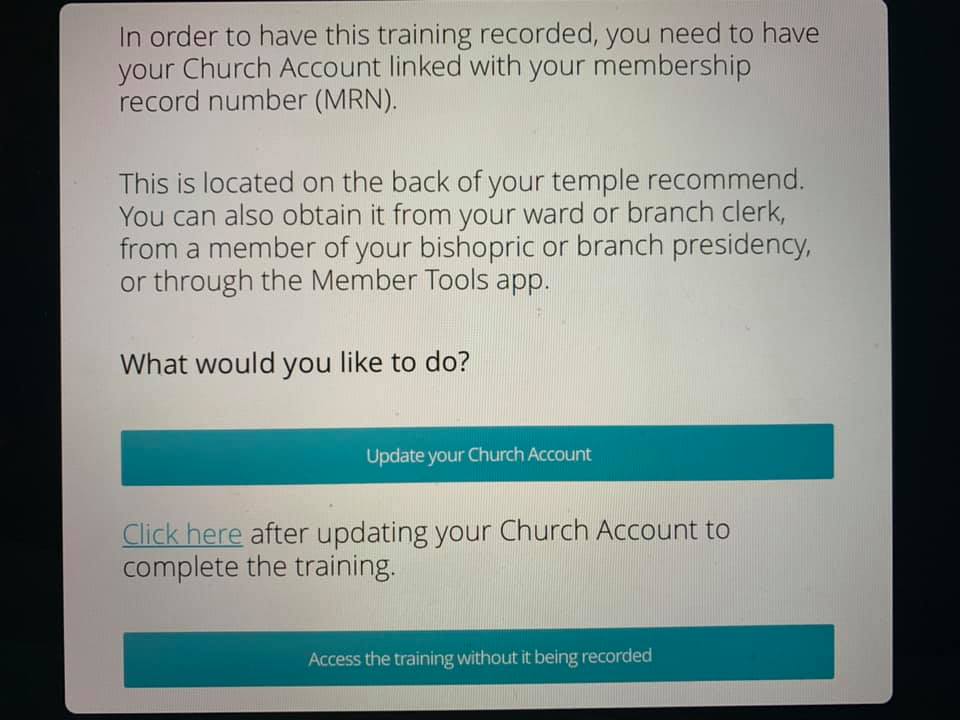
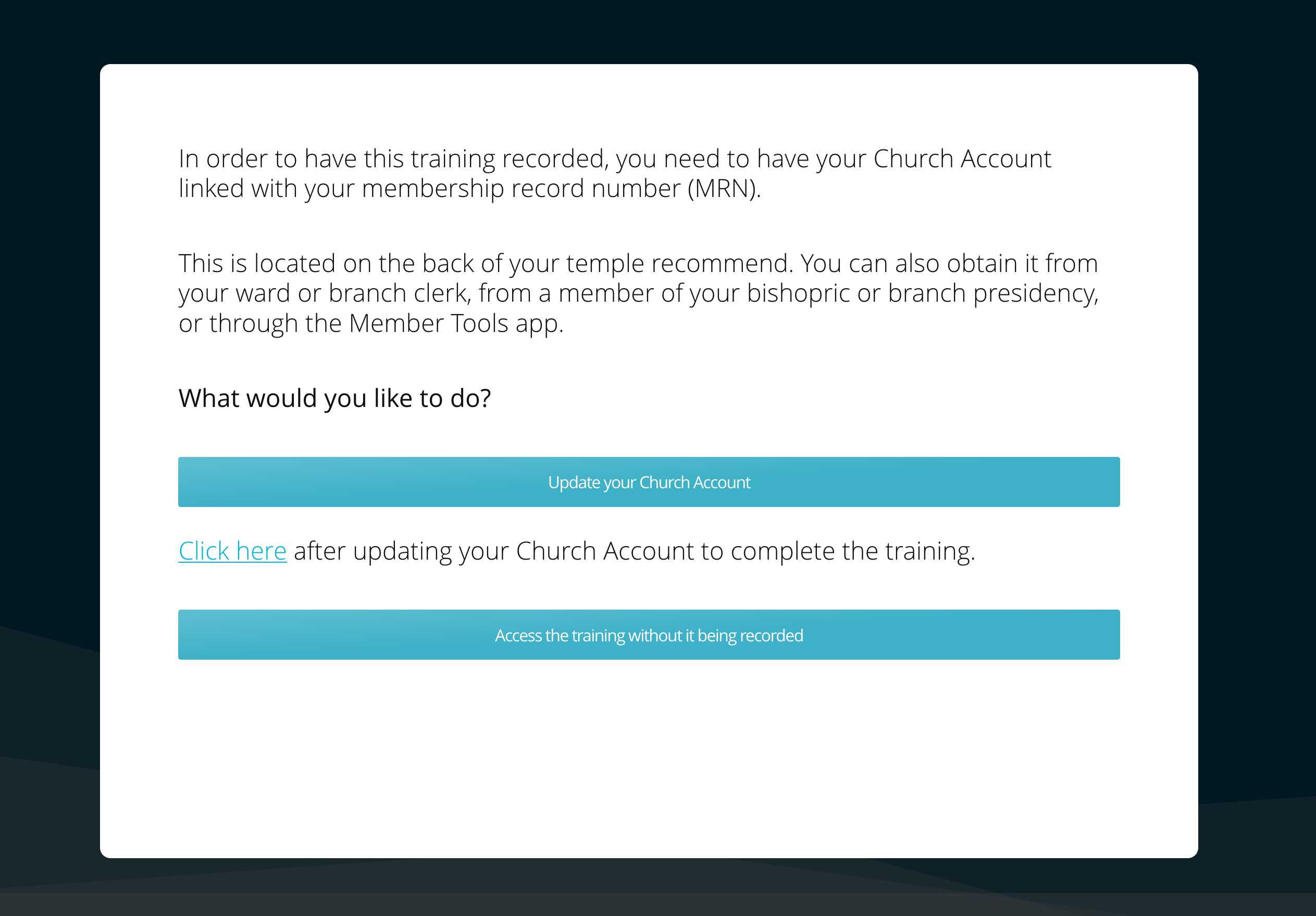
My Church Account shows that it is linked with my MRN, but the training just keeps asking me to update it and won’t let me proceed unless I access the training without it being recorded. I did the training without it being recorded, hoping that there was a glitch, but it looks like it was not actually recorded. I tried doing it on my phone and then switched to a laptop. Neither my husband nor I can get it to recognize that our MRN is linked to our Church Account, so it won’t let us proceed past this screen. Our ward clerk doesn't know why.

Any ideas?
segkd
stake social media specialist
Community Moderators
#2
If you were trying to do the training on Sunday it could possibly be related to church server overload. Try again on some other day of the week.
JD Lessley
Have you tried finding your answer on the ChurchofJesusChrist.org Help Center or Tech Wiki?
Church Employee
#3
It looks like your Church Account is configured correctly. If you're still having issues, you may need to have your ward clerk contact the service center for assistance.
New Member
#4
Protection Training - I signed in and it showed MY name at the top but after the training at the very end - it had my Husbands name as having completed the training. He did his early in the day and mine was late at night same date. How do I get credit? I checked my account and the number on my Temple recommend is on my account.
Community Moderators
#5
JeanShanley wrote:Protection Training - I signed in and it showed MY name at the top but after the training at the very end - it had my Husbands name as having completed the training. He did his early in the day and mine was late at night same date. How do I get credit? I checked my account and the number on my Temple recommend is on my account.
Sometimes, the numbers on temple recommends can be written in error. To be really sure of your MRN, have your ward clerk or membership clerk print you an Individual Ordinance Summary.
Community Moderators
#6
JeanShanley wrote:How do I get credit? I checked my account and the number on my Temple recommend is on my account.
Either there is a big bug in the system, or your husband's MRN is on your Church Account (and temple recommend).

Did your husband have the right name when he completed the training earlier in the day? If so, the training system is likely broken.

I would work with the clerk to make sure you have your correct number in place, and then have him put you in contact with the Global Service Center.

I would also ask the clerk to check and see if you actually got credit. Perhaps only the name at the end of the training displayed incorrectly.
Senior Member
#7
Great idea about having the Ward Clerk check, but after a brief introduction where the Ward Clerk could see who had done the training, now it is pulled off our menu. Since some of the data was wrong or missing, perhaps they are fixing it. Or maybe there is another explanation?
Community Moderators
#8
garystroble wrote:Since some of the data was wrong or missing, perhaps they are fixing it. Or maybe there is another explanation?
This is a user-to-user forum, so no one here really knows what is happening. You are the beneficiary of the experiences of others who have tried to complete the training.

Since this is a very new system, I am sure the developers are taking steps to correct any problems they see. You might also wish to send feedback through the Church website (use any page) to let them know there is a problem.
Senior Member
#9
Feedback was already sent, but thank you for the suggestion. It could be that someone here does know what is happening, which is why I asked maybe there is another explanation.
New Member
#10
rmrichesjr wrote:
JeanShanley wrote:Protection Training - I signed in and it showed MY name at the top but after the training at the very end - it had my Husbands name as having completed the training. He did his early in the day and mine was late at night same date. How do I get credit? I checked my account and the number on my Temple recommend is on my account.
Sometimes, the numbers on temple recommends can be written in error. To be really sure of your MRN, have your ward clerk or membership clerk print you an Individual Ordinance Summary.
I, and many others, seem to be having the same problem. There is an obvious glitch in the system which no one seems to be able to correct. I have verified all numbers, the username and reset the password...still same problem!
New Member
#11
My Church Account shows that it is linked with my MRN, but the training just keeps asking me to update it and won’t let me proceed unless I access the training without it being recorded. When I go to the page to put in my MRN, it is already there. After two hours of trying to correct, all it does is now show my husband's name at the beginning of the training instead of the end. Super frustrating, since this is a required training! Maybe the Editor should pass this problem on to someone who can address it
Community Moderators
#12
Editor? What editor? This is a user-to-user mutual-support forum. Most of the moderators and community administrators are volunteers with no greater access to official Church channels than anyone else. At best, posting here might yield suggestions if there are things you can do to get around a problem. The only suggestion I know of for something like this is to try clearing the brower's cache and deleting all cookies connected with Church websites. Some odd system behaviors can be cleared up by taking those steps, apparently because the browser's cache and/or cookies sometimes get corrupted.

For official support or to report bugs in the system, please use the Feedback link on a page close to where you see the problem's symptom's. Alternatively, you could talk with your ward clerk and have him arrange contact with the Global Service Center.
New Member
#13
I seem to be having the same problem everyone else is having. I am trying to complete the training and it keeps telling me to link my membership number to my account which was already done and update my account. Still can't get the option to start the training. Help!!!
New Member
#14
Same issue here and I bet for many others in the stake. Any fixes?
New Member
#15
I have logged in, did two step verification, checked to see that my RMN is correct, logged out and re-logged back in, and I get the same issue as recorded above. How is it that this glitch has not been addressed?
New Member
#16
I have the correct member number on my account and it continues to say the same thing that I am not member synced to the Youth protection training. I have already completed it.
New Member
#17
Same Problem.
New Member
#18
Same thing is happening to me. My MRN is linked to my account and the only way I can complete the training is if I select complete the training but don’t record
New Member
#19
Same thing happening to me?
#20
I am having the same issue.
jmay
New Member
#21
Same thing. I cannot do the training and have it linked to my account. Bueller...Bueller....
New Member
#22
Same thing is happening to me.
New Member
#23
I'm having the same issue - someone please help!
New Member
#24
same problem
New Member
#25

Membership number not recognised

I’m trying to access the new safeguarding training in protectingchildren.churchofjesuschrist.org and it keeps asking me to update my account with my membership number. This is already present in my profile and I use this login to regularly order sacred clothing, the ordering of which requires the presence of a church membership number. Please advise as I want the training to be recorded so I only do this once. Many thanks. Rebekah
New Member
#26
I'm also having the same issues. My membership # is in the system, I've verified that it's correct but it still won't recognize that it's in.
New Member
#27
I have the same issue of trying to link my MRN. On my account the MRN is correctly listed, and yet I cannot proceed with the training until it is 'updated'. Everything on my account is filled in and correct. I took the training (mid-week) without being recorded. How can I get the training recorded on my account. Is this an issue for the ward clerk?
New Member
#28
We’re having this same problem.
New Member
#29
Im glad to see Im not the only having the same issue. Anyone received an answer yet?
New Member
#30
segkdowning wrote:My Church Account shows that it is linked with my MRN, but the training just keeps asking me to update it and won’t let me proceed unless I access the training without it being recorded. I did the training without it being recorded, hoping that there was a glitch, but it looks like it was not actually recorded. I tried doing it on my phone and then switched to a laptop. Neither my husband nor I can get it to recognize that our MRN is linked to our Church Account, so it won’t let us proceed past this screen. Our ward clerk doesn't know why.

Any ideas?
I'm having the same problem too. I want it to be recorded, but it won't accept that my membership number is already connected.
New Member
#31
I just talked with the Global Support Center and they said they are aware of the bug and are working on fixing it. They said to try again tomorrow.
New Member
#32
I have the same problem.
New Member
#33
My ward clerk reentered the number but to no avail.
New Member
#34

Linking MRN to Church Account Error

Hi,
I am trying to complete the Youth Protection training. When I launched the training I was told that I needed to link my MRN to my church account. But my MRN is already connected to my church account. I am able to access everything I need to through my church account including Tools, LCR, Family Search, etc. I am not sure why the training module is not recognizing my MRN with my account. Any ideas?
Member
#35
I completed the training the first day that it was available(August 15). I know of one other person who did the same thing. THe report to see who has done it isn't reflecting that I've completed. Same with the other person. In looking at the report, it appears that the first date anyone got credit for doing it was August 25. Anyone else seen this issue?
New Member
#36

Trouble Accessing the Protecting Children Training

I am trying to access the Protecting Children Training. When I go in it says that in order for the training to be recorded I need to add my MRN (membership record number) to mu church account and it directs me to update my account. Once I got in there I saw that my MRN was already in there and linked to my account. So I clicked the link to continue with the training but it still won't let me through. It keeps redirecting me back to update my account. I have access to my LDS Tools, and all other forms of communication which means everything is linked but I can't get into this training. I contacted our membership clerk and he hasn't heard of this happening to anyone else. Anyone else have this issue and know how to resolve it?
New Member
#37
segkdowning wrote:My Church Account shows that it is linked with my MRN, but the training just keeps asking me to update it and won’t let me proceed unless I access the training without it being recorded. I did the training without it being recorded, hoping that there was a glitch, but it looks like it was not actually recorded. I tried doing it on my phone and then switched to a laptop. Neither my husband nor I can get it to recognize that our MRN is linked to our Church Account, so it won’t let us proceed past this screen. Our ward clerk doesn't know why.

Any ideas?
This keeps happening to me too. I keep getting the same message screen. Were you ever able to figure it out?
New Member
#38
Same here and with a few others in my ward. I'm following...
New Member
#39
Same problem here. Is anyone from the church support monitoring these issues?
New Member
#40
callisterja wrote:I just talked with the Global Support Center and they said they are aware of the bug and are working on fixing it. They said to try again tomorrow.
Thanks!
New Member
#41
Happening to me and another in my ward. MRN number is linked, still can't proceed through to training.
@@ron
#42
Yep I'm stuck too, I'm not real good at this computer stuff so it wouldn't take much to get me confused.
New Member
#43
Same issue here. Anyone figure it out? We have a room full of primary workers here to complete our training together and no one can log in.
New Member
#44
I am having the issue with the protection training page saying my account is not linked to my MRN. However, when logging it to link it, my MRN and birth date are showing linked to my account and there isn't any way to re-submit. It will not let me proceed. The forum said it was due to issues on Sunday. However, I am not able to login and have the training linked. What do I do?
New Member
#45
My Church Account shows that it is linked with my MRN, but the training just keeps asking me to update it and won’t let me proceed unless I access the training without it being recorded. I did the training without it being recorded, hoping that there was a glitch, but it looks like it was not actually recorded. I tried doing it on my phone and then switched to a laptop. Neither my husband nor I can get it to recognize that our MRN is linked to our Church Account, so it won’t let us proceed past this screen. Our ward clerk doesn't know why.

Any ideas?

This is also happening with my account any solutions?
New Member
#46
I am experiencing the same issue. My MRN is linked. I can't proceed with the training. I tried this evening a few times (09.05). Any resolution?
New Member
#47
This is happening to me as well. I would love some help!
New Member
#48

Youth Protection Training MRN Error

My MRN is already associated with my account but I get this message (see attachment) every time I try to complete the Youth Protection Training. A fellow ward member says it only worked for him on IE but I don't have access to IE.
Screen Shot 2019-09-05 at 9.51.23 PM.png
(318.62 KiB) Not downloaded yet
Community Moderators
#49
This post was made earlier on Sept. 5:
callisterja wrote:I just talked with the Global Support Center and they said they are aware of the bug and are working on fixing it. They said to try again tomorrow.
Senior Member
#50
mikezollinger wrote:Same problem here. Is anyone from the church support monitoring these issues?
The forum is user-to-user help. Church support does not monitor the forum and it is not an official channel for reporting problems. Problems can be reported using the Feedback link on any page or a clerk can call the Global Service Center.

However, in this case another user has already called support and reported back in this thread that this is a known bug and that they are working on it. So at this point the only thing to do is wait until they get it fixed.
New Member
#51
same here
Member
#52
bballrob wrote:I completed the training the first day that it was available(August 15). I know of one other person who did the same thing. THe report to see who has done it isn't reflecting that I've completed. Same with the other person. In looking at the report, it appears that the first date anyone got credit for doing it was August 25. Anyone else seen this issue?
Yes -- I'm seeing EXACTLY this. It looks like those of us who did it right away (like they ASKED us to do), did not get "credit" for completing the training now that the report is available to check. The earliest that we have actually recorded in our Ward is August 26th. Anyone that took it before then seems to be missing that they completed.

That's really frustrating since a lot of our Boy Scout people went right out and did it immediately -- because they are used to having to do Youth Protection Training and such and were curious about the new training from the Church side of things. Now it looks like they'll all have to do it over since it didn't record them as completed. :x

EDIT: So, now I see that this seems directly related to the bug going on now. If I try to go do the training again, it gives the (incorrect) "In order to have this training recorded, you need to have your Church Account linked with your membership record number (MRN)." error that others are getting. It did NOT do that back when I took it around the 16th of August. So, my guess is that it had the same bug then, but didn't REPORT it to us -- so it simply didn't record the training. And now I can't do it over until it is fixed. So, I think those having this issue of having done the training, but not having it show as completed were bitten by this bug long before everyone else -- and therefore it didn't SAY anything, but still just did the training as if you did the "take the training, but don't record it" option that it now shows for those experiencing this bug. :(
New Member
#53
The same thing is happening to my husband and me, Our record numbers are linked but the training keeps asking us to update it and it won't let us proceed unless we access the training without it being recorded. We have tried from multiple computers.
New Member
#54
Schmaff wrote:
segkdowning wrote:My Church Account shows that it is linked with my MRN, but the training just keeps asking me to update it and won’t let me proceed unless I access the training without it being recorded. I did the training without it being recorded, hoping that there was a glitch, but it looks like it was not actually recorded. I tried doing it on my phone and then switched to a laptop. Neither my husband nor I can get it to recognize that our MRN is linked to our Church Account, so it won’t let us proceed past this screen. Our ward clerk doesn't know why.

Any ideas?

This same thing is happening to me. Have you figured out what to do?
I am also having this issue where it says my MRN needs updated, but when I go to the Church Account page, it is all there.
Senior Member
#55
jgoggan wrote:Yes -- I'm seeing EXACTLY this. It looks like those of us who did it right away (like they ASKED us to do), did not get "credit" for completing the training now that the report is available to check. The earliest that we have actually recorded in our Ward is August 26th. Anyone that took it before then seems to be missing that they completed.

That's really frustrating since a lot of our Boy Scout people went right out and did it immediately -- because they are used to having to do Youth Protection Training and such and were curious about the new training from the Church side of things. Now it looks like they'll all have to do it over since it didn't record them as completed.
We have this in our ward as well, I will be recommending to the members who took it right away (and received the page that said it was completed and recorded) that they post feedback that it appears their training was not properly linked to their membership record. It is possible it can be corrected without them retaking the training, but I took it myself and taking it again is not an onerous task in my opinion. It's much easier and less time consuming than the BSA training.

I took it fairly soon but have no way to know if I'm in this group because I'm not in a calling that requires it so won't show up on the report. I took it to be able to assist others in my ward (I am ward clerk).
Community Administrator
#56
For those chomping at the bit to "do something", try clearing the cache and cookies of your browser. It sounds like the system may be retrieving the wrong cookie from your system and confusing you with a different login.

If you can still find a part of lds.org domain that's not redirecting, you could also try logging in there.
Have you searched the Help Center? Try doing a Google search and adding "site:churchofjesuschrist.org/help" to the search criteria.

So we can better help you, please edit your Profile to include your general location.
New Member
#57
I am having the exact same issue! For some reason I have 2 LDS accounts?? Not sure how/why but when I log in to my valid one with my membership record number it still says I need to enter my MRN? I am so confused and need to do this training because I serve in Primary! Help!! Haha
New Member
#58
:D :D :D Thank You!!! I did exactly what you suggested; clearing cache and cookies and it logged me right in!!

russellhltn wrote:For those chomping at the bit to "do something", try clearing the cache and cookies of your browser. It sounds like the system may be retrieving the wrong cookie from your system and confusing you with a different login.

If you can still find a part of lds.org domain that's not redirecting, you could also try logging in there.
Community Administrator
#59
Glad to hear that works!
Have you searched the Help Center? Try doing a Google search and adding "site:churchofjesuschrist.org/help" to the search criteria.

So we can better help you, please edit your Profile to include your general location.
Senior Member
#60
kenziejohns wrote:I am having the exact same issue! For some reason I have 2 LDS accounts?? Not sure how/why but when I log in to my valid one with my membership record number it still says I need to enter my MRN? I am so confused and need to do this training because I serve in Primary! Help!! Haha
If you have 2 accounts, no one on this user-to-user help forum will be able to fix it. You need to speak with your ward/branch clerk who can provide the contact info to the Service Center. Only the Service Center can merge or delete accounts.
New Member
#61
Me 2

Took it the first day August 16, was logged in normally, my account shows my MRN #, my ward says I never completed....
Senior Member
#62
keithsmith22 wrote:Me 2

Took it the first day August 16, was logged in normally, my account shows my MRN #, my ward says I never completed....
In our ward, those who took it the first day or two after it was released were not properly recorded. They ended up taking it again after the bugs were worked out (it only takes about 15 minutes). If you received an email stating you completed it, I think your ward clerk can forward that to the Service Center and they can add it to your record.
New Member
#63
Edited 1 time, last by russellhltn on . Reason: MRN removed - this is a public forum
Dear president, my membership record number is [removed] and couldn't able to link to my account.

my account user Id: yespraveen
Community Administrator
#64
yespraveen wrote:Dear president, my membership record number is [removed] and couldn't able to link to my account.

my account user Id: yespraveen
To add your MRN to your account, you need to go to https://account.churchofjesuschrist.org/

Select the Membership Tab.

If you get an error message, please read this post.
Have you searched the Help Center? Try doing a Google search and adding "site:churchofjesuschrist.org/help" to the search criteria.

So we can better help you, please edit your Profile to include your general location.
New Member
#65
I am a Ward Clerk, and a Sister is having the same issue saying that the MRN needs to be linked to her account, but it already is. I know that they were having these issues in September, but we are now in December, and it is still happening. Did anyone get through after having this problem?
Community Moderators
#66
rfogth wrote: Sun Dec 11, 2022 2:31 pm I am a Ward Clerk, and a Sister is having the same issue saying that the MRN needs to be linked to her account, but it already is. I know that they were having these issues in September, but we are now in December, and it is still happening. Did anyone get through after having this problem?
Those posts in September were for September 2019, near the time the training was first required.
Did you, the ward clerk, confirm yourself that the sister's account had her MRN recorded? I had a member claim their MRN was recorded in their account. I had them show me by logging into their account to let me see. It was not recorded. Two other members had their spouses MRN recorded and therefore did not show them as having done the training. Another member had two church accounts. The one they were using was a nonmember account (MRN not recorded) and they had forgotten about the other member account (with the MRN recorded) long ago. They were getting the message that states "Either the MRN and/or birthdate is not valid or the account already exists" when trying to add their MRN to their nonmember account. After following the instructions in this post they were able to recover that account and complete the training.
JD Lessley
Have you tried finding your answer on the ChurchofJesusChrist.org Help Center or Tech Wiki?