russellhltn wrote: Tue Dec 23, 2025 6:26 pm
Elsewhere, it's been communicated that NoSplash was for devices that couldn't access the web page. It was never intended as a convenience.
Indeed the Tech WIKI you referenced talks about the purpose of the NoSplash group policy. What I don't see is any verbage that limits it's use. In fact, the WIKI's example shows a MACBOOK AIR LAPTOP using the group policy!

russellhltn wrote: Tue Dec 23, 2025 6:26 pm
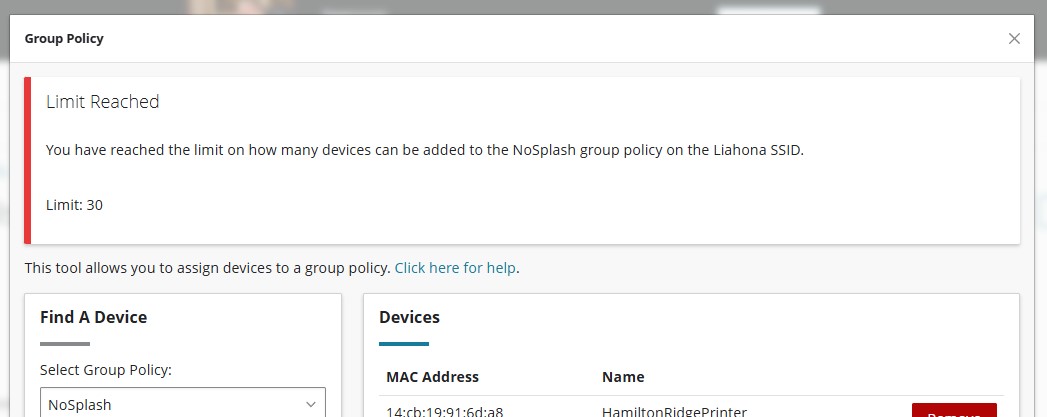
There's also a limited number that can be placed on that policy.
This is new news to me. I know there are HARD limits on the number of static IP address you can assign . Please share what the limit is for the NoSplash Group policy.
russellhltn wrote: Tue Dec 23, 2025 6:26 pm
I'm leery about handing them (NoSplash) out without a solid reason for doing so or you're going to hit that limit.
Our stake center currently has about 18 devices "that could be" on the NoSplash group policy if we only had WIFI and no wired connections (TVs in RS, PRIM, HC rooms. Each bishops office has a TV and a printer. Each clerks office has a printer. Stake office has 2 printers. Theres also some AV stuff). Its hard to beleive that adding 4-5 clerk computers to the NoSplash policy would hit any limit.
With the current church-wide network infrastructure upgrade, some bldgs will retain their wired connections, while other bldgs will lose them and therefore must use WIFI for almost everything. Since a wired clerk computer user doesn't have to go through the "terms & conditions" splash screen I don't see a reason to inconvenience a WIFI clerk computer user by making them go through the "terms & conditions" screen. Of course, a policy change from HQ, could change everything!