Gospel Stream App Meeting Code

6 postsstarted by BodineJW 1,463 viewsoriginal topic

New Member
#1
I've got my unit set up for broadcasts events. I've seen in some training videos that we can keep an event private by not publishing it, so we have event codes. I can easily see where to enter the event code on the broadcast website. But where does someone enter the event code on the Gospel Stream app? I've looked everywhere and looked at every bit of documentation I can find. Any one?
New Member
#2
Hi @BodineJW,
On the Gospel Stream app, the meeting/event code is entered right on the home screen’s “Join with code” field (it usually appears near the top of the main page after you sign in).
If you don’t see that field, make sure:
The app is updated to the latest version from the App Store/Play Store.
You’re signed in with a Church Account; some older builds hid the code option unless you were logged in.
The broadcast is actually set to “Private / Code required” on the admin side — otherwise the field may not appear.
If it still isn’t visible, try the Menu ≡ → Join Event by Code option (some Android builds place it there), or reach out to Gospel Stream Support in the app under Help & Feedback — they can confirm if your unit’s event is properly configured.
Senior Member
#3
Agustin145 wrote: Fri Sep 26, 2025 12:10 am Hi @BodineJW,
On the Gospel Stream app, the meeting/event code is entered right on the home screen’s “Join with code” field (it usually appears near the top of the main page after you sign in).
I likewise do not see any way to enter an event code in my Gospel Stream app. I'm on android 15 and have uninstalled/reinstalled the app (version 1.6.0) and am signed into my church account.

We have an upcoming multi-stake event in a couple of months and were hoping to share the event code as the primary way for virtual attendance. But if many users do not see the event code field, then perhaps we should emphasize using broadcasts.churchofjesuschrist.org as the main access method instead of the (much easier) app.
New Member
#4
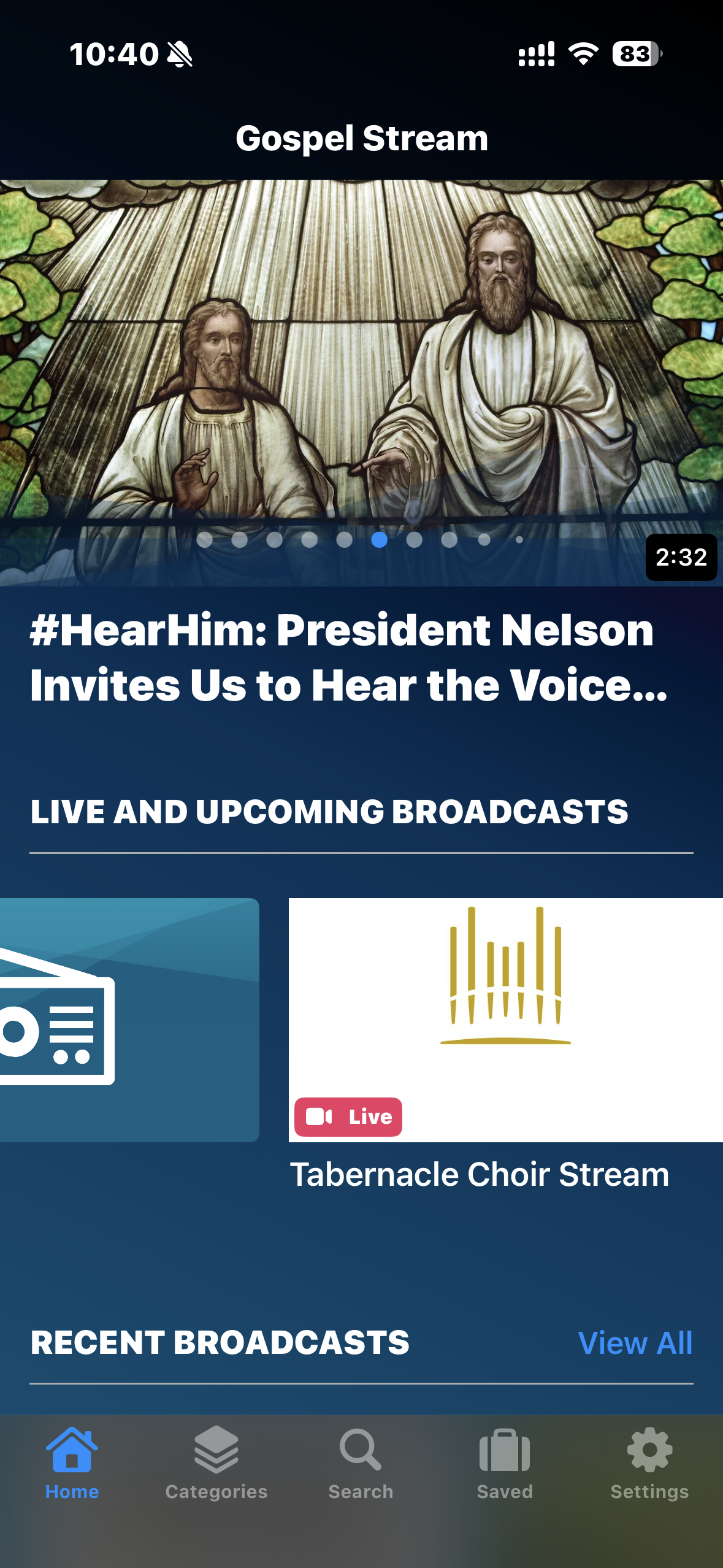
I've got the most current version of the app (iOS version), am signed in, and can see ones I publish publicly. But I don't see anywhere on the app to add an event code. Any ideas?
IMG_6803.PNG
Community Moderators
#5
BodineJW wrote: Sun Sep 28, 2025 11:42 am I don't see anywhere on the app to add an event code. Any ideas?
I would send feedback through the app. I just tried to play a Tabernacle Choir broadcast and there was a name being repeated in the background that I could not stop. It went away when I stopped the Choir video, and I sent feedback on that through the app.
New Member
#6
I am having the same issue. I can enter the meeting code on the website, but there is no option to enter the meeting code on the app. Running on Android and I am using the latest version of Gospel Stream App