Safari popping up private browser for Church site

12 postsstarted by jdodd 1,846 viewsoriginal topic

New Member
#1
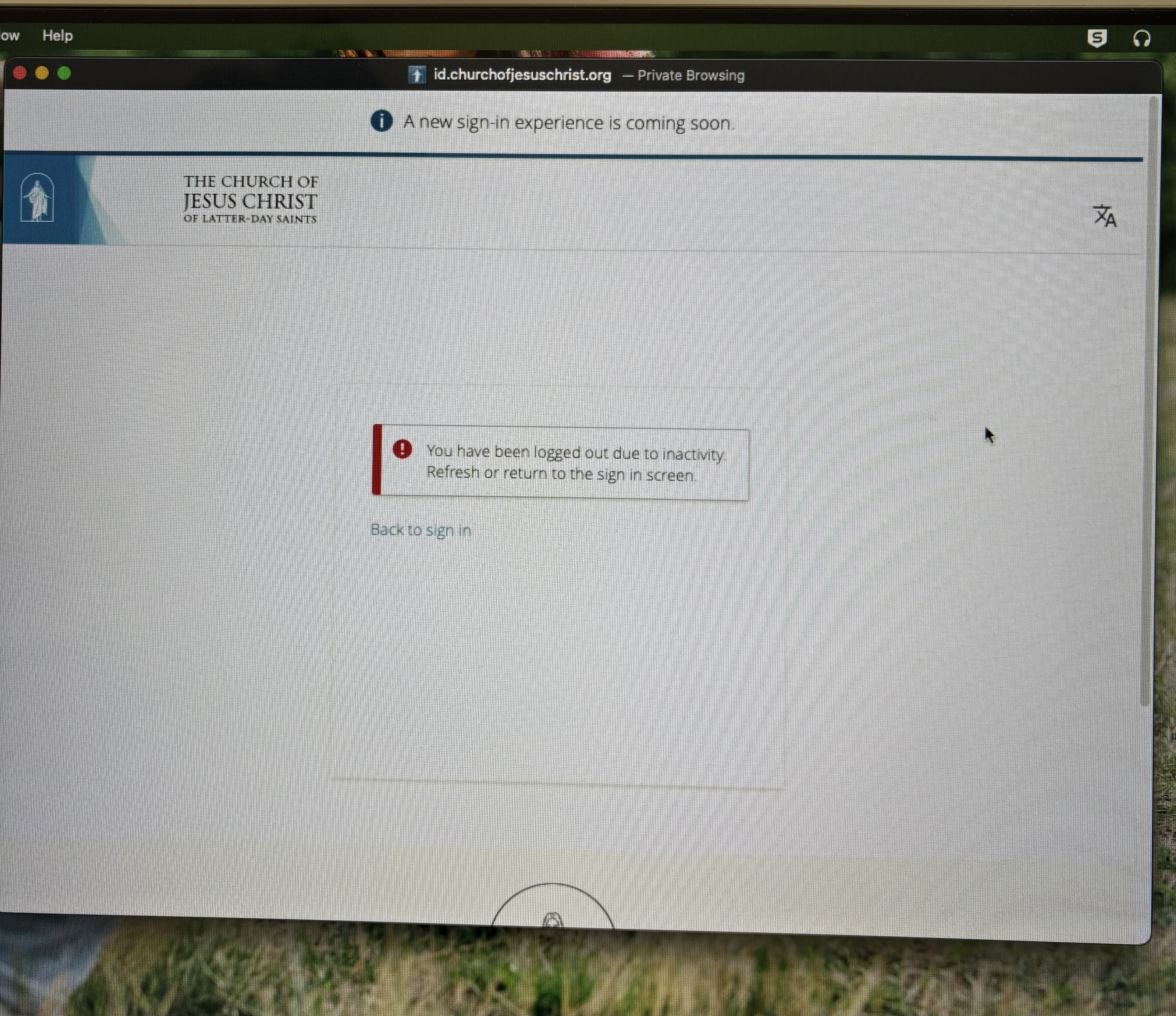
We are using a MAC running Sequoia 15.6.1 and we regularly come in and there is a private Safari window popped up stating we've been logged out. We don't use private windows for the church, or really anything, and I can't figure out what is happening. I have rebooted, updated all software, deleted cookies, and any thing else I could think of. Anyone else having this same issue?
Member
#2
jdodd wrote: Sat Sep 06, 2025 12:49 am We are using a MAC running Sequoia 15.6.1 and we regularly come in
Regularly come in to where?
New Member
#3
Sorry that wasn’t clear. I meant we regularly enter the church site using Safari.
Member
#4
jdodd wrote: Mon Sep 08, 2025 8:53 pm Sorry that wasn’t clear. I meant we regularly enter the church site using Safari.
In other words, what you're experiencing is that you open up Safari, navigate to the Church website and then a private browser opens up telling you that you've been logged out? No other actions inbetween?
New Member
#5
No, last night I opened Safari to go to a different site, after Safari was completely closed and a private window popped up asking to log into the church website. Other times I’ll come to the computer and there will be a private window opened asking for my church username to log in.
New Member
#6
This morning I came to the computer and this was up. We haven’t gone to the church’s site in days and have completely closed Safari many times.
IMG_1286.jpeg
IMG_1286.jpeg (7.46 MiB)
Community Administrator
#7
I'm not sure what's going on, but I'd suggest deleting any saved passwords for church accounts.
Have you searched the Help Center? Try doing a Google search and adding "site:churchofjesuschrist.org/help" to the search criteria.

So we can better help you, please edit your Profile to include your general location.
Member
#8
jdodd wrote: Thu Sep 11, 2025 9:36 pm No, last night I opened Safari to go to a different site, after Safari was completely closed and a private window popped up asking to log into the church website.
Is this a personal computer in your home, or some other computer elsewhere? It sounds like someone is using a "private" window to login to the Church website (seems reasonable given all the "cookie" problems it has). Is it possible that Safari is just remembering the last windows that were open when you start it and it opens up one for the Church in the background that you happen to notice when you close the main window?
New Member
#9
Yes it's a personal computer in our home. It's only my wife and I and neither of us use the private windows. It opens them regularly, today it happened again. It isn't possible Safari is opening the last windows as we don't use the private windows to access the site. Furthermore, the church's site doesn't open in the non-private window.
Community Administrator
#10
I'm going to suggest that someone has remote access to your computer. That's why I suggested removing any saved passwords from your system.
Have you searched the Help Center? Try doing a Google search and adding "site:churchofjesuschrist.org/help" to the search criteria.

So we can better help you, please edit your Profile to include your general location.
Community Moderators
#11
My guess is that Safari is trying to restore a previous session but failing, and it's stuck in that state because there isn't another session to restore. If so, maybe quitting Safari while a non-private window is open will get it out of the broken/unexpected state:

1. Create a new, non-private window (top of the screen, File > New Window).
2. Close the private window.
3. In the new window, navigate somewhere, like Google.com or ChurchofJesusChrist.org.
4. Quit Safari without closing the new window (top of the screen, Safari > Quit Safari).
5. Open Safari again.

I would expect Safari to open to Google.com or ChurchofJesusChrist.org (wherever you navigated to in step 3) in a regular, non-private window. Hopefully the private window won't come up again.
Samuel Bradshaw • If you desire to serve God, you are called to the work.
New Member
#12
I agree with your assessment. Apple released Tahoe and I upgraded the OS hoping it would solve the issue. So far, so good. Thank you all for your recommendations and ideas.