New Member
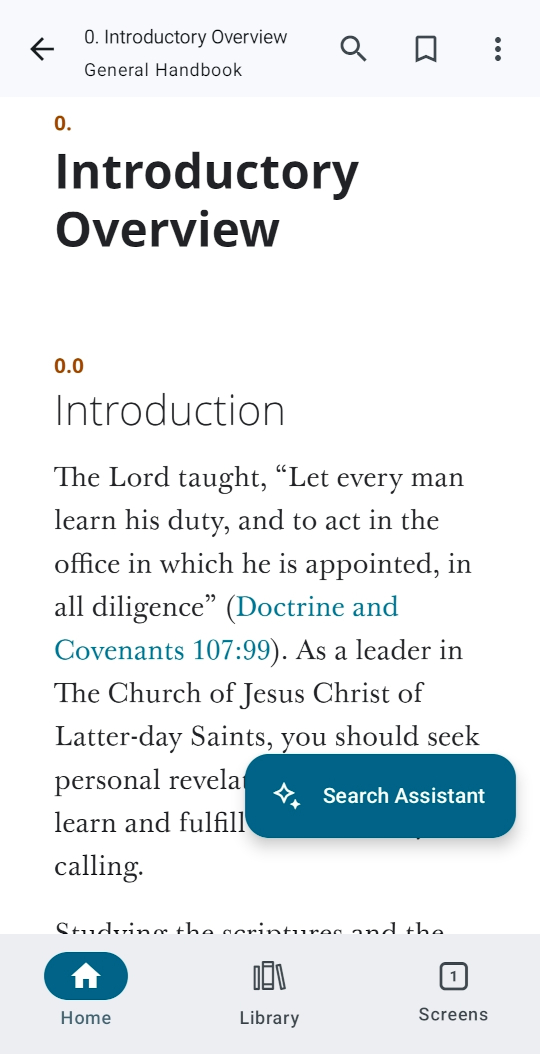
How do I permanently disabled or perferaby delete the AI search Assistant found in the latest version of the general handbook?
Is there some reason you wish it to be removed? Can you just ignore it?william.gosvener2@gmail.com wrote: Thu May 01, 2025 6:59 pm How do I permanently disabled or perferaby delete the AI search Assistant found in the latest version of the general handbook?
I don't know how to permanently disable it (yet) but if you open the handbook in a private tab (or incognito mode) or logout of your account there is no assistant:william.gosvener2@gmail.com wrote: Thu May 01, 2025 6:59 pm How do I permanently disabled or perferaby delete the AI search Assistant found in the latest version of the general handbook?
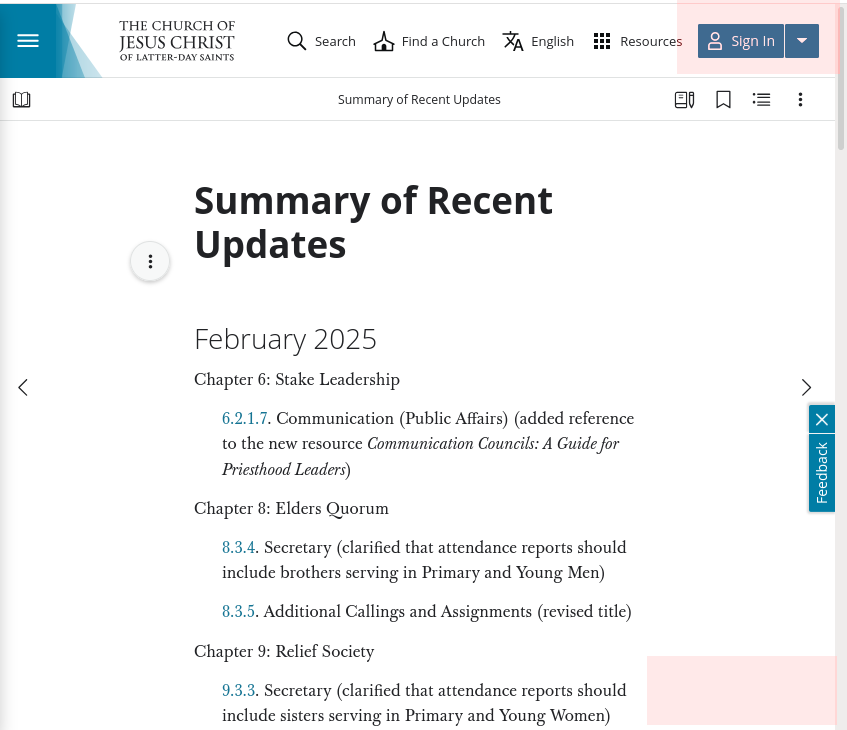

In the Gospel Library app, signing out will also keep your annotations from syncing (notes, highlights, bookmarks, study plans, etc.) and prevent you from seeing ward-based tools (like elders quorum lessons or sacrament meeting hymns). It's true that signing out will cause the search assistant to not show, but I don't think it would be worth it with the other things you'd lose.ambldsorg wrote: Mon May 05, 2025 10:31 amI don't know how to permanently disable it (yet) but if you open the handbook in a private tab (or incognito mode) or logout of your account there is no assistant:william.gosvener2@gmail.com wrote: Thu May 01, 2025 6:59 pm How do I permanently disabled or perferaby delete the AI search Assistant found in the latest version of the general handbook?
If you're using FireFox you can add something like the following to your userContent.css and it will disable (or more accurately hide) the AI search assistant:william.gosvener2@gmail.com wrote: Thu May 01, 2025 6:59 pm How do I permanently disabled or perferaby delete the AI search Assistant found in the latest version of the general handbook?
Code:
[class*="aiChatBot-"] { display: none !important; }
The decisions on what features to add and how to make them work are made a few levels above the developers. Nobody who could influence the implementation of your suggestion is likely to see this thread. Please use the Feedback button or link and/or ask your stake president to send your suggestion up his chain of command.fmyers wrote: Wed Dec 10, 2025 5:17 pm The ever present search assistant bubble is not a great idea. The 'Just ignore it' response is not great either.
...
Make it selectable or get rid if it.
Yes, please send feedback through official channels. However, don't get your hopes up that your feedback will result in a quick change (or any change at all). We're told all feedback is read, but whether or not our feedback is acted upon is another matter. We're also told the developers are given tasks from the sponsoring organizations in the church - they don't have the freedom to take on action in feedback on their own. In very rare cases (once that I can recall with the FamilySearch website), my feedback has eventually resulted in a change (when it did, I sent more feedback thanking them for the change).rmrichesjr wrote: Wed Dec 10, 2025 5:46 pmThe decisions on what features to add and how to make them work are made a few levels above the developers. Nobody who could influence the implementation of your suggestion is likely to see this thread. Please use the Feedback button or link and/or ask your stake president to send your suggestion up his chain of command.fmyers wrote: Wed Dec 10, 2025 5:17 pm The ever present search assistant bubble is not a great idea. The 'Just ignore it' response is not great either.
...
Make it selectable or get rid if it.
I agree that it should be an option that can either be enabled or disabled, but that's not what we have right now. Did you see my post just before yours where I gave an example on how to get rid of it? It does work, and continues to work (because I don't have the "Search Assistant" when I login).fmyers wrote: Wed Dec 10, 2025 5:17 pm If the developers thought we needed a 'better' search tool wonderful. Build a tool and give us the option to turn it on or not. Forcing it on all the time seems to be a lazy implementation.
The Settings section of Gospel Library would get pretty crowded if you could turn every feature on or off. Where would you draw the line for which features should be toggleable?fmyers wrote: Wed Dec 10, 2025 5:17 pm Forcing it on all the time seems to be a lazy implementation.
This is true in general, but more so when it comes to AI-related features and content. Of course, ecclesiastical leaders don't have time to make every decision about every detail of every app – Church employees are given some autonomy to work within their stewardship, according to their role. But so far the Church has been very careful and deliberate with AI, and there's an established approval process before AI features can be made available on official Church channels. Elder Gong spoke a little bit about this in a talk he gave a couple of weeks ago, at an AI-related conference held in the Church Office Building: Elder Gerrit W. Gong: Discipleship in an Age of Artificial Intelligencermrichesjr wrote: Wed Dec 10, 2025 5:46 pm The decisions on what features to add and how to make them work are made a few levels above the developers.
I get notified all the time by Microsoft Teams and Azure DevOps about the new features that exist that I might want to enable. I don't have to look for them, they tell me about them. Then I decide if I want them or not. It's not such a stretch to think that Church "software" could work in the same way.sbradshaw wrote: Wed Dec 10, 2025 9:51 pm And do you think that most people would take the time to go into settings to turn things on or off? I think very few users would know about the Search Assistant if it were buried in settings.