meet.churchofjesuschrist.org still showing meetings deleted from Zoom

16 postsstarted by j0merrill 11,933 viewsoriginal topic

New Member
#1
Ward technology specialist here. Has anyone else run into the problem where you create a meeting in Zoom, it shows up on meet.churchofjesuschrist.org, but you have to delete the meeting in Zoom only to find out that the meeting is not deleted from the meet site?

I had created a series for sacrament meeting based on Zoom meetings, but decided to use webcasts. So, I deleted the meetings in Zoom and created the webcasts in Zoom. The meet.churchofjesuschrist.org site still shows the old meetings as well as the new webcasts, even though Zoom doesn't show those meetings any longer.

How do I delete the old (orphaned?) meetings from meet.churchofjesuschrist.org?
Church Employee
#2
Can you confirm that these Orpaned meetings on the Meet-portal are still showing up?
New Member
#3
I'll divert a little but with the same problem. The website I used from the October 2023 document was broadcasts.churchofjesuschrist.org. But it is also showing an obsolete list.

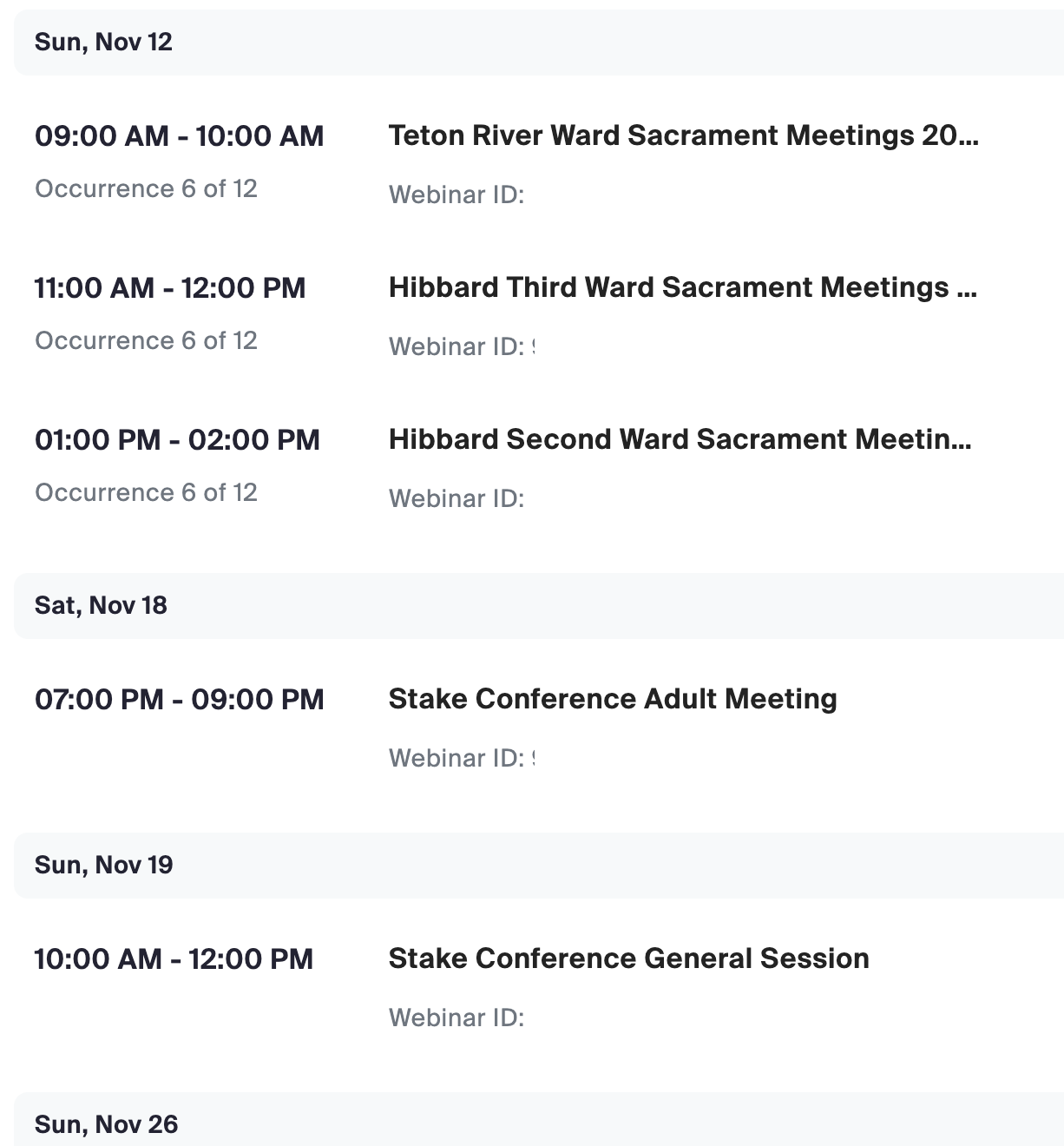
This image shows my zoom account for the stake center with all the meetings scheduled.
Screenshot 2023-11-08 at 8.56.42 PM.png
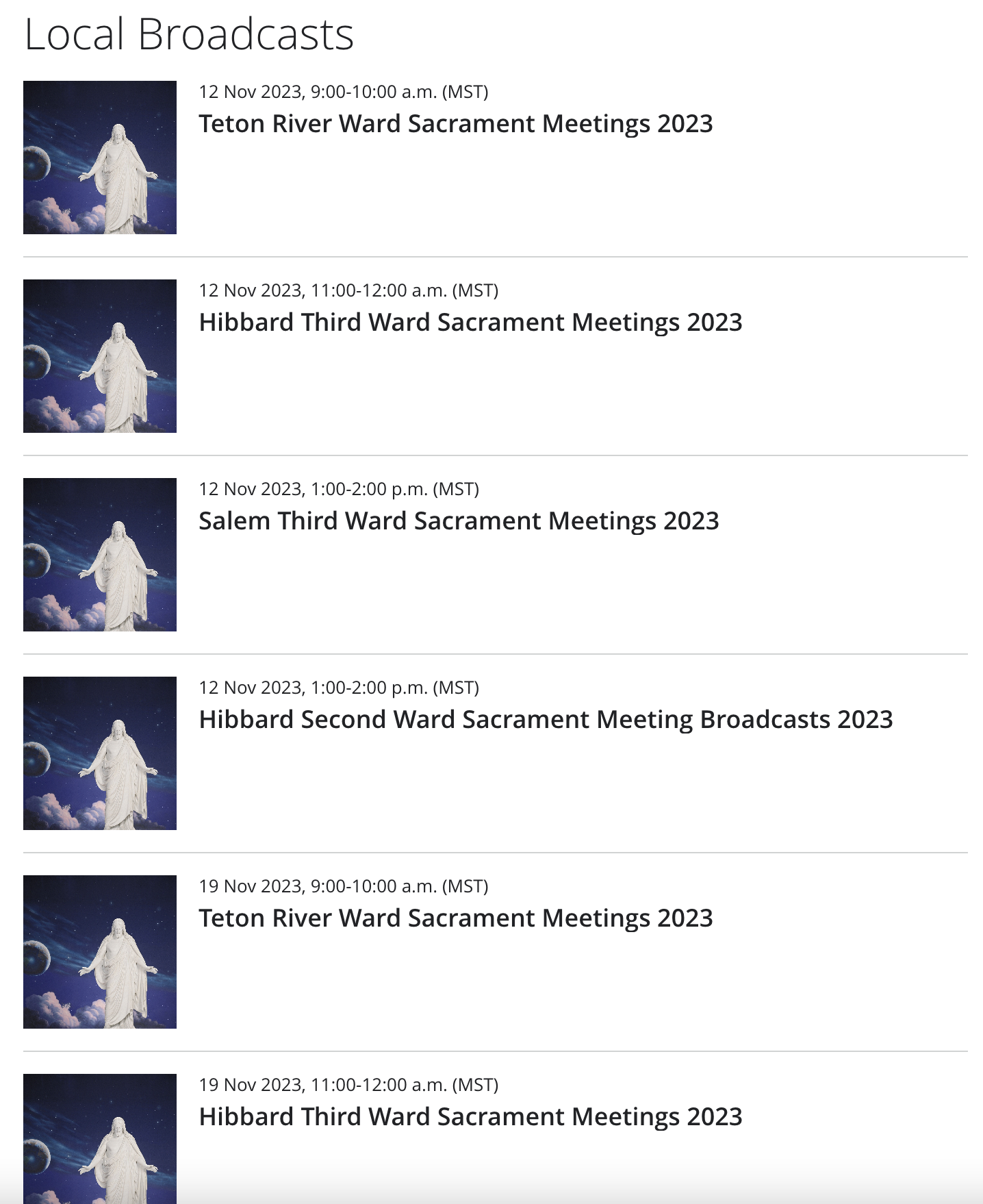
This image shows the listing on the church website still showing the meetings that I have deleted and doesn't show the stake conference meetings scheduled.
Screenshot 2023-11-08 at 8.57.04 PM.png
I fixed it by going to meet.churchofjesuschrist.org and selecting the Manage Events area. There I was able to publish or unpublish events as needed. (WHY is there a separate place to do this? Shouldn't it just read from the schedule in zoom?).
Community Administrator
#4
northrockies wrote: Wed Nov 08, 2023 9:22 pm WHY is there a separate place to do this? Shouldn't it just read from the schedule in zoom?
Is there a way of controlling publishing in Zoom?
Have you searched the Help Center? Try doing a Google search and adding "site:churchofjesuschrist.org/help" to the search criteria.

So we can better help you, please edit your Profile to include your general location.
New Member
#5
mmatute wrote: Wed Nov 08, 2023 3:01 pm Can you confirm that these Orpaned meetings on the Meet-portal are still showing up?
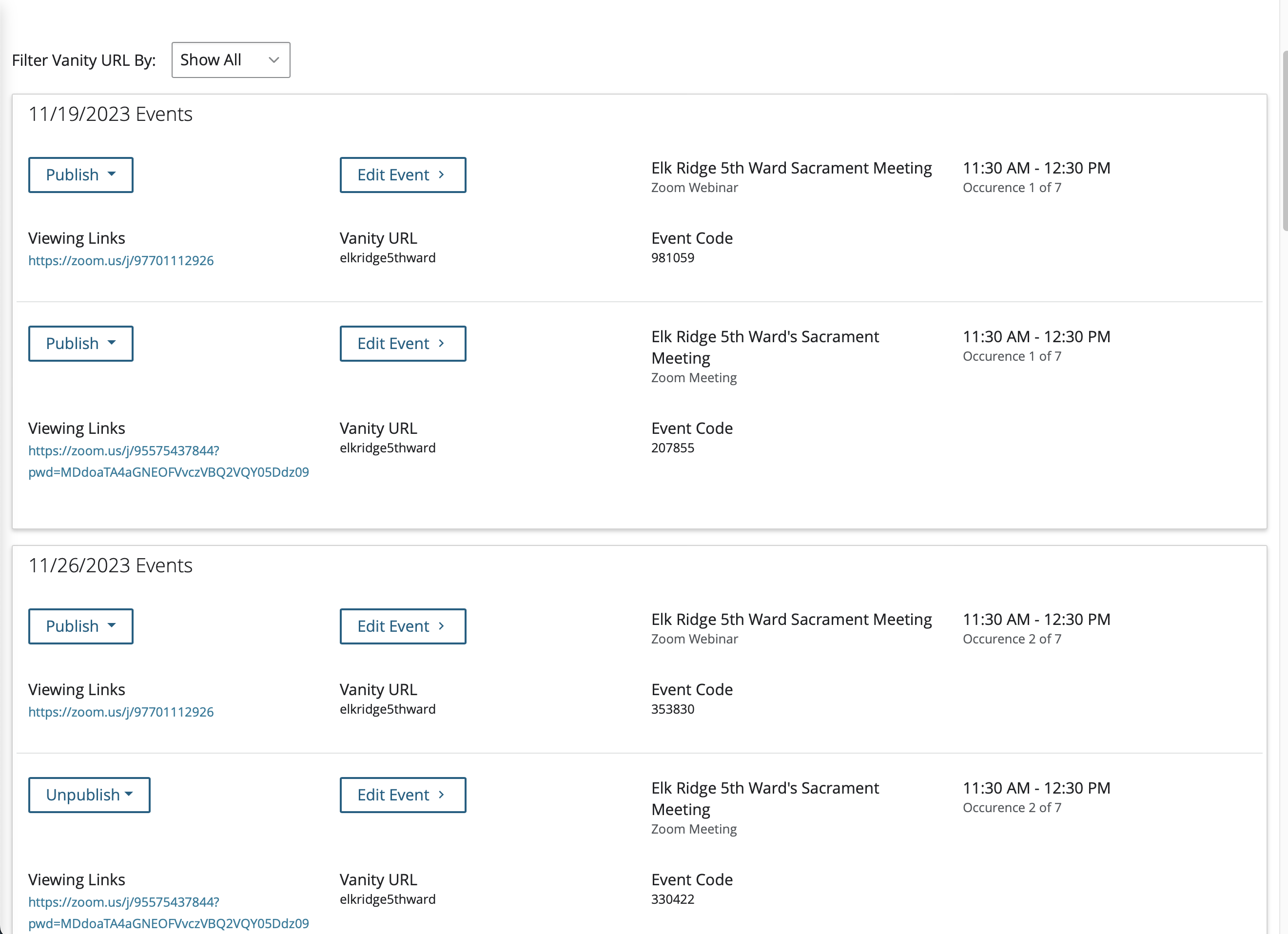
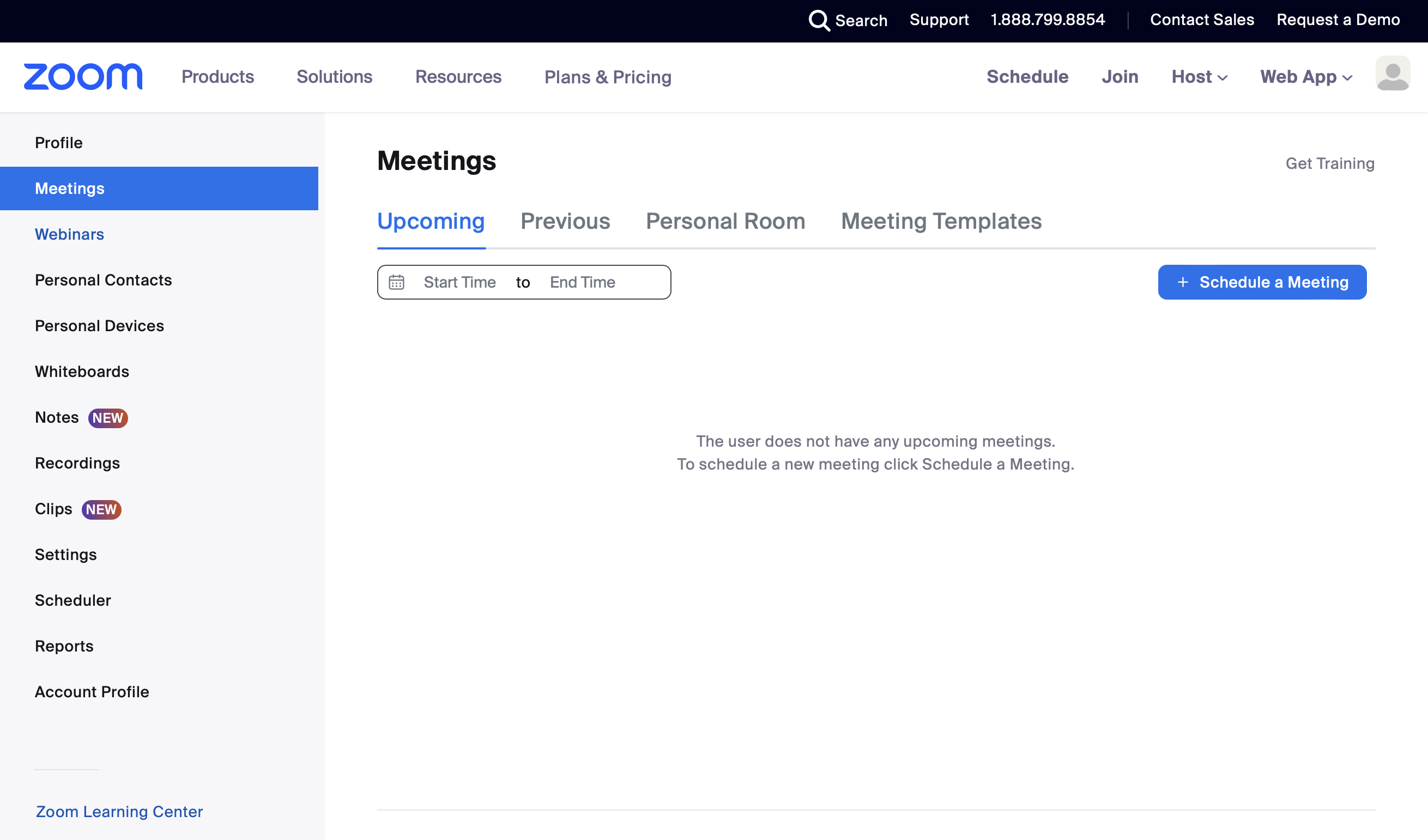
Yes. They still show up today, and it has been a couple weeks. The first screen shot is from meet.churchofjesuschrist.org. The second is from the Zoom account. You can see there are meetings that still show up under the meet site, but there are no meetings scheduled in Zoom. I'm just about to schedule a webinar for tomorrow's sacrament meeting, and have to be very careful to publish the right one.
Screenshot 2023-11-18 at 7.09.25 PM.png
Screenshot 2023-11-18 at 7.09.25 PM.png (445.67 KiB)
Screenshot 2023-11-18 at 7.10.25 PM.png
Screenshot 2023-11-18 at 7.10.25 PM.png (271.6 KiB)
Member
#6
j0merrill wrote: Sun Nov 05, 2023 1:23 pm Ward technology specialist here. Has anyone else run into the problem where you create a meeting in Zoom, it shows up on meet.churchofjesuschrist.org, but you have to delete the meeting in Zoom only to find out that the meeting is not deleted from the meet site?

I had created a series for sacrament meeting based on Zoom meetings, but decided to use webcasts. So, I deleted the meetings in Zoom and created the webcasts in Zoom. The meet.churchofjesuschrist.org site still shows the old meetings as well as the new webcasts, even though Zoom doesn't show those meetings any longer.

How do I delete the old (orphaned?) meetings from meet.churchofjesuschrist.org?
I reckon that the STS or someone else who setup the settings of your Zoom account, setup the RMTP via YouTube and in the YouTube account is also where the meetings are still showing?

Also you probably dont have access to the actual YouTube or Zoom account I presume? <-- yes its a lot of presumptions... but I hope this might help with some ideas for you? :)

Simon
New Member
#7
j0merrill wrote: Sat Nov 18, 2023 7:14 pm
mmatute wrote: Wed Nov 08, 2023 3:01 pm Can you confirm that these Orpaned meetings on the Meet-portal are still showing up?
Yes. They still show up today, and it has been a couple weeks. The first screen shot is from meet.churchofjesuschrist.org. The second is from the Zoom account. You can see there are meetings that still show up under the meet site, but there are no meetings scheduled in Zoom. I'm just about to schedule a webinar for tomorrow's sacrament meeting, and have to be very careful to publish the right one.
It appears to be a static list on the website with no way to remove them. Also, if you change anything about the meeting, such as meeting time start, it won't be reflected on Church Meet. Without the ability to delete old/revised Zoom meetings, this site is mostly useless.
Member
#8
This is where the host code would come in handy.

The host would sign in on their personal zoom account, to that meeting, take host from the participants list, and type in the host code.

The host then is the host, and moderator, and has full access to the meeting.

Does this make sense? if not please ask questions.

Simon
Community Administrator
#9
From what others are saying, Zoom has been updated. But that change isn't being reflected in the church's systems. It only seems to pick up new meetings.
Have you searched the Help Center? Try doing a Google search and adding "site:churchofjesuschrist.org/help" to the search criteria.

So we can better help you, please edit your Profile to include your general location.
Member
#10
russellhltn wrote: Wed Nov 22, 2023 11:10 am From what others are saying, Zoom has been updated. But that change isn't being reflected in the church's systems. It only seems to pick up new meetings.
Most likely because each entry is entering into the Church database systems, older meetings that have already been setup, would not be setup in the church system obviously and that makes you correct in my mind.

Simon
New Member
#11
To be clear…

I am the ward technology specialist.

I have full access to the Zoom account, and login as the account owner.

If I make a change to a meeting (for example the meeting title) that change IS reflected on the church “meet” page. It is just deleting the meeting that isn’t picked up, resulting in meetings listed in the church “meet” page that aren’t listed in Zoom. And, no, they aren’t published, as you can see from my screen captures above.

It is like once the church page has it listed, there is no way to delete it and it isn’t even deleted after it is deleted from Zoom (using the Zoom host).
Community Moderators
#12
j0merrill wrote: Sun Nov 26, 2023 1:06 pm It is like once the church page has it listed, there is no way to delete it and it isn’t even deleted after it is deleted from Zoom (using the Zoom host).
It sounds as if a call to Global Services is in order. Your clerk will have the number.
Member
#13
j0merrill wrote: Sun Nov 26, 2023 1:06 pm It is like once the church page has it listed, there is no way to delete it and it isn’t even deleted after it is deleted from Zoom (using the Zoom host).
Just as a point of view, the church wants the recording deleted, not necessarily the actual listing for the meeting, so in my mind I believe as long as the recording itself is gone, you should be fine. :) I would still call them but I think they will also tell you that as a minimum the recording not the listing should be gone within 24hrs.

Simon
New Member
#14
we have this issue today with the change of meeting time not being reflected in the site.

I found a fix in another forum post that said to try creating a new listing in Zoom and un-publishing the old one on Meet.churchofjesuschrist.org. As the ward tech specialist it still shows for me, but it does not show for the rest of the ward.
#15
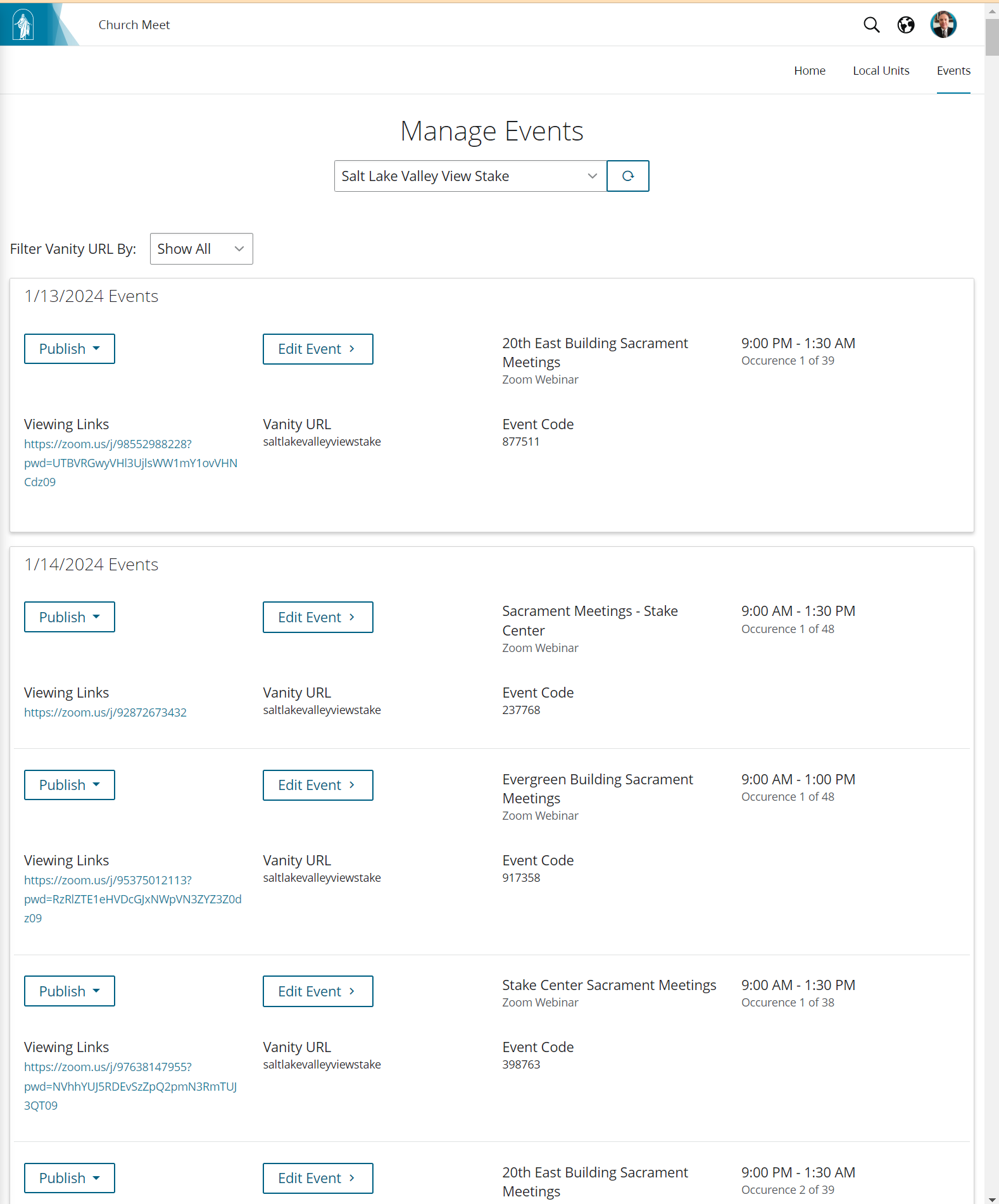
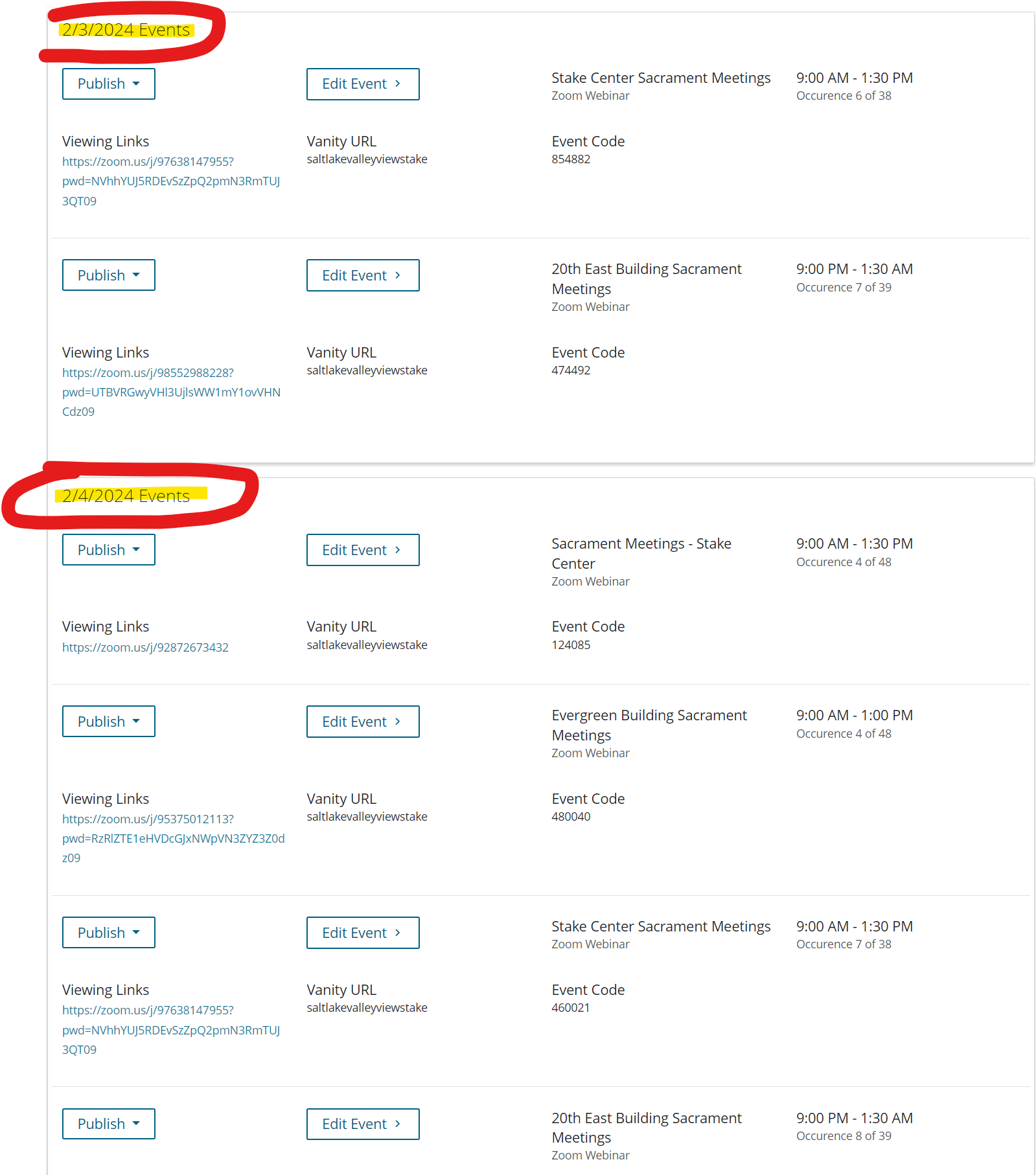
I too have a problem with non-existent Zoom Webinar events being listed in meet.churchofjesuschrist.org. The Zoom events existed but were deleted from Zoom and no longer exist. The meet.churchofjesuschrist.org is now full of orphaned events with no way to delete them.

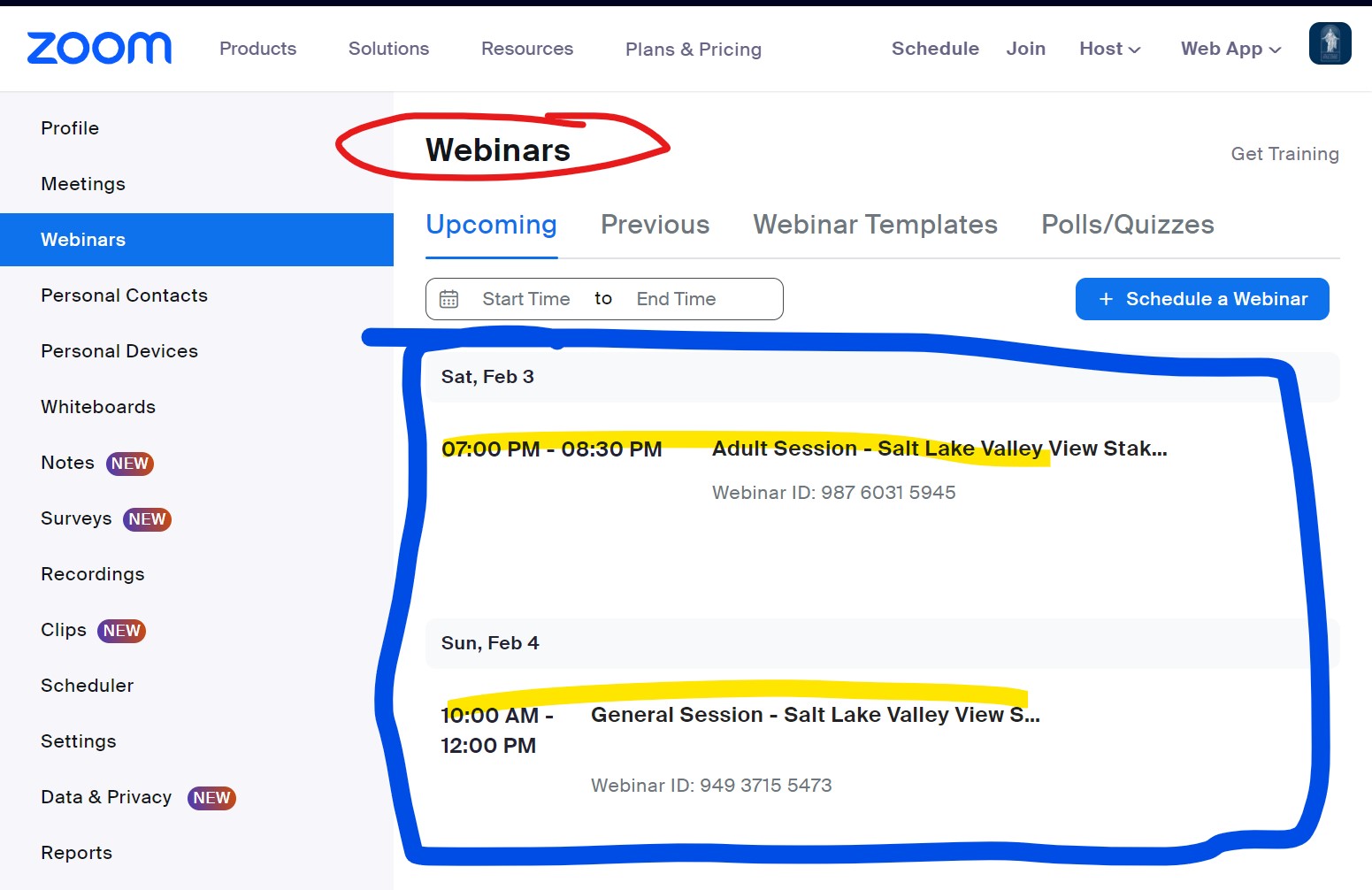
The two events I'd like to publish are defined in Zoom as Webinars but they are not even listed on the Meet page. So I have two problems.
1) How to get rid of the orphaned Zoom events from the meet page
2) How to get the existing Zoom Webinars to be listed on the meet page.

Events at meet.churchofjesuschrist.org
Meet orphaned events.png

Defined Zoom Webinar events
Zoom Webinars defined.jpg

Stake Conference Webinar events are missing from the meet page
Meet February Missing Conference events.png
David P
New Member
#16
Was a fix ever identified for this? I appear to be having the same issue. I have a whole host of orphaned meetings on the meet website despite having deleted them from Zoom.