Individual vs Household Contact Info

27 postsstarted by zaneclark 5,378 viewsoriginal topic

Senior Member
#1
It was recently announced that there will no longer be both household and individual contact information for phone and email on the record, only individual. The change will happen at the end of October. Does anyone anticipate any problems with this? I have advised my ward about this, and suggested they review their record and decide which email and phone they want listed.
Senior Member
#2
Could you point us in the direction of where this information was published please!
Senior Member
#3
Global Services Communication


Dear Unit Clerks,

To simplify communication with members, recording and displaying household phone numbers and household email addresses in Church membership systems will be discontinued. Only a member’s individual phone number and individual email address will be recorded and displayed. This change will take place as part of the Member Tools 4.10 release at the end of October. Household phone numbers and email addresses will be removed from Member Tools, LCR, and Ward Directory and Map.

To help minimize the potential loss of member contact information, Church headquarters will make the following transfer of information before household emails and phone numbers are removed:

• If the head of household or their spouse has a household email, but not an individual email, the household email will be moved to the individual email.

• If the head of household or their spouse has a household phone number, but not an individual phone number, the household phone number will be moved to the individual phone number.

• If both the head of household and their spouse already have individual emails or phone numbers and the household email or phone number is different, the household email or phone number will no longer be shown. Members desiring to have their household email or phone number displayed in place of their individual email or phone number will need to update their information in Member Tools.

After this change is made, ward and branch clerks should encourage members to review their contact information in Member Tools and make any necessary adjustments.

Thank you.
Senior Member
#4
As a ward clerk I’m surprised that I haven’t received this communication, but thank you.
Community Administrator
#5
This might be a phased roll-out. That's a pretty big change to hit everyone at once. They may discover situations where it's not a good idea.
Have you searched the Help Center? Try doing a Google search and adding "site:churchofjesuschrist.org/help" to the search criteria.

So we can better help you, please edit your Profile to include your general location.
Community Moderators
#6
russellhltn wrote: Wed Oct 25, 2023 12:13 pm This might be a phased roll-out. That's a pretty big change to hit everyone at once. They may discover situations where it's not a good idea.
I do not believe that the household contact information is used anywhere at the moment. And if that is the case, I think it will happen in one swell foop. [grin]
Community Administrator
#7
lajackson wrote: Wed Oct 25, 2023 12:18 pm I do not believe that the household contact information is used anywhere at the moment. [grin]
It's the only thing that shows if you try to print from the Map and Ward Directory page.

It's also what you see first in Tools when you pull up a household from the directory. You have to click on the person to see the individual contact.
Have you searched the Help Center? Try doing a Google search and adding "site:churchofjesuschrist.org/help" to the search criteria.

So we can better help you, please edit your Profile to include your general location.
Member
#8
Interesting.

I suspect this update won't impact the vast majority of members as I've often found household contact information (if present) is typically redundant/matches the phone number and/or email address of at least one head-of-household individuals.

However, I do recall at least a few occasions where individual-specific contact information was obsolete while their household contact information was valid.

It may be a good idea for clerks to make a note/specifically contact anyone whose household contact info differs from all head-of-house individuals in that household, BEFORE the updated is committed. I would expect the list of households who meet this criteria to be relatively small.

Another issue that may affect a [presumably smaller] subset of those households whose contact info differs from all head-of-household individuals: user privacy.

I've seen households which have a distinct email address and phone number that are designated as publicly visible; whereas all members of that household have their individual-specific contact information (phone numbers and email addresses) marked as private. Before the update, any member in the ward/stake will be able to lookup the public phone number or email address for that household; after the update, only certain callings in leadership will be able to view the private contact information. Not ideal, but also not the end of the world.
Community Moderators
#9
mdigi wrote: Wed Oct 25, 2023 4:28 pm However, I do recall at least a few occasions where individual-specific contact information was obsolete while their household contact information was valid.
I can see where someone who intended to update their contact information may have updated the household information and not remembered to also update their personal information.
Senior Member
#10
Sounds like something we might add into our 5th Sunday lesson this week, we were also planning on spending a bit of time on how Church tech can bless our lives. Appreciate the heads-up.
Senior Member
#11
It appears the release of Tools 4.10 didn't happen at the end of October as announced. On the positive side, this allows more time to prepare the members for the change.
Senior Member
#12
It appears the release of Tools 4.10 didn't happen at the end of October as announced
I actually am not surprised it didn't make the stated release date. The Church seems to rarely provide target dates for functionality, perhaps for this reason, that things often slip by (and sometimes never appear). Q4 seems a reasonable timeframe to expect this change.

Earlier in the thread it was suggested it might be a phased roll-out, although I'd expect that everyone would still see 4.10 to download, it would just be different user-experience based on region.
Member
#13
The household phone/email data is gone in LCR.

As someone who is not a head of house or spouse of such, I no longer have a phone number listed. I also didn't receive any notification from my ward clerk that this was going to happen.

edit: Interestingly enough, when looking at members in reports, the popup for some has a phone number listed that doesn't appear in their member page in LCR.
#14
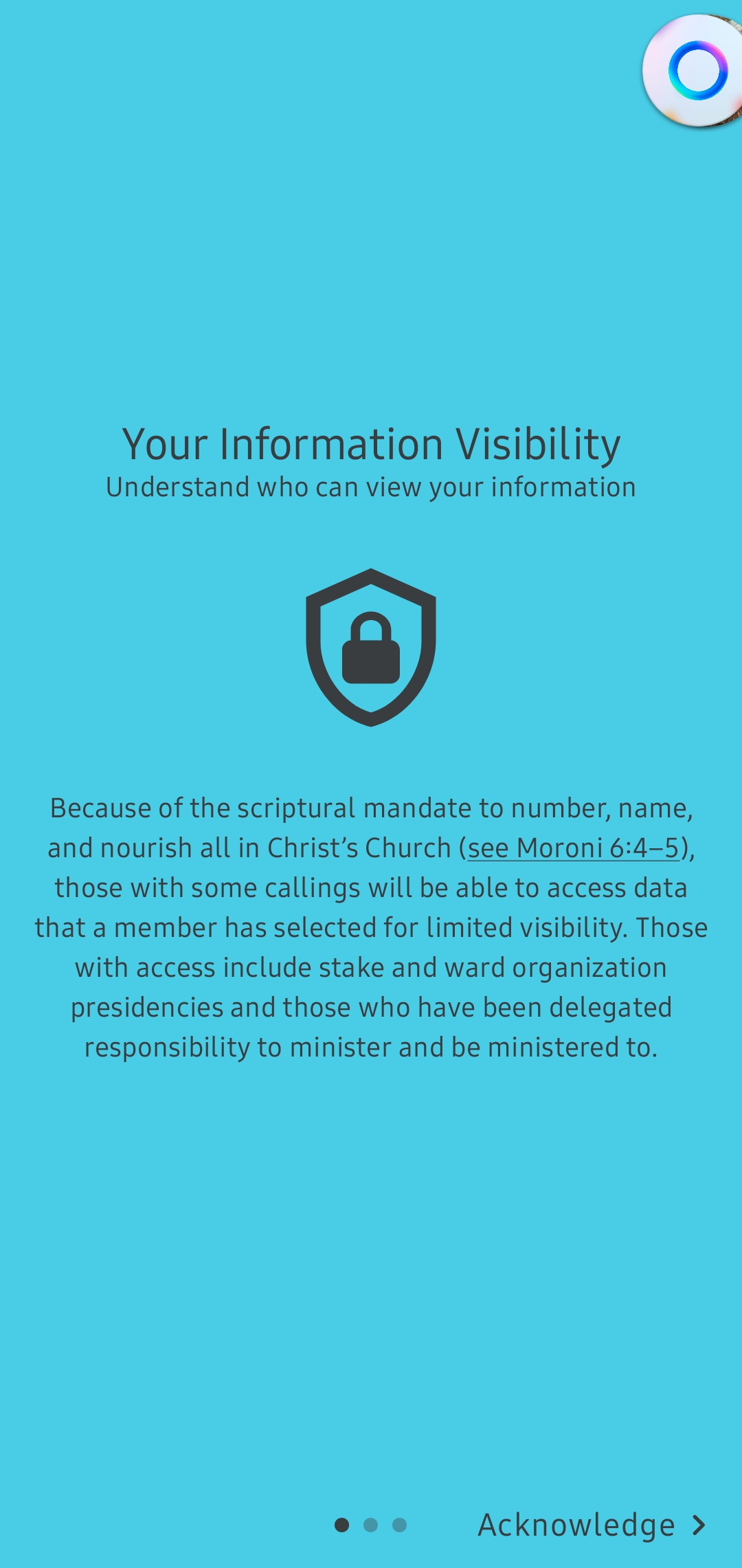
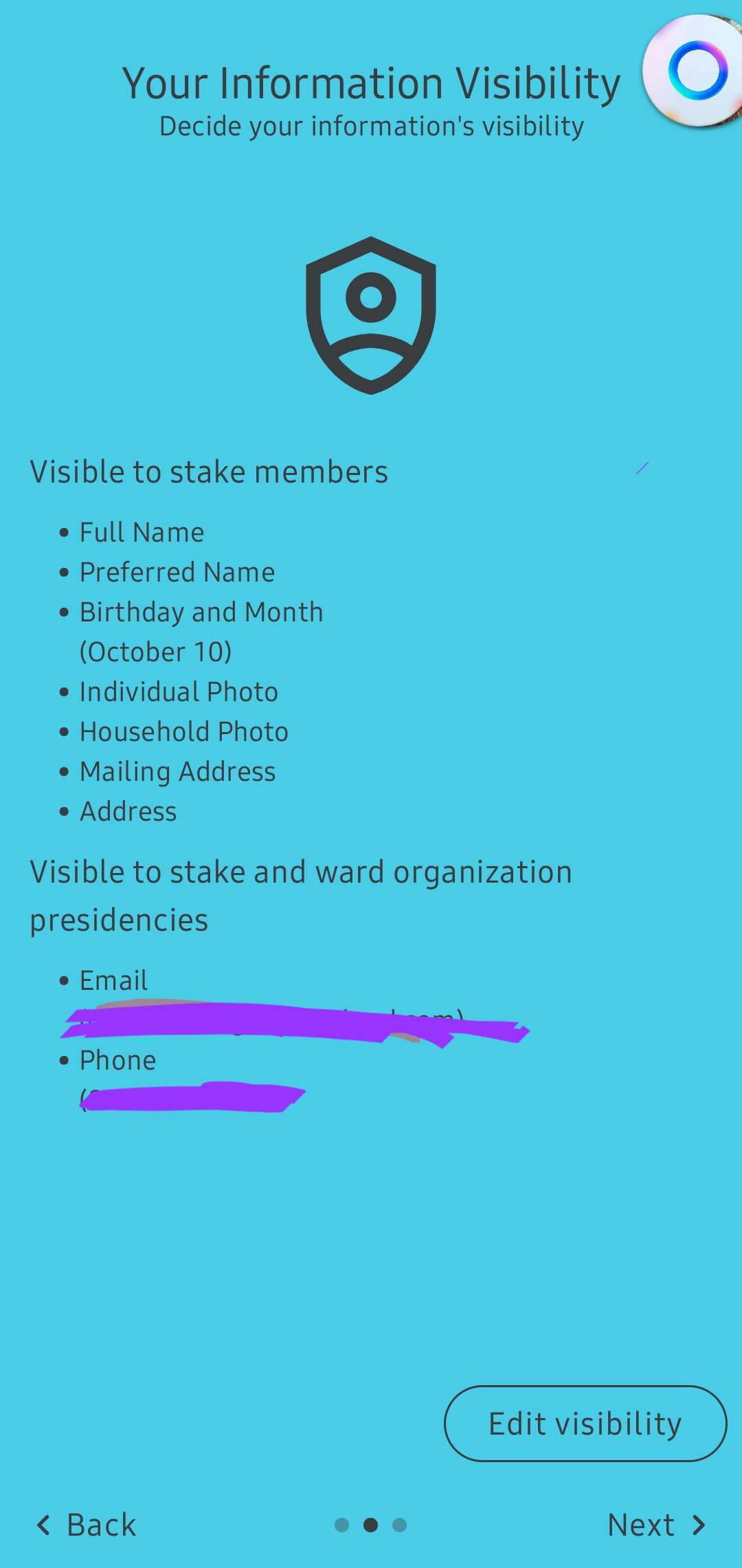
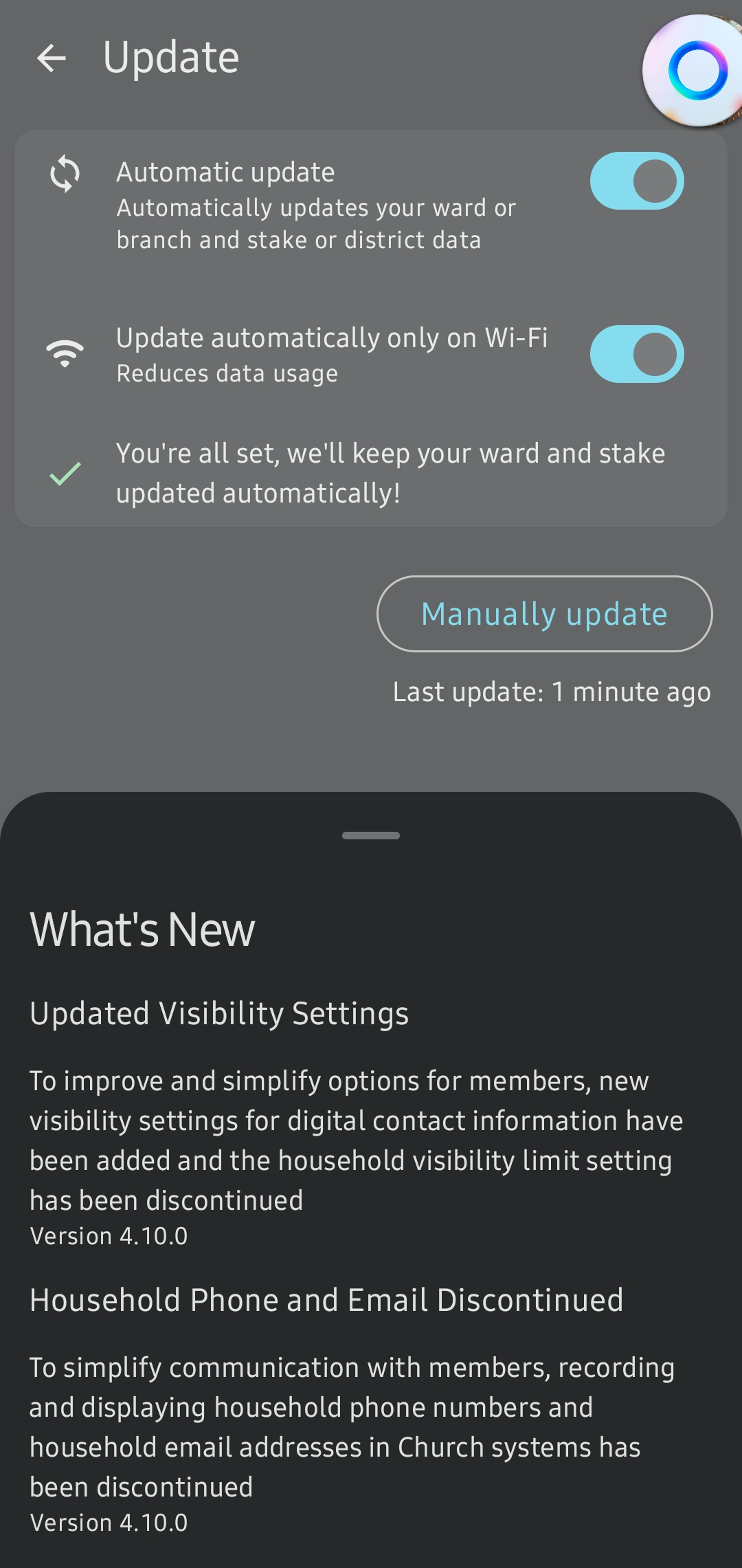
It's gone through on Tools as well, and it showed me the following images as I attempted to sync. My household had a phone number seperate from the individuals (home phone) and it's gone.

It has yet to go through on the missionary Preach My Gospel app though (or maybe it's not syncing), and they'll probably need to release a patch soon.

Screenshot_20231101_214835_Member Tools.jpg
Screenshot_20231101_214906_Member Tools.jpg
Screenshot_20231101_214953_Member Tools.jpg
Christian Rogers
Senior Member
#15
Yes, it has happened...no more Household information. I have alerted our ward in the last 2 newsletters, and today I sent a note to the Ward Council on this, as I'm sure some will be questioning why their information has changed.
Member
#16
Cmanrogers wrote: Wed Nov 01, 2023 10:54 pm It's gone through on Tools as well, and it showed me the following images as I attempted to sync. My household had a phone number seperate from the individuals (home phone) and it's gone.

It has yet to go through on the missionary Preach My Gospel app though (or maybe it's not syncing), and they'll probably need to release a patch soon.
The TestFlight version (still 4.9) doesn't get those images on a refresh, however after a full refresh of data, the household contact info does go away.
Note: there's a bug where it keeps trying to make you repeatedly log-in and load data, but after the first time you can close out, go back in and it works fine.
#17
caillines wrote: Thu Nov 02, 2023 4:12 pm The TestFlight version (still 4.9) doesn't get those images on a refresh, however after a full refresh of data, the household contact info does go away.
I am on Android (in the beta program but this wasn't a beta release), and those images happened after a regular sync.
Christian Rogers
Church Employee
#18
Cmanrogers wrote: Thu Nov 02, 2023 7:49 pm I am on Android (in the beta program but this wasn't a beta release), and those images happened after a regular sync.
Because of some of the data changes there wasn't a way to do beta and have both the beta and main apps work together.
Member
#19
I'm having a look through at various members to see who is missing individual data (particularly those with callings) across the stake.

I can see one Head of House who I'm pretty sure had household data before, but doesn't appear to has had it transferred to his individual data.
Are the any circumstances where the data wouldn't have been transferred? Perhaps if it was marked as hidden?
Senior Member
#20
Not sure this this is related to the household issue, but previously the photos of the missionaries were visible, along with their contact information..the photos are now missing with new new version.
#21
zaneclark wrote: Fri Nov 03, 2023 7:22 am Not sure this this is related to the household issue, but previously the photos of the missionaries were visible, along with their contact information..the photos are now missing with new new version.
I see their contact info (you may have to press the texting button) but I don't see the photos. It was working yesterday however so I don't think it has anything to do with the recent changes. That info is in a seperate system.
Christian Rogers
Church Employee
#22
caillines wrote: Fri Nov 03, 2023 3:55 am I'm having a look through at various members to see who is missing individual data (particularly those with callings) across the stake.

I can see one Head of House who I'm pretty sure had household data before, but doesn't appear to has had it transferred to his individual data.
Are the any circumstances where the data wouldn't have been transferred? Perhaps if it was marked as hidden?
It should have been moved even it was marked as leader only. PM me their info and I can look and see if I can track down what happened. I still have some logs of what changes we made.
Senior Member
#23
Feedback answered my question on the missing missionary photos, and suggested I try Refresh Data in Settings. I did and it worked! It takes longer than Update, and I had to use Update a couple of times also, but now the photos have been restored.
Member
#24
I've checked with Jonesrk, and the issue I thought I had with missing data wasn't actually an issue.

Looks like I need to get the ward clerks to start getting the message out.
Senior Member
#25
A few families in our ward where one member spouse had an email address but the other did not, and we had previously made that one individual email address the household email address as well, the system not only migrated the email address from the household email address to the spouse individual email address with no previous email address, but it also flagged that individual email address as do not email, probably because it saw the email address as a duplicate. Only happened on adult couples, not any youth where the parents had chosen the same email as theirs for their youth.

This showed up when I was checking the unsubscribed to emails list tonight. Easy to fix by deleting the duplicate email in the spouse email field which previously had no email address, but now that field will be flagged by the software if an email address is added there later. Just a heads up, caught me by surprise. Will not matter for most probably, but something to be aware of and watch for.
New Member
#26
Is it possible to add two phone numbers for a person and my mark one private and one public. Our Bishop has a landline for messages that is public and a cell phone that is leadership only.
Community Administrator
#27
mcdowell wrote: Sat Nov 11, 2023 1:11 am Is it possible to add two phone numbers for a person and my mark one private and one public. Our Bishop has a landline for messages that is public and a cell phone that is leadership only.
In CDOL you can add other numbers that won't appear in the ward directory. I think that's going to be as close as you're going to get.
Have you searched the Help Center? Try doing a Google search and adding "site:churchofjesuschrist.org/help" to the search criteria.

So we can better help you, please edit your Profile to include your general location.