New Member
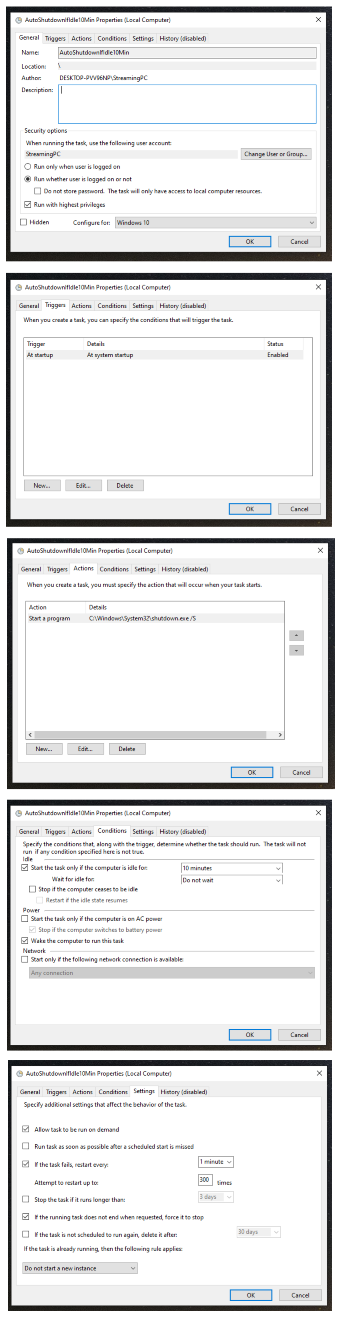
Cutting the Zoom Meetings audio and video feed, for the sacrament, and some baby blessings, etc., has been a pain point, in that it sometimes requires a tech specialist to leave the meeting to turn it off at the A/V cabinet (in our attic entrance), right when they should be physically in the meeting, participating in sacrament worship. If nothing else, it is a distraction to their personal sacrament worship. Sometimes software mechanisms are used (multiple Zoom accounts, Chrome Remote Desktop, OBS websockets, etc.), so that the tech specialist can turn it off from within the meeting, but software updates and wifi issues make the reliability questionable from week to week, as sometimes those methods fail. The following is a picture of our Zoom On/Off Switch that was recently installed, as an alternative, at the Bishop's [controls] pedestal, in the chapel:
It was installed in the wall plate of the XLR ports so that if its existence was disagreeable, it could be removed, and a new wall plate could make it as if it never happened. A corresponding LED indicator was installed on the side of the pulpit, near the presiding authority's seat: the green light indicates that the Zoom feed is ON, and the red light indicates that the Zoom feed is OFF, as controlled by a Zoom On/Off switch:
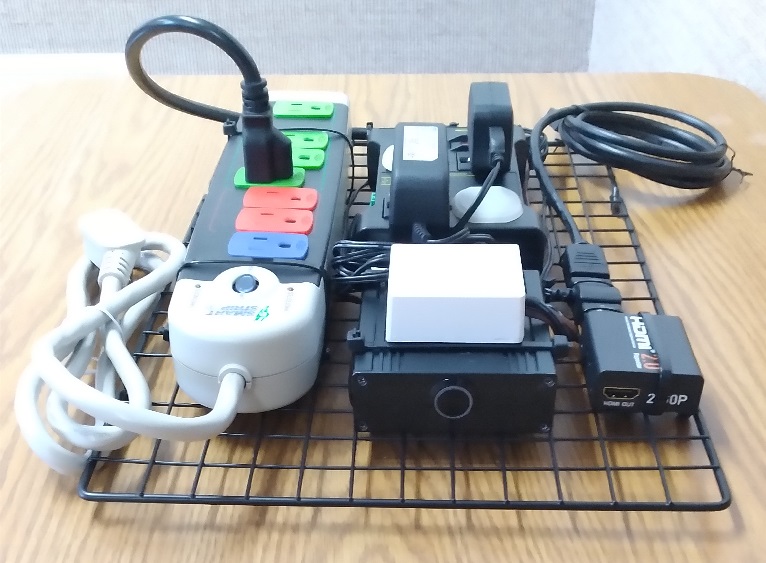
A Zoom On/Off switch has also been installed in the A/V rack (in our attic entrance) so that the tech specialist can turn it on and off from back there (see the push button switch on the front of the following photo:
The other items in that photo are necessary to make it work. It works by having an HDMI repeater that is powered by a relay which is on a power circuit that also illuminates the LEDs of the attic and pulpit indicators, and which is controlled by the two switches (similar to two 3-way light switches in a house, which both control the same light, except that these switches can control two different colors of lights, rather than one 'on' state and one 'off' state); when the relay does not have the power circuit completed, it does not trigger & output power which ultimately goes to the HDMI repeater, and when that happens, the HDMI audio and video feed stops at the HDMI repeater, rather than entering the computer (at which point SMPTE color bars, and no audio, are all that is sent to Zoom); alternately it can be powered, and it's audio and video feed continues on into the computer, and on to Zoom participants, etc.
Generally the tech specialist would start the Zoom Meeting, and turn on the Zoom On/Off switch (so it is green), to check the audio, and the framing of the camera preset, etc., as to how they sound and look in the Zoom Meeting, and then they would turn off the Zoom On/Off switch (so it is red), but leave the Zoom Meeting on, all from the attic entrance, and then the presiding authority of the meeting, and their counselors, could turn it on when the meeting is to begin (from the back of the Bishop's [controls] pedestal in the chapel), supposing they deemed that streaming is to be authorized, and they can turn it off and on as necessary for some baby blessings, the sacrament, etc., alleviating the tech specialist from needing to miss out on being in the meeting, going into and out of the meeting, trying to control it remotely from the middle of the room over less reliable wireless methods (that change with software updates), or from needing to approach a baby blessing to see if this one should be streamed, etc.
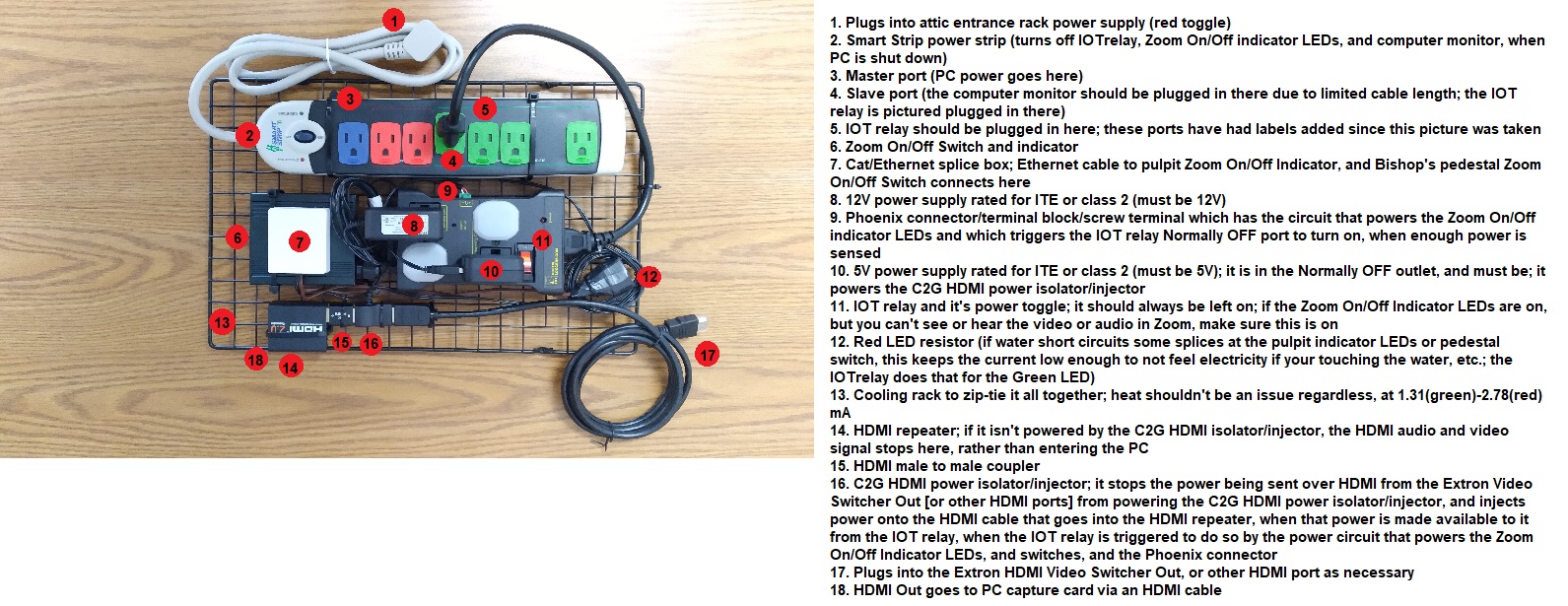
For an overview of the tech used, see the following:
For detailed instructions on wiring and installing, and other useful notes, and how to source the items used, see: 'ZoomOnOffSwitchInstallGuide.pdf'.
This is the latest of one of many methods that our local unit, and those in our same meetinghouse, have employed, to lessen this pain point. Many of you are very tech savvy, and could improve upon such, if it would be useful to you and yours.
Best wishes!
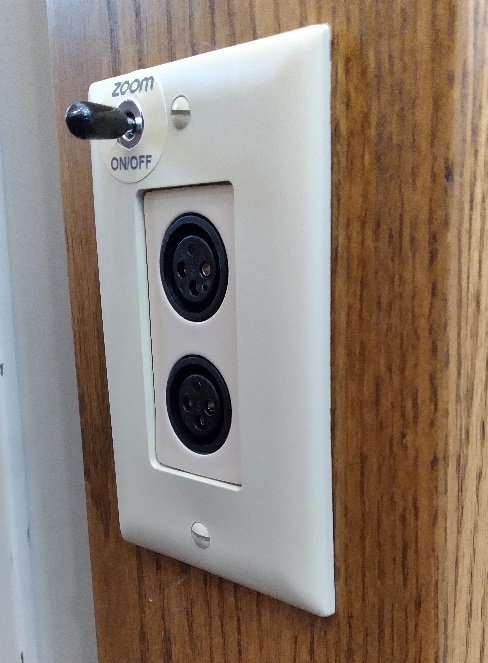
It was installed in the wall plate of the XLR ports so that if its existence was disagreeable, it could be removed, and a new wall plate could make it as if it never happened. A corresponding LED indicator was installed on the side of the pulpit, near the presiding authority's seat: the green light indicates that the Zoom feed is ON, and the red light indicates that the Zoom feed is OFF, as controlled by a Zoom On/Off switch:
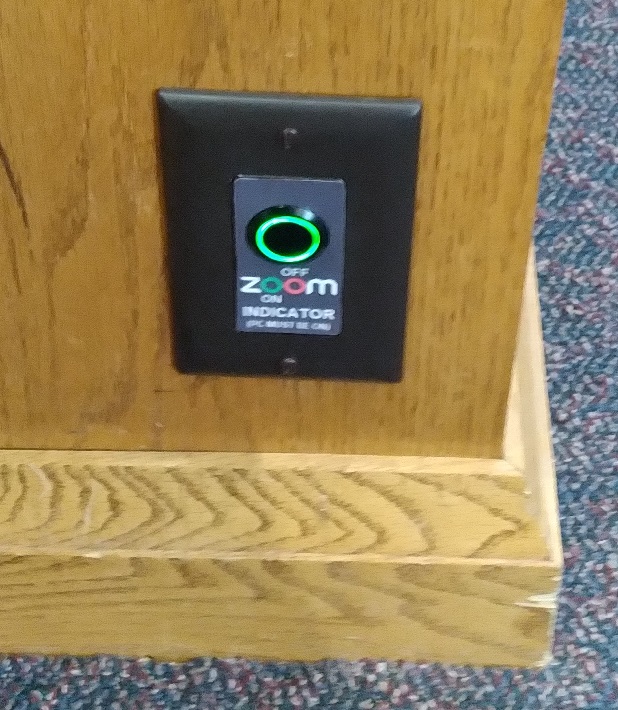
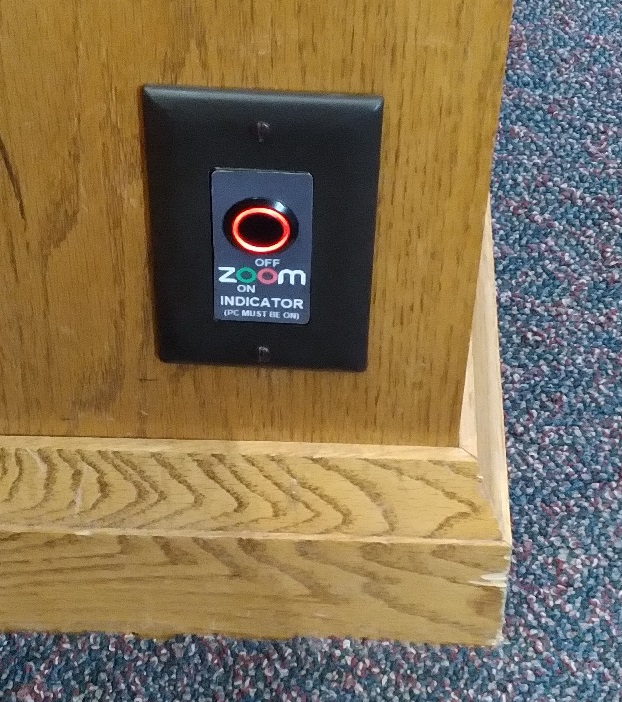
A Zoom On/Off switch has also been installed in the A/V rack (in our attic entrance) so that the tech specialist can turn it on and off from back there (see the push button switch on the front of the following photo:
The other items in that photo are necessary to make it work. It works by having an HDMI repeater that is powered by a relay which is on a power circuit that also illuminates the LEDs of the attic and pulpit indicators, and which is controlled by the two switches (similar to two 3-way light switches in a house, which both control the same light, except that these switches can control two different colors of lights, rather than one 'on' state and one 'off' state); when the relay does not have the power circuit completed, it does not trigger & output power which ultimately goes to the HDMI repeater, and when that happens, the HDMI audio and video feed stops at the HDMI repeater, rather than entering the computer (at which point SMPTE color bars, and no audio, are all that is sent to Zoom); alternately it can be powered, and it's audio and video feed continues on into the computer, and on to Zoom participants, etc.
Generally the tech specialist would start the Zoom Meeting, and turn on the Zoom On/Off switch (so it is green), to check the audio, and the framing of the camera preset, etc., as to how they sound and look in the Zoom Meeting, and then they would turn off the Zoom On/Off switch (so it is red), but leave the Zoom Meeting on, all from the attic entrance, and then the presiding authority of the meeting, and their counselors, could turn it on when the meeting is to begin (from the back of the Bishop's [controls] pedestal in the chapel), supposing they deemed that streaming is to be authorized, and they can turn it off and on as necessary for some baby blessings, the sacrament, etc., alleviating the tech specialist from needing to miss out on being in the meeting, going into and out of the meeting, trying to control it remotely from the middle of the room over less reliable wireless methods (that change with software updates), or from needing to approach a baby blessing to see if this one should be streamed, etc.
For an overview of the tech used, see the following:
For detailed instructions on wiring and installing, and other useful notes, and how to source the items used, see: 'ZoomOnOffSwitchInstallGuide.pdf'.
This is the latest of one of many methods that our local unit, and those in our same meetinghouse, have employed, to lessen this pain point. Many of you are very tech savvy, and could improve upon such, if it would be useful to you and yours.
Best wishes!