Choppy Audio on Zoom via HDMI output and capture card

14 postsstarted by Robertjdavies 16,089 viewsoriginal topic

New Member
#1
Hi everyone,

I'm hoping to find a solution here, as I am all out of ideas personally. Long story short, our stake center AV install was recently upgraded to the latest and greatest. As such, I have an HDMI out port in the back of the chapel that hooks into the AV rack running all the video inputs (PTZ mounted cam, input from podium HDMI, etc). I purchased an HDMI capture card (EVGA XR1 lite) to pull the video and audio from that port to be sent out on Zoom for our stake conferences. So far, using that to pull the video works fine, but getting audio along with it is an issue. The audio I get on the other end of the Zoom broadcast is very choppy, very similar to UDP packets arriving late on your video game chat app of choice. It is designed to carry both, as I can hook TVs into the other ports in the building and receive the accompanying audio with no issues. I have tried pulling both audio and video from other ports in the building with the capture card and have the same result. The capture card is running the latest firmware, and I have purchased a beefier (personal) laptop to see if the processing power was the issue, to no improvement. My work around for the moment is to pull the audio from the hearing assist broadcast via an RTLSDR USB stick and antenna to send that into Zoom for the broadcast, but ideally, I'd like to figure this out/have it fixed so that the wards in the building can use the hardware for their sacrament meeting broadcasts without needing me to be there to run/assist. The long and short of my question is, what am I missing here? I can come up with no reason this should be happening.

Thanks in advance!
Community Moderators
#2
Zoom can sometimes chop up music because it treats it as background noise. See: viewtopic.php?t=41960

Not sure if this is your problem, but it's easy to try.
So we can better help you, please edit your Profile to include your general location.
New Member
#3
I'll give this a shot next time I get a chance. Thanks!
New Member
#4
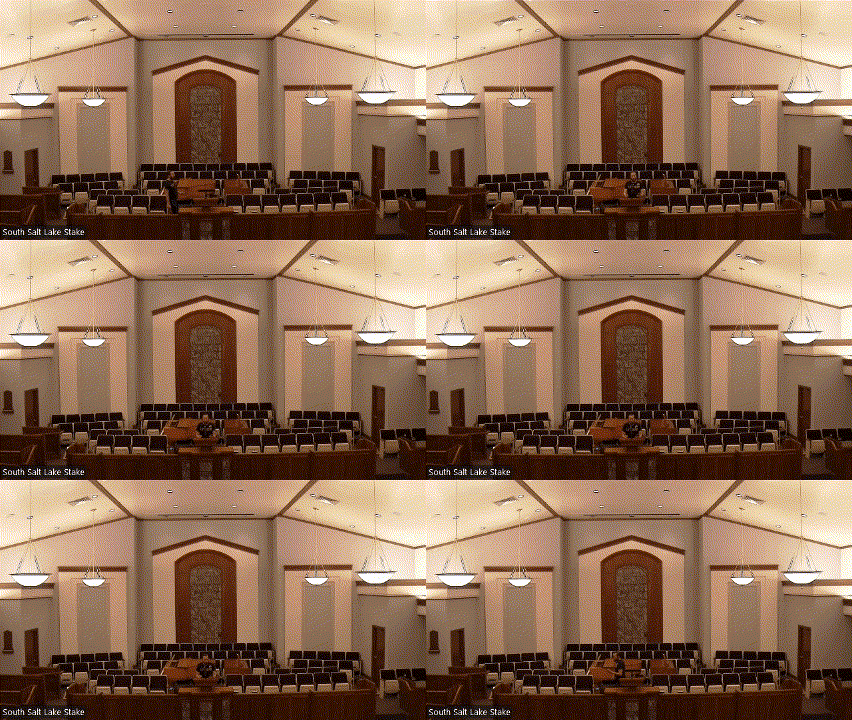
I have tried changing this setting, including turning off echo cancellation, to the same effect. I've included a gif of the audio through Zoom in case this offers any additional insight.

EDIT: Just realized that the gif doesn't include sound, so that isn't going to help.
EDIT2: Forgive me if this is against the forum rules, but here's a link to the video from my drive. https://drive.google.com/file/d/1CBT09n ... share_link
Zoom clipping gif.gif
Zoom clipping gif.gif (5.49 MiB)
Community Administrator
#5
The video does help, as it's clear you're talking about just trying to capture the speaker at the podium and not the much softer music.

Have you tried connecting the capture card to other sources? That may be tricky as it may be designed to reject copyrighted content.

You might also go looking for forums or support that deal with that card. My guess is that the church system is encoding the sound in a way the capture card doesn't like.
Have you searched the Help Center? Try doing a Google search and adding "site:churchofjesuschrist.org/help" to the search criteria.

So we can better help you, please edit your Profile to include your general location.
Member
#6
I'd continue to learn and rule out issues.


Can you use your capture device on an HDMI cable you know provides both video and audio, such as a DVD player? If the capture device is giving you the same problems on a DVD player, then it's very likely either the computer's fault or the capture device's fault.

What happens if you use your capture card on another laptop or computer? Same issues? What happens if you use a tool like OBS to view the video source and listen to the audio source (OBS has audio monitoring of "monitor only (mute ouput)" and "monitor and output mode" to help you hear exactly what it's capturing.)
Community Administrator
#7
brad_p wrote: Mon Apr 17, 2023 4:26 pm Can you use your capture device on an HDMI cable you know provides both video and audio, such as a DVD player? If the capture device is giving you the same problems on a DVD player, then it's very likely either the computer's fault or the capture device's fault.
The problem with using a DVD or Blu-ray player is the capture card may sense copyrighted content and refuse to work. You need to test with a non-copyrighted source, like a camera.
Have you searched the Help Center? Try doing a Google search and adding "site:churchofjesuschrist.org/help" to the search criteria.

So we can better help you, please edit your Profile to include your general location.
New Member
#8
Rather than trying to find a non-HDCP source, I bought a card from another brand to try out. I'm getting the same issue with that one, so I'm guessing that the issue may lie in the AV system somewhere, but I'm not confident in that.
Community Administrator
#9
I see you've successfully plugged in a TV into a source that the capture card won't work with.

So it would appear the data is there, the card just isn't working with it.

If the camera outputs sound on the HDMI output, you could try plugging that into the capture card directly.
Have you searched the Help Center? Try doing a Google search and adding "site:churchofjesuschrist.org/help" to the search criteria.

So we can better help you, please edit your Profile to include your general location.
Community Moderators
#10
Robertjdavies wrote: Wed Apr 12, 2023 6:13 pm My work around for the moment is to pull the audio from the hearing assist broadcast via an RTLSDR USB stick and antenna to send that into Zoom for the broadcast...
Our building's A/V was revamped about a year or two before yours, and now that I think of it, I've never been able to get audio over the HDMI to work as expected either. Our current solution is to pull the audio directly from the hearing assist transmitter using its headphone jack. A 3.5mm cable plugs that into either our PC's line-in or our capture card's stereo input jack and we get super clean audio from it. Unfortunately, it appears your EVGA XR1 lite doesn't have an audio-in port. If your notebook doesn't have a dual mic/line level jack, USB soundcards are dirt cheap, and for the most part, work pretty well.

We stream almost exclusively to YouTube Live using OBS, so I'm not familiar with how well Zoom handles audio and video from different sources. Of course, one can combine the A/V in OBS then output that to Zoom, but that adds another layer of complexity.
So we can better help you, please edit your Profile to include your general location.
New Member
#11
russellhltn wrote: Tue Apr 18, 2023 8:24 pm I see you've successfully plugged in a TV into a source that the capture card won't work with.

So it would appear the data is there, the card just isn't working with it.

If the camera outputs sound on the HDMI output, you could try plugging that into the capture card directly.
AFAIK, the camera doesn't output sound. That's being pulled from the chapel sound system into the AV cabinet. The only way I can think of the grab that would be to hijack the pulpit feed before it goes into the system and control everything from a mixer. I've done something like this before for another stake I was in, and its more complicated than I would like it to be.
A 3.5mm cable plugs that into either our PC's line-in or our capture card's stereo input jack and we get super clean audio from it. Unfortunately, it appears your EVGA XR1 lite doesn't have an audio-in port. If your notebook doesn't have a dual mic/line level jack, USB soundcards are dirt cheap, and for the most part, work pretty well.
There doesn't appear to be a 3.5mm out jack in the panel at the back of the chapel to grab the audio with. It appears that I'm stuck with the current setup I have.
Community Moderators
#12
Robertjdavies wrote: Sun Apr 23, 2023 1:38 pm There doesn't appear to be a 3.5mm out jack in the panel at the back of the chapel to grab the audio with. It appears that I'm stuck with the current setup I have.
If I read your original post correctly, you setup your webcast gear in the back of the chapel for stake conference, correct? I used to position myself halfway back in the cultural hall, but switched to the library where our equipment rack resides. Far more control over the ins and outs of things. From there, we used to get audio from the hearing assist transmitter (top device in our rack), but yesterday I discovered we're now using the 3.5mm plug that went to the old VidiU device.

BTW, we just finished our stake conference this morning where, because of a stake presidency reorganization, we had two visiting authorities and a bumper crop of attendees at the stake center and two overflow buildings. Overall, the webcasting (via YouTube Live) went very well using OBS on a mini Beelink "NUC"-style PC that we purchased last year.
So we can better help you, please edit your Profile to include your general location.
New Member
#13
I know that the following works to capture video and audio for OBS Studio:
Computer: Lenovo ThinkCentre M910q Tiny Desktop (Black) - Intel Quad-Core i7-6700T 2.90GHz - 16GB RAM - 256GB SSD - Win 10 Pro
Video capture: AJA U-TAP HDMI ( connects to computer via USB 3.0 which supplies power and video capture) works for non-HDCP content (stripping HDCP is possible, but will not share how to do this)
Software for capture: OBS Studio 29.1.1
Zoom Audio settings: Audio profile > original sound for musicians > High fidelity music mode - selected
Audio profile > original sound for musicians > Echo cancellation - unselected
Audio profile > original sound for musicians > stereo audio - selected or unselected
Original sound for musicians: On (located in upper left corner of screen (must be selected any time a new session is started or anytime a microphone is changed)
New Member
#14
Hi all,

My apologies for letting this reply sit for as long as it did. We found the solution to the problem.

Long story short, there was no audio being sent via the HDMI port as I had been told. We ended up putting in a FIR to have the company come back out and set it up that way. What we have to do is pull the audio from the chapel out and organ out into a mixer, then either send it back in via the Webcast in port or direct into zoom via a XLR to USB cord for our broadcasts. I had a some trouble getting it sent back in so I could put it out via the HDMI, so need to do some more tinkering to dial it in, but the XLR to USB cord provided a viable alternative.

Hope this helps anyone else running into this issue!