StickyWhat to do when LCR is unavilable

11 postsstarted by russellhltn 39,847 viewsoriginal topic

Community Administrator
#1
If LCR is unavailable, please refer to the following links:

Donations during System Outage

If the computer is available, the spreadsheet in lkpowell's post will prove useful. Be sure to practice good security and not leave the spreadsheet on the hard drive. Printed copies must be kept in a locked drawer. You can save it to a USB drive and lock it away. (General Handbook 33.9.1, Technology Standards 4.2.5 and 4.8.1)

For checks, see Handwritten Checks in Emergencies.
Have you searched the Help Center? Try doing a Google search and adding "site:churchofjesuschrist.org/help" to the search criteria.

So we can better help you, please edit your Profile to include your general location.
New Member
#2
Thanks for this info! It got us through today And especially thanks to lkpowell for that great spreadsheet! LCR isn't working for us at all today, so hopefully it'll work soon and we can get things entered, but in the meantime, we've got what we need!
New Member
#3
After logging into your church account, clicking on LCR goes through a second security check. It is not that LCR is unavailable, it's just a security check issue. Apparently there are bad actors attempting to access LCR. It is not a web browser problem or too many people trying to access LCR at the same time. Just keep trying. If unable to access, make copies of all documents and deposit the donations in the bank. Donations can be updated in LCR after the bank deposit if you retain copies of the print outs and record the amounts of cash and checks sufficient to record in LCR later.
New Member
#4
Literally around 11AM PST on Sundays, the system always does not load and it is really frustrating most times since church is long and then I have to wait until it decides to work again which is literally after a couple of hours in which I would have to come back to the chapel and try again. It so upsetting that this bug or error has not been corrected and that the old LCR program was more efficient as it was separate from the church website and I rarely had issues with it. Please whomever is in charge of doing the tech for the church site work on ways to improve and eliminate this issue because it somewhat is commonplace every Sunday and inconvenient when we try to do tithing.
New Member
#5
tfaleono wrote: Sun Dec 10, 2023 12:31 pm Literally around 11AM PST on Sundays, the system always does not load and it is really frustrating most times since church is long and then I have to wait until it decides to work again which is literally after a couple of hours in which I would have to come back to the chapel and try again. It so upsetting that this bug or error has not been corrected and that the old LCR program was more efficient as it was separate from the church website and I rarely had issues with it. Please whomever is in charge of doing the tech for the church site work on ways to improve and eliminate this issue because it somewhat is commonplace every Sunday and inconvenient when we try to do tithing.
Yep, it's a persistent problem. We have members waiting for temple recommends to be printed, and we can't access that functionality.
New Member
#6
This happens still and affects the Member Tools app as well. Today I was trying to record attendance for sacrament meeting and the Tools app said that the system is down for maintenance. Sunday is probably the worst day of the week for church tech services to be down for maintenances.
Community Moderators
#7
jknacnud wrote: Sun Apr 14, 2024 12:59 pm This happens still and affects the Member Tools app as well. Today I was trying to record attendance for sacrament meeting and the Tools app said that the system is down for maintenance. Sunday is probably the worst day of the week for church tech services to be down for maintenances.
The down for maintenance message is a standard automated message for a number of system issues. Most of the time on non-business days it is sent by the system when it has identified an issue that requires maintenance action. When the ICS department opens for work the next business day they will address the issue.
JD Lessley
Have you tried finding your answer on the ChurchofJesusChrist.org Help Center or Tech Wiki?
New Member
#8
Brethren, we're having trouble with the finance portal. On Sunday we couldn't process our tithing payments regardless of I or my bishopric members being able to access the finance link at: https://lcrf.churchofjesuschrist.org/

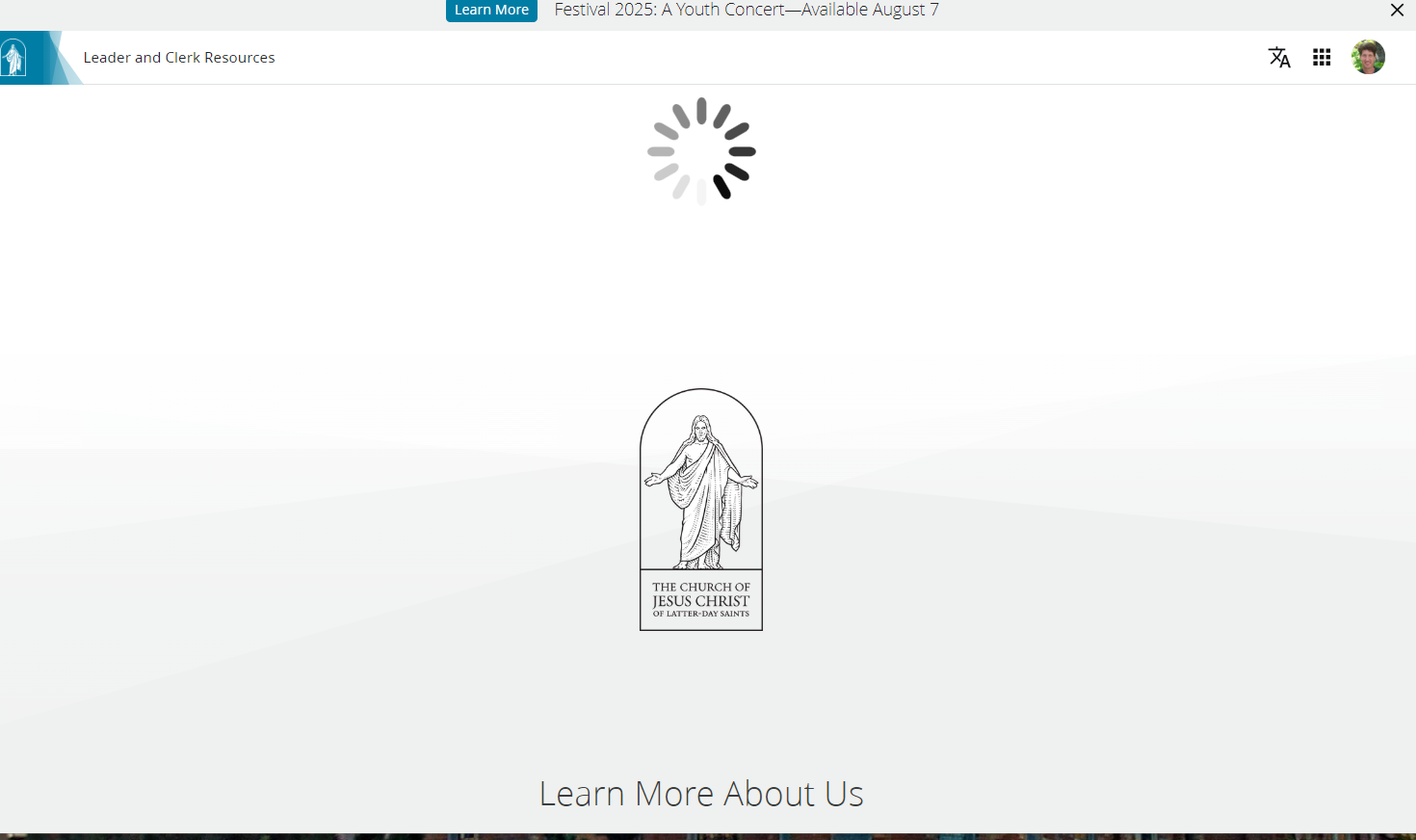
It shows the navigation links at the top but it's just white background below with a spinning whirlygig.

We came in tonight and found that we were altogether unable to login around 7pm. About an hour later we could login but get the spinning whirlygig when clicking on the link above.

I deleted all my browsing history and reset Chrome's cookies after updating Chrome to the latest version.

Can someone please fix this so we can perform our callings?

Thank you
CantGetIntoLCR.png
Community Moderators
#9
pperry wrote: Wed Jul 30, 2025 8:22 pm Can someone please fix this so we can perform our callings?
The Tech Forum is user-to-user discussion and collaborative self help. We can discuss issues and offer experiential work-arounds, but that is it. The forum has no connection to support. You can call the Global Services Department (GSD) help number for assistance using the number provided in the LCR > Help > Contact Us page.

LCR Finance was down on Sunday. It was up on Monday afternoon for me and again most of the day on Tuesday. I checked a few minutes ago and it was down again.
JD Lessley
Have you tried finding your answer on the ChurchofJesusChrist.org Help Center or Tech Wiki?
New Member
#10
Last week when the finance page went down we did not handle the donations correctly and I am now not sure how to fix it.

We were able to enter the donations, counselor then confirmed it they were correct in the system but then it crashed before we could print the donation summary. I know now we should have still made the donation at the bank but instead the bishop held it for the week and we were going to deposit it today.

Is that still possible? I can't find a way to print the summary page. Should I just take it to the bank with the deposit slip? Can I cancel that deposit and make a new one today? What is the best path forward?
Senior Member
#11
To print the donation summary: Donations > Donation Summary > Batch Date > Print icon.

Yes, the deposit should be made right away. I don't see a need to cancel it or redo it from your description.