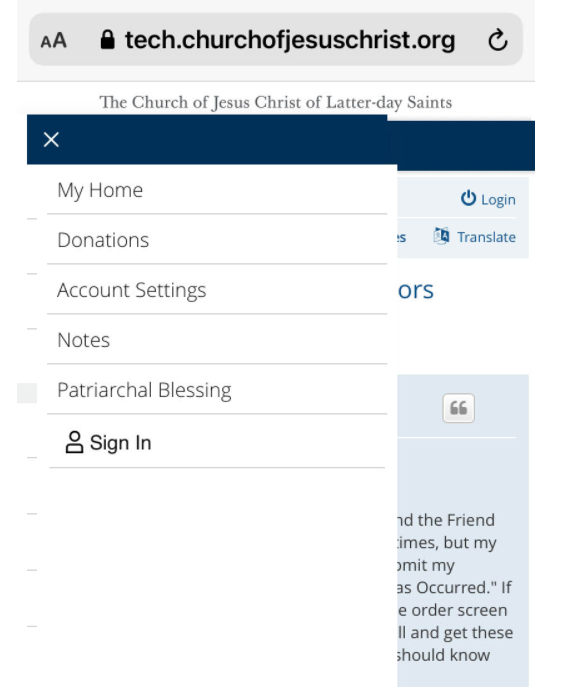
iphone Menu Display Issues

7 postsstarted by SherrySh 5,016 viewsoriginal topic

New Member
#1
I have an iphone 11 and just recently, when I pull up the church website, I get a small menu that covers most of the website information. There is an "X" to close the menu, but it does not work. I have tried everything I can think of in settings, etc., but no solutions. It's not a problem on my laptop, only my phone. And it only happens on the church websites. See the attached screenshot. Does anyone have any ideas of how to close and/or remove the menu so I can see the rest of the website?
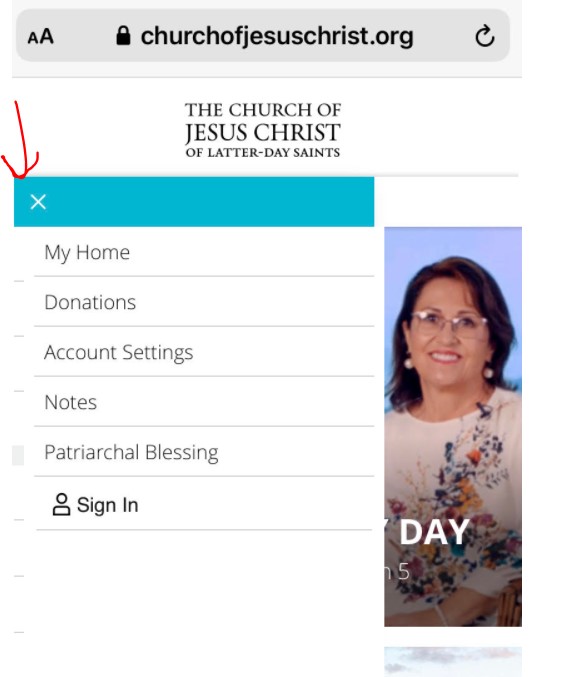
Church Website Menu Issues.jpg
Church Tech Website Issues.png
Community Administrator
#2
Curious, for me on my phone (Android) the "X" is on the right side of the blue bar.

You might want to try incognito/private mode to see if you're a victim of the "cookie buildup" issue that plagues church websites.
Have you searched the Help Center? Try doing a Google search and adding "site:churchofjesuschrist.org/help" to the search criteria.

So we can better help you, please edit your Profile to include your general location.
New Member
#3
Edited 1 time, last by nataliehansen on
My husbands iPhone SE has had the same issue for months. We have teased cookies, put it in safe mode, and tried updates. Nothing has fixed the problem. Would love to know if anyone has been able to resolve this issue. It would be really nice to access the church website from his phone. Thanks
New Member
#4
Hi!! I’m having the same issue on my Mac. Did anyone figure out how to remove that little menu that pops up?

Please let me know. Thank you.
Community Moderators
#5
tracyjojo wrote: Sat Jun 04, 2022 3:29 pm Hi!! I’m having the same issue on my Mac. Did anyone figure out how to remove that little menu that pops up?

Please let me know. Thank you.
A few people using Safari on iPhone reported in another forum thread that updating to the latest version of iOS 15 fixed the issue (updating the OS also updates WebKit, the browser engine used by Safari). On your Mac, do you have any macOS updates available?
Samuel Bradshaw • If you desire to serve God, you are called to the work.
New Member
#6
I have the same exact trouble! I did the same thing with cookies, desktop view on settings, the whole shebang--I even downloaded Chrome on my phone and I get the same problem. :( No idea what to do, other than set the page to 50% zoom
New Member
#7
czuniga6 wrote: Sun Jul 10, 2022 5:08 pm I have the same exact trouble! I did the same thing with cookies, desktop view on settings, the whole shebang--I even downloaded Chrome on my phone and I get the same problem. :( No idea what to do, other than set the page to 50% zoom
Unfortunately, Chrome on all mac products is just using the Safari engine under the hood, so it’s just a partial Chrome and it would still have the same problem :cry: