Possible information phishing

15 postsstarted by bryan.hatton 24,862 viewsoriginal topic

New Member
#1
So I don't use Family search on a regular basis, so when I got messaged out of the blue from someone I have no idea of asking me to enable relationships viewing, the computer security part of me started to ask why.

I was thinking about how many reset questions answers there could be there. Think mother's maiden name. Father's middle name etc.

Anyone else getting requests like that?

For what it is worth, I asked if they had a specific branch that they had a question about with no response.
Community Moderators
#2
Was the message initiated by Family Search staff/organization or by another J. Random User of FamilySearch?
Community Administrator
#3
The message is part of a messaging function of the website. It appears to come from another user, but the message appears to be auto-generated. I know that because I have a number of identical messages received over the past few years:
It would be nice to see how we are related as we work together on our shared family tree.

Please go to FamilySearch settings and enable relationship viewing, so we can see how we are related.
If you go to change that setting, you'll discover it's site-wide and not just for the requestor.

Personally, I think it's a bit underhanded to make it sound like the message was composed by another user when in fact it's a template.

Originally, I thought it was FS, but it might be a partner software package.
Have you searched the Help Center? Try doing a Google search and adding "site:churchofjesuschrist.org/help" to the search criteria.

So we can better help you, please edit your Profile to include your general location.
Senior Member
#4
I think the relationship viewing function is FS. If you click on the name of another person who has added a source to one of your ancestors, the popup will show you how you are related to them if they are allowing relationship viewing (along with a link to send them a FS message and their email address if they made it public). I certainly could be wrong, but that appears to be FS functionality and not another application.
Community Administrator
#5
Yes, but there are a number of partner apps that will "front end" Family Search. So, I wouldn't rule out the possibility that one of those packages may have a feature to send a request if it's not enabled.

I've tried, but have not found that function on the FS website. So, I'm leaving open the possibility that it's someone other than FS that creating the authentic sounding, but auto-generated verbiage.
Have you searched the Help Center? Try doing a Google search and adding "site:churchofjesuschrist.org/help" to the search criteria.

So we can better help you, please edit your Profile to include your general location.
Senior Member
#6
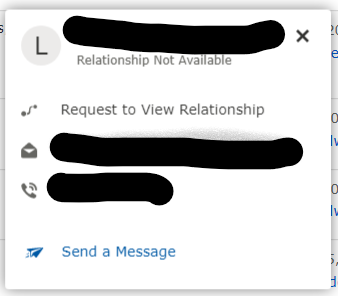
I pulled up my grandmother's Person Page and looked at her sources - one was attached by my brother. He is not relationship sharing. When I requested it, FS generated the exact message pasted above. I didn't have the opportunity to edit - clicking on the link generated and sent the message from within FS (I suppose there could be other software at work here, but nothing I have activated that I'm aware of).
Screenshot 2021-12-05 234600.png
Screenshot 2021-12-05 234600.png (21.58 KiB) Viewed 11837 times
Screenshot 2021-12-05 234659.png
(9.75 KiB) Not downloaded yet
Senior Member
#7
The contact box above appears when you click on the name of someone who has attached a source to FS. I don't know if it is available elsewhere.
Community Administrator
#8
Ok, we can put this squarely on the shoulders of FS. I was trying to give them the benefit of the doubt.
Have you searched the Help Center? Try doing a Google search and adding "site:churchofjesuschrist.org/help" to the search criteria.

So we can better help you, please edit your Profile to include your general location.
Senior Member
#9
russellhltn wrote: Mon Dec 06, 2021 1:03 am Ok, we can put this squarely on the shoulders of FS.
Which isn't necessarily a bad thing, in my opinion. I think they could adjust the wording to be less cryptic, but letting us share how we are related can be helpful for those who are interested.
New Member
#10
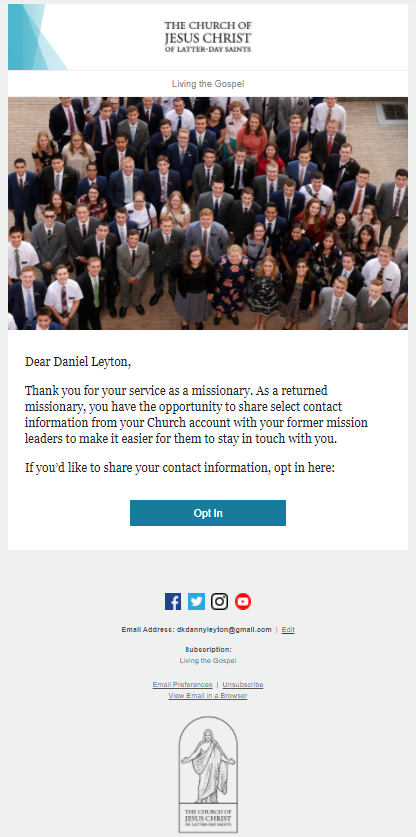
I received an email today that looked like a phishing attempt as well. But it has to do with giving information so my mission president could keep in touch with me. But it has been a couple of decades since I served a mission so it seemed very suspicious. I didn't click the link because I didn't trust it. Does anyone know of a better way to report something like this other than forums to get the word out if it is legitimate or not? I fear there are many people that could fall prey to this if it is not from the church. The email looks very good if it is a phishing attempt.

See attached screen snipping to see how the email looks. If this is indeed from the church, I think it would be more secure to simply give directions on how to do this information sharing opt in through the church site.

-Daniel Kelley
phishing email.PNG
phishing email.PNG (305.99 KiB)
Community Moderators
#11
battlestooge wrote: If this is indeed from the church, I think it would be more secure to simply give directions on how to do this information sharing opt in through the church site.
The email is from the church. The ability to stay in touch with your mission president has been the subject of articles in the Church News and at the Church Newsroom.

The function is being rolled out slowly. The email announces that your mission is now going online.
Community Moderators
#12
battlestooge wrote: Wed Dec 15, 2021 10:04 pm I received an email today that looked like a phishing attempt as well. But it has to do with giving information so my mission president could keep in touch with me. But it has been a couple of decades since I served a mission so it seemed very suspicious. I didn't click the link because I didn't trust it. Does anyone know of a better way to report something like this other than forums to get the word out if it is legitimate or not? I fear there are many people that could fall prey to this if it is not from the church. The email looks very good if it is a phishing attempt.

See attached screen snipping to see how the email looks. If this is indeed from the church, I think it would be more secure to simply give directions on how to do this information sharing opt in through the church site.

-Daniel Kelley
Here's how you can opt in on the Church website without clicking the link in the email:
1. Sign in to Account.ChurchofJesusChrist.org.
2. Under Contact Settings, click "Former Mission Leader."
3. Click the checkmarks next to mission leaders you want to allow to see your contact information.

Opting in can also be done in the latest version of the Member Tools app. Here's a recent Newsroom article about it:
https://newsroom.churchofjesuschrist.org/article/former-missionaries-can-choose-to-share-contact-information-with-mission-leaders-in-member-tools
Samuel Bradshaw • If you desire to serve God, you are called to the work.
Senior Member
#13
sbradshaw wrote: Thu Dec 16, 2021 9:54 amOpting in can also be done in the latest version of the Member Tools app. Here's a recent Newsroom article about it:
https://newsroom.churchofjesuschrist.org/article/former-missionaries-can-choose-to-share-contact-information-with-mission-leaders-in-member-tools
I couldn't find the option in Member Tools (version 4.5.1 on Android). The caption in the article you referenced, under the image of the phone showing the "What's New" screen, says "Returned missionaries who served since 2000 now have the option of sharing their contact information with former mission leaders in the Member Tools app.". My missionary service was prior to that date. Perhaps that's why the option is missing, although I would expect it to show, maybe grayed out. Given this caption though, it's interesting that the example shown in the image, is for a missionary who served 1979-1981.
Senior Member
#14
danpass wrote: Fri Dec 17, 2021 3:19 pm
sbradshaw wrote: Thu Dec 16, 2021 9:54 amOpting in can also be done in the latest version of the Member Tools app. Here's a recent Newsroom article about it:
https://newsroom.churchofjesuschrist.org/article/former-missionaries-can-choose-to-share-contact-information-with-mission-leaders-in-member-tools
I couldn't find the option in Member Tools (version 4.5.1 on Android). The caption in the article you referenced, under the image of the phone showing the "What's New" screen, says "Returned missionaries who served since 2000 now have the option of sharing their contact information with former mission leaders in the Member Tools app.". My missionary service was prior to that date. Perhaps that's why the option is missing, although I would expect it to show, maybe grayed out. Given this caption though, it's interesting that the example shown in the image, is for a missionary who served 1979-1981.
The FAQ linked in the article says:
This option to share contact information with former mission leaders will be released in phases over time. The first phase will include missionaries who served from 2000 to the present. Additional phases for missionaries who served before 2000 will be released later. You will receive a notification when your mission is added to the database.

So that probably explains why I'm not seeing the option in Tools or the website.
New Member
#15
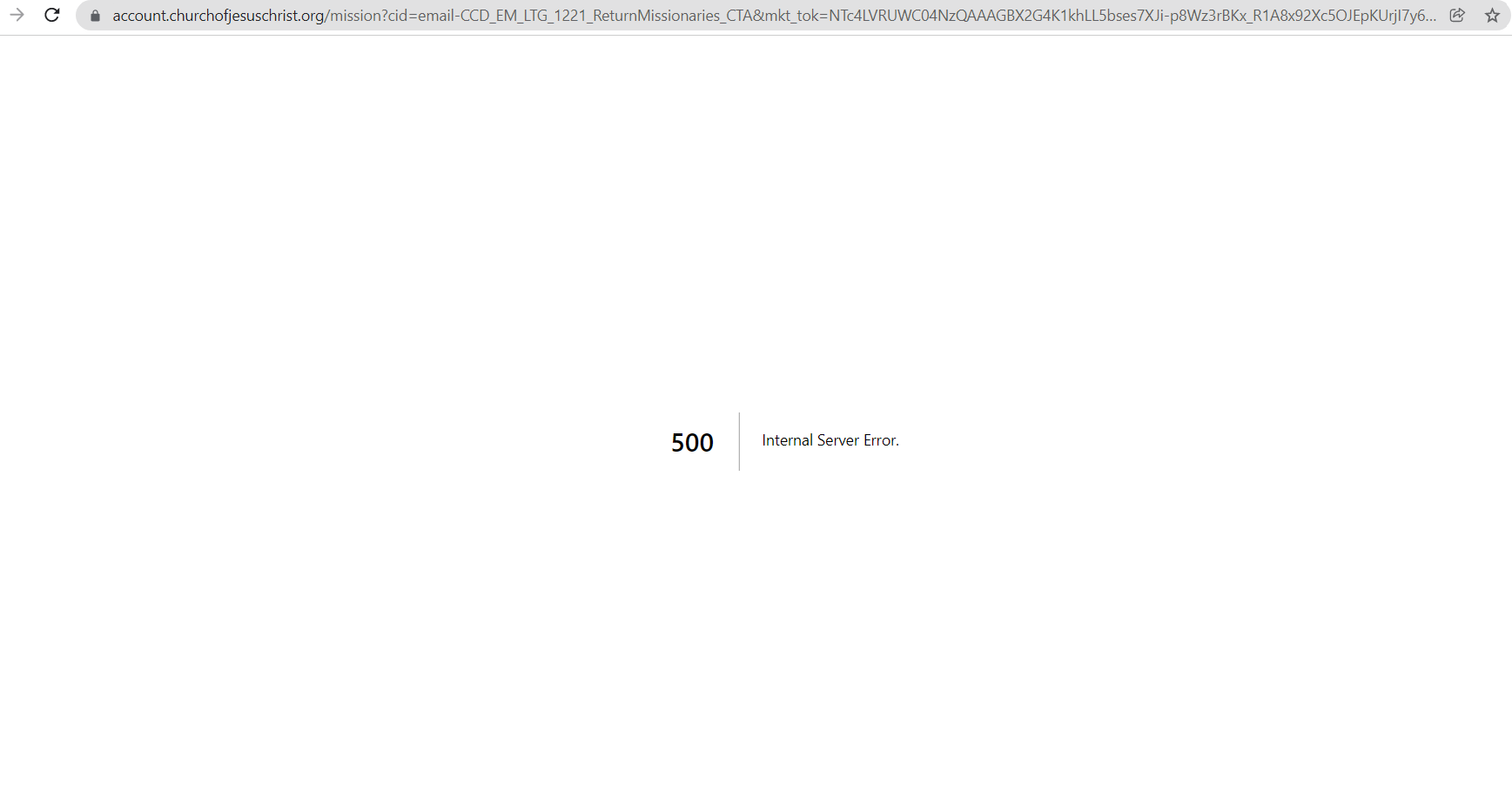
I tried to opt in and got a "500: Internal Server Error", see attached. This happened both when I clicked the email link and when I navigated there manually in my Contact settings when I was logged onto the website. Anybody able to help with this?

Thanks,
Screenshot 2021-12-17 203946.png
Screenshot 2021-12-17 203946.png (26.59 KiB)