Cannot schedule temple appointments

13 postsstarted by areemm 8,066 viewsoriginal topic

New Member
#1
I was trying to schedule a temple appointment, but when I click the Appointments link, I get the "Page not found" message. I also can't search on the website.
Community Moderators
#2
There's a chance clearing your browser cache and deleting relevant cookies might solve the problem. If not, please use the Feedback button/link to report the problem to official channels.
Senior Member
#3
When I have seen this, I have found that incognito or private mode usually works as well.
Church Employee
#4
I got that error yesterday and by clearing my cookies it did solve this issue.
New Member
#5
I had the error "Page Not Found" when going to schedule appointments, as soon as I switched browsers everything worked as designed so I cleared cache and cookies on the browser I was originally using and just like that the page loaded, I was able to enter credentials and schedule appointments once again.
New Member
#6
There are multiple backend bugs at play here.

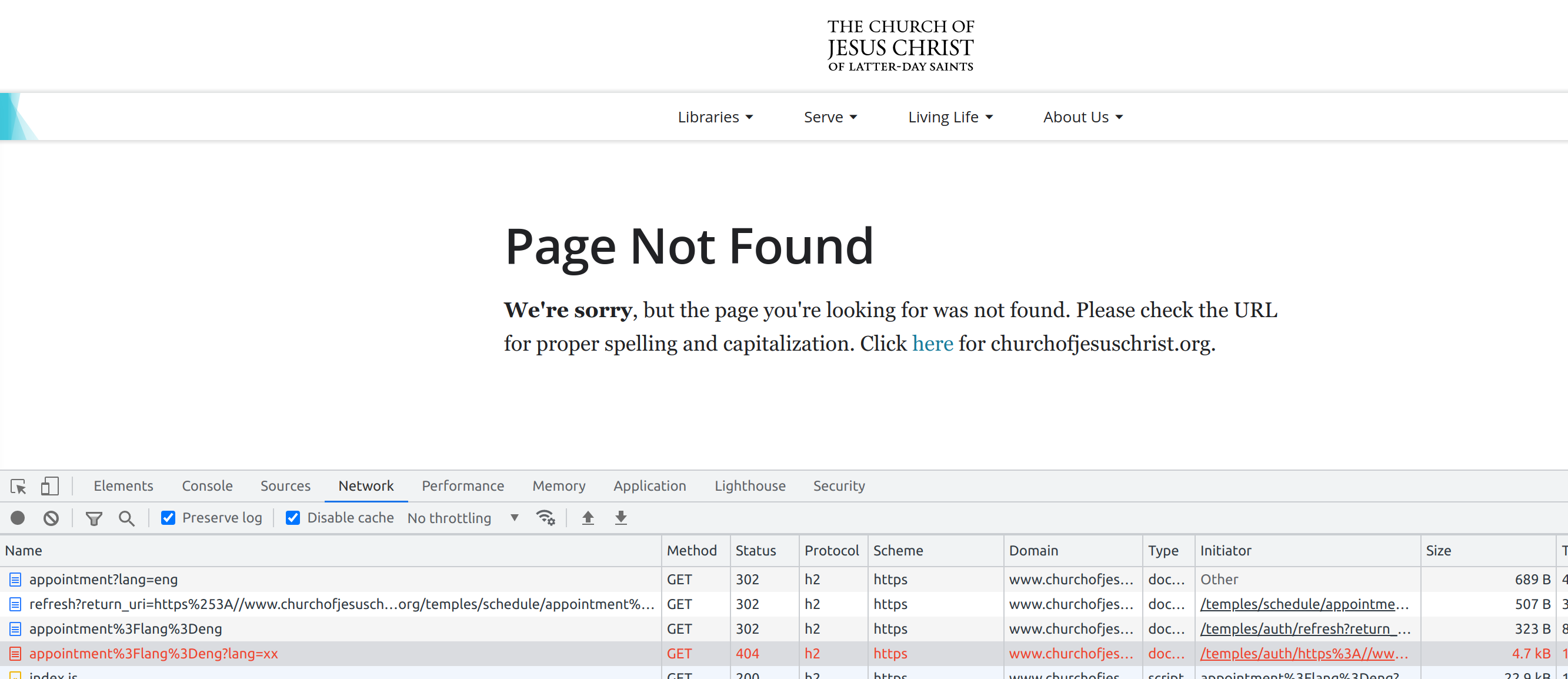
BUG 1: First a faulty redirect chain:
Screenshot from 2021-10-27 22-27-39.png
(227.7 KiB) Not downloaded yet
The initial request to:

Code:

https://www.churchofjesuschrist.org/temples/schedule/appointment?lang=eng
gets redirected to:

Code:

https://www.churchofjesuschrist.org/temples/auth/refresh?return_uri=https%253A//www.churchofjesuschrist.org/temples/schedule/appointment%253Flang%253Deng
The `return_uri` parameter is URL-encoded twice instead of once.

This page redirects to:

Code:

https%3A//www.churchofjesuschrist.org/temples/schedule/appointment%3Flang%3Deng
So the backend read the "return_uri" parameter but only URL-decoded it once instead of twice. Which, of course, is a malformed URL. The browser treats this as a path component which it appends to the current page instead of an absolute, fully-qualified URL, resulting in a load of:

Code:

https://www.churchofjesuschrist.org/temples/auth/https%3A//www.churchofjesuschrist.org/temples/schedule/appointment%3Flang%3Deng
Which is clearly a mistake. This is where things get even weirder. The Church's site responds to this with yet another redirect, but this time to:

Code:

/temples/auth/https%3A/www.churchofjesuschrist.org/temples/schedule/appointment%3Flang%3Deng?lang=xx
which is a path-absolute location, but also clearly an invalid one. (Also the "lang" parameter got corrupted.)

The browser then applies that path to the current scheme and host, resulting in a final load of:

Code:

https://www.churchofjesuschrist.org/temples/auth/https%3A/www.churchofjesuschrist.org/temples/schedule/appointment%3Flang%3Deng?lang=xx
which of course is 404 not found.

BUG 2: The cookies! Oh the cookies. The Church's site is clearly doing some bad bookkeeping, as opening a private/incognito tab, or using a different browser, or clearing the cookies, all work to avoid the bad redirects.

The cookies are almost 5 KB in size, so there's plenty to go wrong here.

The Church will have to fix their cookie handling, and also their URL encoding/decoding.

It's fine though, in the meantime we can all use incognito tabs to schedule appointments to worship and serve.
Community Moderators
#7
meganlaub wrote: Sun Dec 05, 2021 1:41 am I have tried privacy mode, clearing cache and cookies, a different browser, and a different device, and I am getting a redirect page on my temple appointments page. The page just keeps loading forever then goes to a blank white screen and never seems to load.
The URL to which you are redirected might be of some use in case this thread catches the eye of a Church employee who happens to know somebody in the right group.

Please use the 'Feedback' button or link to report the problem through official channels. Make sure to state that you have already tried clearing cache and cookies. Ask for a response. If you don't get a response, ask your ward clerk how to contact the Global Services Department to see if they might have a solution.

For the immediate purpose of scheduling an appointment, do the temples support making appointments by calling the temple on the phone? Or, is it entirely online?
New Member
#8
Sadly, after the same issue on my end and incognito, multiple browsers, ad nauseum I finally called the temple who informed me that online scheduling is the ONLY option. Maybe get the bugs worked out before eliminating alternatives?
Senior Member
#9
Sadly, after the same issue on my end and incognito, multiple browsers, ad nauseum.....
Just to confirm, if you go directly to the Temple Online Scheduling webpage
https://www.churchofjesuschrist.org/tem ... ppointment
This results in a "Page Not Found" error message for you?
New Member
#10
Why is the Saint George temple not available for scheduled appointments on tools?
Senior Member
#11
joycehouskeeper wrote: Thu Dec 21, 2023 4:01 am Why is the Saint George temple not available for scheduled appointments on tools?
I believe you must schedule all temples via the church web site. On my Tools (android) there is a note stating (in effect) that you must schedule online and clicking on that note opens the browser ready for you to log in with your church account.
New Member
#12
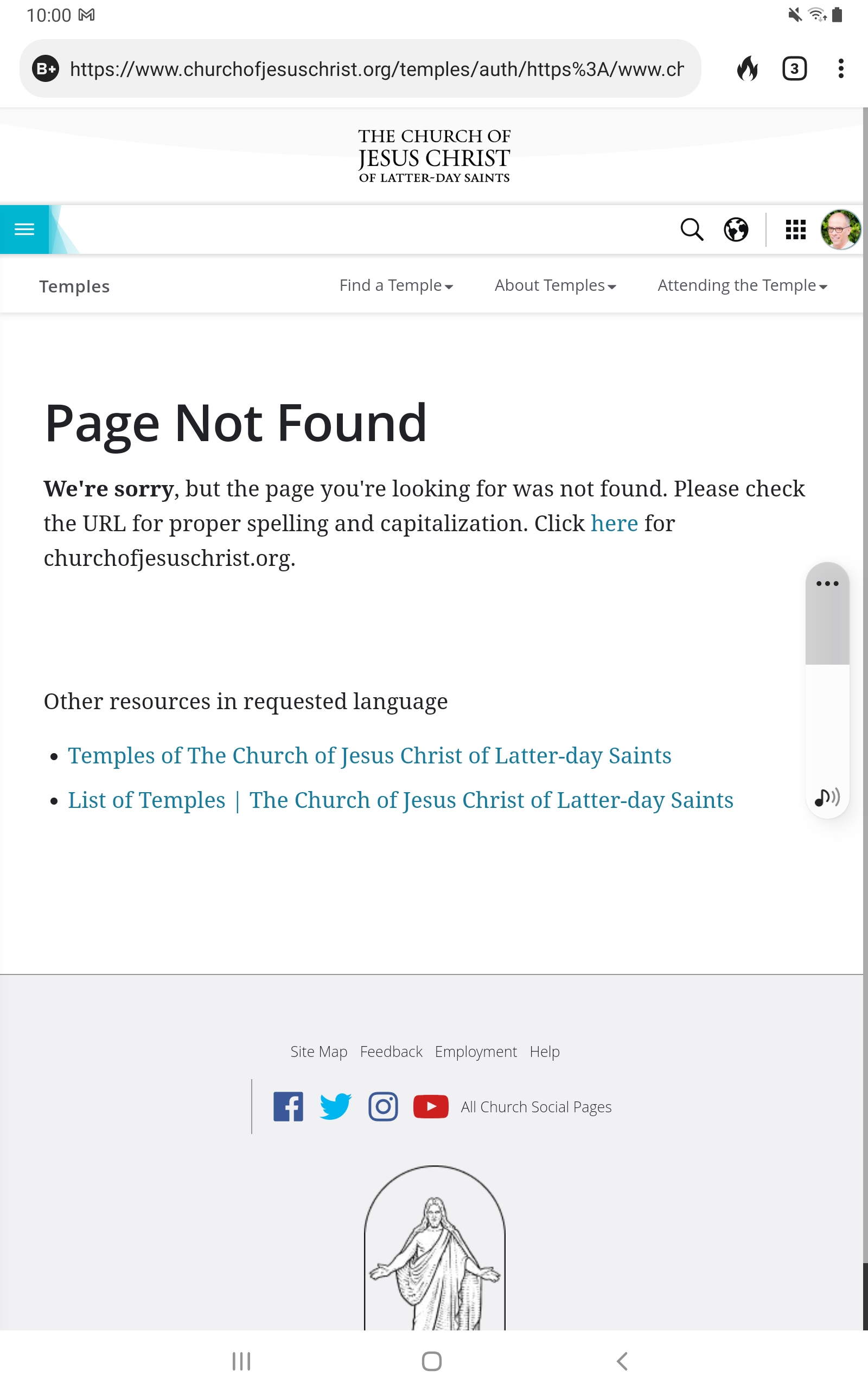
I need helpments link on myontact resetting my temple appointments option jt says there is an error and to contact the global desk.
Community Moderators
#13
victoriataito wrote: Sun Sep 22, 2024 10:02 pm I need helpments link on myontact resetting my temple appointments option jt says there is an error and to contact the global desk.
If the page says to contact the Global Services Department, please ask your ward clerk for the phone number.