New Member
When using the Gospel Library on my PC, I can't add a tag. When I click on 'add tag' nothing happens.
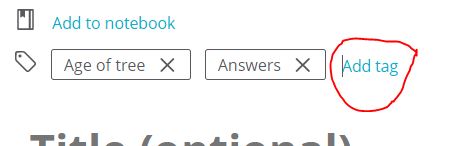
- Capture.JPG (16.49 KiB) Viewed 5347 times


The iPhone 6s was released in 2015, so it's starting to get older, but it can be updated to iOS 15. The current version of iOS Gospel Library, 6.5.4, supports iOS 15 or newer. So the latest version of Gospel Library should be able to run on your device. What version of iOS and Gospel Library do you have installed? You can check your Gospel Library version under Gospel Library Settings > App Details.r053mar13 wrote: Sat May 20, 2023 4:28 pm That solution worked for awhile, but the tags are not working for me. When I try to tag, my phone jumps out of the app. I have an iPhone 6s—is it not being able to accommodate the last update?
I am hoping I will be able to tag again because it is a cool way to categorize my highlights. : )
 Looks like I will probably have this dilemma ‘til I get a new phone

