New Member
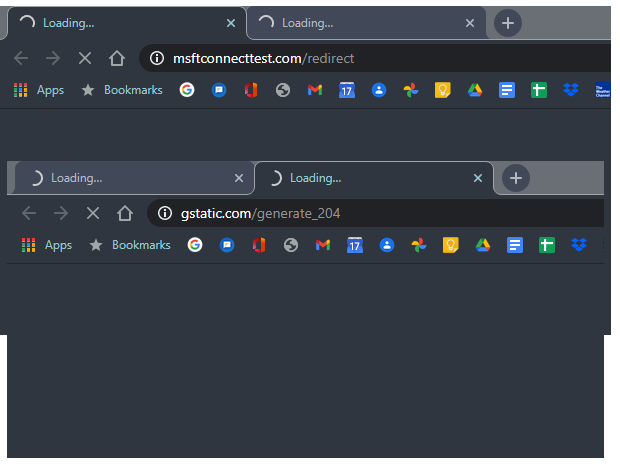
I've been having trouble connecting to Liahona almost from the beginning. When connecting, the page where you would click 'Accept' to continue to the internet never comes up. A couple of pages are spawned automatically in my browser (chrome) like it's trying to find the acceptance page, but they just show the spinning wheel forever, never resolving. What I have found can get past this is to get it in this state and then connect to my cell phone as a hotspot. Usually, (not every time) this allows the acceptance page(s) (sometimes there ends up two of them) to resolve so I can click the acceptance button. once this is done I can reconnect to Liahona and now use it.
I've been using this process for months now, but it's getting annoying that I have to do a 10 minute dance to connect to the Wifi every week before I can get the Zoom meeting going. I have to do this process with either of the laptops that I typically bring to church. One is my work laptop that could easily have security software and settings that could be blamed for this, but the other is my own person laptop that has nothing more than an anti virus for security. Both are windows 10 pro, and both are Lenovo ThinkPads, though different series models.
My wife has complained similarly about connecting from her phone (Android, not sure what version), finding that she must turn on the wireless data (she typically keeps it off) before the acceptance page will come up on her phone. I've personally given up connecting to the Liahona network with my phone. It's just too much of a pain to put up with for a phone that has another option.
Does anyone have any ideas what the problem could be? I know it's not the DNS settings in my computers. That is set to obtain automatically through the DHCP service along with the IP addresses. I tend to think it's a problem with the router not letting the request for the acceptance page through. Like I'm stuck behind a wall asking to come in, but I can't ask without being allowed on the other side of the wall.
I've been using this process for months now, but it's getting annoying that I have to do a 10 minute dance to connect to the Wifi every week before I can get the Zoom meeting going. I have to do this process with either of the laptops that I typically bring to church. One is my work laptop that could easily have security software and settings that could be blamed for this, but the other is my own person laptop that has nothing more than an anti virus for security. Both are windows 10 pro, and both are Lenovo ThinkPads, though different series models.
My wife has complained similarly about connecting from her phone (Android, not sure what version), finding that she must turn on the wireless data (she typically keeps it off) before the acceptance page will come up on her phone. I've personally given up connecting to the Liahona network with my phone. It's just too much of a pain to put up with for a phone that has another option.
Does anyone have any ideas what the problem could be? I know it's not the DNS settings in my computers. That is set to obtain automatically through the DHCP service along with the IP addresses. I tend to think it's a problem with the router not letting the request for the acceptance page through. Like I'm stuck behind a wall asking to come in, but I can't ask without being allowed on the other side of the wall.