Member
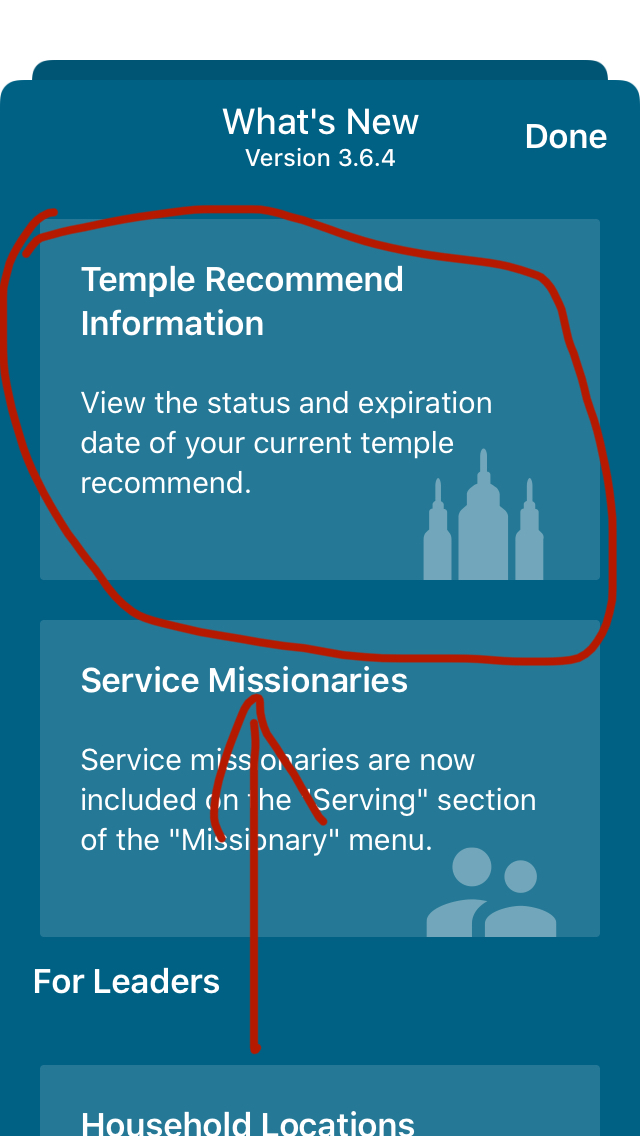
In the Member Tools app, under “What’s New”, it says that members can now view their temple recommend information (see attached screenshot). How do I view the information?
Jeremy 

That is just the settings for the expiration reminder and does not show any recommend information.Biggles wrote:In an iPad More.. Settings Temple Recommend Reminder
Note that you have to be at the "individual" level and not at the "household" level to see that tab.klricks wrote:The recommend information can be found in the [MEMBERSHIP INFORMATION] tab.
You might want to ask the stake clerk to look into it. He is the one who activates the recomend and matches it up to your Membership Record Number. If it hasn't been activated or it was activated under a different MRN that would explain it.jeremynwest wrote:I do not see this. Is there any reason I wouldn’t?
Assuming we're talking about a regular recommend and not the limited ones used for youth, No.jeremynwest wrote:Would it have anything to do with my age?
If your calling permits access then find that in [Reports] --> [Youth Recommend Status]jeremynwest wrote:Is there someone who knows if the Limited Use ones show up?
He's asking about seeing his own status in Member Tools.klricks wrote:If your calling permits access then find that in [Reports] --> [Youth Recommend Status]jeremynwest wrote:Is there someone who knows if the Limited Use ones show up?

The only time a temple uses a code or a number is when they scan your paper recommend as you enter the temple. If you do not have your actual recommend with you, the temple recorder will use your name, ward, and stake information to determine if you have a current recommend, or he will contact your bishop.agvregalado wrote: Sat Feb 18, 2023 8:01 pm Member tools app . . . does not have the bar code or temple recommend number. We need it whenever we visit a temple.
Your temple recommend is a physical paper document that you carry with you and present at the recommend desk when you enter a temple. Unless you are participating in a pilot program, you will not see your actual temple recommend in Member Tools.
First, go to the settings of member's app and the turn on the "Show Temple Recommend Status(or something)" then update or restart the app, and go to your membership information section in your profilemrnonaustralianguy wrote: Tue Apr 28, 2020 12:39 pm I’m still not seeing it. Where in More is the information?
Is it digital or paper?