LDS tools does not Sync in my new Android phone

44 postsstarted by PAJ1979 14,901 viewsoriginal topic

New Member
#1
Hello there,
I purchased a new Android phone because my old one system was old to install the LDS tools app. I got this new Android Galaxy J7 Star, Android Vesion 8.0.0 and was able to install the app, changed my user name and password, removed and re-installed LSD tools, but still it will not sync. once it gets to the end says some of these three messages:
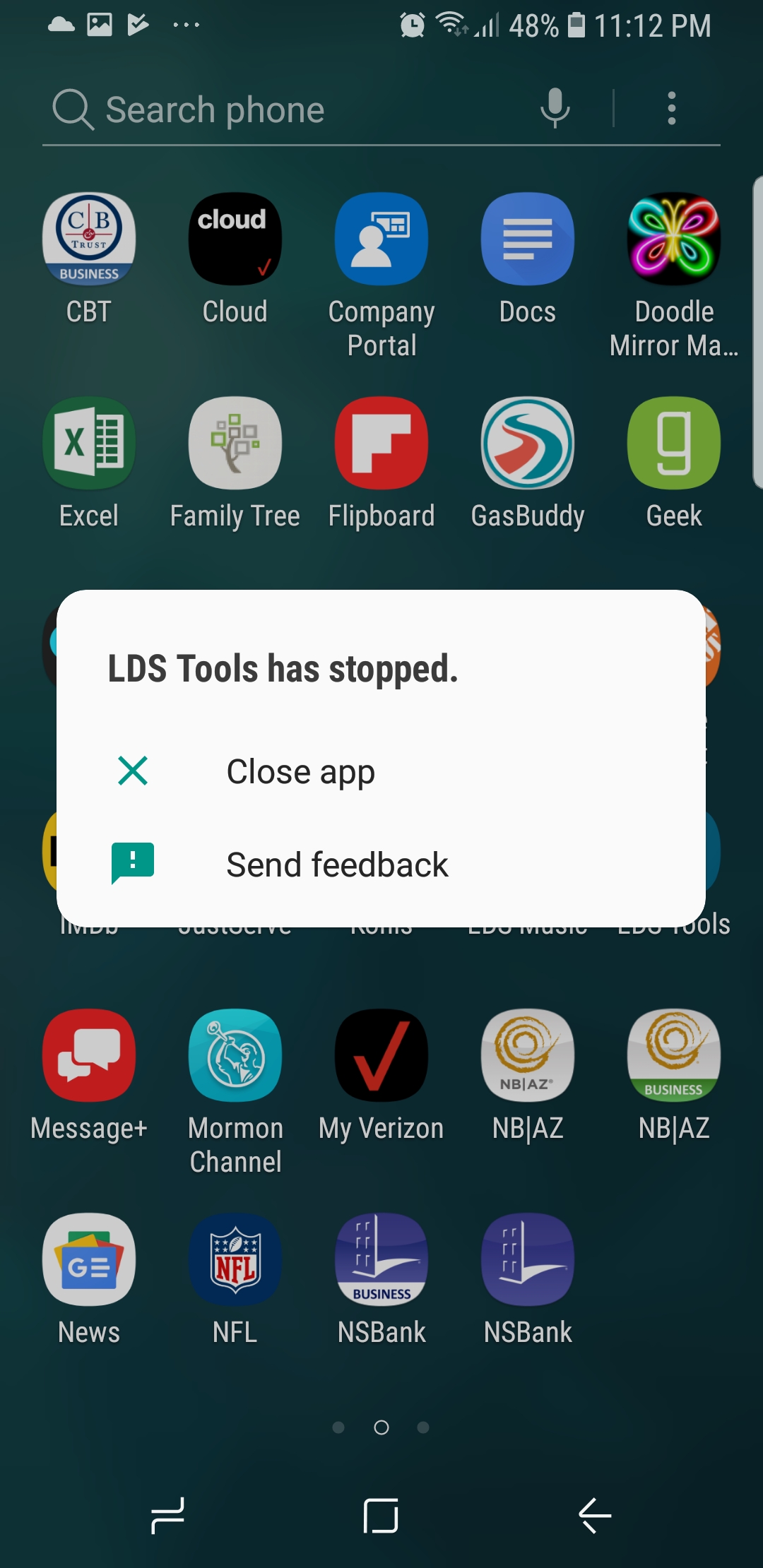
1. LDS tools has stopped, open app again.
2. LDS Tools stopped close the app.
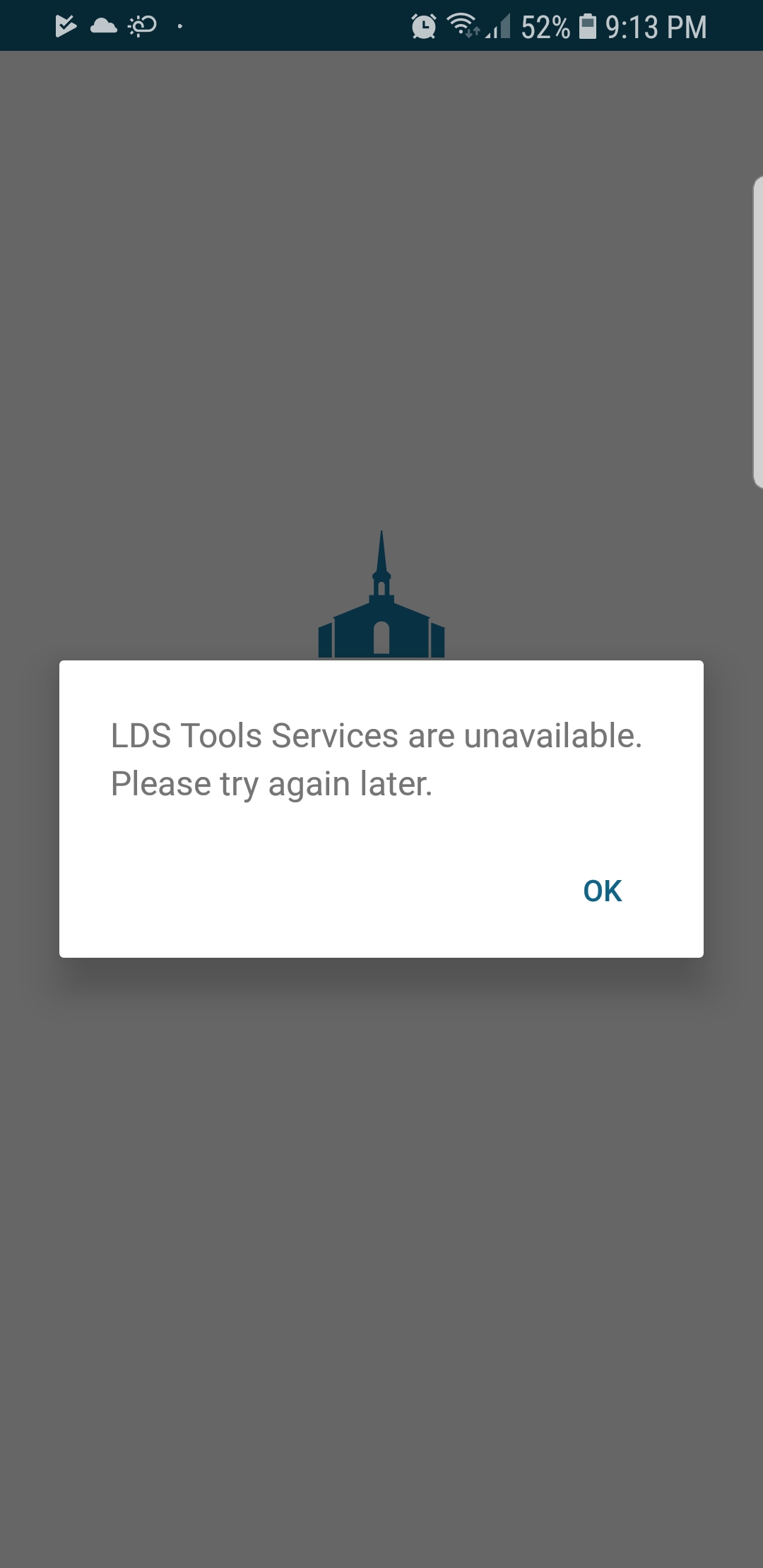
3. LDS tools Services are unavailable, please try again later.

I am able to login to LSD.org and other accounts (Familysearch, Gospel Library)

Let me know if you can help me on this regard,

Thanks,

Paul Ross
User Name: paj1979
New Member
#2
I have the same problem. Same phone & Operating System. My phone has worked for over a year though and just stopped about a week ago. I can log into Gospel Library but not LDS Tools. Very frustrating. Can't anyone help us out?
New Member
#3
I have been ablessed to use less tools on my phone bit now it won't sync and I get the message that it has stopped working. I have unistalled and installed again. Took my phone to verizon store and they said it was a problem with the app. Email deeanneward@yahoo.com thanks
New Member
#4
I have the same problem. I haven't been able to sync my LDS Tools for a week or so. I have a Samsung S9 running Android 8.0. I encounter one of two experiences:

Experience #1

During the sync process I encounter the follow message:

LDS Tools has Stopped Working
LDS Tools has Stopped.jpg
LDS Tools has Stopped Working
(487.68 KiB) Not downloaded yet
Experience #2

During the sync process I encounter the follow message:

LDS Tools Services is Unavailable
LDS Tools Services is Unavailable.jpg
LDS Tools Services is Unavaliable
(99.82 KiB) Not downloaded yet
Michael Taft
New Member
#5
I'm the ward clerk in the PG 9th Ward and last Sunday when I tried to sync LDS Tools on my Nexus 5X, it wouldn't sync. I tried again yesterday and same result. Just now I tried again and keep getting the message LDS Tools has stopped. So I uninstalled LDS Tools and reinstalled it. Now when I try to sync to get info into the reinstalled version, I get the message "LDS Tools Services are unavailable. Please try again later." So now I have no access to LDS Tools at all. I hope this problem can be solved soon, hopefully before next Sunday!
Church Employee
#6
jfcannon wrote:I'm the ward clerk in the PG 9th Ward and last Sunday when I tried to sync LDS Tools on my Nexus 5X, it wouldn't sync. I tried again yesterday and same result. Just now I tried again and keep getting the message LDS Tools has stopped. So I uninstalled LDS Tools and reinstalled it. Now when I try to sync to get info into the reinstalled version, I get the message "LDS Tools Services are unavailable. Please try again later." So now I have no access to LDS Tools at all. I hope this problem can be solved soon, hopefully before next Sunday!
Sync services were down on Sunday. Have you tried since Sunday?
Community Moderators
#7
In view of all the commotion, I just tried to sync. My last sync was Feb 3.

I cannot sync. LDS Tools keeps crashing. I tried to send feedback but I am not sure the app worked long enough to get it there.

None of the remedial steps suggested in this and other topics has worked.

New Moto G6 and LDS Tools version 3.5.3 (35339.13)

The app says I just synced, but it did not work.
New Member
#8
scgallafent wrote:
jfcannon wrote:I'm the ward clerk in the PG 9th Ward and last Sunday when I tried to sync LDS Tools on my Nexus 5X, it wouldn't sync. I tried again yesterday and same result. Just now I tried again and keep getting the message LDS Tools has stopped. So I uninstalled LDS Tools and reinstalled it. Now when I try to sync to get info into the reinstalled version, I get the message "LDS Tools Services are unavailable. Please try again later." So now I have no access to LDS Tools at all. I hope this problem can be solved soon, hopefully before next Sunday!
Sync services were down on Sunday. Have you tried since Sunday?
Yes, as I said in my original post, I tried "yesterday" (that would be Monday) and "just now" (that would be Tuesday, Feb 12). And I just now (9:40 p.m., Tues, Feb 12) tried again and the sync bar gets almost to the end and then I get the "LDS Tools keeps stopping" message. I weep with frustration!
Church Employee
#9
jfcannon wrote:
scgallafent wrote:
jfcannon wrote:I'm the ward clerk in the PG 9th Ward and last Sunday when I tried to sync LDS Tools on my Nexus 5X, it wouldn't sync. I tried again yesterday and same result. Just now I tried again and keep getting the message LDS Tools has stopped. So I uninstalled LDS Tools and reinstalled it. Now when I try to sync to get info into the reinstalled version, I get the message "LDS Tools Services are unavailable. Please try again later." So now I have no access to LDS Tools at all. I hope this problem can be solved soon, hopefully before next Sunday!
Sync services were down on Sunday. Have you tried since Sunday?
Yes, as I said in my original post, I tried "yesterday" (that would be Monday) and "just now" (that would be Tuesday, Feb 12). And I just now (9:40 p.m., Tues, Feb 12) tried again and the sync bar gets almost to the end and then I get the "LDS Tools keeps stopping" message. I weep with frustration!
Missed that.
Church Employee
#10
Edited 1 time, last by jonesrk on . Reason: Add phone details
jfcannon wrote:Yes, as I said in my original post, I tried "yesterday" (that would be Monday) and "just now" (that would be Tuesday, Feb 12). And I just now (9:40 p.m., Tues, Feb 12) tried again and the sync bar gets almost to the end and then I get the "LDS Tools keeps stopping" message. I weep with frustration!
I was able to sync successfully, Tuesday, Feb 12 4:06 PM (Mountain Time). But as I was checking on things I realized that I'm on version 3.6.0 (1000011.4) BETA LG G6 Phone. I wonder if something changed in the sync backend services for the beta and if it is causing issues for the non-beta version. It could also be something specific to one of the units in your stake, but it would have to be somewhat common as there are multiple people having issues.
Community Administrator
#11
jonesrk wrote:I wonder if something changed in the sync backend services for the beta and if it is causing issues for the non-beta version. It could also be something specific to one of the units in your stake, but it would have to be somewhat common as there are multiple people having issues.
This post suggests the issue is with membership information as his wife is able to sync on his phone when his login can't.
Have you searched the Help Center? Try doing a Google search and adding "site:churchofjesuschrist.org/help" to the search criteria.

So we can better help you, please edit your Profile to include your general location.
Church Employee
#12
russellhltn wrote:
jonesrk wrote:I wonder if something changed in the sync backend services for the beta and if it is causing issues for the non-beta version. It could also be something specific to one of the units in your stake, but it would have to be somewhat common as there are multiple people having issues.
This post suggests the issue is with membership information as his wife is able to sync on his phone when his login can't.
Yes, but those that are having issues have leadership callings that give them the extra reports and data. I have that as well.
Community Administrator
#13
jonesrk wrote:
russellhltn wrote: This post suggests the issue is with membership information as his wife is able to sync on his phone when his login can't.
Yes, but those that are having issues have leadership callings that give them the extra reports and data. I have that as well.
Right. But you're on 3.6.

So, it's looking like an issue with 3.5.x and access to extended membership data.
Have you searched the Help Center? Try doing a Google search and adding "site:churchofjesuschrist.org/help" to the search criteria.

So we can better help you, please edit your Profile to include your general location.
New Member
#14
Same exact problems as above. I am using a Samsung S8+, and on Android Version 8.0.0. I have always been able to use it and actually used it on Sunday. I have most access permissions. I know they were doing some sort of construction on the app on Sunday too and think that might have affected it.
Church Employee
#15
jaredtingey wrote:I know they were doing some sort of construction on the app on Sunday too and think that might have affected it.
The work being done on Sunday was not "some sort of construction on the app."
#16
I'm having the same exact problem as above. I've been trying to sign in and sync for two days. I've powered off powered on. Uninstalled multiple times. Reinstalled and it goes through the process of syncing up until about three quarters bar and then says LDS tools is not available. Anybody have a fix?
Community Moderators
#17
forrestjmckinney wrote:Anybody have a fix?
Not yet. The developers have been working all week on the problem and have not yet discovered how to solve the issue. It may well be more than just something in the app code, since the app interfaces with a number of different services.
Community Administrator
#18
forrestjmckinney wrote:Anybody have a fix?
Short of installing the beta version? No. At least, not yet.
Have you searched the Help Center? Try doing a Google search and adding "site:churchofjesuschrist.org/help" to the search criteria.

So we can better help you, please edit your Profile to include your general location.
New Member
#19
I have a Samsung Galaxy S8. I've been using the LDS Tools app since I got the phone at least a year ago. Now I can't sync. I've deleted the app several times and reinstalled and now I can't even log in. Please fix this issue. It's obvious from reading the message boards that many people are facing this issue. Is there a tentative date when we can expect a repair?
Community Administrator
#20
lorenahendricks wrote:I there a tentative date when we can expect a repair?
None has been announced.
Have you searched the Help Center? Try doing a Google search and adding "site:churchofjesuschrist.org/help" to the search criteria.

So we can better help you, please edit your Profile to include your general location.
Community Moderators
#21
I arrived at the required 30-day sync today, and since I cannot sync, I am no longer an LDS Tools user. I also noticed that someone who installed the Beta Android version was not able to sync after the installation, so I guess I will not attempt to do that, either.

Sigh.
Community Administrator
#22
lajackson wrote:I also noticed that someone who installed the Beta Android version was not able to sync after the installation,
I saw that too. I'm not sure if it's the usual Sunday overload or if perhaps the old data from the non-beta has to be cleaned out.
Have you searched the Help Center? Try doing a Google search and adding "site:churchofjesuschrist.org/help" to the search criteria.

So we can better help you, please edit your Profile to include your general location.
New Member
#23
Any update on this issue? I am having the same sync issue on both my phone (Pixel XL with the latest Android OS) and my tablet (Asus running Android 8.0). It has been over a week since I have been able to sync. I have uninstalled/reinstalled, cleared the cache and nothing works. My bishopric all have iPhones and they are all able to sync, so to me this looks like an issue with Androids devices.
Community Moderators
#24
richhansen wrote:Any update on this issue?
Not yet solved. It appears to affect certain leaders using Android devices who have more than usual access to data. Part of the issue is that it appears the problem likely is not with the app itself, but with services that feed LDS Tools. It seems that they have not quite yet made the connection.

Hopefully, fresh minds will return tomorrow after the holiday weekend and they will knock out a fix in no time at all.
Community Administrator
#25
lajackson wrote:Part of the issue is that it appears the problem likely is not with the app itself, but with services that feed LDS Tools. It seems that they have not quite yet made the connection.
I doubt that they're having trouble pinning it down given that it's not intermittent. From what I understand, they changed the back end a bit to accommodate the beta. However, it seems to have broken it for leadership on the current non-beta. The solution might be to rush out the beta. But that involves fixing the known problems and going though Google's procedure before it becomes available in the Play Store. At least that's my guess.
Have you searched the Help Center? Try doing a Google search and adding "site:churchofjesuschrist.org/help" to the search criteria.

So we can better help you, please edit your Profile to include your general location.
Community Moderators
#26
russellhltn wrote:From what I understand, they changed the back end a bit to accommodate the beta. However, it seems to have broken it for leadership on the current non-beta.
I think there were some back-end changes that required updating LDS Tools, they were incorporated into the beta, but then were released before the beta was ready, so the released version had to be updated as well, and someone missed something in the process. I also imagine that there has been consideration of the effort required to fix 3.5.3 versus the effort to release the 3.6 beta. Either takes time.

Or it is quite likely that I am over-thinking and my imagination has run wild. Either way, the wait is interminable for those of us who are affected. I actually had to scrounge up a pencil this week. How bizarre is that? The miracle was that I found the pencil sharpener.
New Member
#27
My wife and I are having the same issues with our Androids-not able to sync or use LDS Tools......nor willn it work on my new Chromebook......
Church Employee
#28
The issue causing this has been identified. The remaining question is how to best resolve it. The issue is caused by a combination of factors in LDS Tools and LCR, so LDS Tools can't be reverted (wouldn't fix the problem), but reverting LCR also causes issues. Forward (getting LDS Tools from beta to release) is one possible scenario.

At this point, you can either sign up for the beta or hang tight for a short time.
New Member
#29
I am seeing a lot of issues but no solutions. It is now 2/19 and I am still getting the stopped app message. Is there something i can do to sync up?
Community Moderators
#30
kylegm wrote:Is there something i can do to sync up?
The only thing you can do to sync at the moment is to switch to the beta version of the app, where the problem has been fixed. The other option is to wait until the beta testing is finished, released to production, and sent to the Play Store. That is not a quick process, unfortunately.
New Member
#31
How do I sync to the beta version?
Community Moderators
#32
casizaharias wrote:How do I sync to the beta version?
You would download the beta version of the app from the Google Play Store by becoming a beta tester.

Before you do that, have you tried signing out of the app and signing back in? Or have you tried deleting the app and installing it again?
New Member
#33
Great. So we all have the same problem. How do we get it fixed? Buy apple phone's? Hello, LDS app techies? We need a fix, not a forum!
New Member
#34
Yes, I've done all of that. Uninstalled, cleared data, cache, cookies, turned phone off. Nothing has worked. It's been days. I looked in the play store...i must be blind. Can't find it.
Community Moderators
#35
Instructions for installing the beta version of LDS Tools may be found in this post.
Community Moderators
#36
davidtiek wrote:We need a fix, not a forum!
1. The developers do not frequent this forum and are not devoting any time or effort to the forum. They are, however, working as quickly as they can to resolve this issue.

2. This forum is a user-to-user forum where those who use the technology help each other out in using the technology that is available to leaders and other members. No one here has anything to do with writing or checking code, or anything else to do with the development of church websites and applications.

Without the Forum, you will be required to rely solely on information from Feedback, either at websites or from in-app email responses, which in my experience has been a very lonely place to be.

With the Forum, you will have a reliable source of information and suggestions from a multitude of users to help you get through the week.

See this post for an outline of what is happening with this problem. If you decide to join the beta, scroll three posts earlier in the same thread for information on how to do so.

Before you join the beta, a few have had success by signing out of the app and signing back in, or by deleting the app and installing it again. But that has not worked for most.

The other option is to wait.
New Member
#37
My phone will not sync as well. Emailed tech services a few days ago and they said there is a problem and have not been able to fix it yet...
New Member
#38
For all those who have been having difficulties syncing -- as of 10:00 pm PST, an updated version of LDS tools for Android has been posted to the Google play store. Looks like it is version 3.54 (100020.1). This updated version , if you update your tablet or phone will work and does sync. It worked for me -- and I am in a leadership position with access to ministering. Thank you tech support for fixing the issue -- and I hope the message gets out that this appears now to be fixed. Good luck to all.
New Member
#39
Mine just worked! Finally!!! :D
New Member
#40
As of a few days ago, LDS tools no longer completes sync on my Android Phone. Therefore, I no longer have access. System is Android 8.1.0. Hardware is Blackberry Key2. Any Guidance? MGx
Community Administrator
#41
Make sure you have the most current version. Otherwise, I'd suggest uninstall and remove all data for that app and try again.
Have you searched the Help Center? Try doing a Google search and adding "site:churchofjesuschrist.org/help" to the search criteria.

So we can better help you, please edit your Profile to include your general location.
New Member
#42
I have become so frustrated not being able to get into my LDS Tools account, after using it for over a year! I get the same response "Directory services are unavailable. Please try again later" Well I've been doing that for over 2 months!

What's going on and how do I fix it? Is there a phone number I can call. Ward clerk can't give any suggestions. I have an Android

L. Reef :| :x
Community Administrator
#43
reefl wrote:I have an Android
What version? Anything prior is 5 is unsupported. I'm not sure what the minimum supported version of LDS Tools is, but I'm sure nothing prior to 3.5 is usable. The current version is "Member Tools" 3.6.
Have you searched the Help Center? Try doing a Google search and adding "site:churchofjesuschrist.org/help" to the search criteria.

So we can better help you, please edit your Profile to include your general location.
#44
I can download my members tools put my password in my lds.org does work but it tells me that the directory is unavailable at this time it's been doing that for 3 months now what can I do