Working Demo - Read Along Feature: Highlight Synchronized Text During Audio playback /w variable playback speed

11 postsstarted by Captain.Moroni 9,309 viewsoriginal topic

New Member
#1
:)

How can we make this happen?

Imagine: If the Gospel Library App could highlight synchronized text during Audio Playback, with variable playback speed, and to be able to click on any text to skip forward or backward, and have it play audio from that spot. The usefulness and benefits of this feature would help so many people in so many ways!

Check out this Demo below:
http://westonruter.github.io/html5-audio-read-along/
*To note the Developer of this example below showcases this feature using scripture from the (Holy Bible, English Standard Version)

Additional information about this demo can be found here: https://github.com/westonruter/html5-audio-read-along

I would love to request this feature and help facilitate it's development. It would be so powerful to have this feature in the Gospel Library App, even for PC or MAC, including this feature in mobile apps would be a plus.

The audio for the Gospel Library is already there and wouldn't be very hard to implement this feature, it would really be a matter of a little scripting.

Keywords: highlight synchronized text during audio playback, media overlay, variable playback speed
New Member
#2
Would anyone else like to see this feature? It'd be great even if we could get it to work online, and even better with LDS Gospel app.
Community Moderators
#3
How did you line the text up with the audio? That seems like it would be the most time-consuming part, especially on a word-by-word level.
Samuel Bradshaw • If you desire to serve God, you are called to the work.
#4
Any kind of read along feature would be very valuable if it could be downloaded for offline use. The option to download the voice files for all chapters at once in any book...i.e. B of Mormon...
New Member
#5
I wanted to refresh this request. I think this feature would be super helpful. To jump to an area you are reading to. It allows a reader to instantly go to a spot and read along with audio. If helpful perhaps we could keep a running list of all the reasons it would be helpful, there are many.

Since my original post variable playback has been implemented which is great! If we could synchronize highlighted text with audio would be fantastic!

I am happy to help with this development, there many other ways/methods to implement this other than the example shown below. The audio can be automatically synced with the highlighted text eliminating manual processes. Please ping me if I and others can help :D

Example - http://westonruter.github.io/html5-audio-read-along/
📎 read along feature 2.png (61.52 KiB)
Senior Member
#6
Captain.Moroni wrote:I wanted to refresh this request.
To whom are you refreshing it to? There is no one on this user-to-user help forum who has the ability to direct the programmer's priorities. There are 2 ways to get your request considered:
1. Provide feedback from any page on the church website
2. Ask your stake president to make a case for this with his coordinating council.

If you use the feedback method, you can paste the url for this thread into the feedback so you won't have to copy large blocks of text (which may not fit the size limitations).
Community Moderators
#7
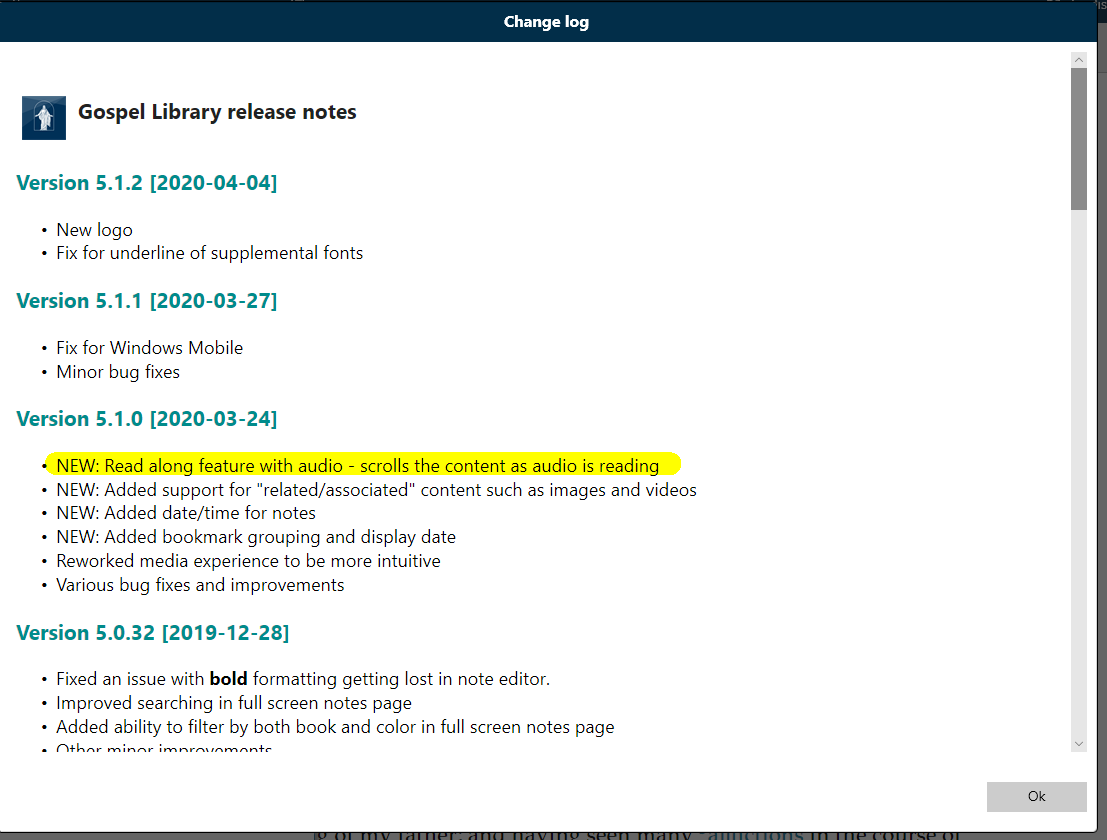
I agree that a read-along feature would be useful; however, the most challenging / time-consuming part of the work would be getting timestamps in the audio files where each word starts. The Gospel Library Windows team is scrolling based on the length of the audio file, which kind of works, but isn't as polished as synchronizing with words would be. The Church publishes thousands of books in around 100 languages in Gospel Library, so an automated way to get timestamps from the audio for each word would be needed.

The best way to suggest features is by sending in-app feedback under Settings – the feedback team prepares a regular report of common feature requests, for the product manager to review.
Samuel Bradshaw • If you desire to serve God, you are called to the work.
New Member
#8
So I'm trying to learn Arabic, and I thought it would be cool if there was a feature like this, showing Arabic words, and I can just follow along in my paper English scriptures, my Dad who served a mission Spanish speaking, said that's the best way to learn, just have English version and the "other" version and read them side by side, anyways I hope the feature is added seems, I see no down side.
Community Administrator
#9
sbradshaw wrote: Mon Apr 20, 2020 1:44 pm I agree that a read-along feature would be useful; however, the most challenging / time-consuming part of the work would be getting timestamps in the audio files where each word starts.
That and the fact that many languages use a different sentence structure. What would be a linear advancement when the language matches the audio file would be jumping around if the languages are different. And many languages are not a word-for-word translation, but may be a different phrase to match the idioms of that language.
Have you searched the Help Center? Try doing a Google search and adding "site:churchofjesuschrist.org/help" to the search criteria.

So we can better help you, please edit your Profile to include your general location.
New Member
#10
For our family, this is more of an accommodation needed for those with neurodiverse learning differences. My son is dyslexic and wants to read the scriptures so bad but audio is best for him. Having the words highlighted as they are read is much easier to follow along and recognize them on the screen. I know it may be challenging, but it is needed for those who just learn differently.
New Member
#11
Thank you so much for posting about this.

I have been working on this and I am very motivated to continue to do so.
I can't say too much more but please be patient and hopeful.