alanmerrill wrote:Someone who has rights?!?! So the church's stand on this is that local yahoos can put whatever they want and say it is a picture of me and there is nothing I can do about it?
You can certainly remove the photo yourself. Go to the lds.org/directory, select My Household on the left hand side, click on the Edit button at the top of the right side, find the photo on the right hand side and click the Remove link below the photo.
alanmerrill wrote:Obviously it is not required to get my concent before posting.
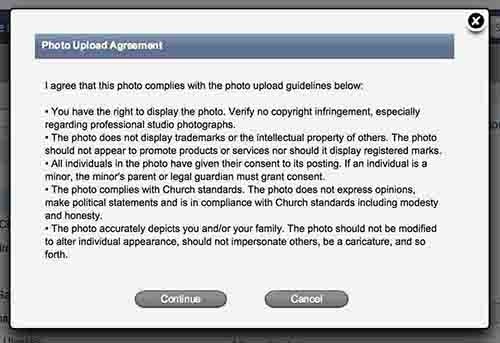
By policy it is required and the Directory does have a (fairly large) section of text that shows up before a picture is uploaded that makes this clear. Unfortunately, people often get used to skipping by this kind of legal looking text. It's hard to protect against that.
However, I'm sure if you let your bishop know your wishes and also that you are dismayed that someone did not follow policy, he will make sure that everyone with admin rights (which isn't a large group) knows both your wishes and the policy.
alanmerrill wrote:Looking through the help, I don't see a privacy setting for nobody.
There are a number of privacy settings but you'll only see them for your own household (using the My Household view mentioned above). Click on the Edit button and you have the following options:
- Set all information about your household so that only leadership can see it (at the very top of the right hand section).
- Set your address, phone number and/or email address as only visible to leadership (below each of those items).
- Set your photo so it can only be seen by leadership (under the photo).
alanmerrill wrote:You would think that if this was a properly designed tool that there would be an option to allow the user to lock his/her items from being edited by others (the admin would then only be able to remove content, but not provide content)
I expect if this kind of thing happened often there would be such an option. But by and large people do follow the rules.