Broken links on lds.org

24 postsstarted by cguzman 4,739 viewsoriginal topic

New Member
#1
Hello, I'm a newly called ward clerk, was called last year but due to medical reasons I've been away from church for a few months. I'm trying to watch the training that I was told to do on the website but the links under record keeping and technology support are not working. I keep getting the error message "page not found" do you know if these are going to be fixed or if the training is available somewhere else? I was able to watch 2 videos under the "getting started tab" but that's it. Thanks for your help in advance.
Community Administrator
#2
What are you clicking on that turn out to be dead links? If it was something sent in a email, they might not be valid anymore.
Have you searched the Help Center? Try doing a Google search and adding "site:churchofjesuschrist.org/help" to the search criteria.

So we can better help you, please edit your Profile to include your general location.
New Member
#3
I'm going to lds.org from my web browser. I sign in and click on resources / Melchizedek priesthood / Record keeping and technology support. Any links under the finance, membership tabs comes up with page not found. I'm attaching pdfs prints of the screens.
Community Administrator
#4
I suspect your calling hasn't recorded correctly. If you've just been set apart this past Sunday, you may need to wait another day or so for the electronic keys to be conferred. I tried a number of links and they worked for me.
Have you searched the Help Center? Try doing a Google search and adding "site:churchofjesuschrist.org/help" to the search criteria.

So we can better help you, please edit your Profile to include your general location.
New Member
#5
OK thanks for your help, I will wait for a couple of days and let the branch president know.
Senior Member
#6

Re: Wireless Survey of church building with Netspot

russellhltn wrote:I suspect your calling hasn't recorded correctly. If you've just been set apart this past Sunday, you may need to wait another day or so for the electronic keys to be conferred. I tried a number of links and they worked for me.
As russellhltn says, but also check that your calling has been entered as a standard calling in MLS. A custom calling of the same name won't give you the necessary permissions to access the online resources that go with that calling!
New Member
#7
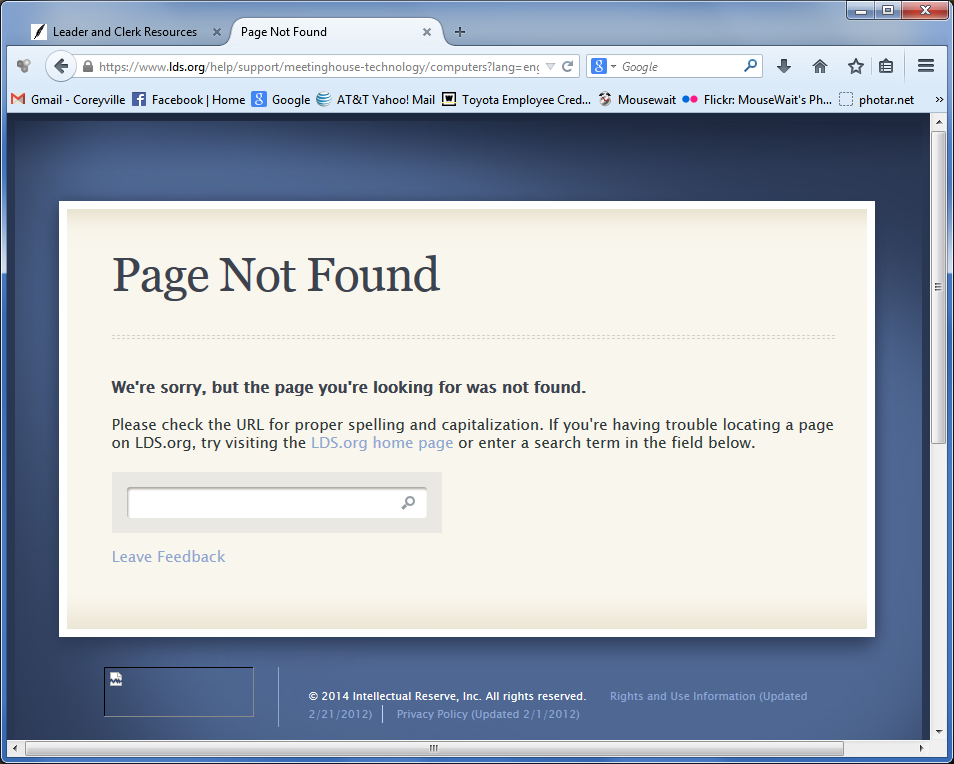
I am getting the same thing. All the links from the Meetinghouse Technology page are broken. And I have been a Technology Specialist for a long, long time. Using both Firefox (31.0) & IE (11). See attached.
๐Ÿ“Ž PageNotFound.png (115.48 KiB)
Community Administrator
#8
coreysprague wrote:I am getting the same thing. All the links from the Meetinghouse Technology page are broken.
I've confirmed with Firefox that every RKATS link is broken (but Chrome and IE don't seem to have any problem). I've passed this on to the person in charge.
Questions that can benefit the larger community should be asked in a public forum, not a private message.
Community Administrator
#9
aebrown wrote:
coreysprague wrote:I am getting the same thing. All the links from the Meetinghouse Technology page are broken.
I've confirmed with Firefox that every RKATS link is broken (but Chrome and IE don't seem to have any problem). I've passed this on to the person in charge.
The person in charge of RKATS said he couldn't duplicated the problem, even with Firefox, so I kept digging to see if I could figure out what was going on.

I noticed that I had a pending Firefox update. When I exited and restarted Firefox, I was upgraded to 31.0. Now all the RKATS links work fine. It doesn't make a lot of sense that links would fail because of a pending browser update, but all I can do is report what I did, and that it is working fine now.

If anyone else is having this problem on Firefox, please check to see if you have a pending upgrade, make the upgrade happen, and then try again (and report back here what you find).
Questions that can benefit the larger community should be asked in a public forum, not a private message.

New Member
#10
I am having the same problem using IE 11.0.9600.17207 and Chrome 36.0.1985.125 and Firefox 31.0. I have been a financial clerk for about 8 months and I have been able to access this before. I had not previously had Firefox installed so I installed version 31.0 and it does not work either. I only get the Page not found error when I am logged in. If I am not logged in it takes me to a page that tells me that I need to login to see all available content.
Community Administrator
#11
hendricksonmd wrote:I am having the same problem using IE 11.0.9600.17207 and Chrome 36.0.1985.125
Odd. I just tested with those exact same versions and it's working for me. Despite my title in the forum, I don't have any extra privileges beyond just a STS in clerksupport.lds.org.

Could this be an issue of how one goes into the area? I used "clerksupport".
Have you searched the Help Center? Try doing a Google search and adding "site:churchofjesuschrist.org/help" to the search criteria.

So we can better help you, please edit your Profile to include your general location.
New Member
#12
Follow up information.

I have now tried this on 4 different computers, all of which had various versions of IE and Chrome. Two of them had Firefox. One of the computers was our meeting house computer. I see the same problem with every browser on all computers. I have even tried it on my Android phone with the same result. I work for the Church in the ICS department. I can help troubleshoot this problem if you would like. (hendricksonmd@ldschurch.org) My Bishop is asking me to do some things that i have never done before, so I need to get into the help pages.
Community Administrator
#13
hendricksonmd wrote:One of the computers was our meeting house computer. ... I work for the Church in the ICS department.
Can you try on while on a network completely outside of church? (Not 10.x.x.x) Because that's what I'm doing and it's working for me.
Have you searched the Help Center? Try doing a Google search and adding "site:churchofjesuschrist.org/help" to the search criteria.

So we can better help you, please edit your Profile to include your general location.
New Member
#14
One of the computers I tried was my home computer which is not connected to the Church network.
Community Administrator
#15
I'm at a loss to explain why it works for me. Since it's not working for you, can you figure out at what point it dies? Bad server name? Bad link?
Have you searched the Help Center? Try doing a Google search and adding "site:churchofjesuschrist.org/help" to the search criteria.

So we can better help you, please edit your Profile to include your general location.
Community Administrator
#16
russellhltn wrote:I'm at a loss to explain why it works for me. Since it's not working for you, can you figure out at what point it dies? Bad server name? Bad link?
I reported here that my issue with Firefox had been resolved by an update. But I tried again this morning and now Firefox is no longer working. But Chrome and IE continued to work. A bit of further investigation showed that my browser theory was incorrect -- the question is whether you are signed in to LDS.org or not. I was signed in on Firefox, and so it failed, but on Chrome and IE I was not signed in, so it worked. So my assumption that the Firefox update made a difference was irrelevant -- my session with LDS.org had just happened to expire.

It's not a matter of following a link within RKATS -- it's the links to the articles themselves that don't work. It's as if the pages don't exist when accessed when you are signed in to LDS.org. But when you are signed out, the pages can be accessed just fine (assuming they are pages visible with no special permissions).

For example, I can go to a page such as Media Players and Displays. I chose that page because it requires no permissions -- it is visible to anyone without being signed in to LDS.org. When I am signed out from LDS.org, I can see that in any browser. But as soon as I sign in, I get a Page Not Found error.
Questions that can benefit the larger community should be asked in a public forum, not a private message.
Community Administrator
#17
russellhltn wrote:
hendricksonmd wrote:I am having the same problem using IE 11.0.9600.17207 and Chrome 36.0.1985.125
Odd. I just tested with those exact same versions and it's working for me. Despite my title in the forum, I don't have any extra privileges beyond just a STS in clerksupport.lds.org.
You didn't mention specifically whether you were signed in to LDS.org or not (although the fact that you just posted to LDSTech would seem to indicate that you were). Could you test that precise case?

For me, it is 100% reproducible. If I am signed out from LDS.org I can see the Media Players and Displays page; if I then sign in to LDS.org, I get Page Not Found when viewing the exact same URL. I sign out, and the page reappears when I refresh. And the same is true for many other RKATS pages (but not all); I'm just using that page as a consistently-reproducible scenario.
russellhltn wrote:Could this be an issue of how one goes into the area? I used "clerksupport".
No. I can go straight to the link https://www.lds.org/help/support/meetin ... s?lang=eng and it fails if I'm signed in to LDS.org, and succeeds if I am not.
Questions that can benefit the larger community should be asked in a public forum, not a private message.
New Member
#18
Yes, I am having the exact same experience. I am using the following link: https://www.lds.org/help/support/applic ... r?lang=eng. If I am not logged in, I can get to the page. If I am logged in I can not. They are the exact same URL. The one that I really want to get to is https://www.lds.org/help/support/financ ... s?lang=eng
If I go to this not logged in I get a page telling me to log in. If I am logged in I get the page not found error.
Community Administrator
#19
Good News! :) :)

The engineers have found and fixed the problem. It turns out that it affected only those with multiple callings, which explains why some people saw the problem, and others didn't.

Once again, the LDSTech community was the first to report a problem, and these reports led directly to the problem being fixed. Thanks to all who participated in this discussion!
Questions that can benefit the larger community should be asked in a public forum, not a private message.
New Member
#20
Yes, I noticed. I tried it again a while ago and it just started working, so I assumed that someone fixed it. Thank you very much.
Senior Member
#21
I just tried the following on a Mac and they all worked:
Opera 18.0
Firefox 30.0
Safari 7.0.5
Chrome 36.0.1985.125
Community Administrator
#22
mevans wrote:I just tried the following on a Mac and they all worked:
Opera 18.0
Firefox 30.0
Safari 7.0.5
Chrome 36.0.1985.125
Thanks for checking. But it was never a problem with any particular browser. The problem only affected people with multiple callings. The browser question only arose because the problem could happen only to people who were signed in to LDS.org, and some of the early testing was done in situations where a person was signed in on one browser but not on another.
Questions that can benefit the larger community should be asked in a public forum, not a private message.
New Member
#23
On this page https://www.churchofjesuschrist.org/stu ... s?lang=eng
The link to the enlarged image is not correct: https://bit.ly/3la0fXc
Community Moderators
#24
schulthiess wrote:On this page https://www.churchofjesuschrist.org/stu ... s?lang=eng
The link to the enlarged image is not correct: https://bit.ly/3la0fXc
Might have been down for a while, but I Just tried with Chrome & Firefox and the link appears to be working fine now.
So we can better help you, please edit your Profile to include your general location.