Adding Administrators on Calendar

17 postsstarted by adamghiz 4,363 viewsoriginal topic

New Member
#1
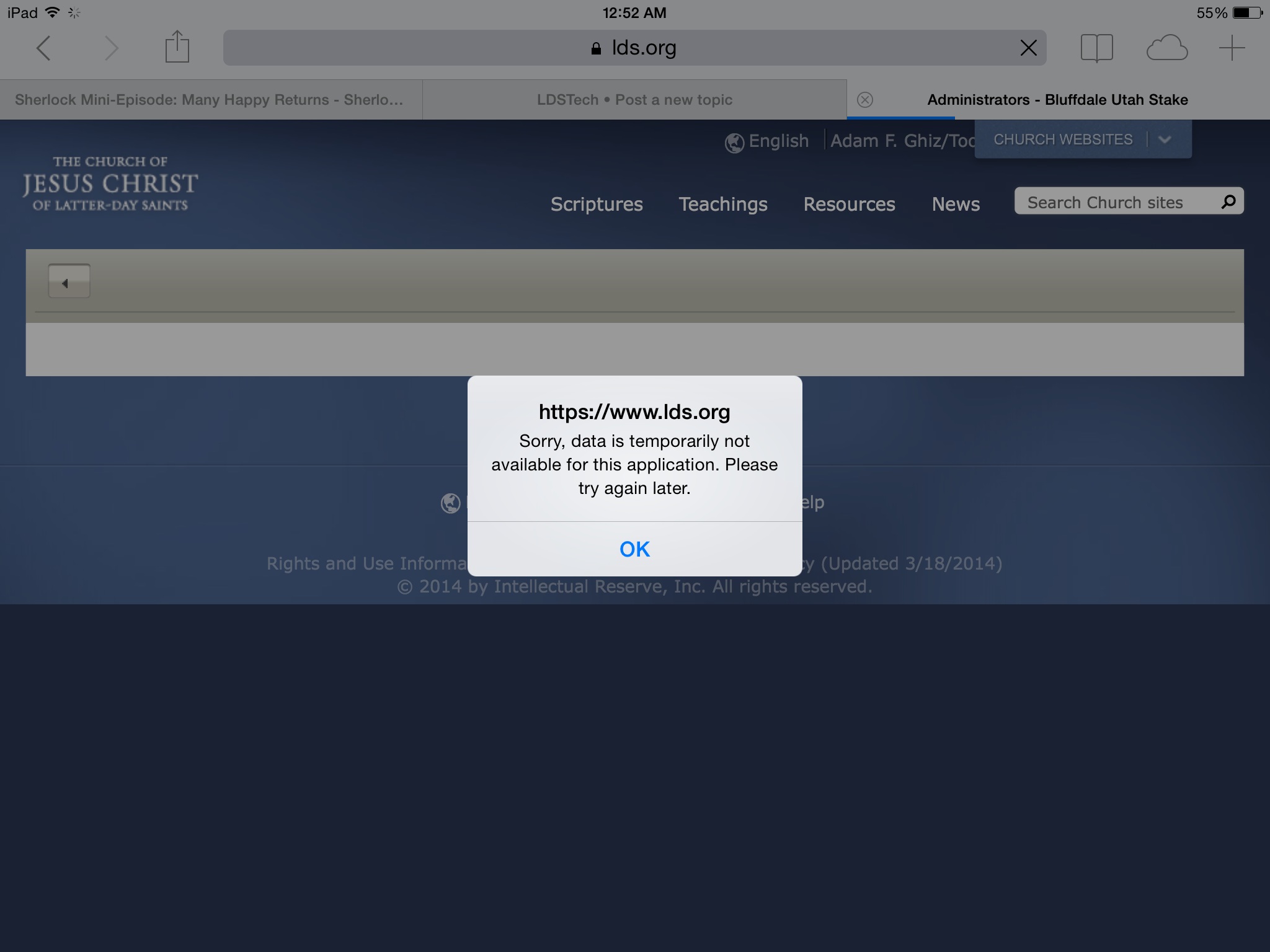
For the past week, when I try to add administrators, a notice pops up that states, "Sorry, data is temporarily not available for this application. Please try again later." I've tried different browsers with the same result. Does anyone have a fix so that I can add administrators?
๐Ÿ“Ž image.jpg (217.58 KiB)
Community Administrator
#2
I have no problems adding an administrator, either by name or calling (I just tried it again, and it worked fine). There was a problem with Removing calendar administrators, but that seems to have been fixed.
Questions that can benefit the larger community should be asked in a public forum, not a private message.
Community Administrator
#3
I notice you're trying to do this from a iPad. I noticed in the other thread about removing administrators, it seem to happen when https://lds.org/header was having problems with 500 errors. Since then I've noticed that one browser in my phone always suffers from 500 errors. You might want to see what "header" does on your iPad. As well as seeing if you have the problem on other machines.
Have you searched the Help Center? Try doing a Google search and adding "site:churchofjesuschrist.org/help" to the search criteria.

So we can better help you, please edit your Profile to include your general location.

New Member
#4
Thanks for the tip. I do have 500 errors on "header." I have now tried it on an ipad, mac, iphone, and PC, all with the same results. I wonder if it is my login for some reason.
Community Administrator
#5
Well, my home machine is doing it now, so "header" must be broken - which apparently breaks the admin functions.
Have you searched the Help Center? Try doing a Google search and adding "site:churchofjesuschrist.org/help" to the search criteria.

So we can better help you, please edit your Profile to include your general location.
Community Administrator
#6
I think header is back up again. You might want to try header, and if it works, try the calendar again.
Have you searched the Help Center? Try doing a Google search and adding "site:churchofjesuschrist.org/help" to the search criteria.

So we can better help you, please edit your Profile to include your general location.
New Member
#7
Thanks for the tip. I just tried it again on mac and pc with no luck. I wonder if my user account has some sort of issue.
Community Administrator
#8
I'm finding the status of "header" is not simple. Currently I'm able to have two isolated instances of IE11 running on the same machine at the same time. In one instance header works, in the other it does not. The only pattern I've noticed to date is that if I attempt to check header in the same instance I've used to access this forum, it fails. (Although trying to duplicate that seems iffy.) If I use a different browser or isolated instance that isn't currently logged in, then it works.

I'd work on getting a browser window to work with header. Then, once successful, try calendar in the same browser instance and see if that works.
Have you searched the Help Center? Try doing a Google search and adding "site:churchofjesuschrist.org/help" to the search criteria.

So we can better help you, please edit your Profile to include your general location.
New Member
#9
Thanks. I'll try this.
Church Employee
#10
I just tried this I think its actually something to do with people added by name sometimes causes a Issue. Looking into it. it is related to the delete problem too i believe.
LDS.org Team
Community Administrator
#11
I think some have reported issues if a "added by name" person moves out of the ward.
Have you searched the Help Center? Try doing a Google search and adding "site:churchofjesuschrist.org/help" to the search criteria.

So we can better help you, please edit your Profile to include your general location.
New Member
#12
Can someone point me to a section in the handbook about WHO should/can have access to be an administrator on calendars?

I'm an STS, so I can administer the STAKE calendar, but in talking with the Bishop of my WARD, he is good letting me admin the Ward Calendar (currently, no one is using/updating the Ward calendar.)

I'd like to read something on the guidelines and best practices for calendar admins.
Desert Breeze Ward | Lakes Stake | Las Vegas, NV | dave@tavres.com | http://www.Tavres.com
Senior Member
#13
I assume you have already reviewed the Help Center articles related to the calendar?
https://www.churchofjesuschrist.org/hel ... t/calendar
Dana Repouille, Plattsmouth, Nebraska
New Member
#14
drepouille wrote:Help Center articles related to the calendar - https://www.churchofjesuschrist.org/hel ... t/calendar
Thank you... I'm new to the Church tech stuff, and there are so many places to search/read, and I had NOT seen page.
Desert Breeze Ward | Lakes Stake | Las Vegas, NV | dave@tavres.com | http://www.Tavres.com
Community Administrator
#15
dtavres wrote:Can someone point me to a section in the handbook about WHO should/can have access to be an administrator on calendars?
Nothing in the handbook beyond the Agent bishop overseeing the building scheduling (translation: he calls a building scheduler, who contrary to past practice can no longer do all the scheduling, but simply oversees the scheduling.)

The Calendar Help page is as close to documentation as you're going to find.

The general idea is each unit, if not each organization, does their own scheduling.
Have you searched the Help Center? Try doing a Google search and adding "site:churchofjesuschrist.org/help" to the search criteria.

So we can better help you, please edit your Profile to include your general location.
New Member
#16
russellhltn wrote:The Calendar Help page is as close to documentation as you're going to find.
Thanks :)
Desert Breeze Ward | Lakes Stake | Las Vegas, NV | dave@tavres.com | http://www.Tavres.com
Church Employee
#17
Admins default to the callings that we think should have that role. You have the flexibility to add more, but remember it has the power to delete calendars. At times we have seen wards with many admins lose their calendars. You shouldn't add Admins as an easy way to add editors. Instead add editors to specific calendars. At the stake level they have even more power and can mess up your locations (buildings) if they don't know what they are doing.