Need Suggestions for mounting webcam at Stake Conference webcast

17 postsstarted by swidmann1 6,763 viewsoriginal topic

New Member
#1
Greetings all-
First, thank you in advance for any comments you may offer.
We will be doing our first stake conference webcast October 16. We will be webcasting to only one Meetinghouse.

Due to a very limited budget and after some discussions with Kurt Olsen (SLC Product Manager) we've decided to not invest in the Osprey card and use only one webcam, Logitech c910 on a laptop (http://www.logitech.com/en-us/webcam-co ... ebcam-c910) along with a Chat50 mic.

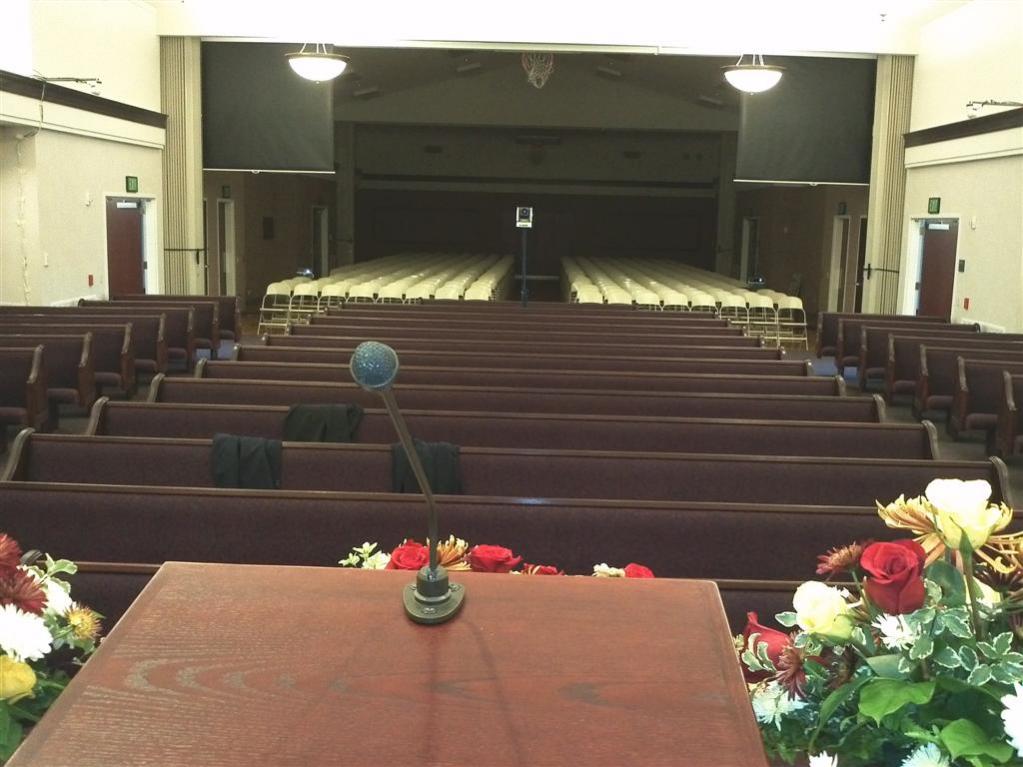
Since it is a webcam, it will need to be placed close to speaker at the podium. In a perfect world I would like to have the webcam directly in front of the speaker.

I'm looking for suggestion on placing the webcam in a stationary position in front of the podium. I can think many ways to do this, unfortunately they include drilling holes in the stand. Obviously that is not an option. If you would, could you please share your thoughts or past experiences on how to do this.

One other note...While the webcam is very, very small, it could be distracting to those who are at stake conference. One solution I came up with would be to place the webcam in front of the podium and elevate it so it would be a little higher than the speaker using some type of boom or jib. (My first life was in TV News). At least that way it would not be in the speakers face. Shooting at a higher angle instead of a lower angle also is more appealing and flattering than shooting from a lower angle.

Thanks again for your comments.

Steve Widmann
Waco Texas Stake
Community Administrator
#2
I agree higher is better then lower. Because of placement, you may have to place it a bit on the side to keep it from being too distracting to the "local" group. But even then, there's a fair amount of distraction present. Your local leaders will have to decide if it's better to find a way to fund what it takes to be less distracting or not.
Have you searched the Help Center? Try doing a Google search and adding "site:churchofjesuschrist.org/help" to the search criteria.

So we can better help you, please edit your Profile to include your general location.
Senior Member
#3
Russ, you are correct, but you don't want to go too high because you will get a top of the head shot instead of a face shot.
Member
#4
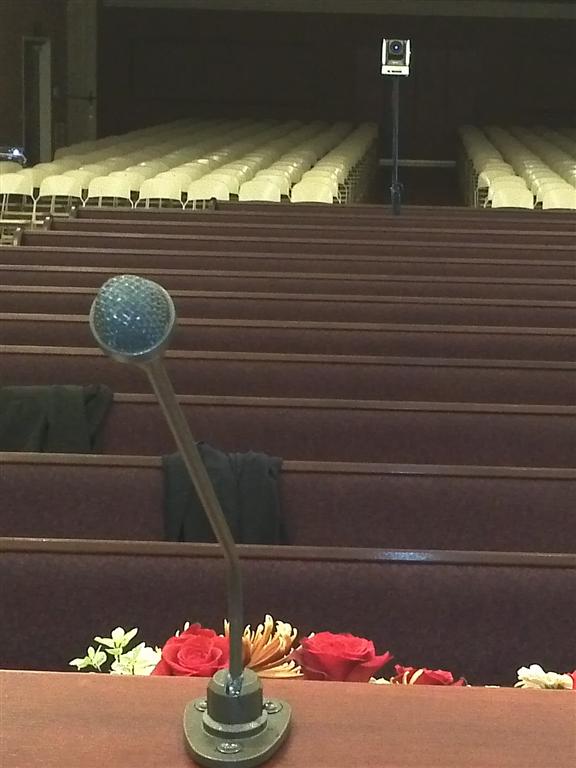
Looking at that webcam, I think I would mount it with black gaffers tape to the corner of the podium top, or 1/4-1/3 of the way op the mike "stalk". That way, the camera isn't in line with the person's face for the local audience, but will still have a good shot.

Aaron Z
#5
swidmann1 wrote:I'm looking for suggestion on placing the webcam in a stationary position in front of the podium. I can think many ways to do this, unfortunately they include drilling holes in the stand. Obviously that is not an option. If you would, could you please share your thoughts or past experiences on how to do this.
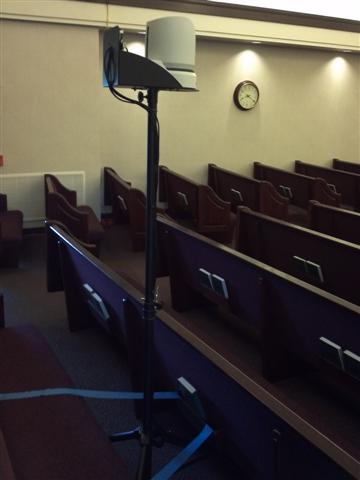
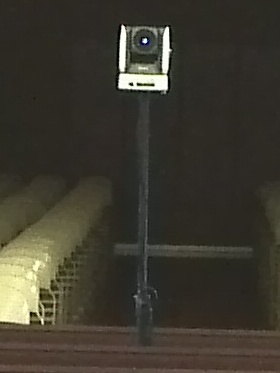
I have mounted cameras on speaker tripods. They are stable, portable, non-obtrusive and inexpensive. They have adjustable heights and the 1" black mast allows everyone to see around it. The camera can be placed slightly above the speaker so that the camera cannot block the view from anyone (unless they stand and are very tall).

The picture here is a large camera; yours will be much smaller, much closer to the podium, and less noticeable. Perhaps you could use a microphone stand (with a boom) and a USB cable from the laptop to the camera.
IMG_20110918_082151 (Large).jpg
(90.56 KiB) Downloaded 191 times
IMG_20110918_082151 (Large) (2).jpg
(50.01 KiB) Downloaded 183 times
IMG_20110918_082151.jpg
IMG_20110918_082151.jpg (31.9 KiB) Viewed 3290 times
IMG_20110918_082020 (Small).jpg
IMG_20110918_082020 (Small).jpg (20.24 KiB) Viewed 3289 times

Hope this helps...
New Member
#6
I like it. We did some tests today at the stake center. The best location for the camera is about 2-3 feet in front of the stand. A boom mic stand would be perfect since the base could be placed next to the speaker behind the stand. The camera only weighs around 5 oz. so most mic stands are overkill. What it really needs is a modified tinker toy stand like this only with a
longer 'boom'
9149E3DE.jpg
9149E3DE.jpg (19.23 KiB) Viewed 3252 times
:confused:
Member
#7
swidmann1 wrote:I like it. We did some tests today at the stake center. The best location for the camera is about 2-3 feet in front of the stand. A boom mic stand would be perfect since the base could be placed next to the speaker behind the stand. The camera only weighs around 5 oz. so most mic stands are overkill. What it really needs is a modified tinker toy stand like this only with a
longer 'boom':confused:
Throw a 20# sandbag on the base of your boom mic stand and gaff a 3' piece of 3/8" round stock (preferably painted flat black) to the boom. Then tape or otherwise fasten the camera to that and you are golden. Just take it down quickly after the session so that nobody walks into it.

Aaron Z
Community Administrator
#8
Aczlan wrote:a 3' piece of 3/8" round stock
Like a wooden dowel you can get at the hardware store? I was thinking the same thing. We used that once when we needed to extend out boom mic for lightweight hanging mics.
Have you searched the Help Center? Try doing a Google search and adding "site:churchofjesuschrist.org/help" to the search criteria.

So we can better help you, please edit your Profile to include your general location.
Community Moderators
#9
Depending on the building, you might be better off by getting your audio directly from the system. This could be done if there is an audio out jack on the podium, if so equipped, or from the tape recorder under the sacrament table. They both should be 1/8 jacks that could then go to your communicator or laptop. This should dramatically reduce room noise. You could also test the assisted listening device in your USA/Canada buildings and try that as your solution. With that, understand that your wire from that device to your laptop acts as the antenna so don't coil that up, stretch it out!
Troy
New Member
#10
Thanks to everyone for sharing suggestions. Looks like I'm going to try the modified mic stand/tinker toy method. I'll be sure to take pictures and post. A week from tomorrow is the big day.

Cheers,
Brother Steve
Member
#11
How did the meeting webcast go? Do you have pics of the setup? I'd love to see them. I'm looking at the different methods to implement, and I think a budget solution deserves a mention.
#12
I have the same question. Our stake purchased a camera, the Sony EVI-D70, and now the Stake President has asked for my opinion on where to mount it. I have seen these type of cameras mounted at the highest part of the chapel, in the center back, (not good, bad angle), and I have seen them mounted at the bottom center of the curtain wall (the curtain that separates the chapel from the overflow). Does anyone have any ideas? It's a newer building so we are set for hard-wired Internet, and will have easy access to the mezzanine, where all the cables are.

Attached is a photo of the mount location at another stake.
SonyPanTilt.jpg
(56.35 KiB) Downloaded 143 times
Any advice on this is appreciated.
Keith
Member
#13
We have one mounted at the top of the wall by the "soffit" above the last row of benches on one side.
See: https://tech.lds.org/forum/showthread.p ... rogressing... for pictures and the reasoning.
It works well. It is low enough to see the projection screen when it is down (without being blocked by a light like a higher mount would be) and low enough that you dont need a ladder to put it up, but it is high enough that you dont have problems people walking in front of it.

Aaron Z
#14
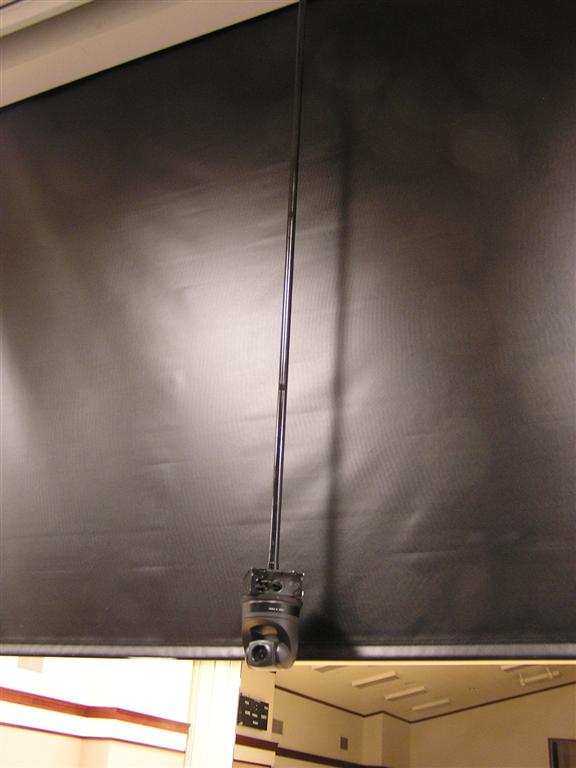
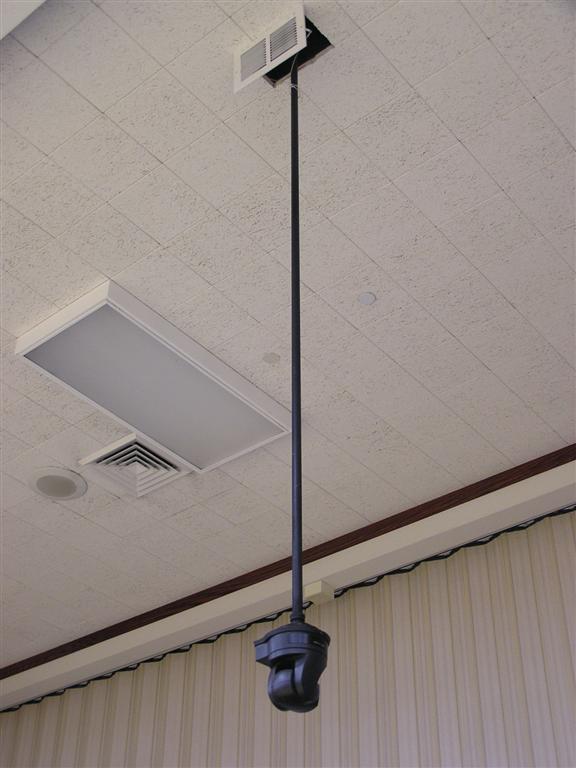
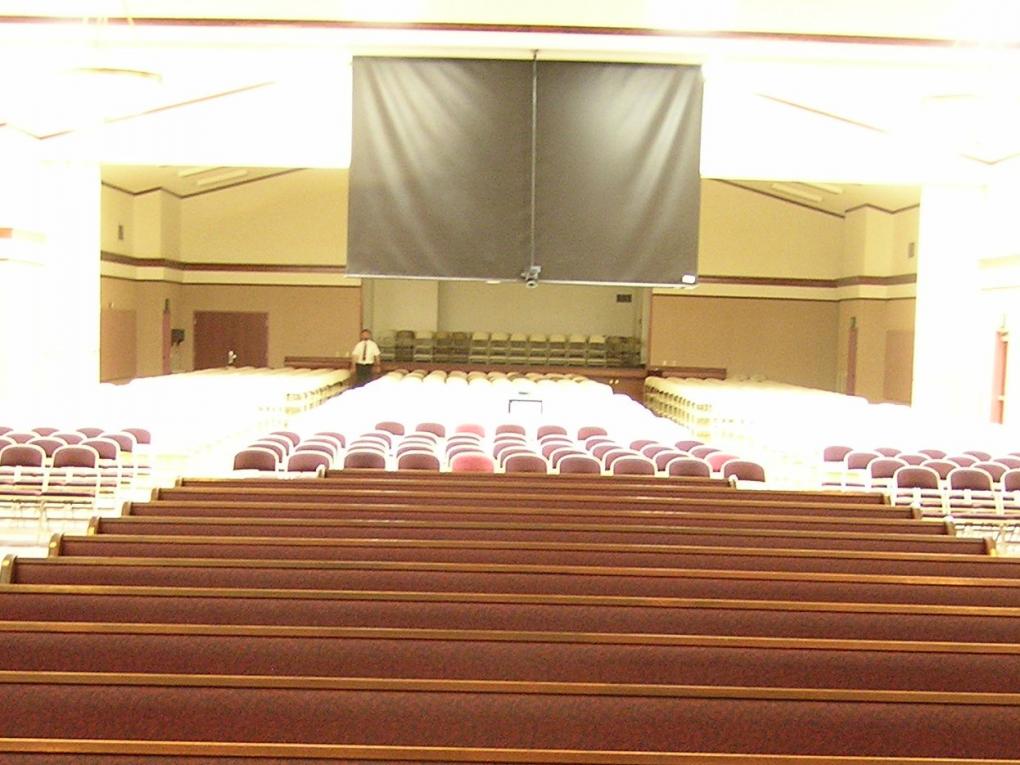
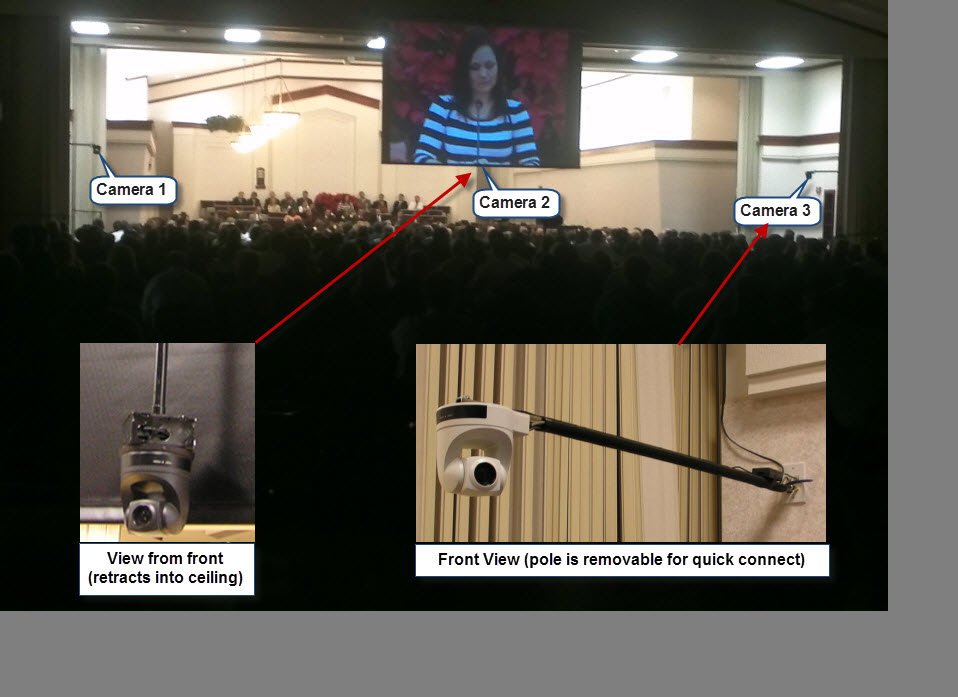
Our set up is very similar to the one in your picture.

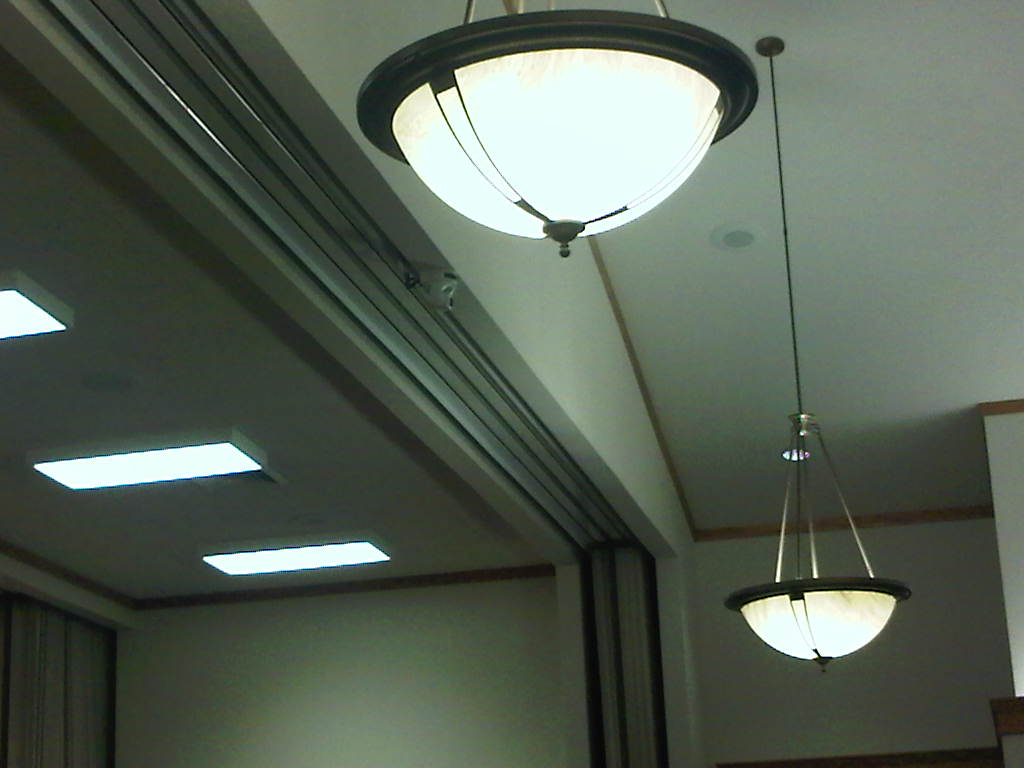
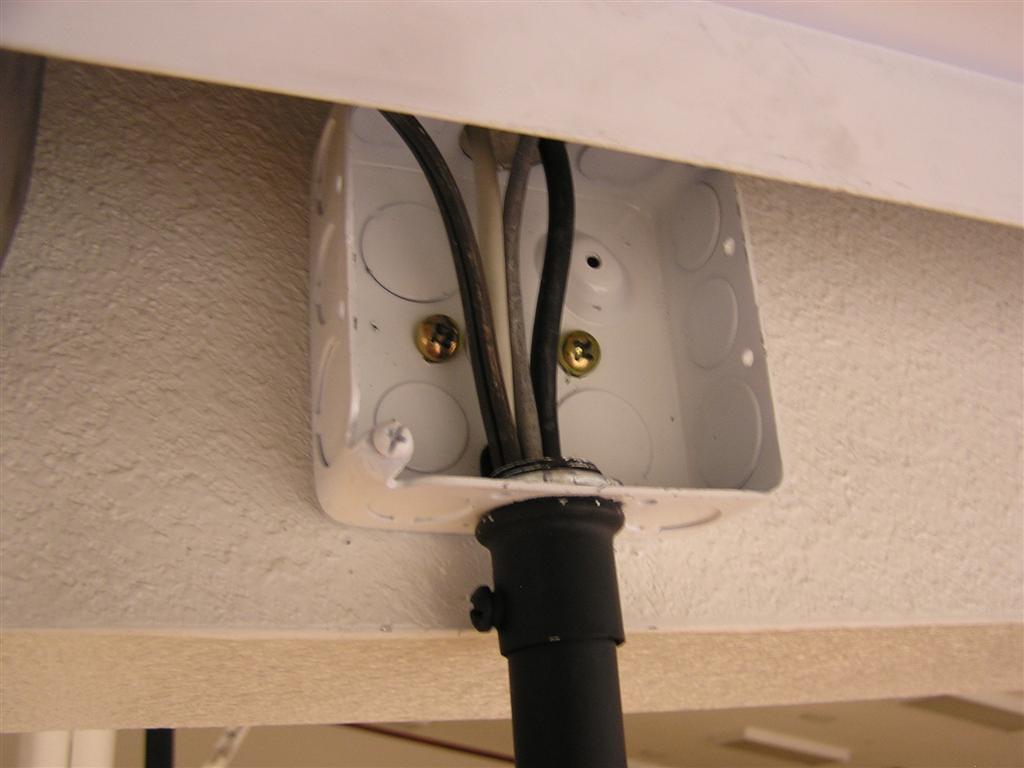
I started by just suspending the camera from the ceiling (it was removable)...
P1010019 (Large).JPG
(39.87 KiB) Downloaded 135 times
P1010045 (Large).JPG
(49.88 KiB) Downloaded 142 times

and then converted it to a motorized retractable system.

P1010600 (Large).JPG
(66.65 KiB) Downloaded 130 times
P1010025.jpg
(95.62 KiB) Downloaded 131 times
P1010020.jpg
(95.45 KiB) Downloaded 129 times
Community Moderators
#15
michaelfish wrote:I started by just suspending the camera from the ceiling (it was removable)...
How much camera shake do you get when you pan/tilt the camera? Having used that camera on a fixed tripod, I'll bet it's quite a bit.
So we can better help you, please edit your Profile to include your general location.
#16
How much camera shake do you get when you pan/tilt the camera?

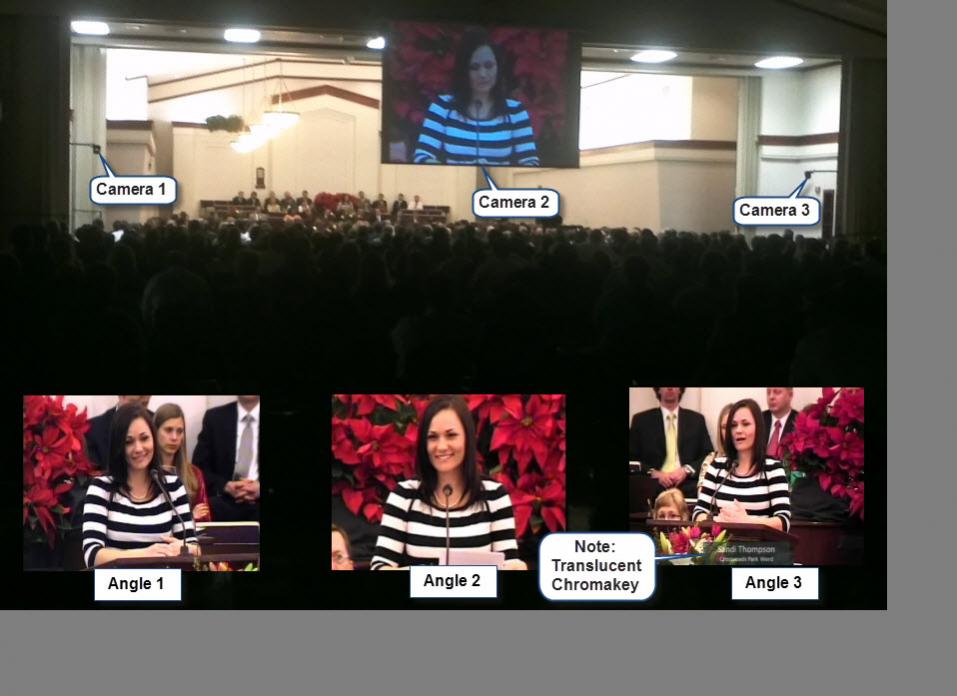
Actually, there is barely shake any at all. If I pan 180 degrees, at the fastest setting (using presets), to the maximum zoom practical, there is barely any wobble. It is only noticable if you're looking for it. The Sony EVI-D70 camera is extremely well balanced.

We've used the camera for 5 or so conferences and the placement has been the best we could have asked for.

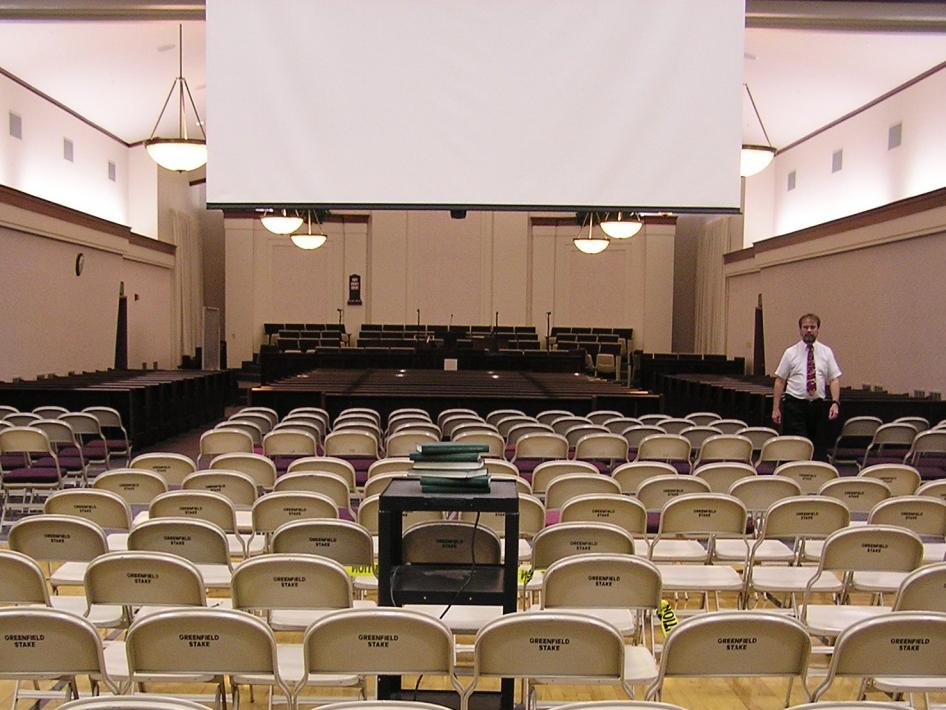
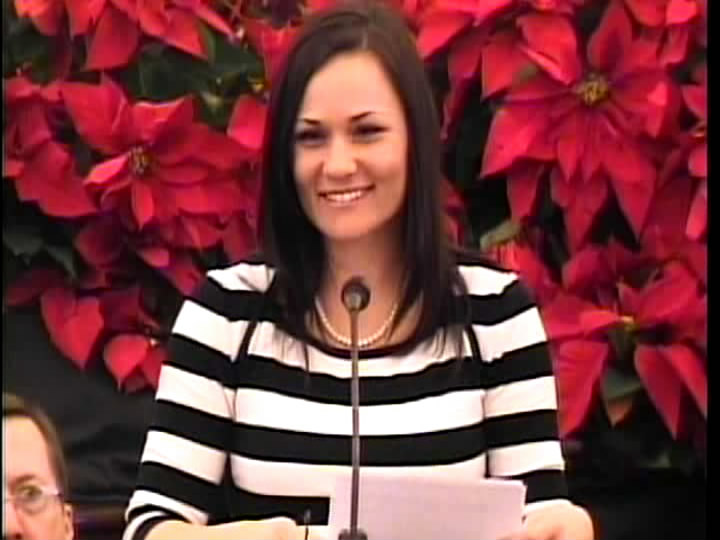
Sample camera angles:
2.jpg
(70.86 KiB) Downloaded 139 times
Camera Mounts.jpg
(97.86 KiB) Downloaded 137 times
Camera Positions.jpg
(69.6 KiB) Downloaded 142 times
(9/10's maximum optical zoom)
#17
I took some test video to demonstrate how much wobbling the camera makes under the worst conditions.

To show the most wobbling the camera can make, I set a couple of presets to have the camera move and settle in opposite directions (180 degrees). The first sample is extreme optical zoom (which we don't use) but demonstrates a worst case scenario. The second sample is at about 90 percent optical zoom, (the maximum we normally use). Watch for wobble by watching the podium at the bottom of the picture. With that being said, if the camera is already pointed towards the front, there is no perceivable wobble, since the camera doesn't need to move very much at all. Zooming in or out does not seem affect wobble in any way, only extreme, jerky pan movements.

[video]http://youtu.be/uVXU-K_w8GQ[/video]