Member
- Capture.PNG (18.65 KiB) Viewed 2489 times
any updates?

sumrunner wrote:Any updates on when this might be resolved?
Who knows? But it's definitely a problem. I've just verified it both from my computer at home and the computers at our stake center.aebrown wrote:It's working fine for me. I wonder why some people are having this problem....
I tried unselecting everything. No help. I also switched to week view, and a couple of the weeks in Oct show up, but a couple others give the same error.RussellHltn wrote:Works for me as well. You might try switching to week view and/or unselecting things to display. It might be a "poisoned" event.
I doubt if anyone here can help you with the schedule of your ward conference, unless someone else from your stake recognizes your username. I suggest you contact your Bishopric.jaj78 wrote:yes, mine was also dead (need to know when Ward Conference is!) and figured someone here would know the status. I guess I'll just scratch my head with the rest...
I think the OP was looking for a status update on the error with the calendar so that he could see when Ward Conference was scheduled. I doubt he was asking for someone on this board to provide that information. At least, that is how I would read it.techgy wrote:I doubt if anyone here can help you with the schedule of your ward conference, unless someone else from your stake recognizes your username. I suggest you contact your Bishopric.
Sounds like you are able to reproduce this with no locations selected. That would have been my first thing to recommend. Are there any others that can reproduce this with ZERO locations selected in the list on the bottom right?bjcoleman wrote: -- Removed all Subscribed Locations.
-- Once all categories were removed I tried to navigate to another month and it sits on the loading wheel - spinning perpetually.
I'm on the calendar every day, usually multiple times per day. The problem cropped up for me around 9:30PM PT. I assumed that they were doing server maintenance.jdcr256 wrote:Sounds like you are able to reproduce this with no locations selected. That would have been my first thing to recommend. Are there any others that can reproduce this with ZERO locations selected in the list on the bottom right?
Also, did this just start yesterday for everyone having this issue? Or was it happening before yesterday?
I can confirm that I've tried it with zero locations selected and it still has problems. Just started last night for us.jdcr256 wrote:Sounds like you are able to reproduce this with no locations selected. That would have been my first thing to recommend. Are there any others that can reproduce this with ZERO locations selected in the list on the bottom right?
Also, did this just start yesterday for everyone having this issue? Or was it happening before yesterday?
bjcoleman wrote:So is there any way to escalate this to get the issue resolved? I've need to have this corrected so that I can see appointments scheduled for Sunday. I used the general feedback link on LDS.org. Not sure if there is a better mechanism for getting someone to look at this.

Do you happen to have that number or can you point out to me where that number is located. I've never called before and I don't see anything while poking around LDS.org.RussellHltn wrote:If you call Local Unit Support, there's an option for help with lds.org.
bjcoleman wrote:Do you happen to have that number or can you point out to me where that number is located. I've never called before and I don't see anything while poking around LDS.org.
kyleq wrote:I messed around a bit trying to find a consistent pattern to reproduce the problem. One way that I know for sure to reproduce the problem on my calendar in any month or week is by selecting the Events without locations and one other location in the list. I can also reproduce by selecting three of the locations in the list but not selecting the Events without locations. What I'm thinking is there are either certain types of data (maybe event types or recurrence types) that are causing the problem or amounts of data that are returned. I'll keep testing to try and narrow this down a bit more.
For those that have not seen the error could you try the steps I've listed above? Perhaps start selecting items in the locations list one at a time until they are all selected or you've reproduced the error.
Yes, we're talking about v1.techgy wrote:I've never seen the error, but I'm also unable to reproduce it. I've tried selecting locations one-at-time starting then selecting them all. It doesn't matter what order I do the selection process. The calendar works fine. I am assuming that we are talking about v1 - correct?
 (I haven't tried synching from those months to Outlook or iCal).
mandjreid wrote:only for the months September and December 2011.
mandjreid wrote:(I haven't tried synching from those months to Outlook or iCal).
kyleq wrote:For those that have not seen the error could you try the steps I've listed above? Perhaps start selecting items in the locations list one at a time until they are all selected or you've reproduced the error.
If you don't check any of the subscribed calendars, and none of the subscribed locations, then you will see zero events on the calendar display. When people have said that it didn't matter what was selected, I didn't think they actually made sure that every single subscribed calendar and subscribed location check box was cleared.bjcoleman wrote:As mentioned earlier - this happens even when there are no subscribed calendars and no subscribed locations.
aebrown wrote:I can indeed reproduce it on month view and week view. It seems that any month that has the right combination of events will have the problem, just like any week with the right combination of events will.
Temporary Solution - Sorry, data is temporarily unavailable...
Trying individual Calendars one at a time didn't work for me...

michaelfish wrote: ------Temporary Solution: Unsubscribe to all but one of the Calendars and try adding them one by one.
bjcoleman wrote:Temporary work around is not working for me (if I understood the suggestion).
bjcoleman wrote:Maybe I'm in the same boat as RussellHltn - it must be a combination of calendars.
bjcoleman wrote:Temporary work around is not working for me (if I understood the suggestion).
elesel wrote:Just unchecking them doesn't get around the error.
bjcoleman wrote:Maybe I'm in the same boat as RussellHltn - it must be a combination of calendars.
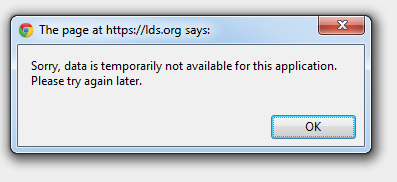
The error also appears when I check the subscribed location "Events without Locations."This is the testing I have performed with Internet Explorer 8. (I will have to test other browsers later.) I am attaching the error that I get.
I subscribed to the "Stake" calendar. I recieved an error on the following months.
January 2011
February 2011
April 2011
May 2011
October 2011
November 2011
December 2011
I changed my view from "Month" to "Week." I received an error on the following weeks and most of them would not load.
Jan 2 - 8 (one error, but it loaded anyway)
Jan 16 - 22 (one error)
Jan 23 - 29 (one error)
Jan 30 - Feb 5 (one error)
Feb 6 - 12 (one error, but it loaded anyway)
Apr 3 - 9 (two errors)
Apr 10-16 (one error)
Apr 24 - 30 (one error)
May 1 - 7 (two errors)
May 8 - 14 (one error)
Oct 2 - 11 (one error, but it loaded anyway)
Oct 23 - 29 (one error)
Oct 30 - Nov 5 (one error)
Nov 6 - 12 (two errors)
Nov 20 - 26 (one error)
Nov 27 - Dec 3 (one error)
Dec 4 - 10 (two errors)
Dec 11 - 17 (one error)
Dec 18 - 24 (one error)
Dec 25 - 31 (one error)
I un-subscribed from the "Stake" calendar and re-checked the above weeks. Here are the weeks that still posted errors.
Dec 4 - 10 (one error, but it loaded anyway)
Dec 25 - 31 (one error)
I un-subcribed from the ward calendar named "Primary" and the former two weeks no longer presented an error.
I re-subscribed to the "Stake" calendar and re-tested the former two weeks and got errors.
Dec 4 - 10 (two errors)
Dec 25 - 31 (one error)
With that information, I am lead to believe that there is an event on the "Stake" calendar during each of the weeks listed first that have something triggering the error. The weeks that pop the error, but still load seem to be the first week selected in a month that has errors. The weeks that pop two errors seem to be the weeks that have errors and be the first week selected in a month that has errors.
Now, that we know what weeks are erroring out. The next step is to figure out which events are generating the error, that may prove to be tricky since we can't get to them. Then find out why. Then apply changes to resolve the error.
I am curious if the results would be the similar if the same tests were performed from a different ward or user.
I will report my findings to the forum and see if anyone has other ideas.
I will keep you posted.
Data not available error
Yes. I never have subscribed locations selected as an option.RussellHltn wrote:Just to be clear, for me it's not a combination of calendars, but subscribed locations that does it.
You've unchecked all the calendars AND the subscribed locations and still get an error?
jdcr256 wrote:Can anyone confirm whether the time period that is causing the error message contains the last instance of a repeating event? We've found and are fixing an issue where the final instance of certain repeating events (especially those created by an .ical import) may cause this error.
Nov & Dec 2011 Calendar Info Unavailable (view, print, navigate, etc.)
The developers are diligently working at tracking it down, but it is an elusive bug (as you can see if you read this whole thread). I'm sure we'll be told when it is found and fixed.EGLandree wrote:Any new information on the calendar problems?
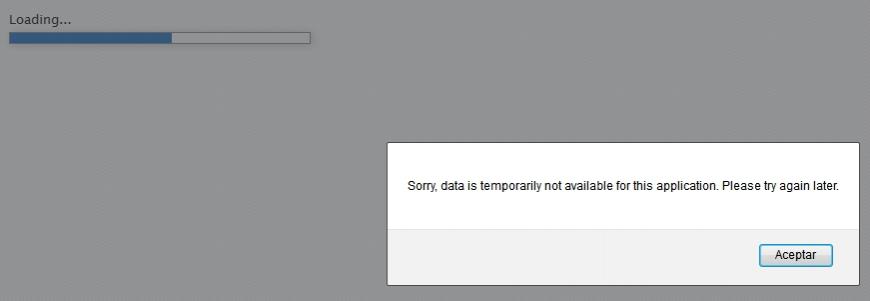
Sorry, data is temporarily not available for this application. Please try again later
jtubbs wrote:Can you please assist in getting our calendar back on-line.
forhire wrote:Is this something the Stake webmaster can fix or is this something bigger?
We are working to fix a bug that was introduced last week. From the symptoms described, it should be the same bug for all who have posted in this thread.forhire wrote:Our Stake went live with the new calendar Sept. 1st... worked until a week or two ago.
Awesome. And let me just say "Thank You" in advance for when this gets fixed. It will be very appreciated!jdcr256 wrote:We are working to fix a bug that was introduced last week. From the symptoms described, it should be the same bug for all who have posted in this thread.
I'll post again when the fix is deployed to have each of you confirm if it is working again for you.
Fix for all?
I did clear my cache, but I'm still seeing the problem as before, except that I can now see December 2011. I still can't load September 2011 or December 2012. I'm alternating between the following errors:jdcr256 wrote:The calendar application has been updated with a bug fix as of 3:30 MDT. Please check and let me know if you are still seeing the issue. Please clear your browser cache before confirming if you still have the problem.
I can confirm this. Now I can see September 2011, which I haven't been able to since last week, but I'm not sure for how long.jglanfield wrote:I could add that the problem is more intermittent now.

jdcr256 wrote:Ok, try it now...
jdcr256 wrote:Ok, try it now...
aebrown wrote:Still not working for me with Build 2462.
aebrown wrote:Still not working for me with Build 2462.
All Fixed

The issue is still under investigation and you're probably correct that the Conference is taking precidence - as it should.jglanfield wrote:This is still a major problem and I've seen no further discussion. Is there an assumption that it is fixed, or is it conference week and everyone is too busy with other stuff?
Perfect. Thanks for the updatetechgy wrote:The issue is still under investigation and you're probably correct that the Conference is taking precidence - as it should.
Also seeing this problem
I am getting that error message again for Feb and March 2012 but only when Legacy building and Roundrock are both checked. All buildings alone are no problem. All together without Legacy seems OK.
josephcreed wrote:I am still getting the error, and I had a building scheduler notify me stating the following:I am getting that error message again for Feb and March 2012 but only when Legacy building and Roundrock are both checked. All buildings alone are no problem. All together without Legacy seems OK.
lajackson wrote:My guess is that there is something on the Legacy Meetinghouse calendar that is triggering the problem.
josephcreed wrote:I don't recall a solution being presented if there was a single event that was generating the error. Is the thought that there is some character in the data that is throwing the error? Is the thought that there is some corruption in the data that is not user accessible and editable and I need to try and delete and re-enter the event? That may be a little bit of a challenge as I don't have access rights to edit any events in either building, so I will need to find out which building and then which ward the event is associated with. I can then contact a clerk in the ward and have them try to re-enter the event.
Sorry, data is temporarily not available for this application
I'm guessing that you are a calendar administrator for your ward or stake if you were thinking you could delete a calendar. But if you were responding to this post, I would note some things:schpilmanpa wrote:I cannot delete the entire calender because after login I received the message: "Sorry... data not available (error!)". I guess if some calendar administrator could delete it for me.

Have you tried to right click on the event and choose "Delete Event" (for single events) or "Delete This Event Only" (for an instance of a repeating event)? Some people have success doing that when editing an event fails.mrrad wrote:I am also getting this error. It may have started when I tried to copy an event from one date to another rather than create a new event. But now I have this one event in 2012 that needs to be adjusted and I cannot edit or delete it. So I'm very close to trashing the whole calendar and starting over. Yes, it's drastic, but if I can fix the problem RIGHT NOW then I'm ready to do it. I've been dealing with this for too long already.