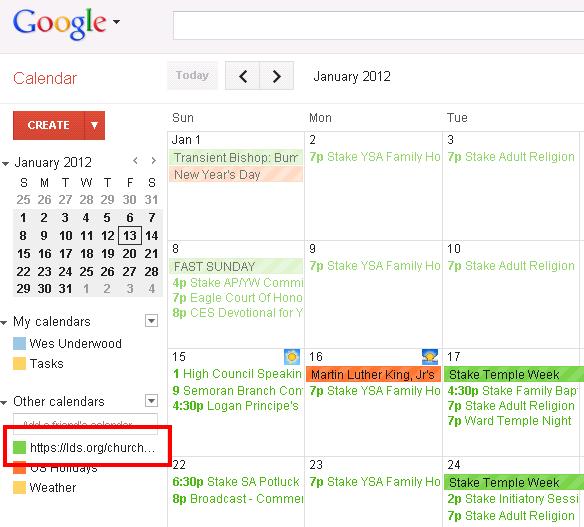
Workaround to fix calendar sync problems

189 postsstarted by samliddicott 72,582 viewsoriginal topic

#1
[Editor's Note from aebrown: This topic seems sufficiently valuable to the community that I moved this post and its responses into a new thread from their original location in the Calendar sync issues thread.]

Fixed for me! I speculated that it was to do with HTTPS wildcard certficates and google (the *.lds.org) issue.
So I wrote a wrapper handler which is at https://mail.liddicott.com/ldscalendar.php/ - which anyone can use.

if your calendar id is 123456, then you can sync to the URL https://mail.liddicott.com/ldscalendar.php/123456
If I forget to renew my ssl certificate it may stop working, but you can also use http instead of https

This works and imports "instantly" for me.

Also, you can add any junk you like after your number (precede junk by a slash) e.g.:
https://mail.liddicott.com/ldscalendar. ... 6/test.ics

means your browser will try and save a file called "test.ics" - you can stick any fake-filename you like on the end.

perhaps there is enough of a clue here (that this works) that the developers can fix the problem.

In case anyone wants to run their own wrapper, the php code is here listed on the page - it is very quick and dirty, but it's years since I did php.

Changes: add the church's no-cache tags to avoid search engines and so forth. Also added robots.txt to my site.
#2
However, the real links are working for me now too...

so maybe my wrapper works BECAUSE the real links are now working,
or maybe the real links just happen to be working as well.

I'd be interested to know if the real calendar links are now working for other people, and if not, does the wrapper make any difference.
Member
#3
Sam.

You are amazing. Thank you SO much for this. Before, my link would not work. It had several weeks ago but functionality had been lost for a while. I changed my link to route through yours and now my calendar popped right up in Google.

Please never leave the Church. I need that link until lds.org fixes it.

I also readded the "official" link to my gCal and it still does not function. But for your link, I have no LDS calendar on Google.

Thanks!
#4
tortdog wrote:Sam.

You are amazing. Thank you SO much for this. Before, my link would not work. It had several weeks ago but functionality had been lost for a while. I changed my link to route through yours and now my calendar popped right up in Google.

Please never leave the Church. I need that link until lds.org fixes it.

I also readded the "official" link to my gCal and it still does not function. But for your link, I have no LDS calendar on Google.

Thanks!

please try this:

Delete any official links you have for your calendar.
Add the official link but make sure to use HTTPS and not HTTP
let me know if that works.

I notice that google seems to treat https and http as equivalent in identifying a calendar source. (So you can't add https and http of the same URL at the same time).
If the LDS HTTP url is redirecting to HTTPS then perhaps this is causing confusion with google's equivalence code (who knows what the code looks like).

So please try HTTPS official link and see if it works.

thanks
Member
#5
Strange result. I changed the link from http://lds.org/church-calendar/services ... ribe/xxxxx to https://lds.org/church-calendar/service ... ribe/xxxxx and Google automatically converted the https to http. It also failed to load.

Tried three times, not believing that Google was actually converting, but it did.

Your link was input (and remains) as https. No attempted conversion by Google. So lds.org must be causing the modification.
#6
tortdog wrote:Strange result. I changed the link from http://lds.org/church-calendar/services ... ribe/xxxxx to https://lds.org/church-calendar/service ... ribe/xxxxx and Google automatically converted the https to http. It also failed to load.
When you say changed do you mean you unsubscribed the old calendar and added a new one, or you edited the subscription link? Please delete the subscribed lds calendar and then add a new one.
Member
#7
Went to settings. Unsubscribed from lds link. Back to calendar. Add calendar by URL using https://lds.org/church-calendar/service ... ribe/xxxxx. Click "add calendar". Link immediately changes from https (as input) to http. No sync results.
#8
Thanks for the test. I think that is a blatant clue.

Please try: https://new.lds.org/church-calendar/ser ... ibe/123456

and see what happens. (I'm saying new.lds.org because it also provides the calendar and because it is not the url you have been using, but is new to google for you, and it won't change it back automatically as it is different).

(It will issue a redirect to https://lds.org/church-calendar/service ... ibe/123456 but may work).

I'm looking for people who haven't tried yet, to only enter the https link and see if it works first time for them.
Member
#9
Using the new.lds.org link does work. Not sure how long that link will remain active. I'm currently considering your life expectancy versus how long new.lds.org will be around.
#10
I'm sorry that didn't work.

So we are just waiting for someone who has never tried before to use the https link first time with google. I've added no-caching and robots.txt for no-search engines onto the wrapper page.
Member
#11
Just tried it with my wife's gmail account. She did not have a calendar, so initialized it with Google. Then used my sync link substituting https for http. Same result. Google reformatted the https to http. No synchronization.
#12
Thanks for that. That may be enough clue to solve it.

I note looking at my google calendar that my mail.liddicott.com https URL has become an http url too.

I wonder if I add an http->https redirector to my script, like church does, if it will stop working with google. I'll try later on (on a different liddicott.com url so I don't break this work-around)

I'm guessing that the bug is with google, that they are just very eager to convert https to http - probably it is cheaper on CPU power and network traffic that way (multipled by their number of customers could be a lot!).

I'm going to guess that if the http request gave a 4xx or 5xx status response code that google would have stayed with the entered https url instead of falling bacl to http.

I guess that a 2xx or 3xx status response code makes it think that http request was valid and that therefore http can be used instead.
Then, the 302 redirected URL is processed and all those steps repeated with the new URL - first falling back to http, and so on, till it gets fed up of too many re-directs.
If I am right, google should treat a 3xx status code as a reason to not use http instead of https. They could also use a "don't fall-back if it gives us a URL we already tried".

Church devs can check this by looking for multiple repeated requests from google for the same URL.
They may be able to work around by issuing a different response code for the redirect, but I don't see any ideal codes.

I think the real work around would be for church to recommend https not http for calendar sync, and make sure that http links return 404
Member
#13
My link to your redirect is still set as https by Google. Google did NOT convert it to http.
#14
Hmmm... and my lds link has stopped working in google calendar... so I've got no ideas left apart from replicate some of the redirection the church service does and see what problems arise.
For now I'll just use my work-around.

Thanks for the tests, tortdog
New Member
#15
Based on the difference between the official lds.org link and samliddicott's link, it appears that the fact that the lds.org https certificate has a mismatched domain name (*.lds.org vs. lds.org) may be causing google problems.

I was playing around with the various URLs using a command line "wget" and found that the http: URL's get 302 redirected to https: always, and I have to tell wget to ignore the problem with the domain name mismatch in order to receive any data.

Just my $0.02,

Steven
New Member
#16
Sam, thanks for this! That fixed it for me! It will tide me over until the Church fixes their certificate.
New Member
#17
Sam's proxy worked for me too. Google integration has been broken for me since the move from new.lds.org, though I have been able to bring the calendar down to my iPod directly w/o going to Google first.

Thanks Sam.
Community Administrator
#18
chrissv wrote:Based on the difference between the official lds.org link and samliddicott's link, it appears that the fact that the lds.org https certificate has a mismatched domain name (*.lds.org vs. lds.org) may be causing google problems.

Inspired by the checking going on here, I tried a bit of my own. I installed WGET and played with it. I hoped that by changing the URL a bit I could make it work. No joy.

If I use "https://lds.org/church-calendar", I get the message: "ERROR: certificate common name `*.lds.org' doesn't match requested host name `lds.org'."

Ok, that might be easy to fix. So I tried "https://www.lds.org/church-calendar". I got the message:
ERROR: cannot verify [url]http://www.lds.org's[/url] certificate, issued by `/C=US/ST=UT/L=Salt Lake City/O=The USERTRUST Network/CN=USERTrust Legacy Secure Server CA': Unable to locally verify the issuer's authority.

If I understand this correctly, it's not trusting the issuer. Not much I can do about it there.

What I'd like to see is someone for who the Google sync DOES work try WGET and see what happens. I'm wondering if it's going to a different church server that is properly certificated, or if Google is playing by different rules depending on the server your account it on.
Have you searched the Help Center? Try doing a Google search and adding "site:churchofjesuschrist.org/help" to the search criteria.

So we can better help you, please edit your Profile to include your general location.
New Member
#19
Trying to use the work around and got this error from Google: 'Could not fetch the URL because robots.txt prevents us from crawling the URL'.
#20
EmrolGould wrote:Trying to use the work around and got this error from Google: 'Could not fetch the URL because robots.txt prevents us from crawling the URL'.

Fair enough. I've deleted the robots.txt - was trying to stop google indexing what should be a private URL in their search engine, but maybe the http response headers will be enough.

Please try again
New Member
#21
I also tried to use your work-around about 5 mins ago and got the same error

"Could not fetch the URL because robots.txt prevents us from crawling the URL."

Can you confirm once you've fixed that issue then I'll try again.
thanks
#22
gilesjohnson wrote:I also tried to use your work-around about 5 mins ago and got the same error

"Could not fetch the URL because robots.txt prevents us from crawling the URL."

Can you confirm once you've fixed that issue then I'll try again.
thanks

Definitely gone. I apologise for putting it there, I suspect google has cached robots.txt

Just for you :-) I've made a copy to ldscalendars.php (an s on the end of calendar) so you can use that for the time being. That won't have been included in the robots.txt

https://mail.liddicott.com/ldscalendars.php/XXXXXXX
New Member
#23
I noticed that updates weren't getting pushed through Sam's proxy setup (at least not for me). I tried to "unsubscribe" and re add it...but this time it didn't now bring anything in :(.
New Member
#24
samliddicott wrote:Definitely gone. I apologise for putting it there, I suspect google has cached robots.txt

Just for you :-) I've made a copy to ldscalendars.php (an s on the end of calendar) so you can use that for the time being. That won't have been included in the robots.txt

https://mail.liddicott.com/ldscalendars.php/XXXXXXX

Ahhh thanks mate :-) that worked a treat!! All sorted.
#25
BellMR wrote:I noticed that updates weren't getting pushed through Sam's proxy setup (at least not for me). I tried to "unsubscribe" and re add it...but this time it didn't now bring anything in :(.
It may be a combination/overlap of robots.txt and the lds website being unavailable for a while. If you want to be sure, try the URL yourself in your web-browser and see if it brings back the ics file.

I note that not all of the lds website (e.g. directory) is working properly at the moment, so use of the work-around may be sporadic until the lds service becomes stable.
New Member
#26

Settings Error

I just tried your liddicott link and got a Settings Error:
We could not parse the calendar at the url requested.
New Member
#27
samliddicott wrote:I'm sorry that didn't work.

So we are just waiting for someone who has never tried before to use the https link first time with google. I've added no-caching and robots.txt for no-search engines onto the wrapper page.

Sam,
I first tried the official calendar link using http.
Result: failure to sync
I then tried the official calendar link using https
Result: failure to sync
Lastly I tried your URL https://mail.liddicott.com/ldscalendar.php/12345/test.ics
Result: worked instantly

Thank you for your expertise. I hope my tests help.
Brett Hill
Alaska
New Member
#28
I'm using google for my domain ... so this may add yet another data point.

I deleted my http link the the ward calendar (which had never worked) and added https://lds.org/church-calendar/service ... e/<myCalID>.
Result: calendar showed a message that it was loading ... got my hopes up, then gave me a *popup* error in the web page (greyed out the calendar web page and made a web dialog box stating: Settings Error. Failed to import calendar from "https://lds.org/church-calendar/service ... e/<myCalID>.
Community Administrator
#29
RussellHltn wrote:Ok, that might be easy to fix. So I tried "https://www.lds.org/church-calendar". I got the message:

That's the setting I left everything at after playing around. And this morning, low and behold, it WORKS!

I did some more playing around with a different Google account: "lds.org" - what the calendar gives you still fails. But "www.lds.org" in either http or https works fine. At least for me. YMMV.
Have you searched the Help Center? Try doing a Google search and adding "site:churchofjesuschrist.org/help" to the search criteria.

So we can better help you, please edit your Profile to include your general location.
#30
kcushing wrote:I just tried your liddicott link and got a Settings Error:
We could not parse the calendar at the url requested.

In such cases, try the liddicott link directly in your web-browser and see if it downloads a calendar. If it does not - but shows the explanation web page, and if you DID get your calendar ID right on the end, then try the LDS calendar URL directly and see if that works.

Certainly if the LDS calendar works at the same time your personalized liddicott.com URL does not work I will be interested.
Community Administrator
#31
Just to clarify my prior message, simply by adding "www" to the link given to me by the calendar app, I'm now able to get the sync with Google working without having to use the liddicott link. Prior to this, I wasn't able to get syncing to work at all.

Has anyone else tried this? Does it work for them?
Have you searched the Help Center? Try doing a Google search and adding "site:churchofjesuschrist.org/help" to the search criteria.

So we can better help you, please edit your Profile to include your general location.
Community Administrator
#32
RussellHltn wrote:Just to clarify my prior message, simply by adding "www" to the link given to me by the calendar app, I'm now able to get the sync with Google working without having to use the liddicott link. Prior to this, I wasn't able to get syncing to work at all.

Has anyone else tried this? Does it work for them?
I got the sync to work long ago, but it hasn't been updating well. So I decided to try some alternatives:
  • Sam's solution, which worked.
  • Link from the calendar (http://lds.org/church-calendar/services ... scribe/<id>) which seemed to work at first -- the calendar was added to my list and events appeared on my calendar -- but then after a couple of minutes it popped a message that said "Failed to fetch URL" and then it removed the calendar.
  • Link from the calendar with www. added (http://www.lds.org/church-calendar/serv ... scribe/<id>), which did work.
  • Then I tried the link from the calendar again with no www. -- and this time it worked. I don't know if some caching is involved, or what is making it work now.
Questions that can benefit the larger community should be asked in a public forum, not a private message.
Community Administrator
#33
aebrown wrote:I don't know if some caching is involved, or what is making it work now.
From what I observed in my experiments, Google does cache between the http and https, but seems to treat lds.org and http://www.lds.org as two different links.

(As does vBulletin, apparently.)
Have you searched the Help Center? Try doing a Google search and adding "site:churchofjesuschrist.org/help" to the search criteria.

So we can better help you, please edit your Profile to include your general location.
Community Administrator
#34
aebrown wrote:Then I tried the link from the calendar again with no www. -- and this time it worked. I don't know if some caching is involved, or what is making it work now.

After closer examination, I see that the link that starts http://lds.org doesn't completely work. It seems to have old data (it is missing changes made in the last week or so). I don't know what the source for the data is, but it must be a cached version of data that is now stale.

But the link that starts http://www.lds.org does contain up-to-date information, so that seems to be working properly. So I can endorse RussellHltn's suggestion to take the link from the calendar sync page, insert "www." just before "lds.org" in that URL, and then paste that into Google Calendar using the Add from URL option.
Questions that can benefit the larger community should be asked in a public forum, not a private message.
New Member
#35
I've tried the wrapper and everything else dozens of times to no avail. Any other insights to get the events to show up in google calendar?
Community Administrator
#36
heningerrc wrote:I've tried the wrapper and everything else dozens of times to no avail. Any other insights to get the events to show up in google calendar?

I was about to ask if you're looking at the right calendar - but you'd have to to get the URL to sync.

Are you subscribed to any of the calendars? If not, that would do it.

Failing that, what are the symptoms you are getting? Do you see Google attempting to download the events? Does it work? What happens if you paste the URL into your browser? You should end up it a iCal file that wants to download. Do you get that? What about the contents of the file? When you open it in a text editor, are there any events?
Have you searched the Help Center? Try doing a Google search and adding "site:churchofjesuschrist.org/help" to the search criteria.

So we can better help you, please edit your Profile to include your general location.
#37
In addition to Russell's comments, you can have a calendar loaded into google calendars but be set to not-show. Each time you click on the name of the calendar you added (in the left column) it will switch between show, and not-show, so check that you have it set to show.

Try both the official LDS URL and also the wrapper URL in your browser and see what happens. Until they work, we can't expect google to work.

Maybe I'll add a debug, that lets you enter your calendar ID. It will show you what wrapper URL you should use, but will also show you the times that google has made a request and what the result was.
#38
The proxy-wrapper at https://mail.liddicott.com/ldscalendars.php/ now lets you type in your calendar ID, and checks to see if you got the number right or if the LDS server will provide the calendar. If so, then it will show you the calendar.

It will also show you a log of requests for that calendar. Entries marked googlebot would indicate requests from the google calendars.

I hope these additions will make things easier for the time being.
Community Administrator
#39
samliddicott wrote:It will also show you a log of requests for that calendar. Entries marked googlebot would indicate requests from the google calendars.

This could be a helpful addition. When I tried your new feature, I got the comforting message "Calendar works", along with a big chunk of iCal data. That's good.

But I got errors on the log section:
Log file on requests

Look for entries that mention Googlebot

Warning: file(/tmp/<MyCalendarId>.log) [function.file]: failed to open stream: No such file or directory in /var/www/ldscalendar.php on line 113

Warning: join() [function.join]: Bad arguments. in /var/www/ldscalendar.php on line 113
Questions that can benefit the larger community should be asked in a public forum, not a private message.
#40
Thanks aebrown - that would be because nothing had asked liddicott.com for your calendar, neither you nor google. I'll cover that case now!
Community Administrator
#41
samliddicott wrote:Thanks aebrown - that would be because nothing had asked liddicott.com for your calendar, neither you nor google. I'll cover that case now!
Actually, I had previously used your site to request my calendar. I'm not sure why you have no record of that. Of course, you don't know my ID, so I'm not sure how you would know for sure.
Questions that can benefit the larger community should be asked in a public forum, not a private message.
#42
Until today I wasn't keeping a log of useful information relating to each request. So now I log responses from the lds server, the user-agent of the requester and the requested url. I don't log the calendar data or the requester IP.

The logs will get cleared whenever I reboot or whenever I feel-like-it.
New Member
#43
I am not sure if I am having the same problem or not, so here goes. I get the URL from LDS.org, copy it in to Google calendar as a new calendar, it shows up under "other calendars", but never loads any events. It says importing calendar from URL for quite some time. (not sure how long it should take). The interesting thing is that I can use the link for outlook and add the calendar into outlook 2010 (however android can't sync multiple outlook calendars through exchange). So I am stuck, any way to get the events to load? (Still says importing from URL- it's been over 5 min)
--
Chris Peterson
chrisrpeterson@gmail.com
Community Administrator
#44
Chrisrpeterson wrote:I am not sure if I am having the same problem or not, so here goes. I get the URL from LDS.org, copy it in to Google calendar as a new calendar, it shows up under "other calendars", but never loads any events. It says importing calendar from URL for quite some time. (not sure how long it should take). The interesting thing is that I can use the link for outlook and add the calendar into outlook 2010 (however android can't sync multiple outlook calendars through exchange). So I am stuck, any way to get the events to load? (Still says importing from URL- it's been over 5 min)
That does sound like the same issue. I'd start by just inserting "www." before "lds.org" in the URL you copy. If that works, great. If not, try the approach explained on the first post of this thread.
Questions that can benefit the larger community should be asked in a public forum, not a private message.
New Member
#45
Another piece of information related to the workaround: I enabled Google to inform me of additions/deletions of calendar entries made on the "workaround" calendar. I am getting inundated with announcements of events being canceled, and then the same event shows up as new. It sounds like the workaround sometimes doesn't report events (causing Google to say they were canceled), and then later the events show back up (and Google says they are new).

I do not know of this is caused by the LDS calendar having them missing then reappearing, or the workaround script. I'm pretty sure nobody is physically removing and re-adding 400 events in the past couple of hours! :-)

-- Steven
#46
The script just passes the request on to the lds server and then passes the response back with no other processing.

I suspect what you see is based on how that type of external URL calendar works in google; when they fetch the URL again I think they delete all events and then add the UCAL as a load of new events. Have you seen anything to suggest that this is not what happens?

If you don't continue to get these notifications then perhaps we can say that the problem occurred a few days ago when some aspects of the LDS site were unavailable for a while, maybe?
New Member
#47
I am using Linux (Ubuntu/Kubuntu flavor), and the Claw email client. I have not been able to import new.lds.org or the lds.org calendars in the past, into Claw or Google. Using www.lds.org I was able to load the calendar into Claw instantly, while Google is thinking about it. I'll find out how well Google is doing (it is http://www.lds.org/church-calendar/serv ... scribe/<12 digit customer id #>). I looks as if Google is going to choke on it, so I'll try the lddicott proxy later tonight, and post a follow-up.

Quick follow-up: In Claw I can see repeating events listed as far ahead as Jan 15, 2013 (almost 2 years ahead). Google is still thinking about it, and yet I started it first :(

Update: 2 1/2 hours later (after diner date) Google reports it did not work. I'll try the Liddicott proxy now.

Another update: Three hours later Google is still importing the Liddicott proxy, yet within a couple minutes of starting it had already displayed some items. Lets see if it sticks.

Latest update: Google did import the info using the proxy, and this morning Google though it was still importing the info. Hitting Refresh took care of the Importing from the URL message. Thank you Sam for your site, and work..
New Member
#48

Just tried with https:

I just tried syncing to gmail using https: and it did not work. It created calendar but no data. I'll next try the wrapper.

Just used wrapper and everything imported. Is it supposed to import all calendars subscribed to or just the ones checked?
Community Administrator
#49
I'm not sure if it's still working or not. I've noticed that updates to the stake calendar have not made it to my phone - even after a few days.
Have you searched the Help Center? Try doing a Google search and adding "site:churchofjesuschrist.org/help" to the search criteria.

So we can better help you, please edit your Profile to include your general location.
Community Administrator
#50
durtjim wrote:I just tried syncing to gmail using https: and it did not work. It created calendar but no data. I'll next try the wrapper.

Just used wrapper and everything imported.
I'm glad the wrapper worked for you. Did you happen to try inserting "www." before "lds.org" in the URL from the calendar Sync page (without the wrapper)? That has been working for some people, and is a simpler approach than the wrapper.
durtjim wrote:Is it supposed to import all calendars subscribed to or just the ones checked?
It imports all subscribed calendars. From the calendar help for Syncing with Third-Party Calendars:
The one-way sync includes all of your subscribed calendars. You cannot select to sync only a selection of subscribed calendars.
Questions that can benefit the larger community should be asked in a public forum, not a private message.
Member
#51
The www trick doesn't work for me. I continue to link via http://new.lds.org/church-calendar/serv ... /subscribe and the calendar comes up without using the wrapper.
New Member
#52
I have similar results as tortdog:
- if I add "new." to the link from lds.org, the church calendar comes up fine in my google calendar and on my droid.
- if I use the liddicott domain workaround, it also works
- using the "http://lds.org/..." link given by the web site, it fails
- using "http://www.lds.org/..." seems to hang for a long time trying to download the calendar ... but I didn't keep it running to see if it eventually works.

My google calendar is from the "google for my domains" realm of google.
Member
#53

Also tried new.

I also tried adding new. and thought it was working but not so. Tried on another persons account with them and no success.

Any ideas what is going on with this syncing problem? Have quite a few discouraged people.
New Member
#54

Double Entry on Google

When I use this "https://mail.liddicott.com/ldscalendar.php/xxxxxx" all entries are doubled when imported to google calendar. I have tried the other ideas thus far with no luck.
Community Administrator
#55
jbach wrote:When I use this "https://mail.liddicott.com/ldscalendar.php/xxxxxx" all entries are doubled when imported to google calendar. I have tried the other ideas thus far with no luck.
Have you refreshed your browser page? I've noticed doubled entries on occasion immediately after an import into Google Calendar, but a refresh fixes it.
Questions that can benefit the larger community should be asked in a public forum, not a private message.
#56
Interesting... I had noticed when importing the broken lds.org link after a time when that link had previously worked that the original entries showed up and were instantly removed and replaced by a failure message. Perhaps it is the same caching mechanism at google behind both cases.
New Member
#57

No workaround

skiddlyarcus wrote:I have similar results as tortdog:
- if I add "new." to the link from lds.org, the church calendar comes up fine in my google calendar and on my droid.
- if I use the liddicott domain workaround, it also works
- using the "http://lds.org/..." link given by the web site, it fails
- using "http://www.lds.org/..." seems to hang for a long time trying to download the calendar ... but I didn't keep it running to see if it eventually works.

My google calendar is from the "google for my domains" realm of google.
None of the methods work for me. Maybe there are problems with calendars with 1000 events on them?
New Member
#58

Sync calendars to ipod and phone?

I have used the workaround and it works great to get the calendar to show up on my computer. I can't get the church calendar items to show up on my ipod touch or my husband's Palm Pixi phone. Do you have any suggestions? I am new to Google calendar, so I welcome any help.

Thanks!
Barbara
New Member
#59
knelsonb wrote:I have used the workaround and it works great to get the calendar to show up on my computer. I can't get the church calendar items to show up on my ipod touch or my husband's Palm Pixi phone. Do you have any suggestions? I am new to Google calendar, so I welcome any help.

Assumption 1: You did get the Church calendar to show up on your Google Calendar
Assumption 2: You have properly set up your ipod touch and Palm Pixi to bring down your Google Calendar

You will likely just need to tell Google to also sync your newly added calendar by going to: http://m.google.com/sync (FROM YOUR MOBILE DEVICE), then set the new calendar to sync.
Member
#60
I have the Pixi. If the calendar is on Google, then the Pixi should pick it up. Go to the Pixi/Calendar/Preferences & Accounts. Make sure you have the Google account linked. It will show up under Accounts. If you don't see it, then click Add An Account. If it's there and you still don't see it, then go to Calendar View Options and make sure that the URL calendar that is properly working in Google is set up with visible as "On".

If all that works, then try going to Google and making sure that the URL calendar is set to visible. If you have done all that, it will (should?) work.
Member
#61
Sam, thanks for the help here.
There is some strange interaction between the Church, technology, and me that doesn't always click. But maybe you have figured this one out and can help me.

I was never able to get anything to show up in Google calendar using my sync link. I went to your page and tested my link, and it says it works and shows a bunch of calendar-looking code.

I tried it at Google calendar and Hey--it says it's importing calendar from URL, which it never said before! Alas, it was fool's gold. That importing message just stays at the top of the calendar and does nothing. If I refresh my browser, or click the Refresh link on the calendar, all that happens is my optimistic importing message goes away, and I'm still left with an empty calendar.

FYI, there is lots of stuff on my Church calendar--it syncs with my Outlook very well.

Thanks again, and any help is greatly appreciated!

D.G.
New Member
#62
Thank you BellMR and tortdog!!! Both of our calendars are working great with the church calendar on our devices! Thank you also to samliddicott for posting the workaround!
#63
GrasseDD wrote:Sam, thanks for the help here.
There is some strange interaction between the Church, technology, and me that doesn't always click. But maybe you have figured this one out and can help me.

I was never able to get anything to show up in Google calendar using my sync link. I went to your page and tested my link, and it says it works and shows a bunch of calendar-looking code.

I tried it at Google calendar and Hey--it says it's importing calendar from URL, which it never said before! Alas, it was fool's gold. That importing message just stays at the top of the calendar and does nothing. If I refresh my browser, or click the Refresh link on the calendar, all that happens is my optimistic importing message goes away, and I'm still left with an empty calendar.

FYI, there is lots of stuff on my Church calendar--it syncs with my Outlook very well.

Thanks again, and any help is greatly appreciated!

D.G.

The first thing I need to check is what URL you have to google, so I can look in the logs. However, you can also do this yourself.

1. Point your browser to: https://mail.liddicott.com/ldscalendar.php/ and then type your ID in the Test your calendar ID section and click Test My ID.
2. You should see test Results for .... for your calendar ID and see a load of VCALENDAR items.
3. Scroll down to the bottom of the page, and then back up (past the coloured source code) until you see Log file on requests.
4. Read through the logs and look for logs where the second line contains the word Googlebot
5. If you don't find any recent googlebot entries (and they are in UTC / Zulu not your local time) then google never asked for the calendar
6. If step 2 worked and you saw calendar items then copy-n-paste the link at the top of the page in the section How to use the LDS Calendar Proxy and make sure that is the link you give to google.

Or, you can private-message me and tell me your calendar ID and I will take a look.
New Member
#64
samliddicott wrote:The first thing I need to check is what URL you have to google, so I can look in the logs. However, you can also do this yourself...

Hi Sam,
Thank you for the good example on checking myself on the calendar workaround. I enabled Google to tell me when meetings appear and disappear on the calendar, and daily I get anywhere from 2 to 3 bunches of messages telling me that all of my calendar entries have been deleted, and then minutes later that all of my calendar entries are new.

This seems to tell me that during one of the calendar requests, the data was empty (and Google thinks all of the entries have been deleted), and another request has them all there.

Looking at the log for my calendar ID I did not see anything which indicates a problem - all of the log entries have what look to be appropriate responses (no 500 responses, for example). Is there any way to tell for each entry how much data was returned by the LDS calendar request? Something simple like a gross count of characters of the iCal data would be enough to tell if something were wrong or not.

Is there something in the current log that I am missing? Otherwise, is this something you could add as part of your logging?

Thanks - Steven
New Member
#65

New clue? *.ics files not read correctly by Google?

New clue?

I too have experienced the trouble and though I've tried the options in this thread, I have yet to successfully see my local unit calendar in Google. It attempts to load, but never fully succeeds.

Sam, your website provided some useful information. It did show that the https://mail.liddicott.com/ldscalendar.php/ link was valid, and the test results showed our extensive online calendar. However, after multiple attempts to load the calendar into Google via URL, I tried to import the file.ics file on my computer that I had saved from your link.

Perhaps there is a formatting issue with the ics file that is affecting me and others. Trying to import that data into an existing Google calendar from the saved file, I received the following error from Google:
"Failed to import events: Unable to process your iCal/CSV file..
Error at line 5872: Expected [VEVENT], read [VCALENDAR]"


Maybe that helps someone? It might have something to do with the very length event descriptions on some of our events.
New Member
#66
I tried all the workarounds. www. https: new.lds.org - None of them worked with Google. The only thing that works is the liddicott.com workaround. And it works like a champ. Hope the real links get fixed... Thanks Sam
New Member
#67

fix didn't work

Like many other people, I have been unable to sync with Google calendar. Sam's work-around worked... sort of. Instead of showing only the calendars that I subscribe to, it shows every event, from every organization in my stake, including every ward (including the ones I'm not in!). It clutters up my calendar with many events that don't apply to me, so this isn't a practical solution for me.

My husband's works fine, and has from day one. The only difference I can see is that he is ward Executive Secretary so he has administrative privileges, though he didn't use any of those functions to sync his calendar.

Any suggestions?
New Member
#68

Hotmail Calendar subscription doesn't allow https

My problem is that Hotmail/Windows Live doesn't allow HTTPS.
The example for the Google Calendar subscription is fine, because it doesn't have HTTPS as the URL.
But when you use it, LDS.ORG routes it to HTTPS, and it fails.
We need a way to use HTTP for Calendars, and not get routed to HTTPS.

Yes, I can manually import, but really don't want to cause I want to see changes to the calendar when they come in, not when I decide to import again.

I do like the new calendars, its nice to see us getting more advanced
New Member
#69

Success!

I was just about to start using the workaround when I looked again at my calendar after trying one last suggestion I'd seen in another thread (using https://new.lds.org) and that seemed to work just fine... It didn't work right away... but I'd say within a few minutes of me putting it in when I switched tabs to look up other options...

for some reason Google seems to like the website identifying itself like that, I really don't know anything about how any of this works really, and I'm sure it's been brought up (I'm really sorry if I'm repeating someone, my intent was only to report success in hopes that it would be informative) but is it at all possible that somehow a certificate or something is reporting the URL as new.lds and Google doesn't like the discrepancy? Ignore this if it's stupid...
New Member
#70
When I use https://new.lds.org I ONLY get old calendar entries that existed before the cut-over to the production URL.
#71
chrissv wrote:Hi Sam,
Thank you for the good example on checking myself on the calendar workaround. I enabled Google to tell me when meetings appear and disappear on the calendar, and daily I get anywhere from 2 to 3 bunches of messages telling me that all of my calendar entries have been deleted, and then minutes later that all of my calendar entries are new.

This seems to tell me that during one of the calendar requests, the data was empty (and Google thinks all of the entries have been deleted), and another request has them all there.

Looking at the log for my calendar ID I did not see anything which indicates a problem - all of the log entries have what look to be appropriate responses (no 500 responses, for example). Is there any way to tell for each entry how much data was returned by the LDS calendar request? Something simple like a gross count of characters of the iCal data would be enough to tell if something were wrong or not.

Is there something in the current log that I am missing? Otherwise, is this something you could add as part of your logging?

The code as it stands uses the passthru command and so I don't get access to the character count easily. I'll take a look next time I review the script.
#72
aliceknd wrote:Like many other people, I have been unable to sync with Google calendar. Sam's work-around worked... sort of. Instead of showing only the calendars that I subscribe to, it shows every event, from every organization in my stake, including every ward (including the ones I'm not in!). It clutters up my calendar with many events that don't apply to me, so this isn't a practical solution for me.

My husband's works fine, and has from day one. The only difference I can see is that he is ward Executive Secretary so he has administrative privileges, though he didn't use any of those functions to sync his calendar.

Any suggestions?
The fix "worked" in that it passed google's request to the lds server and passed the response back. It did not satisfy because you had many items in your calendar that you did not want.

Try entering your official lds URL into your web-browser and download and look at the ical file in notepad, and see if the items you don't want are listed there. I expect that they will be, and that the problem you know have is "why does the lds server return all of the calendars"
#73
dburrell wrote:My problem is that Hotmail/Windows Live doesn't allow HTTPS.
The example for the Google Calendar subscription is fine, because it doesn't have HTTPS as the URL.
But when you use it, LDS.ORG routes it to HTTPS, and it fails.
We need a way to use HTTP for Calendars, and not get routed to HTTPS.
You don't have to use https for my work-around, it works with https or http so that should fix that for now.

I think the Hotmail service is behind the times, not supporting HTTPS is just slackness in my opinion, and is the equivalent to be forbidden the use of envelopes by the postal service so that everything you send may be read by everyone who delivers it - however maybe the LDS developers could work round it by supporting something like ?redirect=no or something for those who need it.
New Member
#74

Thank you!

Your "wrapper" worked! Hopefully the calendar administrators will figure out how to solve the problem directly soon. But in the meantime, I now have access to the calendar from Google and from my smart phone.

Again, thank you.

Chuck
New Member
#75
I can't get the calendar to sync either!! I tried the all the workarounds that I could find on this forum ("https://", "www.lds.org", and "new.lds.org"). So far, the only thing that has worked is the "https://mail.liddicott.com" proxy. I really hope this get fixed soon. I would be happy to send any debug information to the developers, just contact me off-list and let me know what you need. Thanks!
Community Administrator
#76
RussellHltn wrote:Just to clarify my prior message, simply by adding "www" to the link given to me by the calendar app, I'm now able to get the sync with Google working without having to use the liddicott link. Prior to this, I wasn't able to get syncing to work at all.

Has anyone else tried this? Does it work for them?
Well, it DID work. Then it stopped working. I tried https://new.lds.org, but that didn't work either. I gave up and joined the ranks of the liddicott group. Hopefully the church gets this fixed sometime soon.
Have you searched the Help Center? Try doing a Google search and adding "site:churchofjesuschrist.org/help" to the search criteria.

So we can better help you, please edit your Profile to include your general location.
New Member
#77

Calendar not syncing with Google Calendar

Ok...I'm not an IT guy. I don't understand 90% of the posts on this thread, but I understood enough to go to https://mail.liddicott.com/ldscalendar.php/ and test my calendar ID.

The results showed that my ID worked, and I used https://mail.liddicott.com/ldscalendar.php/123456 (where "123456" was my actually 19 digit ID) to add a new calendar to Google, but it didn't work. Looked like it was importing events, but never actually did it.

Could this have something to do with glitches...I'm in Australia and when we first started using lds.org/units a few years ago there were problems exporting items from the stake calendar because the timezone was messed up...I think this issue was covered in forums at that time. Now, when I look at the calendar created in Google (even though events haven't synced), I see that the timezone is GMT +00:00. This is obviously not the correct timezone for me. Anyhow, just wondering if the timezone glitches from the past might still be playing a part in this syncing problem.

Can anyone give suggestions to help me to get this to sync?

Thanks,

Ian
Community Administrator
#78
ianl wrote:Can anyone give suggestions to help me to get this to sync?

A few thoughts:

- Take the URL given by the church and paste it into your browser. You should get a file. Open it up with a text editor and see if you have any events. If not, then something is wrong with what's coming from the church.
- Check that the calendar number is correct. If it's wrong, it won't work. Or at least you won't be getting your calendar.
- Check and make sure you've subscribed to at least one calendar with some events on it.

If the file looks good, then check your Google side. Make sure you've turned on that calendar. If it's highlighted in a color, it should be on. If it's "plain" then it's probably off. The events won't show in your Google calendar if it's off.
Have you searched the Help Center? Try doing a Google search and adding "site:churchofjesuschrist.org/help" to the search criteria.

So we can better help you, please edit your Profile to include your general location.
Member
#79
I'm in Ianl's boat. Still nothing on google calendar. I even had a pm volley with samliddicott, and no luck. My code returns a bunch of calendar data on his site, but won't show anything on google calendar, nor on my phone. Also, I can't save an ics file from his site--IE just says it can't save data from there.
Oddly, Outlook seems to sync just fine with it.
Ugh.
D.G.
#80
Using this https://new.lds.org/church-calendar/ser ... /<19-digit#> worked for me.
However, I'm noticing that with either the liddicot link or the one above, some stake events didn't show up on my google calendar but they are showing up on by buddies iPad.
Community Administrator
#81
EarloftheWest wrote:However, I'm noticing that with either the liddicot link or the one above, some stake events didn't show up on my google calendar but they are showing up on by buddies iPad.

You may want to look at the calender those events are placed and which ones you are subscribed to. It may be that you are not subscribed to that calendar.
Have you searched the Help Center? Try doing a Google search and adding "site:churchofjesuschrist.org/help" to the search criteria.

So we can better help you, please edit your Profile to include your general location.
New Member
#82
samliddicott wrote:The code as it stands uses the passthru command and so I don't get access to the character count easily. I'll take a look next time I review the script.
As a followup, I too got the "new.lds.org" URL to work, and I am seeing the same problem where a couple times per day it tells me all of my entries are deleted, then minutes later all of them are now new entries. Sounds like something either with Google or with lds.org.

-- Steven
#83
chrissv wrote:As a followup, I too got the "new.lds.org" URL to work, and I am seeing the same problem where a couple times per day it tells me all of my entries are deleted, then minutes later all of them are now new entries. Sounds like something either with Google or with lds.org.

-- Steven

it looks like the UID field and the DSTAMP fields of the ical are not constant.
Try downloading your ical - wait a couple of minutes and download it again and compare the two side-by-side.

Note that DSTAMP changes is the current time, and that UID is based on DSTAMP for many (but not all) events. I think UID is DSTAMP based for repeating events.

chrissv, if you can confirm that only the repeat events are added/deleted a couple of times per day, then I will fixup my script at liddicott.com so it replaces the UID that are based on DTSAMP with a UID based on something more fixed, like a hash of DESCRIPTION or DSTART or the calendar ID or a fixed constant.
#84
Chrissv, try https://mail.liddicott.com/ldscalendar-test.php

As all the calendar UID seem to have an element of serial number in them and seem likely to change if a new appointment is inserted near the beginning, this test fix re-generates the UID based on the start time, summary and description, and so should be constant as long as the event doesn't change.

This should stop your problem of events being all deleted and all re-recreated.

BUGS: Two mostly-similar events will have the same UID. Perhaps if a ward diary and stake diary have the same event with same start time and same summary and same description, then they will be given the same UID. If this becomes a problem, I'll add a serial number to be used in the case that a UID would be re-used.

If it works for you, I'll update the normal script to match. As usual, the script shows it's own source.
New Member
#85
Just to say thank you - worked for me.
I use two LDS calendar accounts (mine & my wife's) so we can see Ward & Stake activities as separate calendars in Google calendars. Has worked for a while using direct links (new.lds). These stopped updating some time ago, so I tried switching to lds.org and https (as per other thread) with no success.
Using your link ([url]http://)[/url] and my calendar numbers, it worked immediately.
TY
Paul
New Member
#86

Worked for Me

I entered the URL with https and the new.LDS.org and the sync to Google calendar is now working for me.
New Member
#87

Apparently, Google just doesn't like me

I tried all combinations of http/https and www/new, each time letting Google calendar stay on "importing calendar..." until it popped up an error and deleted the calendar. Finally I tried https://mail.liddicott.com/ldscalendar-test.php/<myid> and had no luck there either. So I put the id into the calendar tester manually and it came back ok, with plenty of events listed, but no Google requests. The only conclusion I can come to at this point is that Google just doesn't like me :confused:
New Member
#88

me either

That's ok, it doesn't like me either. I keep trying every week though in hopes that something will change. But so for no change. I've tried every combination I can think of too. The tester comes back with plenty of events for me too.
New Member
#89

google bots

On the tester, all the google bots say blocked' => true, but I don't know if that means anything.
New Member
#90
samliddicott wrote:Chrissv, try https://mail.liddicott.com/ldscalendar-test.php

OK, I added a calendar with this -test URL. I'll monitor it and see if/when the cancellation/new event notifications occur.

Thanks - Steven
New Member
#91
Sam,

Good news - Since I added your workaround with the -test URL, I got a single e-mail from Google announcing a genuinely new calendar entry!!
It looks like your change to standardize the UID worked. Now if we can get the official LDS.ORG calendar to stop changing the UIDs...
Community Administrator
#92
samliddicott wrote:BUGS: Two mostly-similar events will have the same UID. Perhaps if a ward diary and stake diary have the same event with same start time and same summary and same description, then they will be given the same UID.

Considering the possibility of the same event being placed on multiple calendars, your "bug" might be considered a feature.
Have you searched the Help Center? Try doing a Google search and adding "site:churchofjesuschrist.org/help" to the search criteria.

So we can better help you, please edit your Profile to include your general location.
#93
chrissv wrote:Sam,

Good news - Since I added your workaround with the -test URL, I got a single e-mail from Google announcing a genuinely new calendar entry!!
It looks like your change to standardize the UID worked. Now if we can get the official LDS.ORG calendar to stop changing the UIDs...

Great. I'll move that test calendar script to be the regular calendar script.

I note that the description seems to be emitted after the UID so in fact the description is not contributing to the UID the way I coded things. I suppose it doesn't matter very much. It gives a possibility that at least some part of the event can change and it be detected as a changed event rather than a new event - it would be a new event if the summary changed.
New Member
#94
Does anyone still have any problems with this or is it just me left?

I also have tested various of (http|https) and ([url]http://www.|new.|)lds.org[/url] without much success. Havn't tried the workaround at all since I thought the official one worked.
Member
#95
It's not just you, but I think I'm the only one that can get neither the Church link to work, nor Sam's.
D.G.
roger.stegeby wrote:Does anyone still have any problems with this or is it just me left?

I also have tested various of (http|https) and ([url]http://www.|new.|)lds.org[/url] without much success. Havn't tried the workaround at all since I thought the official one worked.
New Member
#96

New Release

Good news. I am told that even though the problem is on Google's side, that the church office developers have come up with a work around. A new release could come out as early as tomorrow, or early next week.
New Member
#97
GrasseDD wrote:It's not just you, but I think I'm the only one that can get neither the Church link to work, nor Sam's.
D.G.

Agreed! Tried every workaround and only Sam's wrapper worked. Be sure to look closely at the URL pasted in from Sam's test page. I had an errant '123456' included that was causing it to fail. Look forward to what anyone has that will have this update correctly and directly. Thanks Sam!
New Member
#98
mnorto3 wrote:Agreed! Tried every workaround and only Sam's wrapper worked. Be sure to look closely at the URL pasted in from Sam's test page. I had an errant '123456' included that was causing it to fail. Look forward to what anyone has that will have this update correctly and directly. Thanks Sam!

Yes, Sams wrapper does work for me as well, but looking forward for the official workaround :)
New Member
#99

First time attempt

I tried the https://new.lds.org.... and it didn't work for me. I tried this after attempting to import for about 3 hours. Then I found your thread.

I've tried the following:

just https

https://new.lds.org

https://mail.liddicott.com/ldscalendar.php/

When I tried your version, I received an error, "could not fetch the URL"

Any ideas?

-Neil
#100
steinhnj wrote:I tried the https://new.lds.org.... and it didn't work for me. I tried this after attempting to import for about 3 hours. Then I found your thread.

I've tried the following:

just https

https://new.lds.org

https://mail.liddicott.com/ldscalendar.php/

When I tried your version, I received an error, "could not fetch the URL"

Any ideas?

-Neil
Yes. My web server had stopped with some file-system templating problems. It's being fixed now. Sorry - but don't forget to add your calendar id on to the end of the address, you post didn't make clear that you were doing that.

My server has now been fixed, calendar URLs should be working again.
New Member
#101

I got it to work with the latest work-around.

I got it to work in the latest work-around, but the events did not show up in the google calendar until i clicked on the calendar name to hide it and then clicked on the name again to show it. so refreshing the calendar in this maner seemed to make it work. or it just for some reason decited to work at the same time I did that.

Thanks for the help everyone, and hopefully there will be a permanent fix soon
New Member
#102

Genius. All better now.

Thanks for this workaround. If you (the brain that made the workaround) haven't already done this you might consider volunteering to help develop this feature.
New Member
#103
Worked great! Thanks!
New Member
#104
Another happy customer. I had no success with the LDS provided solution. Yours works as stated.

Thanks samliddicott.

DroidX using google calendar.
New Member
#105
knelsonb wrote:I have used the workaround and it works great to get the calendar to show up on my computer. I can't get the church calendar items to show up on my ipod touch or my husband's Palm Pixi phone. Do you have any suggestions? I am new to Google calendar, so I welcome any help.

Thanks!
Barbara
I've been working on a presentation on how to use the new calendar in our ward and here's what my son and I found on how to get the lds.org/church-calendar to show up on an ipod touch 4g:

First, get your calendar number from lds.org by going to the calendar at http://lds.org/church-calendar" then choose "options | sync". Keep this page on your computer ... you'll need the long number in a minute.

(If you want to save yourself some typing, copy the "outlook" link to your email, but modify the URL so that it says "webcal://" instead of "webcals://", then mail it to yourself and copy in on the ipod by selecting it and choosing "copy".)

On the ipod, Go to "settings | mail, contacts, calendar | add accounts | other | add subscribed calendar"
Use the following URL (or the one you copied earlier) substituting the long number from lds.org in place of ***YourNumberHere***:
webcal://lds.org/church-calendar/services/lucrs/ical/subscribe/***YourNumberHere***

This seems to work to add the church calendar directly into the calendar on the ipod as a subscribed calendar.
New Member
#106
Used your link: Worked fine. Thanks.

Used the following link:
https://new.lds.org/church-calendar/ser ... be/xxxxxxx.


Google dropped the 's' on https and then it worked. Interesting that when I entered it without the 's' it would NOT work.
New Member
#107
I have tried all of the above instructions and was only successful when using the wrap around. I also tried generating a new "key" prior to each attempt. It's good to have a working calendar, but the problem is still there.
New Member
#108
Here's a little tid-bit which perhaps everyone already knows. Google never actually deletes anything, it archives/hides stuff. To that point, when I first tried to pull calendar data from LDS.org I renamed the Google calendar subscription to "Church"...now when I delete it and re-add it, the name "Church" returns. I'm not sure if that is important, but I really wish I could get a fresh attempt instead of restoring the old calendar subscription.
#109
BellMR wrote:Here's a little tid-bit which perhaps everyone already knows. Google never actually deletes anything, it archives/hides stuff. To that point, when I first tried to pull calendar data from LDS.org I renamed the Google calendar subscription to "Church"...now when I delete it and re-add it, the name "Church" returns. I'm not sure if that is important, but I really wish I could get a fresh attempt instead of restoring the old calendar subscription.

I think it remembers the URL and the associated name in an attempt to be helpful. I think it may remember data - I've re-added an lds calendar had it appear instantly and then vanish to be replaced with an error message that it could not read the calendar.
New Member
#110

iPhone

Anyone had any luck getting your subscribed "other" calendar in Google Calendars to show up on your Calendar App on your iPhone?

I can select it just fine from my m.google.com sync list, but it never shows up on my actual Calendar App.

The other suggestions from this and the other thread both worked well. Thanks.
New Member
#111
stangwin wrote:Anyone had any luck getting your subscribed "other" calendar in Google Calendars to show up on your Calendar App on your iPhone?

I can select it just fine from my m.google.com sync list, but it never shows up on my actual Calendar App.

The other suggestions from this and the other thread both worked well. Thanks.
Yes, I have had success with this. The one that I have had for a long time is the "US Holidays" calendar which I subscribe to. You may be getting it down, but need to tell you iPhone to display it. Try pressing the "Calendars" button in the top left of the app calendar screen, this shows you all calendars that are available and you can put check marks next to the ones you want displayed. Maybe this is obvious, but its the only thing that I can think of that would be the problem if you do have google calendars syncing and you enabled it on m.google.com/sync
Member
#112
While this works, my fear is that those that are using this temporary solution, and that domain, what happens if that domain expires or has another issue? Does the Church own that domain or planning to purchase it? If many rely on this temp solution, it may cause issues down the road. Just a thought. Thanks.
Community Administrator
#113
marmat wrote:While this works, my fear is that those that are using this temporary solution, and that domain, what happens if that domain expires or has another issue? Does the Church own that domain or planning to purchase it? If many rely on this temp solution, it may cause issues down the road. Just a thought. Thanks.

Ultimately, the hope is that the church and/or Google figure out what it takes to make things work. When the temporary domain expires, we all go back to the link that should have worked in the first place.
Have you searched the Help Center? Try doing a Google search and adding "site:churchofjesuschrist.org/help" to the search criteria.

So we can better help you, please edit your Profile to include your general location.
New Member
#114

calendar

having trouble getting calendar to sync with google calendar, went into the add by url and does not bring events over, any clues what I can do?
Community Administrator
#115
mudgester wrote:having trouble getting calendar to sync with google calendar, went into the add by url and does not bring events over, any clues what I can do?
If you are using the URL from the Sync page of the new Calendar on lds.org, then your experience is typical -- no one seems to be able to get that to work at this point.

But have you tried the Workaround to fix calendar sync problems that is the subject of this thread? That seems to work for most (but not all) people who try it.
Questions that can benefit the larger community should be asked in a public forum, not a private message.
New Member
#116
I've tried both the link from the Sync page on lds.org, as well as the workaround. Still can't get it to work for me. I'm posting this just so I can find this thread again when it gets completely fixed. I am SO looking forward to it!
#117
gyoungberg wrote:I've tried both the link from the Sync page on lds.org, as well as the workaround. Still can't get it to work for me. I'm posting this just so I can find this thread again when it gets completely fixed. I am SO looking forward to it!

Private-message me and tell me what link you were using for the work-around
New Member
#118
Check your inbox. And thanks for the offer of help! :)
New Member
#119

Thank you !

The only way it works for me is using the workaround . . . I initially tried using [url]http://,[/url] but will try later today on my wife's account using https:// first . . .

Thanks Again . . .
#120
gyoungberg wrote:Check your inbox. And thanks for the offer of help! :)
Now check your inbox - I know it's not always obvious when a message is waiting. I've sent a reply telling you which is the correct URL. Google had never made a request for your calendar according to my logs, so try again with the correct URL and see if that works.
#121
In private messaging I learn that there some people for whom the work-around-wrapper doesn't work and where google makes no request from my server.

I suppose that google does some kind of caching magic which helps it decide not to bother trying again.

A solution which has worked is to make use of the flexibility of the wrapper, for example, if your work-around wrapper was:
https://mail.liddicott.com/ldscalendar.php/987654321
and this is not working, then try:
https://mail.liddicott.com/ldscalendar. ... lendar.ics
You can make up any file name you like on the end, and it will still work.

Such tricks has made the wrapper work in cases where google has otherwise refused to make any requests from my server.

I note that the ics file obtained from the LDS servers is very sparse and doesn't even identify which internal LDS calendar an event came from. If this is improved in a later release then I will be able to add filtering to the wrapper-URL's so that perhaps it may be possible to have URL's like:
https://mail.liddicott.com/ldscalendar. ... lendar.ics
to recieve a subset of calendars on your phone - and of course you could have multiple subset URLs
New Member
#122
I had the lds.org feed working with Google Calendar for a few months when it died on me for some reason. Today I had some time to hunt down the issue: EOL characters in the middle of an event's description.

Code:

BEGIN:VEVENT
DTSTAMP:20110320T181054Z
DTSTART:20110225T020000Z
DTEND:20110225T031500Z
SUMMARY:Ward Preparation Specialist Training @ Cullumber Primary Room
UID:6c031d6e6dd8cdab39ad2627ebc0b0ef
DESCRIPTION:7:00 PM Ward
Preparation
Specialist
Training @
Cullumber
Primary Room
END:VEVENT
a validator gave the error: "It appears that this line has not been 'folded' properly according to the iCalendar standard."

I've edited your code a bit samliddicott, removing any EOL chars in $field and $value and now its working great! My edits can be found here: http://1b4.it/labs/lds/calendar.php

Thank you so much for posting the code!! (And making it easy for me to do the same! :)
#123
n.oliver wrote:I had the lds.org feed working with Google Calendar for a few months when it died on me for some reason. Today I had some time to hunt down the issue: EOL characters in the middle of an event's description.

Code:

BEGIN:VEVENT
DTSTAMP:20110320T181054Z
DTSTART:20110225T020000Z
DTEND:20110225T031500Z
SUMMARY:Ward Preparation Specialist Training @ Cullumber Primary Room
UID:6c031d6e6dd8cdab39ad2627ebc0b0ef
DESCRIPTION:7:00 PM Ward
Preparation
Specialist
Training @
Cullumber
Primary Room
END:VEVENT
a validator gave the error: "It appears that this line has not been 'folded' properly according to the iCalendar standard."

I've edited your code a bit samliddicott, removing any EOL chars in $field and $value and now its working great! My edits can be found here: http://1b4.it/labs/lds/calendar.php

Thank you so much for posting the code!! (And making it easy for me to do the same! :)
Thanks for solving that. I'd pinned that down as a potential cause but was waiting feedback from a guy with the problems.

I'll update my code. I think I'll replace the carriage return with a literal \n which seems to be the official way to start a new line.

I haven't seen any lines that actually wrap with a newline and don't begin a field properly - have you actually seen any like this?
#124
I added this line:

Code:

    while (($p=strpos($line, "\r", $p)) && $p<(strlen($line)-2)) $line=substr_replace($line, "\\n", $p, 1);
which replaces inline carriage returns with \n, so I hope that the wrapper is working for more people now.

I don't think any other of your changes were needed - from analyzing existing calendars there were no lines that began without an ICAL field name on the input.
New Member
#125
samliddicott- You are awesome!!! Your proxy worked great!
New Member
#126
Hummmm . . . I'm still having problems getting things to update on a google calendar from my lds.org calendar. I'm using samliddicott wrapper address and it did populate my calendar initially, but won't update with a delete I just tried from my lds.org calendar as a test.

I've also tried putting the fake file name on the end of the update URL, but I'm not sure I'm doing that correctly.

Thoughts?

-dc
New Member
#127
I was able to get the fake file approach to work, but does this mean I will need to do this, using a different file name, each time I want to refresh my google calendar from lds.org?

-dc
#128
drcook345 wrote:I was able to get the fake file approach to work, but does this mean I will need to do this, using a different file name, each time I want to refresh my google calendar from lds.org?
I don't know. It seems like changing the fake filename is more needed when you remove/add the calendar URL to your googe calendar. The refreshing of the entries should happen automatically.
New Member
#129
samliddicott, thanks for your help BTW . . . Yeah, for some reason my google calendar is not getting updates.:confused:

Has anyone else seen this problem and have any ideas on a solution?

-dc
New Member
#130
Sorry, I'll add, I don't get the lds.org updates. My wife has a google calendar she shares and I get those updates.

-dc
Community Administrator
#131
drcook345 wrote:Yeah, for some reason my google calendar is not getting updates.:confused:

How long are you waiting? I'm not sure how often Google scans for updates, but I think it's on the order of a couple of times a day, not every few minutes.
Have you searched the Help Center? Try doing a Google search and adding "site:churchofjesuschrist.org/help" to the search criteria.

So we can better help you, please edit your Profile to include your general location.
New Member
#132

It worked for me

I was excited to find this post and more excited when I tried the link and it worked. I have tried a couple of times to get my LDS calendar to sync with Google and my Android phone to no avail. After following the directions it popped right up (I did have to add the file name to the end before it would work). Thanks so much for working up this temporary fix while the problem is resolved.
New Member
#133

"https" didn't work for me.

samliddicott wrote:I'm sorry that didn't work.

So we are just waiting for someone who has never tried before to use the https link first time with google. I've added no-caching and robots.txt for no-search engines onto the wrapper page.


Sam, ok so if I did what you asked correctly, I grabbed the synch URL off the church site, pasted it into the Google calender "Add by URL" field, added the "s" so it said "https://..." and clicked OK.

Error message back from Google - could not fetch the URL.

Would you like me to try something else or should I just go to using the wrapper?

Chris
Community Administrator
#134
cdoyle wrote:Sam, ok so if I did what you asked correctly, I grabbed the synch URL off the church site, pasted it into the Google calender "Add by URL" field, added the "s" so it said "https://..." and clicked OK.

Error message back from Google - could not fetch the URL.

If you read the posts after the one you linked to, you'll see that the theory that https might work with new.lds.org didn't work out. According to my observations, almost everyone who tries the wrapper does get it to work; only a tiny fraction of those who try to sync with Google using the sync URL directly from the Calendar sync page have success, even if they try variations of that URL.

So my recommendation for now is to go ahead and use the wrapper.
Questions that can benefit the larger community should be asked in a public forum, not a private message.
#135
cdoyle wrote:Sam, ok so if I did what you asked correctly, I grabbed the synch URL off the church site, pasted it into the Google calender "Add by URL" field, added the "s" so it said "https://..." and clicked OK.

Error message back from Google - could not fetch the URL.

Would you like me to try something else or should I just go to using the wrapper?

Chris

Thanks for trying - just use the wrapper.
New Member
#136
So for some reason tonight the pure LDS.org calendar URL starting working for me (don't know how long it will last though). Anyone else see a change from not-working to working?
Community Administrator
#137
BellMR wrote:So for some reason tonight the pure LDS.org calendar URL starting working for me (don't know how long it will last though). Anyone else see a change from not-working to working?
I just tried it again, and Google Calendar gave me a quick "Failed to add imported calendar..." message when I did the "Add by URL" option for the pure URL from the Sync page on the lds.org Calendar. So I'm not seeing any change in how it is working (or more accurately, not working).
Questions that can benefit the larger community should be asked in a public forum, not a private message.
New Member
#138
Well that was short lived. Even though I brought in the calendar. It is not getting updates. I made a few event changes days ago, and they aren't reflected on the Google side.
Community Administrator
#139
BellMR wrote:Well that was short lived. Even though I brought in the calendar. It is not getting updates. I made a few event changes days ago, and they aren't reflected on the Google side.

That was my experience as well. The direct method may work for short periods of time, but it's not reliable on updates. The work around seems to be the only reliable one for Google.
Have you searched the Help Center? Try doing a Google search and adding "site:churchofjesuschrist.org/help" to the search criteria.

So we can better help you, please edit your Profile to include your general location.
New Member
#140

Wrapper now works for me!!

samliddicott wrote:In private messaging I learn that there some people for whom the work-around-wrapper doesn't work and where google makes no request from my server.

I suppose that google does some kind of caching magic which helps it decide not to bother trying again.

A solution which has worked is to make use of the flexibility of the wrapper, for example, if your work-around wrapper was:
https://mail.liddicott.com/ldscalendar.php/987654321
and this is not working, then try:
https://mail.liddicott.com/ldscalendar. ... lendar.ics
You can make up any file name you like on the end, and it will still work.

Such tricks has made the wrapper work in cases where google has otherwise refused to make any requests from my server.

I note that the ics file obtained from the LDS servers is very sparse and doesn't even identify which internal LDS calendar an event came from. If this is improved in a later release then I will be able to add filtering to the wrapper-URL's so that perhaps it may be possible to have URL's like:
https://mail.liddicott.com/ldscalendar. ... lendar.ics
to recieve a subset of calendars on your phone - and of course you could have multiple subset URLs

In the past nothing has worked for me. Whatever changes have been made to the wrapper, the sync now works!!! Thanks Sam!!
New Member
#141
samliddicott wrote:[Editor's Note from aebrown: This topic seems sufficiently valuable to the community that I moved this post and its responses into a new thread from their original location in the Calendar sync issues thread.]

Fixed for me! I speculated that it was to do with HTTPS wildcard certficates and google (the *.lds.org) issue.
So I wrote a wrapper handler which is at https://mail.liddicott.com/ldscalendar.php/ - which anyone can use.

if your calendar id is 123456, then you can sync to the URL https://mail.liddicott.com/ldscalendar.php/123456
If I forget to renew my ssl certificate it may stop working, but you can also use http instead of https

This works and imports "instantly" for me.

Also, you can add any junk you like after your number (precede junk by a slash) e.g.:
https://mail.liddicott.com/ldscalendar. ... 6/test.ics

means your browser will try and save a file called "test.ics" - you can stick any fake-filename you like on the end.

perhaps there is enough of a clue here (that this works) that the developers can fix the problem.

In case anyone wants to run their own wrapper, the php code is here listed on the page - it is very quick and dirty, but it's years since I did php.

Changes: add the church's no-cache tags to avoid search engines and so forth. Also added robots.txt to my site.


This worked perfectly for me... I added the calendar, it populated on Google, then my Droid updated just fine. Thanks so much for the assist.
New Member
#142
Is this a problem / bug on google itself, or on lds.org? Who is working the issue? I'd be interested in helping getting this resolved if there is a need. Can someone write up the specifics of the issue - and I can get a bug submitted to google, and depending on the issue - maybe even spend some personal time on the fix. -Todd
Community Administrator
#143
togiles wrote:Is this a problem / bug on google itself, or on lds.org? Who is working the issue?
All I know for sure is that the Calendar Sync page used to provide a URL that was labeled as being intended for syncing with Google Calendar; now the bottom of the Calendar Sync page says:
To one-way sync your Church calendar to your Google calendar:

Temporarily unavailable - we're working with Google to fix this
"We" clearly means the Church's calendar development team. "Working with Google" could mean that we're helping Google find and fix their problem, or Google is helping us find and fix our problem, or a combination of the two. Your guess is as good as mine.
togiles wrote:I'd be interested in helping getting this resolved if there is a need. Can someone write up the specifics of the issue - and I can get a bug submitted to google, and depending on the issue - maybe even spend some personal time on the fix.
You can sift through this thread (and the related Calendar sync issues thread) and find a variety of reports. But I would warn you that the experience is not entirely consistent for all users.
Questions that can benefit the larger community should be asked in a public forum, not a private message.
New Member
#144
aebrown wrote: "We" clearly means the Church's calendar development team. "Working with Google" could mean that we're helping Google find and fix their problem, or Google is helping us find and fix our problem, or a combination of the two. Your guess is as good as mine.
How would I go about contacting the calendar development team. While I do not specifically work on Google Calendar, I do work at Google and would be glad to provide whatever help I could in my spare time to help get this resolved.
Community Administrator
#145
I've forwarded your offer.
Have you searched the Help Center? Try doing a Google search and adding "site:churchofjesuschrist.org/help" to the search criteria.

So we can better help you, please edit your Profile to include your general location.
Community Administrator
#146
Has something changed in the workaround? It's no longer working for me. And apparently hasn't been for several days - maybe longer.

I tried the URL I used in my Google Calendar and it starts to download but then switches to "Unable to download". My ward has added a bunch of calendars and events, so it's possible that some strange data has been introduced that's affecting things.
Have you searched the Help Center? Try doing a Google search and adding "site:churchofjesuschrist.org/help" to the search criteria.

So we can better help you, please edit your Profile to include your general location.
#147
RussellHltn wrote:Has something changed in the workaround? It's no longer working for me. And apparently hasn't been for several days - maybe longer.

I tried the URL I used in my Google Calendar and it starts to download but then switches to "Unable to download". My ward has added a bunch of calendars and events, so it's possible that some strange data has been introduced that's affecting things.

I tried just now and it works for me. Please send me a private message with your calendar ID and I'll look into what problems you may have.
Community Administrator
#148
I played with it a bit more just now and found it was because I was using "https" to your site. When I dropped back to just "http" it started working.

Thanks.
Have you searched the Help Center? Try doing a Google search and adding "site:churchofjesuschrist.org/help" to the search criteria.

So we can better help you, please edit your Profile to include your general location.
Community Administrator
#149
samliddicott wrote:I suppose that google does some kind of caching magic which helps it decide not to bother trying again.

A solution which has worked is to make use of the flexibility of the wrapper, for example, if your work-around wrapper was:
https://mail.liddicott.com/ldscalendar.php/987654321
and this is not working, then try:
https://mail.liddicott.com/ldscalendar. ... lendar.ics
You can make up any file name you like on the end, and it will still work.

This does not seem to be working for me. If I try the second URL with my own filename (lds.ics), it doesn't work. But if I try the first URL, it works. THEN if I try the original URL, it works. If I close the browser session, I can repeat this.
Have you searched the Help Center? Try doing a Google search and adding "site:churchofjesuschrist.org/help" to the search criteria.

So we can better help you, please edit your Profile to include your general location.
#150
RussellHltn wrote:This does not seem to be working for me. If I try the second URL with my own filename (lds.ics), it doesn't work. But if I try the first URL, it works. THEN if I try the original URL, it works. If I close the browser session, I can repeat this.

This seems highly weird, as my code (plain for all to see) does nothing session based in relation to this at all. I believe you but I have no idea.
#151
I shall probably be closing down my server in the next couple of weeks, and so the work-around will no longer be operational.

Would anyone else (or perhaps the church?) host the workaround script? It is a single php script that makes use of /tmp to store log files to help users self-debug any failures they experience.

There is less than 2000 users making use of it.

I suppose whoever hosts it could insert advertising into the calendars :-) Maybe the guys running ldsaudio would try? Anyone have a contact there we could put it to?
#152
Sam,

Thanks for all you do. This was a great work around.
Has anyone imported this into something like Hotmail and then synced the Hotmail account with the Google account?
Thanks.
Member
#153
I'll host it.

Si.
#154
Hah - good man. I've got mormonite.com that you can host it under.
Church Employee
#155
I don't know what the status on this is... I've added your script to the phpstack project. The test site for phpstack is here:

https://cdev.lds.org/phpstack/
https://cdev.lds.org/phpstack/ldscalendar/

I hope this is ok with you. Anyone here interested can join the phpstack project to work on this and other php scripts that often get reused on other projects.

I added proxy support to get to the lds.org original page from the community DMZ where this server is hosted. I cleaned up some warnings. I think it's working now. Testers welcome.

samliddicott I added you as a developer on the phpstack project. There's no attribution in the script. Feel free to add your contact info. I would like to add a church copyright as well if you're ok with that.
New Member
#156
I tried using the following link on my Google Calendar:

https://cdev.lds.org/phpstack/ldscalend ... xxxxxxxxxx where xxxxxxxxxxxxxxxxxxx is my calendar ID.

and I get this error in:

Settings Error
Could not fetch the url because robots.txt prevents us from crawling the url.


I also noticed that when trying to test my calendar id on the page https://cdev.lds.org/phpstack/ldscalendar/ the script removes the first number, so for my test I added a 0 in front and then re-performed the test.
Church Employee
#157
hmmm...

ok, modified robots.txt so phpstack is not included.

I do not see it removing any numbers from the calendar id. I'm not including ".php" in my url, but I've tried it with that included and I can still get an ical file.
New Member
#158
Thank you.

Google let me add the calendar without error, it did not immediately sync. I will give it an hour or two and report back.
TimRiker wrote: I do not see it removing any numbers from the calendar id

I put my calendar ID into the text field on the page (https://cdev.lds.org/phpstack/ldscalendar/) and when I press the button "Test My ID", the first number disappears and the test fails with text that ends in "URL does not work".

Each time I press "Test My ID", the number gets shorter by truncating the first number.

So I copied in my 19 digit number ID and then put a "0" in the front, effectively making the ID 20 digits long. The preceeding character has to be numeric for the truncating to occur, I tried adding an "a" and it stayed in placed and failed.
New Member
#159
josephcreed wrote:Thank you.

I will give it an hour or two and report back.
I am too impatient. :) I changed my sync link by removing the "s" from "https", and the events showed up immediately.
Church Employee
#160
oops. Regex typo. removing ^[0-9] instead of [^0-9]. fixed.

I hear internally that the lds.org calendar url may be available soon over http as well as https. I don't have a timeline for that yet.
New Member
#161
TimRiker wrote:fixed.

Confirmed.

Thanks, you are lightning fast.
New Member
#162

Updating a Google Calendar that is "synced" with LDS.org

I am able to subscribe to my LDS.org calendar, in that all appropriate events are displayed on my Google calendar. However, this is only happening once - at the time of subscription. Subsequent changes to LDS.org are not synced to Google. If I remove the subscription and re-subscribe it then shows the updated information. Any ideas?

RL
Community Administrator
#163
rklindb wrote:Subsequent changes to LDS.org are not synced to Google.

How long are you waiting? I'd wait at least 24-48 hours for Google to poll for any changes.
Have you searched the Help Center? Try doing a Google search and adding "site:churchofjesuschrist.org/help" to the search criteria.

So we can better help you, please edit your Profile to include your general location.
New Member
#164
Is there a way to obtain the calendar ID for a specific sub-calendar instead of using the one for the user? We need to share a sub-calendar (for Scouts) to google. The mentioned work arounds work great but they calendar ID is for whatever the user subscribes to and we want people to just be able to pick a the specific one for scouts.
Community Administrator
#165
No. And I'd advise against sharing the calendar.
Have you searched the Help Center? Try doing a Google search and adding "site:churchofjesuschrist.org/help" to the search criteria.

So we can better help you, please edit your Profile to include your general location.
New Member
#166
RussellHltn wrote:No. And I'd advise sharing the calendar.

Just to clarify, did you mean;, "I'd advise NOT sharing the calendar"?
Community Administrator
#167
josephcreed wrote:Just to clarify, did you mean;, "I'd advise NOT sharing the calendar"?

Oops. Correct. I'm sure the church has reasons for putting the calendar behind a login.
Have you searched the Help Center? Try doing a Google search and adding "site:churchofjesuschrist.org/help" to the search criteria.

So we can better help you, please edit your Profile to include your general location.
New Member
#168
However, the Church pushes getting non-members into our scout troops. Further, the policy is that lds sponsored scout troops should not use other services for their calendar, web pages, etc. Thus, unless they can access the scout sub-calendar our non-member boys won't know what activities are happening and will drop out of our troops. This is completely contradictory! How do I solve this dilema?
Community Administrator
#169
I'd suggest you work though the lines of authority to the Area Presidency or higher. This is largely a user-to-user support forum, so unless an answer is spelled out in policy, you may not be able to solve that dilemma here.
Have you searched the Help Center? Try doing a Google search and adding "site:churchofjesuschrist.org/help" to the search criteria.

So we can better help you, please edit your Profile to include your general location.
Community Administrator
#170
athey wrote:However, the Church pushes getting non-members into our scout troops. Further, the policy is that lds sponsored scout troops should not use other services for their calendar, web pages, etc. Thus, unless they can access the scout sub-calendar our non-member boys won't know what activities are happening and will drop out of our troops. This is completely contradictory! How do I solve this dilema?
Although I appreciate your concern, I believe that scout troops got along just fine before the Internet was invented. I know it can be a bit more work, but there are plenty of ways to communicate the activity schedule to non-member scouts. For example, a regular email. I'm sure that if you use a bit of creativity you can make all the scouts feel welcome and part of the troop -- there should be no reason for anyone to drop out simply because they don't have access to the calendar.
Questions that can benefit the larger community should be asked in a public forum, not a private message.
New Member
#171

Apple iCal sync address appears to work with Google now

I've been using the Lidicott workaround to date, but just tried the Apple iCal sync link in Google and found that it worked and synced immediately to my Google calendar and subsequently to my iPhone. I don't know how long or if updates will work, but it may be worth trying.

When/if a substitute server is brought online to host Lidicott's workaround, I trust the link change will be posted to this forum? (or maybe the link will remain the same).

Hopefully the church will get this fixed permanently in the near future.
Community Administrator
#172
mackayr wrote:When/if a substitute server is brought online to host Lidicott's workaround, I trust the link change will be posted to this forum? (or maybe the link will remain the same).

It was. See post #155.

Let us know if the iCal link continues to work. Maybe things have been fixed.
Have you searched the Help Center? Try doing a Google search and adding "site:churchofjesuschrist.org/help" to the search criteria.

So we can better help you, please edit your Profile to include your general location.
#173

Hosted Script Not Working for the Past 5 days.

I used the script on the 16th found at this link:
https://cdev.lds.org/phpstack/ldscalendar/ discussed above.

The script shows that it was working fine for about a week and then it stopped working on the 22nd.

I just added the Apple iCal sync as mentioned above and it appears to be working. Time will tell.
New Member
#174
EarloftheWest wrote: The script shows that it was working fine for about a week and then it stopped working on the 22nd.

I believe the sync not working is related to the error listed in this thread... https://tech.lds.org/forum/showthread.php?8778-Sorry...-data-not-available-(error!)
#175
Ah. So it may be a global issue, then?

Here's the error the script page was giving me:
LDS server rejected requires, may be invalid calendar id
New Member
#176
EarloftheWest wrote: LDS server rejected requires, may be invalid calendar id

Yes, that is the error that will occur on the sync. You may want to un-subscribe from various calendars and see if the sync starts working for you with specific ones out of the loop.
New Member
#177
I was playing around with wget on linux and noticed that it didn't complain if I used "https://new.lds.org/church-calendar/ser ... /<calendar key>". Entering this URL in Google's Add by URL dialog also worked.
Community Administrator
#178
drewed wrote:I was playing around with wget on linux and noticed that it didn't complain if I used "https://new.lds.org/church-calendar/ser ... /<calendar key>". Entering this URL in Google's Add by URL dialog also worked.
Others have tried using new.lds.org, and have mixed success. See, for example, this post -- but note that the very next post offers a warning.
Questions that can benefit the larger community should be asked in a public forum, not a private message.
#179

iPad calendar with recent fix

FYI, I subscribed to my calendar using the below URL, substituting my ID number. It worked for now.

Worked on the iPad calendar app, but I didn't get it to work inside the google web interface.

https://cdev.lds.org/phpstack/ldscalendar.php/xxxxxxxxxxxxxxxxxxxxxxx/file.ics

TimRiker, let us know when the final solution is ready for production. Thanks for your efforts!
Community Administrator
#180
martyriker wrote:FYI, I subscribed to my calendar using the below URL, substituting my ID number. It worked for now.

Worked on the iPad calendar app, but I didn't get it to work inside the google web interface.

https://cdev.lds.org/phpstack/ldscalendar.php/xxxxxxxxxxxxxxxxxxxxxxx/file.ics

See my post #149. For some reason adding a file name doesn't work right.

I'm using

Code:

https://cdev.lds.org/phpstack/ldscalendar/xxxxxxxxxxxxxxxxxxxxxxx
in my google calendar web interface and it works just fine.
Have you searched the Help Center? Try doing a Google search and adding "site:churchofjesuschrist.org/help" to the search criteria.

So we can better help you, please edit your Profile to include your general location.
#181
TimRiker wrote:I don't know what the status on this is... I've added your script to the phpstack project. The test site for phpstack is here:

https://cdev.lds.org/phpstack/
https://cdev.lds.org/phpstack/ldscalendar/

I hope this is ok with you. Anyone here interested can join the phpstack project to work on this and other php scripts that often get reused on other projects.

I added proxy support to get to the lds.org original page from the community DMZ where this server is hosted. I cleaned up some warnings. I think it's working now. Testers welcome.

samliddicott I added you as a developer on the phpstack project. There's no attribution in the script. Feel free to add your contact info. I would like to add a church copyright as well if you're ok with that.

Sure, add church copyright, that's fine.
Thanks for adding me as a dev to phpstack.

Double thanks for hosting the script there!
#182
The cdev.lds.org hosted workaround stopped working for me for google calendar. But google calendar is working for me. Has it been fixed properly?
New Member
#183
samliddicott wrote:The cdev.lds.org hosted workaround stopped working for me for google calendar. But google calendar is working for me. Has it been fixed properly?

So, today is the first time I have needed to look into this calendar functionality, and feel very fortuate I was able to find this thread. Here has been my experience.

Using the default link provided by the calendar part of the website did not work for me in Google Calendar.

http://lds.org/church-calendar/services ... be/xxxxxxx

However, both of these did work for me:

https://mail.liddicott.com/ldscalendar.php/xxxxxxxx

https://cdev.lds.org/phpstack/ldscalendar.php/xxxxxxxxx

So for long term use, which would be the more reliable to use?

Thanks,

Brian Armstrong
Community Administrator
#184
Use the first one. It appears to have been fixed.

The second one is likely shutdown. The third one stopped working for me.
Have you searched the Help Center? Try doing a Google search and adding "site:churchofjesuschrist.org/help" to the search criteria.

So we can better help you, please edit your Profile to include your general location.
Member
#185
Oddly enough, the liddicott.com workaround is still the most accurate for me. After that, the new.lds.org calendar works best (shows all appointments but some from a private calendar do not get to my Android for some odd reason, though they do appear on Google online). And the lds.org calendar (the one suggested by lds.org as the correct one) does not bring over any private calendar entries, though all appear on Google calendar.
New Member
#186
samliddicott wrote:I added this line:

Code:

    while (($p=strpos($line, "\r", $p)) && $p<(strlen($line)-2)) $line=substr_replace($line, "\\n", $p, 1);
which replaces inline carriage returns with \n, so I hope that the wrapper is working for more people now.

I don't think any other of your changes were needed - from analyzing existing calendars there were no lines that began without an ICAL field name on the input.
I made a few changes in the top portion to make the script more portable (auto-detect the location of the page). I'm still getting my calendar feed through my hosted code, coming through nice without any issues if anyone needs a third (or fourth :p) option.
http://1b4.it/labs/lds/calendar.php
Community Administrator
#187
Is the script fixing any problems? I've been going "direct" for a few months now. I haven't noticed a problem, but I know a few are strange things with special characters.
Have you searched the Help Center? Try doing a Google search and adding "site:churchofjesuschrist.org/help" to the search criteria.

So we can better help you, please edit your Profile to include your general location.
#188
My server is now disabled.

At one point the https://cdev.lds.org/phpstack/ldscalendar.php/xxxxxxxxx was not working but the real calendar link was; but today I find the situation has reversed so I am using https://cdev.lds.org/phpstack/ldscalendar.php/xxxxxxxxx at the moment.

I note that one of my fixes was to try and provide a fixed ical id for each event to try and avoid spurious google "event details changed" messages. I don't know if this has been fixed in the real calendar code, but mention it in case anyone reading this knows something about it.
New Member
#189

To one-way sync your Church calendar to your Google Calendar calendar

CHANGE:
http://lds.org/church-calendar/services ... subscribe/......
(insecured)

TO:
https://lds.org/church-calendar/service ... subscribe/......
(secured by adding the "s" to http)

*NOTICE You are on a secured site (https) that generates your url to paste into Google. When I went to my google calendar and made the changed it started working a few minutes later.

SEE EXAMPLE:
secure google calendar https.JPG
secure google calendar https.JPG (54.54 KiB) Viewed 3374 times

:cool: - "Good day!"