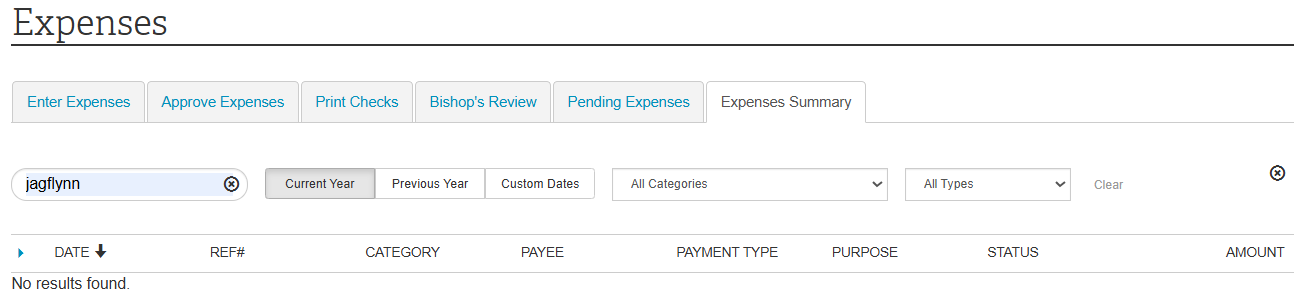
See attached screenshot. When I navigate to Expenses Summary on my Windows laptop or my Android phone, my username autofills in the search field. I have to delete it every time to be able to view the Expense Summary.
That's odd. I've never seen that myself. The actual HTML has autocomplete=off for that input field so the browser isn't supposed to fill anything in.
On Windows I'd try turning off any extensions that you might have installed. Some extension may be trying to be too helpful. But as far as I know Chrome on Android doesn't support extensions so that doesn't explain it happening there.
Delete the browser cookies and cache for the Church website (churchofjesuschrist.org).
You can also try clicking the 'Clear' link on the right side of the options line and then closing that webpage or browser and then reopening that webpage.
JD Lessley Have you tried finding your answer on the ChurchofJesusChrist.org Help Center or Tech Wiki?