New Member
During various meetings you may have a leader that needs to show a video or presentation. While the Church's new video systems will forward HDCP copy protection inside the building, that does not mean it will play nice with capture devices for streaming meetings to other buildings and often results in a black screen. There is an inexpensive option for taking care of this on resolutions up to 1080p. It does not work on 4K video.
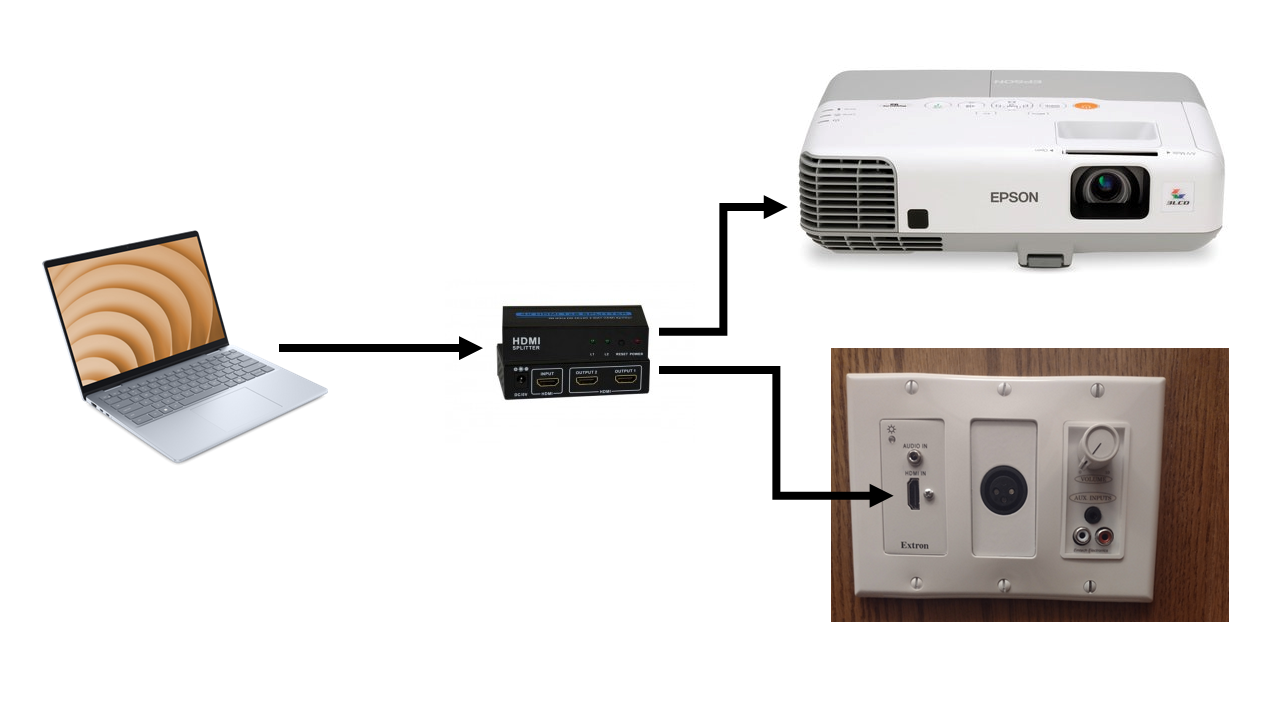
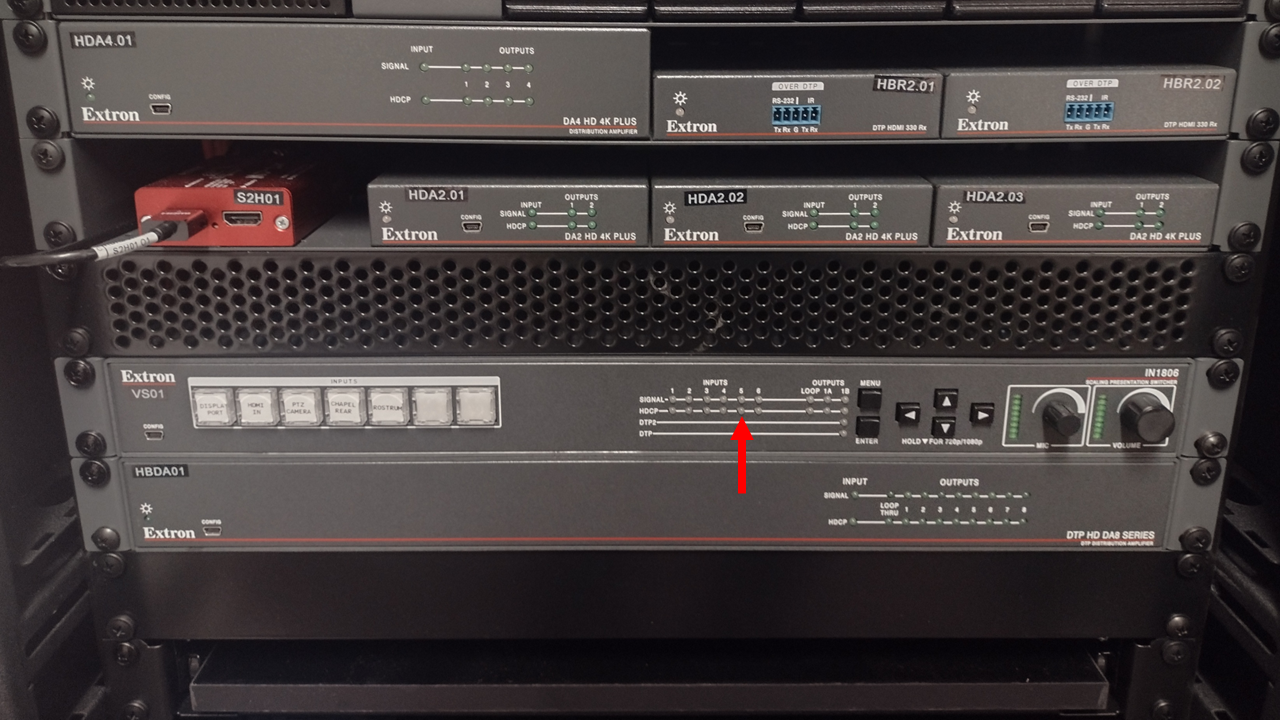
Run your video through a non-HDCP compliant HDMI splitter before inserting it into the building video system. You'll know if you're successful if the Rostrum HDCP light on the video switcher in the A/V rack does not light up.
In the past I've used OREI splitters but they are now HDCP compliant. (the old ones will still work) Look through the reviews for any splitter to see if people have been successful using them to strip HDCP. The most common use is for recording video gaming.
Run your video through a non-HDCP compliant HDMI splitter before inserting it into the building video system. You'll know if you're successful if the Rostrum HDCP light on the video switcher in the A/V rack does not light up.