How do I open a member's profile in a new tab?

6 postsstarted by taylorsteven 772 viewsoriginal topic

New Member
#1
When I am in LCR, I want to right-click a member's name and open their profile in a new tab so I don't lose my report's filters.

Currently, clicking a name just opens the mini-popup card with their basic info. Because it's not a normal link, the website doesn't let me "Open in New Tab."

Is there any way to force these to open in a new tab, in Chrome or Firefox (already tried the Lasso extension)?
Member
#2
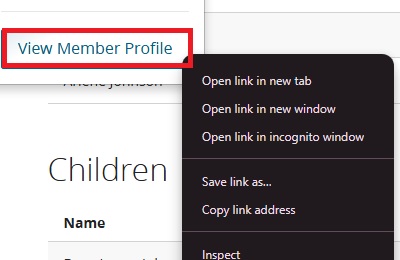
right click on the view member profile link at the bottom of the mini-popup card gives the option to Open link in new tab.
There are 11 types of people. Those who understand Gray Code and those that don't.
New Member
#3
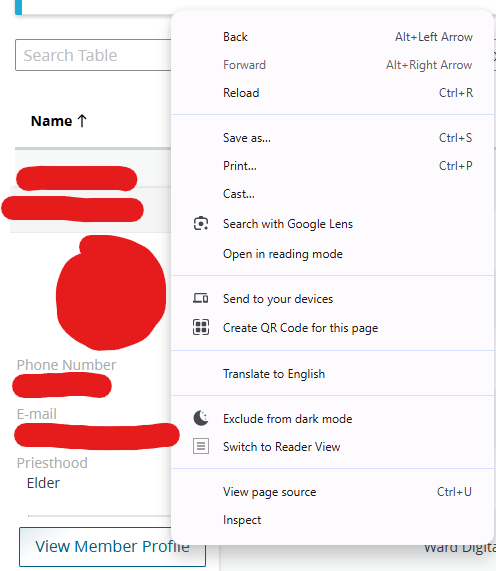
There is no option to view in a new tab.
view member profile screenshot.png
Member
#4
when I right click on view member profile I get this menu (I am using Chrome)
new tab.jpg
new tab.jpg (26.48 KiB) Viewed 707 times
There are 11 types of people. Those who understand Gray Code and those that don't.
Community Moderators
#5
I have noticed the absence of some short-cut (right click) menu items, including "Open Link in New Tab" and "Open Link in New Window" for reports in the LCR > Reports menu items in Firefox. But the full short-cut menu is there when using the other LCR menu items such as Directory & Callings. I have not checked against Chrome or Edge yet.
JD Lessley
Have you tried finding your answer on the ChurchofJesusChrist.org Help Center or Tech Wiki?
Community Moderators
#6
I'd recommend sending this as feedback. This has annoyed me as well, especially from Reports – there's no way to open in a new tab.
Samuel Bradshaw • If you desire to serve God, you are called to the work.