Beta Directory Issues

195 postsstarted by dobrichelovek 58,552 viewsoriginal topic

#1

Verification of directory issue.

Since I don't see a discussion on directory issues, I'll just mention here that when we access the beta directory using my wife's account, everything shows up fine. When I access the beta directory using my account, I get no data. I didn't see any items in jira that represented this problem, but I may have missed it. Aside from sending feedback on not seeing the directory, how else can I follow through to make sure this gets the proper exposure? Is it possible that I'm really so unique that I'm the only one? :rolleyes:
Community Administrator
#2
What happens when you log into LUWS?
Have you searched the Help Center? Try doing a Google search and adding "site:churchofjesuschrist.org/help" to the search criteria.

So we can better help you, please edit your Profile to include your general location.
#3
Everything in LUWS works fine for me when I log in. It's just the beta directory that doesn't work when I log in with the same account.
Community Moderators
#4
dobrichelovek wrote:Since I don't see a discussion on directory issues, I'll just mention here that when we access the beta directory using my wife's account, everything shows up fine. When I access the beta directory using my account, I get no data. I didn't see any items in jira that represented this problem, but I may have missed it. Aside from sending feedback on not seeing the directory, how else can I follow through to make sure this gets the proper exposure? Is it possible that I'm really so unique that I'm the only one? :rolleyes:
I suspect that it's the fact that the site is a Beta. I have seen similar problems with the Beta Calendar site - I logon and get no events. After a few re-loads the data finally appears. I would recommend the Feedback link to inform the programmers of the issue. Be as detailed as you can as it helps them pin down the problem.
Have you read the Code of Conduct?
Senior Member
#5

Questions on Beta Directory

I have just started playing around with the new directory and I'm very excited about some of he features, especially the ability to upload larger photos, and the administrator ability to update profiles of members. I have some questions on this: If I update someones email address, will it show in the current version of the LUWS? Along with that, if I add an email address to a profile of someone who is not registered, will they be included in broadcast emails? I know I can experiment with this and maybe see the results in 48 hours, but thought perhaps someone could answer the questions now...
Church Employee
#6
dobrichelovek wrote:Since I don't see a discussion on directory issues, I'll just mention here that when we access the beta directory using my wife's account, everything shows up fine. When I access the beta directory using my account, I get no data. I didn't see any items in jira that represented this problem, but I may have missed it. Aside from sending feedback on not seeing the directory, how else can I follow through to make sure this gets the proper exposure? Is it possible that I'm really so unique that I'm the only one? :rolleyes:
Are you still seeing this issue? Have you submitted feedback? I've seen two similar complaints in the feedback, and have even managed to duplicate it (sort of) when logging in to some units. But I can't do it consistently enough in our test environment to uncover a cause.

Is your unit a non-English speaking unit? That is where I have seen this before.
Member
#7
My unit (of course ^_^ ) is a not-speaking English, and I have this same problem, but Feedback people tell me international areas can't see any data, still have the site in English.
#8

Still no data.

jdcr256 wrote:Are you still seeing this issue? Have you submitted feedback? I've seen two similar complaints in the feedback, and have even managed to duplicate it (sort of) when logging in to some units. But I can't do it consistently enough in our test environment to uncover a cause.

Is your unit a non-English speaking unit? That is where I have seen this before.
I have submitted feedback, and got one response asking for more information, but it wasn't exactly related to the issue. I mentioned (and will mention now) that my default language in my LDS account was Russian when I first started trying the beta. I have since returned it to English, but this didn't correct the problem, which I was still consistently having until I checked just now. :D I believe I checked yesterday and it wasn't working, but I'm sure I checked before submitting the last reply two days ago. Up until now it was consistently not working. Did something change?

So with the test just now, here's what happened:
I logged in from beta.lds.org and then clicked the directory application. To my great surprise, I saw the data there from my ward, which I had never seen with my account before. I then switched over (pressed back on my browser) and clicked on the calendar app to see if my ward clerk had added me to the list of approvers. No such luck.
I then just tried the directory again, and it seems not to work again. For a few (2 or 3) minutes after this attempt, the site seemed down (internal server error), but now it seems like it's up and giving me the same problem as before, where I am getting no data. It was promising for a brief moment, when I saw information from my ward using my own account, but the joy was fleeting.

Now I just see the blank directory formatted screen with search, print, and a hyperlink to https://beta.lds.org/directory/#x if I hover in the right place.

Hope this helps you.

I did verify a few times that this is still a problem, and when I log in under my wife's account it shows up just fine using the same browser.
#9

Seems to be fixed.

dobrichelovek wrote: I did verify a few times that this is still a problem, and when I log in under my wife's account it shows up just fine using the same browser.
Okay. Seems to be working now. I even switched my default language back to Russian (still have my location as US) and even though it was blank the first time, I refreshed it and it came back right. I refreshed it again, it was broken, but now it seems stable. So except for this minor inconsistency, I am satisfied that something changed. Thanks.
#10

Unfortunately, it broke again.

I should have posted this about three weeks ago, but it's broken again, and I don't understand why.

Just to recap, I go to beta.lds.org, login with my LDS Account, and try the Ward and Stake directory, which shows up for me, under my account, as a screen with a blue background, a white rectangular field, with a gray header, which includes a print button, and the rest of the field divided unequally into three columns with a search field at the top of the middle column. But there is nothing else. No names, no links, no ward name, or anything else.

If I go to traditional LUWS with that same LDS Account, I have no problems seeing everything just fine.

If I go to the Beta Directory site and have my wife login with her account, it works, and everything is visible, just as it should be. I have submitted this, again, as an issue, but I am concerned that it is an issue at all. The only differences between my LDS Account and that of my wife (or the only differences that I can think of) are that I got mine much earlier than she, mine is set (on the LDS Account page) to default to Russian (even though we live in Colorado) and hers in English, and some other, obvious differences, but we are both in the same ward, etc... :D

So, the basic question is, why is her account working and mine not? Or more basic, why is my account not working, when it's not a problem with the unit that I'm in? :confused:
Church Employee
#11
So if I switch to my browser locale to Russian then I see the beta home page is mostly blank. I then switched my browser back to English and switched my LDS Account to Russian and was able to duplicate what you were seeing. I even tried setting my browser to Russian and it still failed. In FireFox with FireBug in the console I saw a 500 error on https://beta.lds.org/directory/services ... /str/index.

I believe that the beta release is still not fully supporting translations. I believe that is planned for a future release of the beta.
#12

Thanks for looking.

Ryan,

Thank you so much for validating my error. I didn't manually change my browser locale to Russian, just my LDS Account, but I'm glad you're considering the other use cases. :o

I accept that this particular issue may not yet fully support translations, but my expectation would be that the default behavior would give me an English Language page with the proper data in the absence of the 'preferred' language. This, of course, is my opinion. I consider this a bug, as I shouldn't be restricted from having a nonstandard default language in order to use a certain site.

I also accept that this probably won't be corrected immediately, but it would be nice if there was an improvement to the system that would allow me to keep my default language as Russian, for the purpose of checking for just these types of problems, and keeping up with my language, and at the same time be able to use the site in the 'default' language, when the language I chose is not available.

You can't blame me for watching out for my brothers and sisters across the Bering Strait, as I know there are not many of them involved at this level so far. Part of the point of this rewrite is, after all, to have an internationally acceptable base for these applications so that it will be applicable for the whole worldwide church. ;)
Church Employee
#13
dobrichelovek wrote: I accept that this particular issue may not yet fully support translations, but my expectation would be that the default behavior would give me an English Language page with the proper data in the absence of the 'preferred' language.
I would agree, it should default to English if your selected language is not supported yet. Hopefully the details of the bug will help the developers fix it more easily.
Church Employee
#14
dobrichelovek wrote:I accept that this particular issue may not yet fully support translations, but my expectation would be that the default behavior would give me an English Language page with the proper data in the absence of the 'preferred' language.
The next release we do will go a long way toward handling internationalized character sets. The goal is to not only have the site be able to handle the characters, but to have the application translated to 10 major languages within the next few releases (over the course of the next few months).

Additionally, we finally found the root cause of the bug you were seeing where you would get the Directory UI, but no data. We were not handling the language setting from LDS Account correctly, unless the language set was English. That will be fixed (hopefully for good ;)) in our next release.
New Member
#15

Address and map location differ

Noticed an oddity. We have a member that moved to our stake in Virginia from Idaho in December. Their address in the beta directory is correct (matches MLS and LUWS), but the link to "map the address" pulls up what appears to be the old (Idaho) address. Known beta issue?
Community Administrator
#16
RichardsonAG wrote:Known beta issue?
I think it's been noted before that it's working with old location data.
Have you searched the Help Center? Try doing a Google search and adding "site:churchofjesuschrist.org/help" to the search criteria.

So we can better help you, please edit your Profile to include your general location.
New Member
#17
Does the local unit need to do anything to correct?
Community Moderators
#18
RichardsonAG wrote:Does the local unit need to do anything to correct?
No. As long as your MLS data is accurate. The fact that an older set of data is being used by the beta site is not within any control of the local unit.
Have you read the Code of Conduct?
Senior Member
#19

Member search problem

In the current LUWS, when you use the Search for Member function, it brings up all the info on the member, including their ward. The beta member search feature does not indicate the ward. I see this as a major problem, as this is often vital information in a search. Any chance it can/will be fixed?
Community Moderators
#20
zaneclark wrote:In the current LUWS, when you use the Search for Member function, it brings up all the info on the member, including their ward. The beta member search feature does not indicate the ward. I see this as a major problem, as this is often vital information in a search. Any chance it can/will be fixed?
I would recommend that you submit your suggestion/question through the Feedback system in the beta site (beta.lds.org). This is the fastest way of getting your request to those who are working on the program.
Have you read the Code of Conduct?
Church Employee
#21
zaneclark wrote:In the current LUWS, when you use the Search for Member function, it brings up all the info on the member, including their ward. The beta member search feature does not indicate the ward. I see this as a major problem, as this is often vital information in a search. Any chance it can/will be fixed?
I just logged this as a bug. It should be fixed for our June release.
Senior Member
#22

Another bug?

In the current LUWS, as a Stake Administrator, I have admin status in all wards. I can't seem to find a way to get this in the beta directory. I may be missing a link (please no jokes about the "missing link.")
Community Moderators
#23
zaneclark wrote:In the current LUWS, as a Stake Administrator, I have admin status in all wards. I can't seem to find a way to get this in the beta directory.
By Stake Administrator I am assuming you mean you are a LUWS administrator at the stake level. The beta directory uses edit rights based on stake and unit standard positions. For the stake the positions with edit rights are the stake presidency, clerks, and STS. A position of stake website administrator is not given edit rights as of now for the directory. Anyone can be given administrator rights in the current LUWS by another admin. That is not true for the beta directory.

If you are a stake clerk, assistant stake clerk, or STS and do not have edit rights you should check in MLS to see whether your position is a standard position or a custom position. Only those using the standard positions will be granted edit rights.
zaneclark wrote:I may be missing a link.
There is no additional link. When you sign in using your LDSAccount you will be recognized as having edit rights if you hold a standard position from the list of those who have been granted those rights. When a person with edit rights selects an individual's name they will see "You have rights to edit the family profile" and an Edit Profile button above the individual's information.
JD Lessley
Have you tried finding your answer on the ChurchofJesusChrist.org Help Center or Tech Wiki?
Community Administrator
#24
It's possible that the role of administrator may be changing. So far, all we've seen is directory and calender in the beta. The beta does allow greater changes to membership and as such, should probably only be handled by a clerk.

The role of web admin may not be obsolete. There's still other function we haven't seen rolled out yet. But the days of one person being admin over all the functions may be coming to a close.
Have you searched the Help Center? Try doing a Google search and adding "site:churchofjesuschrist.org/help" to the search criteria.

So we can better help you, please edit your Profile to include your general location.
Senior Member
#25
jdlessley wrote:By Stake Administrator I am assuming you mean you are a LUWS administrator at the stake level. The beta directory uses edit rights based on stake and unit standard positions. For the stake the positions with edit rights are the stake presidency, clerks, and STS. A position of stake website administrator is not given edit rights as of now for the directory. Anyone can be given administrator rights in the current LUWS by another admin. That is not true for the beta directory.
As I understand you, the stake clerks have edit rights for the web site but the web site administrator does not... Sounds a little backwards.... I hope this changes...
Community Administrator
#26
zaneclark wrote:As I understand you, the stake clerks have edit rights for the web site but the web site administrator does not... Sounds a little backwards.... I hope this changes...
No, it makes perfect sense to me. The part of the website we're talking about is the membership records. That's the dominion of the ward clerks. The stake clerk(s) have the responsibility to teach the ward clerks.

What we're seeing is a redefining of "web site administrator". Where it used to be just one person had ability to change all aspects, the responsibility in different areas are being divided up according to calling.

If your Bishop or Stake President wants you to continue to administer the new site, then they should probably make you an assistant clerk and enter that as a standardized calling in MLS.
Have you searched the Help Center? Try doing a Google search and adding "site:churchofjesuschrist.org/help" to the search criteria.

So we can better help you, please edit your Profile to include your general location.
New Member
#27
I have discovered some new oddities about the directory...

When I was leaving for College I decided to run some tests on how the photos would transfer from stake to stake... so I uploaded a photo for myself (both individual and Family, though they were just a copy of the same photo since I'm single...) to see how it worked... I'd done this for my entire singles branch as well, but only the Family photo for them since that's the one most people seemed to care about because of the member photos area...

When I moved I was fortunate to move in with one of the people from my branch... (otherwise I wouldn't have noticed anything weird...)

When I log in I see both my family and individual photos exactly as they'd been before... no changes, but when I select my roommate his picture just shows up as a broken link... and it's the same when he logs in, he can see his picture just fine, but mine appear as broken links...

in my new ward I have no way to access the Admin tools to see whether there is some process of authorization that needs to happen before Old photos transfer into the new ward, and to some degree I guess that would make sense, what is acceptable as a member photo to one clerk may be seen as inappropriate by another... but I don't think that's the case...

I'm sorry if this is just a repeat of the "photos don't transfer between stakes" issue but from all I've read this doesn't seem to match the criteria... let me know if you need any more details... (or less, I tend to over-explain :))
Community Administrator
#28
Under the current beta, photos have to be approved before anyone else can see them. Do you know if yours were approved before you moved?
Have you searched the Help Center? Try doing a Google search and adding "site:churchofjesuschrist.org/help" to the search criteria.

So we can better help you, please edit your Profile to include your general location.
New Member
#29
They had been, I approved them myself... I could try uploading them again, but without an Admin aware of the Beta to approve that wouldn't fix the photos, plus it would kind of defeat the purpose of doing this experiment in the first place...
Community Administrator
#30
Kyrandita wrote:They had been, I approved them myself.
I suggest you send a note in feedback. I don't know how it was intended to work, but having to reapprove photos of all move-in seems like extra work to me.
Have you searched the Help Center? Try doing a Google search and adding "site:churchofjesuschrist.org/help" to the search criteria.

So we can better help you, please edit your Profile to include your general location.
Senior Member
#31

Printing Too Light

I have been experimenting with the various printing options and have found that the telephone numbers print very light, almost too dim to see. I have tried this on different printers with the settings high for dark print and it is still the same. I have sent this issue as feedback to the web gurus, hoping that they can fix this before the release in June...
Community Moderators
#32
zaneclark wrote:I have been experimenting with the various printing options and have found that the telephone numbers print very light, almost too dim to see. I have tried this on different printers with the settings high for dark print and it is still the same. I have sent this issue as feedback to the web gurus, hoping that they can fix this before the release in June...
I just printed a complete (4 column) directory of my home ward and all the information printed fine. When you printed, did ALL of the phone numbers print lighter or only a select few?
Have you read the Code of Conduct?
Senior Member
#33
techgy wrote:I just printed a complete (4 column) directory of my home ward and all the information printed fine. When you printed, did ALL of the phone numbers print lighter or only a select few?
All numbers printed light, with the names darker.
Church Employee
#34
RussellHltn wrote:I suggest you send a note in feedback. I don't know how it was intended to work, but having to reapprove photos of all move-in seems like extra work to me.
The code to handle moving photos between wards has not been included yet, so as of now I'm not sure exactly what to expect. Once it's done, your photos should follow you from ward to ward without any issues. I haven't been able to test it myself in our internal test environment due to technical limitations, so I've been wondering what would happen...

...I could follow that up with an explanation of the complexities involved in maintaining the test environment for this application (CMIS, CDOL, LDSAccount, Single-Sign-On, and on and on), but instead I'll just say, thanks for trying it for me! :D
Community Moderators
#35
zaneclark wrote:All numbers printed light, with the names darker.
What you're describing almost sounds like everyone has chosen to not display their phone numbers on the listing and the lighter color is simply an indication of that choice. However, I somehow doubt that the entire ward would choose to do this.

Try directing the printing to a PDF Creator instead of to the printer, then view the result and see what you get. Also, clear your browser cache.

If you still have the problem, then it would be a good idea to submit some feedback using the response mechanism within the beta site.
Have you read the Code of Conduct?
Community Administrator
#36
techgy wrote:
zaneclark wrote:I have been experimenting with the various printing options and have found that the telephone numbers print very light, almost too dim to see. I have tried this on different printers with the settings high for dark print and it is still the same. I have sent this issue as feedback to the web gurus, hoping that they can fix this before the release in June...
I just printed a complete (4 column) directory of my home ward and all the information printed fine. When you printed, did ALL of the phone numbers print lighter or only a select few?
When I print my ward's directory, for each household the name definitely prints darker than the rest of the information, as you can see in this screen shot (don't worry, I cobbled together various words, so this contains no real information).
Directory.png
Directory.png (3.74 KiB) Viewed 2513 times
So I think it's clear that the printout of the directory is designed to distinguish the name from the other information by using different shades of color. But it seems to be a minor difference; the name is pretty close to black, and the other information is a fairly dark gray. In my experience, the gray text doesn't seem to be anywhere near "almost too dim to see."

Perhaps some printers exaggerate this difference. Zane, is this the same basic issue you are seeing, although you see a more pronounced difference? Or am I on the wrong track?
Questions that can benefit the larger community should be asked in a public forum, not a private message.
Senior Member
#37
Alan_Brown wrote:When I print my ward's directory, for each household the name definitely prints darker than the rest of the information, as you can see in this screen shot (don't worry, I cobbled together various words, so this contains no real information).


So I think it's clear that the printout of the directory is designed to distinguish the name from the other information by using different shades of color. But it seems to be a minor difference; the name is pretty close to black, and the other information is a fairly dark gray. In my experience, the gray text doesn't seem to be anywhere near "almost too dim to see."

Perhaps some printers exaggerate this difference. Zane, is this the same basic issue you are seeing, although you see a more pronounced difference? Or am I on the wrong track?
This exactly the issue I am seeing. I looked at it a little closer and the numbers appear to be in a different font than the rest of the entry. Perhaps that is the reason the number appears lighter..
Senior Member
#38

Printing Not Working

I just tried the site to see if I could work out the printing issue, and cannot print anything! I keep reminding myself that the site is still beta and so may be offline occasionally for further adjustments...
Senior Member
#39

Site not available?

Just tried again and it tells me that my login is incorrect.... It is the same LDSaccount I use for everything and it still works on other sites.... More maintenance?
Community Administrator
#40
zaneclark wrote:Just tried again and it tells me that my login is incorrect.... It is the same LDSaccount I use for everything and it still works on other sites.... More maintenance?
It works fine for me (8 minutes later). I can login, and I can print the directory.
Questions that can benefit the larger community should be asked in a public forum, not a private message.
Church Employee
#41
Alan_Brown wrote:So I think it's clear that the printout of the directory is designed to distinguish the name from the other information by using different shades of color. But it seems to be a minor difference; the name is pretty close to black, and the other information is a fairly dark gray. In my experience, the gray text doesn't seem to be anywhere near "almost too dim to see."
I dug into the CSS and took a look at it. The address and phone both use color code #666666. The name is #333333. The name also picks up a bold and small caps style, which provide some additional emphasis for the eye.

End result, the name is darker than the address/phone and also has some other emphasis in the styling.

I should probably insert a joke here about high-priest-sized print.
New Member
#42
I can confirm scgallafent's findings (gotta love firebug).

Also, printing using PDFCreator resulted in all the text being the same font color; easy to see all of the text on the screen.

Leads me to wonder what browser you're using and its CSS capabilities, zaneclark? Or the printer :) Or perhaps a cached stylesheet? :S etc etc
Member
#43
As a feature request I'd like to be able to choose a preferred name to be used in the Ward directory, rather than full names.

And it would be useful to be able to see which ward a member is in when you have found them through stake search.
Member
#44
silid wrote:And it would be useful to be able to see which ward a member is in when you have found them through stake search.
this will be available in the next release
There are 11 types of people. Those who understand Gray Code and those that don't.
Senior Member
#45
When I first accessed the beta directory, I was able to format and print directories using different numbers of columns, different font size, etc., but for over a week now, when I press the print link, all I can pull up is the name of the ward and the date. Before I use the feedback to report this, I wanted to know if I am the only one having this problem, and If that is the case, what am I doing wrong?
Community Administrator
#46
zaneclark wrote:When I first accessed the beta directory, I was able to format and print directories using different numbers of columns, different font size, etc., but for over a week now, when I press the print link, all I can pull up is the name of the ward and the date. Before I use the feedback to report this, I wanted to know if I am the only one having this problem, and If that is the case, what am I doing wrong?
It could be that you just need to be more patient. I saw the same thing, but then I waited and saw that the heading appears quickly, but the list of names may take several seconds (sometimes 30 or more) to appear.

It would be nice to have some sort of progress indicator.
Questions that can benefit the larger community should be asked in a public forum, not a private message.
Church Employee
#47
While we're bouncing this issue around, I had someone report today that the default Internet Explorer print settings don't mix well with the directory print feature. Since most people won't ever find the window that allows IE print settings (margins, etc.) to be changed, this probably deserves some attention.

I didn't see anything in Jira. Should I create a new issue or is this already floating around in there and I missed it?

I did see an item to explore PDF for printing. That gets my vote for being the best long-term solution.
Senior Member
#48

Beta directory admin rights

This is a question I recently submitted to the feedback for the beta directory and the answer I received:

"I am the stake and ward web administrator. What kind of editorial rights will I have with the new beta directory? So far I have edit rights for my ward members but not for the ward leaders directory and none at all for the stake.

LDS Church responded on June 8, 2010 at 7:22 AM as follows:
Hi Zane. As the ward and stake website admin you should be able to edit individual member information. However the Ward/Stake leadership lists are not configurable from within the application. They are built from information retrieved from the MLS database."

This is a major change from the current LUWS. As our ward membership clerk, I keep our ward leadership listings current in the MLS, but people at the stake level often do not, so the changes I make on the LUWS in the stake leadership listings are frequently the most accurate reflection of the current stake leaders. It appears this will no longer be possible in the new directory.
Senior Member
#49
zaneclark wrote:This is a question I recently submitted to the feedback for the beta directory and the answer I received:

"I am the stake and ward web administrator. What kind of editorial rights will I have with the new beta directory? So far I have edit rights for my ward members but not for the ward leaders directory and none at all for the stake.

LDS Church responded on June 8, 2010 at 7:22 AM as follows:
Hi Zane. As the ward and stake website admin you should be able to edit individual member information. However the Ward/Stake leadership lists are not configurable from within the application. They are built from information retrieved from the MLS database."

This is a major change from the current LUWS. As our ward membership clerk, I keep our ward leadership listings current in the MLS, but people at the stake level often do not, so the changes I make on the LUWS in the stake leadership listings are frequently the most accurate reflection of the current stake leaders. It appears this will no longer be possible in the new directory.
I will be the first to comment on my post as i have just realized a major benefit to this new procedure. The majority of the wards in my stake do not have an active web administrator so the leaders lists on their LUWS are very poorly maintained. With the new beta directory, the leadership is pulled from the ward MLS which is generally a current listing. I just checked a ward in my stake and found this to be the case. For example in the current LUWS, they only have a single name in Elders listing. The beta directory has a full listing of all the officers and instructors. Now I need to encourage the stake clerks to keep their MLS updated.
Community Administrator
#50
zaneclark wrote:This is a major change from the current LUWS. As our ward membership clerk, I keep our ward leadership listings current in the MLS, but people at the stake level often do not, so the changes I make on the LUWS in the stake leadership listings are frequently the most accurate reflection of the current stake leaders. It appears this will no longer be possible in the new directory.
Yes, this is a major change, but for many of us it is a very welcome change that we have been begging for ever since LUWS came out. In many stakes, it's the same people who maintain both MLS and LUWS, and it has been a burden to enter the same information twice. Now, finally we will only have to enter information in MLS and the Web site will take care of itself automatically.

I certainly have some sympathy for you, since I know that some wards or stakes don't keep MLS up to date, and the current LUWS gives you a way to at least have the public-facing leadership list more up to date. But hopefully there will be a change in mindset and the appropriate clerks will pay more attention to MLS. After all, there are more and more reasons for this: access to new and existing Church websites is dependent on individuals having the correct callings, the new beta directory obviously depends on it, and effective ward and stake administration requires accurate information as to who has which callings.
Questions that can benefit the larger community should be asked in a public forum, not a private message.
#51

Flow both ways

We have already seen with the LDS Account that
individual members can update their contact info and
it would be sent as a change to their ward's MLS.

Why not allow the stake website admin or stake clerk
be able to change the callings on the website and have
that data flow to the proper copy of MLS ?

To avoid unnecessary meddling, changes sent to the ward's
MLS could require an approve/disapprove on the part of the
MLS user before posting to the website. To really force clerk
participation, rather than making it an "Urgent Task", block
transmission until a Yeah or Nay is made. Not being able to
transmit the weekly donations to HQ should be a sufficient
motivator. A dialog box should pop up with the proposed
change, and Appprove/Disapprove whenever a transmission
is attempted.

This seems like a better way to provide complete information.

- Atticus
Church Employee
#52
atticusewig wrote:We have already seen with the LDS Account that
individual members can update their contact info and
it would be sent as a change to their ward's MLS.

Why not allow the stake website admin or stake clerk
be able to change the callings on the website and have
that data flow to the proper copy of MLS ?
- Atticus
Actually the ability to manage callings is being developed in the MLS online tools that are part of the beta as well. That work is not done yet, but when done it will directly update the calling in CDOL and the changes will be sent down to MLS.
Senior Member
#53

Standard callings on beta directory?

Is the standard list of callings found in the wiki current? I found some differences between that list and those on the beta directory. For example, the standard list uses Relief Society Teacher but the beta directory uses Relief Society Instructor. Since the MLS leaders info is fed to the new beta directory, I want to be sure it is correct.
Community Administrator
#54
If you use a standard calling in MLS, it will always be correct. The listing in the wiki is just a guide and can be out of date.
Have you searched the Help Center? Try doing a Google search and adding "site:churchofjesuschrist.org/help" to the search criteria.

So we can better help you, please edit your Profile to include your general location.
Senior Member
#55
zaneclark wrote:Is the standard list of callings found in the wiki current? I found some differences between that list and those on the beta directory. For example, the standard list uses Relief Society Teacher but the beta directory uses Relief Society Instructor. Since the MLS leaders info is fed to the new beta directory, I want to be sure it is correct.
Last time I checked the names for callings in the beta directory were hard coded so they could be different than what MLS shows. However, the beta directory doesn't identify callings by name but by an internal ID (defined by CDOL I believe). So as long as you use the standardized callings as listed in MLS it will show up in the beta directory (possibly with a slightly different name).
Senior Member
#56
eblood66 wrote:Last time I checked the names for callings in the beta directory were hard coded so they could be different than what MLS shows. However, the beta directory doesn't identify callings by name but by an internal ID (defined by CDOL I believe). So as long as you use the standardized callings as listed in MLS it will show up in the beta directory (possibly with a slightly different name).
I think I understand but now I have another question..... Will the beta be able to display custom positions? There are many assistants, greeters, etc. in various organizations that should be listed...
Community Administrator
#57
zaneclark wrote:...the standard list uses Relief Society Teacher but the beta directory uses Relief Society Instructor. Since the MLS leaders info is fed to the new beta directory, I want to be sure it is correct.
MLS has a position called "Relief Society Teacher" but when that calling is sent to the CDOL, it is called "Relief Society Instructor"; the beta leadership directory uses the same term as the CDOL.

So the wiki's list of callings accurately reflects what MLS lists as standard callings, but that doesn't match the CDOL or beta directory. And the latest MLS 3.2 beta also still uses the term "Teacher", not "Instructor". Oh well.
Questions that can benefit the larger community should be asked in a public forum, not a private message.
Community Administrator
#58
zaneclark wrote: Will the beta be able to display custom positions? There are many assistants, greeters, etc. in various organizations that should be listed...
I don't know what the plans are, but at this point the beta directory doesn't list any custom positions. It doesn't even list all the standard positions. There is apparently some magic list of the callings that are displayed in the beta directory, which includes all the leadership positions, but then just a limited selection of the remaining standard callings.
Questions that can benefit the larger community should be asked in a public forum, not a private message.
Church Employee
#59
Alan_Brown wrote:I don't know what the plans are, but at this point the beta directory doesn't list any custom positions. It doesn't even list all the standard positions. There is apparently some magic list of the callings that are displayed in the beta directory, which includes all the leadership positions, but then just a limited selection of the remaining standard callings.
The positions shown currently in the Directory are what I believe are referred to as 'Tier 1' and 'Tier 2' callings in CDOL. There is also a category of 'Tier 3' callings that includes custom callings. ryan jones would be the expert on what is in each of the Tiers. As far as I know, all of Tiers 1 and 2 are included in the Directory.

There is a possible future enhancement to Directory to include Tier 3 callings, but that is a lower priority item right now.
Church Employee
#60
jdcr256 wrote:The positions shown currently in the Directory are what I believe are referred to as 'Tier 1' and 'Tier 2' callings in CDOL. There is also a category of 'Tier 3' callings that includes custom callings. ryan jones would be the expert on what is in each of the Tiers. As far as I know, all of Tiers 1 and 2 are included in the Directory.

There is a possible future enhancement to Directory to include Tier 3 callings, but that is a lower priority item right now.
The current code in beta uses a hard coded list of specific callings. The code in some of the test environments is calling CDOL for the entire list of standard callings (Tier 1 and 2). The custom callings (Tier 3) need a little work and then they can be added as desired (I don't know the priority of that for the directory team).
Member
#61

Members removing own personal contact information

I have a question about members being able to update/remove their own contact information. As a bishop, I visit the new beta directory frequently and make updates that include cell phones & email addresses for all members of my ward. This has proved to be a great help with keeping in necessary contact with ward members.

However, if ward members are receiving those emails or if they visit the the beta directory, they too have the option to change their contact information including removal. As I go through the directory again later, I see that information missing and add it back in not knowing that a member removed it.

There needs to be something in place that indicates information was changed or removed by the member or that the member does not wish certain contact information made available otherwise it could just keep getting re-added by data junkies like myself.
Senior Member
#62

Some Observations on the Beta Directory

1. It still does not show the ward in the "search for member" feature. I consider this one of the more important reasons to use this feature in the current LUWS. I used feedback to question this several weeks ago and they said they would look at it...... Still doesnโ€™t show the ward.

2. A counselor in the RS, was not showing in the leaders directory. I deleted and re-entered the entry in MLS using the standard calling designation, still did not show. I finally used the Custom Position Review Tool, found the position listed there as a custom position, even though it matched exactly the standard name. I deleted it and chose the standard name from the list and NOW it shows in the beta directory.

3. For those who have an iPad, you can edit the member contact information but not the photo. Photos that are already uploaded look great but any attempt to add or change a photo needs Adobe Flash, which the iPad does not have. Also, the iPad does not allow scrolling through the directory. You can go to a specific member by using the search at the top, or if you still need to scroll through the directory, use the print link. When the list formatted for printing shows, you can scroll through this.

Overall, the beta directory is great, especially the feature that lets members update their own contact information and upload their photos.... Now if I can just persuade them to do this.....
Community Administrator
#63
zaneclark wrote:1. It still does not show the ward in the "search for member" feature. I consider this one of the more important reasons to use this feature in the current LUWS. I used feedback to question this several weeks ago and they said they would look at it...... Still doesnโ€™t show the ward.
Patience, patience. You also reported this issue earlier in this thread and received this reply:
jdcr256 wrote:I just logged this as a bug. It should be fixed for our June release.
It's still June, and there hasn't been a new release yet this month. So give it a little more time.
zaneclark wrote:2. A counselor in the RS, was not showing in the leaders directory. I deleted and re-entered the entry in MLS using the standard calling designation, still did not show. I finally used the Custom Position Review Tool, found the position listed there as a custom position, even though it matched exactly the standard name. I deleted it and chose the standard name from the list and NOW it shows in the beta directory.

This has nothing to do with the beta directory. What you are reporting is purely an MLS issue. But you do have a good point that selecting a standard calling should indeed assign that standard calling to the selected member, even if there happens to be a custom calling with the exact same name. It's good that you have removed that custom calling in any case.
zaneclark wrote:3. For those who have an iPad, you can edit the member contact information but not the photo. Photos that are already uploaded look great but any attempt to add or change a photo needs Adobe Flash, which the iPad does not have. Also, the iPad does not allow scrolling through the directory. You can go to a specific member by using the search at the top, or if you still need to scroll through the directory, use the print link. When the list formatted for printing shows, you can scroll through this.
That's a good thing to be aware of -- thanks for mentioning it.
Questions that can benefit the larger community should be asked in a public forum, not a private message.
Church Employee
#64
zaneclark wrote:1. It still does not show the ward in the "search for member" feature. I consider this one of the more important reasons to use this feature in the current LUWS. I used feedback to question this several weeks ago and they said they would look at it...... Still doesnโ€™t show the ward.
We'll be releasing a new build of directory soon, and this fix is included. It's not a perfect fix yet, you need to click on the member and you will see their ward listed on the profile page. Ideally you would be able to see the ward right there in the search results, but we don't have a good UI paradigm that works like that yet.
zaneclark wrote:3. For those who have an iPad, you can edit the member contact information but not the photo. Photos that are already uploaded look great but any attempt to add or change a photo needs Adobe Flash, which the iPad does not have. Also, the iPad does not allow scrolling through the directory. You can go to a specific member by using the search at the top, or if you still need to scroll through the directory, use the print link. When the list formatted for printing shows, you can scroll through this.
Enabling the app for mobile browsers is a todo item that will hopefully get addressed in the release after this one. There are several tweaks we need to make to get the app running nicely on mobile devices.
Senior Member
#65
jdcr256 wrote:We'll be releasing a new build of directory soon, and this fix is included. It's not a perfect fix yet, you need to click on the member and you will see their ward listed on the profile page. Ideally you would be able to see the ward right there in the search results, but we don't have a good UI paradigm that works like that yet..
Yes! It is working! Thank you! I appreciate the way the developers respond to suggestions and questions..
Member
#66
I don't remember seeing this anywhere, but in the last upgrade of the beta directory, all of the families I had previously listed as private (those that did not want to be contacted) were made public again. I had to go back through the list and make each of those private again so that they didn't appear to the general membership.
Senior Member
#67

Beta Directory questions and observations....

My first question is about the authority level for site access. I received an excited email from my bishop yesterday talking about the great things available to him on the directory. Who else has the bishop's level of access? Will these access levels change when the directory is finally in full use?

Now an observation which should have been obvious but I just figured it out... Any photos uploaded by members need to be approved by the web administrator before posting.. Good feature. Any changes to the email address and phone number do not need to be approved but will show up as a change to the members information on a "send and receive" on the MLS. Fortunately I am both membership clerk and the web administrator so I will be able to see these changes...

Final observation: The new directory along with all the other changes are great upgrades and I am eagerly waiting for the full implementation of all the features.
Community Administrator
#68
zaneclark wrote:My first question is about the authority level for site access. I received an excited email from my bishop yesterday talking about the great things available to him on the directory. Who else has the bishop's level of access?
The Ward Clerk has most (if not all) of the permissions that a bishop does on the beta site. Perhaps counselors do as well, but I don't know.
zaneclark wrote:Will these access levels change when the directory is finally in full use?
Some access levels have changed along the way, and I wouldn't be surprised if they change again.
zaneclark wrote:Now an observation which should have been obvious but I just figured it out... Any photos uploaded by members need to be approved by the web administrator before posting.. Good feature. Any changes to the email address and phone number do not need to be approved but will show up as a change to the members information on a "send and receive" on the MLS. Fortunately I am both membership clerk and the web administrator so I will be able to see these changes...
I would guess that it is your assistant ward clerk position that lets you approve photos, rather than your website administrator calling. I know that ward clerks and assistant ward clerks can manage photos, but I don't know about website administrators.
Questions that can benefit the larger community should be asked in a public forum, not a private message.
Community Moderators
#69
zaneclark wrote:My first question is about the authority level for site access....Who else has the bishop's level of access? Will these access levels change when the directory is finally in full use?
We are all awaiting this list of who can access what! See the full discussion in the thread here, and quoted in part:

Quote:
Originally Posted by
kisaac Image
I echo the fact that it would be nice to see a "permissions" flowchart for each tool, and what is available for each calling so we can answers the questions our ward members have about these new tools. It would make it possible for us to provide feedback and work out "permissions bugs" during the beta test phase....

(and eliminate the need for all of us to compare each others screens to see who has what neat tool)
Originally Posted by ryan jones
I have asked that this be done for calendar, directory and mls online. I think that will be started.
__________________
Ryan Jones
CDOL Developer

zaneclark wrote: Now an observation which should have been obvious but I just figured it out... Any photos uploaded by members need to be approved by the web administrator before posting..

Fortunately I am both membership clerk and the web administrator so I will be able to see these changes...

An important shift: I believe the new beta directory doesn't have an ADMIN calling feature as does LUWS, but has permissions based on callings instead. Apparently, (and I could be wrong) you have photo approval rights based on your Ward Clerk calling, similar to your editing rights on beta membership locator (beta lds maps) as your ward clerk. Bommerbubba in the thread quoted suggested your other assistant clerks also have these rights as well.

also from the above linked thread:
kisaac wrote: It's becoming obvious that ward clerks must become IT techs.
Perhaps this suggests a new standard calling: Assistant Ward Clerk: IT specialist
"A soft answer turneth away wrath" works great on LDSTech forum boards!
Member
#70
kisaac wrote:Perhaps this suggests a new standard calling: Assistant Ward Clerk: IT specialist
If what I'm about to say seems a little zealous, please forgive me, but--

I would almost beg not to have the IT specialist or website administrator listed as an assistant ward clerk. My reasoning is that assistant clerks are supposed to be priesthood holders, but there are tasks that fall under the clerk's direction that may at times be better handled by a sister in the ward (for example, the historian may work with the clerk to prepare the historian, but since this is not an assistant clerk, may be a woman).

I would just rather not to get boxed into a gender requirement that didn't need to exist if we could avoid it.
Community Moderators
#71

"re-assign admin functions?"

nutterb wrote: I would almost beg not to have the IT specialist or website administrator listed as an assistant ward clerk. My reasoning is that assistant clerks are supposed to be priesthood holders, but there are tasks that fall under the clerk's direction that may at times be better handled by a sister in the ward (for example, the historian may work with the clerk to prepare the historian, but since this is not an assistant clerk, may be a woman).

I would just rather not to get boxed into a gender requirement that didn't need to exist if we could avoid it.
I totally agree, and can foresee other situations where an "admin" might not need to be called into a bishopric as a clerk. In LUWS, you can specify any admin as the ward see's fit, but the new beta.lds.org tools with admin functions seem tied to specific leadership callings, and I'm not sure if they can be "re-assigned." I brought up the question already...what if your clerks aren't prepared to take on these tasks?

Anyone know?
"A soft answer turneth away wrath" works great on LDSTech forum boards!
Senior Member
#72
kisaac wrote:I totally agree, and can foresee other situations where an "admin" might not need to be called into a bishopric as a clerk. In LUWS, you can specify any admin as the ward see's fit, but the new beta.lds.org tools with admin functions seem tied to specific leadership callings, and I'm not sure if they can be "re-assigned." I brought up the question already...what if your clerks aren't prepared to take on these tasks?

Anyone know?
According to the source code the website administrator position has admin rights for both the Directory and the Calendar. So the ward (or stake) can have a non-clerk admin for those two applications.

I don't have any particular information but I expect the Leadership/Clerk application will only be accessible to leadership and clerks. That application is specifically to help those positions do their jobs. Based on the potentially sensitive information that will be available (and possibly editable) it makes sense to restrict it to those with an appropriate leadership or clerk calling.
Member
#73
eblood66 wrote:According to the source code the website administrator position has admin rights for both the Directory and the Calendar. So the ward (or stake) can have a non-clerk admin for those two applications.

I don't have any particular information but I expect the Leadership/Clerk application will only be accessible to leadership and clerks. That application is specifically to help those positions do their jobs. Based on the potentially sensitive information that will be available (and possibly editable) it makes sense to restrict it to those with an appropriate leadership or clerk calling.
And I completely agree that website administrators shouldn't have access to the leadership/clerk application. My point is that it can be nice to have someone else updating the ward calendar(s), maintaining news and information, and overseeing the message on the homepage of LUWS. And there may be times when a woman might be the best person to fill that role. Same thing with an IT specialist. Unless there is a clear directive that the calling requires a priesthood holder, I would prefer to give the calling a name that doesn't imply a priesthood holder.
Senior Member
#74
nutterb wrote:My point is that it can be nice to have someone else updating the ward calendar(s), maintaining news and information, and overseeing the message on the homepage of LUWS. And there may be times when a woman might be the best person to fill that role. Same thing with an IT specialist. Unless there is a clear directive that the calling requires a priesthood holder, I would prefer to give the calling a name that doesn't imply a priesthood holder.
Doesn't Website Administrator fit that criteria?

Note that with the new calendar you can have lots of calendar editors updating calendars using whoever the ward wants. The new news and information site hasn't even been started yet but I would assume it will follow a similar pattern with the Website Administrator as one of the pre-defined admins and then with other individual editors for different categories of news.

The only talk about an IT specialist has been on this forum. There is nothing in the applications themselves that indicates such a position will be created. But if the ward needs somebody who becomes and expert on the applications and can help others, either a clerk or the Website Administrator seems like a reasonable choice. Again, the Website Administrator calling doesn't imply priesthood and could be filled by any responsible, technically inclined adult or even possibly youth.
Member
#75
eblood66 wrote:Doesn't Website Administrator fit that criteria?

Note that with the new calendar you can have lots of calendar editors updating calendars using whoever the ward wants. The new news and information site hasn't even been started yet but I would assume it will follow a similar pattern with the Website Administrator as one of the pre-defined admins and then with other individual editors for different categories of news.

The only talk about an IT specialist has been on this forum. There is nothing in the applications themselves that indicates such a position will be created. But if the ward needs somebody who becomes and expert on the applications and can help others, either a clerk or the Website Administrator seems like a reasonable choice. Again, the Website Administrator calling doesn't imply priesthood and could be filled by any responsible, technically inclined adult or even possibly youth.
Website Administrator currently does fit into the mold I'm advocating. And I expect it will stay that way. I'm speaking more in hypotheticals in relation to this statement:
kisaac wrote:Perhaps this suggests a new standard calling: Assistant Ward Clerk: IT specialist
I just saw the suggestion of a new standard calling of 'Assistant Ward Clerk...' and that sent up a red flag for me. I'm guess I'm skeptical of having lots of assistant ward clerk positions. I'd rather have specialists.
Church Employee
#76
I believe that they are also using the Website Administrator position in MLS to allow admin access in the directory and calendar.
Community Moderators
#77

what admin has rights over beta calendar?

ryan jones wrote:I believe that they are also using the Website Administrator position in MLS to allow admin access in the directory and calendar.
could you or someone clarify...

Are you talking about the LUWS (local unit website administrator) specified in MLS that has admin access in the beta directory and calendar? What about others with admin rights specified in LUWS but not in MLS? I can't check as I am LUWS admin and Ward Clerk, and would have to release myself. ;)

I'd would like the LUWS admin to have admin rights over the beta calendar and directory, as it will eventually become/replace LUWS.
"A soft answer turneth away wrath" works great on LDSTech forum boards!
Community Administrator
#78
kisaac wrote:could you or someone clarify...

Are you talking about the LUWS (local unit website administrator) specified in MLS that has admin access in the beta directory and calendar? What about others with admin rights specified in LUWS but not in MLS? I can't check as I am LUWS admin and Ward Clerk, and would have to release myself. ;)
The LUWS admin position will eventually become irrelevant. It can only be specified in LUWS, and only affects LUWS.

What Ryan was talking about is the Website Administrator position, which is a standard calling specified in MLS, is transmitted to CDOL, and affects what the person with that calling can do in the beta directory and calendar.
kisaac wrote:I'd would like the LUWS admin to have admin rights over the beta calendar and directory, as it will eventually become/replace LUWS.
It's simple enough for the ward clerk (or some other authorized MLS user) to specify in MLS that the person who is the LUWS administrator also has the standard MLS calling Website Administrator. Once that is done (assuming the bishop approves this), you get your wish. I don't see any reason to create a connection between the obsolescent LUWS and MLS/CDOL just for this tiny purpose, when the calling can already be entered in MLS in about a minute.
Questions that can benefit the larger community should be asked in a public forum, not a private message.
#79
Sure, it's easy to enter a website administrator in MLS.
It's much easier for an admin to appoint another admin
from the web, but I think that the church wants to make
sure that only people with higher-level callings can affect
the ward website. We lose flexibility, but the members
are assured that their information is handled only by
those in authority (that the members had sustained).

More safeguards built into church programs will make it harder
to be as cavalier in our actions, but will keep the legal department
(and probably many members) happy.

- Atticus
Church Employee
#80
atticusewig wrote:I think that the necessity of entering a person as the
ward website Admin in MLS to give them admin rights
has more to do with Church HQ's tightening down on
how wards "should" be run.
As a member of the dev team for Directory and Calendar, I'll just say (without speculation) that the reason we use CDOL (and subsequently MLS, as that is used by wards/branches to populate CDOL) as our source for admin positions is because that is the best technical solution. Any other solution would require onerous rework of existing systems that are going away in the near future. If it is at all because that is how wards "should" be run, it is also because that is the best technical solution.

CDOL is the authoritative source for ward callings and assignments, so why do extra work to incorporate other sources that are not authoritative?

As for the need to link the new Calendar/Directory admin position to the old LUWS position, why use as our data source the system that is being replaced by the data consumer?
Community Administrator
#81
atticusewig wrote:Sure, it's easy to enter a website administrator in MLS.
It's much easier for an admin to appoint another admin
from the web, but ...
Keep in mind that the pattern that we are going to is that MLS is the data entry point. That applies to ALL callings, not just web admin. That is the new data model. MLS -> CDOL -> other applications.

In the next version, the callings will all update from MLS. So a good portion of the job of web the admin just disappeared.
Have you searched the Help Center? Try doing a Google search and adding "site:churchofjesuschrist.org/help" to the search criteria.

So we can better help you, please edit your Profile to include your general location.
Community Moderators
#82
Alan_Brown wrote: What Ryan was talking about is the Website Administrator position, which is a standard calling specified in MLS, is transmitted to CDOL, and affects what the person with that calling can do in the beta directory and calendar.
Not even aware Website Administrator existed in MLS (outside of LUWS)...thanks for pointing it out.
"A soft answer turneth away wrath" works great on LDSTech forum boards!
Senior Member
#83

Beta Directory Offline Today?

Has anyone else had a problem in opening the beta directory today? I haven't been able to access it since early this morning.
Senior Member
#84
zaneclark wrote:Has anyone else had a problem in opening the beta directory today? I haven't been able to access it since early this morning.
You're not the only one. I don't know about all day, but it doesn't work right now. Hopefully it comes back better than ever soon. :)
Member
#85
I may have missed this already, but why can't I access an individuals IOS from the directory? Currently, the only way I can do it is to view the list of callings, and then click on an individual name to bring up a floating window with the IOS onโ€ฆ surely the IOS should be available straight from the directory for those with appropriate access?
Senior Member
#86
dannykos wrote:I may have missed this already, but why can't I access an individuals IOS from the directory? Currently, the only way I can do it is to view the list of callings, and then click on an individual name to bring up a floating window with the IOS onโ€ฆ surely the IOS should be available straight from the directory for those with appropriate access?
The IOS is part of the Leadership and Clerk Resources application which is currently separate from the Directory application. It might be nice to have links from the directory to the leadership tools (for those with an appropriate calling) but personally I would prefer the developers work on getting the core functionality of both applications done before worrying about niceties like this.

Note that in the Leadership and Clerk tools you don't have to find a member in the calling list to get to their record. There is a box in the upper right corner labeled Member Lookup. Click there and then type in the name of the member you're looking for. It will display a list of matching members. Selecting a member from the list will bring up the floating membership record box.
Senior Member
#87

Still no directory

Anyone know when the directory will be back online?
Church Employee
#88
zaneclark wrote:Anyone know when the directory will be back online?
I was able to get in just fine. The leadership took a little while to load, but it did finally load.
Senior Member
#89
ryan jones wrote:I was able to get in just fine. The leadership took a little while to load, but it did finally load.
I still can't open the directory. Maybe I need to hold my mouth different or something.
Community Moderators
#90
zaneclark wrote:I still can't open the directory. Maybe I need to hold my mouth different or something.
The site appears to be working fine. Try clearing your cookies and browser cache and try again.
Have you read the Code of Conduct?
Community Administrator
#91
ryan jones wrote:I was able to get in just fine. The leadership took a little while to load, but it did finally load.
zaneclark wrote:I still can't open the directory. Maybe I need to hold my mouth different or something.
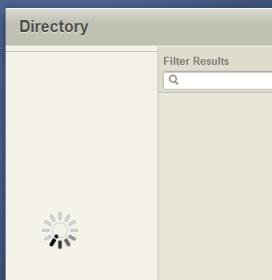
I'm with Zane on this one -- I can go to the directory page, but I get an eternal spinner indicating that it is trying to load data. I see no data at all.
Directory.jpg
Directory.jpg (5.2 KiB) Viewed 1679 times
Questions that can benefit the larger community should be asked in a public forum, not a private message.
Community Moderators
#92
Alan_Brown wrote:I'm with Zane on this one -- I can go to the directory page, but I get an eternal spinner indicating that it is trying to load data. I see no data at all.
I just checked it and I had no problems. The directory came up fine. Perhaps, as Zane said, you have to smile at it. :D
Have you read the Code of Conduct?
Community Administrator
#93
techgy wrote:I just checked it and I had no problems. The directory came up fine. Perhaps, as Zane said, you have to smile at it. :D
I tried smiling, but it came out more like a grimace.

I cleared my cookies and cache and closed my browser. Still the same eternal spinner. I tried this originally on Firefox 3.6.6, then on IE 8.0.7600. One interesting thing on IE: I got a Javascript error:

Code:

Webpage error details

User Agent: Mozilla/4.0 (compatible; MSIE 8.0; Windows NT 6.1; Trident/4.0; SLCC2; .NET CLR 2.0.50727; .NET CLR 3.5.30729; .NET CLR 3.0.30729; Media Center PC 6.0; InfoPath.2; Tablet PC 2.0; .NET4.0C)
Timestamp: Thu, 15 Jul 2010 17:16:10 UTC

Message: 'length' is null or not an object
Line: 8
Char: 5
Code: 0
URI: https://beta.lds.org/directory/scripts/pages/index/widgets/unitSelector.js
Questions that can benefit the larger community should be asked in a public forum, not a private message.
Senior Member
#94
Alan_Brown wrote:I'm with Zane on this one -- I can go to the directory page, but I get an eternal spinner indicating that it is trying to load data. I see no data at all.
I'm happy to hear you are having the same problem.... I was beginning to think it was only a Las Vegas thing.......
Church Employee
#95
Alan_Brown wrote:

Code:

Message: 'length' is null or not an object
Line: 8
Char: 5
Code: 0
URI: https://beta.lds.org/directory/scripts/pages/index/widgets/unitSelector.js
From this error and your screenshot it looks it is having a problem loading the list of units in your stake. Is there someone else in your stake or preferably your ward that can try and see if they are having the same issues?

FYI
I'm using Firefox 3.6.6 and IE7
Senior Member
#96
Alan_Brown wrote:I tried smiling, but it came out more like a grimace.

I cleared my cookies and cache and closed my browser. Still the same eternal spinner. I tried this originally on Firefox 3.6.6, then on IE 8.0.7600. One interesting thing on IE: I got a Javascript error:

Code:

Webpage error details

User Agent: Mozilla/4.0 (compatible; MSIE 8.0; Windows NT 6.1; Trident/4.0; SLCC2; .NET CLR 2.0.50727; .NET CLR 3.5.30729; .NET CLR 3.0.30729; Media Center PC 6.0; InfoPath.2; Tablet PC 2.0; .NET4.0C)
Timestamp: Thu, 15 Jul 2010 17:16:10 UTC

Message: 'length' is null or not an object
Line: 8
Char: 5
Code: 0
URI: https://beta.lds.org/directory/scripts/pages/index/widgets/unitSelector.js
I'm seeing the same effect. Using Firebug in Firefox it looks like the problem is that the REST service call to get the units in the current users stake is returning a completely empty response. The error above happens when it tries to process that blank response.

I wonder if they did a new release or if this is a problem with the backend services.
Senior Member
#97
eblood66 wrote:I'm seeing the same effect. Using Firebug in Firefox it looks like the problem is that the REST service call to get the units in the current users stake is returning a completely empty response. The error above happens when it tries to process that blank response.

I wonder if they did a new release or if this is a problem with the backend services.
The same thing is happening for me. Wild speculation (since this doesn't seem to be universal): Short unit numbers are causing this problem. My unit number only has 5 digits.

Do we need to provide this feedback to the feedback link, or has it been picked up from here?
Community Administrator
#98
oregonmatt wrote:The same thing is happening for me. Wild speculation (since this doesn't seem to be universal): Short unit numbers are causing this problem. My unit number only has 5 digits.
Interesting theory, but the unit numbers for my stake and every ward in my stake all have 6 digits, and I'm seeing the problem.
oregonmatt wrote:Do we need to provide this feedback to the feedback link, or has it been picked up from here?
I have reported this problem using the Feedback link on beta.lds.org.
Questions that can benefit the larger community should be asked in a public forum, not a private message.
Community Administrator
#99
Alan_Brown wrote:I'm with Zane on this one -- I can go to the directory page, but I get an eternal spinner indicating that it is trying to load data. I see no data at all.
I see the same. I waited 90 seconds or so for it to load before I gave up.
Have you searched the Help Center? Try doing a Google search and adding "site:churchofjesuschrist.org/help" to the search criteria.

So we can better help you, please edit your Profile to include your general location.
Church Employee
#100
eblood66 wrote: I wonder if they did a new release or if this is a problem with the backend services.
We haven't put out any new code since July 1st. I can't reproduce the problem with any of my test data.

I'm trying to find out if anything on the back end has changed in the last couple days.
Church Employee
#101
Can any of you for whom it's broken confirm that it was working before the 14th?
Community Administrator
#102
jdcr256 wrote:We haven't put out any new code since July 1st. I can't reproduce the problem with any of my test data.

I'm trying to find out if anything on the back end has changed in the last couple days.
jdcr256 wrote:Can any of you for whom it's broken confirm that it was working before the 14th?
I gave a presentation on the new sites for our stake's priesthood leadership just this last Sunday, July 11, and it worked fine then. But on Wednesday, July 14, it did not work (and still does not). Perhaps that helps you narrow it down.
Questions that can benefit the larger community should be asked in a public forum, not a private message.
Senior Member
#103
jdcr256 wrote:I'm trying to find out if anything on the back end has changed in the last couple days.
DNS, firewall, configuration files...? Just brainstorming :rolleyes:
Senior Member
#104
jdcr256 wrote:Can any of you for whom it's broken confirm that it was working before the 14th?
(Raises hand) :)

Hope you can figure it out.
Senior Member
#105
Does anyone have any idea when the directory will be back in action? The downtime came just when I have started a campaign to encourage members to sign onto the website and use the new directory. I know that it is still in beta but it had been running so smoothly I figured it was safe to try to "sell" it to the stake and ward leaders.....
Community Administrator
#106
zaneclark wrote:Does anyone have any idea when the directory will be back in action?
This issue didn't really get any attention from any of the developers on this forum until Friday, and they work a regular work week. I imagine they'll need at least a day or two to figure out what's going on and to make a plan.
Questions that can benefit the larger community should be asked in a public forum, not a private message.
Community Administrator
#107
Alan_Brown wrote:This issue didn't really get any attention from any of the developers on this forum until Friday, and they work a regular work week. I imagine they'll need at least a day or two to figure out what's going on and to make a plan.
Last night I got a response back from my Feedback I sent last week on this issue:
Thanks for the feedback Alan. We're seeing this issue too and have been working on a fix. Keep checking back. We'll release an update very soon.
Your guess is as good as mine as to what "very soon" means, but it's encouraging that it is confirmed and a fix is in the works.
Questions that can benefit the larger community should be asked in a public forum, not a private message.
New Member
#108
For what it's worth, the directory isn't working in the Bronx either.
Church Employee
#109
FYI, the issue that's causing the problem (which also affects calendar) is an unfortunate change to the authentication system. To compound the problem, we are migrating to a new authentication system with our next release, so there are not many resources to fix issues with the old system.

Hopefully we can get a fix quicker than our next release, but... :(
Community Moderators
#110
jdcr256 wrote:FYI, the issue that's causing the problem (which also affects calendar) is an unfortunate change to the authentication system. To compound the problem, we are migrating to a new authentication system with our next release, so there are not many resources to fix issues with the old system.

Hopefully we can get a fix quicker than our next release, but... :(
I guess we should consider ourselves lucky (or blessed). Both the calendar and directory have been working fine for us. The only problem I've noticed in the past few days is a need to Logon twice.

When the site first comes up I click on the Login link and enter the information. The authentication screen refreshes and the upper right-hand corner of the screen shows that I'm Logged in. However, when I click on either Calendar or Directory, I'm given another Login screen. After I Login AGAIN, the directory/calendar work as expected.
Have you read the Code of Conduct?
Church Employee
#111
techgy wrote:I guess we should consider ourselves lucky (or blessed). Both the calendar and directory have been working fine for us. The only problem I've noticed in the past few days is a need to Logon twice.

When the site first comes up I click on the Login link and enter the information. The authentication screen refreshes and the upper right-hand corner of the screen shows that I'm Logged in. However, when I click on either Calendar or Directory, I'm given another Login screen. After I Login AGAIN, the directory/calendar work as expected.
It looks like the main page at beta.lds.org has switched over to the new SSO implementation while the Directory/Calendar are still on the old one. If you go directly to the Directory/Calendar instead of logging in first then you will only have the one login.
Community Moderators
#112
ryan jones wrote:It looks like the main page at beta.lds.org has switched over to the new SSO implementation while the Directory/Calendar are still on the old one. If you go directly to the Directory/Calendar instead of logging in first then you will only have the one login.
Thanks for the tip. That eliminated the 2nd Login. I'm still a little puzzled as to why some folks are having problems and others are not. If the problem was related, as you say, to an authentication issue, wouldn't it effect everyone?
Have you read the Code of Conduct?
Church Employee
#113
techgy wrote:Thanks for the tip. That eliminated the 2nd Login. I'm still a little puzzled as to why some folks are having problems and others are not. If the problem was related, as you say, to an authentication issue, wouldn't it effect everyone?
I'm not sure what the bug is jdcr256 is the one that posted about it.
But I would guess that something that is being returned by the old SSO solution isn't working for some people or certain callings. That is what is making it break for some people and not others.
Community Administrator
#114
I just tried the directory. It's working for me now. It didn't before.
Have you searched the Help Center? Try doing a Google search and adding "site:churchofjesuschrist.org/help" to the search criteria.

So we can better help you, please edit your Profile to include your general location.
Community Administrator
#115
RussellHltn wrote:I just tried the directory. It's working for me now. It didn't before.
Wow, it works now for me, too! As does creating new calendars. Woohoo!
Questions that can benefit the larger community should be asked in a public forum, not a private message.
New Member
#116
I can now access the directory as well! However, when I upload photos, the process completes but the result is just a blank picture. This happens in both Firefox and Chrome. I also uploaded a family picture from my wife's account, but when I went to approve it in my account, I was just approving a blank picture (which I didn't do).

I just discovered the beta yesterday, so I have not had any successful picture uploads as of yet. Any suggestions?
Community Administrator
#117
dwh33 wrote:I can now access the directory as well! However, when I upload photos, the process completes but the result is just a blank picture. This happens in both Firefox and Chrome. I also uploaded a family picture from my wife's account, but when I went to approve it in my account, I was just approving a blank picture (which I didn't do).

I just discovered the beta yesterday, so I have not had any successful picture uploads as of yet. Any suggestions?
This is a recent problem, but I can confirm that it works as you say right now. My guess is that the issue is simply in the display of the pictures, but that the upload is working. So you're wise not to approve an apparently blank picture -- you would probably be approving a picture you can't see now, but that will appear later when this current problem is fixed.

I know that a week or so ago the picture uploads and management features were working fine, so I imagine it will be working again soon. In any case, I have reported the issue using the Feedback mechanism.
Questions that can benefit the larger community should be asked in a public forum, not a private message.
Senior Member
#118
Still not working in Las Vegas......
Senior Member
#119
zaneclark wrote:Still not working in Las Vegas......
Sorry Zane, it looks like it's working now for me as well. Try the usual - clearing caches, etc.
Senior Member
#120
Alan_Brown wrote:This is a recent problem, but I can confirm that it works as you say right now.
...
In any case, I have reported the issue using the Feedback mechanism.
Thanks Alan. I'm seeing that pictures I uploaded in the past are not showing as well, with only a link stating "Photo" in its place. I'd bet its still residual from the authentication problems.
Church Employee
#121
Both directory problems (the one entered earlier, and the one affecting the images) is related to the authentication system. The first issue should be fixed.

The problem with the images is that the image service seems to have been deployed under the new authentication system that was deployed a couple days ago. Since directory is still using the old system, it can't get permissions to access the photos. We are working to resolve this right now.
Senior Member
#122
jdcr256 wrote:Both directory problems (the one entered earlier, and the one affecting the images) is related to the authentication system. The first issue should be fixed.

The problem with the images is that the image service seems to have been deployed under the new authentication system that was deployed a couple days ago. Since directory is still using the old system, it can't get permissions to access the photos. We are working to resolve this right now.
Still not able to access the directory in Las Vegas......
Senior Member
#123
Please! Is there anyone else unable to access the beta directory besides me? I will feel better if I know I am not alone in this......
Senior Member
#124
zaneclark wrote:Please! Is there anyone else unable to access the beta directory besides me? I will feel better if I know I am not alone in this......
I cannot access it and have not been able to do so all this week. I get a spinner in the first column, but no directory data ever populates the table.
Community Administrator
#125
Works for me.
Have you searched the Help Center? Try doing a Google search and adding "site:churchofjesuschrist.org/help" to the search criteria.

So we can better help you, please edit your Profile to include your general location.
Senior Member
#126
danpass wrote:
zaneclark wrote:Please! Is there anyone else unable to access the beta directory besides me? I will feel better if I know I am not alone in this......
I cannot access it and have not been able to do so all this week. I get a spinner in the first column, but no directory data ever populates the table.
My previous attempts, last week, to access the beta directory were from my home computer. Today, I attempted access from our stake administrative computer and am still only getting just past the authentication and rendering of an empty table. I see the same behavior using Firefox, Chrome and IE.

I had a ward clerk in my stake log in from his ward's computer and he see's the same behavior.
Senior Member
#127
danpass wrote:My previous attempts, last week, to access the beta directory were from my home computer. Today, I attempted access from our stake administrative computer and am still only just getting just past the authentication and rendering of an empty table. I see the same behavior using Firefox, Chrome and IE.

I had a ward clerk in my stake log in from his ward's computer and he see's the same behavior.
The programmers seemed to indicate that they had solved the problem so I sent them a note through the feedback. I'm sorry you can't access the directory but glad to hear that it is not just some weird thing related to Nevada or that I am doing something wrong!
Member
#128
zaneclark wrote:Please! Is there anyone else unable to access the beta directory besides me? I will feel better if I know I am not alone in this......

I can't access any of the Church's new websites inside Beta situation. Directory, Calendar and all other systems return an "LDS Invalid Request" page. Beta-Maps are don't working too. I can't use the system with my credentials and other stake leaders in my stake reported that can't access the system with his credentials too.
New Member
#129
Any chance that the personal phone numbers and email addresses listed in MLS (and vice versa) will show up on the new directory when it is released?
Community Administrator
#130
n.augusta.wardtech wrote:Any chance that the personal phone numbers and email addresses listed in MLS (and vice versa) will show up on the new directory when it is released?
They already appear there. Just go to beta.lds.org, sign in, and go to Tools > Directory. When you look at a household, you'll see all the household members with their individual phone numbers and email addresses. Of course someone has to have entered that data. Also note that each member can choose to hide that information from view by other stake members (in some parts of the world the default is to hide it, and members have to opt in to show data, but in the US the default is to show).

Another cool feature is that members can update their own individual and household phone/email and that information will flow back to MLS. So I think that covers what you were asking for -- it is already implemented. Give it a try!
Questions that can benefit the larger community should be asked in a public forum, not a private message.
New Member
#131
Alan_Brown wrote:They already appear there. Just go to beta.lds.org, sign in, and go to Tools > Directory. When you look at a household, you'll see all the household members with their individual phone numbers and email addresses. Of course someone has to have entered that data. Also note that each member can choose to hide that information from view by other stake members (in some parts of the world the default is to hide it, and members have to opt in to show data, but in the US the default is to show).

Another cool feature is that members can update their own individual and household phone/email and that information will flow back to MLS. So I think that covers what you were asking for -- it is already implemented. Give it a try!

I thought so. Thank you. I just had to make sure.
New Member
#132
Alan_Brown wrote:They already appear there. Just go to beta.lds.org, sign in, and go to Tools > Directory. When you look at a household, you'll see all the household members with their individual phone numbers and email addresses. Of course someone has to have entered that data. Also note that each member can choose to hide that information from view by other stake members (in some parts of the world the default is to hide it, and members have to opt in to show data, but in the US the default is to show).

Do you know when the beta version is set to be released to the public? I mean as it that will be the new website until it needs to be revamped again?

Thanks,
Jamie
Senior Member
#133

Answer to question...

I recently posted a question to "feedback" regarding the beta directory... Here is the quesiton and the response:
You submitted a Question on July 26, 2010 at 10:31 PM:

"Any idea when the beta directory will be up? I had just started making progress in getting the wards in the stake excited about using it when it went offline several days ago. I know it is still in beta but it had been working well for a long time.

The LDS Church responded on July 29, 2010 at 10:10 PM as follows:

Sorry for the inconvenience Zane. We have worked out the issues and will be releasing an update to the directory very soon."

Is there any word in the English language with more definitions than the word "soon?" Does the word "very" qualify it enough to give me hope?]:confused:

Please don't take this as criticism.... These tech guys have put together a terrific new program.... I just want to be able to get back to it...
Senior Member
#134
Have you tried today? Something must have changed because I can see the photos again.
Church Employee
#135
Is there anyone still having problems with the directory? If so, I'd love to get some feedback. Specifically, you could let me know the following:
  • Detailed steps of what you are doing and what you are seeing.
  • What country, ward/branch, and stake/district you are in.
  • What your calling is.
  • If you know how to use firebug in firefox, what you see in the console tab would be very helpful.
Feel free to PM me with this info. Hopefully it's working for everyone, but if not, let me know.
Church Employee
#136
I'm still having the spinning loading icon. I'm in Utah, BYU 202nd ward of the 7th Stake as their STS & Assistant Stake Clerk.
Senior Member
#137
starkjs wrote:I'm still having the spinning loading icon. I'm in Utah, BYU 202nd ward of the 7th Stake as their STS & Assistant Stake Clerk.

Location:
Las Vegas Redrock Stake
Calling: Stake and Ward Web Administrator and Membership Clerk

Problem: Login ok, but the spinning wheel is all I get when trying to bring up the directory for the last 2-3 weeks.
Member
#138
Working fine from Bellevue, NE.
JLR
Community Moderators
#139
I cannot find a way to search a specific magazine. For example can I search the Friend for articles on Faith?
Member
#140
tsheffield wrote:I cannot find a way to search a specific magazine. For example can I search the Friend for articles on Faith?
Did you mean to post this here? Doesn't sound like much of a beta directory issue to me. And it's hard to make any meaningful reply without the context in which your question was intended.
Member
#141
I submitted this through the feedback link, but am reposting here. Just wondering if anyone else out there has noticed similar behavior.
___________________________________________

I'm noticing some very peculiar behavior in the beta directory. It is with respect to part member families and the display of their spouse's name. I can't seem to sort out why these are behaving differently. I'll give you the four examples I'm seeing in my directory.

Scenario A
The member is a male with a non-member wife. The spouse is not a member and is not listed on the membership record. Yet, somehow, the beta directory lists the household as
Last Name, Husband & Wife

I'm not sure where the wife's name is coming from


Scenario B
The member is a woman with a deceased husband. The death of the husband has been recorded in MLS, and the woman's record indicates that there is no current spouse. However, the beta directory lists the household as
Last Name, Husband & Wife

This may be the same problem as Scenario B, but the directory shouldn't be showing deceased spouses.


Scenario C
The member is a woman with a deceased non-member husband. The record has not been updated to reflect the death of the husband. But the beta directory shows
Last Name, Wife

This is the one where I would have expected the husband to appear in the directory.


Scenario D
The member is a woman with a non-member husband. Her marriage is not recorded on her membership record, but the directory shows
Last Name, Husband & Wife

This is actually the same as scenario A, now that I think about it.


In any case, I'm curious where the information for the non-member spouses is coming from. It clearly isn't coming from membership records, as the members who have a spouse on their record aren't showing a spouse, and the ones who don't have a spouse recorded have a spouse in the directory.
Community Administrator
#142
nutterb wrote:Scenario D
The member is a woman with a non-member husband. Her marriage is not recorded on her membership record, but the directory shows
Last Name, Husband & Wife
I checked a "Scenario D" in my ward. I just see Last Name, Member. Just like in the current LUWS.

How are these couples recorded in MLS? Has a non-member record been created in MLS? Likewise, what information is recorded in the member's marriage information? That's two places in MLS to check.
Have you searched the Help Center? Try doing a Google search and adding "site:churchofjesuschrist.org/help" to the search criteria.

So we can better help you, please edit your Profile to include your general location.
Member
#143
RussellHltn wrote:I checked a "Scenario D" in my ward. I just see Last Name, Member. Just like in the current LUWS.

How are these couples recorded in MLS? Has a non-member record been created in MLS? Likewise, what information is recorded in the member's marriage information? That's two places in MLS to check.
According to the printed membership record (I'm pulling it from the Leader and Clerk Resources), Sister X is the head of the household. Under Current Spouse, it says "(No Spouse)." So, according to her membership record, she isn't married.

I can't recall having ever seen a non-member record for her spouse in MLS, although I suppose it's possible I may have missed it. I don't spend much time looking at records of non-members that aren't explicitly tied to a member's record. I guess that's something I'd have to look at next time I'm at the Church.

But here's a some-what related question that will display my ignorance of non-member records. Sister X moved into my ward in 2005. If the previous ward had created a non-member record for Brother X, would that record have transferred with Sister X's, or would it stay in the previous ward?
Senior Member
#144
Can ANYONE report if any progress is being made to bring the directory back online to those of us still watching the spinning wheel?
Community Moderators
#145
zaneclark wrote:Can ANYONE report if any progress is being made to bring the directory back online to those of us still watching the spinning wheel?
The directory continues to work fine here in California.
However, just on a whim - what URL are you going to when you login?

A recent post made mention of a problem with the login process and I'm wondering if that might be related to your "spinning wheel" issue.

When you login try going to http://beta.lds.org/directory

Aside from this, perhaps someone in the know in CHQ can provide some additional suggestions.
Have you read the Code of Conduct?
Senior Member
#146
techgy wrote:The directory continues to work fine here in California.
However, just on a whim - what URL are you going to when you login?

A recent post made mention of a problem with the login process and I'm wondering if that might be related to your "spinning wheel" issue.

When you login try going to http://beta.lds.org/directory

Aside from this, perhaps someone in the know in CHQ can provide some additional suggestions.
I get the spinner regardless of whether I go directly to the beta directory (using the URL you mentioned) or first logging in to the beta site and choosing the Directory option from the tools menu. The only difference in behavior between the two methods, is that I'm asked to authenticate only once if I go straight to the directory, but twice if I log in to the main beta site first.
Senior Member
#147
danpass wrote:I get the spinner regardless of whether I go directly to the beta directory (using the URL you mentioned) or first logging in to the beta site and choosing the Directory option from the tools menu.
danpass, have you IMed your info to jdcr256, as requested in post 135 in this thread? Installing firebug (again as requested) and including the output would probably be very useful feedback for the developers, as it appears that most of us can see the directory again. The more obscure the bug, the harder it is to debug.
Senior Member
#148
oregonmatt wrote:danpass, have you IMed your info to jdcr256, as requested in post 135 in this thread? Installing firebug (again as requested) and including the output would probably be very useful feedback for the developers, as it appears that most of us can see the directory again. The more obscure the bug, the harder it is to debug.
Seeing that others had already reported that the same symptoms continued for them, I had not bothered. However, I'll take your suggestion and do so. I do use firebug and will look to see if the console provides any useful information. Thanks!
Senior Member
#149
oregonmatt wrote:danpass, have you IMed your info to jdcr256, as requested in post 135 in this thread? Installing firebug (again as requested) and including the output would probably be very useful feedback for the developers, as it appears that most of us can see the directory again. The more obscure the bug, the harder it is to debug.
I did a private message to jdcr256 but in case it didn't get through, here is my situation:
I have tried to open the directory on 3 different machines, 2 in my home and one at the meetinghouse, using Safari, Firefox, and Explorer. In each case I get the spinning wheel. This is in Las Vegas. Hope this helps to find the bug...
Community Administrator
#150
Just out of curiosity, are those that are NOT working getting different IPs then the following when doing a "ping" from a command prompt?

beta.lds.org -> 216.49.176.48
secure.lds.org -> 216.49.176.34
Have you searched the Help Center? Try doing a Google search and adding "site:churchofjesuschrist.org/help" to the search criteria.

So we can better help you, please edit your Profile to include your general location.
Senior Member
#151
RussellHltn wrote:Just out of curiosity, are those that are NOT working getting different IPs then the following when doing a "ping" from a command prompt?

beta.lds.org -> 216.49.176.48
secure.lds.org -> 216.49.176.34


I just checked and the IP's are the same.
Senior Member
#152
danpass wrote: I do use firebug and will look to see if the console provides any useful information. Thanks!
I have already sent this information to jdcr256 in a PM. For anyone else who is interested, after submitting my credentials to gain access to the beta directory, I get the following javascript error in the firebug console:

Code:

stakes is null
    if (stakes.length > 1){                     unitSelector.js (line 8)
Would one of you who is not having problems accessing the beta directory and has firebug installed, please check to see whether or not you see this error?
Church Employee
#153
danpass wrote:I have already sent this information to jdcr256 in a PM. For anyone else who is interested, after submitting my credentials to gain access to the beta directory, I get the following javascript error in the firebug console:

Code:

stakes is null
    if (stakes.length > 1){                     unitSelector.js (line 8)
Would one of you who is not having problems accessing the beta directory and has firebug installed, please check to see whether or not you see this error?
For me stakes has one entry and it is my stake.

I wonder if the issue is related to your stake/ward or if it is related to your information tying you to your stake.

Do you know if others in your ward/stake can log in or are then having the same problem?
Senior Member
#154
ryan jones wrote:For me stakes has one entry and it is my stake.

I wonder if the issue is related to your stake/ward or if it is related to your information tying you to your stake.

Do you know if others in your ward/stake can log in or are then having the same problem?
danpass wrote:I have already sent this information to jdcr256 in a PM. For anyone else who is interested, after submitting my credentials to gain access to the beta directory, I get the following javascript error in the firebug console:

Code:

stakes is null
    if (stakes.length > 1){                     unitSelector.js (line 8)
Would one of you who is not having problems accessing the beta directory and has firebug installed, please check to see whether or not you see this error?
The only other person I have asked to try is the ward clerk in my ward. He has the same problem that I have.
Community Administrator
#155
danpass wrote:

Code:

stakes is null
    if (stakes.length > 1){                     unitSelector.js (line 8)
If I read this right, it's designed to send to you a selection screen if you belong to more then one unit.

So, is this only affecting those who have "out of unit" records? I'm working fine, and my records are "normal" in that they only belong to one ward.
Have you searched the Help Center? Try doing a Google search and adding "site:churchofjesuschrist.org/help" to the search criteria.

So we can better help you, please edit your Profile to include your general location.
Church Employee
#156
I think I might have it. There was an issue recently with Family History centers showing up in the list of children units that was causing a problem.

Both the stakes for zaneclark and danpass have an Area CS Missionary Group as a child of their stake.
Senior Member
#157
ryan jones wrote:I think I might have it. There was an issue recently with Family History centers showing up in the list of children units that was causing a problem.

Both the stakes for zaneclark and danpass have an Area CS Missionary Group as a child of their stake.
This sounds encouraging! Does this mean I might be able to see the directory soon?
New Member
#158
zaneclark wrote:...to those of us still watching the spinning wheel?
I would think an error msg box would be helpful, in the event of unexpected AJAX data result (JSON?), AJAX error, etc. And as this is in beta, perhaps a checkbox for displaying detailed error messages (for script errors) to the user would be good.

Not all beta users will know how to use Firebug, and the more easily they can see the error messages the more easily they can relay them back here.

Kinda hard to get people to use a site that just sits there "loading" with no messages...eats a lot of time
Senior Member
#159
zaneclark wrote:This sounds encouraging! Does this mean I might be able to see the directory soon?
Haven't heard anything on this so I sent another note to feedback..... They are probably getting tired of hearing from me, but I am really anxious to get this thing functional again.....
Church Employee
#160
We have an update that should roll out in the next three days. Those of you that are having problems, let me know if you continue to have them after the update (I'll post again here once the update is out).

I have not been able to duplicate this issue yet, so I'm keeping my fingers crossed. This update will move directory to the new authentication method that the main beta.lds.org is using. I suspect the problem we are having now is related to the old authentication system, so I'm hoping the change will fix it.

Thanks for all the info and good sleuthing that has been going on here.
Senior Member
#161

It's Back!

As of 5:30AM today, the beta directory is ALMOST back in Las Vegas! I can access the ward members and leaders directory but the stake leadership still won't show. Maybe it will show later today.......
Senior Member
#162
zaneclark wrote:As of 5:30AM today, the beta directory is ALMOST back in Las Vegas! I can access the ward members and leaders directory but the stake leadership still won't show. Maybe it will show later today.......
Hooray!! As of 8AM, The stake leaders directory is now accessible... There are still missing features, such as the ability to print anything other than the member directory, but with time, I would hope that these features will be added.
Community Administrator
#163
zaneclark wrote:Hooray!! As of 8AM, The stake leaders directory is now accessible... There are still missing features, such as the ability to print anything other than the member directory, but with time, I would hope that these features will be added.
I'd love to see those features, too, but now at least the beta directory is working for you the same as for everyone else. Welcome back!
Questions that can benefit the larger community should be asked in a public forum, not a private message.
Senior Member
#164
zaneclark wrote:As of 5:30AM today, the beta directory is ALMOST back in Las Vegas! I can access the ward members and leaders directory but the stake leadership still won't show. Maybe it will show later today.......
I also can now access the beta directory. The javascript error that I described earlier in this thread is no longer occurring either. Since the beta directory doesn't seem to be using the new authentication method yet, apparently the problem was not related to it's use of the old authentication method. I would be interested to know more about what the bug was and how it was resolved.

Thanks! It's great to have directory access again!
New Member
#165
Hello. I am a new poster even though I have referred to this forums many times. I do not currently have access to the beta directory (the wheel is spinning as I type). I am a ward clerk and a non-tech Church employee. I have tried to access the directory inside and outside the Church firewall, with no sucess. What other info can I provide that might help?

I love the new features of the beta site and am slowly referring ward members to it. Thanks!
Church Employee
#166
danpass wrote:I also can now access the beta directory. The javascript error that I described earlier in this thread is no longer occurring either. Since the beta directory doesn't seem to be using the new authentication method yet, apparently the problem was not related to it's use of the old authentication method. I would be interested to know more about what the bug was and how it was resolved.
I wish I knew how it was resolved as well. As far as I can tell, nothing in our production environment changed during the time you and Zane saw the problem go away. :confused:
Senior Member
#167
danpass wrote:I would be interested to know more about what the bug was and how it was resolved.
jdcr256 wrote:I wish I knew how it was resolved as well. As far as I can tell, nothing in our production environment changed during the time you and Zane saw the problem go away. :confused:
I hate it when that happens! ;)
New Member
#168
Is anyone else having issues seeing pictures they uploaded to the beta.lds.org directory on the new.lds.org directory? The pictures I uploaded show as broken links. New pictures upload ok, but when I go to assign them, they won't assign. They disappear from the screen, but the count of new pictures remains the same. The next time I click on "new" the picture I just assigned reappears.
Senior Member
#169
Minor problem in printing the directory.....the date shows as Printed: 20 Jan 2010....
Community Administrator
#170
zaneclark wrote:Minor problem in printing the directory.....the date shows as Printed: 20 Jan 2010....
Good catch! Have you reported it using the Feedback link?
Questions that can benefit the larger community should be asked in a public forum, not a private message.
Community Administrator
#171
dwh33 wrote:Is anyone else having issues seeing pictures they uploaded to the beta.lds.org directory on the new.lds.org directory? The pictures I uploaded show as broken links. New pictures upload ok, but when I go to assign them, they won't assign. They disappear from the screen, but the count of new pictures remains the same. The next time I click on "new" the picture I just assigned reappears.
Only one ward in our stake has uploaded any pictures, but they seem to be working fine. I know that the photos were uploaded back in the beta.lds.org days, yet they still display correctly in new.lds.org/directory.

That ward's clerk can upload and assign new photos today. So the problems you are reporting don't seem to be universal.
Questions that can benefit the larger community should be asked in a public forum, not a private message.
Member
#172
A number of the pictures I loaded before seem to have been lost, but they're easily reloaded. The majority of my pictures are still there.
Senior Member
#173

Broadcast Email from New Directory

At some point I am assuming we will be able to send a "broadcast" email to members as we now do with the current LUWS. I can see nothing yet in the tools or elsewhere on this feature. And another related question, if we do send a broadcast email from the new directory, will it still be limited to only those who have registered?
Community Administrator
#174
zaneclark wrote:At some point I am assuming we will be able to send a "broadcast" email to members as we now do with the current LUWS. I can see nothing yet in the tools or elsewhere on this feature. And another related question, if we do send a broadcast email from the new directory, will it still be limited to only those who have registered?
There are very limited broadcasts available on the Leadership pages of the Directory. The link just below the title of the organization lets you send an email to everyone listed with callings in that organization. But there is no all-inclusive broadcast capability at this point, and I don't see anything about that in Jira, so if something is coming in this area, it's not soon.

In any case, it seems pretty clear to me that registration is not a factor in whether people get emails -- all that matters is that they have an associated email address. For LUWS registration was a requirement because that was the only way an email address got associated with a person, but that's not the way the new Directory works -- the email address comes from MLS (or the user entering it directly in the Directory).
Questions that can benefit the larger community should be asked in a public forum, not a private message.
Community Moderators
#175

further email enhancements on the way?

zaneclark wrote:At some point I am assuming we will be able to send a "broadcast" email to members as we now do with the current LUWS. I can see nothing yet in the tools or elsewhere on this feature. And another related question, if we do send a broadcast email from the new directory, will it still be limited to only those who have registered?
As Alan-Brown mentioned, we may not see any change in the beta directory. The email options in beta directory are "clunky" for leadership use, using mailto: links which rely on your own email client. These seem to be for general membership use; for members to give feedback to leaders, or so they can contact another member. I don't think I want a "spam" button- to have all ward users have broadcast ability in the directory!

I believe the broadcast email features that a leader might use (and those you are seeking) are being developed under the "Leader and Clerk" app (tool.) I know there are major differences in the two:

see this post:
jdcr256 wrote:I'd just like to note that the Directory application, and the Leader/Clerk app are not the same thing. They are completely separate apps that live under the LDS.Org family.

That being said, the Directory application allows members to keep their own contact information up to date, and includes mailto: links for every member with an email address in the directory.

Additionally, our next release (coming soon) includes mailto: links in the Ward and Stake Leadership directories that will allow you to email an entire leadership group (e.g. click the link on the Elder's Quorum page to email the entire EQ Presidency).

These messaging tools (along with those in the Leader app) will continue to evolve over the next several months. Messaging is a core feature set driving these apps and we are finally getting to the point were we can start including some cool functionality. Stay tuned...
I Like what I see in the "leader and clerk" email messaging tool now, however, and use it for sending most of my outgoing clerk emails. I know that currently access to this tool is limited to a very few callings, but hope they work out the "permissions" soon. It still does lack the "broadcast to all members" feature, so when the whole ward needs to know, I must go back to LUWS for it.

Here is my "email upgrade wish list" for broadcast emails in the "Leader and clerk" tool, which are common in business uses every day...

1) BCC feature (blind carbon copy - so recipient can't see any others that may have also received the email) Currently, if you send an email, all recipients addresses are sent out to all, even those that have requested they NOT be distributed.

2) "Email all members" category. Useful for ward activity reminders, funeral arrangement notices, emergencies, etc. This is important! LUWS has this limited to all "users".

3) some kind of report. "you're email has been sent" in a pop up from "leaders and clerks" tool is not enough! In LUWS, an email "report" is sent to the sender, listing the contents and who it was sent to. This can then be filed, or it can be given to the bishop as a follow-through report (return and report.)

3) report or listing of "bounces." Whose email is not being delivered?

4) File system to save frequently used emails, or templates? I must re-write each weekly meeting reminder email because they cannot be saved as a template or archived as a "sent" copy.

5) Formatting or styles? it would be nice to bold or underline on occasion.

6) Automated feature? Just dreaming here. Could I set up an email to automatically be sent to ward council members each Wednesday before ward council to remind them?
"A soft answer turneth away wrath" works great on LDSTech forum boards!
Senior Member
#176
Alan_Brown wrote:There are very limited broadcasts available on the Leadership pages of the Directory. The link just below the title of the organization lets you send an email to everyone listed with callings in that organization. But there is no all-inclusive broadcast capability at this point, and I don't see anything about that in Jira, so if something is coming in this area, it's not soon.

.
I decided to check this out but unfortunately I am back to the spinning wheel when I tried to access the leader directory....and about that "spinning wheel." With nothing better to do while waiting to see if the page would open, I looked closer at the wheel and discovered that it isn't a wheel, but a clock with a minute hand whirling around the face... :D
Senior Member
#177
kisaac wrote:As


Here is my "email upgrade wish list" for broadcast emails in the "Leader and clerk" tool, which is just asking for similar features we use in business every day...

Agree 100% with your wish list.... We can only wait.... and hope.... and pray...
New Member
#178
I am listed as the Website Administrator in the beta, but I do not see that I have any admin rights. I would like to upload member photos, create calendars, etc.
Where do I go for admin functions?
Community Administrator
#179
alinford wrote:I am listed as the Website Administrator in the beta, but I do not see that I have any admin rights. I would like to upload member photos, create calendars, etc.
Where do I go for admin functions?
The whole issue of permissions on the new sites has been evolving over time, and official documentation is very limited. But here are some notes and clarifications:
  1. You say you are "listed as the Website Administrator in the beta"; what does that mean? The first question is if you have the standard calling of "Website Administrator" in MLS at the ward level. If you do, then you should also have that calling in CDOL. You may not be able to verify this personally, but someone with the right permissions should be able to do this for you.
  2. The permissions for the Directory and the Calendar are quite different. My impression is that a Website Administrator is fairly powerful on the Calendar, but not so much in the Directory.
  3. If you do have the standard calling of "Website Administrator", then in the Calendar you should be able to go to Options > Manage Rights and see yourself listed as an Approver. In the UNIT column would be your ward's name, and in the CALLING column would be "Website Administrator". If that is the case, you can be confident that you do have the standard calling.
  4. In the Calendar, it's important to distinguish between ward and stake calendars. If you are an approver at the ward level, then you can do administrative functions such as creating calendars for the ward, but not for the stake.
  5. I'm not sure about the current permissions on the Directory; at one point you had to be a bishopric member, ward clerk or assistant clerk to do administrative tasks such as approving photos.
Questions that can benefit the larger community should be asked in a public forum, not a private message.
New Member
#180
Thanks Alan. When I go into the Directory in the Beta, and go to Ward Leaders and Organizations, under Other Callings, I am Website Administrator. I am not sure if that is the standard calling, or one that was created. I will contact the Ward Clerk to find out.
Senior Member
#181
alinford wrote:Thanks Alan. When I go into the Directory in the Beta, and go to Ward Leaders and Organizations, under Other Callings, I am Website Administrator. I am not sure if that is the standard calling, or one that was created. I will contact the Ward Clerk to find out.
The Beta Directory doesn't display any custom callings at this point so it would have to be the standard calling.
New Member
#182
eblood66 wrote:The Beta Directory doesn't display any custom callings at this point so it would have to be the standard calling.
If that is the case, something is mucked up for me. Under Options, I have Select Subscriptions, Create Calendar, and Sync, but seem to be missing the Manage Rights option.

Another question about the Directory. I noticed that when I go to My Family Profile, it does not list our callings. Is this something that is on the list?
Senior Member
#183
alinford wrote:If that is the case, something is mucked up for me. Under Options, I have Select Subscriptions, Create Calendar, and Sync, but seem to be missing the Manage Rights option.
Sounds like you should submit feedback on that. But you may want to have a clerk or bishopric member look at the Manage Rights page and check if they see you listed.
alinford wrote: Another question about the Directory. I noticed that when I go to My Family Profile, it does not list our callings. Is this something that is on the list?
Callings are not listed in the family profile. Callings are only listed in the Leaders and Organizations section.
New Member
#184
eblood66 wrote:Sounds like you should submit feedback on that. But you may want to have a clerk or bishopric member look at the Manage Rights page and check if they see you listed.
Where will they find the Manage Rights page?
Community Administrator
#185
alinford wrote:Where will they find the Manage Rights page?
It's under Options (where you earlier said you found Subscriptions, Create Calendar and Sync) -- those with the permissions will see Manager Rights, as well as other options there.
Questions that can benefit the larger community should be asked in a public forum, not a private message.
New Member
#186
Alan_Brown wrote:It's under Options (where you earlier said you found Subscriptions, Create Calendar and Sync) -- those with the permissions will see Manager Rights, as well as other options there.
So, in theory, the ward clerk would be able to grant me permissions by going to Manager Rights?
Senior Member
#187
alinford wrote:So, in theory, the ward clerk would be able to grant me permissions by going to Manager Rights?
Yes, but if you are correctly listed in MLS as the website administrator you should already have rights and be listed on the Manage Rights page.

If the clerk adds you in the calendar application you'll have most administrative rights except that you won't be able to add other calendar approvers (what they call administrators in the calendar app). If you're listed in MLS as website administrator then you will be able to add other approvers.
New Member
#188
eblood66 wrote:Yes, but if you are correctly listed in MLS as the website administrator you should already have rights and be listed on the Manage Rights page.

If the clerk adds you in the calendar application you'll have most administrative rights except that you won't be able to add other calendar approvers (what they call administrators in the calendar app). If you're listed in MLS as website administrator then you will be able to add other approvers.
I am definitely listed as Website Administrator in the Beta Directory / "Ward Leaders and Organizations" / "Other Callings" area, but there is no "Manager Rights" under "Options". So, there must be an issue. Where should I report it?
Community Administrator
#189
alinford wrote:I am definitely listed as Website Administrator in the Beta Directory / "Ward Leaders and Organizations" / "Other Callings" area, but there is no "Manager Rights" under "Options". So, there must be an issue. Where should I report it?
Use the Feedback link on the bottom of the page at new.lds.org
Questions that can benefit the larger community should be asked in a public forum, not a private message.
New Member
#190

Missing Member Information

I just visited new.lds.org and since I last used it (when it was beta.lds.org) there is only a few members across the Stake listed. I can only see 2 members in my Ward and one is my family (complete with pictures) This has dramatically changed since last time.

Does anyone know why this is the case?

I currently live in England where we have been waiting for Calendar and Member Directory. When is the plan for it to go live?
Church Employee
#191
thesterlands wrote:I just visited new.lds.org and since I last used it (when it was beta.lds.org) there is only a few members across the Stake listed. I can only see 2 members in my Ward and one is my family (complete with pictures) This has dramatically changed since last time.

Does anyone know why this is the case?
With the EU privacy laws, the default for those countries is for members information to be private unless marked as public by the member. So until the rest of your ward gets on and allows themselves to be seen your list will be quite short.
New Member
#192
That make sense for the membership directory (although this must have recently been applied as I could see the whole stake a few weeks ago)

If the EU privacy laws is a consideration how come I can see the member contact details on the new LDS Maps tool at https://new.lds.org/maps for the Stake.

Another example is that I can not see contact details for Ward Leaders and organisations but I can see contact details for Stake Leaders and organisations, e.g Stake High Council , Stake Relief Society Presidency etc.

Is this due to my access rights?
Church Employee
#193
thesterlands wrote:That make sense for the membership directory (although this must have recently been applied as I could see the whole stake a few weeks ago)

If the EU privacy laws is a consideration how come I can see the member contact details on the new LDS Maps tool at https://new.lds.org/maps for the Stake.
That is a different team. I'm guessing that they haven't gotten that requirement or coded it.
thesterlands wrote: Another example is that I can not see contact details for Ward Leaders and organisations but I can see contact details for Stake Leaders and organisations, e.g Stake High Council , Stake Relief Society Presidency etc.

Is this due to my access rights?
It might be due to access rights or deciding that some leadership positions are allowed.

I'm not an expert on the EU privacy laws, I just heard some of the directory team talking about the changes they had made for the EU.
Senior Member
#194

Beta Directory Offline Today?

Is the new/beta directory offline? Just want to make sure the problem isn't on my end....
Church Employee
#195
zaneclark wrote:Is the new/beta directory offline? Just want to make sure the problem isn't on my end....
I can get in to new.lds.org/directory just fine.