New Member
I was trying to listen to my scriptures today, but could not get a male voice. Both options show female voices. I have restarted the webpages, logged out and back in, and even did it without logging into my account.
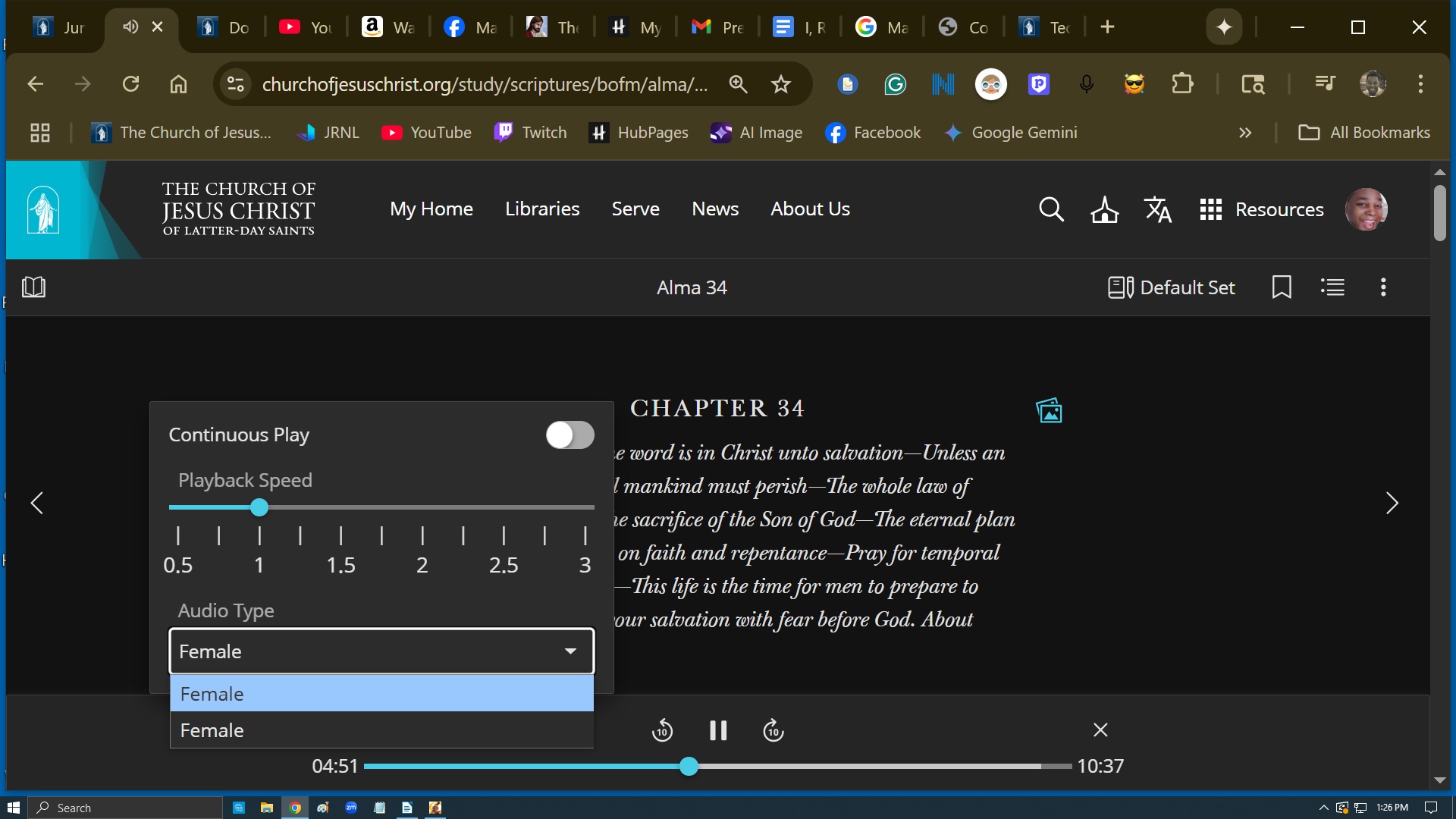
The drop-down tab shows two female reading options. I have clicked them both. I listen to scriptures with a male voice because it is easier for me to pay attention. I hope we are not making all scripture readings female voices. I would hate that. I am listen to a female voice today because I do not have a male voice.
The drop-down tab shows two female reading options. I have clicked them both. I listen to scriptures with a male voice because it is easier for me to pay attention. I hope we are not making all scripture readings female voices. I would hate that. I am listen to a female voice today because I do not have a male voice.