Connecting to wifi without browser on iphone wont work

4 postsstarted by sadams3180 3,486 viewsoriginal topic

New Member
#1
Hi, While attempting to connect my daughters iphone to the wifi (Lehi) I get an error message pop up (after tapping the Wi-Fi option) telling me that the “redirect url cannot be reached.” I suspect this is because my daghters iphone doesn't have a browser. Is there a way to get around this with out having to add a browser to my daughters iPhone?
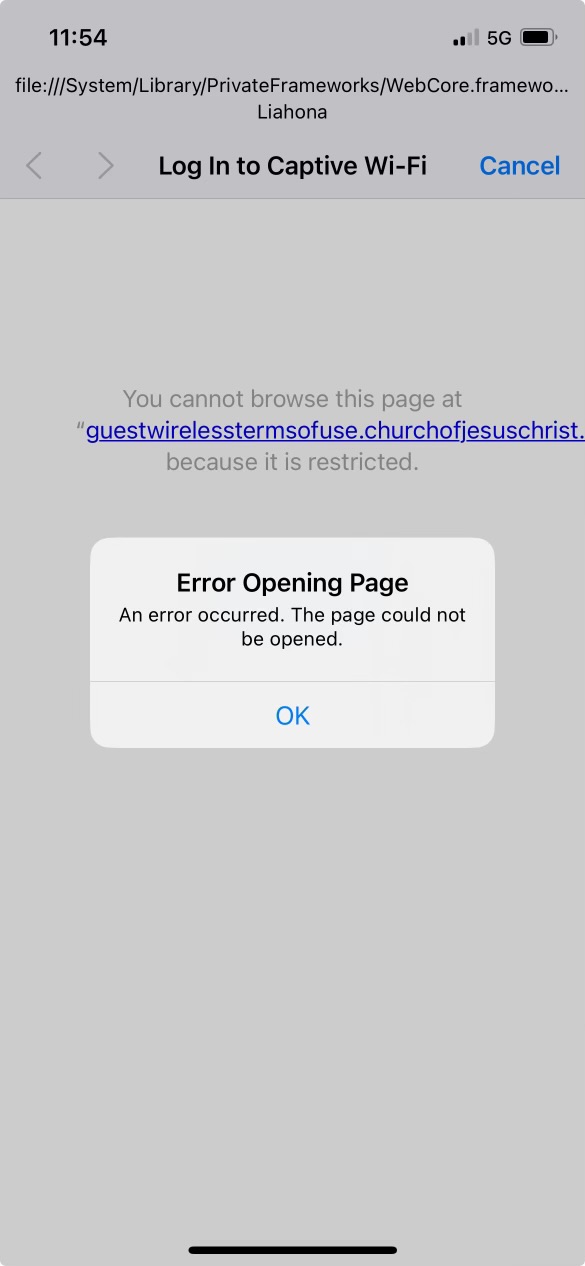
Screenshot 2024-08-04 at 11.54.30 AM.jpeg
Screenshot 2024-08-04 at 11.54.30 AM.jpeg (65.08 KiB)
Community Moderators
#2
Talk with your stake technology specialist. He has the ability to add a few devices to a "No Splash" list that will not need a browser to accept the church's WiFi terms. It's usually reserved for things like printers, copiers, etc., but he might make an exception for your daughter if you ask nicely. ;)
So we can better help you, please edit your Profile to include your general location.
Senior Member
#3
FWIW- Lehi doesn't have a Splash Screen, only Liahona!, but on closer examination of the posted picture I see that it is indeed Liahona the attempt is being made to connect to. The Lehi reference in OP is misleading!
@Microwaved's advice would be the way to go! But remember that the password for Lehi is changed every 90 days.
Community Administrator
#4
The purpose of Lehi is to provide WiFi for those who really need it when Liahona has to be taken down. The regular change is passwords is to keep the number of users to the current group.

I think the limit for the NoSplash is 15 devices per building. If the STS starts handing them out for cases like this, it's likely to run out.
Have you searched the Help Center? Try doing a Google search and adding "site:churchofjesuschrist.org/help" to the search criteria.

So we can better help you, please edit your Profile to include your general location.