Webcast In

15 postsstarted by dave.swartz 8,536 viewsoriginal topic

#1
In the newer QSC based systems on the CP there is a jack labeled WEBCAST IN. It looks like it is wired to the QSC Amp as an audio input. Does anyone know how this jack is used? I have tried sending it audio and nothing comes out of the chapel sound system. I have also checked if audio comes out of the Webcast HDMI output and nothing does.

If anyone has any insights on how this is to be used, please let us know.

Thanks
Community Administrator
#2
On the podium, is there a control for "webcast"? I'm thinking this is a replacement for the old satellite system.
Have you searched the Help Center? Try doing a Google search and adding "site:churchofjesuschrist.org/help" to the search criteria.

So we can better help you, please edit your Profile to include your general location.
#3
This on the equipment rack. The satellite system was discontinued before this design was released so there is no satellite system support.

Podium based inputs all work fine. It is the rack based inputs we need clarification on.
Community Administrator
#4
I was asking if there might be any podium controls that would control sound from the webcast.

In buildings that had a satellite system, there was a on/off button and volume control for controlling sound from the satellite system. But streaming has replaced satellites.
Have you searched the Help Center? Try doing a Google search and adding "site:churchofjesuschrist.org/help" to the search criteria.

So we can better help you, please edit your Profile to include your general location.
#5
Podium Sat control is not part of the current design. I know what you are talking about since it was part of our previous system.
Community Administrator
#6
Question: what level audio were you sending? Mic or line?
Have you searched the Help Center? Try doing a Google search and adding "site:churchofjesuschrist.org/help" to the search criteria.

So we can better help you, please edit your Profile to include your general location.
#7
Laptop headphone jack audio at various levels.
Community Administrator
#8
How was it wired? The laptop has 3 wires out, and the webcast has 3 wires in, but the laptop is unbalanced stereo and the webcast is balanced mono. Connecting the wires straight though is going to result in the webcast is getting a (Left minus Right) signal, which for a mono program is going to be next to nothing.

Try setting the balance control on the laptop to one side so (Left-Right) has full volume.
Have you searched the Help Center? Try doing a Google search and adding "site:churchofjesuschrist.org/help" to the search criteria.

So we can better help you, please edit your Profile to include your general location.
#9
Here is the authoritative answer. I am re-posting it here in the hope it will be useful to others.

"Your system includes an audio connection to be used for webcasting. By default, the audio for this is a preset mix of audio sources heard in the chapel.
When the system detects an audio signal on the input of the Webcast XLR In, it replaces the default audio mix with whatever is on the Webcast In."

My interpretation of how this was to be used was that you could have an external mixer that mixes the chapel mix, choir mics and organ and then replaces the chapel mix of these inputs with your custom mix for the webcast output. Since it is the webcast output that is targeted, it will have no effect on normal sound reinforcement. As a reminder this is for one of the newer QSC based systems being installed in Stake Centers.
Community Administrator
#10
Ok, but is this for receiving a webcast or originating one? In other words, were does the audio go? To the chapel, or to a feed for the computer sending the webcast?

It sounds like latter, but it raises a question of where does the computer connect to get it?
Have you searched the Help Center? Try doing a Google search and adding "site:churchofjesuschrist.org/help" to the search criteria.

So we can better help you, please edit your Profile to include your general location.
#11
The AV rack has a connection to support formerly a Terradek and now a RazrRipsaw. This connection is both an HDMI output as well as a 3.5mm stereo (M) output connection to allow you to attach one of these devices. To answer your question directly, for originating a webcast. As an originating source of the webcast the audio does not go to the chapel but instead the chapel audio is sent to the encoder.

The customer panel has multiple audio outputs. 1. The Chapel Mix output, 2. The Organ output, 3. A set of outputs that are simply cable pass throughs from the stand for wired choir mics. I think the intent is that if you want to prepare a custom audio mix for the webcast you can attach an external multi channel mixer to those outputs and then send the final mix back into the system using the Webcast in jack. The webcast connection would then receive this custom mix and pass it out to Zoom/Youtube or whatever you are streaming external to the building.

(We don't do this since I can simply take the output of the mixer and feed it into the webcasting computer directly via it's soundcard input)

The computer connects to the Razr Ripsaw or what ever HDMI/Audio capture device you are using using a USB cable that allows the device to emulate a webcam. Using OBS or Zoom on the attached computer you can connect to that webcam input.

Our method to feed audio into the chapel is documented in many of my other posts or at http://www.federalwaystake.net/Hosting. Fundamentally audio into the chapel from the rack is sent via the HDMI customer panel input and made available on the rostrum HDMI output where it is routed to a projector from which it is extracted from the feed and injected into the sound system using the RCA audio inputs on the rostrum. You could also use the HDMI customer panel input directly to inject audio but we do not do so since that setup is entirely dependent on someone on the stand to turn it on, and if they are untrained this can be a point of failure.

I realize that this is a bit complex and confusing, which is the reason for posting this stuff in the forum to help us all learn and gain a better understanding. Happy to help.
New Member
#12
We have just had the new Audio/Video system installed in our stake. In our system the audio input that you refer to as Webcast In is labeled as Streaming Audio In.
I have had discussions with the system architect and he has explained that this audio input provides a connection to the mixing board through the Main Mix output. It allows the Organ and Chapel Mic outputs to mixed via a soundboard and makes the overall mix to be added to a streaming device through the Streaming In Jack.
We have also used to add the Organ output directly to the streaming input to brighten the organ audio in streaming.
Hope this helps
#13
Westonm,

Could you post photos of your new setup? Who was the engineering firm? When was the install done?

I think the group would like to see what the current new setup is like.
New Member
#14
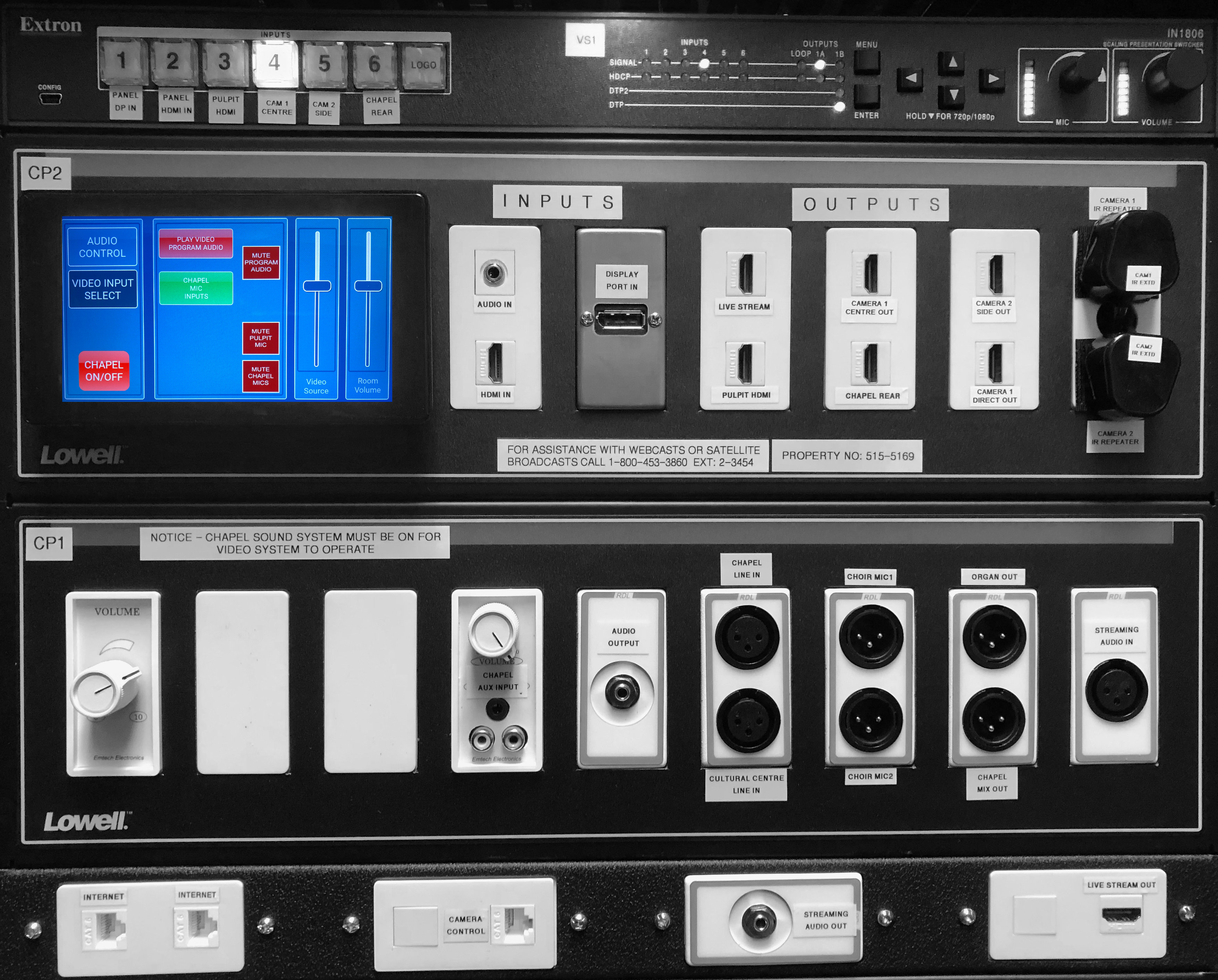
Here is a photo of our video/Audio outputs. Our system was installed in February. The biggest challenge we had with the new system is the mic gating at the pulpit and output volumes on the audio outputs and streaming out ports. The system architect and contractor were really good at making modifications.
Vic Stake Ctr Tech Control Panel_BW.jpg
Vic Stake Ctr Tech Control Panel_BW.jpg (3.25 MiB)
#15
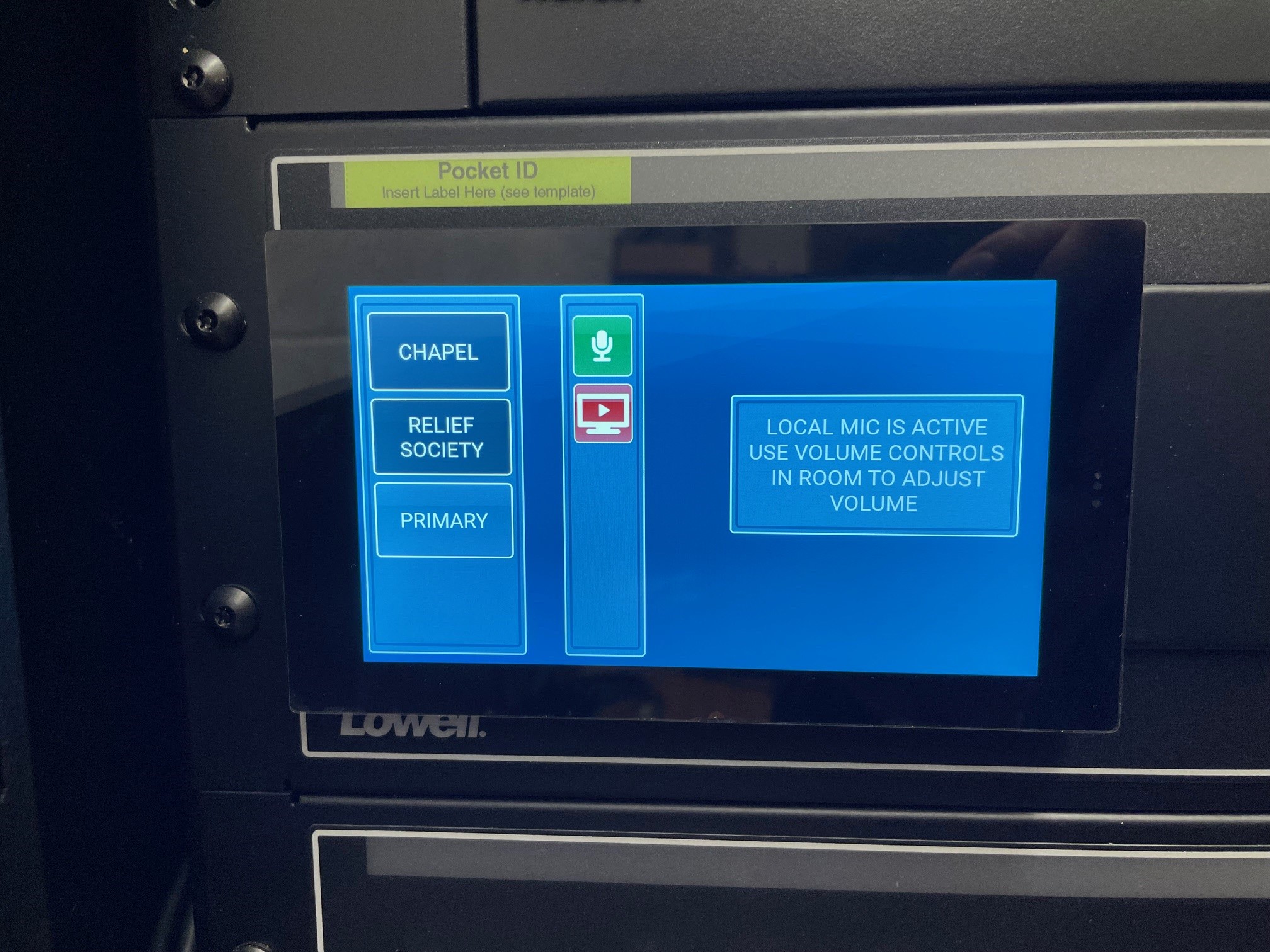
Wow. Some Serious improvements. Especially in the programming of the touch panel at the rack. Here is what our 2021 control panel design looks like.
RackControlPanel.jpg
It looks like they have addressed many of the shortcomings of the earlier design.

Key changes include ability to:
  • mute microphones: program audio, pulpit mics, chapel mics.
  • turn on program audio from the rack, instead of having to make the walk of shame to the stand to press the button.
  • turn on chapel mic inputs.
  • turn on and off the system from the rack. This is huge if the users on the stand accidently turn off the system.
Additionally, I see that the new system supports more than one camera. This is great since it lets you frame the camera when off air before cutting to the shot.

The system also adds on the CP:
  • Chapel Aux input
  • Audio output (besides the chapel mix output)
  • Chapel line in
  • Cultural Center line In

The last is a very nice add, since it will let you send audio to the cultural center from the AV control room. Our system has no way of doing this unless you also send audio to the chapel and open the partition doors.

It also looks like camera control is over IP instead of serial. Nice!

Thank you for sharing. I am a huge proponent of users of this forum sharing their system designs. Not only is it fun to see what the latest design is, it also helps set the context of what your system is like so that this community can better assist you.