Improvement: No More Modal Notes Dialog

2 postsstarted by mevans 2,804 viewsoriginal topic

Senior Member
#1
I noticed a change when studying today. Instead of a modal dialog covering the text that inspired me to write a note, the editable notes dialog has now moved to an edit panel on the right (where you see footnotes). Now I can read the content while typing a note. So far, in my limited use, I think this is a real positive change.
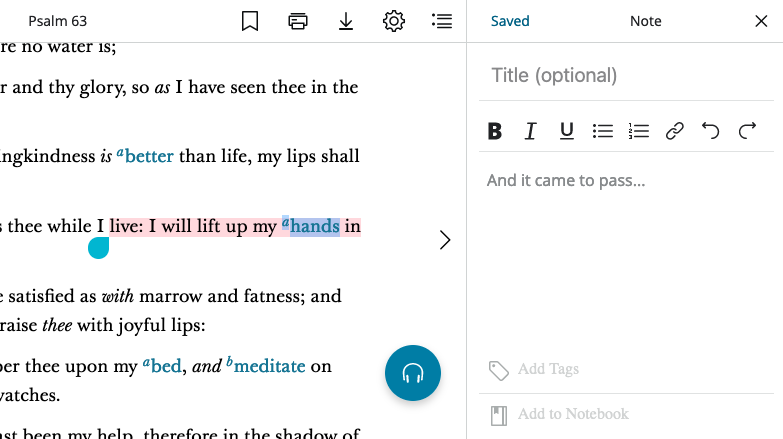
Screen Shot 2022-08-16 at 8.00.11 AM.png
Senior Member
#2
So far I've noted on usability issue that I've submitted: once the note editing panel appears, you can only get back to the footnotes panel by clicking the X and then reopening the footnotes panel. Other panels have a back arrow (where "Saved" is in the screen shot).

I've experienced some occasional odd behaviors while taking notes (like sometimes I select text and it doesn't do anything). But, I don't have anything reproducible yet, so it's difficult to submit the issue.