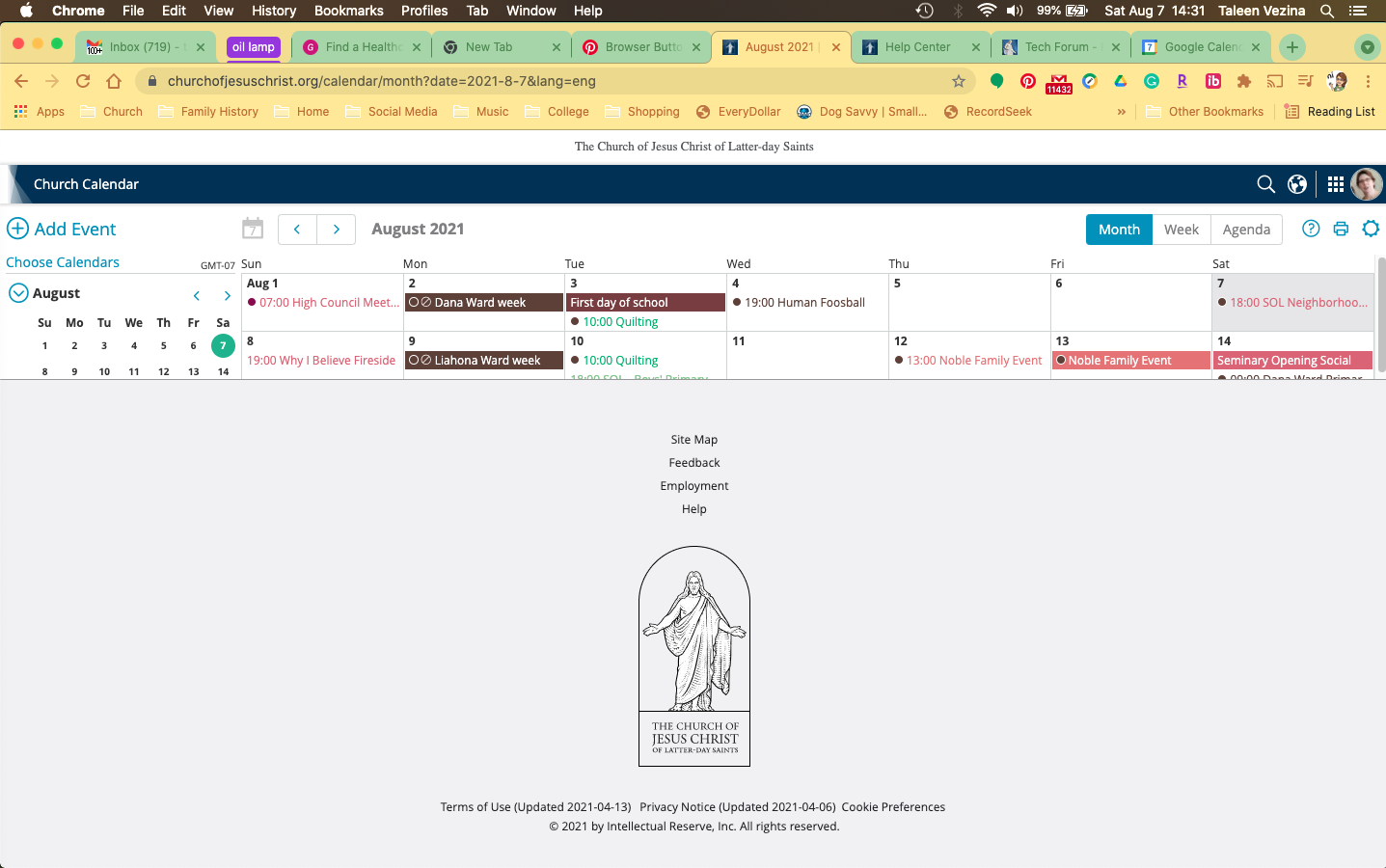
trvezina wrote:The calendar webpage seems to be blocked by the footer. ...
(Thanks for making sure the screenshot did not have any substantial personal information--at least none that I noticed.)
There's a pretty good chance you can make the symptom go away by clearing browser cache, deleting relevant cookies, and forcing a full reload of the web page. I'm not certain about Chrome, but in Firefox, full page reload is done by Shift-Control-R. If that does not help, please file Feedback on the page. If a widespread problem were to develop, feedback reports can get the problem escalated to engineering.
One temporary option would be to modify the CSS attributes on the footer to make it disappear (or shrink if you can figure out how to do that). To make the footer disappear, do the following:
- 1) Right-click on the footer.
2) From the menu, select Inspect or Inspect Element.
3) In the HTML panel, find the element that covers the footer, the whole footer, and nothing but the footer. ('<footer...' or '<platform-footer...' would be good candidates.)
4) Click on the selected element.
5) In the CSS panel, in the 'element' list, click just to the right of (and maybe a bit above) the '}'.
6) Type in 'display:none'. You should see the browser add a space and a semicolon. You should also see the footer disappear.
7) If you want to make the element transparent rather than to go entirely away, in step 6, type 'opacity:0' instead.
Refreshing the page undoes that temporary workaround. If you find yourself using that trick often, there is a way to make the inspector panel its own window--but I don't remember exactly how.