Gospel Library on Windows Will Not Open

11 postsstarted by michaeljosefannerl 6,111 viewsoriginal topic

#1
Hi,
The GL program on my windows machine will not open. The wheel keeps spinning and it will not update the 12 content items in the background - see attached photo.
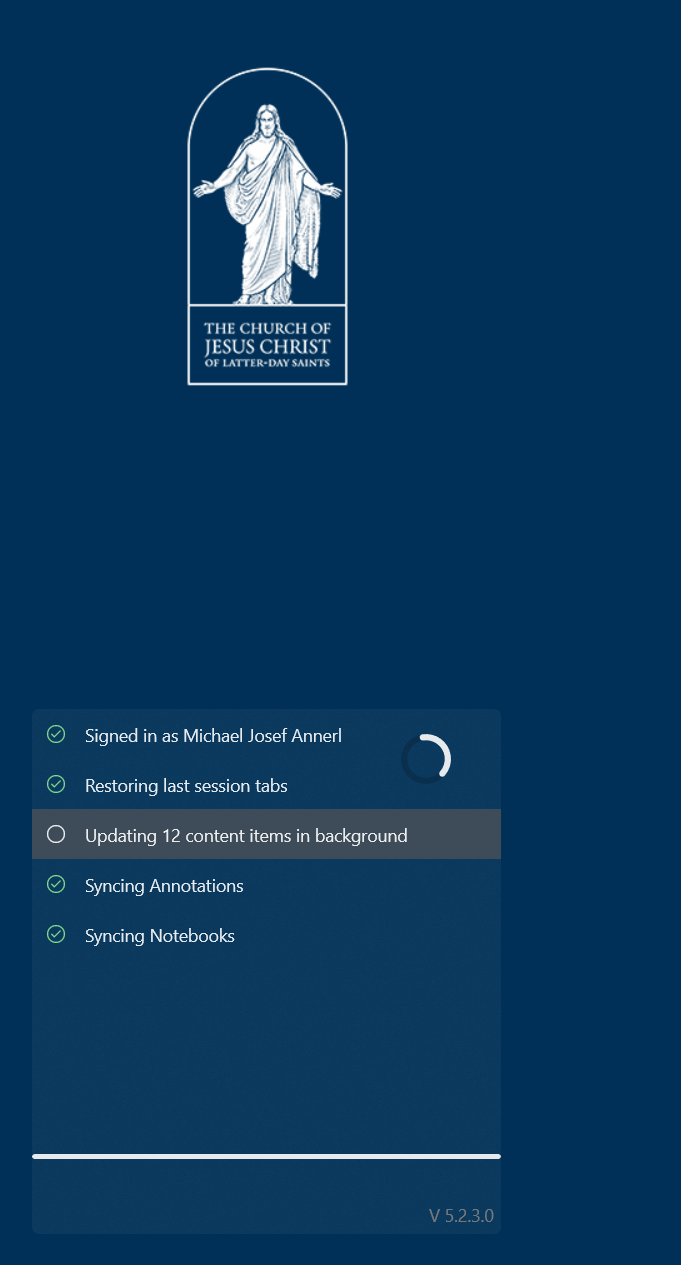
๐Ÿ“Ž GL App.PNG (183.03 KiB)
New Member
#2
I'm having the same issue. I've reset the app. Made no difference. I've deleted and reinstalled the app and I still get the same thing - "Downloading catalog..." with the spinning wheel and it never advances from that. Running Windows 11 Home.
New Member
#3
I'm also getting the "Downloading catalog" and spinning wheel. Also running Windows 11 Home.
New Member
#4
I have the same problem - newly installed from the MS App Store, on Windows 10 Pro 21H2, Windows Feature Experience Pack 120.2212.4180.0.

After installing, on first start-up it just sits on "Loading Catalog" and never moves forward. I have also tried to uninstall and reinstall with no luck.
New Member
#5
I'm having the same issue as above. I've reinstalled a couple of times but I can't get past the "Downloading Catalog" message. It seems like it happened the same time as a Windows .Net update.
New Member
#6
Anyone ever figure out a solution for this? I have two window laptops. On one, Gospel Library always works. On the other, it does what people said above. I have uninstalled, reinstalled, reset, updated the windows store... I dont know what else to do. It has never worked on the 2nd laptop.
New Member
#7
Right click app
More
app settings
reset
New Member
#8
Same issue on my Samsung Galaxy Book 2 pro. I download the app, works first time. After a reboot or update from the Microsoft Store it stops at the logo with a spinning wheel. Resets get it working the one time then it does the same thing. All my other Win11 machines work fine. I have removed and reinstalled the store, I even reset Windows without keeping files and the issue persists. App is unusable in it's current state on this laptop.
#9
Yeah, this happens so frequently (once or twice a month) that I've resorted to installing the beta version each time I have to reinstall the apps so at least one of them will open until I have time to reinstall.
New Member
#10
I'm still having this issue as well. It was working until the most recent update (6.11.14.0). I can't get it to open. I've tried the "reset" thing, but not luck.
New Member
#11
I have narrowed the issue down to a conflict with Steam. Anyone using the PC has to fully shutdown Steam, including verifying through Windows Task Manager, or the Gospel Library fails to load. The only solution has been to uninstall/reinstall the Gospel Library. This is true of both production and beta versions. I have repeatedly confirmed the issue by closing all other programs. The Gospel Library will not load beyond the initial splash screen.

Windows 11 Home 64-bit
Intel Core i9
Raptor Lake 10nm Technology
32.0GB Dual-Channel DDR4 @ 1596MHz
Micro-Star International Co., Ltd. MS-15H4 (U3E1)
Intel Iris Xe Graphics (MSI)
953GB NVMe Micron_2400_MTFDKBA1T0QFM