Webcast Encoder URL update - Release Notes

40 postsstarted by bretbassett 11,344 viewsoriginal topic

Church Employee
#1
On February 17, the church released a new update. This update is designed to simplify the use of encoding devices when holding multiple meetings in the same building on a recurring basis.
New Member
#2
Hi! It's Wednesday at noon Mountain time. I've tried spinning up a couple sample meetings with these new settings, and my Teradek won't connect. "Address not found." I get similar errors on Teradek's webpage and its front panel display.

From another machine on a totally separate network, ping fails:

MACHINE:~ johnchapman$ ping rtmp://lehiutahgatewaystake2.mhwebcast.churchofjesuschrist.org/169P/242654db2f3d46a1b
ping: cannot resolve rtmp://lehiutahgatewaystake2.mhwebcast.churchofjesuschrist.org/169P/242654db2f3d46a1b: Unknown host

Traceroute, too, because of length I assume:

MACHINE:~ johnchapman$ traceroute rtmp://lehiutahgatewaystake2.mhwebcast.churchofjesuschrist.org/169P/242654db2f3d46a1b
traceroute: hostname "rtmp://lehiutahgatewaystake2.mhw..." is too long

This fails too:

MACHINE:~ johnchapman$ traceroute rtmp://lehiutahgatewaystake2.mhwebcast.churchofjesuschrist.org
traceroute: unknown host rtmp://lehiutahgatewaystake2.mhwebcast.churchofjesuschrist.org


Maybe DNS still hasn't propagated?
Church Employee
#3
chapmanjec - noon was when we were pushing the new code. Please try again and DM me if you continue to experience problems. At this point everything appears to be working as expected.
New Member
#4
I am seeing the same thing for Carlsbad California Stake. I am unable to resolve these hostnames:
carlsbadcaliforniastake2.mhwebcast.churchofjesuschrist.org
carlsbadcaliforniastake1.mhwebcast.churchofjesuschrist.org
carlsbadcaliforniastake0.mhwebcast.churchofjesuschrist.org
carlsbadcaliforniastake3.mhwebcast.churchofjesuschrist.org
carlsbadcaliforniastake2.mhwebcast.churchofjesuschrist.org
New Member
#5
Make sure you update the Quick Start Guide and Complete Guide with the new Encoder URL setup options.

And thanks for adding 15 minute increments to the duration of scheduled meetings! This will help.
Community Moderators
#6
When the ward at the other end of the stake plugs the Teradek encoder in during the preroll period this coming Sunday morning, is it going to work, i.e., autoconfigure as it has been doing for the last several years? Or do I need to travel out there to the stake center and do something first?
New Member
#7
I tried it earlier, the new encoder setup wasn't working/mapping correctly (as of about 1:00 PM PST), but now (4:30 PM PST) it's working for me...
Community Moderators
#8
On more careful reading of the Release Notes, it says, "There is no change to auto-config functionality. Registered devices currently using auto-config can continue using it." And later it says, Registered devices will automatically be upgraded to an Encoder URL."

This tells me I do not need to do anything with my currently autoconfigured Teradek encoder.
#9
We could not reach the servers assigned for webcasting.  
Summary: The commands Tracert and NSlookup can not find the webcast servers.
Servers:
o Teradek VidiU rtmp://MHW-5-155798.eastus.cloudapp.azure.com/169P
o New Encoder URLs  rtmp://boyntonbeachfloridastake1.mhwebcast.churchofjesuschrist.org/169P

Worked with Athens Georgia Stake (448354), on Thursday pm, 18Feb2021. 
Everything we tried failed to connect to the servers.

Tried our Boynton Beach Florida Stake (2018888) webcast set up for our stake conference this Sunday with the same issue. 
Tested on Thursday pm, 18Feb2021, and Friday am, 19Feb2021.
DNS server:  dsldevice6.attlocal.net  

On Friday am, 19Feb2021, switched to the church's VPN connection, which provides a 10. address, with the same issue.
DNS server:  ns1.ldschurch.org
Thanks,
:cool:Your Fellow Member,
Pete Arnett
Sunny South Florida, USA
Church Employee
#10
lajackson wrote:On more careful reading of the Release Notes, it says, "There is no change to auto-config functionality. Registered devices currently using auto-config can continue using it." And later it says, Registered devices will automatically be upgraded to an Encoder URL."

This tells me I do not need to do anything with my currently autoconfigured Teradek encoder.
Auto-config will work as it has and update encoders using it to the static RTMP information.
New Member
#11
Update Friday morning 0745 Mountain:

Even after I disabled piHole here at home (holy cow, the unfiltered Internet is an advertising cesspool), no joy. Normal DNS is google at 8.8.8.8.

Code:

MACHINE:~ johnchapman$ 
MACHINE:~ johnchapman$ traceroute  rtmp://lehiutahgatewaystake2.mhwebcast.churchofjesuschrist.org
traceroute: unknown host rtmp://lehiutahgatewaystake2.mhwebcast.churchofjesuschrist.org
MACHINE:~ johnchapman$ 
MACHINE:~ johnchapman$ ping rtmp://lehiutahgatewaystake2.mhwebcast.churchofjesuschrist.org
ping: cannot resolve rtmp://lehiutahgatewaystake2.mhwebcast.churchofjesuschrist.org: Unknown host
Then tried entering this address at http://www.isitdownrightnow.com:

Code:

https://www.isitdownrightnow.com/lehiutahgatewaystake2.mhwebcast.churchofjesuschrist.org.html
Their reply:
"It is not just you. The server is not responding..."

Question for @bartj: Does this machine I'm trying to hit exist all the time, or does it only spin up during scheduled broadcasts? If the former, I'll schedule another temp event and try again.


-----------------

EDIT: I built a test meeting and let enough time pass that it's in pre-buffer stage. Still can't connect, at least from home.

Note, the address changed from earlier: ...gatewaystake2 to ...gatewaystake0.

Code:

MACHINE:~ johnchapman$ ping rtmp://lehiutahgatewaystake0.mhwebcast.churchofjesuschrist.org/169P
ping: cannot resolve rtmp://lehiutahgatewaystake0.mhwebcast.churchofjesuschrist.org/169P: Unknown host
MACHINE:~ johnchapman$ 
MACHINE:~ johnchapman$ traceroute rtmp://lehiutahgatewaystake0.mhwebcast.churchofjesuschrist.org/
traceroute: unknown host rtmp://lehiutahgatewaystake0.mhwebcast.churchofjesuschrist.org/
MACHINE:~ johnchapman$ 
New Member
#12
i just did some testing and found that indeed, the hostnames do not resolve until the there is an active event in progress.
i setup a test event, and as soon as that event started the pre-buffer, i could ping and resolve the hostname.
Looking that the DNS TTL for the records, they have a 1 minute 55 second ttl, which explains why they're not resolvable when an even isn't running.
New Member
#13
Thanks studerje. Looks like I can ping my test machine now as well. I'll cruise over to the building later today and confirm with proper gear. When my pre-buffer first turned on, DNS had obviously not propagated through.

[It's always DNS]

Code:

MACHINE:~ johnchapman$ 
MACHINE:~ johnchapman$ ping lehiutahgatewaystake0.mhwebcast.churchofjesuschrist.org
PING mhw-20-159542.westus.cloudapp.azure.com (13.91.224.131): 56 data bytes
64 bytes from 13.91.224.131: icmp_seq=0 ttl=52 time=31.953 ms
64 bytes from 13.91.224.131: icmp_seq=1 ttl=52 time=29.552 ms
New Member
#14
The static RTMP URL's and media servers are created on the fly for each event and are removed at the end of the event. The media server is build 30 minutes before the pre-buffer time. For sacrament meeting type events that is 50 minutes (20 minute pre-buffer) and for all other non-test types 75 minutes (45 minute pre-buffer). For test events it is 40 minutes (10 minute pre-buffer).

The DNS CNAME entry that maps the hostname for static RTMP URL to the host name of the media server is created at the start of the pre-buffer. You won't be able to ping the media server hostname until the media server has been built and won't be able to ping the static RTMP hostname until the start of the pre-buffer. When pinging those hostnames you should only use the hostname (example: myorg0.mywebcast.churchofjesuschrist.org). The TTL for the CNAME records is set to 5 minutes (300 seconds).

The static RTMP URL hostname that gets map to the media server hostname is based on the Encoder URL selected when the event was scheduled. If you had an event scheduled before we made this change the event will use the media server based RTMP URL and stream name like it did before the change.
Community Administrator
#15
Unless something has changed, the only DNS supported on a church network is the one provided by the network. Other DNS should be blocked due to how the filtering works. If you do somehow use a different DNS, that could delay getting the proper information.
Have you searched the Help Center? Try doing a Google search and adding "site:churchofjesuschrist.org/help" to the search criteria.

So we can better help you, please edit your Profile to include your general location.
New Member
#16
The DNS is working in meetinghouses as long as the encoder is using the DNS provided by the church network. We did discover an issue that was keeping some events from being able to be encoded to. We have deployed a fix. Thanks for your feedback and patience!
#17
pete.arnett wrote:We could not reach the servers assigned for webcasting.  
Summary: The commands Tracert and NSlookup can not find the webcast servers.
Servers:
o Teradek VidiU rtmp://MHW-5-155798.eastus.cloudapp.azure.com/169P
o New Encoder URLs  rtmp://boyntonbeachfloridastake1.mhwebcast.churchofjesuschrist.org/169P
....
Thanks to Bart and others.

Summary:
The webcast servers are virtual and can not be pinged, tracert or nslookup until the event is live.

The Default URL is different from the Encoder URLs.
If you are using OBS, check the event to see which encoder was used during the event setup and only use that URL.
Thanks,
:cool:Your Fellow Member,
Pete Arnett
Sunny South Florida, USA
New Member
#18
The Default URL is not different than the others but an Encoder URL that we created for each unit to use if you had not created any Teradek's in the previous version. You can use the default if you like. For all encoders you should use the RTMP URL and stream name that is in the setup dialog for your event. That will be the settings for the Encoder URL you selected when scheduling the event.
New Member
#19
I have been trying for months to get the Remote XML Configuration working with my Teradek, with the meetings starting and the broadcast not starting. I was hoping with the static URL's and the release notes that this would be different. I have tried every combination today to get it to work (short of factory reset of the Teradek) with the same results. Is there anyone who has found tricks to get this to work, or run into the same issues I have. I would post more information about what I am seeing or running into, but I am not sure what to say besides the Meetings start, and the Teradek stays in ready mode, but if I use the manual configuration it all works just fine.
Community Administrator
#20
clark.danielw wrote:I have been trying for months to get the Remote XML Configuration working with my Teradek, with the meetings starting and the broadcast not starting.
I'm not sure, but I believe you have to boot up the Teradek AFTER the pre-buffer time for the meeting starts.

Then, when the Teradek reaches out for information, it's provided that link and will start streaming. If the Teradek was powered up before that time, it won't get the link and it may not keep re-trying.
Have you searched the Help Center? Try doing a Google search and adding "site:churchofjesuschrist.org/help" to the search criteria.

So we can better help you, please edit your Profile to include your general location.
New Member
#21
clark.danielw wrote:I have been trying for months to get the Remote XML Configuration working with my Teradek, with the meetings starting and the broadcast not starting. I was hoping with the static URL's and the release notes that this would be different. I have tried every combination today to get it to work (short of factory reset of the Teradek) with the same results. Is there anyone who has found tricks to get this to work, or run into the same issues .
I had the same problem. It turns out that the Teradek’s can’t be running the most up-to-date firmware. I had to down grade all 3 of ours to the version recommended here: https://www.churchofjesuschrist.org/hel ... e?lang=eng

As soon as I did that, all 3 started working as expected.
New Member
#22
Edited 1 time, last by chapmanjec on
Wow! In October we brought in a brand-new Teradek, updated the firmware (because that's normal for embedded things) and I've been fighting failing autoconfig for months. It's never worked. This morning I'll try rolling ours down to the 3.0.7/8, then will return and report.
New Member
#23
Would have been nice to know that the changes would retroactively change the URLs on previously scheduled meetings. Perhaps buried in the announcement this was said or implied. Unfortunately too late for some of our 9:00 AM meetings in the Lehi East Stake. Just a warning to others if you have a ward level meeting scheduled before the changes the urls may now be changed.
Community Administrator
#24
Not sure what happened, but the ward I've been helping wasn't able to connect to the servers for a meeting I created on Friday.

They've been pretty successful for months.
Have you searched the Help Center? Try doing a Google search and adding "site:churchofjesuschrist.org/help" to the search criteria.

So we can better help you, please edit your Profile to include your general location.
New Member
#25
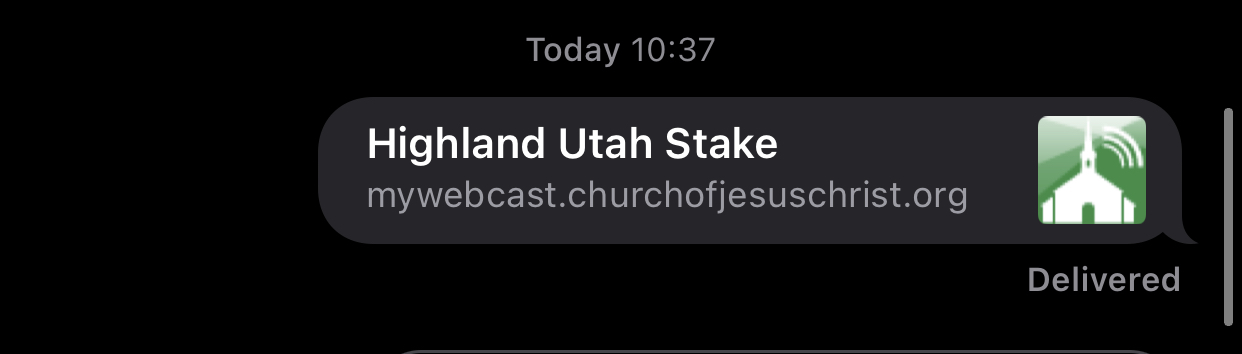
There is a bug in the mywebcast portal. It resolves as highland Utah Stake when I send the URL via iMessage. I’m in the Carlsbad Stake.
New Member
#26
I love the idea behind these new updates, but so far, I'm not a fan. I've completely failed at 2 of my 3 sacrament meeting broadcasts today because DNS does note resolve to the static URL. We do not have a Teradek (back ordered) so we're using Wirecast from a PC. The static URL is great when it works, but DNS doesn't resolve we're dead in the water. Any chance the direct stream URL can be populated into the encoder setup as well? That way for those of use not using auto-setup, there's still options for troubleshooting when DNS doesn't replicate correctly?
Community Administrator
#27
studerje wrote:There is a bug in the mywebcast portal. It resolves as highland Utah Stake when I send the URL via iMessage. I’m in the Carlsbad Stake.
mywebcast.churchofjesuschrist.org doesn't resolve to any unit. You have to either supply it something after the .org, or give it an event code.
Have you searched the Help Center? Try doing a Google search and adding "site:churchofjesuschrist.org/help" to the search criteria.

So we can better help you, please edit your Profile to include your general location.
New Member
#28
russellhltn wrote:
studerje wrote:There is a bug in the mywebcast portal. It resolves as highland Utah Stake when I send the URL via iMessage. I’m in the Carlsbad Stake.
mywebcast.churchofjesuschrist.org doesn't resolve to any unit. You have to either supply it something after the .org, or give it an event code.
there is incorrect information on the public facing webcast page.
If i browse to http://mywebcast.churchofjesuschrist.or ... orniastake and view source, i see the following:

<meta property="og:title" content="Highland Utah Stake">
<meta property="og:description" content="Highland Utah Stake - Services for the saints in the Highland Utah Stake.">

This is what iMessage is showing users.
Community Administrator
#29
Interesting. It's doing that for my stake's page as well. Apparently a bit of code is pulling from the wrong source.

I'd submit feedback - perhaps using the link on the main church page.
Have you searched the Help Center? Try doing a Google search and adding "site:churchofjesuschrist.org/help" to the search criteria.

So we can better help you, please edit your Profile to include your general location.
Community Moderators
#30
The same title ("Highland Utah Stake") appears when sharing the link to Facebook – most likely from the same piece of code.
Samuel Bradshaw • If you desire to serve God, you are called to the work.
New Member
#31
russellhltn wrote:Interesting. It's doing that for my stake's page as well. Apparently a bit of code is pulling from the wrong source.

I'd submit feedback - perhaps using the link on the main church page.
I got a private message from Bart asking for more details and I provided it to him.
New Member
#32
chapmanjec wrote:Wow! In October we brought in a brand-new Teradek, updated the firmware (because that's normal for embedded things) and I've been fighting failing autoconfig for months. It's never worked. This morning I'll try rolling ours down to the 3.0.7/8, then will return and report.
@chapmanjec curious if the firmware rollback fixed your issues.
New Member
#33
I rolled down to 3.07 and discovered that the suggested build is partially based on Flash, which happily/sadly has gone away.

One problem I had during the rollback process is that I couldn't find, for the life of me, the address from where Teradek was supposed to pull the config.xml file. Seems that the church backend UI used to show that, but now it's gone away. Or maybe I'm just dumb. I looked in all the obvious places, plus some obscure ones, with no luck. So I ran the meeting without any issue, and simply used entirely manual settings.

After the meeting, I re-flashed the Teradek Pro to 3.1.12 which is current. I'm somewhat resigned to doing manual setups for now. We have three recurring meetings in this building, and sadly the broadcast addresses aren't the same. It's something like stake0... vs stake2... blah blah blah, so I can't even leave the settings be for all three wards.

Worth noting that the recommended firmware, 3.07, was released in August 2018, which is an eternity ago in the embedded and security world. @Tech in your prodigious spare time, it's probably worth supporting their current build.
New Member
#34
Quick semi-unrelated question...

The email that linked to this thread had this statement at the end:
"General Reminders:
- Local units are encouraged to use Zoom webinar for sacrament meetings and the Church's webcast system for stake conferences."

I've noticed that two other posters mentioned they were streaming sacrament meetings. That's what I'm doing, too. Zoom is way too problematic for sacrament, and the 720P limitation of the Church's system makes YouTube Live preferred for Stake Conferences.

We like supporting the Church's service whenever possible, but is it a burdensome expense? Should we switch to YouTube for all our broadcasts?
Community Moderators
#35
softco wrote:Should we switch to YouTube for all our broadcasts?
I'm in the process of doing exactly that for our stake. Our worship service Zoom webinars had the HD 720P settings switched on and the audio processing off, but still suffered from obvious bandwidth limitations by Zoom. These included low frame rate (10-15fps?) and audio that sounded like music on hold over a poor VOIP connection. Fortunately, those speaking from the pulpit were intelligible, but anything musical was unacceptable.

I'm in the process of documenting what our stake is doing with YouTube Live and will start a new topic when it's ready. Thanks to some recent changes put in place by YouTube, the whole process was actually much simpler than I anticipated - and I've been using YT Live since before it was available for the masses.
So we can better help you, please edit your Profile to include your general location.
New Member
#36
chapmanjec wrote:Hi! It's Wednesday at noon Mountain time. I've tried spinning up a couple sample meetings with these new settings, and my Teradek won't connect. "Address not found." I get similar errors on Teradek's webpage and its front panel display.

From another machine on a totally separate network, ping fails:

MACHINE:~ johnchapman$ ping rtmp://lehiutahgatewaystake2.mhwebcast.churchofjesuschrist.org/169P/242654db2f3d46a1b
ping: cannot resolve rtmp://lehiutahgatewaystake2.mhwebcast.churchofjesuschrist.org/169P/242654db2f3d46a1b: Unknown host

Traceroute, too, because of length I assume:

MACHINE:~ johnchapman$ traceroute rtmp://lehiutahgatewaystake2.mhwebcast.churchofjesuschrist.org/169P/242654db2f3d46a1b
traceroute: hostname "rtmp://lehiutahgatewaystake2.mhw..." is too long

This fails too:

MACHINE:~ johnchapman$ traceroute rtmp://lehiutahgatewaystake2.mhwebcast.churchofjesuschrist.org
traceroute: unknown host rtmp://lehiutahgatewaystake2.mhwebcast.churchofjesuschrist.org


Maybe DNS still hasn't propagated?

It looks like you are passing the entire RTMP URL to the ping or tracert command.

You should only pass the host portion, i.e. the portion after "rtmp://" until the first slash "/"

Using the very first ping command as my example, you just needed to type "ping lehiutahgatewaystake2.mhwebcast.churchofjesuschrist.org"

I did try that now, and it didn't work. Maybe that's because of a typo, or because you've changed the encoder URL since then.
New Member
#37
bretbassett wrote:On February 17, the church released a new update. This update is designed to simplify the use of encoding devices when holding multiple meetings in the same building on a recurring basis.
The Event Attendance Report feature is a nice extra, but it lacks usability.

What I would like to see is the ability to not just report the number of users who connected, but also their names and to do this over a specified time period (at the moment such details are only available on a per-event basis). This would aid ward/stake clerks in tracking attendance at Webcast events. My ward clerk would like to get a report of all the families who have attended since we started webcasting back in October 2020, but the only way to do that is to literally go back one-by-one through all the events and look at each individual one.

This doesn't have to be a "fancy" report. As long as it gave the basics of the meeting date/time, and details of the Congregation and Individual users, with each receiver on a separate line to make it easy and a total somewhere (preferably alphabetically sorted).

e.g.

Event: XYZ Ward Sacrament meeting held 2021-02-28 at 9am

Total congregation sites: 0

<no sites listed, since it was 0>

Total individual sites: 30

Adams
Jones
Smith
...


If you wanted to get fancier, you could include the first connection time, last connection time and total connected time for each receiving site (which might require a table format) and add the ability to export as CSV for import into Excel, etc.

This would make the reporting infinitely more usable.
New Member
#38
I just received the calling over the stake technology and I am trying to create a wecast. When i try and create an Encoder URL it gives me an error. Any ideas?
New Member
#39
Hi guys! I’m curious if there’s any design for translators to push multiple audio sources through the webcasts? Is that a thing we can activate? We are Miami Florida and we need multi language in each session and right now we rely on zoom to assist but that means we take the webcast and recast it through zoom which is just unnecessary if we had multiple audio streams available in the actual webcast. Is it easy to turn on? Thank you!
Community Moderators
#40
tikalvideo wrote:I’m curious if there’s any design for translators to push multiple audio sources through the webcasts?
The Church webcast system, which is going away next year, takes and sends out one audio channel. If you wish to send out two languages, you need two methods of encoding and two different webcasts.

We use Zoom for the interpreting and invite the non-English language to join the Zoom webinar. We push the webinar out onto the Church webcast system (that will change) and invite the English speakers to watch and listen there.