Grid lines in classic maps

4 postsstarted by GrasseDD 3,501 viewsoriginal topic

Member
#1
Anyone else ever see this?
One one computer I use (and not on other computers I use), the classic maps show weird gridlines. By "weird" I mean they stay the same size regardless of zoom and regardless of base map. They're nice and straight, very thin and gray, so they might at first glance appear like some lat/long lines.
See three screenshots in the attached image.
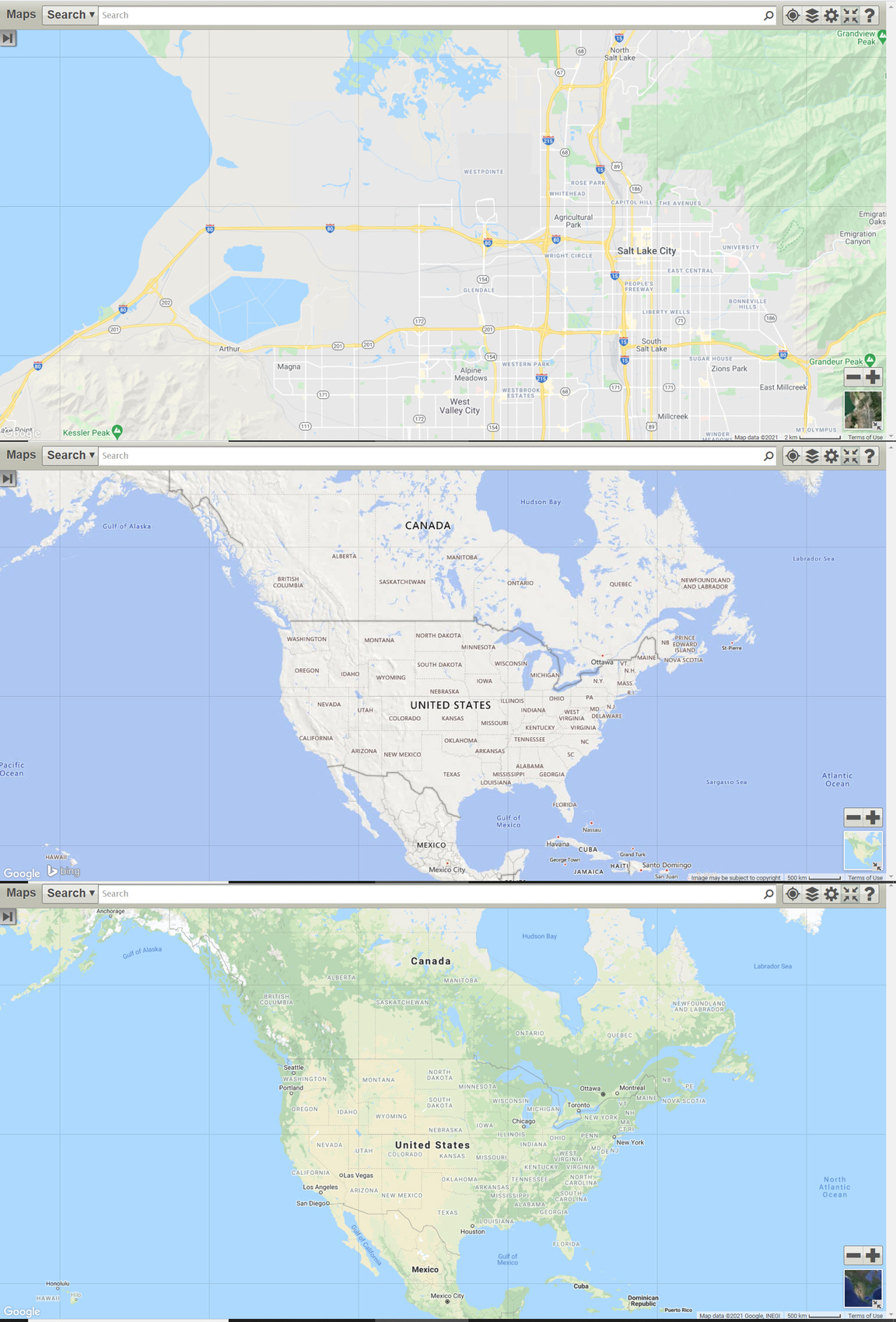
Classic maps grid lines.jpg
(844.74 KiB) Not downloaded yet
Community Administrator
#2
I can replicate it if I "zoom out" (Ctrl-minus). Try pressing Ctrl-zero to reset zoom to 100%.

The grid lines are likely an artifact caused by the zoomed tiles not quite touching.
Have you searched the Help Center? Try doing a Google search and adding "site:churchofjesuschrist.org/help" to the search criteria.

So we can better help you, please edit your Profile to include your general location.
Member
#3
OK, I finally figured out that you were referring to zooming the browser display rather than the map! (The "zoom to 100%" was baffling me!)
Interestingly, that led me to discover that at 80% zoom (and at 400%, which is the only other zoom level that is also a multiple of 80%), the weird lines disappear.
Community Administrator
#4
It's also possible that you may have a zoom set on the display at the OS level. This isn't uncommon for high resolution screens as it can result in some small print unless you have a large monitor.

A display zoom of 125% would be completely canceled by a browser zoom of 80%.
Have you searched the Help Center? Try doing a Google search and adding "site:churchofjesuschrist.org/help" to the search criteria.

So we can better help you, please edit your Profile to include your general location.