Instructions to Ward members on using breakout rooms for multiple classes in second hour meetings

14 postsstarted by SingerGuy 4,650 viewsoriginal topic

Member
#1
Our Ward uses multiple breakout rooms during our second hour. We have one meeting ID for the adults and another for the youth. This allows us to name the breakout rooms for the first/third Sundays and then name them something different for the second/fourth Sundays and only have one URL for the adults or youth to remember, and have the option of two different moderators watching over the two meetings to speed people on their way. Our biggest problem was that navigating into the breakout rooms proved to be problematic for the less technical in our Ward, so I created the attached PDF file to help explain the process in an easier way. My only problem is that I just have access to a PC and to an Android phone, so if there is something unique in the Mac or iOS I don't have it in these instructions.

Feel free to use this PDF if the instructions fit your situation.
New Member
#2
This is helpful. Do you need to set up these Breakout Rooms each week? Or can you set them up once, and the settings perpetuate from then on?
Member
#3
wilcocka wrote:This is helpful. Do you need to set up these Breakout Rooms each week? Or can you set them up once, and the settings perpetuate from then on?
Each time you open the meeting you start from scratch. I usually open the meetings 20 minutes early so I have plenty of time to create the rooms and be ready for the early birds to start showing up.
New Member
#4
wilcocka wrote:This is helpful. Do you need to set up these Breakout Rooms each week? Or can you set them up once, and the settings perpetuate from then on?
When you are setting up your meeting as recurring (i.e. the 1st & 3rd Sunday of every month, which is tricky to do in Zoom, but it can be done!), you can pre-set the number of breakout rooms and name each one (Gospel Doctrine, Youth 11-12, Youth 13-14, Youth 15-17) so that they are already there when the Zoom meeting starts each week.
Member
#5
bluscoot wrote:
wilcocka wrote:This is helpful. Do you need to set up these Breakout Rooms each week? Or can you set them up once, and the settings perpetuate from then on?
When you are setting up your meeting as recurring (i.e. the 1st & 3rd Sunday of every month, which is tricky to do in Zoom, but it can be done!), you can pre-set the number of breakout rooms and name each one (Gospel Doctrine, Youth 11-12, Youth 13-14, Youth 15-17) so that they are already there when the Zoom meeting starts each week.
I looked at this for our Ward, but then we would have one URL for 1st and 3rd weeks and another URL for 2nd and 4th weeks. Talking with my Bishop we opted for the method that was much harder for me (one guy) and much easier for the entire ward by having one URL regardless of what week of the month it was. I just take the extra time to establish the rooms before people start showing up, and I don't let them join until 5 minutes before the meeting start time. I guess it is just a matter of preference. There's not a right or a wrong here that I can see. Just different styles and approaches.
New Member
#6
SingerGuy wrote:
bluscoot wrote:
wilcocka wrote: I looked at this for our Ward, but then we would have one URL for 1st and 3rd weeks and another URL for 2nd and 4th weeks. Talking with my Bishop we opted for the method that was much harder for me (one guy) and much easier for the entire ward by having one URL regardless of what week of the month it was. I just take the extra time to establish the rooms before people start showing up, and I don't let them join until 5 minutes before the meeting start time. I guess it is just a matter of preference. There's not a right or a wrong here that I can see. Just different styles and approaches.
Really good point! Having a single Zoom link for every week is ideal.
New Member
#7
SingerGuy wrote:
bluscoot wrote:
wilcocka wrote:This is helpful. Do you need to set up these Breakout Rooms each week? Or can you set them up once, and the settings perpetuate from then on?
When you are setting up your meeting as recurring (i.e. the 1st & 3rd Sunday of every month, which is tricky to do in Zoom, but it can be done!), you can pre-set the number of breakout rooms and name each one (Gospel Doctrine, Youth 11-12, Youth 13-14, Youth 15-17) so that they are already there when the Zoom meeting starts each week.
I looked at this for our Ward, but then we would have one URL for 1st and 3rd weeks and another URL for 2nd and 4th weeks. Talking with my Bishop we opted for the method that was much harder for me (one guy) and much easier for the entire ward by having one URL regardless of what week of the month it was. I just take the extra time to establish the rooms before people start showing up, and I don't let them join until 5 minutes before the meeting start time. I guess it is just a matter of preference. There's not a right or a wrong here that I can see. Just different styles and approaches.
I am instructing wards in my stake to create the unused rooms and just leave them unused when they are not needed. In other words create Gospel Doctrine, Relief Society, and Elders Quorum in the recurring meeting every week and just don't join Gospel Doctrine when it's not the week we have Sunday School. This is because I'm trying to give instructions so it will be easiest for each ward to run as well as for participants. The less that changes from week to week the better. If I could run it myself in each ward, I would probably opt to do it the way you are, except I would create all the possible meeting rooms and just delete the ones I don't need after joining the meeting rather than creating them from scratch each week.

Thank you for the Windows and Android instructions for participants. I don't have an Android device, so this helps a lot.
Community Moderators
#8
shawndowler wrote:I am instructing wards in my stake to create the unused rooms and just leave them unused when they are not needed. In other words create Gospel Doctrine, Relief Society, and Elders Quorum in the recurring meeting every week and just don't join Gospel Doctrine when it's not the week we have Sunday School. This is because I'm trying to give instructions so it will be easiest for each ward to run as well as for participants.
Many members, like myself, may not remember which week it is, or which weeks elders quorum / Relief Society or Sunday School meetings are held. I expect you might have members accidentally joining Sunday School on elders quorum week and vice versa.

As a side note, the class named "Gospel Doctrine" went away when Come, Follow Me for Sunday School was introduced. Usually you'll see the terminology "adult Sunday School classes" instead in the General Handbook and the Church website. I mention this not only because I obsess over terminology sometimes :) , but also because it's easier for teachers and others to find training materials and help for their callings if they search for things using the latest terminology.
Samuel Bradshaw • If you desire to serve God, you are called to the work.
New Member
#9
sbradshaw wrote:As a side note, the class named "Gospel Doctrine" went away when Come, Follow Me for Sunday School was introduced. Usually you'll see the terminology "adult Sunday School classes" instead in the General Handbook and the Church website. I mention this not only because I obsess over terminology sometimes :) , but also because it's easier for teachers and others to find training materials and help for their callings if they search for things using the latest terminology.
I wondered about the "Gospel Doctrine" class, too. So I opened up the Tools app and went to Organizations and every unit in my stake has a Gospel Doctrine class with one or more instructors. So every unit is using the wrong name in LCR for the class. I haven't been a ward clerk since LCR came out, so I don't know what that interface looks like for creating and renaming Sunday School classes, but I wouldn't be surprised either way if it's wrong in LCR and can't be changed or if it's wrong in LCR, but is each unit's responsibility to change it.
Member
#10
shawndowler wrote:
sbradshaw wrote:As a side note, the class named "Gospel Doctrine" went away when Come, Follow Me for Sunday School was introduced. Usually you'll see the terminology "adult Sunday School classes" instead in the General Handbook and the Church website. I mention this not only because I obsess over terminology sometimes :) , but also because it's easier for teachers and others to find training materials and help for their callings if they search for things using the latest terminology.
I wondered about the "Gospel Doctrine" class, too. So I opened up the Tools app and went to Organizations and every unit in my stake has a Gospel Doctrine class with one or more instructors. So every unit is using the wrong name in LCR for the class. I haven't been a ward clerk since LCR came out, so I don't know what that interface looks like for creating and renaming Sunday School classes, but I wouldn't be surprised either way if it's wrong in LCR and can't be changed or if it's wrong in LCR, but is each unit's responsibility to change it.
In LCR the course is called "Gospel Doctrine" and cannot be changed (unless you split the class)
There are 11 types of people. Those who understand Gray Code and those that don't.
Senior Member
#11
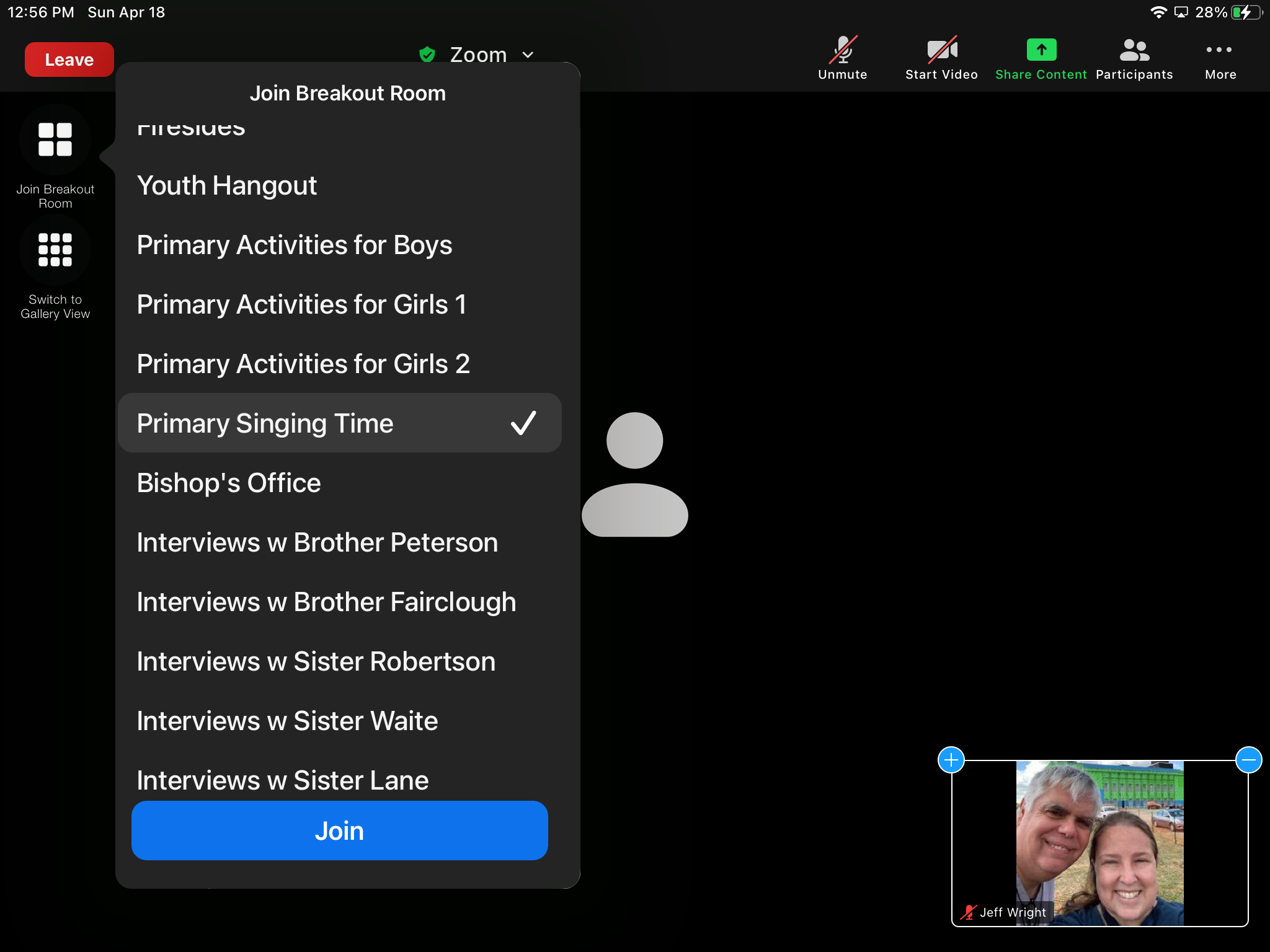
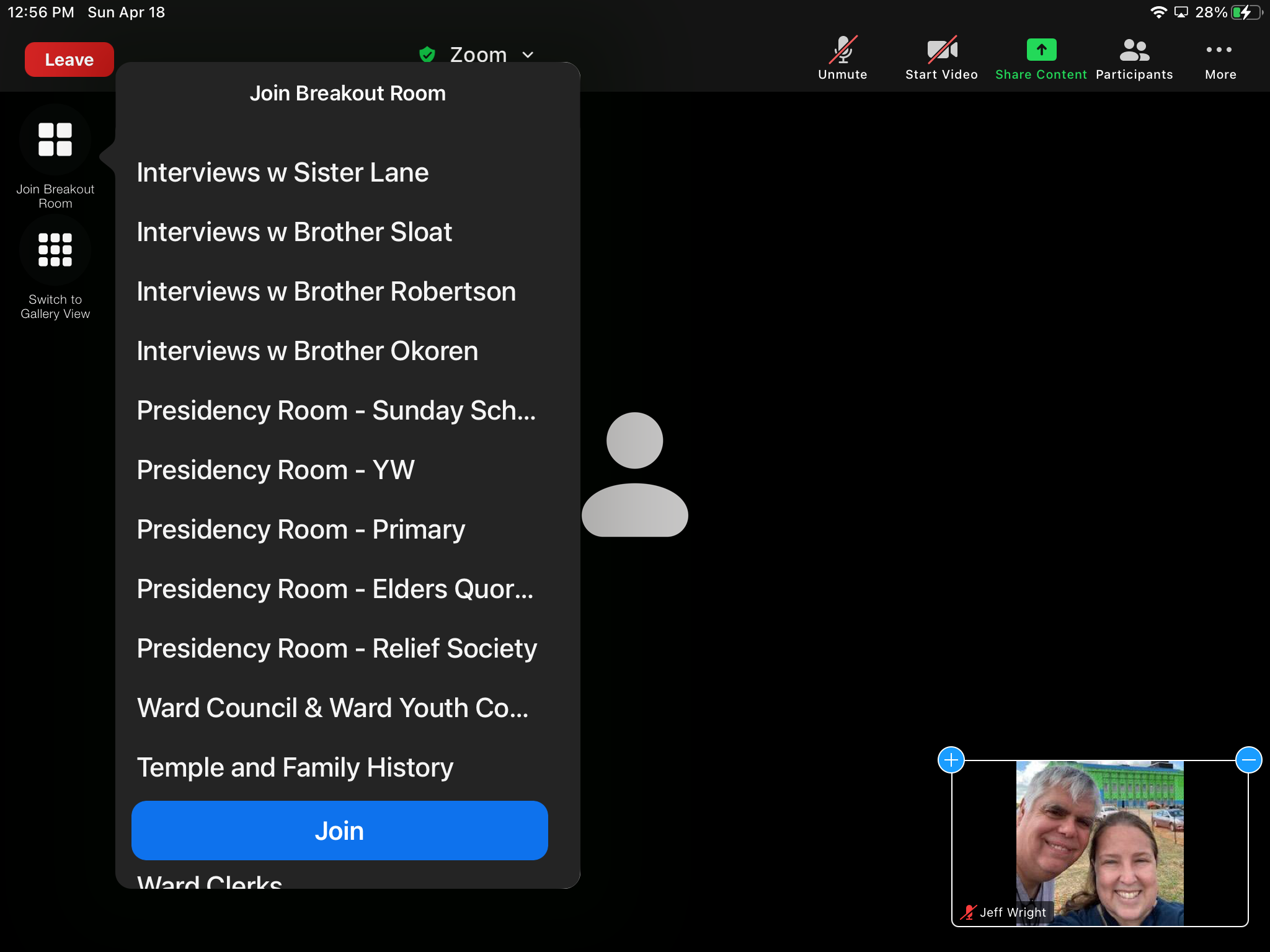
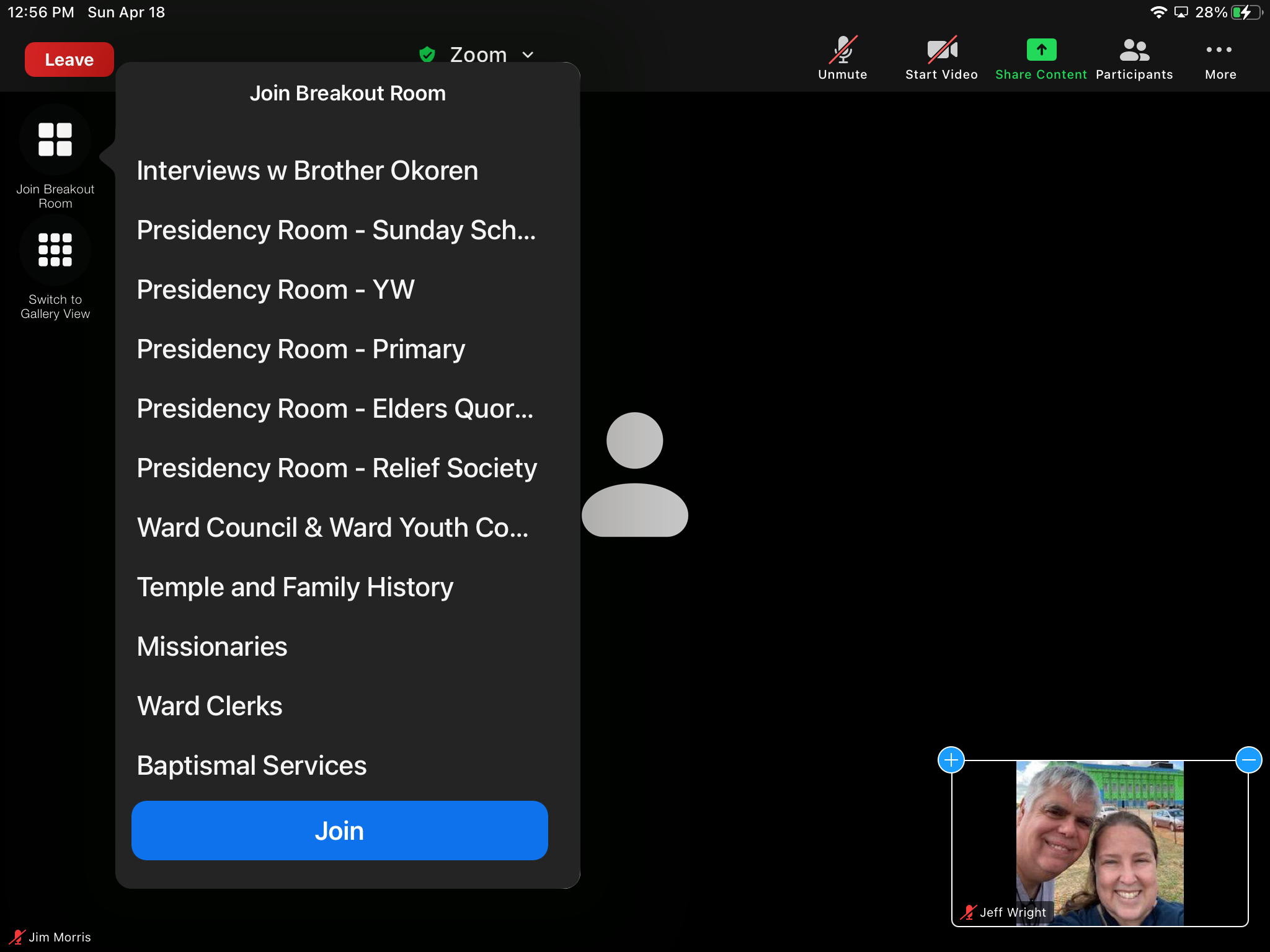
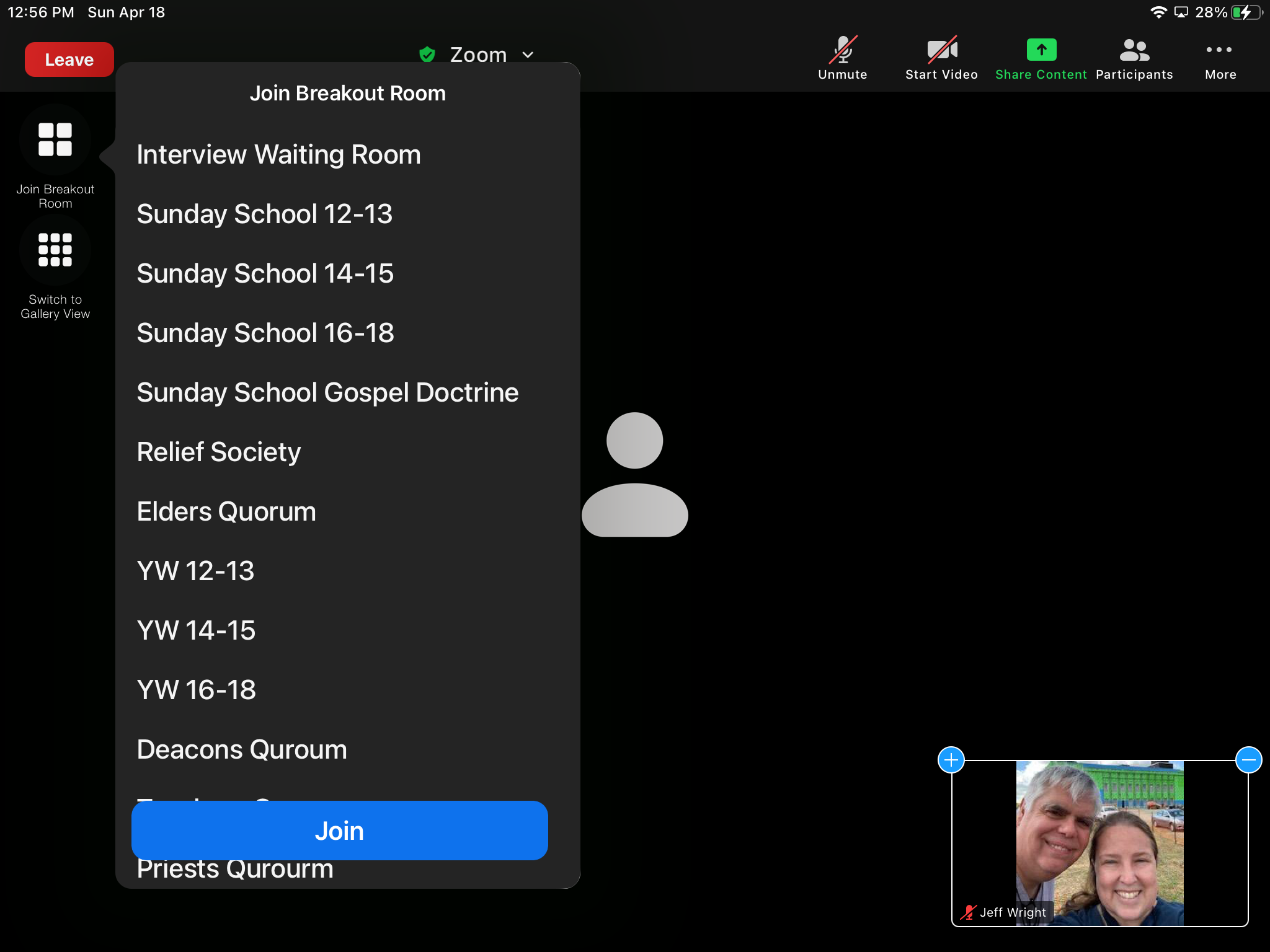
We have one url/meeting ID/password for everything. Members go in then select the appropriate breakout room. This is likened to a church building. A few of us have keys to the building (admin accounts) once the building is open, members can enter the “foyer” then select choose a breakout room or be directed to one if they don’t know where to go (or if a meeting in that room is over) I haven’t been on the admin side since the breakout rooms were set up but I don’t think they are set up each week since there are many, including specific interview rooms and even a clerks office. Here is our link wit( the meeting I’d and password embedded

https://zoom.us/j/93436637238?pwd=UFJMV ... BBT3JhUT09

https://zoom.us/j/93436637238?pwd=UFJMV ... BBT3JhUT09

Our leaders decided to do our second hour meetings before first hour with a break in between, partly because we have partially returned to in person Sacrament. First hour is at 10:00 ET and just finished. Sacrament meeting is at 11:30 ET and since everyone is going into the same room the link takes everyone straight into the meeting.

Like the sign on the outside of the real building says, visitors are welcome.
Senior Member
#12
wilcocka wrote:This is helpful. Do you need to set up these Breakout Rooms each week? Or can you set them up once, and the settings perpetuate from then on?
I haven’t served as admin for Sunday meetings, a member of the bishopric does that, but I have a difficult time believing that they set up 30 rooms each Sunday. I will check the link during the week, you are welcome as well https://zoom.us/j/93436637238?pwd=UFJMV ... BBT3JhUT09
shawndowler wrote:
SingerGuy wrote:
bluscoot wrote:
When you are setting up your meeting as recurring (i.e. the 1st & 3rd Sunday of every month, which is tricky to do in Zoom, but it can be done!), you can pre-set the number of breakout rooms and name each one (Gospel Doctrine, Youth 11-12, Youth 13-14, Youth 15-17) so that they are already there when the Zoom meeting starts each week.
I looked at this for our Ward, but then we would have one URL for 1st and 3rd weeks and another URL for 2nd and 4th weeks. Talking with my Bishop we opted for the method that was much harder for me (one guy) and much easier for the entire ward by having one URL regardless of what week of the month it was. I just take the extra time to establish the rooms before people start showing up, and I don't let them join until 5 minutes before the meeting start time. I guess it is just a matter of preference. There's not a right or a wrong here that I can see. Just different styles and approaches.
I am instructing wards in my stake to create the unused rooms and just leave them unused when they are not needed. In other words create Gospel Doctrine, Relief Society, and Elders Quorum in the recurring meeting every week and just don't join Gospel Doctrine when it's not the week we have Sunday School. This is because I'm trying to give instructions so it will be easiest for each ward to run as well as for participants. The less that changes from week to week the better. If I could run it myself in each ward, I would probably opt to do it the way you are, except I would create all the possible meeting rooms and just delete the ones I don't need after joining the meeting rather than creating them from scratch each week.

Thank you for the Windows and Android instructions for participants. I don't have an Android device, so this helps a lot.
I haven’t served as administrator for Sunday meetings, a member of the bishopric does that, however I have a difficult time believing that someone takes the time to set up 30 rooms each week. I will cheeck the link during the week you are welcome as well.

https://zoom.us/j/93436637238?pwd=UFJMV ... BBT3JhUT09
Senior Member
#13
Thought about that to but as long as the standard calling in LCR is for Gospel Doctrine, we are leaving it. I will use the submit feedback link to ask about a change though.
Member
#14
I had a friend with a Macintosh and an iPhone take screenshots from those devices and we added them to my instruction document. Here is the revised instructions that now cover Widows, Apple, and Android users.