New Member
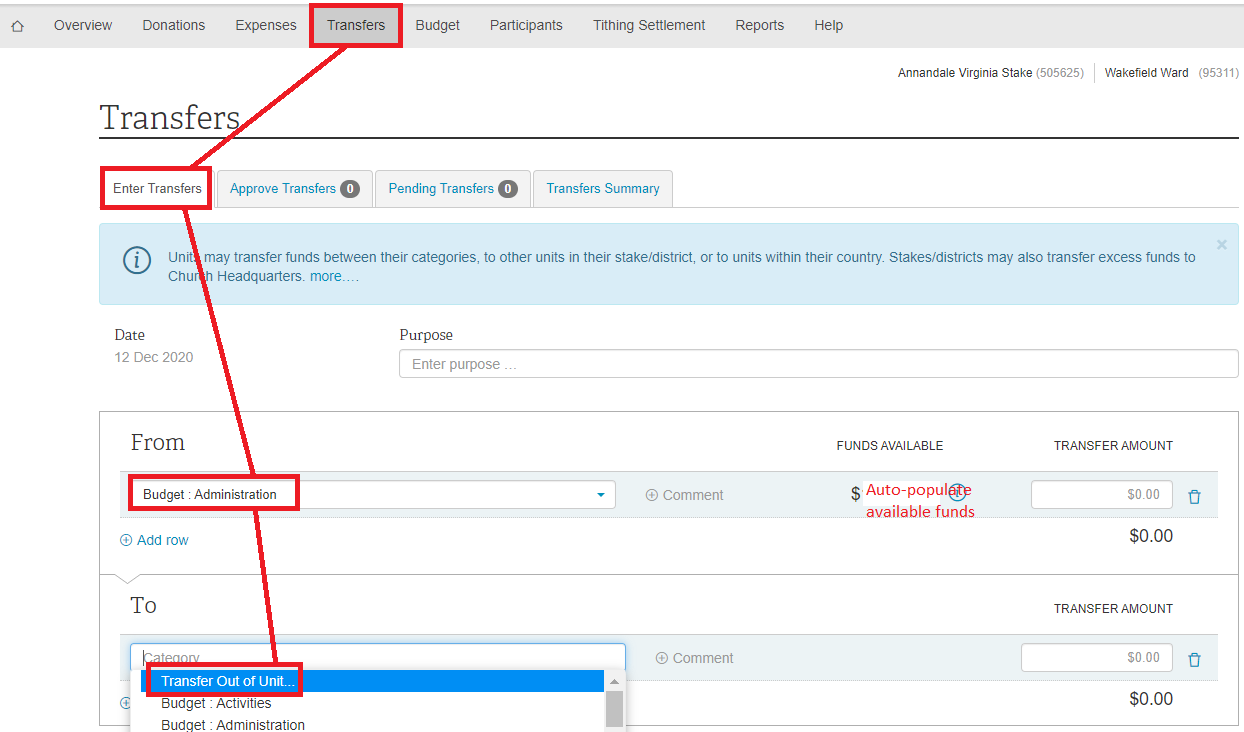
You have to select a FROM option before the To: Transfer Out of Unit will populate.
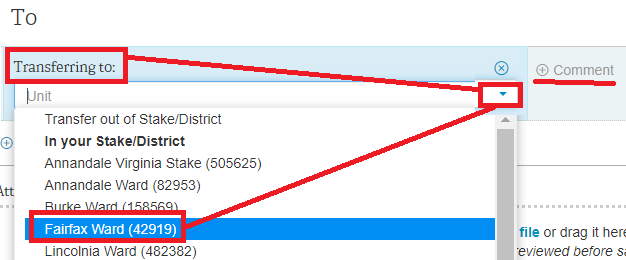
Then down-click the correct Unit.
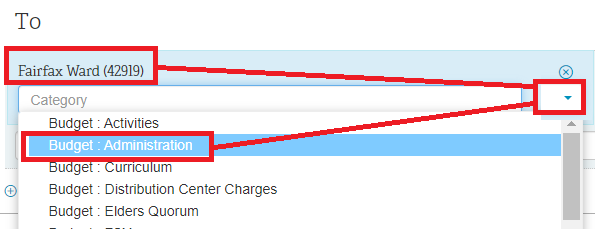
Then another down-click for Category.
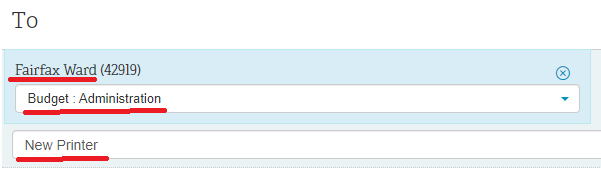
Add a Comment.
Save.
Screenshots included as it's not that obvious how to accomplish this online.
SCREENSHOTS:
Then down-click the correct Unit.
Then another down-click for Category.
Add a Comment.
Save.
Screenshots included as it's not that obvious how to accomplish this online.
SCREENSHOTS:
- Finance_Transfer_Out_of_Unit3.png (15.91 KiB) Viewed 413 times

- Finance_Transfer_Out_of_Unit5.png (893 Bytes) Viewed 413 times