Using a Comtek for sound when broadcasting Sacrament

21 postsstarted by cyberrick1 6,803 viewsoriginal topic

New Member
#1
So we are trying to figure out the best and easiest way to broadcast sacrament services in each of our wards in the stake. I think we have narrowed it down to either Google Meets (we have been using it for Stake Pres Meetings) or to YouTube live. We have been able to use a Webcam connected to a laptop and it broadcasts fine but the sound is not so good. On a scale of 1-10 it's probably a 4. The sound seems weak and we're not sure our growing over 70 population will be ok with that. We'd like to find a way to use the comtek unit to imput the sound into the system. This will make it for clear with better volume. However, I don't seem to be able to find a way or adapter to input microphone sound into the laptop.
The comtek has a 3.5mm female and we need to connect that to the laptop somehow.

We don't want to have to pay to go high tech so we want to find a work around for getting the sound to from the comtek to the laptop. Any ideas?

I'm the STS but more of a computer wiz than audio/video wiz so any help would be appreciated.
Senior Member
#2
I gave up on the Comtek receiver. I plan to try using a Lavalier mic tomorrow, which I have taped to the podium mic boom.

My laptop has a 3.5mm TRRS jack, so I bought a "Headset Splitter, iNassen 3.5mm Audio + Mic Stereo Splitter CTIA Audio 4 Pole TRRS Splitter 3.5mm Male to 2 x 3.5mm Female Jack Y Cable"
https://www.amazon.com/gp/product/B08D3PP1B9
So instead of a 3.5mm female TRRS jack, I have one 3.5mm female TRS jack for audio input, and another 3.5mm female TRS jack for headphones or earbuds.
Dana Repouille, Plattsmouth, Nebraska
Community Administrator
#3
The Comtek receiver needs to see a dc resistance of 100 ohms or less to turn on. Your computer isn't going to provide that.

I've seen the suggestion to use a "Y" cable so you can plug in earphones as well as your audio feed. That could work, but I'd be concerned the earphone would also act as a microphone and badly color the sound.

Also be aware that I've seen the transmitters fail in such a way that they cut in and out. Unless you have users of the system, yours might be failing and you don't know it.

I'd think drepouille's idea has a better chance of success.
Have you searched the Help Center? Try doing a Google search and adding "site:churchofjesuschrist.org/help" to the search criteria.

So we can better help you, please edit your Profile to include your general location.
New Member
#4
drepouille wrote:I gave up on the Comtek receiver. I plan to try using a Lavalier mic tomorrow, which I have taped to the podium mic boom.

My laptop has a 3.5mm TRRS jack, so I bought a "Headset Splitter, iNassen 3.5mm Audio + Mic Stereo Splitter CTIA Audio 4 Pole TRRS Splitter 3.5mm Male to 2 x 3.5mm Female Jack Y Cable"
https://www.amazon.com/gp/product/B08D3PP1B9
So instead of a 3.5mm female TRRS jack, I have one 3.5mm female TRS jack for audio input, and another 3.5mm female TRS jack for headphones or earbuds.
Thanks for the input. Unfortunately, my dell inspiron laptop does not have a 3.5mm jack. It only has USB-A and USB-C ports. I think that's the same on most laptops (at least ones I have seen, my wife's HP doesn't either). However, I like the lavalier mike idea. Are you having to use some extension cables or are you setting on the stand with the laptop to do this?
Senior Member
#5
I don't know what the Lavalier wireless range is. The mic and transmitter are on the podium, and I sit with my laptop and the receiver at a small table in front and off to the side of the podium. I know, it's rather silly that I have the receiver about three feet away from the receiver's antenna. I may as well just run a really long mini-microphone cable from the podium mic boom directly to the laptop.

My Dell Inspiron 5770 laptop has a 3.5mm TRRS jack, a USB-C port, and three USB-A ports.
My Dell Inspiron 11 3180 laptop has a 3.5mm TRRS jack, and two USB-A ports.
Dana Repouille, Plattsmouth, Nebraska
Community Moderators
#6
cyberrick wrote:Thanks for the input. Unfortunately, my dell inspiron laptop does not have a 3.5mm jack. It only has USB-A and USB-C ports.
USB audio adapters are cheap and work great.
So we can better help you, please edit your Profile to include your general location.
Senior Member
#7
drepouille wrote:I know, it's rather silly that I have the receiver about three feet away from the receiver's antenna. I may as well just run a really long mini-microphone cable from the podium mic boom directly to the laptop.
So I took my own advice and ordered a lapel microphone with a 16-foot cord and both TRS and TRRS 3.5 mm male plugs.
https://www.amazon.com/gp/product/B07DPQJQ2L
Dana Repouille, Plattsmouth, Nebraska
New Member
#8
Comtek device to a 3.5mm headphone splitter, splitter goes to an earpiece (headphones) on one side and a 3.5mm male-to-male cable on the other. Cable goes to an external usb sound card with a microphone input. USB plug goes into the computer. In the audio settings of the software you are using to broadcast, select the USB microphone as your sound input device and set volume manually rather than automatically so it doesn't modulate throughout the broadcast. Make sure you've got fresh batteries in the Comtek device. Short of a direct line-out from the sound system this will work the best of everything I have tried as a stake tech specialist involved in webcasting stake meetings for over 10 years.
New Member
#9
gyoungberg wrote:Comtek device to a 3.5mm headphone splitter, splitter goes to an earpiece (headphones) on one side and a 3.5mm male-to-male cable on the other. Cable goes to an external usb sound card with a microphone input. USB plug goes into the computer. In the audio settings of the software you are using to broadcast, select the USB microphone as your sound input device and set volume manually rather than automatically so it doesn't modulate throughout the broadcast. Make sure you've got fresh batteries in the Comtek device. Short of a direct line-out from the sound system this will work the best of everything I have tried as a stake tech specialist involved in webcasting stake meetings for over 10 years.
I used basically this same solution yesterday (although we were using a Mevo Start Camera with a 3.5mm audio jack, so we didn't need the USB sound card) and it worked well. There was an occasional low volume popping noise in the background that was annoying, but not a deal breaker. I suspect it was because the comtek volume was turned up too high, but I'm going to test it out this week to try and perfect the setup. Anyway, just wanted to confirm that I was able to use the Comtek with pretty good sound quality. We have an older building in our stake whose hearing devices are, shall we say, old and unreliable. I just ordered a 50-foot audio cable for $11 on Amazon and I am hopeful I will be able to you the old "Record out" jack that this building has. I'll be curious to see how the sound quality compares. As long as the signal I get at the camera is loud enough, the camera's app has a simple audio mixer I can use to control the volume of the broadcast output.
New Member
#10
Ok, so we have decided to use YouTube live to broadcast out sacrament meetings. It seems to have the best user experience and video that Google Meet, or Zoom. We figured out the right adapter to use - https://www.amazon.com/gp/product/B00IR ... UTF8&psc=1 and the right cable to go between the ComTek and the laptop. The trip was in using Mono cables. The stereo cable would not turn on the ComTek. When we switched to a mono cable it worked. Also the usb adaptor should be mono as well. The adapter i mention here has a mic input and output for headphones.

We are setting up on the side of the chapel opposite the sacrament table. We just didn't want to interfere with the passing. You can test placement based on the layout of your chapel. We're thinking of putting the tripod in the middle of the seating so at home members can see the bishopric on the stand better. Haven't done an actual broadcast yet. Fingers crossed.

As far as the second hour goes, we're thinking each teacher will need to decide what they are comfortable with but we will probably suggest using Zoom since it will allow interaction with the teacher.
#11
Many of the older buildings will have a line out somewhere in the chapel for recording sacrament meetings with a tape recorder. In all my buildings this line out is under the sacrament table. If the ComTek quality isn't good enough you might try connecting to this audio source if your building has one.
New Member
#12
Most buildings have a line level output at the rostrum. You can find this at the clerks desk or the sacrament table. If you are going to plug directly into your combo headset jack, you will need to attenuate the signal. There is a simple adapter available on Amazon called a “ Headset Buddy Line-Level Audio Adapter with Built in Attenuation for iPhone, Smartphones, Soundboards and Mixers”. This plugs directly into my Lenovo laptop and gives clear clean “mic” input. If you only have USB input, you may need an additional adapter.
Community Moderators
#13
sbpope wrote:Most buildings have a line level output at the rostrum. You can find this at the clerks desk or the sacrament table.
Found the audio jack. Bought the right cables for it. Problem is, the jack was dead. (Yes, I toggled the audio switch on the wall.) The clerk's table still has the old tape recorder bolted into the drawer with the audio cables for it sitting neatly next to it. Wonder how long ago it was last used. :)
So we can better help you, please edit your Profile to include your general location.
Senior Member
#14
Mikerowaved wrote:
sbpope wrote:Most buildings have a line level output at the rostrum. You can find this at the clerks desk or the sacrament table.
Found the audio jack. Bought the right cables for it. Problem is, the jack was dead. (Yes, I toggled the audio switch on the wall.) The clerk's table still has the old tape recorder bolted into the drawer with the audio cables for it sitting neatly next to it. Wonder how long ago it was last used. :)
In my old stake the FM went through and removed those, I don't know why, but it was disappointing when we started doing webcasts.
“A long habit of not thinking a thing wrong, gives it a superficial appearance of being right, and raises at first a formidable outcry in defense of custom.”
― Thomas Paine, Common Sense
Senior Member
#15
I tested the Comtek receiver with my laptop. The sound was OK, but a little "tinney" probably due to the frequency response limitation noted by RussellHltn.
Dana Repouille, Plattsmouth, Nebraska
New Member
#16
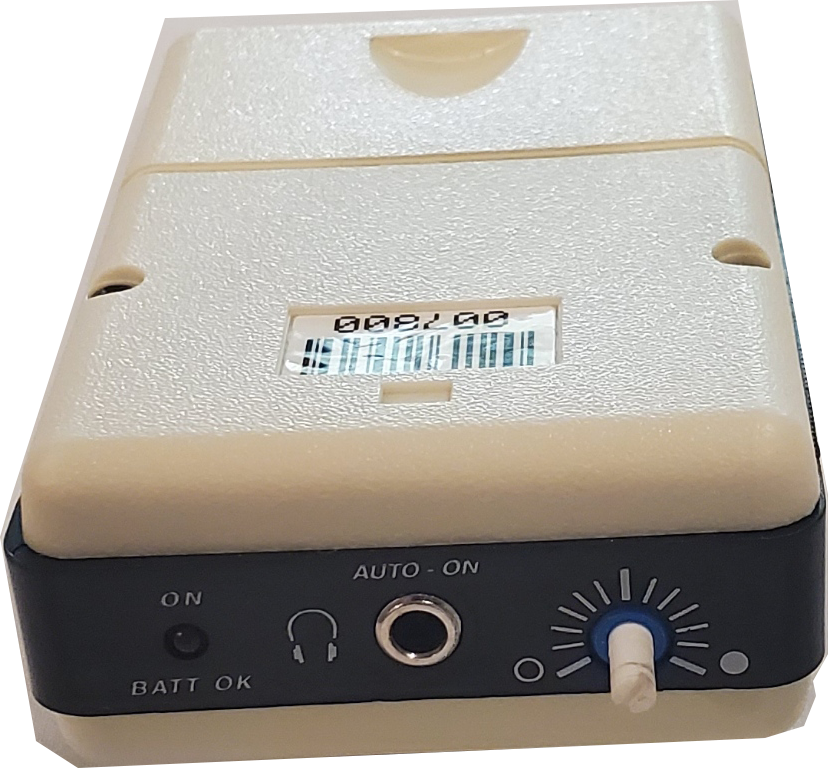
Additional Info - - We found if we used the ComTek model PR-72b we were able to use it for sound. Plugging it into the USB-A adapter and choosing that as the microphone for the YouTube broadcast works perfectly.

Here's the comtek we used -
comtek.png
The ComTek we use
(713.37 KiB) Not downloaded yet
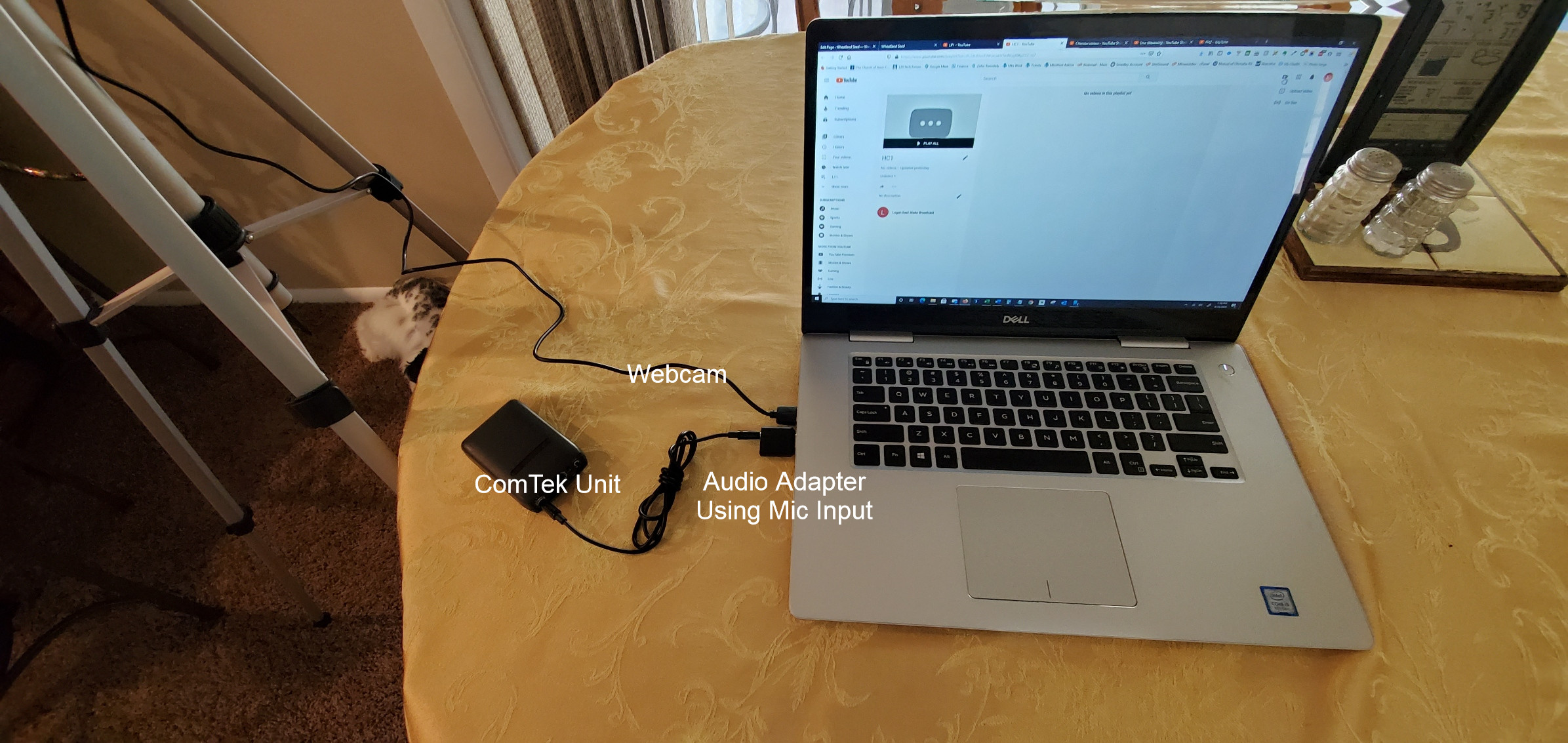
And this is the setup. I took this pic in my kitchen, but hopefully you will get the idea. The comtek in the picture is not the right one. We figured it out later.
streaming_setup_ver2.jpg
(617.69 KiB) Not downloaded yet
Community Administrator
#17
Interesting. I was told they wouldn't turn on without a low impedance load. That may not be true for the older cream-colored units.
Have you searched the Help Center? Try doing a Google search and adding "site:churchofjesuschrist.org/help" to the search criteria.

So we can better help you, please edit your Profile to include your general location.
New Member
#18
I think I solved the problem some of you above have been having with using the Comteck device for chapel sound.

I was able to use a Comteck receiver to get a good sound signal for broadcasting sacrament meeting over Youtube. I first connected a male-male mono 3.5 mm plug between the comteck and the lapto micropohone input. I assume the input can adjust for mic level input or line level input. This did not work. The little light on the Comteck did not come on and I had no sound.

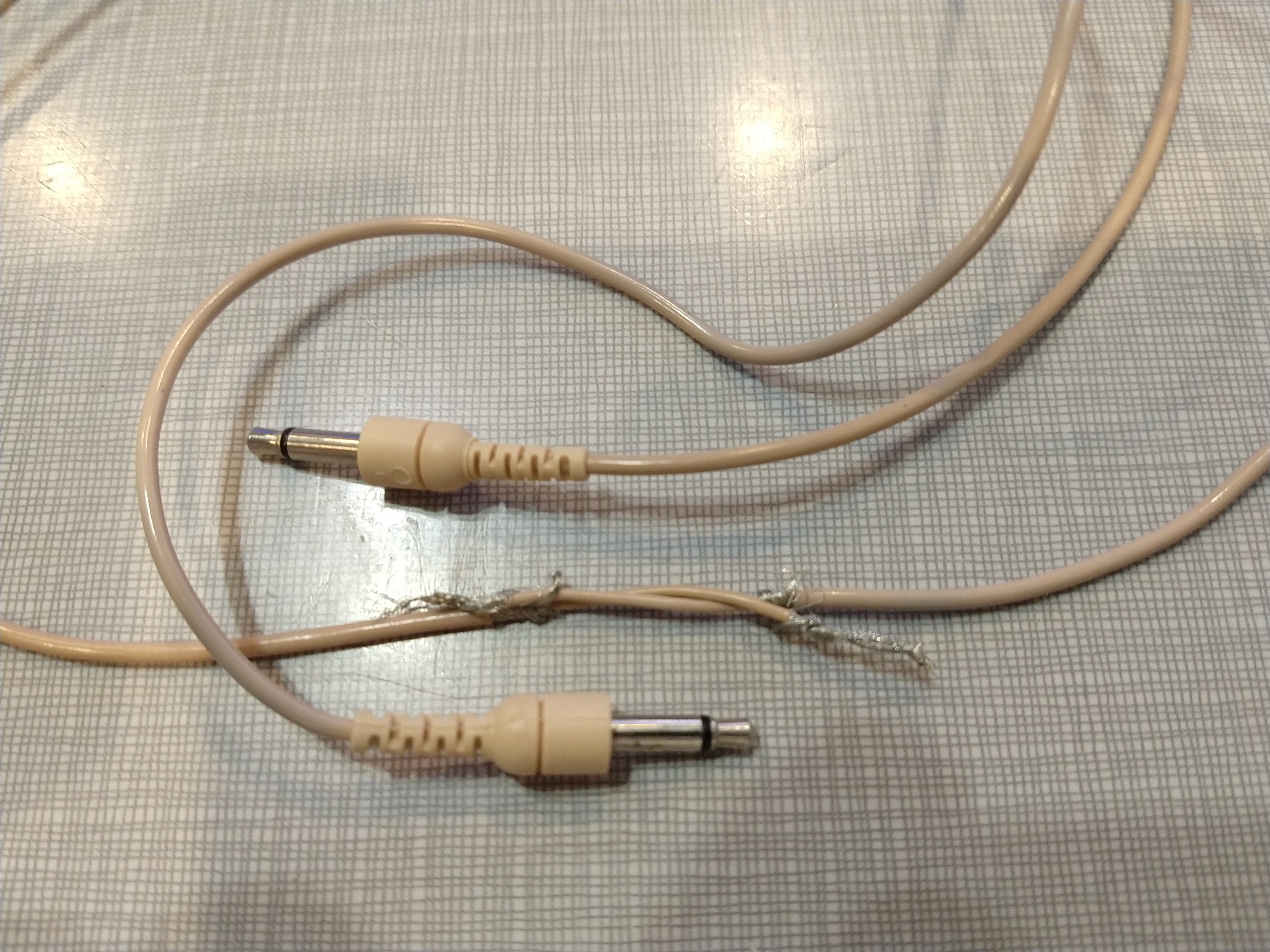
It took me a while to figure out that the audio output signal of the Comteck is on the shaft of the plug and the input on the laptop wants the signal on the tip of the plug. So to make this work, you need to make a male-to-male plug that is not straight through but crosses over. I did this and got great sound.

The laptop I used has the older separate inputs for mic and head phones. The new laptops have the 4 input plug that has headphones and mic on the same plug. I will try a splitter with a newer laptop and see if that will work ok. I am not sure if the new laptops with the 4 input headset can accept line level input for the mic. Anybody know?

Male-to-male crossover mono plug (still needs to be soldered)
https://drive.google.com/file/d/14EKWLC ... sp=sharing
Community Administrator
#19
bretpetersen1 wrote:It took me a while to figure out that the audio output signal of the Comteck is on the shaft of the plug and the input on the laptop wants the signal on the tip of the plug. So to make this work, you need to make a male-to-male plug that is not straight through but crosses over. I did this and got great sound.
I think something else must be going on. Given that the receiver is battery powered and there's no external connection, there wouldn't be that much of a difference which way things connected.

At least some Comteks need to see a resistance of less than 100 ohms to turn on.

I'm thinking it's the polarity of the voltage for running the mic that's making a difference - or else it's protection diodes in the mic input that's turning it on. Either way, it might be safer to return the cable to normal and just add a load resistor to turn on the receiver.
Have you searched the Help Center? Try doing a Google search and adding "site:churchofjesuschrist.org/help" to the search criteria.

So we can better help you, please edit your Profile to include your general location.
New Member
#20
cwcahoon wrote: I just ordered a 50-foot audio cable for $11 on Amazon and I am hopeful I will be able to use the old "Record out" jack that this building has. I'll be curious to see how the sound quality compares.
In our building we have been using the "record out" jack (under the clerk's desk in the chapel) for a few weeks. The audio is great. We have a pair of short 3.5mm to XLR adapters (similar to this https://www.amazon.com/MOBOREST-Microph ... ef=sr_1_18 ) with a standard microphone cable to run it out to a laptop or tablet in the pews.
New Member
#21
bretpetersen1 wrote:The laptop I used has the older separate inputs for mic and head phones. The new laptops have the 4 input plug that has headphones and mic on the same plug. I will try a splitter with a newer laptop and see if that will work ok. I am not sure if the new laptops with the 4 input headset can accept line level input for the mic. Anybody know?
I know in Windows 10, with a single mic/headphone jack, it will typically ask what you plugged in, and you can choose line input. For us the level is fine, we didn't need anything to step it down to mic level. On an older Linux laptop with a separate mic input, I also can just plug in the line level input directly and it works fine.