Church Employee
Please find attached a document that illustrates how to setup the Teradek hardware device to run on the Church Webcast Service.
I also noticed a couple months ago the Teradek Pro that I had to borrow from our FM for a national webcast had issues with the Auto Configuration not wanting to start on a the live event and had to manually set the settings. I believe it worked on a test event I did the night before, but not on the actual live event.studerje wrote: Also, the new device doesn't appear to properly support the automated scheduling.
I'll get more specifics when I power it back up again.

What version of firmware is installed on the Teredek? It should be 3.0.8. A different version might make a difference.briantraweek wrote:That guide does not match the menu appearance and options on our stake center Teradek Vidiu. Anybody have a guide for a menu screen that looks like this?
Are there any updated instructions now to reflect the recent changes?bretbassett wrote:Please find attached a document that illustrates how to setup the Teradek hardware device to run on the Church Webcast Service.
When I go to the Teradek IP on the network, I do not get a Settings button. I get an Overlay Settings button.bretbassett wrote:Please find attached a document that illustrates how to setup the Teradek hardware device to run on the Church Webcast Service.
Our Stake is also in the same situation where we upgraded our camera and ISP and would like to change the Teradek default setting. All the documentation from 2019 show the Teradek button on the portal to change the encoder settings. this button does not exist anymore. Where can we change the default encoder settings on the portal so the settings stay when the device is rebooted.maksokami wrote:Hello,
I'm also interested in the recent updates to the guide. The Dashboard for me and our stake tech specialist does not have configuration for Teradek. We have just installed HD cameras and broadcasting equipment in our stake center and desperately need to increase quality. I would be grateful for any guidance on where to find the settings now or more likely how to obtain permissions to see them.
Thank you
But that is the point. I cannot get to the Teradek manual setup screen so that I can set up anything. At this point, if there are any problems with the Teradek, it becomes a brick.russellhltn wrote:Auto Configuration is no longer supported. You'll have to use the Teradek Manual Setup.

On a church PC, log into TM and look for connected devices in the Public Zone. One will identify as VidiU-xxxxx. Note the IP address, and optionally, the MAC address. Open a web browser and type in the IP address. If no one has set a password yet, you'll be able to access the web interface right away.lajackson wrote:I cannot get to the Teradek manual setup screen so that I can set up anything.
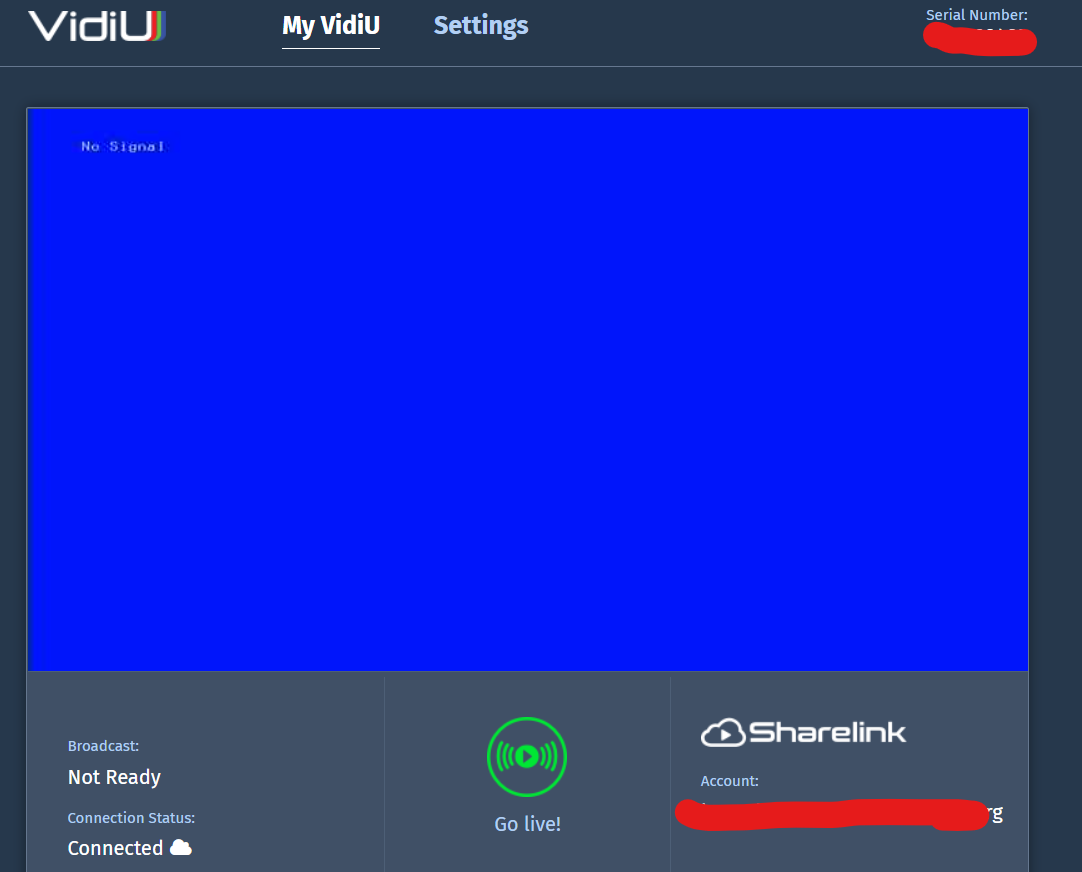
I suppose I misspoke. I can get to the Teradek web interface, but not to the settings screen. There is no longer a Settings button. I get an Overlay Settings button that gives me four options that apparently add an overlay to the Teradek stream.Mikerowaved wrote:Open a web browser and type in the IP address. If no one has set a password yet, you'll be able to access the web interface right away.lajackson wrote:I cannot get to the Teradek manual setup screen so that I can set up anything.
I am on the local network hitting the IP of the Teradek, just as I have always done. I get a different menu from the Teredek now.russellhltn wrote:Are you connected to the Teradek, or to a church website?
Then there should be a login screen.russellhltn wrote:There's also a possibility that you have to log into the page before you get to play with the settings.
VidiU - Requires Android 7 or higher.lajackson wrote:I know that they advertised an iOS app, but never an Android app (my phone of choice),
I forgot about that. You can't change settings if you're streaming. You have to stop the stream.Mikerowaved wrote:OK, I just witnessed what you saw. The Settings menu next to the cog was replaced by the Overlay settings and that was the only thing you could open. This happened when I went live with a test. When I stopped the feed, the regular settings were available again.
I was not streaming. I will try the #settings link first, but I see a hard reset in my future. Thanks for the suggestions.Mikerowaved wrote:If you're not live streaming and it's only showing you the Overlay option, then it really needs a hard reset.