IP address for new HD cameras

12 postsstarted by robo 2,435 viewsoriginal topic

New Member
#1
They recently upgraded our camera to the new HD camera. The trainer suggested we could use the Visca app to control the camera. How do we get the IP address for the camera? And what is the default port that we should be using? I am also wondering what apps everyone is finding useful to control the camera?
Senior Member
#2
Log in to Technology Manager and click on the serial # link of the building firewall. Click on the blue stacked-dot button on the top-right and select "Get Connected Devices" from the menu. You should see the left column of the table below get populated for each zone that currently has devices powered up and connected. Click on the plug icon in that column for the zone on which the camera is connected, which would normally be the "User" zone.

Alternatively, you could use the Fing app to scan the network for connected devices.
Community Administrator
#3
Assuming the camera is plugged into the main network, you can also assign static IPs via Technology Manager. If you leave it on DHCP, it could change IP addresses in the middle of the broadcast.
Have you searched the Help Center? Try doing a Google search and adding "site:churchofjesuschrist.org/help" to the search criteria.

So we can better help you, please edit your Profile to include your general location.
New Member
#4
I did find the ip address of the camera, but am wondering how to get to the admin page to set the static ip address? I am also wondering how to control it during a broadcast?
Senior Member
#5
robo wrote:I did find the ip address of the camera, but am wondering how to get to the admin page to set the static ip address? I am also wondering how to control it during a broadcast?
Have you tried using a web browser to go to the IP address of the camera?
New Member
#6
I tried port 80 and 443 and it did not come up.
Senior Member
#7
What brand/model is it?
New Member
#8
This is the operating system:
Axis communications ab IPCamera
Community Administrator
#9
What kind of "static" IP are you looking to do? Set the camera itself to a static IP?

Or are you wanting to set up an assigned IP in TM so that the camera stays "DHCP" but always gets assigned that IP?
Have you searched the Help Center? Try doing a Google search and adding "site:churchofjesuschrist.org/help" to the search criteria.

So we can better help you, please edit your Profile to include your general location.
Senior Member
#10
Axis Communications AB is the manufacturer. Is the camera one of the ones shown on this page?
New Member
#11
I am hoping to set a static IP or a reserved IP for the camera so it does not change it’s IP address during a broadcast.

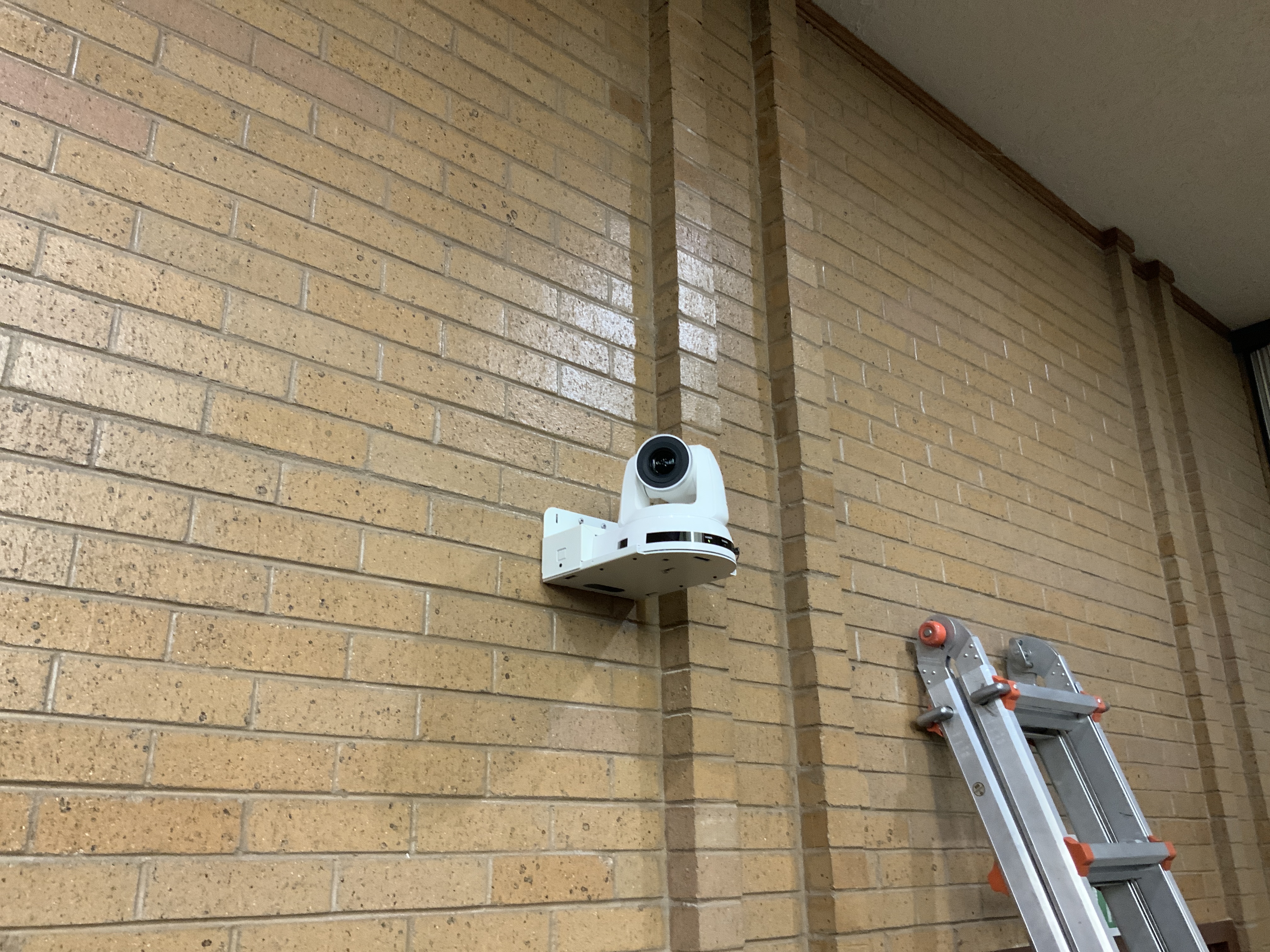
It is a “Lumens” on the arm of bracket holding it.
New Member
#12
image.jpg
Camera
(3.65 MiB) Not downloaded yet
This is the camera