scrolling

14 postsstarted by garytietjen 5,479 viewsoriginal topic

New Member
#1
Whenever I pull up a church magazine or the scriptures, I cannot scroll down the page; I am limited by what is on the opening page. How do I correct this?
Community Moderators
#2
How do you usually scroll on web pages (how are you attempting to scroll)? Are you dragging the scrollbar with your mouse, using a mouse scroll-wheel, using a two-finger scroll gesture on a trackpad, pressing the down/up arrow keys, or pressing the page down/up keys on the keyboard, or some other way? Have you tried scrolling a different way?
Samuel Bradshaw • If you desire to serve God, you are called to the work.
Senior Member
#3
Also, please clarify: are you accessing the content through a web browser or the Member Tools app on iOS or Android?
Community Moderators
#4
mevans wrote:Also, please clarify: are you accessing the content through a web browser or the Member Tools app on iOS or Android?
Gospel Library, I'm guessing you mean. :)
Samuel Bradshaw • If you desire to serve God, you are called to the work.
Senior Member
#5
sbradshaw wrote:
mevans wrote:Also, please clarify: are you accessing the content through a web browser or the Member Tools app on iOS or Android?
Gospel Library, I'm guessing you mean. :)
Yes. Looks like I should have gone to bed instead of reading posts last night ;)
New Member
#6
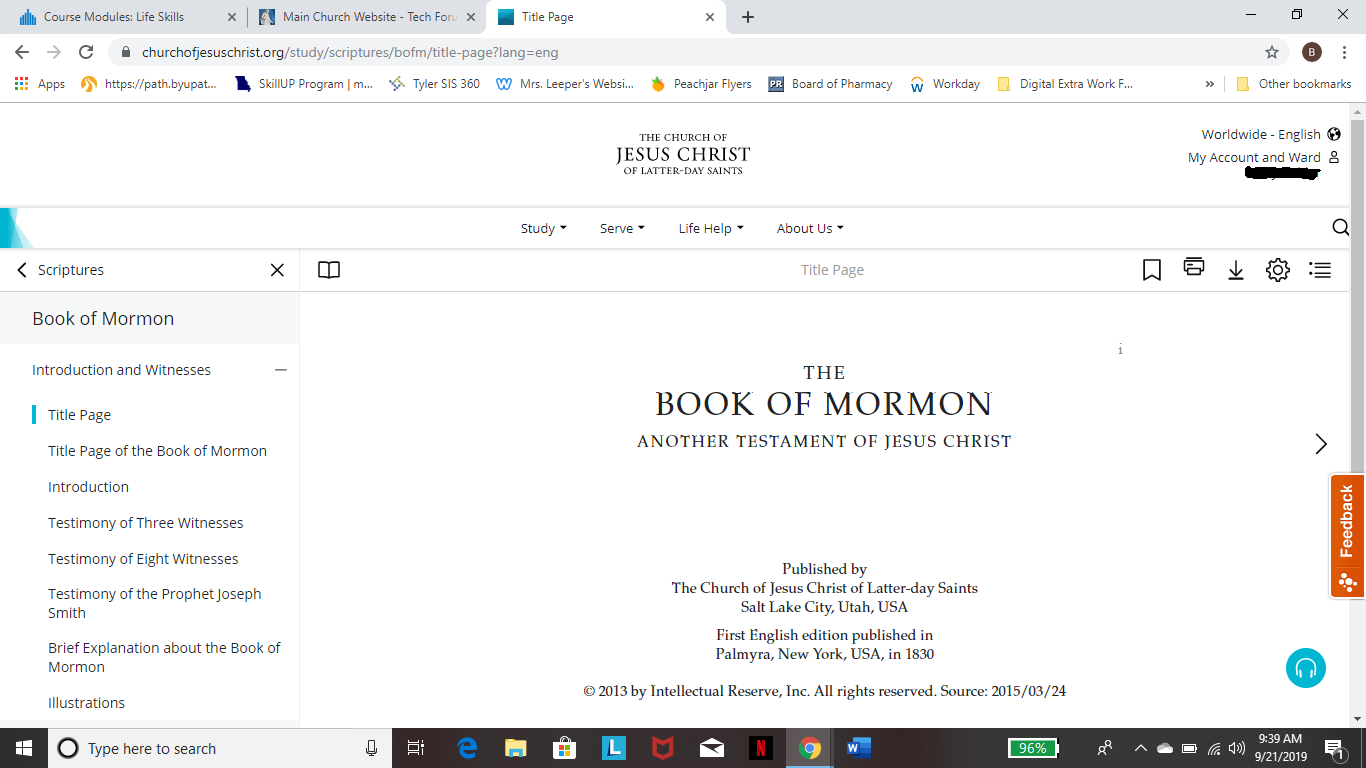
How do I go about scrolling down to see other books of the New Testament? I've attached a screen shot. I've done page down etc and I can't see other books of scripture.
📎 New Testament.docx (173.3 KiB)
Member
#7
If you use your mouse to select anything in that frame you can use the page up/down or up/down arrows to scroll
There are 11 types of people. Those who understand Gray Code and those that don't.
Community Moderators
#8
higginbothams wrote:How do I go about scrolling down to see other books of the New Testament?
There is no scrolling down between books and chapters as you would expect unless you use the technique kd7mha describes. kd7mha describes a combined mouse and keyboard method.

The methods for mouse or touch screens are very similar to each other. The online scriptures replace scrollbars with on page navigation symbology to assist in navigating. When at a chapter you do scroll vertically if there is more text or paragraphs than can be displayed on your screen. To move between books and chapters without using kd7mha's described procedure there are two methods.

The first method is to click (tap for touch screens) the book name in the menu pane on the left of the page. Doing that will start you at the first chapter of the book. Or you can click the "+" next to the book name to expand the book to show the chapters. Then you can select the desired chapter. The second method is to use the horizontal scrolling arrow heads on the right and left of the page. As seen in your attachment you are at the title page and can only scroll right to progress to the first chapter of Mathew. Once at chapter 1 of Mathew (Mathew 1) you can scroll left to get back to the title page or you can scroll right to get to Mathew 2.

Use the menu pane on the left of the page to quickly navigate to non-contiguous selections, or chapters that are not just before or after the current chapter. Use the left or right scroll arrows to move to adjacent chapters quickly.
JD Lessley
Have you tried finding your answer on the ChurchofJesusChrist.org Help Center or Tech Wiki?
New Member
#9
I am having the same problem! It's incredibly frustrating and makes it impossible to access scriptures, talks, magazine articles, etc. I tried the technique of highlighting to scroll down. It worked but there is no way I can use the website like this. Is there any other option? I am trying to take PathwayConnect and accessing scriptures and articles from the church website is vital to my education. I just want to be able to scroll down the left side!
ldssite.png
(129.39 KiB) Not downloaded yet
Community Moderators
#10
I'd recommend sending feedback using the feedback link on the study pages. I agree that scrolling is clunky, even for those of us who are used to scrolling with a trackpad or scrollwheel!
Samuel Bradshaw • If you desire to serve God, you are called to the work.
Senior Member
#11
I see what you're talking about. I have a scroll wheel on my mouse and hadn't paid attention that there is no scrollbar on the left pane. The footnotes on the right also have the same problem. The scrollbar on the right is tied to the content in the middle. I've found navigation a bit bothersome at times, but haven't paid attention to the specifics until now.

@sbradshaw: If the person can't scroll the left panel, he or she will never be able to get to the Feedback link, as it's at the bottom of the left panel. I'm submitting some feedback, just in case no one else has.
Senior Member
#12
I got a response from the church about this:

We are aware of the difficulty in scrolling down through the content index if you do not have a wheel mouse. A scroll bar will be added in a future release. As a workaround, you can click in the left panel where the index is, then use the up and down arrows on your keyboard.
Community Administrator
#13
mevans wrote:I got a response from the church about this:

We are aware of the difficulty in scrolling down through the content index if you do not have a wheel mouse. A scroll bar will be added in a future release. As a workaround, you can click in the left panel where the index is, then use the up and down arrows on your keyboard.
For those with touch screen, I think a variation of click and drag works as well. As long as that section has focus, you can scroll it with gestures like any web page.
Have you searched the Help Center? Try doing a Google search and adding "site:churchofjesuschrist.org/help" to the search criteria.

So we can better help you, please edit your Profile to include your general location.
New Member
#14
Help please. I read scriptures in gospel library. My 80-year-old fingers do not want to keep scrolling down for each new verse. Is there a scroll bar at or way that I can tap to get to my next set of verses in the chapter I am reading?