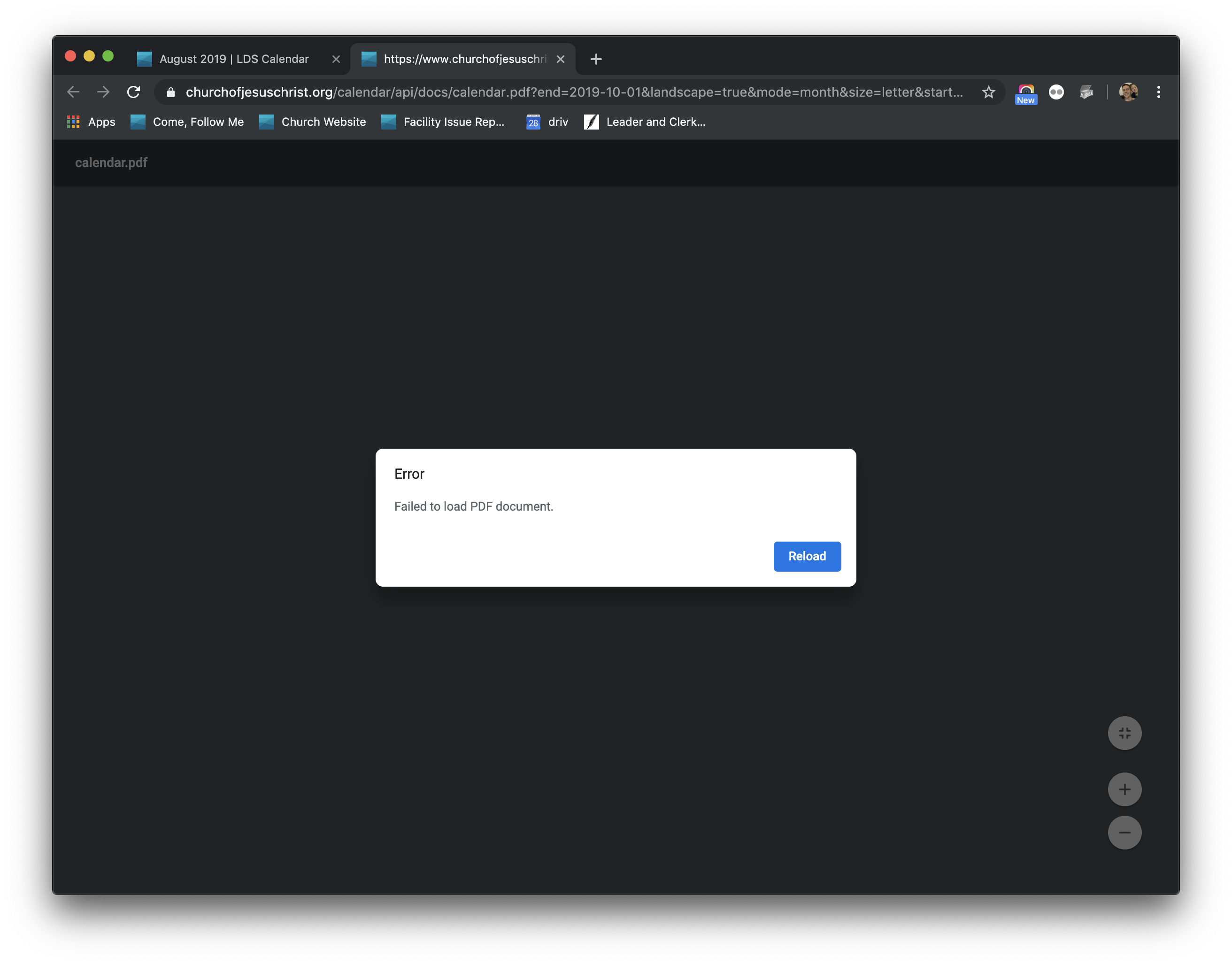
Calendar Printing Broken

20 postsstarted by ranfordb 4,245 viewsoriginal topic

New Member
#1
Hello,

We have recently started a concerted effort of doing a better job using the calendar as the "one truth" rather than everyone (YM/YW/Bishopric etc) having their own calendar that differs. However, we can't print it today. I have tried both in Chrome and Safari, Windows and Mac, the pdf generation hasn't been working all day.

Is something down on the church website?
๐Ÿ“Ž CalendarError.png (513.89 KiB)
Community Administrator
#2
Sundays are bad for trying to do things as the servers are stressed.
Have you searched the Help Center? Try doing a Google search and adding "site:churchofjesuschrist.org/help" to the search criteria.

So we can better help you, please edit your Profile to include your general location.
New Member
#3
Sure, understood but that's also the ideal time to do things given ward council meetings, bishopric etc. This is the first time Ive seen this problem, it looks like whatever is serving the REST api for printing is having problems.

Also, it occurred at 6:30 am EST (4:30 am Mountain Time), which I would guess is likely not the peak access time, maybe some folks in Europe are hitting the endpoint, but Utah hasn't woken up yet.
New Member
#4
Today is August 13th, Tuesday. I can not get the calendar to print either. I used Chrome and Edge on my home computer, and on the Lenovo Computer at the Stake Building. The print program does not create or download the PDF file to print.
Community Administrator
#5
I understand they're looking at it.
Have you searched the Help Center? Try doing a Google search and adding "site:churchofjesuschrist.org/help" to the search criteria.

So we can better help you, please edit your Profile to include your general location.
New Member
#6
Calendar printing still doesn't work. I sent a feedback message last Saturday. It said I would get a response in 2-3 days. I still haven't received a response.
Community Administrator
#7
I know they're aware of the problem, but I'm not sure what it is or what it would take to fix it.

I have heard the process/server is "old" and needs to be replaced. As it is, it's checked and restarted as needed. It might be something broke it fatality.
Have you searched the Help Center? Try doing a Google search and adding "site:churchofjesuschrist.org/help" to the search criteria.

So we can better help you, please edit your Profile to include your general location.
New Member
#8

Ward Stake Calendar

This calendar is no longer printing in full - a blank screen is displayed when I use the print button or the print in edit. No information is dicplayed. Please correct.

Thank you.
New Member
#9
We have been having the same issue in our stake for a year. I tried to submit default report last year, but apparently it didn't go through or they just can't figure it out. We are trying to schedule for next year and a hard copy would be useful. Hopefully they will figure out the problem and sent a notification when we can print calendars again.
Community Administrator
#10
flyllek wrote:Hopefully they will figure out the problem and sent a notification when we can print calendars again.
I'm sure they'll figure it out. But I wouldn't expect any notification outside of the forum.
Have you searched the Help Center? Try doing a Google search and adding "site:churchofjesuschrist.org/help" to the search criteria.

So we can better help you, please edit your Profile to include your general location.
New Member
#11
So when will this be fixed. I still cannot print the complete calendar and I need that to lovingly select music for the Sacrament meetings
Community Administrator
#12
No time table has been given. But I'm surprised they haven't fixed it yet. Probably deeper problem than expected.
Have you searched the Help Center? Try doing a Google search and adding "site:churchofjesuschrist.org/help" to the search criteria.

So we can better help you, please edit your Profile to include your general location.
#13
I think they may be working on it, this morning I tried to print and it actually went to a print page, but immediately went blank. Trying again I got nothing.
#14
I just tried printing the calendar again and it works. YES
New Member
#15
I just worked out how to print the whole calendar for October, including the parts that were hidden before. Yay! Now I can plan music more easily. Thanks for fixing the calendar. It looks different, but I get all the information once again.
New Member
#16
Thank you for your work to get the program printing again.
You are appreciated.
New Member
#17
Looks like this issue has surfaced again. Same symptoms. Anyone else see these problems again or is it just me?
Church Employee
#18
The print service stopped working over the holidays. The developers are working on it as a top priority. I'm hopeful that it will be fixed this week. Looks like they found the cause.
New Member
#19
Thank you!
Church Employee
#20
Fixed this morning