Website home page no longer displays correctly in IE 11

3 postsstarted by JeanFisher 1,277 viewsoriginal topic

New Member
#1
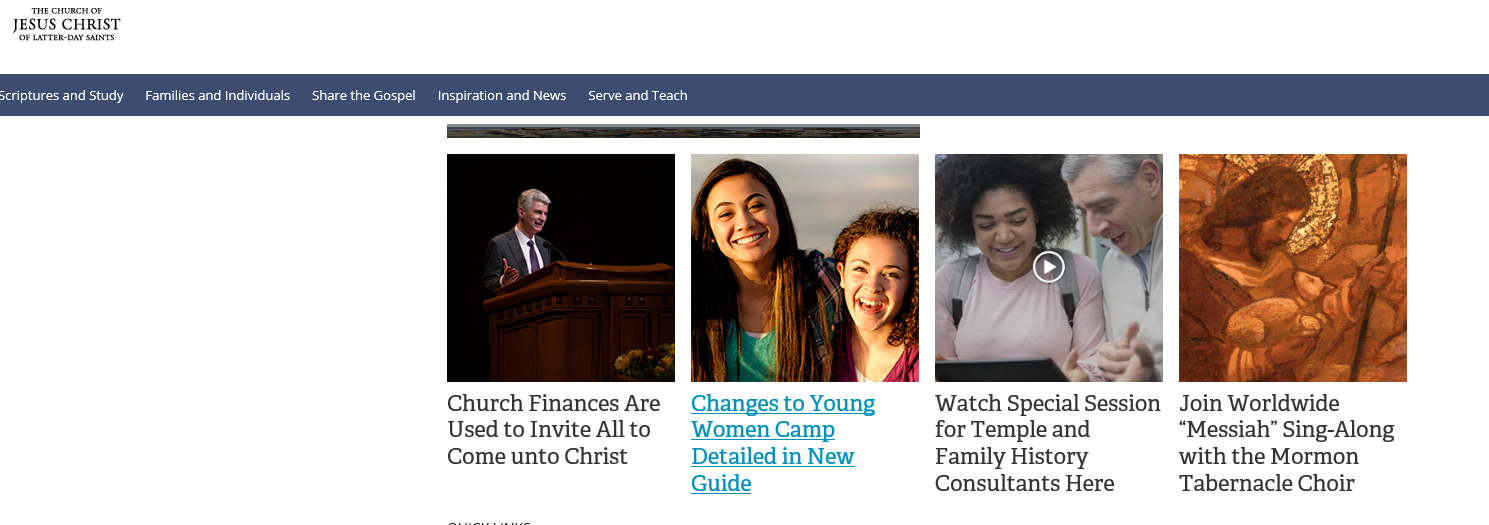
The lds.org website used to look great but now it has a lot of white space, which means a lot of scrolling, and the pictures are stretched and distorted. It is fine in chrome but I need to use IE for other websites. Is it an issue with settings? Suggestions would be appreciated. Many thanks,
Community Moderators
#2
This might be a long shot, but here are a couple of things to try while we wait for someone who knows specific information about IE 11:
  • Clear the browser cache.
    Delete relevant (or all) cookies.
    Force a _full_ page reload (it's Control-Shift-R in Firefox, but may differ in IE).
You can also use the 'Feedback' link to report the issue. If the problem is common to many/most/all IE 11 users, and if enough report the problem via 'Feedback', that will probably be noticed and the problem fixed.
New Member
#3
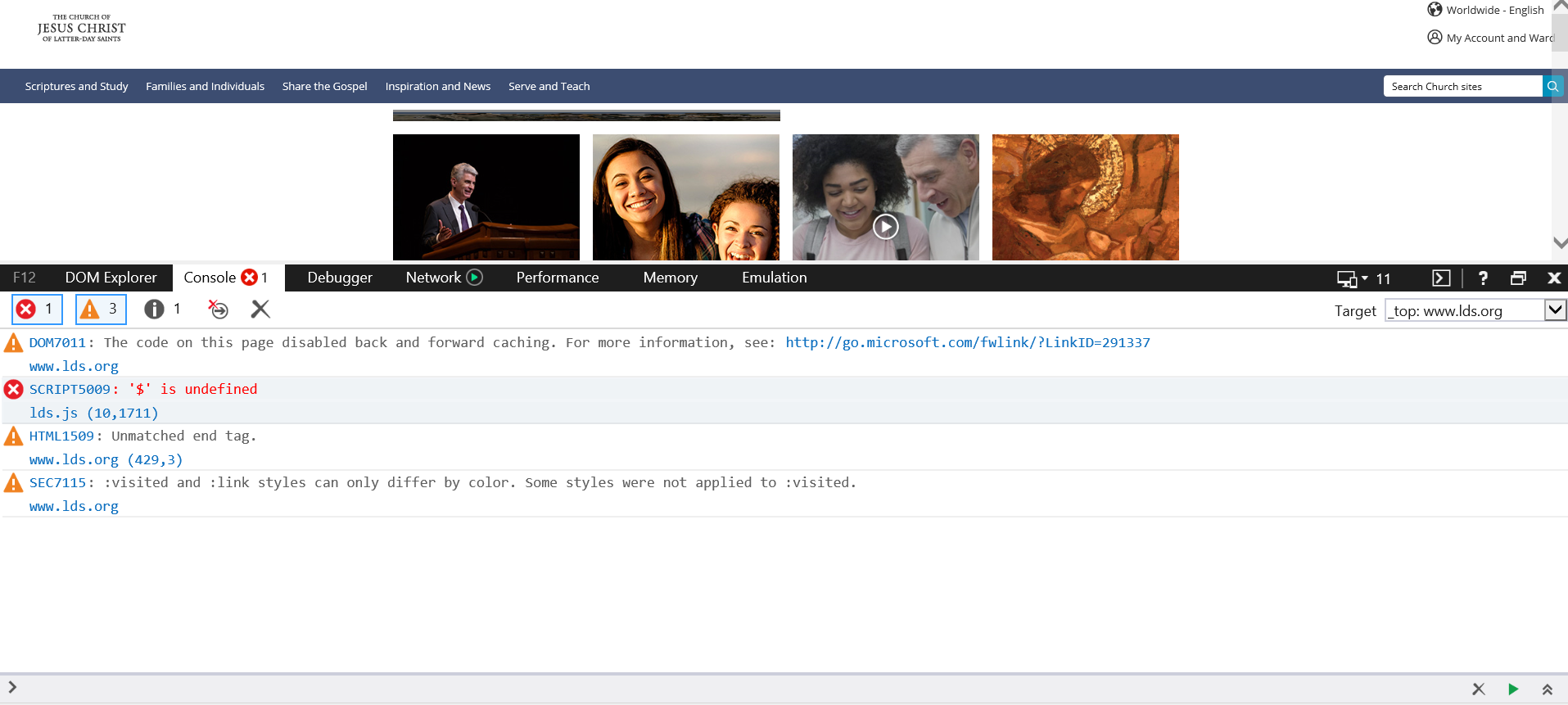
My mother's computers are having the same issue.
Capture.PNG
(565.35 KiB) Not downloaded yet
I noticed there is a javascript error in the console.
Capture.PNG
(414.91 KiB) Not downloaded yet
(See attached images.)
I have deleted cache and all temp files, and reset IE's settings with the necessary subsequent reboot.

Further suggestions are welcome and appreciated.