audio video from pulpit

15 postsstarted by farwest 9,440 viewsoriginal topic

Member
#1
just wondering what others are using at the pulpit when you use a projector and laptop. We had a youth standards speaker that wanted to use the mike on the pulpit and run audio through the sound system from his laptop. We have a mixer that hooks to the audio plug from the mic on the pulpit which makes that mic no longer available. Is there a quick and easy set up that would make this easier when we are using the mic on the pupit. Also when we use the mixer and run audio from a dvd player the volume is not quite loud enough through the sound system.

Community Moderators
#2
Each meeting house may be configured differently based on when it was built or upgraded. But if the building is recent enough I am sure there is an audio RCA jack near the podium. At least there is in our building which is at least 40 years old and has had a PA upgrade in the past ten years. Our building has two RCA audio input jacks and each has its own volume control knob. There should also be additional microphone jacks for non-fixed microphones on either side of the rostrum.

We connected a laptop to one of these audio inputs just last month for a stake youth fireside and it worked just fine.
JD Lessley
Have you tried finding your answer on the ChurchofJesusChrist.org Help Center or Tech Wiki?
Community Administrator
#3
jdlessley wrote:Our building has two RCA audio input jacks and each has its own volume control knob.
I don't recall seeing that for a chapel. For the cultural hall, yes.
jdlessley wrote:There should also be additional microphone jacks for non-fixed microphones on either side of the rostrum.
Yes, there should be some extra mic jacks. Either for use in front of the pulpit (like when someone is using a white board), or where a soloist would perform their musical number.
Have you searched the Help Center? Try doing a Google search and adding "site:churchofjesuschrist.org/help" to the search criteria.

So we can better help you, please edit your Profile to include your general location.
Member
#4

3 pin mic input

All I can see under the podium is a 3 pin mic input. I will look again and see if there is something hid above in the cabinet.
Community Administrator
#5
farwest wrote:All I can see under the podium is a 3 pin mic input. I will look again and see if there is something hid above in the cabinet.

I doubt you will see more than that under the podium. I would look more broadly, such as under the clerk's desk, under the sacrament table, by the sound system controls or switch for raising/lowering the podium, and at the edges of the stand, both at the elevated level, and at the floor level. I've seen microphone and other jacks at all those locations in different buildings.
Questions that can benefit the larger community should be asked in a public forum, not a private message.
Community Moderators
#6
This is a case where that "crab" box (which I have never seen) would come in handy. You would connect the sound from the source into the box, and the box to a nearby microphone input. Our chapel has two in the front on each side of the pulpit that are sometimes used for testimony meeting.
Member
#7

Audio video from the pulpit

A sidelight to the comment by Farwest
Just wondering what others are using at the pulpit when you use a projector and laptop.

In the example he gives it is for a youth meeting and that is fine. However, we should remember while we are thinking about this that projectors should not be used in sacrament meeting or stake conference.

In a letter dated May 23, 2008 the First Presidency said:
"In order to maintain an atmosphere of reverent worhip in our sacrament and stake conference meetings, when speakers use scriptures as part of their talks they should not ask the congregation to open their own books to the scriptural reference. Also, members should not use visual aids in their sacrament meeting or stake confernece talks. Such teaching methods are more effective and classroom settings and leadership meetings."
Community Moderators
#8
smithgw wrote:. . . projectors should not be used in . . . stake conference.

Unless, of course, it is a broadcast stake conference from CHQ or from the stake center to a distant location from the stake center. [grin]
Community Moderators
#9
lajackson wrote:This is a case where that "crab" box (which I have never seen) would come in handy. You would connect the sound from the source into the box, and the box to a nearby microphone input. Our chapel has two in the front on each side of the pulpit that are sometimes used for testimony meeting.
It is my understanding that every meetinghouse is supposed to have a crab box. However, if you can't get a crab box, it is also pretty easy to build an custom unit that will work quite well. I posted the schematic I have used many times to go from line-level or headphone-level to XLR mike level: http://tech.lds.org/forum/attachment.ph ... 1175921212
Community Administrator
#10
rmrichesjr wrote:I posted the schematic I have used many times to go from line-level or headphone-level to XLR mike level: http://tech.lds.org/forum/attachment.ph ... 1175921212
Is that just a common 1:1 transformer like this one?
Have you searched the Help Center? Try doing a Google search and adding "site:churchofjesuschrist.org/help" to the search criteria.

So we can better help you, please edit your Profile to include your general location.
Community Moderators
#11
RussellHltn wrote:Is that just a common 1:1 transformer like this one?

No. It includes one, but the levels needed for line and microphone are different. So if you try to put the line into the microphone, the signal is too hot. The box steps it down.

I don't know the technical terms. Level, padding, impedance. It all has to do with that stuff in addition to needing the isolation.
Community Administrator
#12
lajackson wrote:No. It includes one, but the levels needed for line and microphone are different.
Hmmm, I guess I should have been clearer - what are the specs for the transformer pictured in the schematic? Kinda important to know if you want to build one.
Have you searched the Help Center? Try doing a Google search and adding "site:churchofjesuschrist.org/help" to the search criteria.

So we can better help you, please edit your Profile to include your general location.
Community Moderators
#13
RussellHltn wrote:Hmmm, I guess I should have been clearer -
My fault. I took a more expansive view of "that" than you meant. I don't know the answer, but you are right, it would be important to know the specs of the internal transformer in the schematic. [grin]
Community Moderators
#14
RussellHltn wrote:Is that just a common 1:1 transformer like this one?
Yes, that's exactly the transformer I used. Sorry I forgot to mention that. That transformer does a pretty good job.

If you have access to the official crab box, then I would advise using it. However, if a crab box is not available, the schematic I posted works quite well.

The first two resistors in the schematic serve to mix the L and R channels if using a stereo signal. The other resistors attenuate the signal levels from line level or headphone level down to mike level. To go from higher-power speaker level, you'd want to use more attenuation before the transformer. How much attenuation would depend on the voltage/power involved.

I built my unit in a common plastic project box. A friend of mine expressed concern about noise pickup in an unshielded box, but I have never heard any noise.
Community Moderators
#15
lajackson wrote:This is a case where that "crab" box (which I have never seen) would come in handy. You would connect the sound from the source into the box, and the box to a nearby microphone input. Our chapel has two in the front on each side of the pulpit that are sometimes used for testimony meeting.
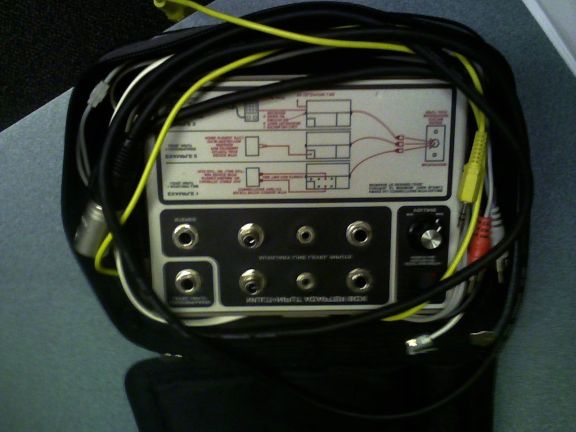
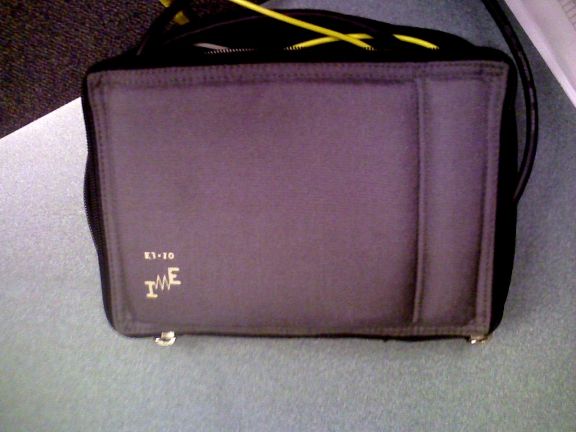
Here's a couple of photos that I took with my cell phone today when I was at the stake center. They're not the greatest but they do give you some idea as to what the EJ10 (crab) looks like. Size is approximately 6x8 inches.
EJ10_Inside.jpg
EJ10_Inside.jpg (44.08 KiB)
EJ10_Outside.jpg
EJ10_Outside.jpg (40.91 KiB)
Have you read the Code of Conduct?