Ward budget reports in LCR

33 postsstarted by joe_coolish 9,718 viewsoriginal topic

New Member
#1
I've been trying to find the "Budget Report" data in LCR. In MLS, I have a view of the budges that show me the Subcategory, Budget, *Previous Activity, Income, Expenses, Transfers, Balance, and % Spent. Is there a unified view in LCR that gives me this information?
Senior Member
#2
You can view the transactions for a budget category using the Finance > Overview > Income and Expense Details and filtering by Category and Sub-Category. But there isn't a view that includes the budget allocation and % spent in LCR yet. You have to use the Budget Report in MLS for that still.
New Member
#3
Thanks for the reply! I saw the Income and Expense Details page, but I was hoping for the allocations. Hopefully it comes soon, since that is one of my most used views.
New Member
#4
Has this been updated yet In LCR?
Senior Member
#5
Not yet.
Community Moderators
#6
pdmarrow wrote:Has this been updated yet In LCR?
Not as of today.
JD Lessley
Have you tried finding your answer on the ChurchofJesusChrist.org Help Center or Tech Wiki?
New Member
#7
Has this been updated yet?
Senior Member
#8
eblood66 wrote:You can view the transactions for a budget category using the Finance > Overview > Income and Expense Details and filtering by Category and Sub-Category. But there isn't a view that includes the budget allocation and % spent in LCR yet. You have to use the Budget Report in MLS for that still.
Dana Repouille, Plattsmouth, Nebraska
Member
#9
Budget Reports can now be accessed / printed in LCR.

Hallelujah!
Senior Member
#10
Found in LCR under Finance > Overview > Income and Expense categories.
#11
t0008sa wrote:Budget Reports can now be accessed / printed in LCR.

Hallelujah!
Woohoo! Thanks for pointing this out. There's some oddities with the old MLS budget system. Hopefully they are willing to make some improvements on this one.

Update: now that I look at it closer, I can't seem to edit the budget itself. The numbers they are including as the budget.... I don't know where they are getting some of those numbers from. Some are right, others aren't right and won't match MLS (I'll confirm tomorrow).
Senior Member
#12
Our LCR version appears to match MLS. However, there is no way to assign the budget amounts yet in LCR. Also, the "Other: Member Authorized..." for camps, high adventure, etc. are not available on LCR yet (unless I'm missing something).
#13
davesudweeks wrote:Our LCR version appears to match MLS. However, there is no way to assign the budget amounts yet in LCR. Also, the "Other: Member Authorized..." for camps, high adventure, etc. are not available on LCR yet (unless I'm missing something).
There seems to be a trend lately to roll out half-featured releases that don't have all the things necessary to make it useful. As someone that has managed programmers, I don't understand that approach.
Senior Member
#14
davesudweeks wrote:Our LCR version appears to match MLS. However, there is no way to assign the budget amounts yet in LCR. Also, the "Other: Member Authorized..." for camps, high adventure, etc. are not available on LCR yet (unless I'm missing something).
You can kind of get the Other::AFMA information using the Overview > Summary or Overview > Details. The biggest problem is that it lists donations by batch rather than by donor. You have to click through to each batch to see the specific donors. Hopefully they eventually make a report that shows donors directly.
Senior Member
#15
chriswoodut wrote:There seems to be a trend lately to roll out half-featured releases that don't have all the things necessary to make it useful. As someone that has managed programmers, I don't understand that approach.
To me this looks more than useful enough to release. I generally only edit the budget amounts once a year so doing it in MLS is not a big problem. I generate budget reports for organizations monthly. Now I can generate them at home and email them out. In fact, just before this new report came out I had a new Relief Society presidency email me asking about their budget. I told them I'd have to wait until I could get to the church to run them a report. Then the next day this new version came out and I was able to generate the report and email it to them.
#16
eblood66 wrote:
chriswoodut wrote:There seems to be a trend lately to roll out half-featured releases that don't have all the things necessary to make it useful. As someone that has managed programmers, I don't understand that approach.
To me this looks more than useful enough to release. I generally only edit the budget amounts once a year so doing it in MLS is not a big problem. I generate budget reports for organizations monthly. Now I can generate them at home and email them out. In fact, just before this new report came out I had a new Relief Society presidency email me asking about their budget. I told them I'd have to wait until I could get to the church to run them a report. Then the next day this new version came out and I was able to generate the report and email it to them.
I totally agree that it's very very helpful to have access from home. I've had to tell people to wait too. I intend to send them out monthly but I don't remember to when I'm at the church so they don't get send out much as they should. It just seems strange to not do all the programming at once. Kicking the programming can down the road to edit the budget seems strange when the long term goal is to get rid of MLS.
Senior Member
#17
eblood66 wrote:
chriswoodut wrote:There seems to be a trend lately to roll out half-featured releases that don't have all the things necessary to make it useful. As someone that has managed programmers, I don't understand that approach.
To me this looks more than useful enough to release. I generally only edit the budget amounts once a year so doing it in MLS is not a big problem. I generate budget reports for organizations monthly. Now I can generate them at home and email them out. In fact, just before this new report came out I had a new Relief Society presidency email me asking about their budget. I told them I'd have to wait until I could get to the church to run them a report. Then the next day this new version came out and I was able to generate the report and email it to them.
I agree it is useful, but I have to edit the budget more often than annually (long story, don't need to get into that here - it isn't often enough that I can't do it at the church when I am there).

Questions regarding the Other: AFMA accounts are often enough that I wish I could easily see the same information available in MLS via LCR, but I have been a clerk for many years and am used to telling folks they will have to wait until the next time I'm at the church for that.
Member
#18
I just like being able to finally see the budget status whenever I want without having to go to the church building. Changing/adding budget categories happens infrequently enough that I'm fine with doing that at the clerk computer.
#19
I have to say THANK YOU to getting the budget on LCR. I had the YW President text me for a copy of the YTD budget and I was able to send it in 2 minutes from my house. No going to the church. I decided that was so easy I should send all the orgs their budget. Nice!
New Member
#20
Are the budget reports you send from LCR showing the balance still available? I don't see that when I look at individual organization budget reports. That's usually the item of greatest concern.
Senior Member
#21
@bayless. When you print an organization budget summary report, it will show the original budget amount, income, expenses, transfers, balance, and % spent (year to date as of the day the report was generated). You can print for all organizations on one page or for a single organization.
Community Moderators
#22
bayless wrote:Are the budget reports you send from LCR showing the balance still available? I don't see that when I look at individual organization budget reports. That's usually the item of greatest concern.
I just checked and the budgets for individual organization reports are still available. Is there a specific report you were looking for but did not find? Note that the Other:AMFA categories are not budget categories and are not yet available. To get those reports will require going into MLS.
JD Lessley
Have you tried finding your answer on the ChurchofJesusChrist.org Help Center or Tech Wiki?
#23
bayless wrote:Are the budget reports you send from LCR showing the balance still available? I don't see that when I look at individual organization budget reports. That's usually the item of greatest concern.
Yes it is showing assigned budget, spent, and remaining. I send them the detailed version of the report.
Member
#24
jdlessley wrote:
bayless wrote:Are the budget reports you send from LCR showing the balance still available? I don't see that when I look at individual organization budget reports. That's usually the item of greatest concern.
I just checked and the budgets for individual organization reports are still available. Is there a specific report you were looking for but did not find? Note that the Other:AMFA categories are not budget categories and are not yet available. To get those reports will require going into MLS.
You can get the Other:AMFA by going to:
LCR
Finance
Overview
Click on the Arrow in front of Other.
#25
t0008sa wrote:
jdlessley wrote:
bayless wrote:Are the budget reports you send from LCR showing the balance still available? I don't see that when I look at individual organization budget reports. That's usually the item of greatest concern.
I just checked and the budgets for individual organization reports are still available. Is there a specific report you were looking for but did not find? Note that the Other:AMFA categories are not budget categories and are not yet available. To get those reports will require going into MLS.
You can get the Other:AMFA by going to:
LCR
Finance
Overview
Click on the Arrow in front of Other.
Thanks for the tip! I looked and just noticed someone put an donation into an 'other' category that I suspect is wrong as that category hasn't been used forever. I'll clean that. Thanks for pointing this out since it is a bit buried. I had to click one more item to get to "income and expense summary".
Community Moderators
#26
t0008sa wrote:You can get the Other:AMFA by going to:
LCR
Finance
Overview
Click on the Arrow in front of Other.
LCR > Finance > Overview > Income and Expense Details > category: Other > Authorized Member-Financed Activities > [unit subcategory]

The Other:AMFA details reports available in LCR is not quite what is available in MLS. It is good however that you can at least see what the beginning balance was at the beginning of the year and the balance to a specified date as well as expense reimbursements. But donations made through MLS are not directly viewable in the report. To get that information the batch file number must be clicked. This makes the report less than what auxiliary leaders need and want. For the most part they want to see who has made their contributions for the event as well as the standing balance for the category. If headquarters can just get the same detailed report that is available in MLS then the auxiliary leaders would be happy. As it is MLS must still be used to send a detail summary report for Other:AMFA categories to auxiliary leaders.
JD Lessley
Have you tried finding your answer on the ChurchofJesusChrist.org Help Center or Tech Wiki?
#27
Noticed the Budget Reports now in LCR. Looks like the amounts setup in MLS have come across, but how do you update/change anything in LCR?

Can't see any place to do anything other than view the current year report.
Senior Member
#28
Click Budget (between Transfers and Participants).
If you have an appropriate calling, you should then see three tabs:
Budget Summary
Assign Budget
Manage Categories
Dana Repouille, Plattsmouth, Nebraska
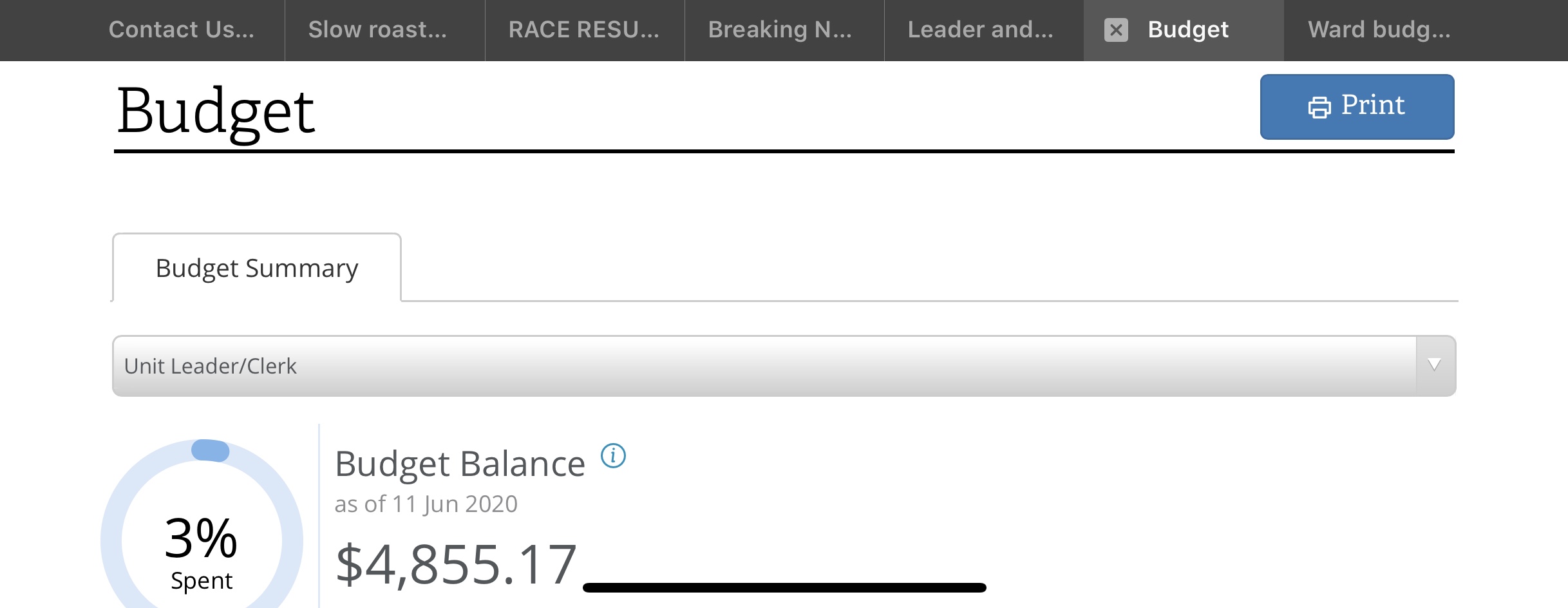
#29
Nope, I am looking at Unit Leader/Clerk permissions (I am the Bishop) and see only one tab called Budget Summary.

Looking at the drop down list everyone else is an Organisation president so looks like Leader/Clerk would be the highest permission.

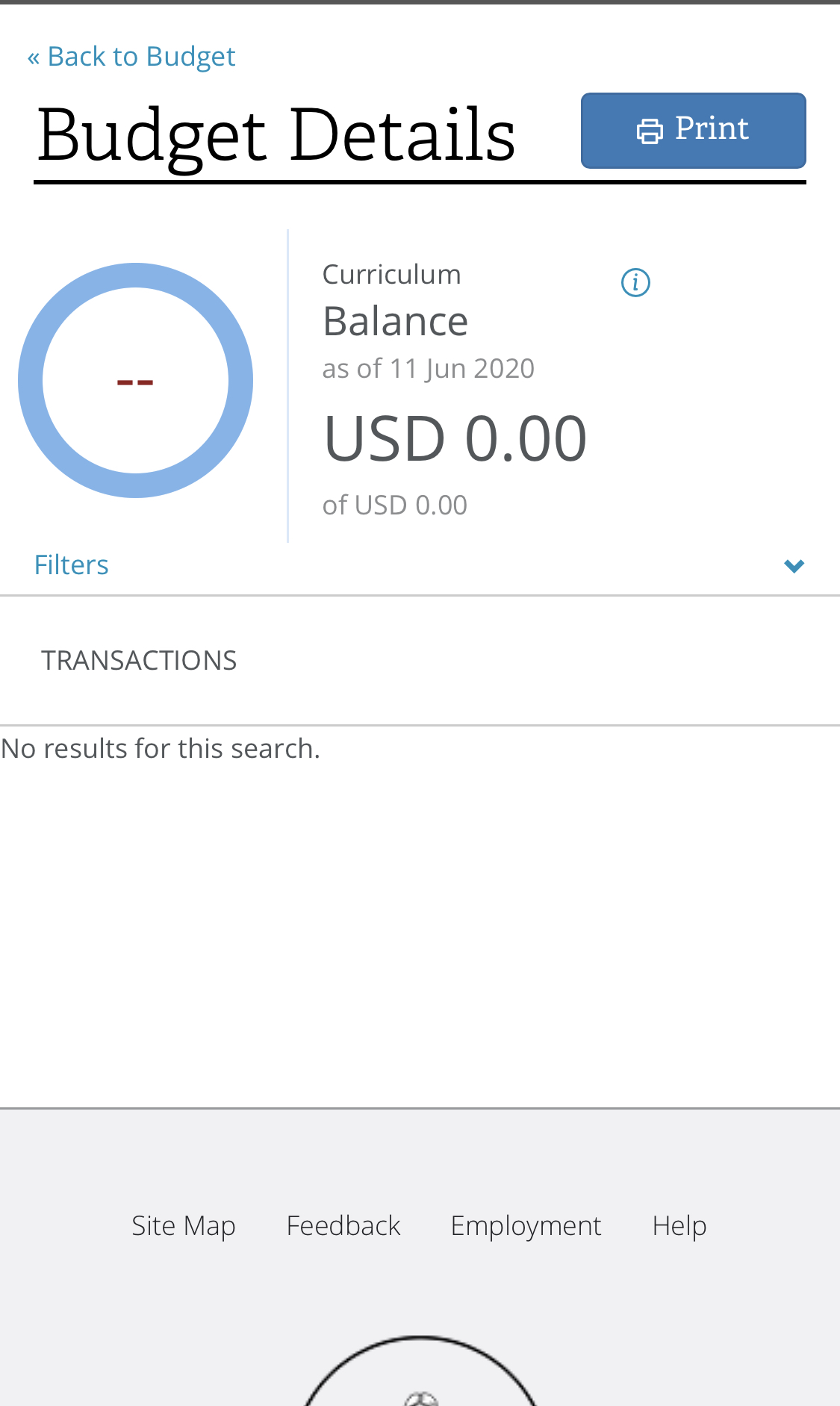
Maybe because we are in Australia? I did notice any category with nothing spent showed a USD prefix on the total in the Category detail when you click on a category name.

Any other ideas?
Senior Member
#30
I'm a unit leader in the USA, and when I click "Budget", it defaults to the "Unit Leader / Clerk" menu option, and I see the three tabs drepouille describes. Selecting any of the other menu options, I then only see tabs for "Budget Summary" and "Payment Request". Not certain what others are seeing, but at least this is my current experience.
#31
Hi all,

This is what I see on all devices:
940B682D-B802-4320-BCA7-53540E594094.jpeg
(171.44 KiB) Not downloaded yet
1F95AE97-1FCF-4C17-BD74-DDAFB1D79B70.jpeg
(279.82 KiB) Not downloaded yet
There is just the one tab and if I navigate to one of the $0 categories I see a USD currency where anything with a balance is just $ which is expected in Australia.

Cheers
#32
BrianEdwards wrote:I'm a unit leader in the USA, and when I click "Budget", it defaults to the "Unit Leader / Clerk" menu option, and I see the three tabs drepouille describes. Selecting any of the other menu options, I then only see tabs for "Budget Summary" and "Payment Request". Not certain what others are seeing, but at least this is my current experience.
As a ward clerk in the USA, I see the same thing.
#33
Still don't see anything other than the Budget Summary tab. Unit Leader/Clerk is my option in the access drop down as I am the Bishop.

Any further ideas if this is a feature not yet available in the outposts of the church?